
Your money, explained
in words you already use
See recorded sales, expenses and cash movements in context. Review the source of a difference before deciding what to do next.
Trust your team.
Let the system verify.
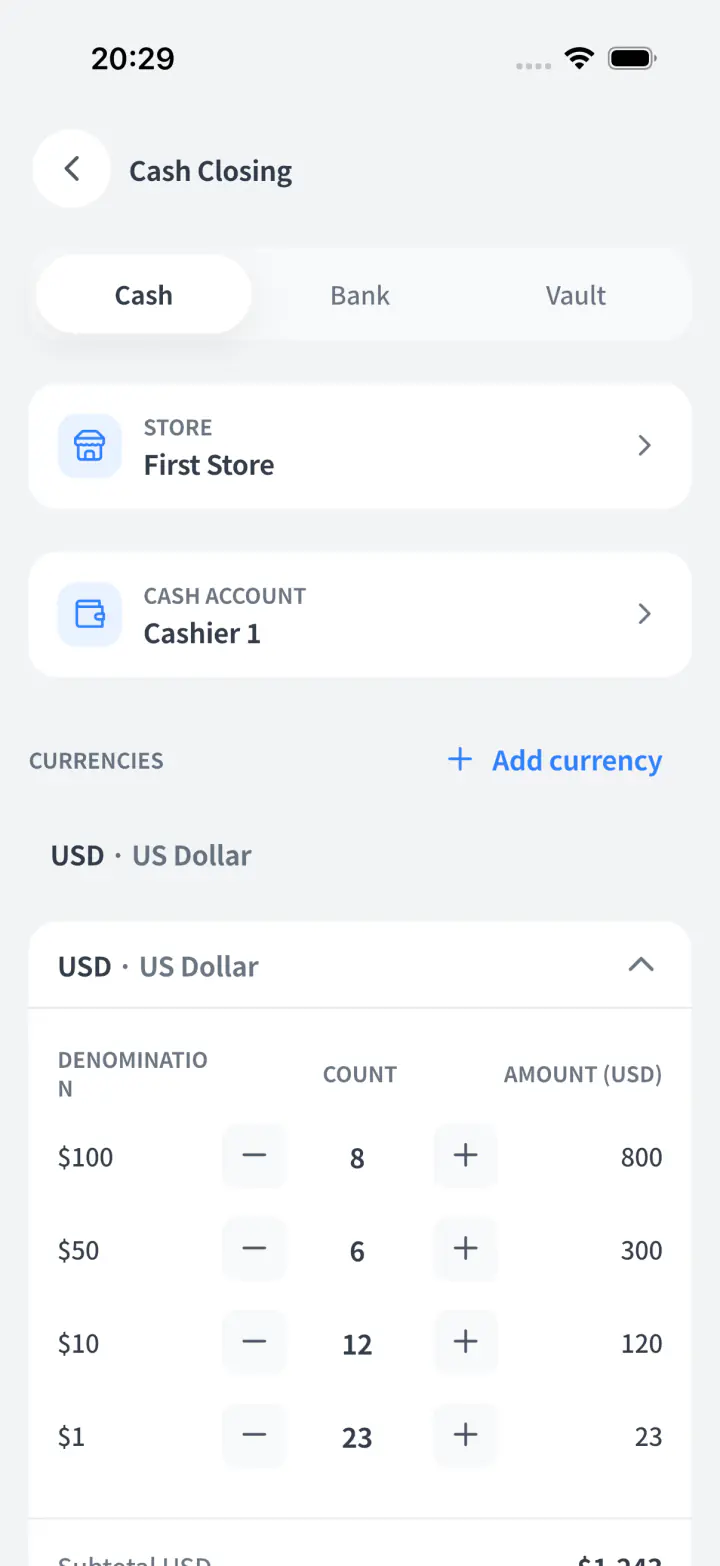
Compare the cash counted at close with the expected balance. Review the shift and source records when a difference needs explaining.
Short or over, you see it instantly
Once the drawer is counted, any gap shows in red. No guessing, no calculator, no awkward calls.
Checked against the last shift
Review the opening balance and recorded movements for the shift. A difference needs investigation before assigning a cause.
Counted per person, per drawer
Review the person, drawer and shift linked to a count. Those records support follow-up; they do not prove misconduct.
You hear about it without being there
"Cash over/short" reaches your home screen with the name, shift, and time.
You enter the sales.
Let Storebase do the math.
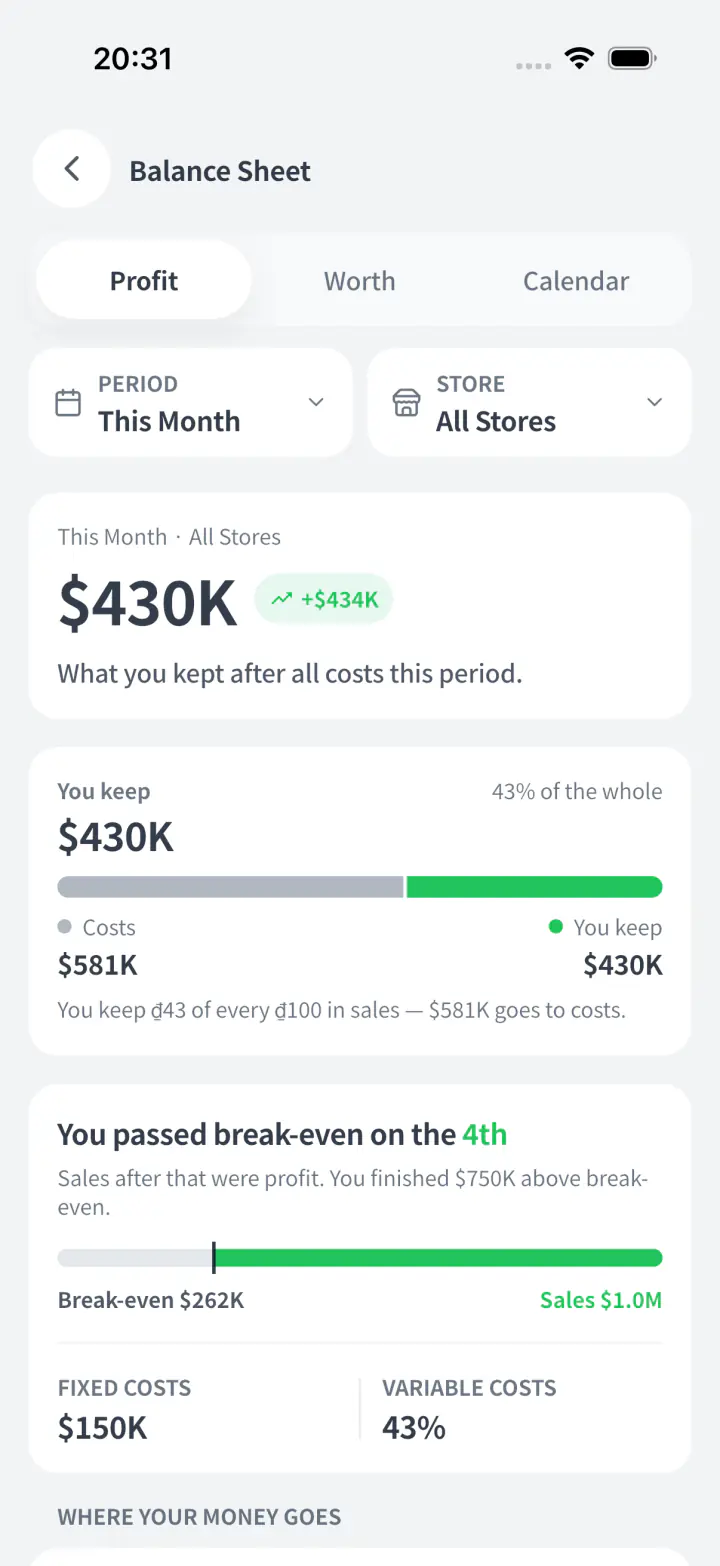
You should not have to build complex formulas or waste hours calculating daily margins. Just enter your sales and expenses, and let the app handle all the heavy math instantly.
Sales in, profit out
Enter today's sales once. Storebase separates revenue, cost, and profit automatically.
Expenses subtract themselves
Add rent, wages, stock, or delivery costs and watch the margin update instantly.
Margins in plain English
"You keep $23 of every $100 in sales." One simple sentence, zero manual math.
No formula rebuilding
Switch date, store, or report view and Storebase recalculates the numbers for you.
Cash movements,
connected to the records.
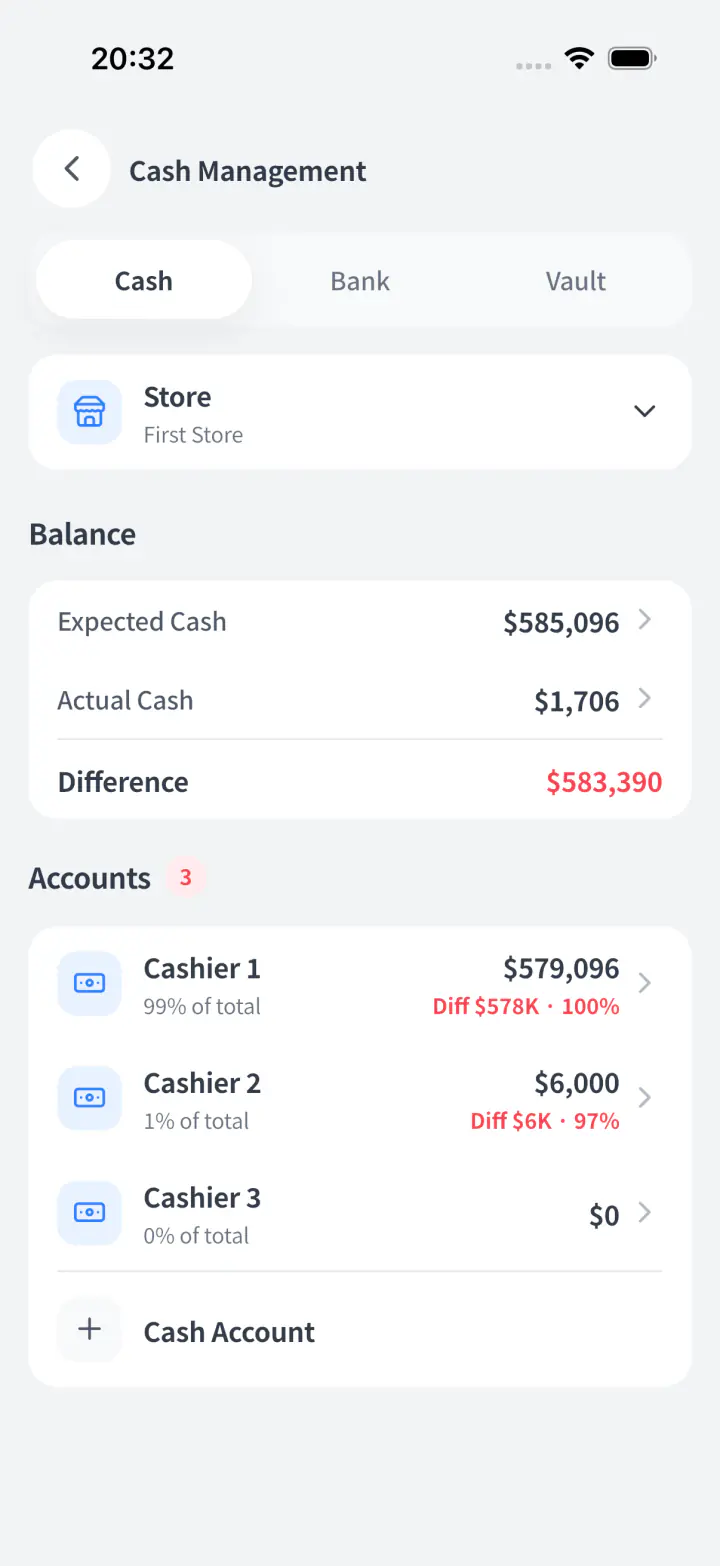
Compare recorded balances with counts and follow the relevant transactions. Your team can investigate the difference with its context in view.
Every move has a trail
Sales, expenses, transfers, loans, and adjustments keep the person, time, and account.
Expected vs actual cash
See what the books expected beside what was counted. Any difference turns red.
Review the difference
Open the related movements and check for a missing, duplicated or mistimed record.
Open the account from anywhere
Check any cashier, bank, or vault remotely and know exactly what changed.
One financial view
across your stores.
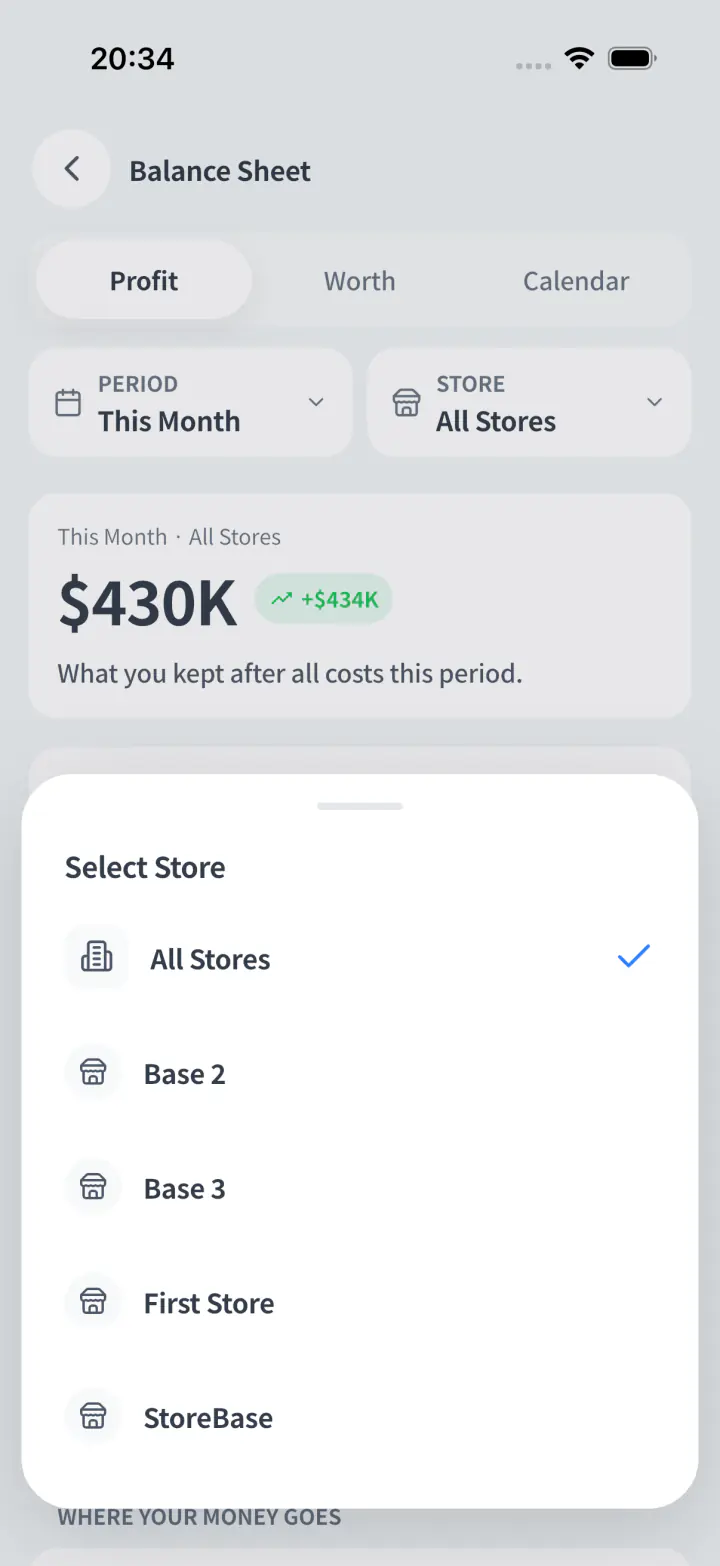
Compare stores in the same reporting period and follow the records behind the totals. Available store and company scope depends on your plan and permissions.
One screen for every branch
See store, company, and group numbers together without waiting for daily reports.
Branch numbers stay live
Sales, stock costs, payroll, and debts update from each location as work happens.
Compare stores instantly
Spot which branch is growing, stuck, or quietly draining cash before it spreads.
Control stays central
Open the branch, supplier, or transaction and follow the trail back to your books.
Your team records the work. The books follow.
How sales, receiving and transaction templates become financial records—plus cash closing, balances and prepaid rent.
Do staff need to understand debits and credits to record a sale?
Staff can complete a sale in Storebase without creating a separate accounting entry. The completed sale records revenue and cost of goods sold together with the invoice and stock movement. Set up your products, costs and payment locations first. Staff select the products and payment method; Storebase creates the linked records when the sale completes. You can trace the invoice back to its financial records. This describes sales completed in Storebase, not automatic imports from an unconnected POS.
See what happens when a sale is completedCan staff record recurring expenses without choosing the accounts every time?
Storebase transaction templates reuse the saved transaction setup, so staff do not rebuild the same expense or transfer from scratch. Save a suitable transaction as a template and share it with the appropriate team members. Opening it prefills the transaction form; staff enter or check the amount and complete the record to create the journal entry. Saving a template alone does not post a transaction or schedule a payment.
See how reusable transaction templates workIf my team receives purchased goods, do I need to enter the same purchase in the books again?
With inventory and cost tracking configured, Storebase links receiving to stock and financial records, so the same goods purchase does not need a second standalone bookkeeping entry. Your team records and confirms the goods received. Review the receiving amount and its posting status in the receiving session. Ordering, receiving goods and paying a supplier are different steps: use the linked workflow and the relevant payment or credit record, rather than entering another purchase for the same delivery.
See receiving amounts and their accounting recordHow can I see each store’s profit without building another spreadsheet?
Storebase turns recorded sales and expenses into revenue, cost and profit reports, so you can compare stores without rebuilding spreadsheets. Change the store or reporting period to review the same numbers from a different view. Sales, costs and expenses feed the report as your team records the work. When a total needs explaining, follow the source records instead of collecting a fresh set of reports from each manager.
See how sales and expenses become profit reportsHow can staff close the cash drawer while I review only the differences?
Storebase compares the counted cash with the expected balance, so you can focus on a difference instead of recalculating every drawer. Staff count notes and coins by denomination at closing. Review the person, cash location, time and recorded movements behind any shortage or overage. Confirm the appropriate closing or correction after checking the records; a cash difference identifies a question to investigate, not its cause.
See the cash-closing workflowWill moving money between a drawer, bank account and another store inflate my sales?
Storebase records money moved within the same company as a transfer, not a new sale or operating expense. Select the sending and receiving cash locations and the amount. The record shows where the money moved, including transfers between stores. Transfers between linked companies create records in both sets of books, subject to the supported company and currency setup. Recording a transfer does not itself instruct your bank to move money.
See how cash and store transfers are recordedCan I track what customers owe and what I still need to pay suppliers?
Storebase keeps receivable and payable balances by counterparty, so you can follow up without maintaining a separate debt spreadsheet. Open a customer or supplier balance to see its transaction history and record money collected or paid. Full and partial settlements update the remaining balance. Record the actual collection or payment against the relevant counterparty so an unpaid balance is not confused with cash already received or spent.
See customer and supplier balance managementIf I pay several months of rent upfront, must I split the expense manually every month?
Storebase can schedule monthly rent expense from a registered rent prepayment, so you do not recreate the same allocation each month. Choose the start month, covered period, expense account, payment location and total amount. Review the monthly schedule before confirming. Storebase records the prepayment and creates the scheduled monthly expense entries, while showing the remaining prepaid balance. This scheduled process is separate from an ordinary reusable transaction template.
See prepaid rent and its monthly scheduleReady to stop guessing about your money?
Start your free trial today. No credit card required.