
Every product, every store, on one screen
Know what you hold and what it is worth, count it without closing, and check every delivery against the order you placed.
Review stock
before the next order.
Use recorded stock and sales to review what may need replenishing. Check demand changes, supplier lead times and recording gaps before ordering.
Estimated stock coverage
Coverage estimates depend on recorded stock and recent sales. Demand changes and unrecorded movements can change the result.
What earns, and what just sits
See what brings in money and what sits for months. Reorder one, discount the other.
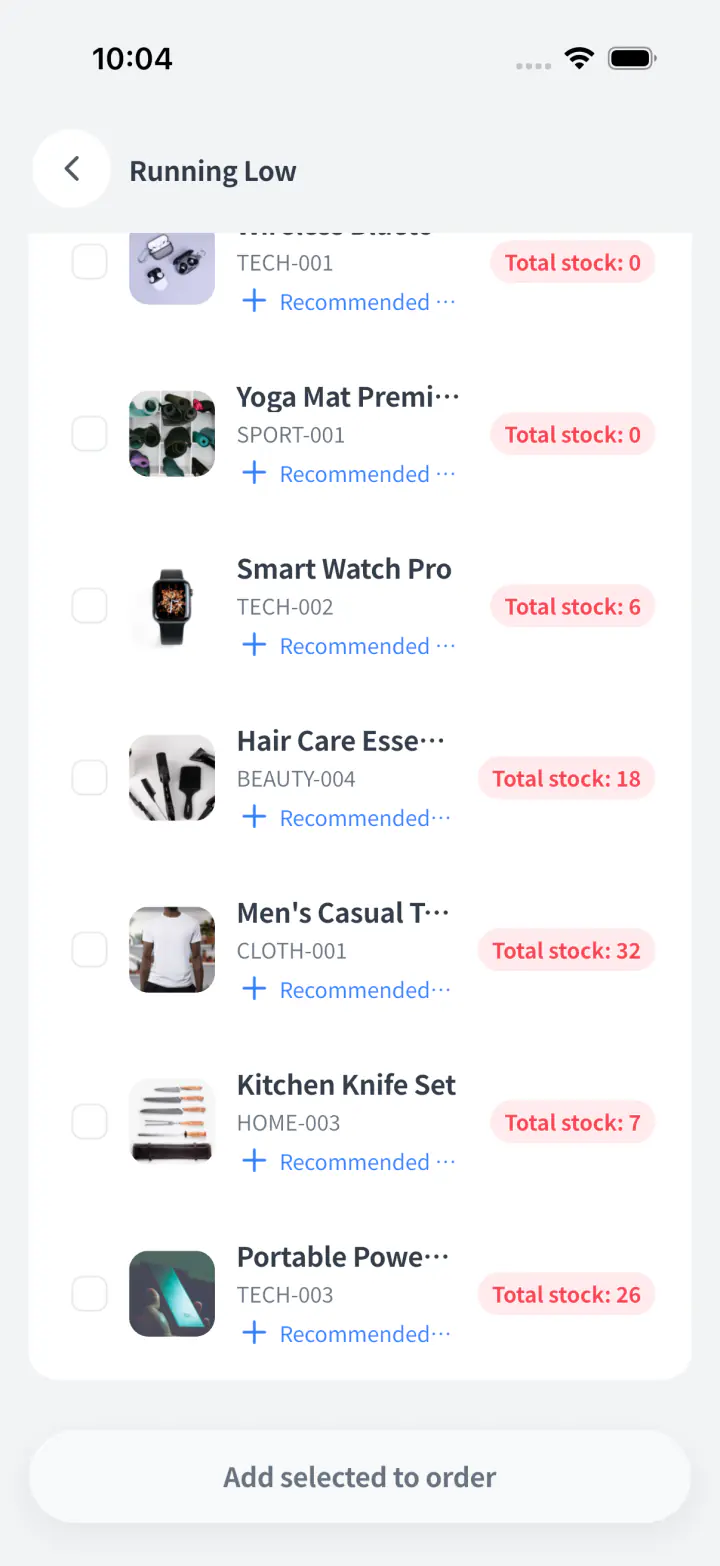
From the warning to the order
Select everything running low, tap once, and it becomes a supplier order. Nothing gets retyped.
Move it before you buy it
If another shop has it, move it instead of buying more. Both sides are recorded.
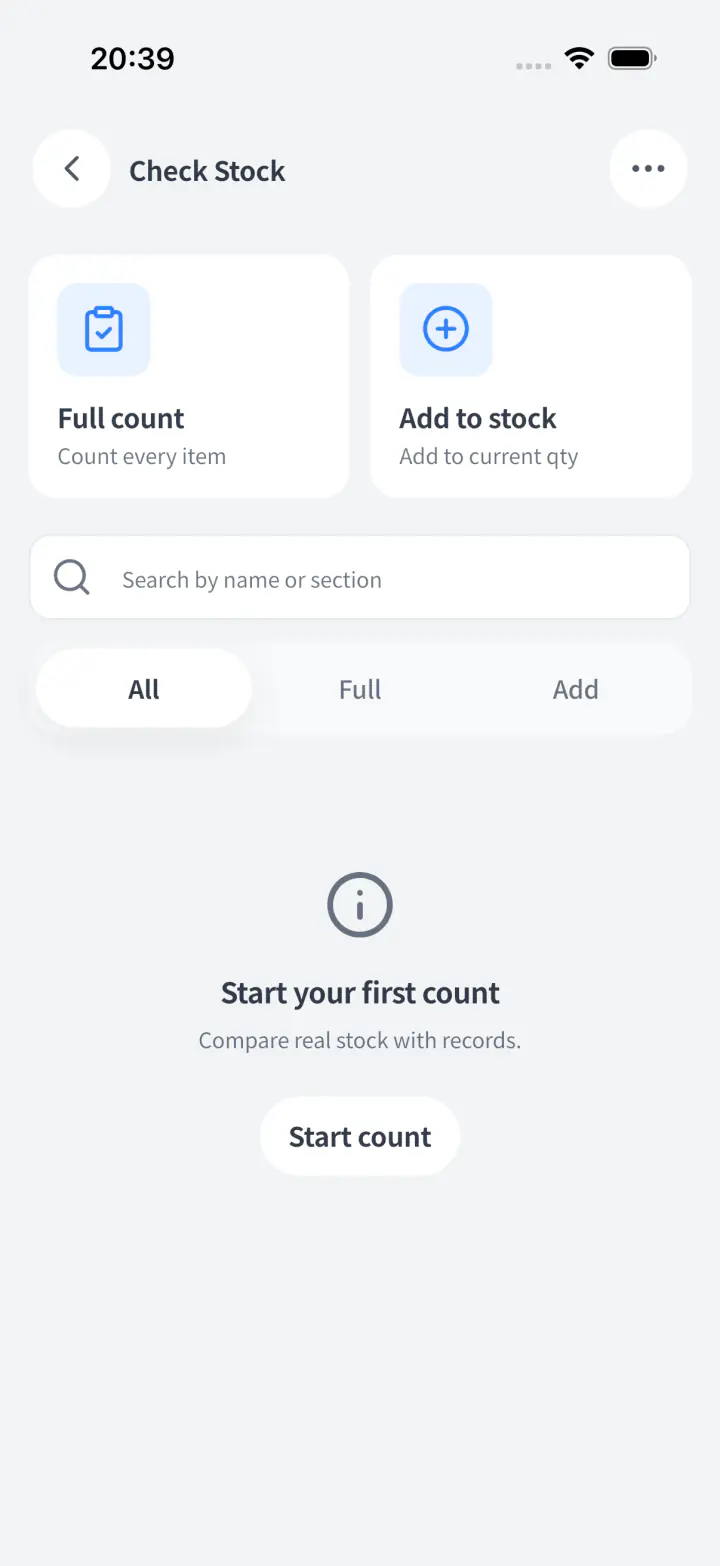
Count as a team.
Review one result.
Record counts on staff phones and review the combined result. Agree a cutoff and account for stock movements while the count is in progress.
Stocktaking on phones
Scan barcodes, enter quantities, and move shelf by shelf without paper or retyping.
The whole team counts
Split the store across staff phones. Storebase merges every count into one review.
Count safeguards built in
Full counts warn you before missed SKUs become zero, so mistakes are caught early.
Discrepancies before save
Review what changed, who counted it, and fix issues before stock numbers go live.
End delivery chaos.
Trace every order back to its source.
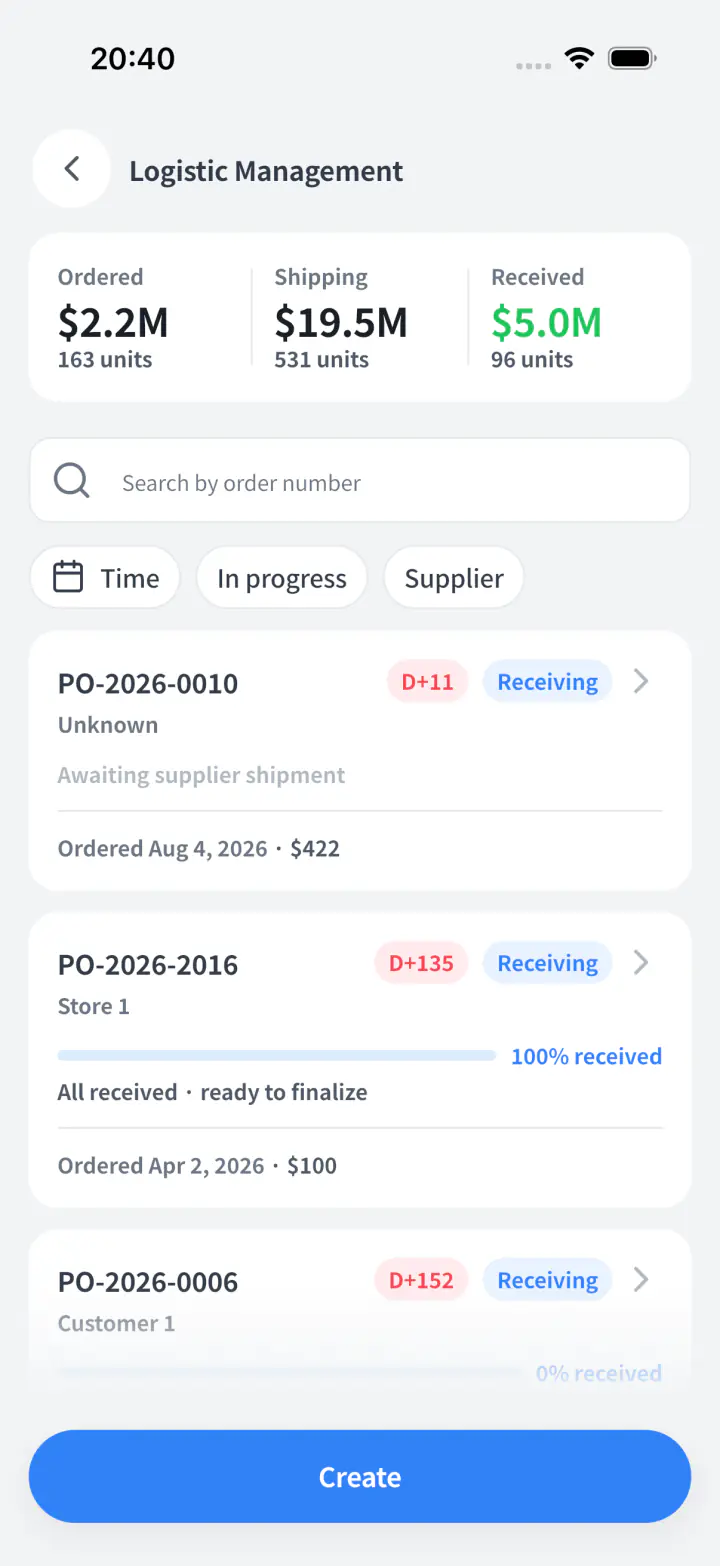
Stop chasing late shipments and arguing over short deliveries. Track every order from checkout to receiving, with proof of who received what and when.
Five step order lifecycle
Watch orders move from Ordered and Shipping to Received, with live status at every stage.
Transparent Quantity Matching
Ordered, shipped, and received numbers sit together, so shortfalls are highlighted instantly.
Caught at the Door, Not Next Month
Staff log what arrived right away, with each line marked short, over, or matching.
Supplier Accountability Tracker
Every stage is timestamped, so late or unreliable suppliers stand out before you reorder.
Help staff find
the right product.
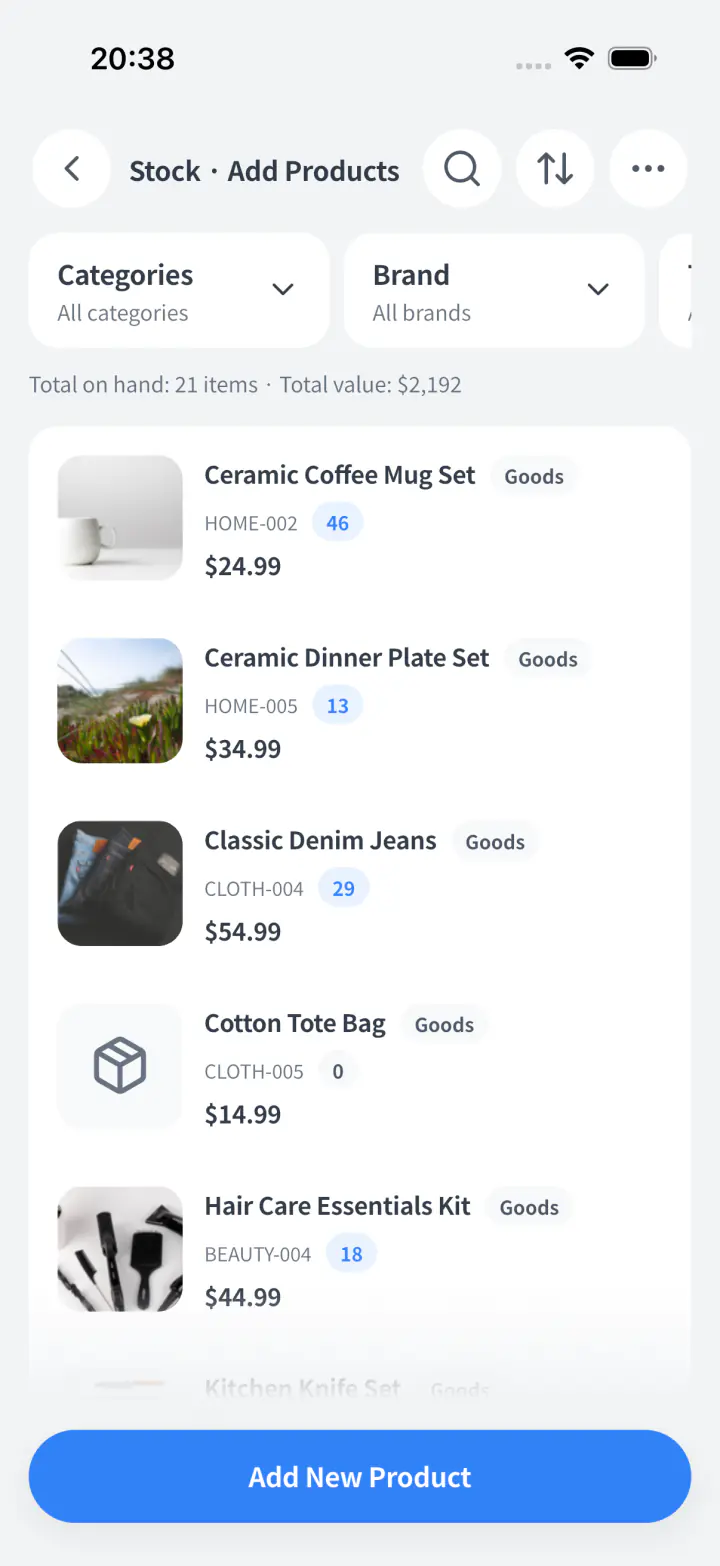
Use product search, barcodes and filters in daily work. Introduce new teammates to the fields and actions relevant to their role.
Natural product search
Staff search by colour, size, supplier, shelf, or whatever they remember.
Scan and open workflow
Point at a barcode and the product opens, so no one memorises codes.
Simple visual filters
In stock, out of stock, low stock, location, and brand are clear tap choices.
First day product actions
New staff can find items, check quantities, and handle simple updates without asking you.
Know what happened to your stock. Without rebuilding the history.
Answers about sales, refunds, deliveries, counts, losses and finding the right product.
Do I need to update stock separately after a sale or refund?
For stock-tracked products, a completed Storebase sale reduces stock, and the invoice refund workflow restores stock and reverses the related sales and cost entries. Use the original completed invoice to confirm a refund instead of adding an unrelated stock adjustment. The invoice keeps the products, payment details and seller together. Products need the appropriate stock and cost setup; menu or service items without quantity tracking do not behave like stock-tracked goods.
See invoice details and the refund workflowHow do I know what to reorder or move between stores without calling each manager?
Storebase shows stock and recorded sales across locations, so you can check what is running low before buying more. Review stock coverage, slow-moving items and available stock in other stores. Use those records to plan a supplier order or a store transfer without retyping the product list. Coverage is an estimate based on recorded stock and sales; check demand changes and supplier lead times before placing the order.
Review stock before ordering or transferringHow can my team check deliveries without me chasing missing items?
Storebase compares ordered, shipped and received quantities, so your team can record what arrived and identify short deliveries in the same history. Staff record the quantities received and whether each line is short, over or matching. The order keeps the people and times involved, giving you the records to follow up on a missing item without reconstructing the delivery from messages.
See the order-to-receiving workflowWhat if a delivery arrives in parts or before anyone creates an order?
Storebase supports partial receiving and receiving without a pre-existing shipment, so staff can record what actually arrived without waiting for every document. For a linked shipment, confirm the current receipt and continue receiving the remaining quantity later. If goods arrive without an order or shipment, count them in the standalone receiving flow; confirming creates the related order and shipment records. Review rejected quantities and the resulting stock changes before treating the delivery as complete.
See partial and unplanned receivingCan several employees count stock without me merging their count sheets?
Your team counts together in one Storebase session, giving you one result to review instead of separate sheets to merge. Staff scan barcodes and record quantities on their phones. Review differences and who counted each item before confirming the result. If sales or stock movements continue during the count, agree a cutoff and account for those movements so the count and stock records refer to the same point in time.
See how a team stock count worksHow can staff record damaged or expired stock without hiding it inside a stock-count correction?
Storebase lets staff record a product loss with its quantity, damage or expiry reason and an optional note, leaving a distinct stock movement to review. Open the product, choose the loss action and confirm the affected quantity at the current store. The stock quantity and history update together. You can distinguish a recorded loss from a sale, transfer or count adjustment when investigating why stock changed.
See product losses and stock movement historyCan new staff find the right size or colour without memorising every product code?
Storebase combines product variants, attributes and barcode lookup, so staff can find the item they need without memorising every SKU. Set up the product and its relevant options, such as size and colour. Staff use search, filters or barcode scanning to open the product during sales and stock work. Keep variant and barcode records accurate so similarly named items are not confused.
See product variants and optionsReady to stop losing sales to stockouts?
Start your free trial today. No credit card required.