
STOREBASE INSIGHTS · Sales and finance
When sales are posted late: keep the sales day separate from the record time
Keep the sale date, posting time, report time and money-movement date as separate facts. A late report is a timing question until the records show a real omission.

On this page
The date on a sale answers one question
When a daily sales report appears after the day the sale happened, the owner can mistake a timing difference for a missing sale. A sale date, a time when staff entered it, a time when a POS report was produced and a time when a bank or processor records money are not automatically the same. They describe different events.
Start by asking which date you need. If you are checking yesterday’s selling activity, use the sales period. If you are explaining why a report arrived late, keep the entry or report timestamp beside the sales date. If you are checking cash, record the deposit or payout date separately. Do not move a sale into a different day just to make two totals line up.
Keep event time and posting time visible
| Question | Date or time to keep | What it helps you ask |
|---|---|---|
| When did the customer buy? | Sale or service date | Which day’s activity is this? |
| When did staff record it? | Entry or posting time | Was the record entered late? |
| When did the report arrive? | Report generation or receipt time | Was the source delayed? |
| When did money move? | Deposit, payout or bank date | Is this a separate cash-timing question? |
| What changed later? | Correction or adjustment time | Who should explain the change? |
The timestamps do not need to be identical. They need names and a consistent rule. A non-cash journal adjustment may change a report without moving money that day. A card sale may belong to Tuesday’s sales while the payout reaches the bank later. Both can be true without either record being secretly wrong.
What Storebase can contribute
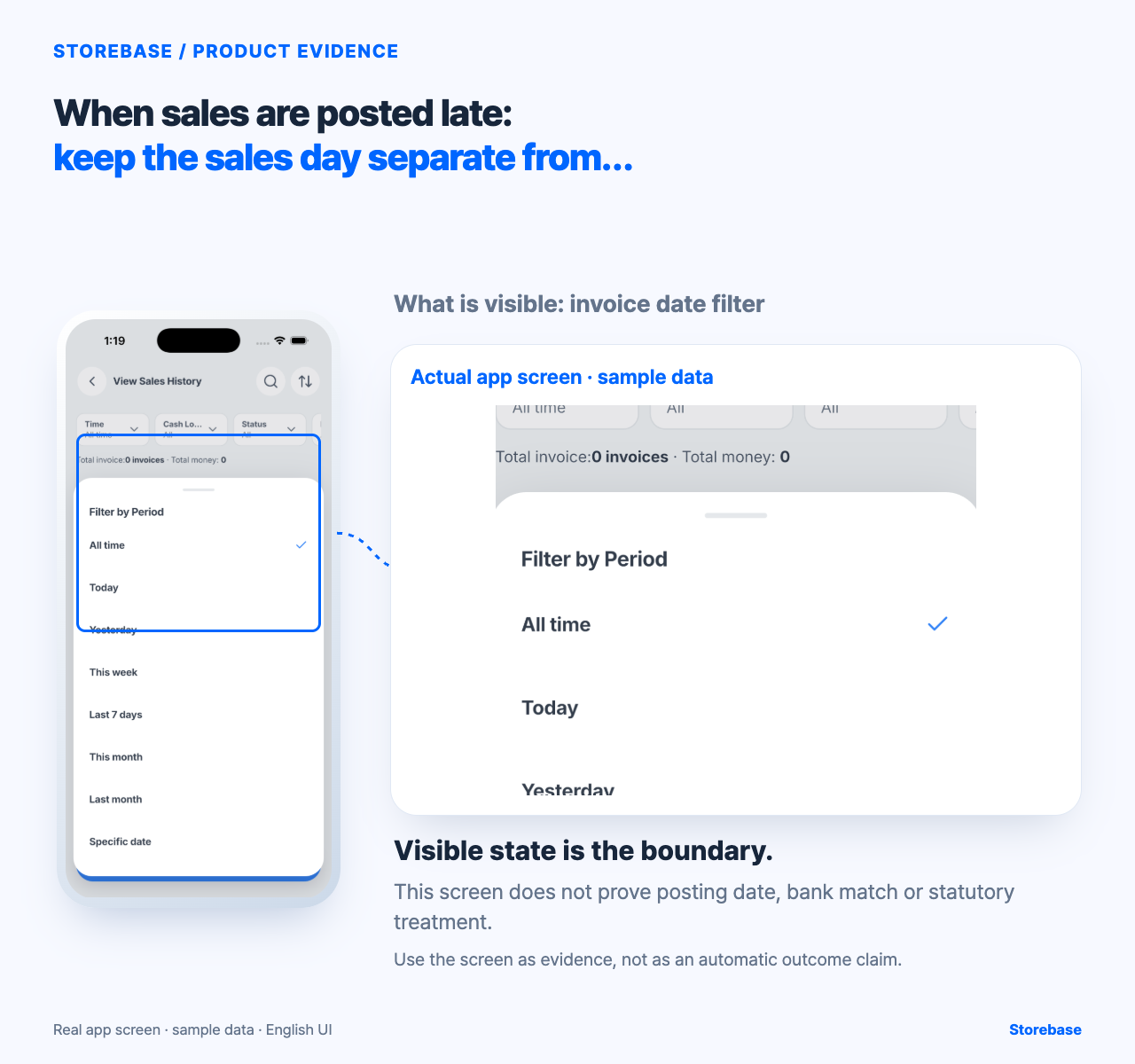
Storebase’s Sales History screen has a visible Time filter with choices such as Today, Yesterday, This week, Last 7 days, This month, Last month and Specific date. That gives a manager a practical way to narrow the invoices being reviewed to the sales window in the question. The invoice feature also describes list, search, detail, reprint and refund actions.
Use the time filter to inspect the selected sales period, then read the record’s own dates and supporting report. The screen does not show a processor payout, bank timestamp, undeposited-funds balance, tip or fee split, or an automatic match. It also does not decide which date an accountant should use for a statutory report. Keep the cash or accounting treatment as a separate human check.
A small daily review
- Choose one store and the sales period you want to understand.
- Write down the cutoff and timezone before opening the report.
- Filter Sales History to Today, Yesterday, a relative period or a specific date that matches the question.
- Note the sale date and entry or report time when they differ.
- Keep a separate line for deposit, payout or bank timing; do not rewrite the sale date to match it.
- Mark late, corrected, duplicated or non-cash items for the responsible person to explain.
- Recheck the next report using the same cutoff and record what changed.
For a delayed daily report, the useful output is not a forced single total. It is a short explanation: sales belonged to one period, the record was posted later, and the money movement may follow another schedule. That explanation lets the next person continue without rebuilding the whole week from messages.
Check the result without hiding the difference
After a week, pick one report that arrived late. Can another person identify the sales period, the record or report time, the separate money-movement date and the person who should explain the difference? If yes, the process is becoming repeatable. If not, improve the cutoff definition or handoff before adding another dashboard.
The benefit is a narrower question and less needless re-entry. It is not proof that every sale arrived, that a payout is correct, that fees and tips were split correctly, or that a report meets local accounting or tax rules. Keep source reports, receipts, processor statements and bank records according to the applicable policy, and ask qualified local accounting guidance when the timing affects the books.
Close the day without pretending late records cannot arrive
Define two controls for each source: an expected-completeness check and a reporting cutoff. Completeness asks whether every expected store, terminal, file, sequence, or batch for the sales window arrived. The cutoff says when the team will issue the daily view even if a source remains open. Record both outcomes. A total issued on time with a missing terminal is timely but incomplete; a complete source received after cutoff is late but not a missing sale.
When data arrives after close, preserve the original sales event and create a late-arrival entry linked to the first report version. State the source, sales period, receipt time, reason if known, amount or count affected, owner, and whether the report will be reissued under the store's policy. If reissued, show the prior total, adjustment, new total, version, and approval time. Do not quietly refresh yesterday's dashboard because a reader can no longer tell which number guided the earlier decision.
Choose the reporting response before seeing the amount: immediate correction, next scheduled revision, or disclosure without changing the closed view. The threshold may depend on materiality, operational urgency, and applicable accounting or tax requirements, so a qualified local adviser may need to approve it. The rule should never move the underlying sale into a later day merely to preserve a clean close.
Test one late batch and one correction across a time boundary
Use a single store and document its timezone, business-day boundary, source schedule, expected components, and close owner. Follow one batch that arrives after cutoff and one transaction corrected after its initial report. Include a midnight boundary or clock-change period if it occurs in the store's jurisdiction. Ask a second manager to identify the event day, receipt time, report version that first included it, and any cash or processor date without relying on the file name alone.
The evidenced Storebase Sales History time filter can narrow invoice review to a selected period, as the main article explains. It does not establish source completeness, terminal sequences, business-day configuration, late-arrival routing, automatic report versions, materiality decisions, period locking, or audit preservation. Test those behaviours in the intended workspace before making them part of the closing rule.
The regression gate is to rerun the first report after the late batch has been handled. Pass when the original issued view remains identifiable, the later version reconciles through an explicit adjustment, and the sale still belongs to its correct event period. The owner then knows whether a change means new business information, a delayed source, or a later correction; another filter alone cannot supply that explanation.