
Show contents
Grow stores & business › More business
Send numbers to your accountant or co-owner
- Who
- Owner
- When
- Month end · before filing taxes
- Where
- App · Web
What you get
- Send the app's income statement right away as a PDF (print layout) or a CSV.
- On the website, download «Transaction History» and «Debt Management» with «Export to Excel».
What it solves
- “Every month end I redo it in Excel and send it” — the books and the numbers you send drift apart.
Why this way
- It exports exactly what's in the books, so there's nothing to type again.
- Can I send the «Worth» tab of «Balance Sheet» too? It has no export yet. What you can send is the «Formal income statement» under «Profit».
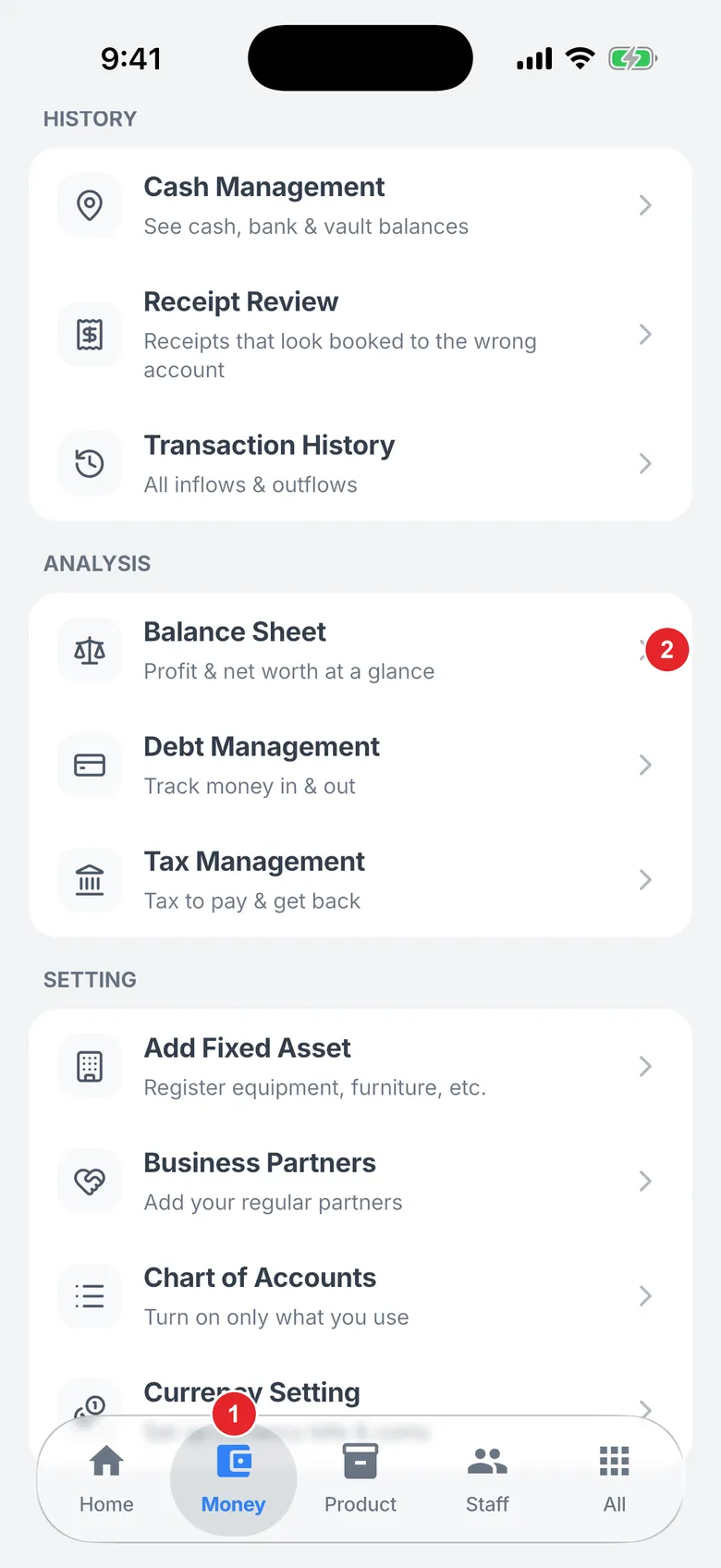
- Tap «Money» at the bottom of the app.
- Scroll down and, under «ANALYSIS», tap «Balance Sheet».
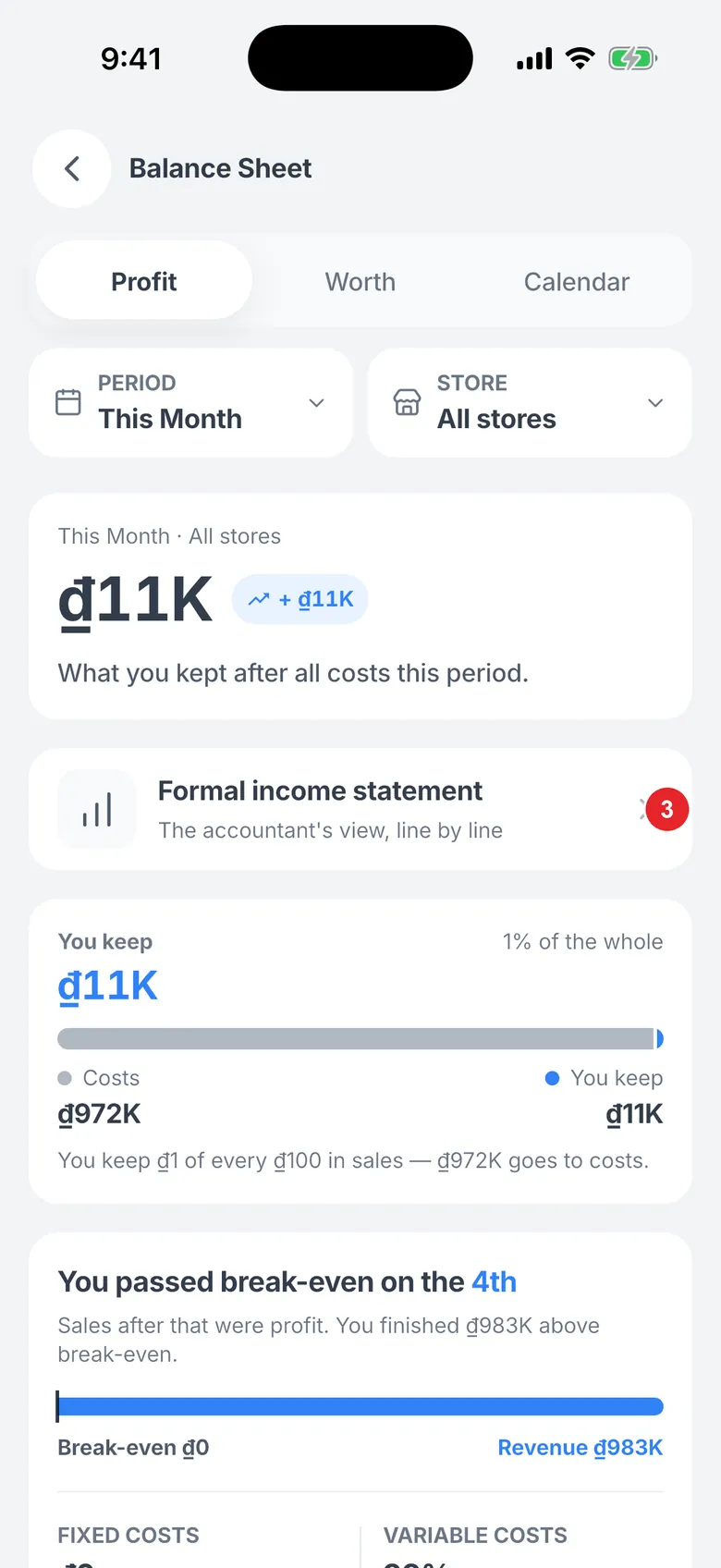
- Choose the period and store to send and tap «Formal income statement». Here it is «This Month» and «All stores».
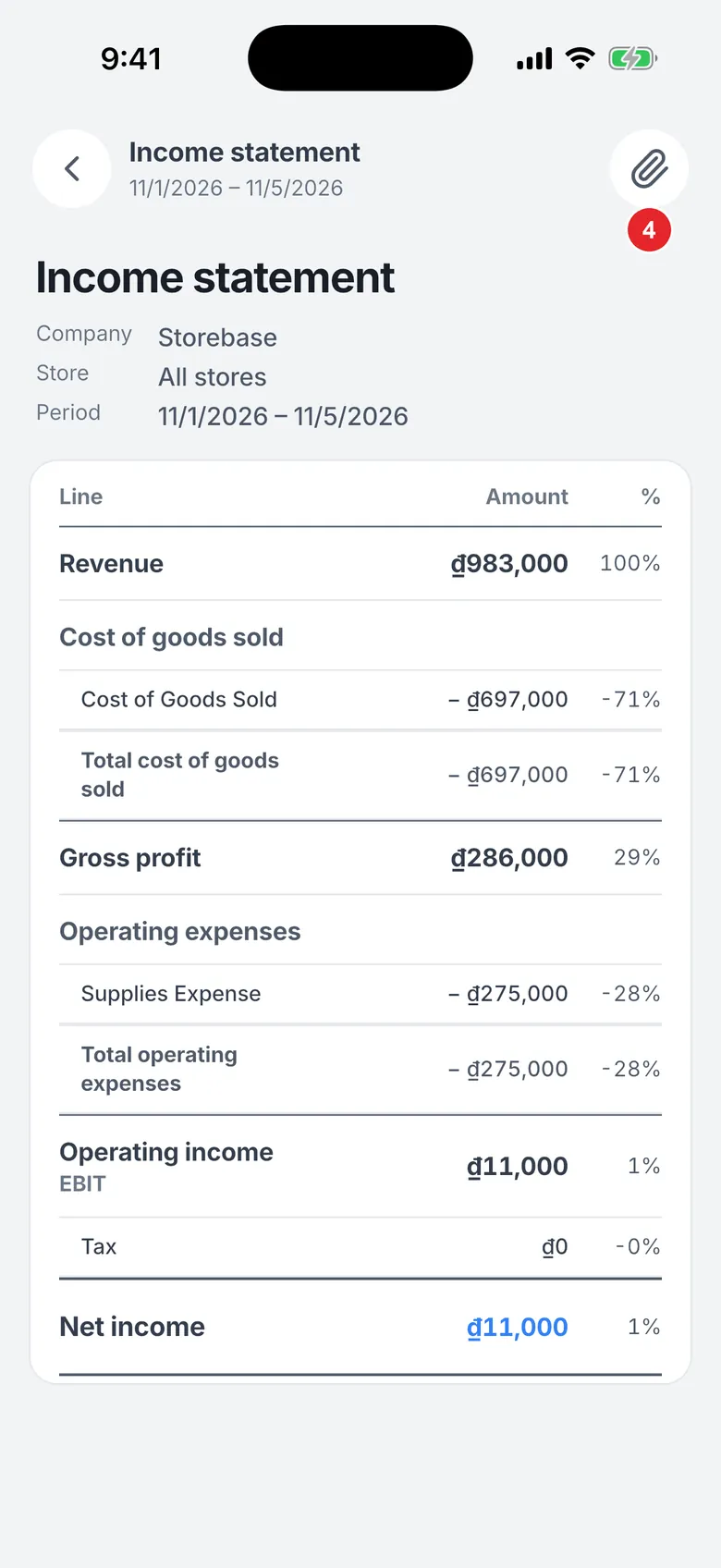
- Tap the paperclip button at the top right.
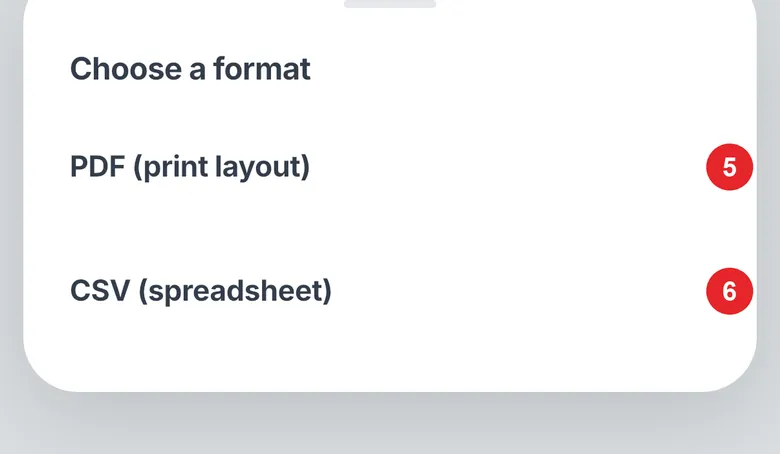
- To print it or show it as it is, tap «PDF (print layout)».
- To open it in Excel, tap «CSV (spreadsheet)».
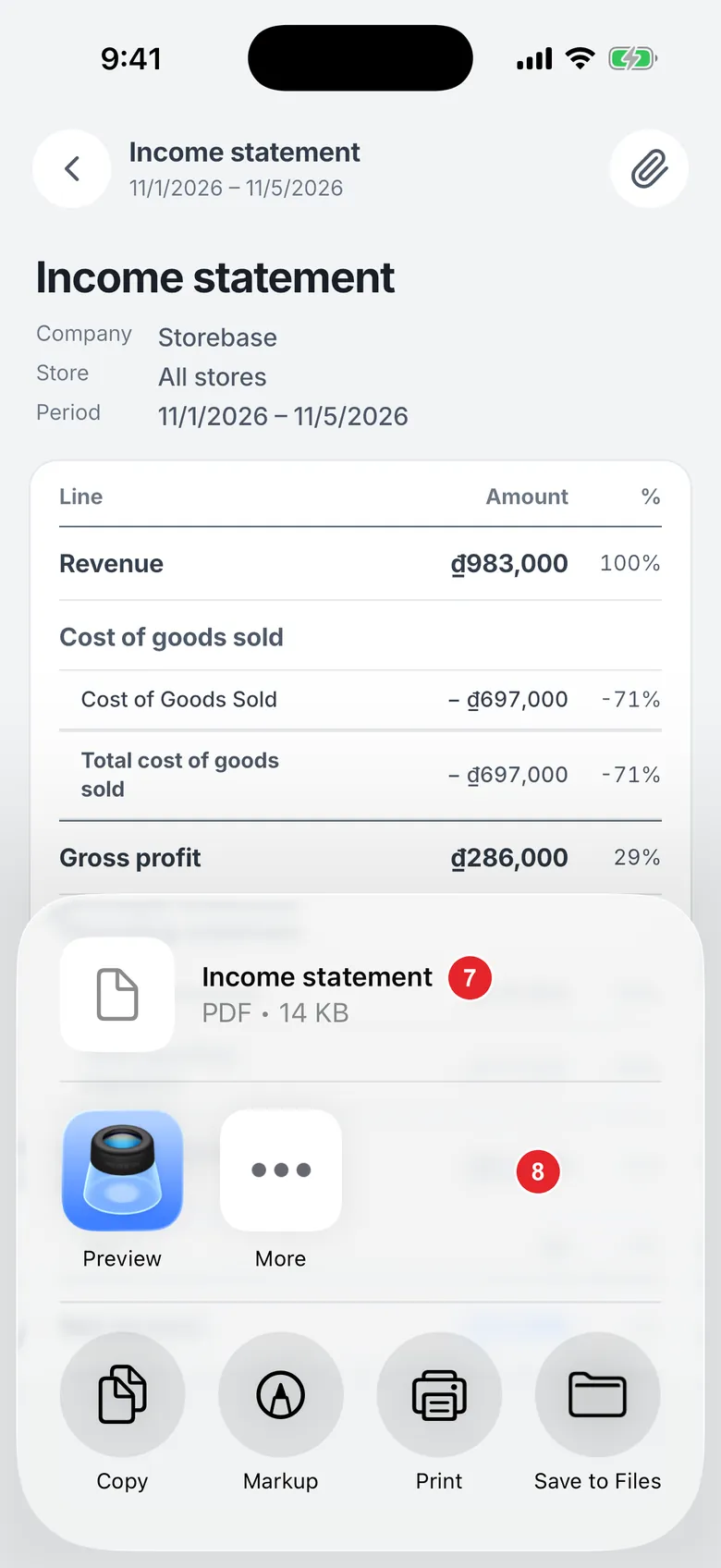
- The phone's share window opens and shows the income statement as a PDF file.
- In the phone's share window, choose where to send it (mail, a messenger and so on). You can also save it as a file.
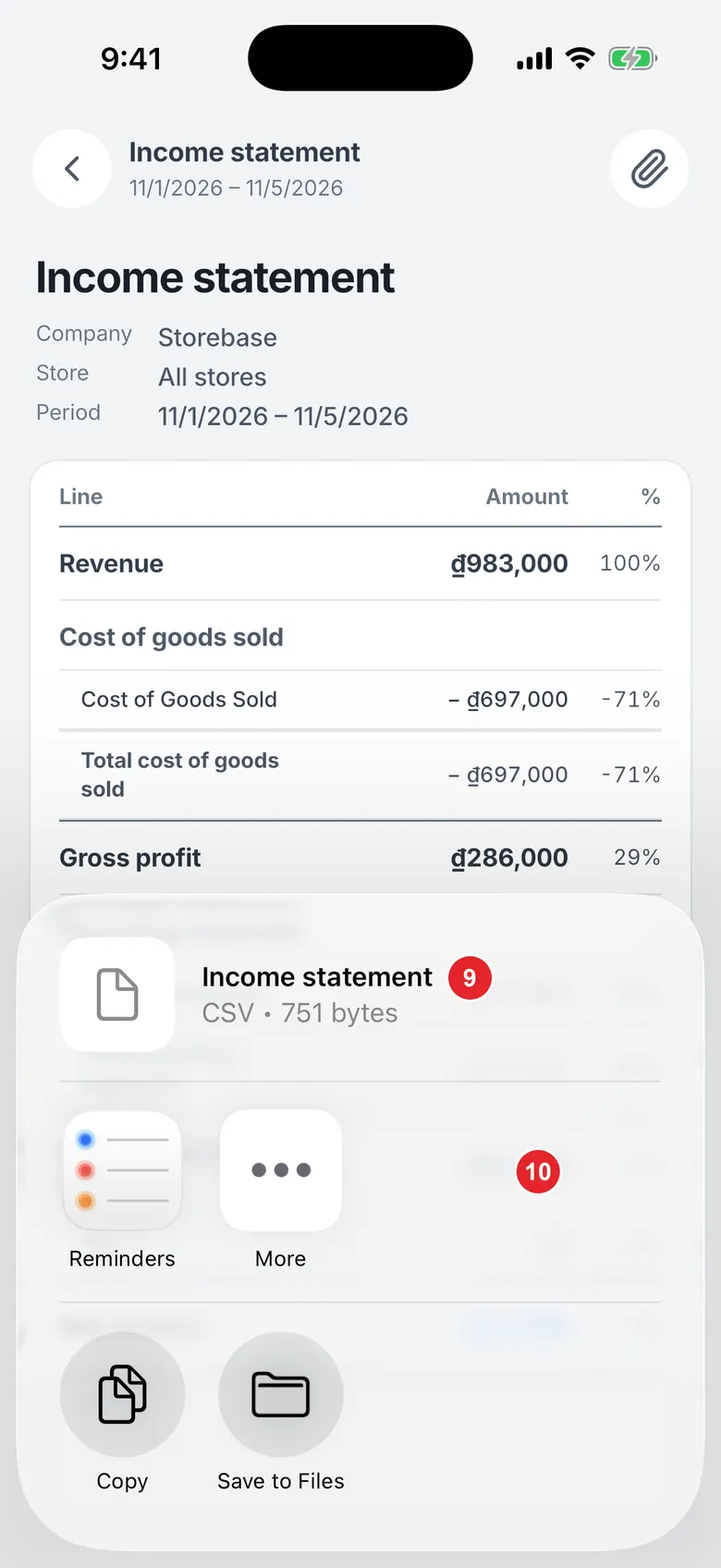
- If you choose CSV, the same income statement comes out as a CSV file.
- In the phone's share window, choose where to send it (mail, a messenger and so on).