
Show contents
Grow stores & business › More business
See taxes and start connecting e-invoices
- Who
- Owner
- When
- When you pay taxes · when you first connect e-invoices
- Where
- App · Web
What you get
- In the app's «Tax Management», see tax to pay, tax to get back and net payment as they are in the books.
- In the app, enter a rate in «Tax on sales» and the tax on sales is worked out; confirm it as tax to pay in the books with «Confirm as tax».
- In «Settings» under the website's «Tax», connect the e-invoice provider (Viettel). Connecting is the first of 5 items; only once the last one, «Issuing», is set does every F&B sale send an invoice.
What it solves
- Every time you pay tax, you work out the amount separately.
Why this way
- Do retail sales send invoices too? Not yet. Only F&B sales do.
- I don't see «Tax» on the website. The website's «Tax» is only for F&B companies.
- Who connects it? The owner or someone with the «Tax handling» permission. The company's country and base currency must be Vietnam (VND).
See your taxes now
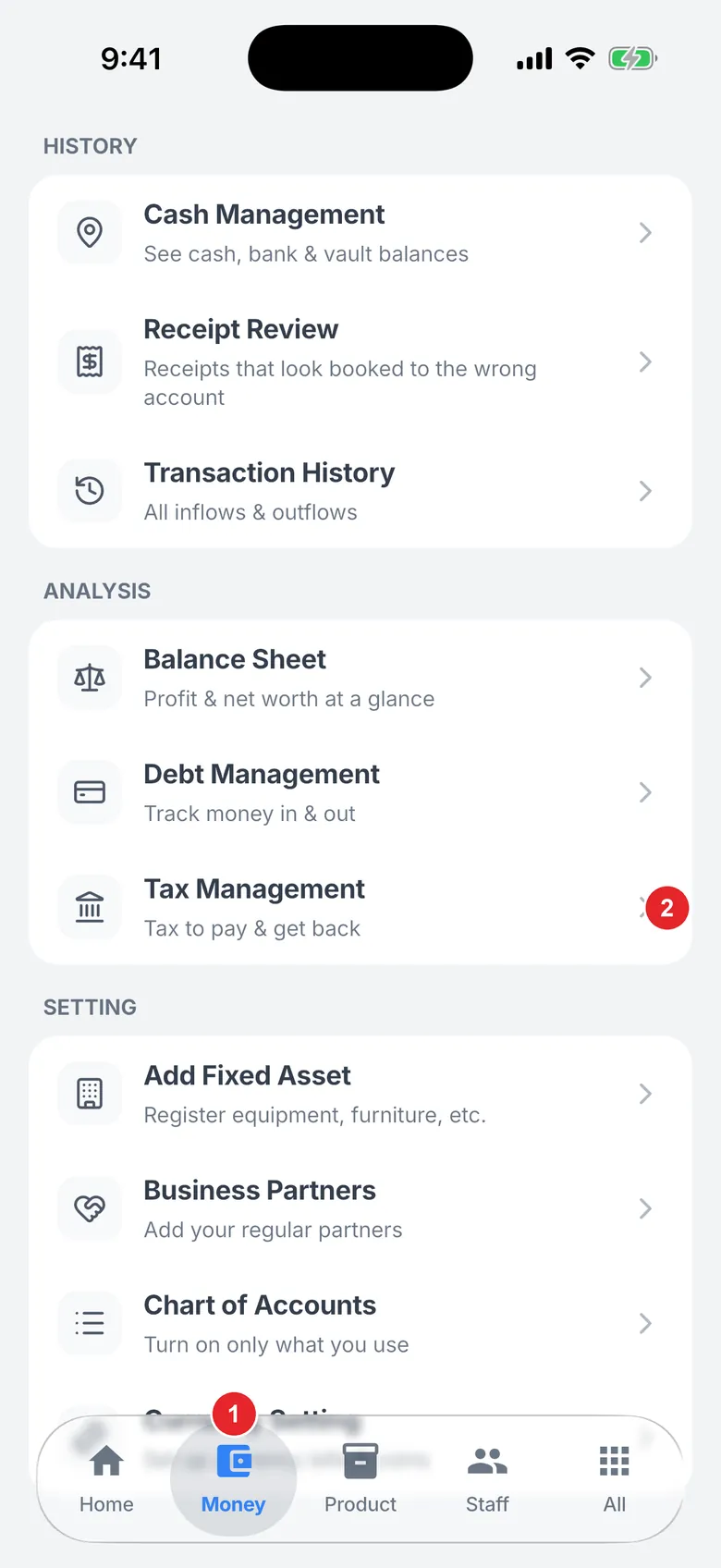
- Tap «Money» at the bottom of the app.
- Scroll down and, under «ANALYSIS», tap «Tax Management».
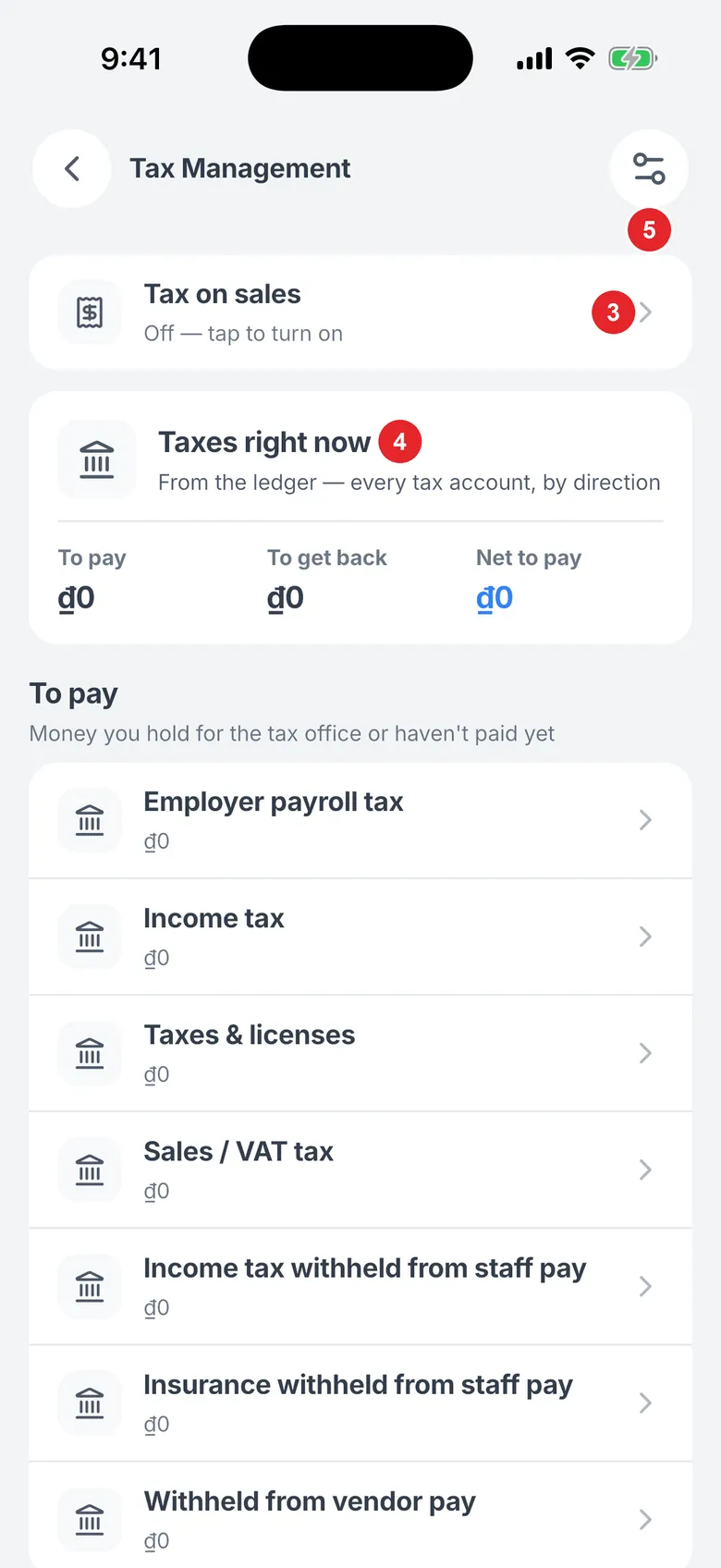
- «Tax on sales» at the top starts off. How to turn it on starts at step 8.
- In «Taxes right now», see the tax accounts in the books as «To pay», «To get back» and «Net to pay».
- Tap the button at the top right.
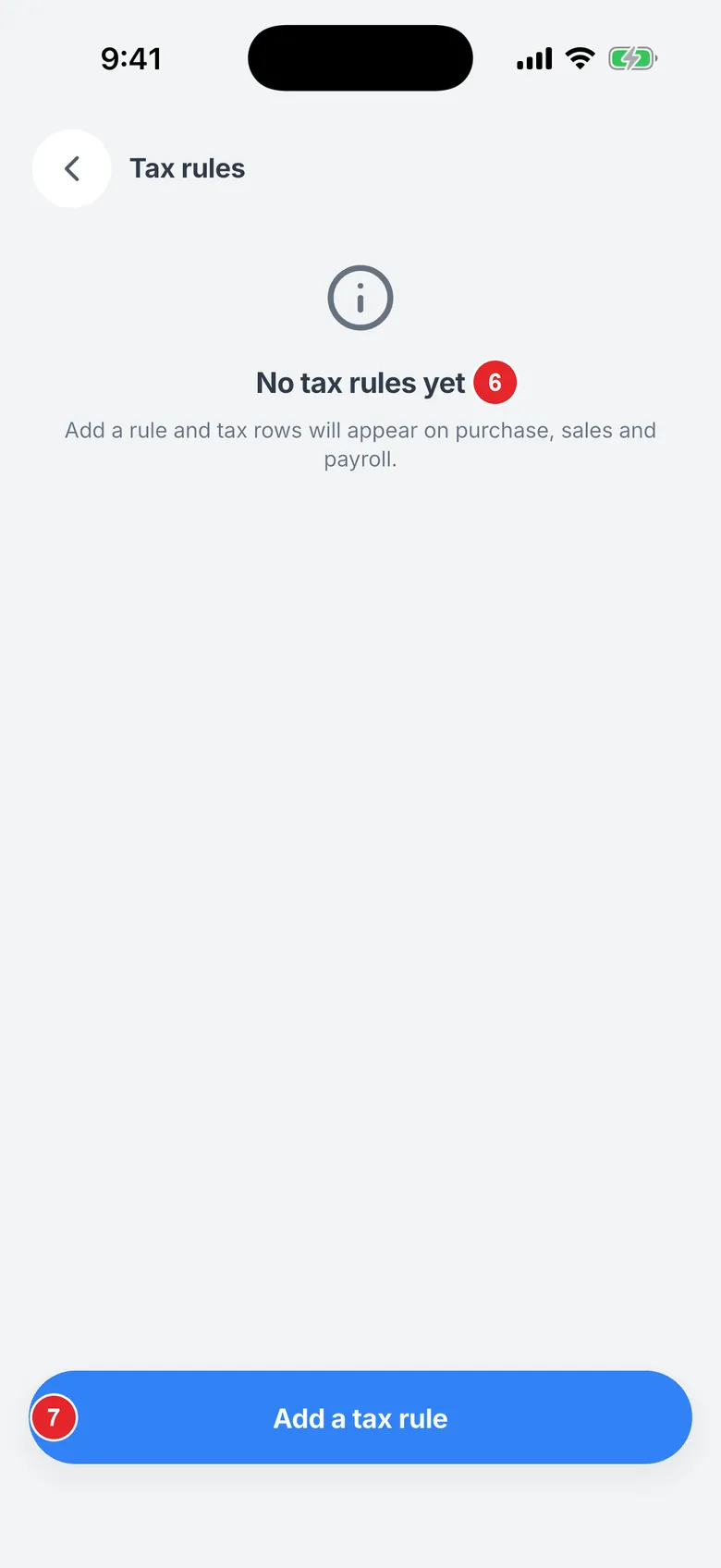
- «No tax rules yet» shows. Rules are what add tax rows to purchases, sales and pay.
- Add a rule with «Add a tax rule».
Turn on tax on sales
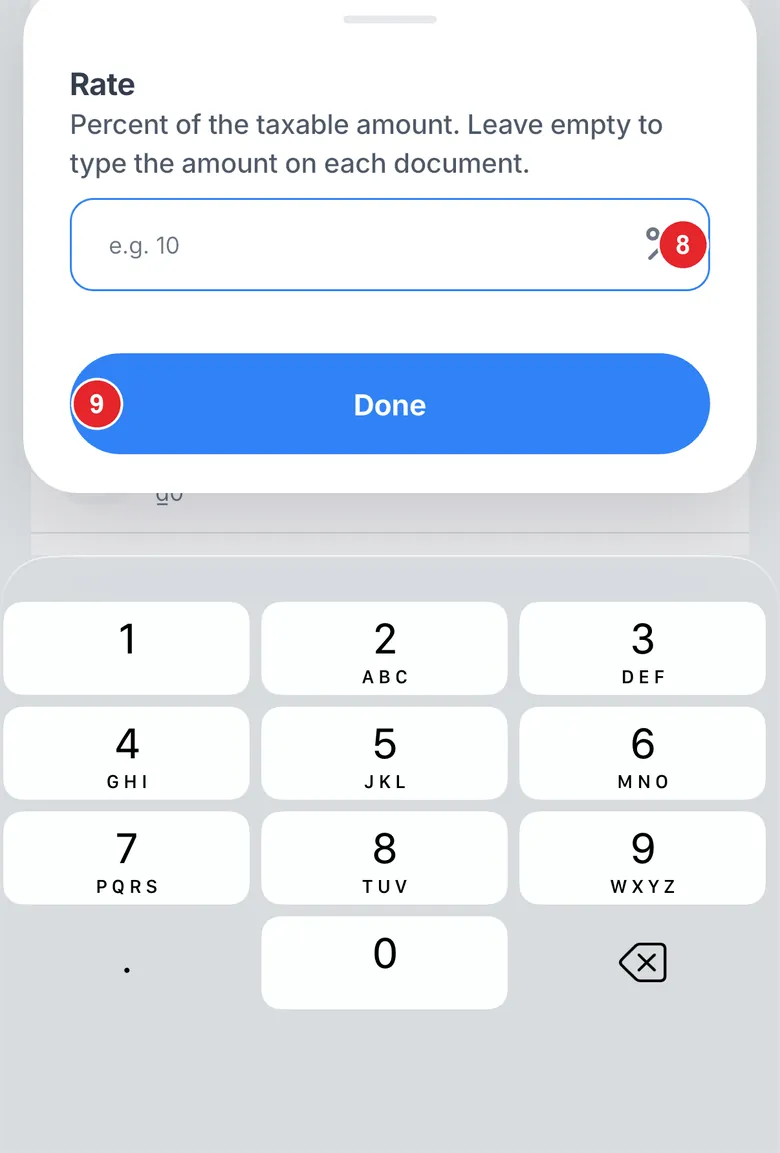
- Go back to «Tax Management» and tap «Tax on sales», and the «Rate» window opens. Tap the rate box.
- If you leave it empty and tap «Done», you type the tax amount on each document yourself.
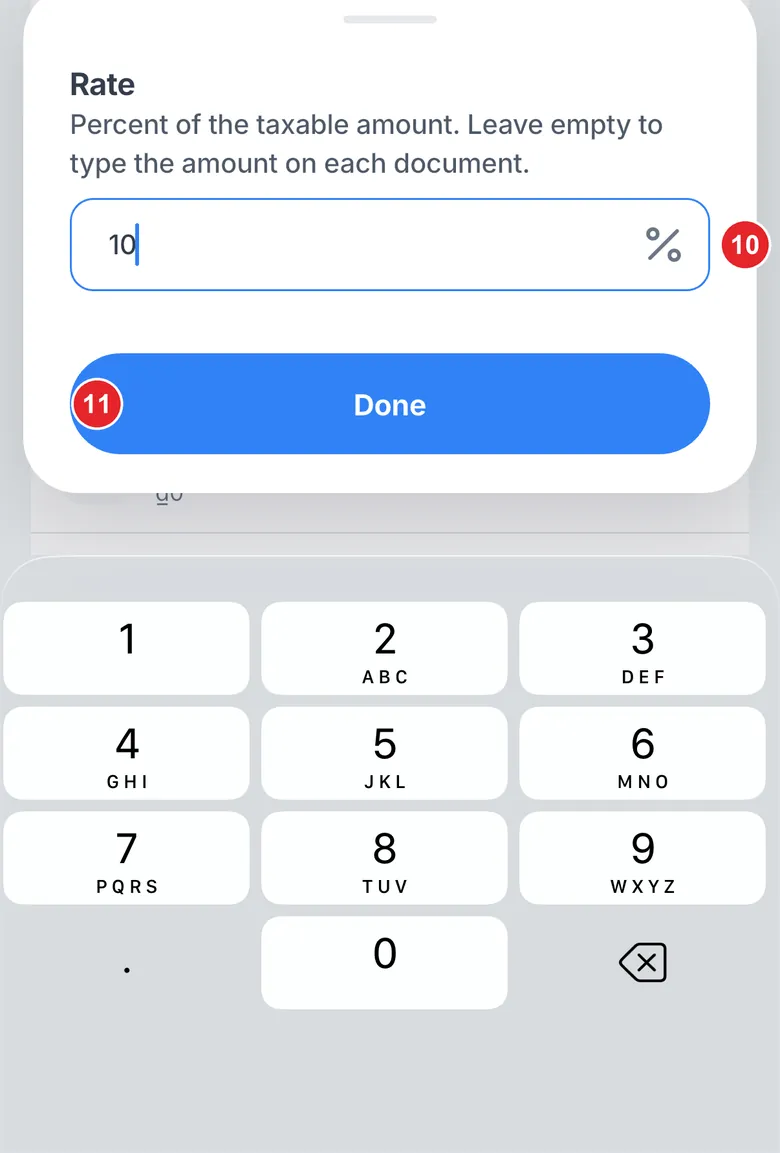
- Enter the rate. Here it is 10, the same as the window's example.
- Tap «Done».
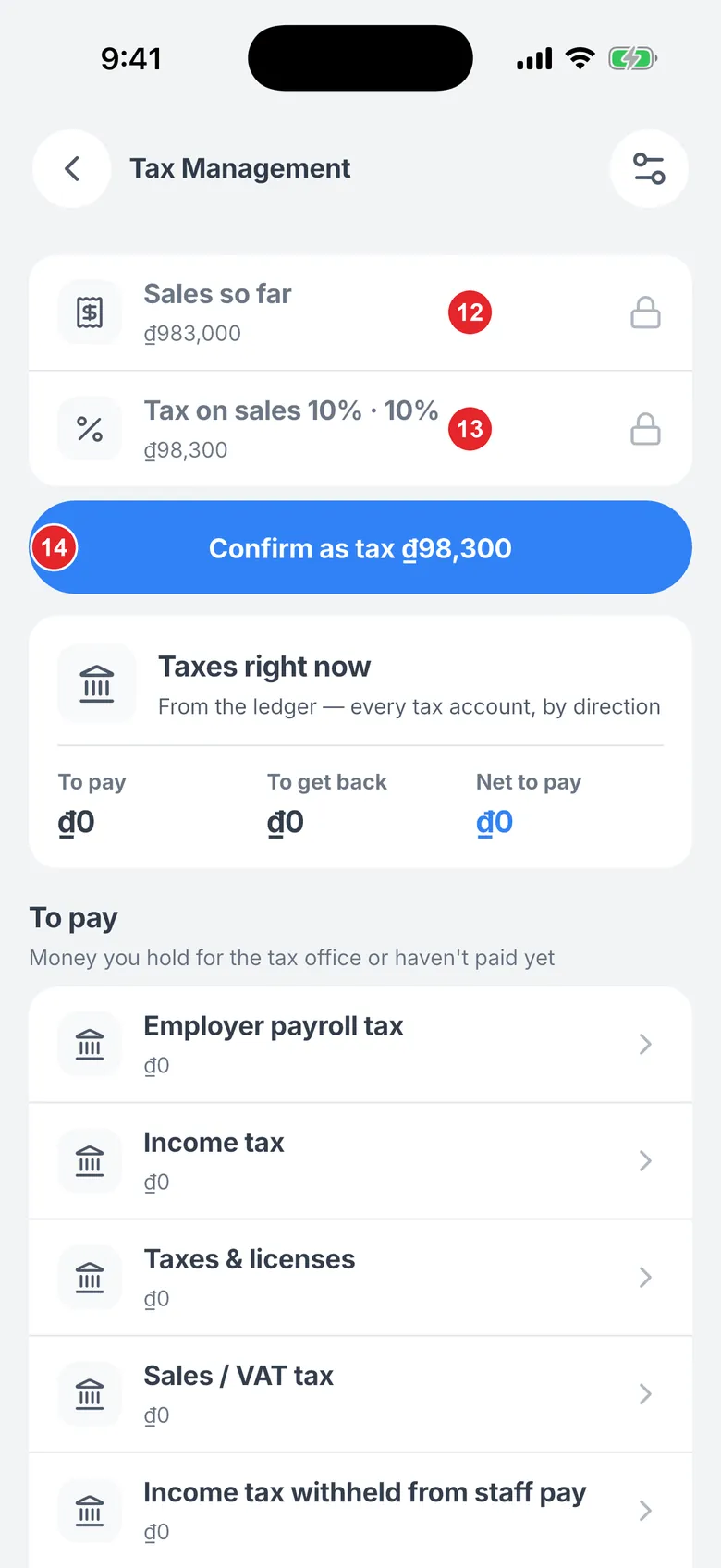
- «Sales so far» gathers the sales not yet confirmed as tax. Here it is ₫983,000.
- Below it, the «Tax on sales» row shows ₫98,300, worked out at 10%.
- Tap «Confirm as tax ₫98,300» and «Confirm as tax?» appears. Tap «Confirm», and that amount goes into the books as tax you have to pay. The sales records don't change. If you confirmed by mistake, cancel that transaction in «Transaction History».