
Show contents
Profit & loss › Put past costs in their month
Book last month's pay as last month's cost
- Who
- Owner
- When
- When you pay last month's wages this month
- Where
- App · Web
What you get
- Pay last month's wages, and the pay cost goes in on the month worked, while the payment stays separately on the day you paid. On the website's transaction records it shows as «Accrue Expense» on the last day of the month worked and as «Salary paid» on the day you paid. «Accrue Expense» is the line that writes pay not yet given as a cost of the month worked.
What it solves
- Booking wages as a cost of the month you paid them inflates profit in the month worked and sinks it in the month you paid.
Why this way
- The cost has to sit in the month worked for that month's net profit to be right.
- Before I pay wages? That month's net profit is missing labor cost. Look at last month again after paying.
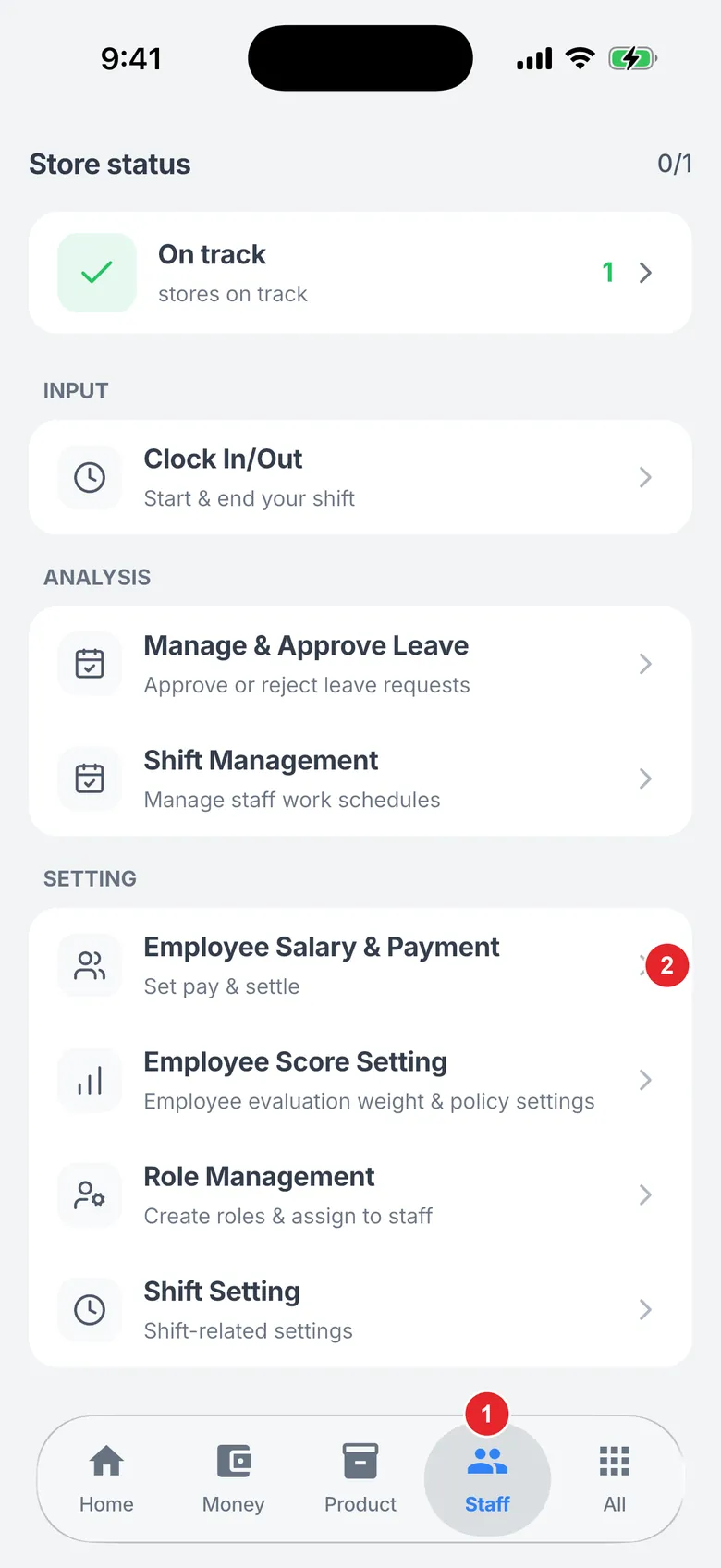
- Tap «Staff» at the bottom of the app.
- Scroll down and, under «SETTING», tap «Employee Salary & Payment».
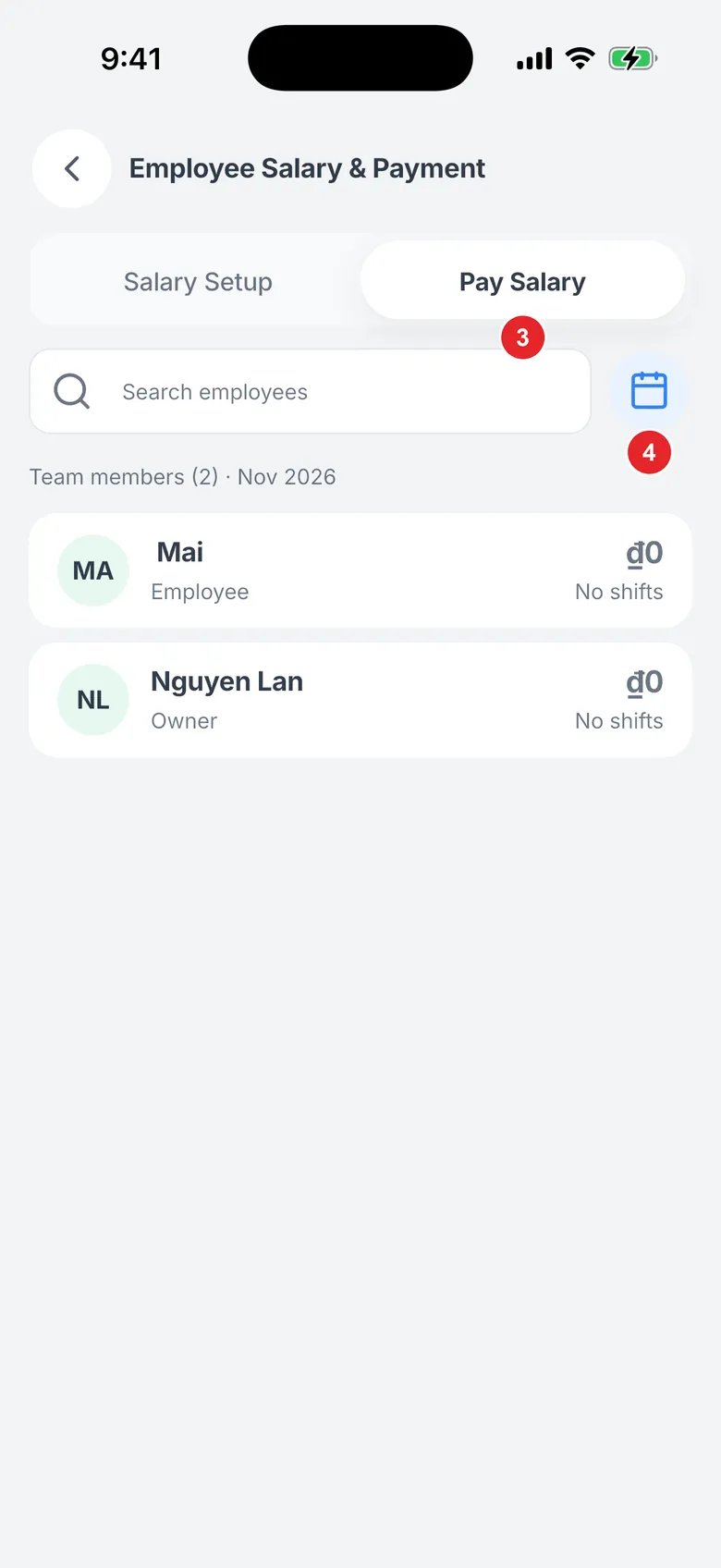
- Tap «Pay Salary».
- Tap the calendar button on the right to open «Select Month».
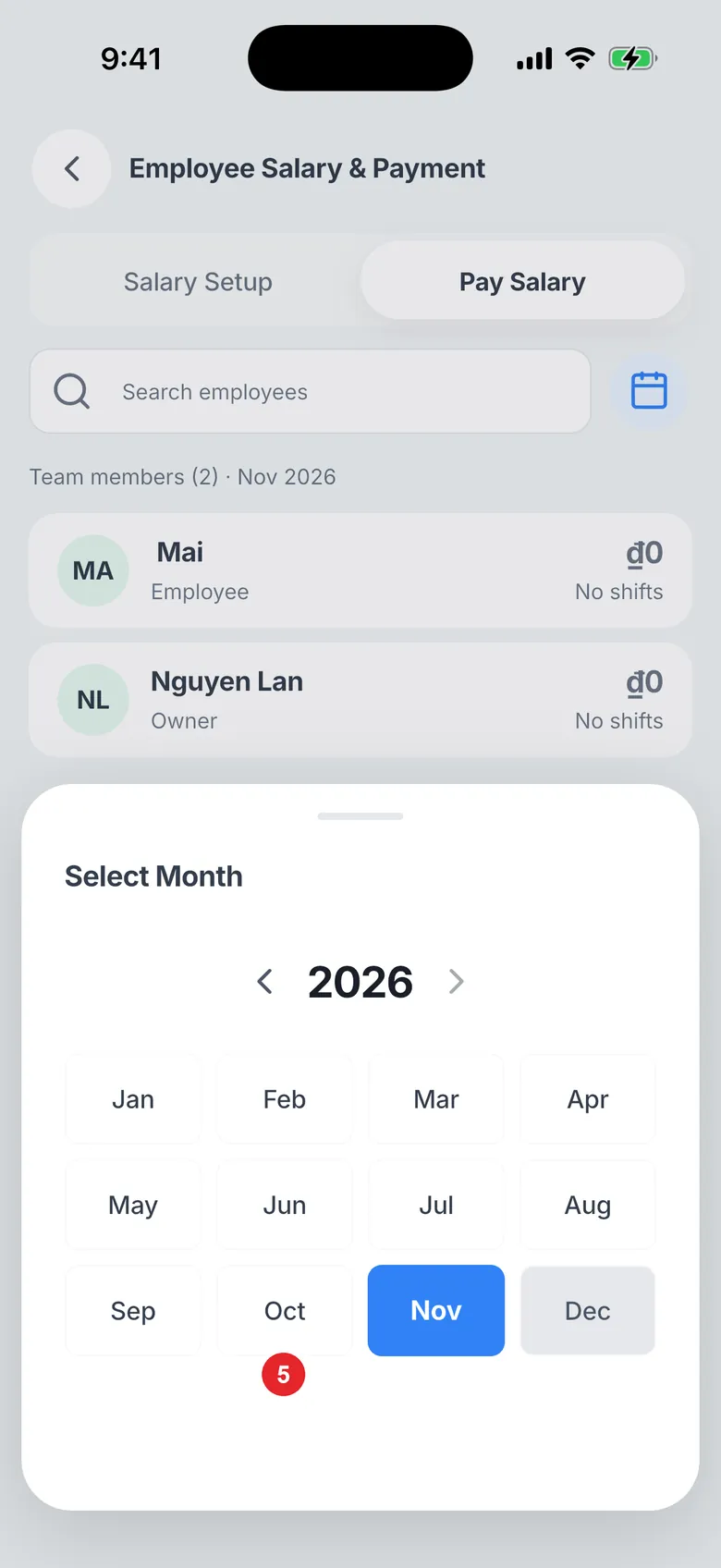
- Tap the month worked. Here it is «Oct».
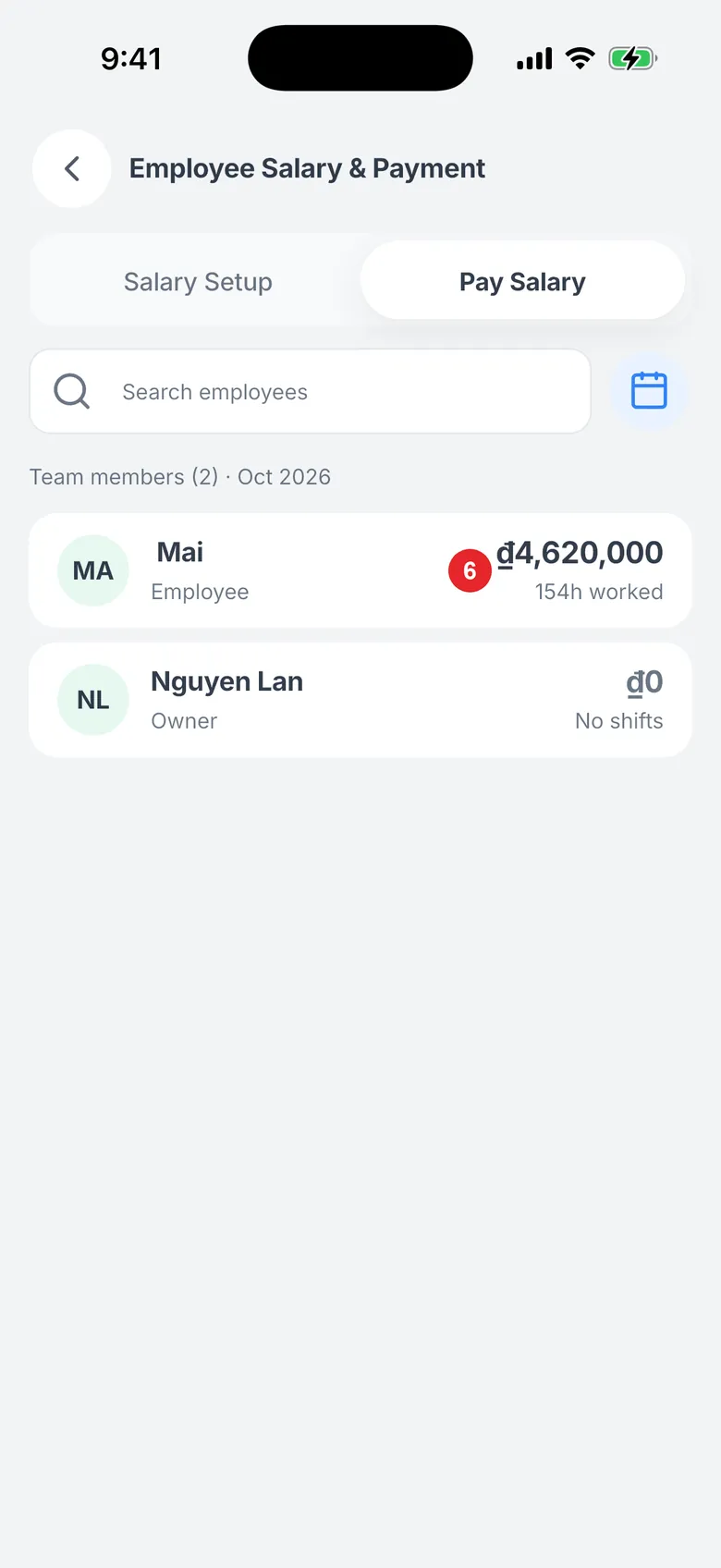
- Tap the employee to pay. Here it is «Mai», who worked 154 hours in October for ₫4,620,000.
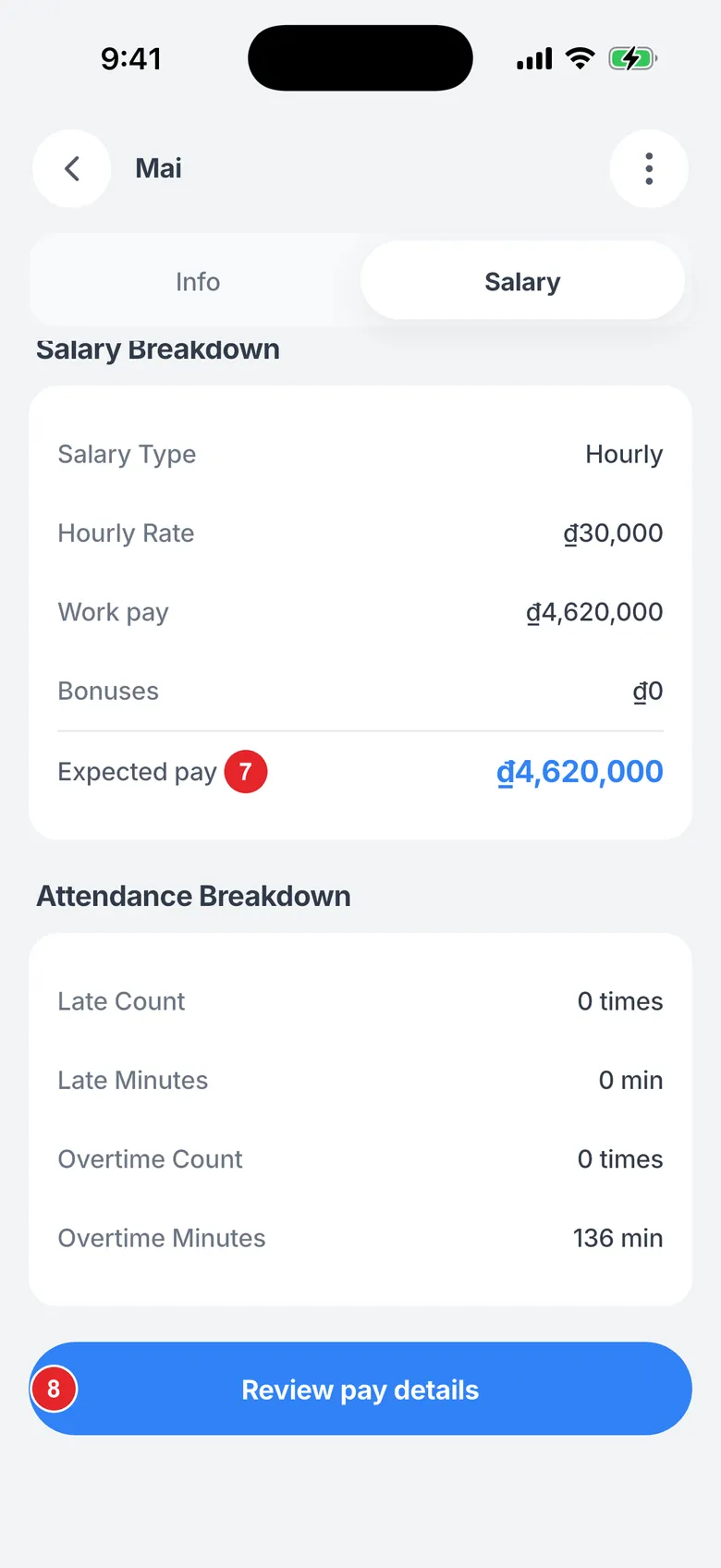
- Scroll down and see «Expected pay».
- Tap «Review pay details».
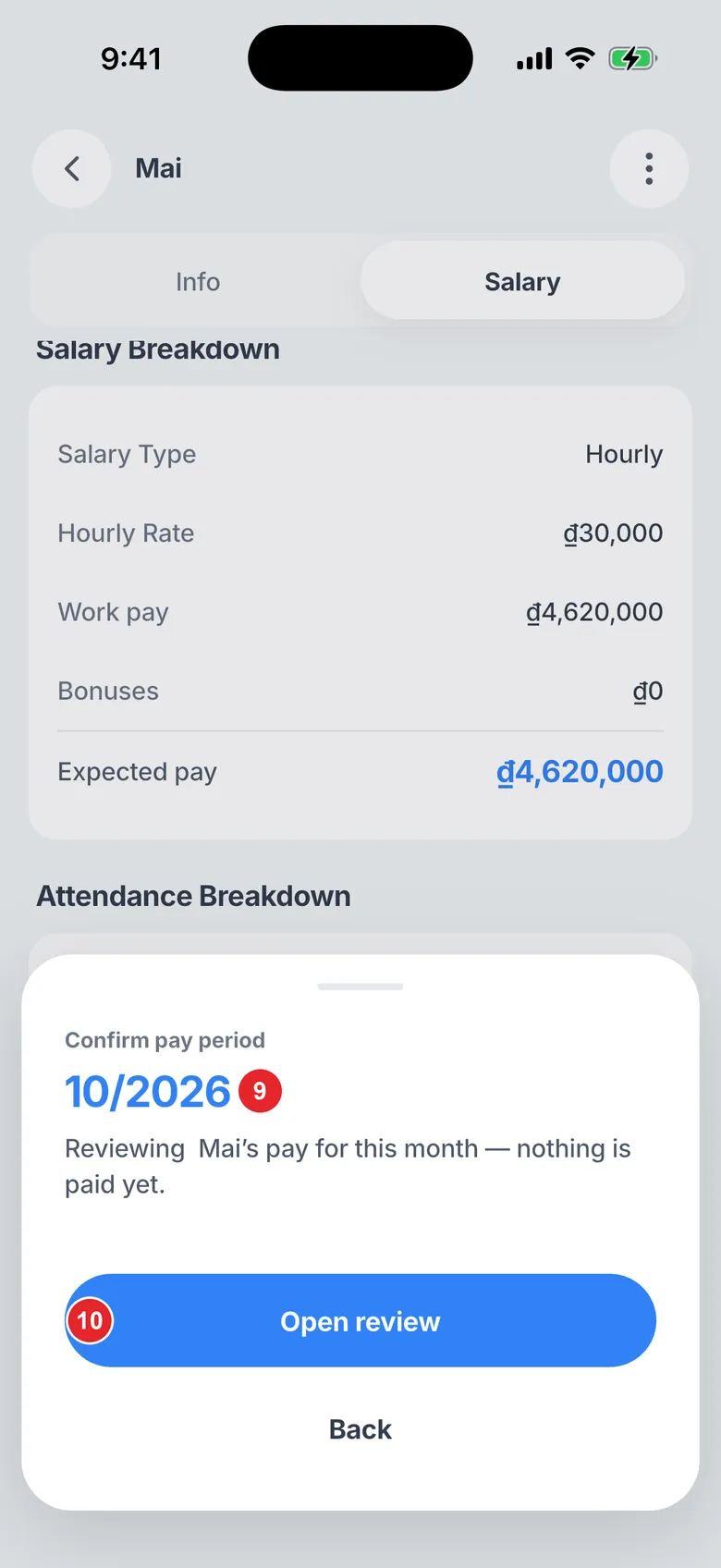
- Check that the month worked is «10/2026».
- Tap «Open review».
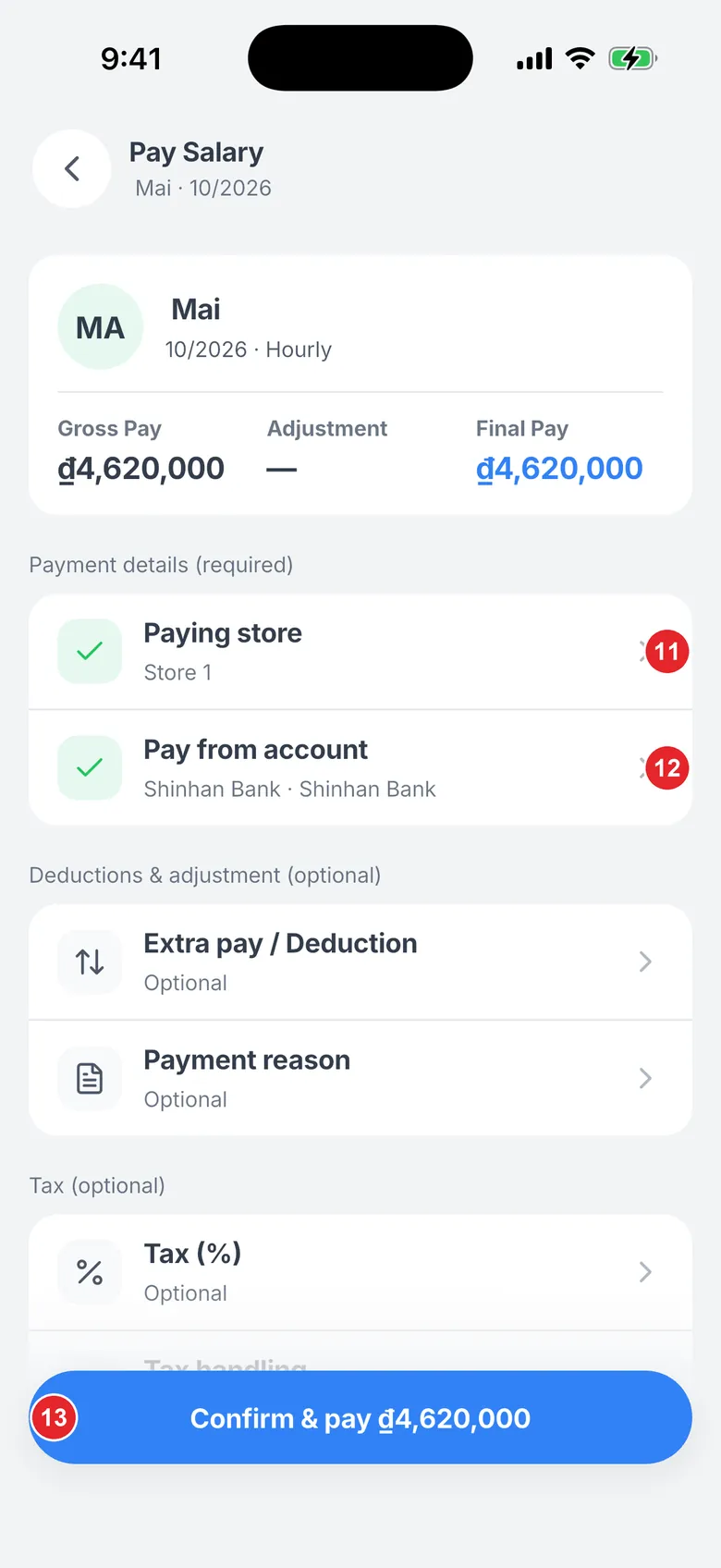
- Choose «Paying store». Here it is «Store 1».
- Choose «Pay from account». Here it is «Shinhan Bank».
- Tap «Confirm & pay ₫4,620,000».
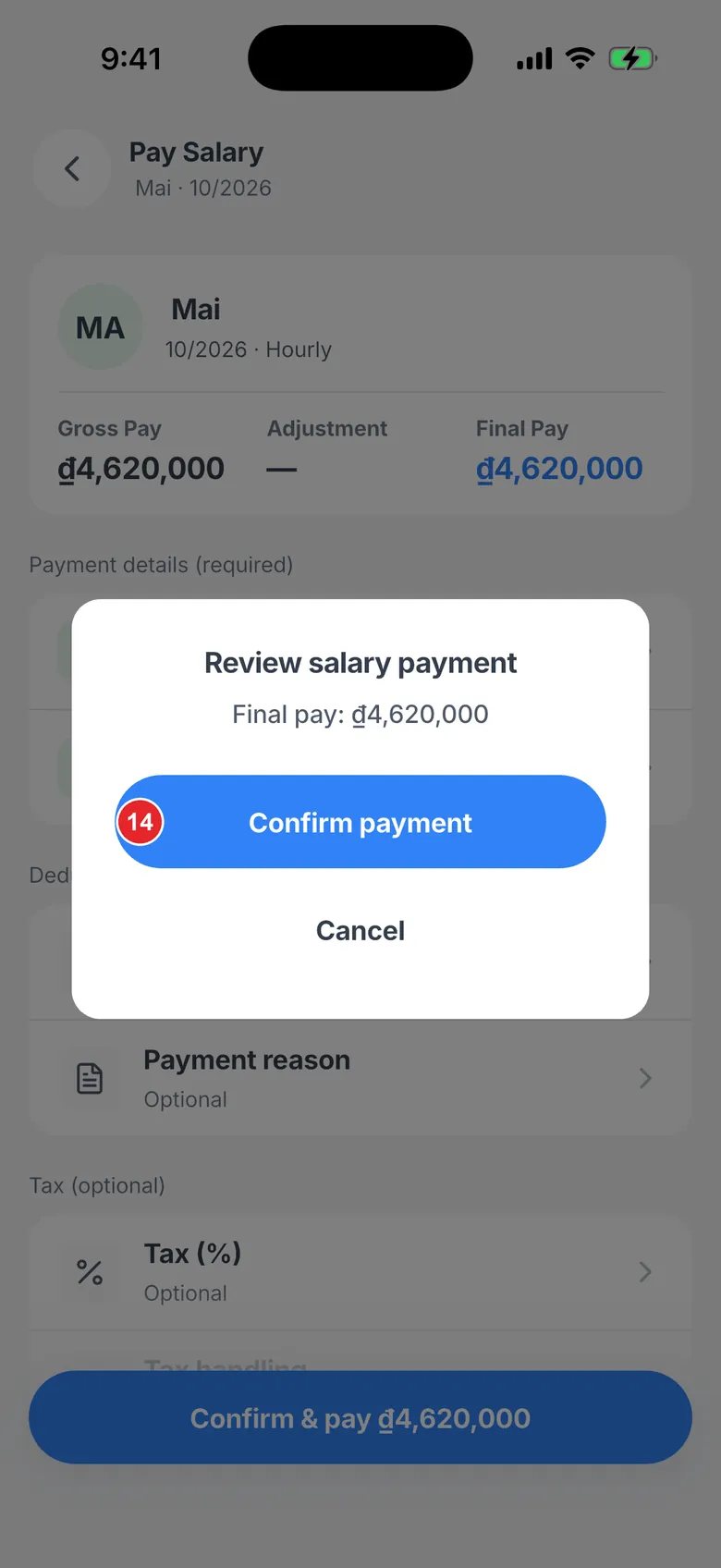
- Tap «Confirm payment».
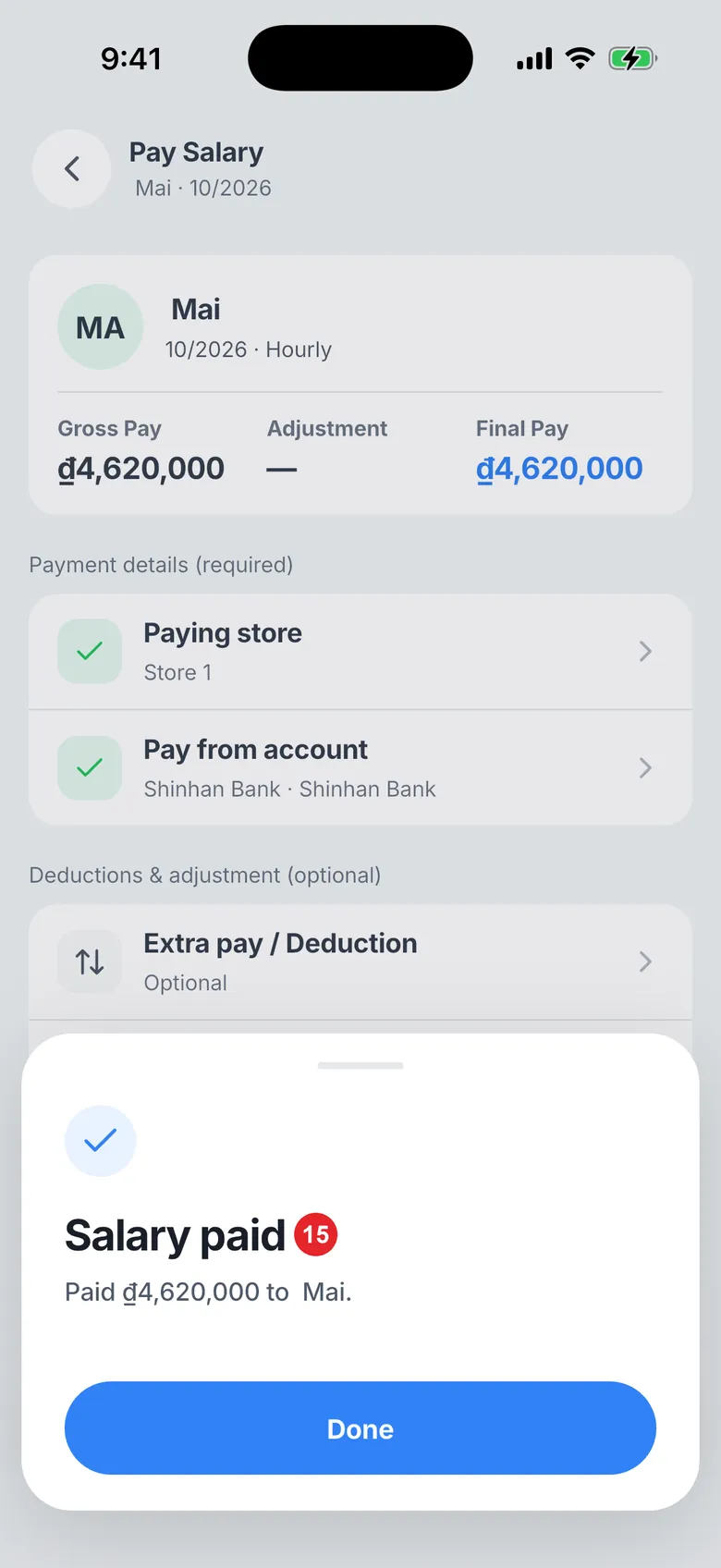
- When «Salary paid» appears, tap «Done».
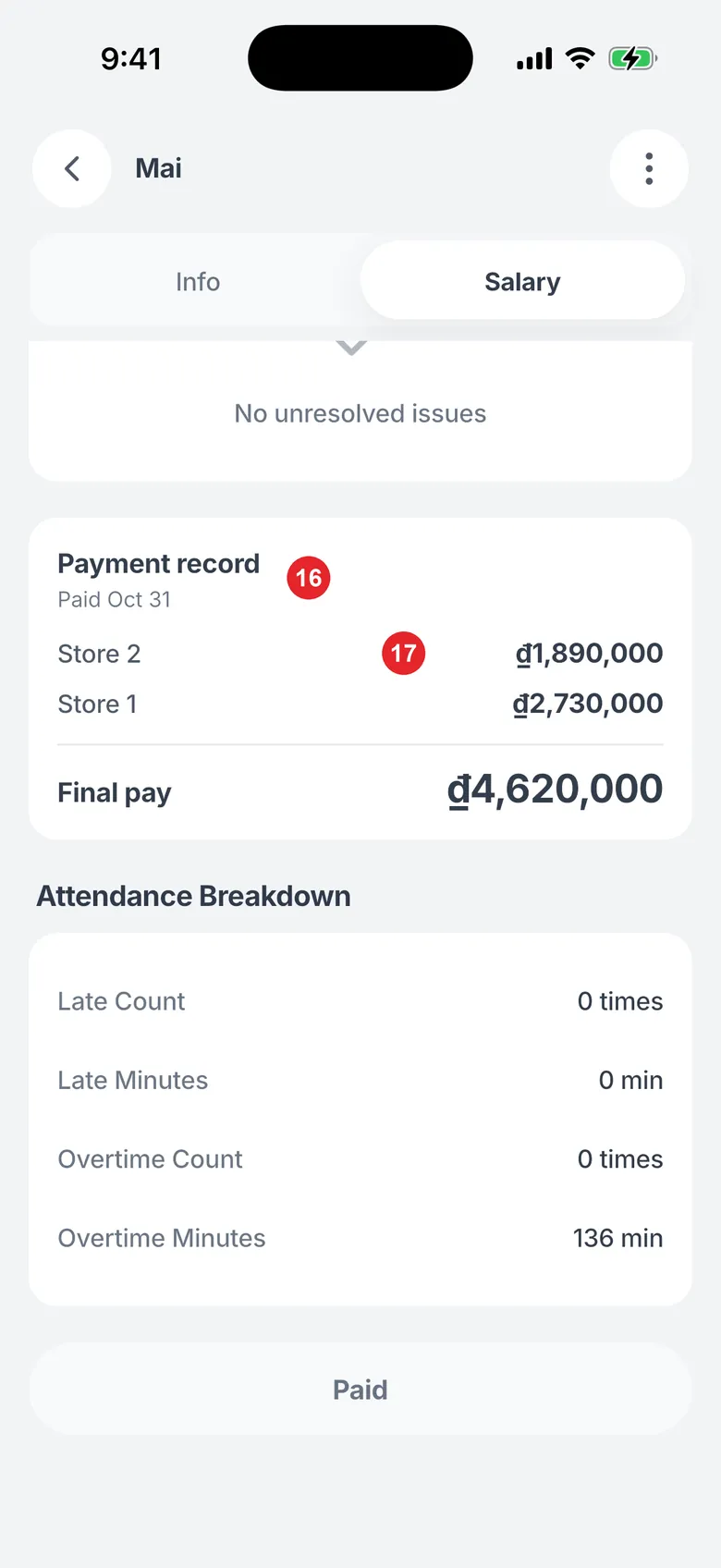
- Scroll down and «Payment record» shows «Paid Oct 31». This date is not the day you paid but the last day of the month worked. Even if you paid in November, it becomes a cost on this date.
- Each store's share of the work is split out. Here «Store 2» is ₫1,890,000 and «Store 1» is ₫2,730,000.
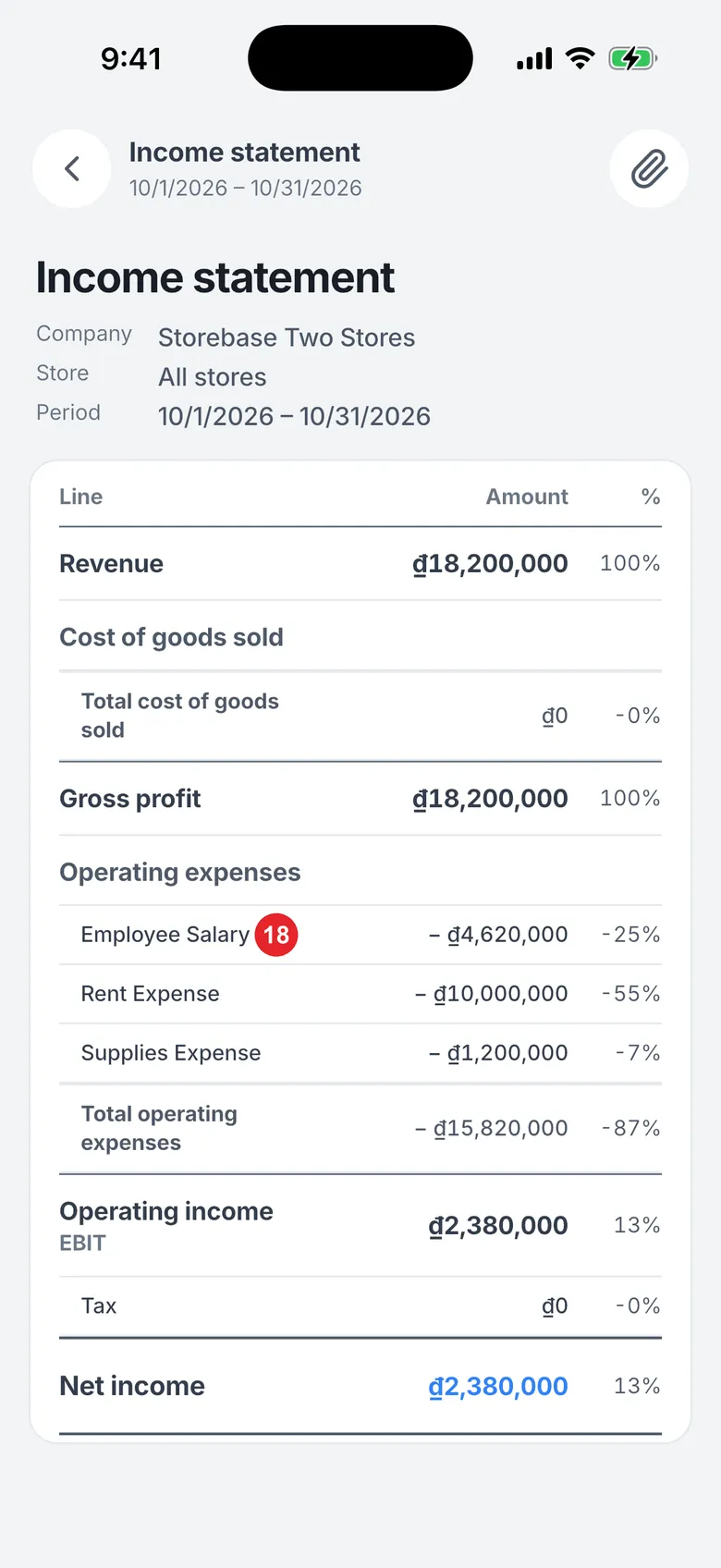
- In «Balance Sheet» under «Money», set «PERIOD» to «Last Month» and tap «Formal income statement». Under «Employee Salary», − ₫4,620,000 went in as an October cost.