
Show contents
Cost of goods › Retail cost
Set cost from the received price
- Who
- Owner · Manager
- When
- After receiving goods, when you wonder what the cost is
- Where
- App · Web
What you get
- Each time you receive, the store's average cost is worked out again by itself. You don't fix the cost by hand.
- «Cost trend» shows the current cost, on-hand quantity, stock value and «Arrivals» (receiving and store transfers) on one screen.
- You see the cost per store. Change the store at the top and that store's cost shows.
What it solves
- If you don't fix the cost by hand every time the buying price goes up, a sale looks like it leaves more than it really does.
Why this way
- The cost is “the average price you paid for the goods still on hand”. Receive 22 at ₫6,500 and 22 at ₫7,000, and the cost is ₫6,750. The ₫6,901 in the pictures is the cost after the amount owed was then confirmed higher than the received price, which raised the cost of the goods left («How confirming what you owe changes cost»).
- Why is the cost field locked? In stores with automatic cost, the received price sets the cost. So you can't type a cost in «Edit product».
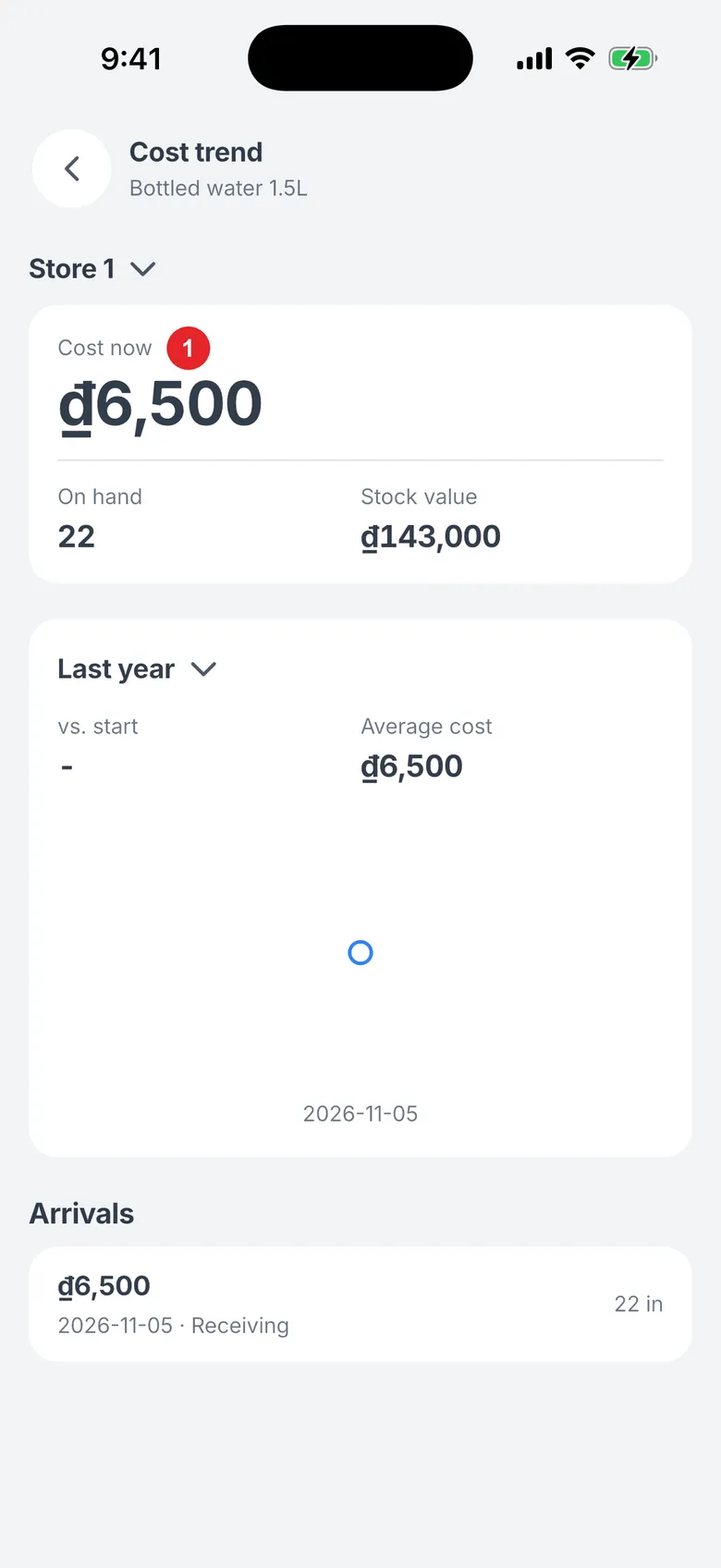
- The received price becomes the cost. The first time you receive bottled water, 22 at ₫6,500, «Cost now» is ₫6,500.
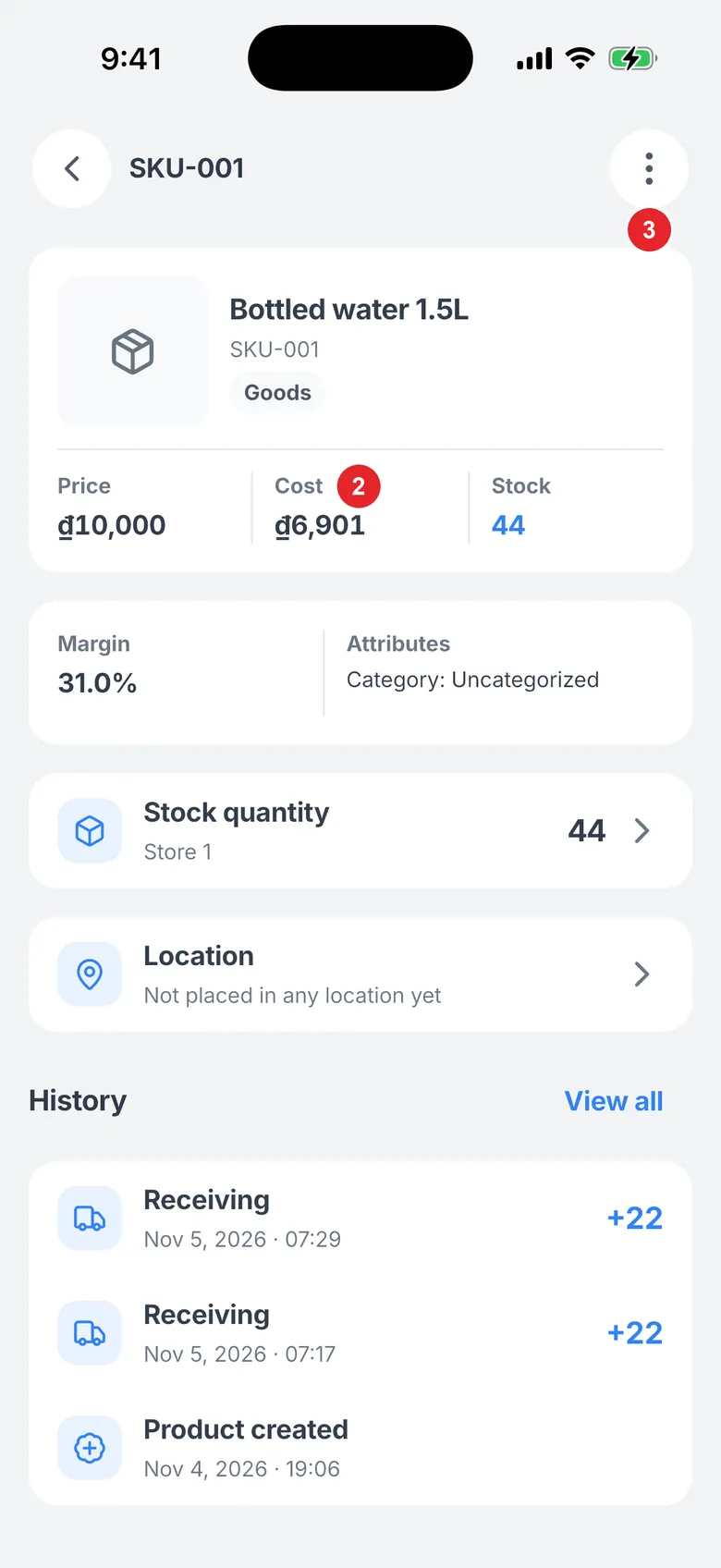
- In «Stock · Add Products», open a product. «Cost» shows the current cost. Here it is ₫6,901, after receiving twice and confirming what you owe.
- Tap the ⋮ button at the top right.
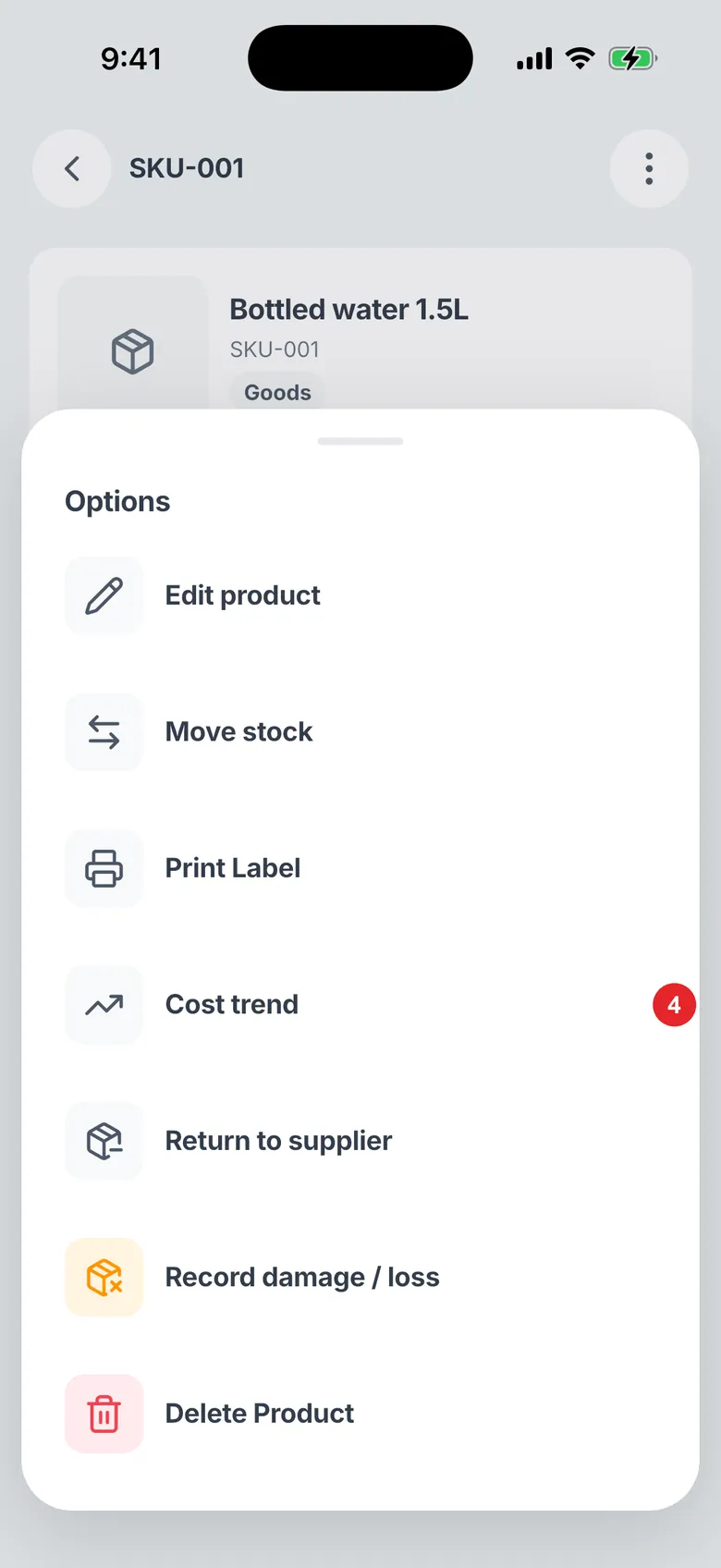
- Tap «Cost trend».
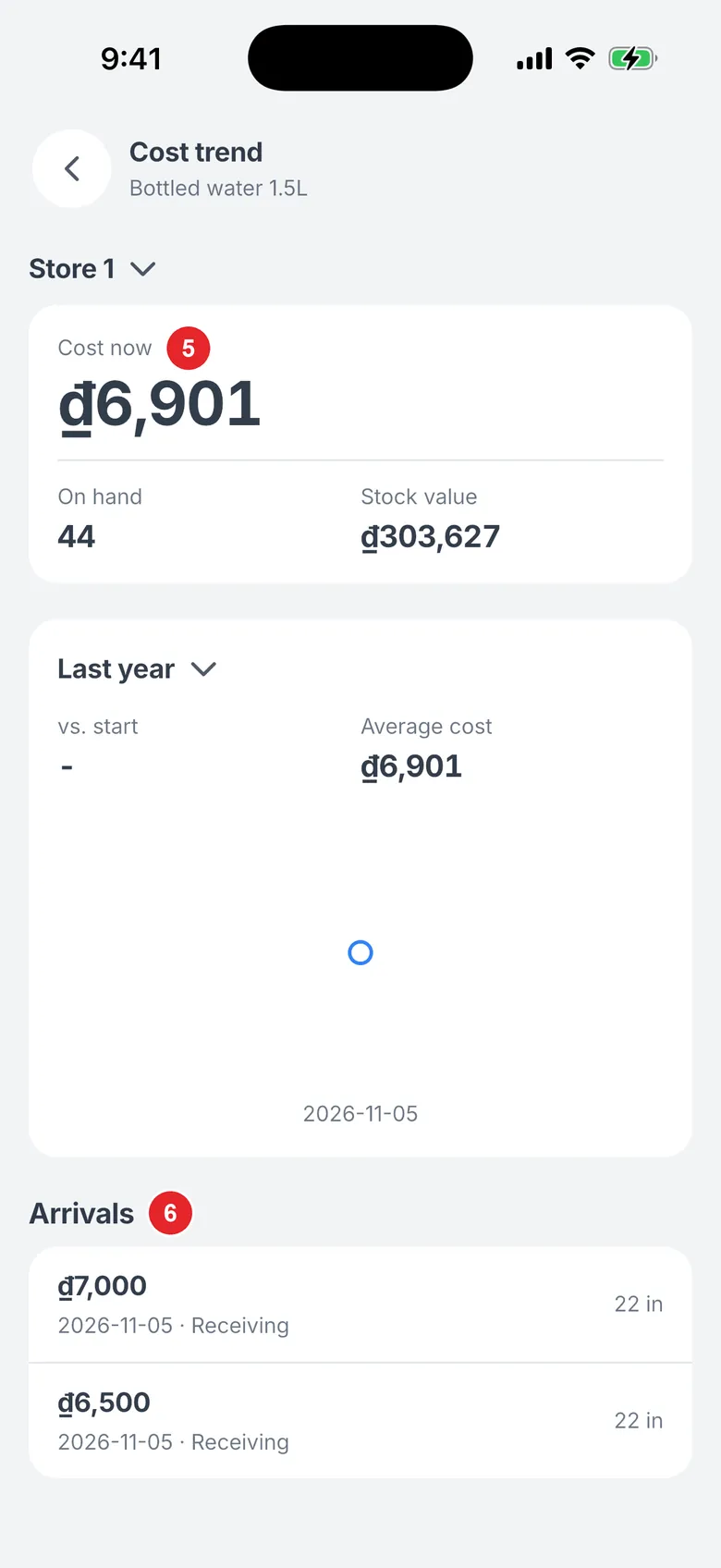
- See «Cost now». The average of ₫6,500 and ₫7,000 is ₫6,750, and the share from confirming what you owe above the received price brings it to ₫6,901 («How confirming what you owe changes cost»).
- In «Arrivals», see when, at what cost and how many came in.
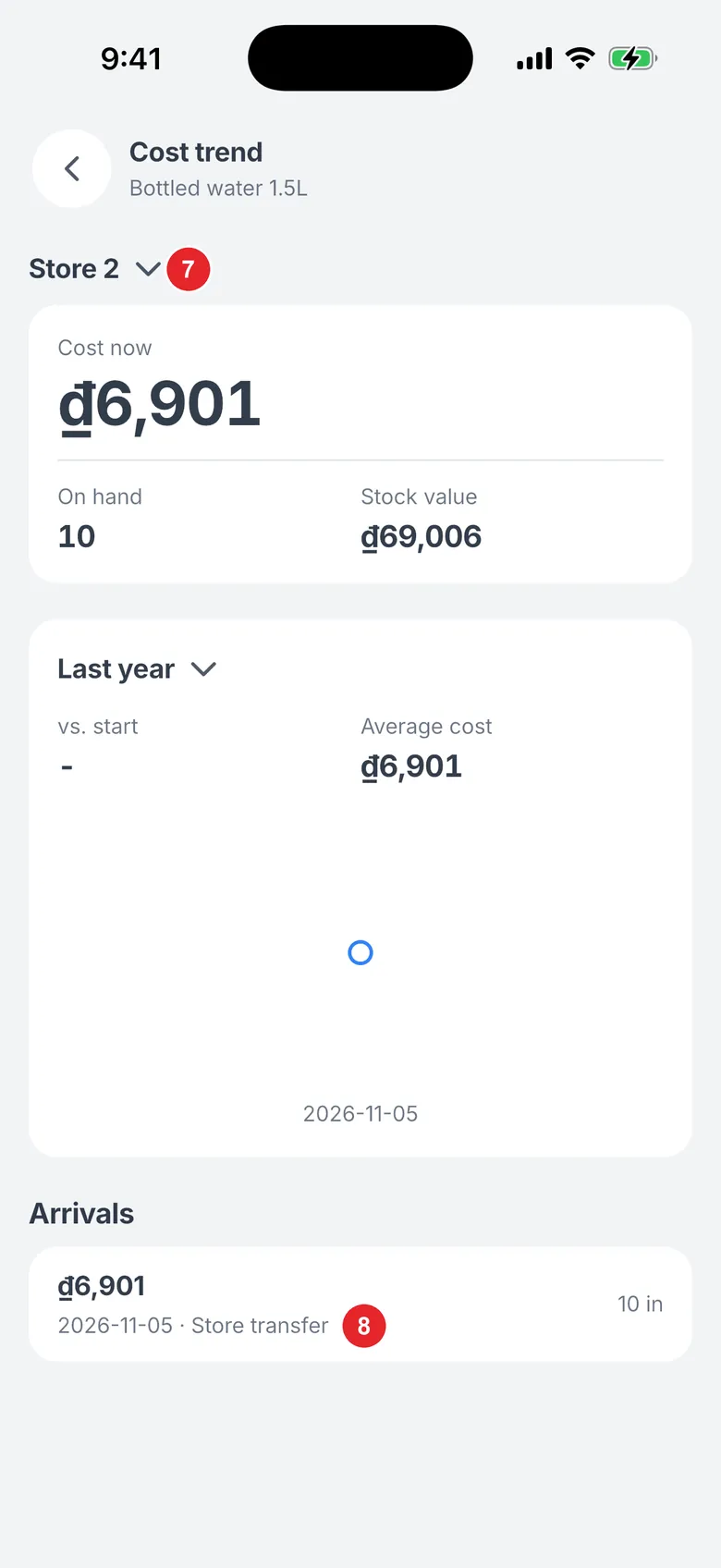
- Tap the store name at the top and change it to «Store 2». Each store shows its own cost.
- Store 2 received it as «2026-11-05 · Store transfer», at Store 1's cost as it was. The 44 in the Store 1 picture above is from before the move. After moving 10, Store 1 has 34.