
Show contents
Cost of goods › Retail cost
See how much each sale leaves you
- Who
- Owner · Manager
- When
- When you set a selling price, when you wonder about profit after selling
- Where
- App · Web
What you get
- The product screen shows «Cost» and «Margin» together. When the cost goes up, the margin goes down by itself.
- Each sale shows its «Cost» and «Profit». In the app, see «Revenue» in «Transaction History»; on the website, see the receipt in «View Sales History» («Total Cost» · «Profit»).
What it solves
- You sold a lot but can't tell why no money is left.
- The buying price went up but the selling price stayed, and you don't notice that less is left.
Why this way
- The cost is set from the received price, so the margin and profit are based on what you really paid.
- How is the profit worked out? The money you received minus the cost. Receive ₫95,000 with a cost of ₫68,833, and ₫26,167 is left.
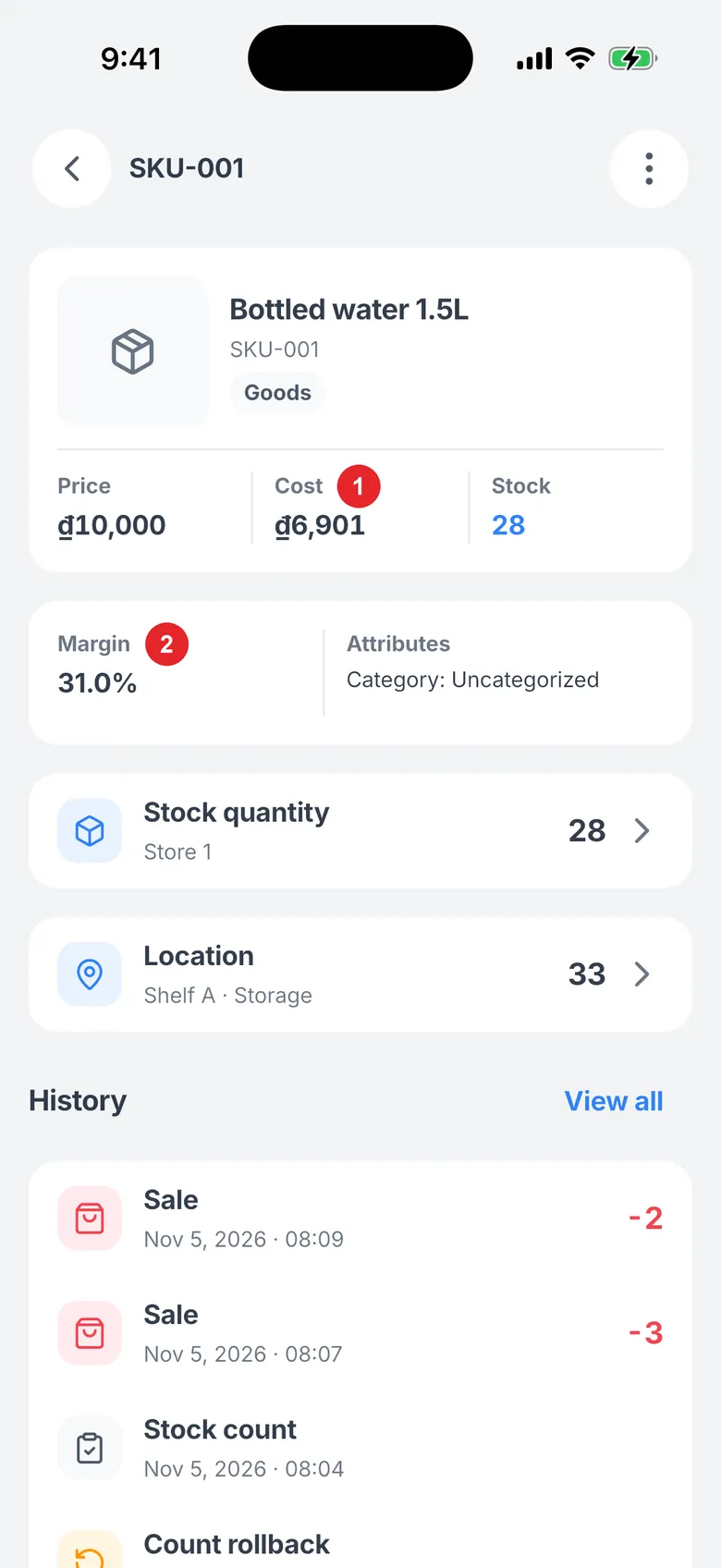
- In «Stock · Add Products», open a product. «Cost» shows the current cost. Here it is ₫6,901.
- «Margin» is the share of the sale price you keep. Selling at ₫10,000 leaves 31.0%.
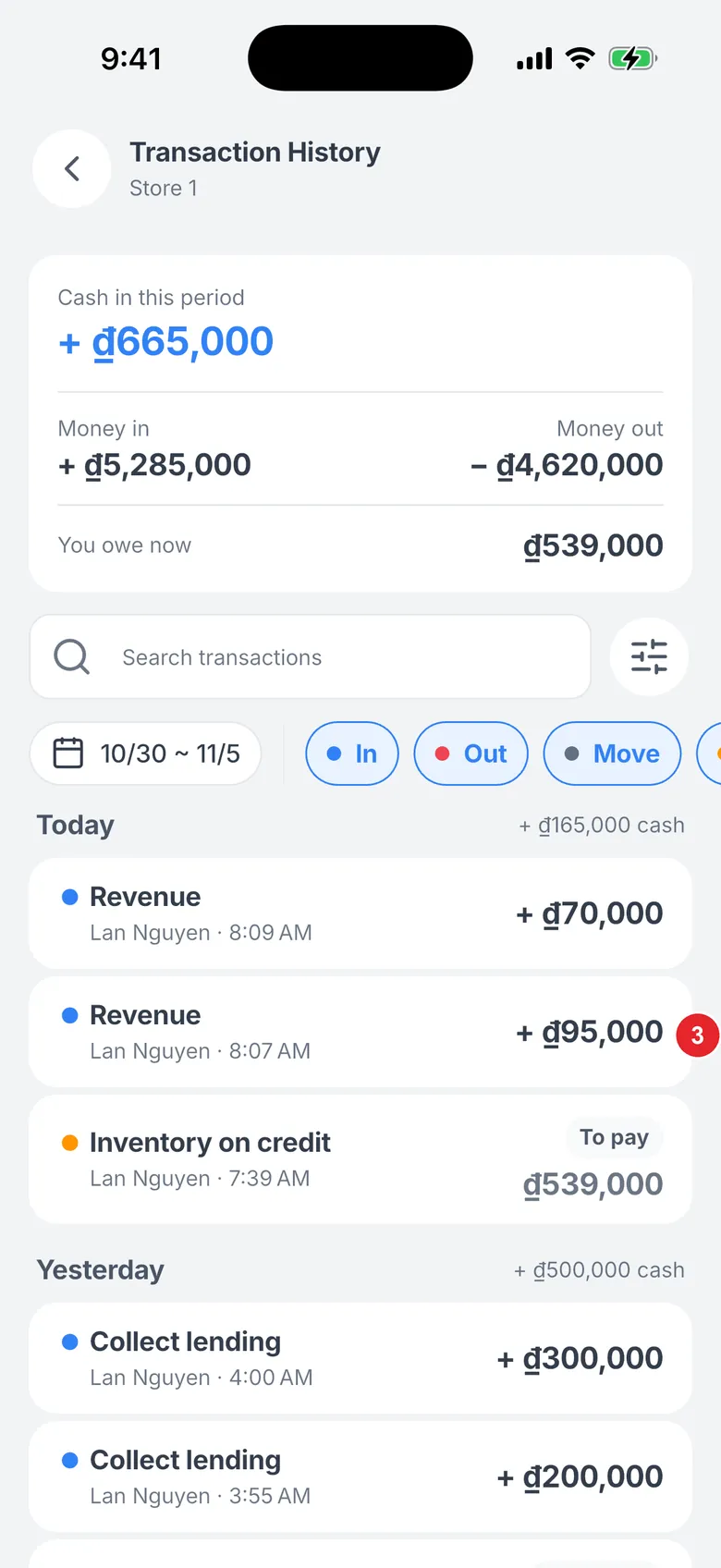
- Tap «Money» at the bottom of the app, scroll down and open «Transaction History» under «All features». Tap the «Revenue» row of one sale. Here it is + ₫95,000 at 8:07 AM.
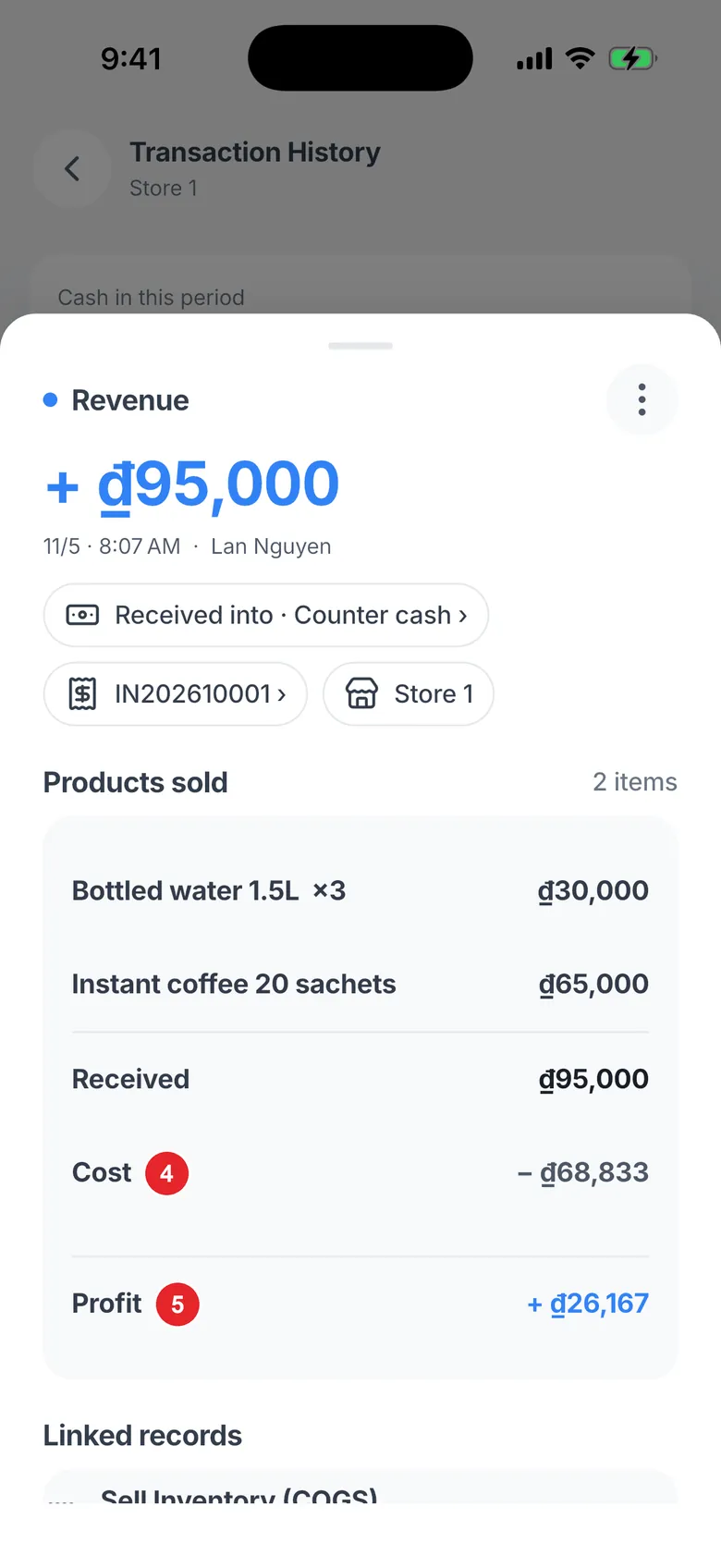
- Under «Products sold», «Cost» is the cost that went out with this sale.
- «Profit» is «Received» minus «Cost». Here ₫95,000 − ₫68,833 = ₫26,167.