
Show contents
Cost of goods › Turn on cost tracking
Retail: Turn on automatic cost
- Who
- Owner
- When
- Once, at the start, before you use Logistic Management
- Where
- App
What you get
- One «Connect» starts the cost books from today's stock and sets up the accounts by itself.
- Before connecting, «Estimated calibration» shows how much the books will be adjusted.
- After that, received goods go into stock and sold goods into cost, in the books, by themselves.
What it solves
- Copying received prices and sold goods into the books by hand goes wrong.
- When the stock value in the books and the real stock differ, you can't tell why.
Why this way
- It has to be on for the received price to become the cost and for every sale's cost of goods sold to go into the books. With it off, only quantities move.
- What's the catch once it's on? You can't fix the cost by hand. The books work out the cost from received prices. Receiving and selling also have to follow the app's steps; changing things outside the app puts the books off.
- Which cost method do I pick? Cost is worked out from the average of the goods that came in. Even if the screen shows «First-in first-out (FIFO)», it is worked out as an average.
Connecting
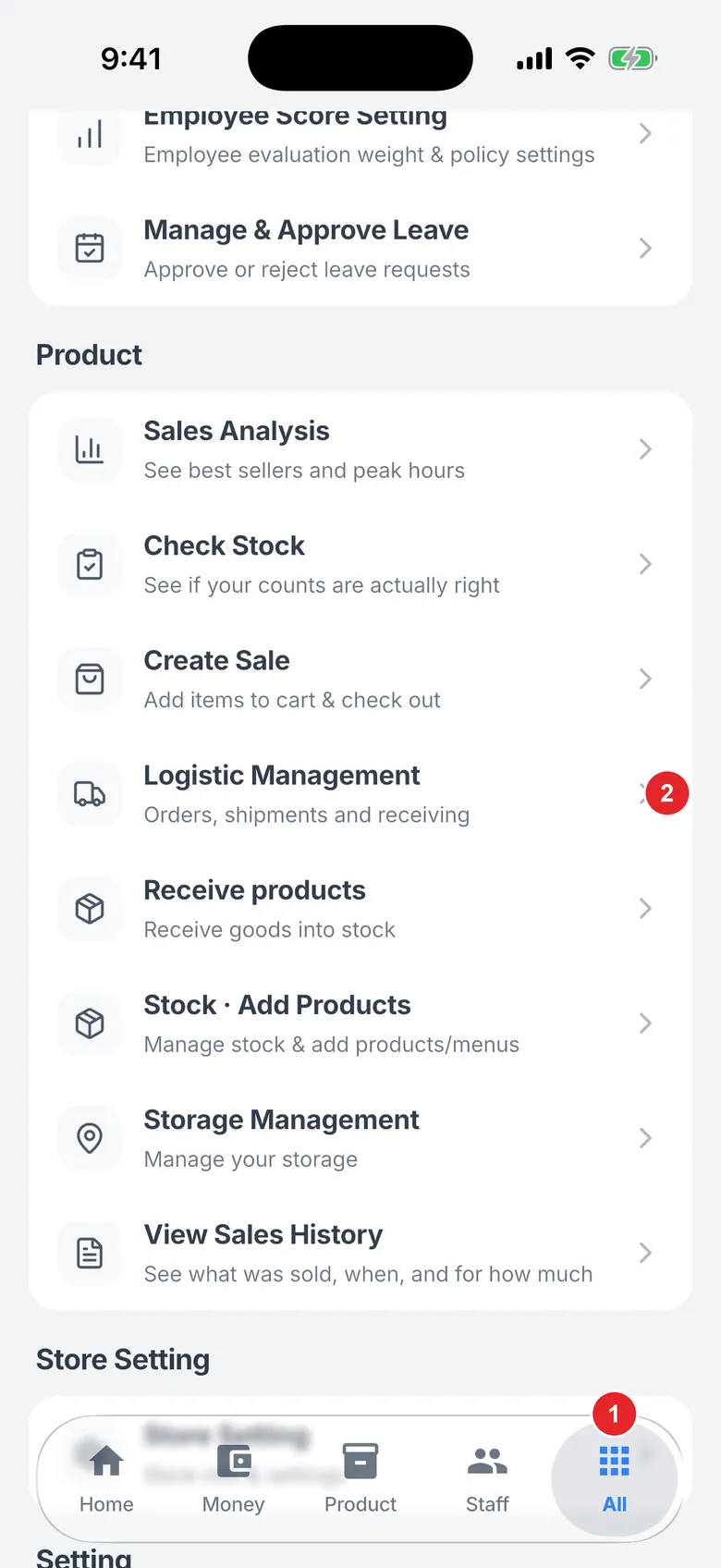
- Tap «All» at the bottom of the app.
- Tap «Logistic Management».
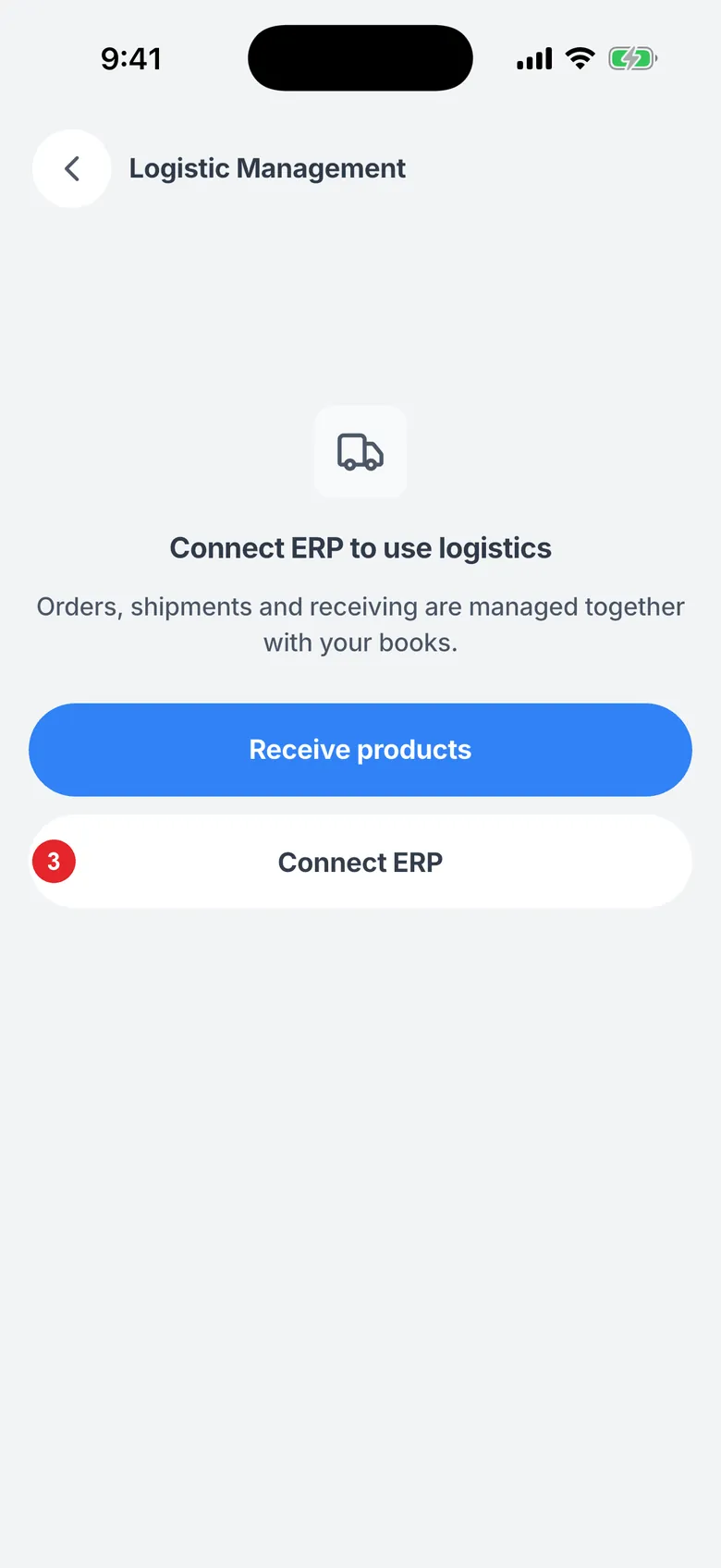
- Tap «Connect ERP». «Receive products» above it is the button that only receives goods without connecting.
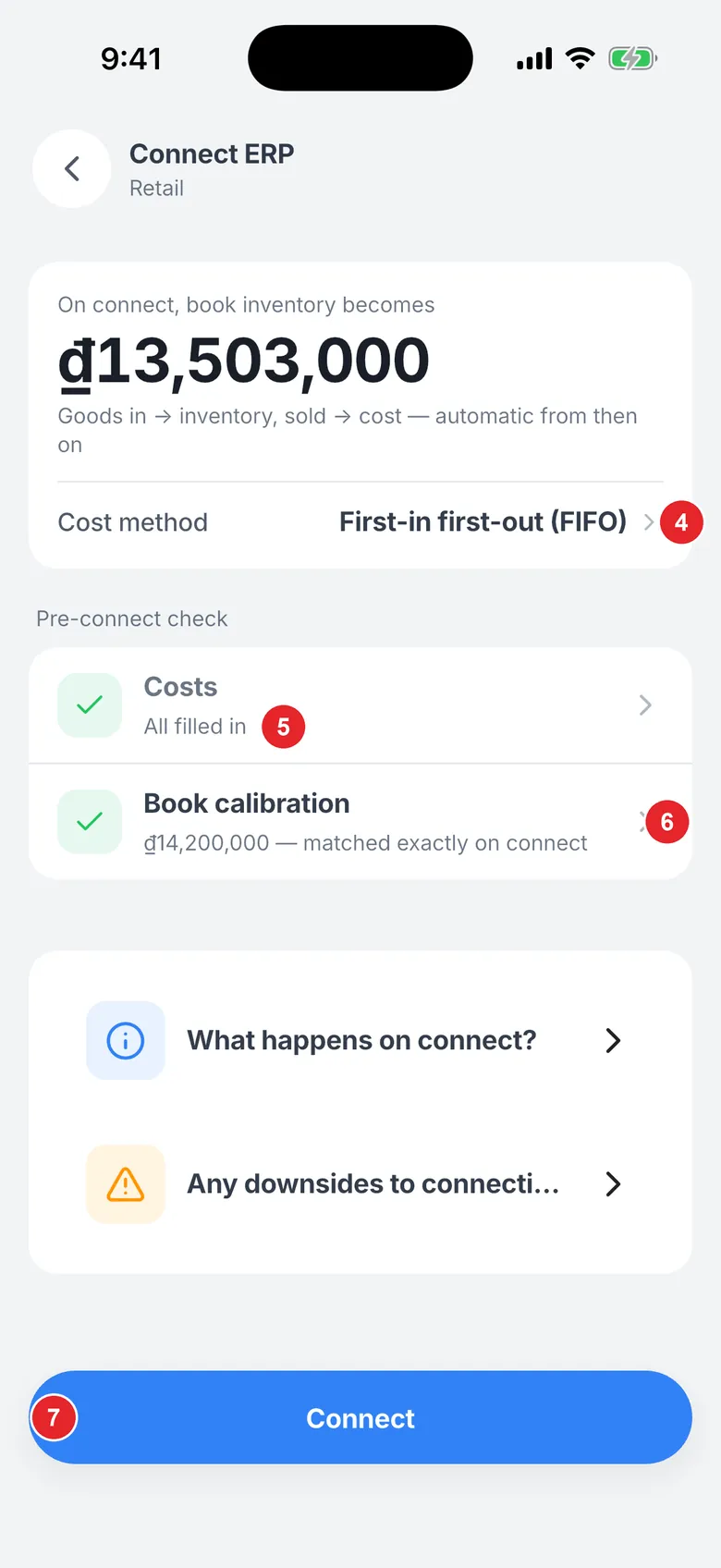
- Tap «Cost method». It starts at «First-in first-out (FIFO)». After an app update this row may not be there. If it isn't, skip this step 4 and step 8 below.
- Under «Pre-connect check», see that «Costs» says «All filled in». When you connect, you start from the cost written on each product. If it shows something like «3 empty — tap to fill», tap that row and choose «Fill costs in product management» or «Start all at 0».
- Tap «Book calibration» to see how much the books are adjusted when you connect.
- Do steps 8–10 below first, and tap «Connect» last. In the «Connect now?» window that opens, tap «Connect» once more. Before that, also tap «Any downsides to connecting?». It says you can't fix the cost by hand, and that receiving and selling have to follow the app's steps.
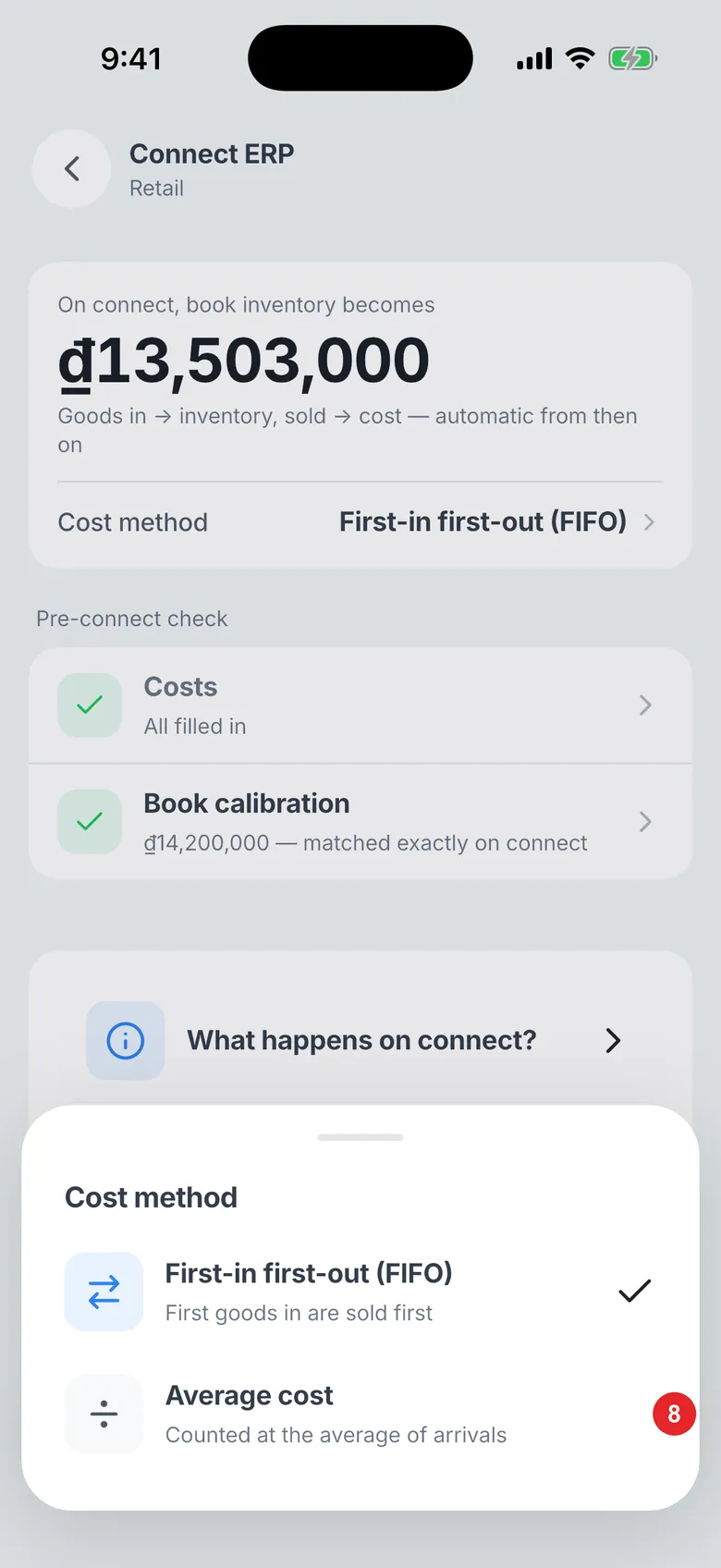
- Tap «Average cost». Even if «First-in first-out (FIFO)» stays chosen, the app works out cost as the average of the goods that came in.
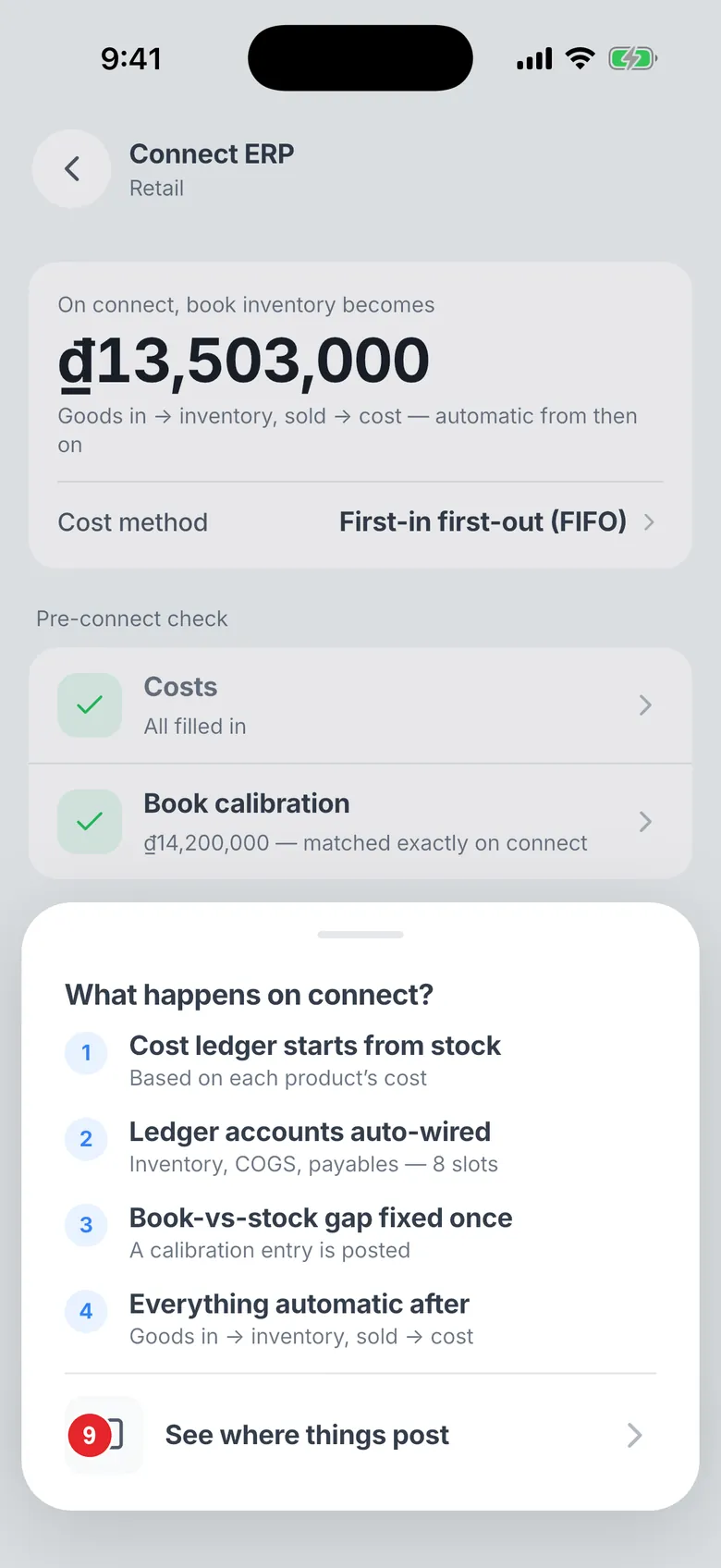
- Tap «What happens on connect?» to see the four things that happen when you connect. Tap «See where things post» to see that goods received go into stock and goods sold go into cost of goods sold.
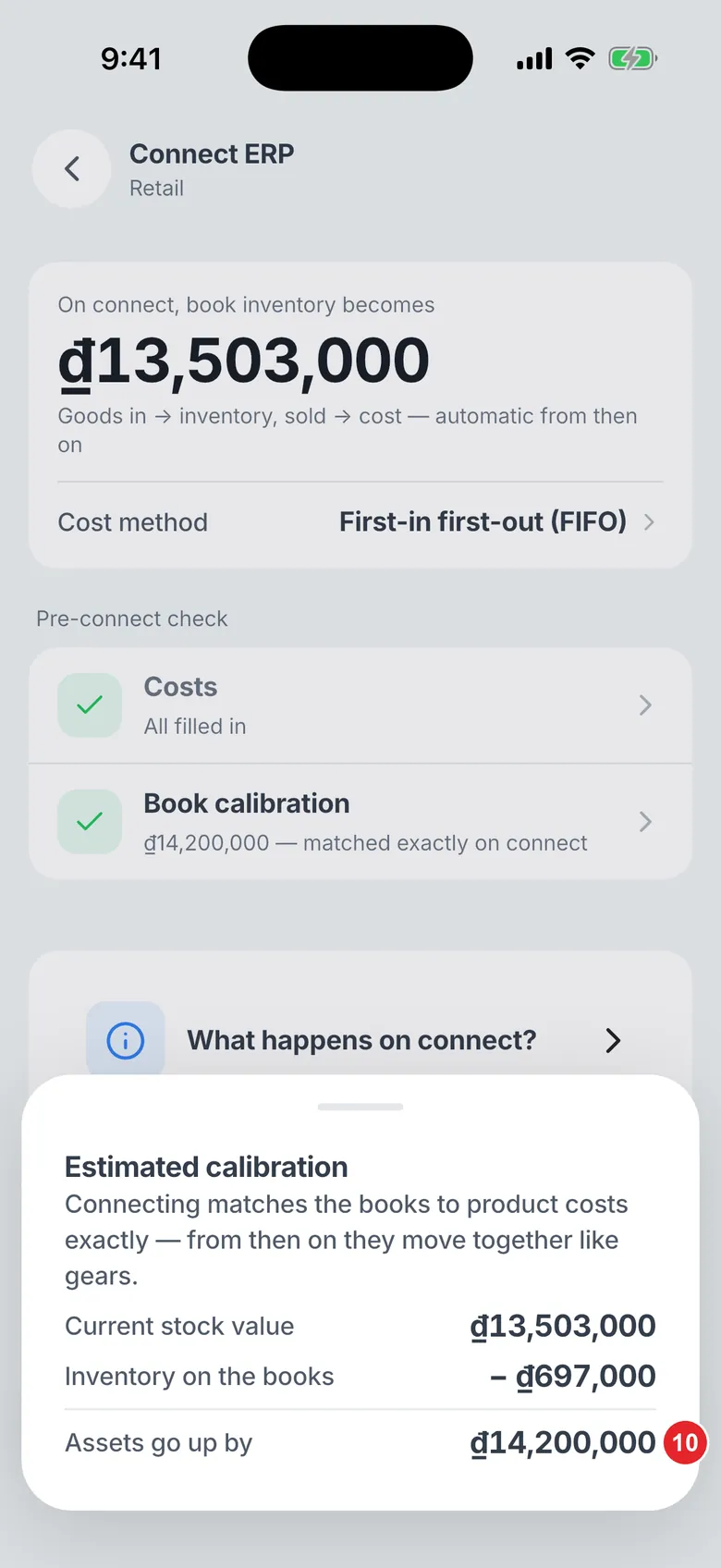
- See «Assets go up by» ₫14,200,000. The books show inventory at − ₫697,000, so matching «Current stock value» ₫13,503,000 raises it by this much.
After connecting
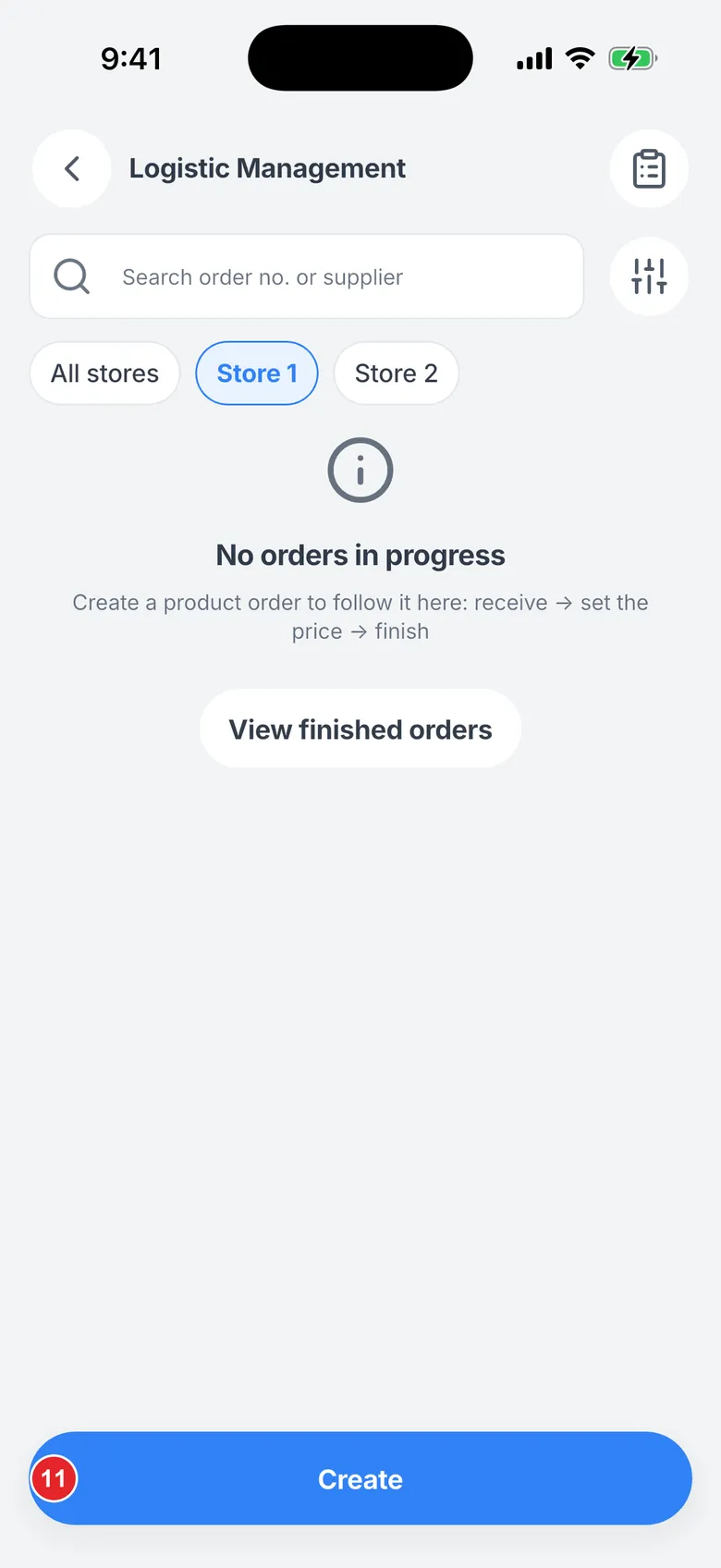
- You can now create orders in «Logistic Management». Tap «Create» to make an order («Order from a supplier»).
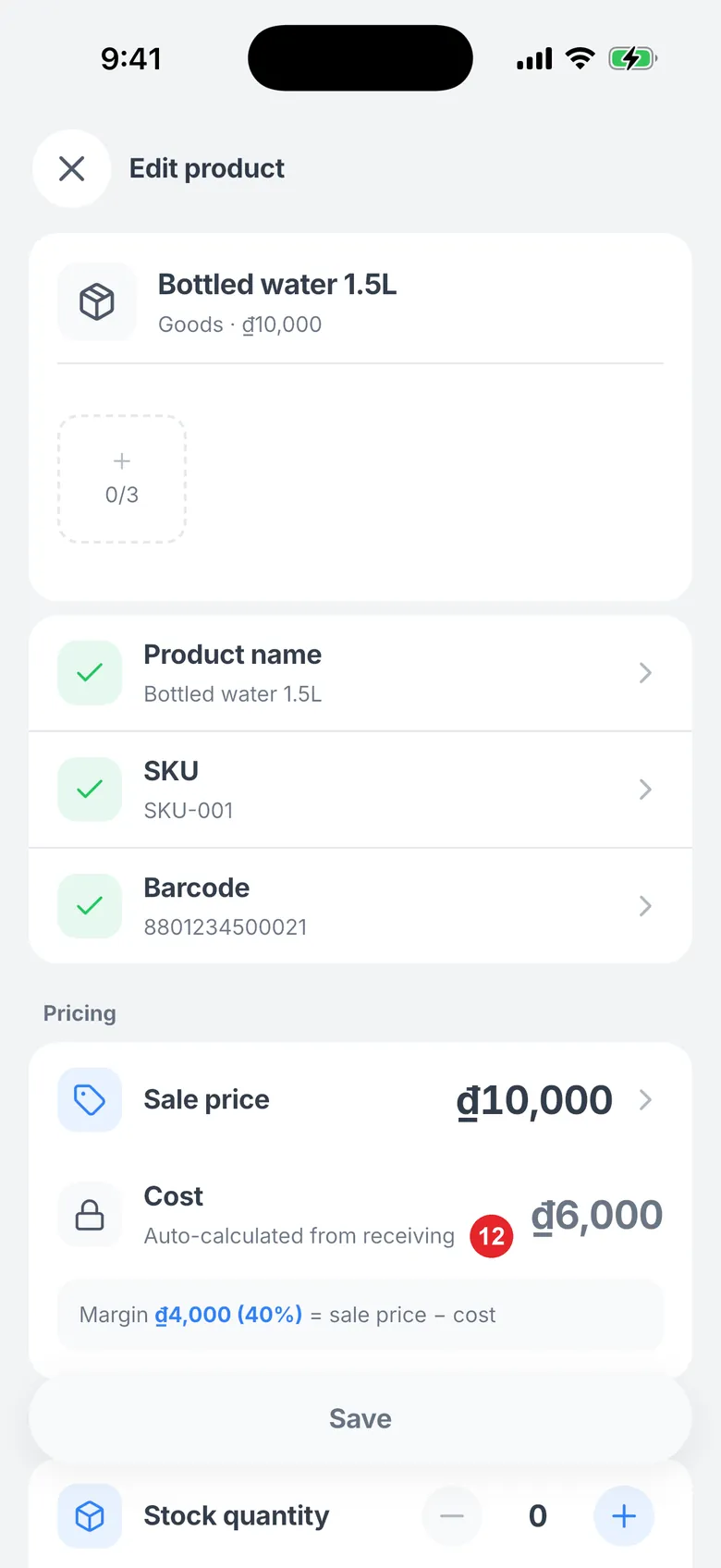
- Open «Edit product» from the product's ⋮ button and «Cost» shows «Auto-calculated from receiving». Cost now sets itself from the received price, and you can't type it by hand.