
Show contents
Cost of goods › Turn on cost tracking
Restaurants already have it on (check)
- Who
- Owner
- When
- Once, at the start
- Where
- App
What you get
- A restaurant company has auto costing on from the moment it is made. You don't turn anything on; you start by adding ingredients.
- Tap «Turn on auto costing» to check right away that it is on.
What it solves
- The empty «Ingredient Management» screen says «To calculate sale costs from ingredients & recipes, turn on auto costing first.», and you can't tell what else to turn on.
Why this way
- A retail store connects it itself in «Logistic Management»; a restaurant has it turned on by itself when the company is made.
- What if I tap «Switch to manual costs»? Auto costing goes off, so sales no longer take out ingredients and the cost goes in at the value written on the menu. Stock and the books stay as they are. If you want to see cost from recipes, don't tap it.
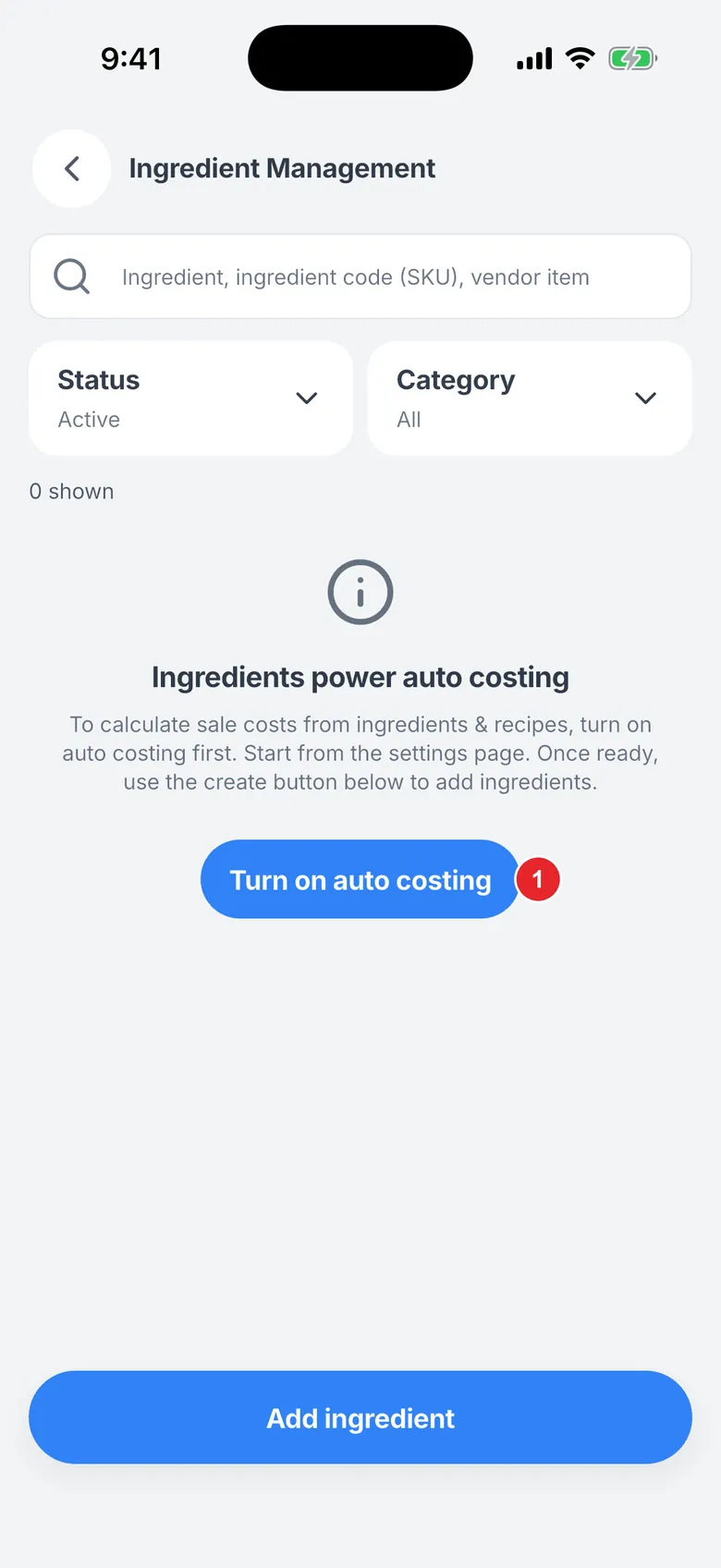
- Open «F&B» › «All features» › «Ingredient Management». With no ingredients yet, this screen shows. Tap «Turn on auto costing».
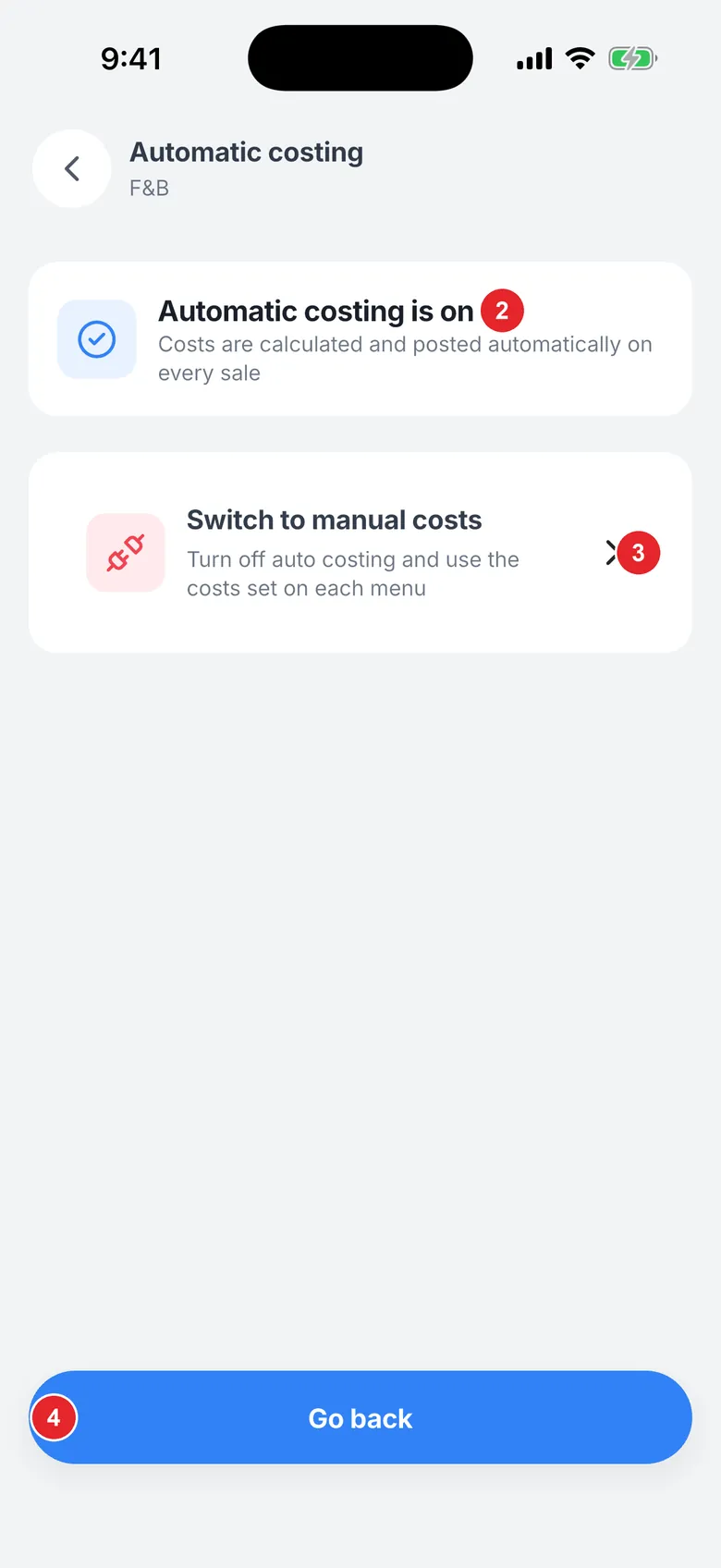
- If you see «Automatic costing is on», it is already on. There is nothing more to do. If you see «Turn on automatic costing» instead, it is off. Tap «Get started», get the ingredients, recipes and menus ready in turn, then tap «Match and connect», and it turns on.
- «Switch to manual costs» is the row that turns auto costing off. Don't tap it.
- Tap «Go back».
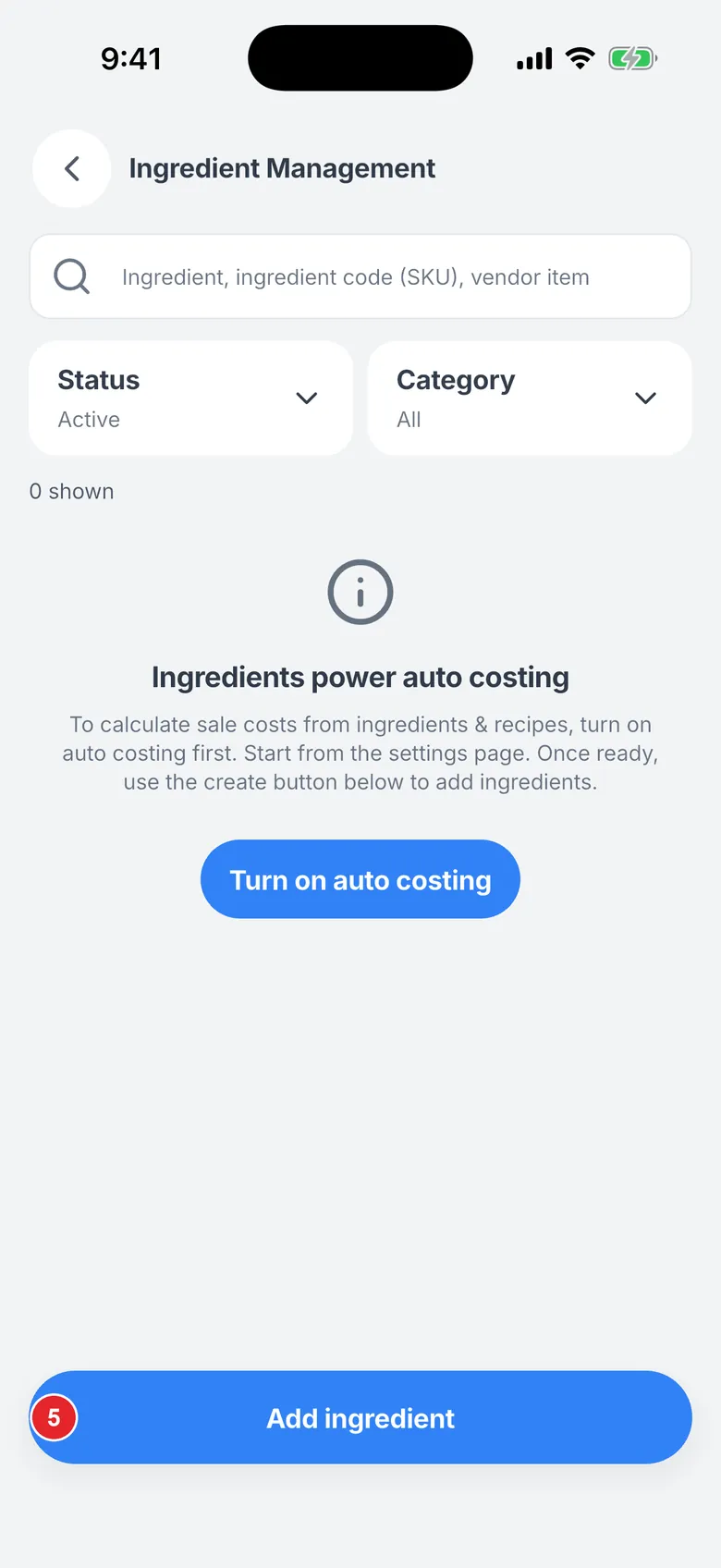
- Whatever the empty screen's notice says, add ingredients with «Add ingredient» at the bottom («Add ingredients»).