
Show contents
Debts › At a glance
See your room to pay in the next 30 days
- Who
- Owner
- When
- Before spending big money, every week
- Where
- App · Web
What you get
- Split into overdue · within 7 days · within 30 days · later, see money to receive and money to pay side by side.
- The money to receive minus the money to pay within 30 days shows in the app as «Left» or «Short», and on the website as «Left». On the website a minus means you're short by that much.
What it solves
- “I'm afraid I won't have enough to pay this month” — the due dates are scattered, so you can't tell when money runs short.
Why this way
- Only debts with a due date count. Debts without a due date, debts between your own stores and the cash you have now are left out. See the cash you have in «Cash Management» alongside it.
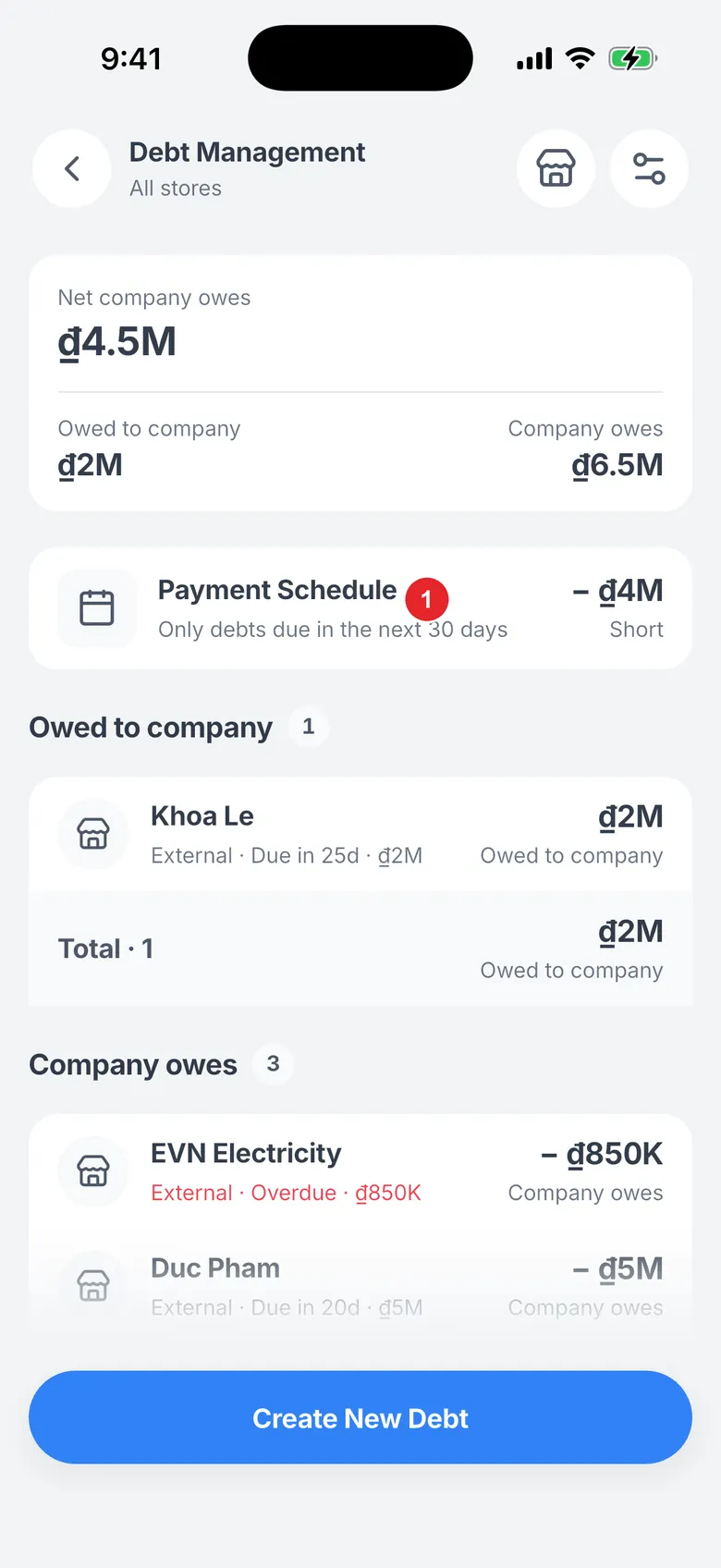
- Tap «Money» at the bottom of the app, open «Debt Management» and tap «Payment Schedule». It counts only debts due in the next 30 days. Here it is − ₫4M, «Short».
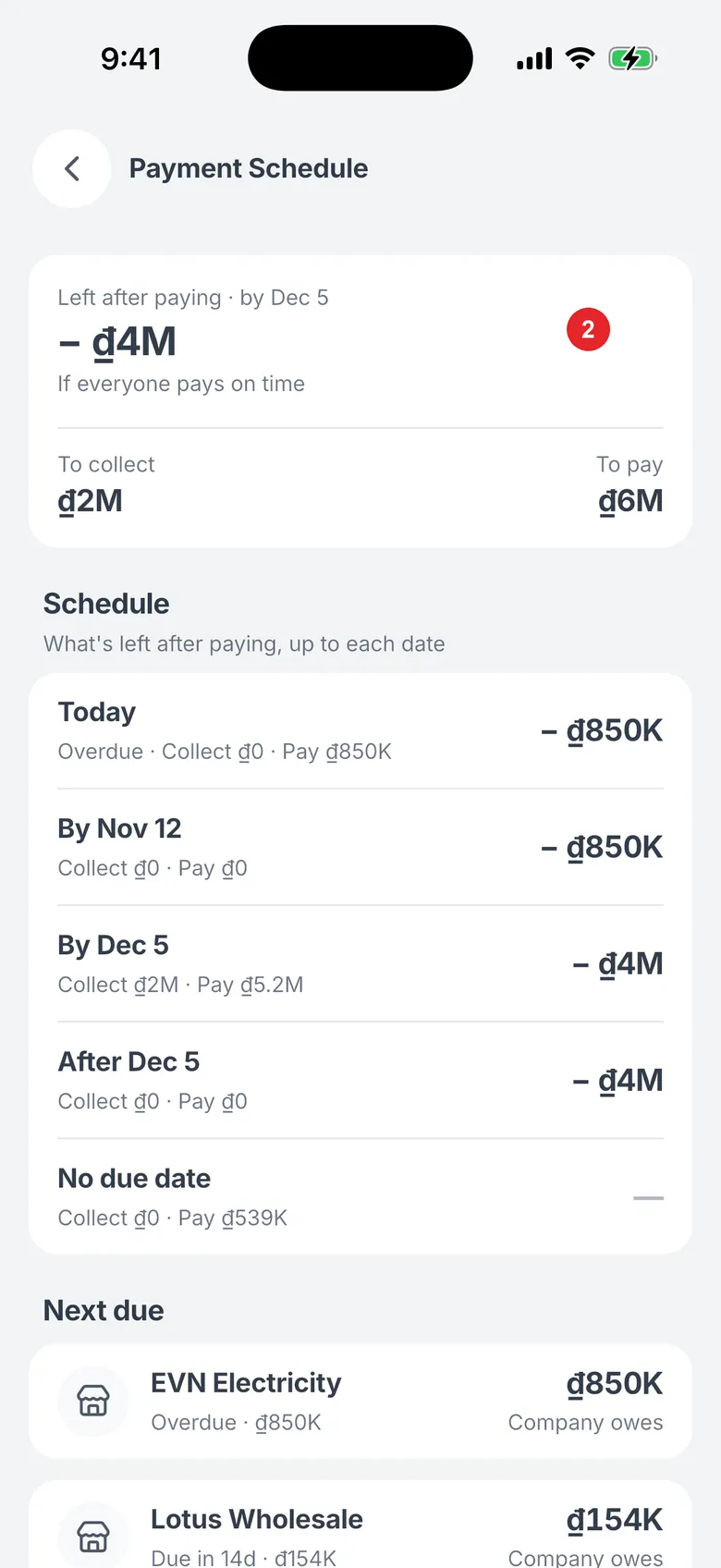
- «Left after paying · by Dec 5» is what is left if everything is collected and paid on time. Here it is − ₫4M, so you are short by that much. The cash you have now isn't counted.
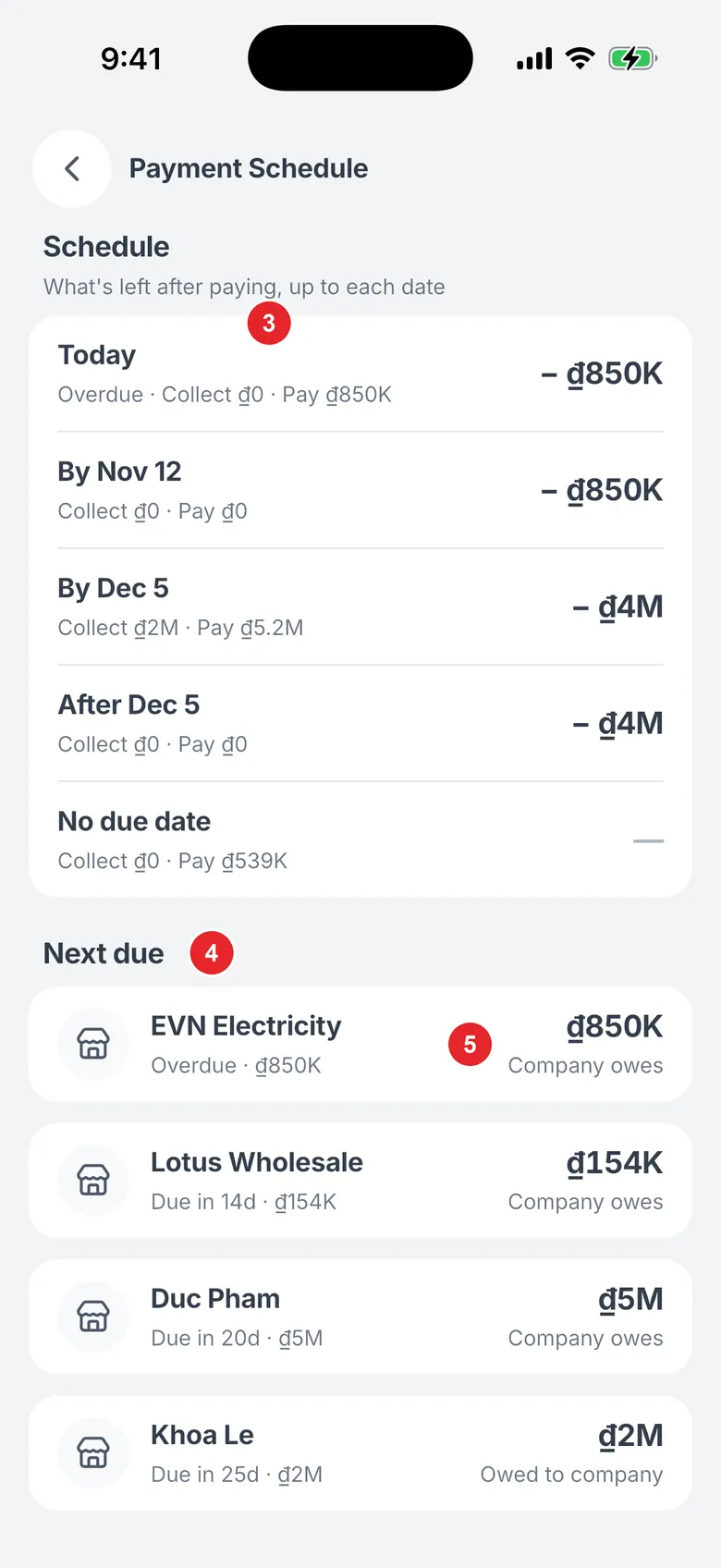
- Under «Schedule», the «Today» row includes overdue debts. Here you have ₫850K to pay. Further down, each row adds up what is left after paying everything up to that day.
- In «Next due», see the partners, nearest due date first.
- «EVN Electricity» at the top is ₫850K overdue. It is the first one to pay.