
Show contents
Debts › At a glance
See who owes what, both ways
- Who
- Owner · Finance staff
- When
- Every week, before you pay or collect from a partner
- Where
- App · Web
What you get
- For each partner, money to receive and money to pay are set against each other as one row, split into the receive side and the pay side.
- In the app, debts past their due date come first at the top of «Company owes», in red as «Overdue». On the website they gather in the «Past due» row at the top, and the partner's row reads like «₫850,000 late».
What it solves
- Looking at each partner's books separately, you have to subtract what you owe each other to see the real amount.
Why this way
- Credit sales, confirmed amounts owed and money lent all go into the same books with the partner's name, so you don't gather them yourself.
- What about money between our own stores? It's left out of this list and its totals. Money with your other company shows separately as «Internal».
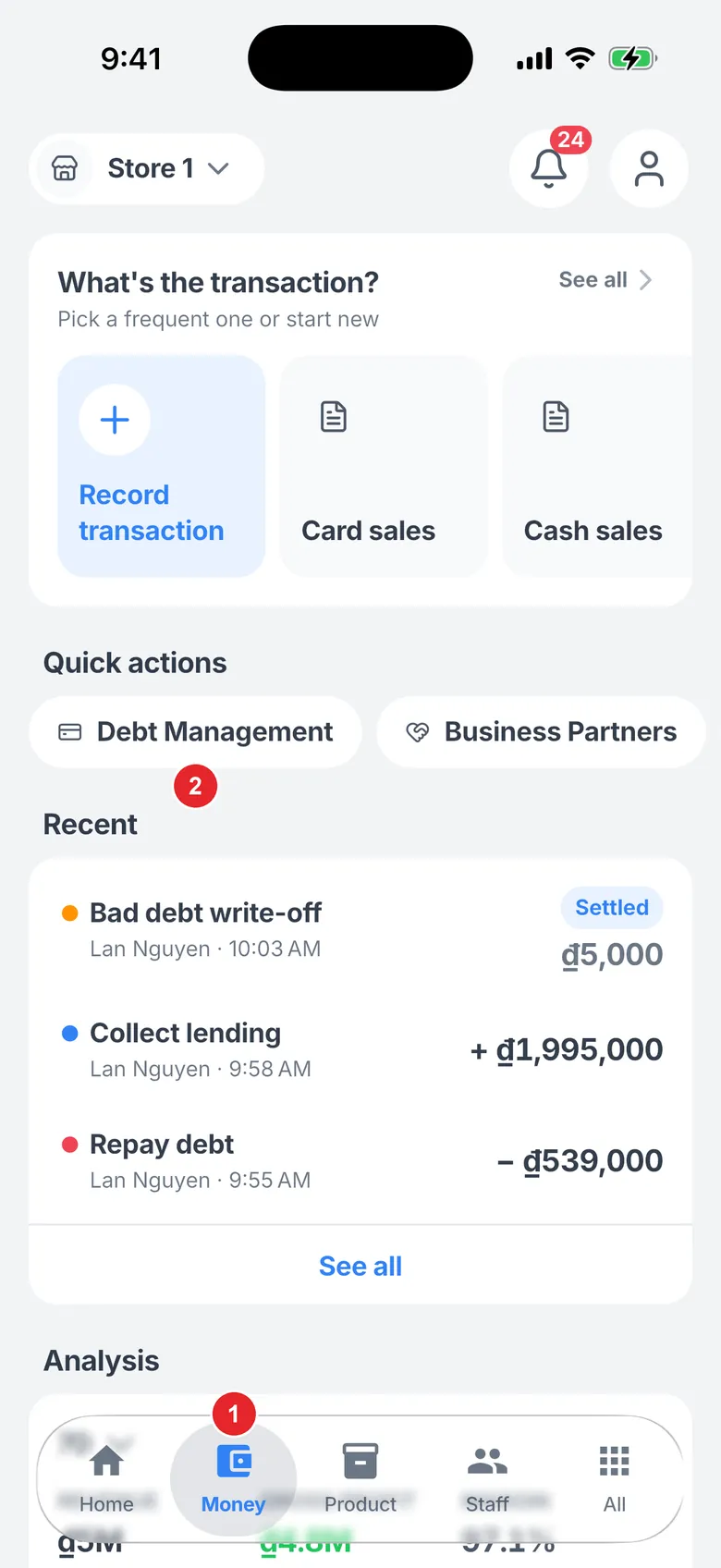
- Tap «Money» at the bottom of the app.
- Under «Quick actions», tap «Debt Management».
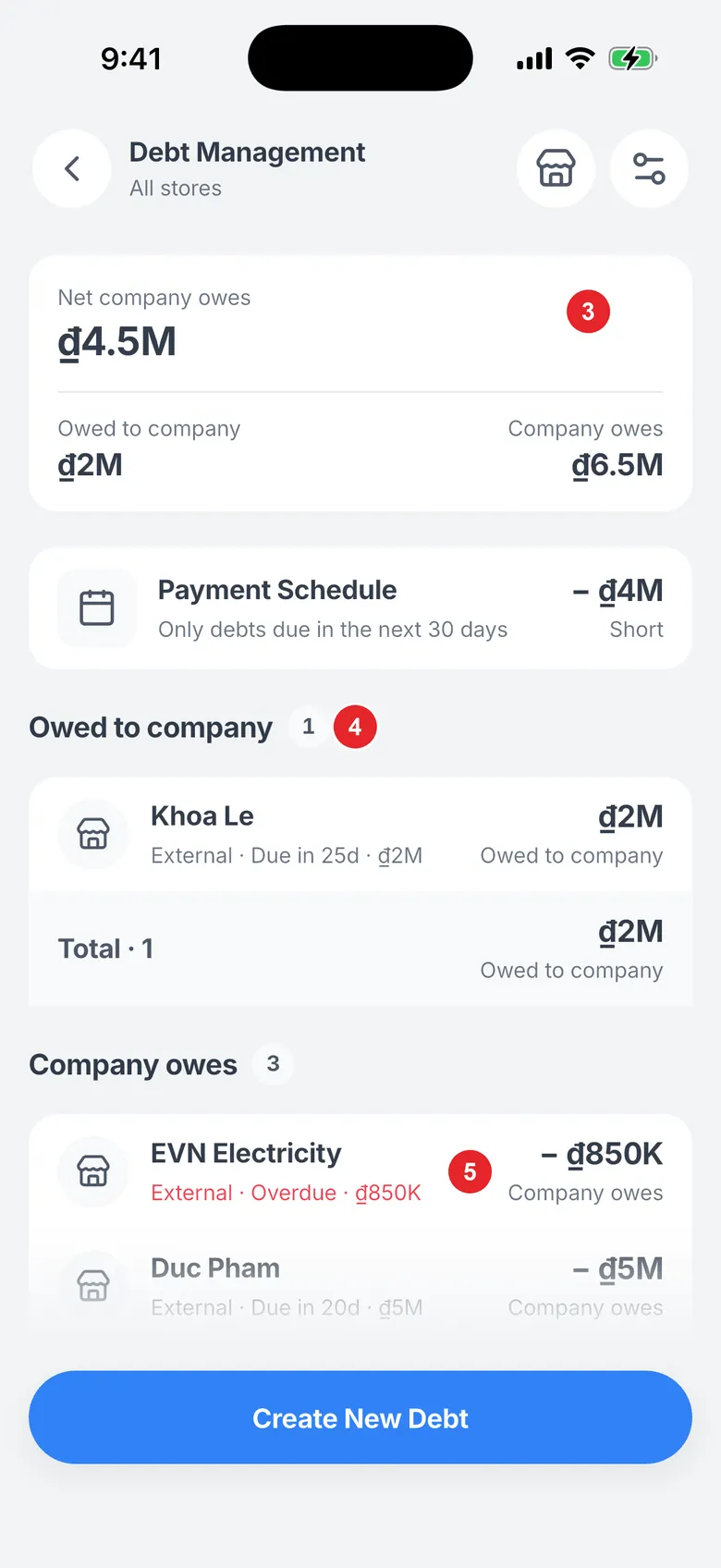
- «Net company owes» is what is owed to you and what you owe, set against each other. Here «Owed to company» is ₫2M and «Company owes» is ₫6.5M, so you have ₫4.5M to pay.
- Below, partners are listed one row each, split into «Owed to company» and «Company owes».
- Under «Company owes», partners past their due date come first, in red. Here it is «EVN Electricity», ₫850K.
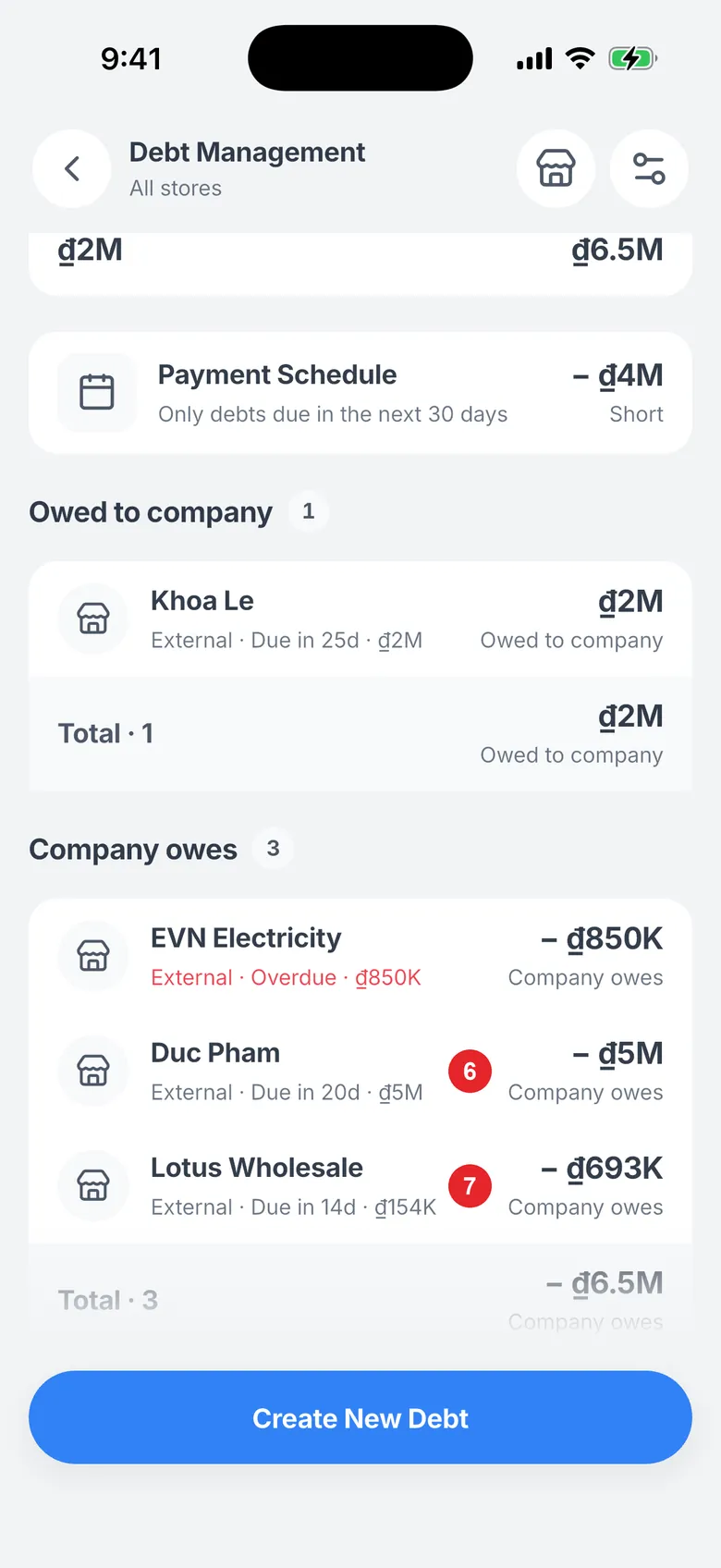
- Each partner's row shows the next due date. «Duc Pham» is due in 20 days, ₫5M.
- «Lotus Wholesale» is owed ₫693K in all, and ₫154K of that is due in 14 days. Tap a partner's row and a window opens to choose things like «Transaction History» and «Repaid them». See that partner's records in «Transaction History».