
Show contents
Debts › Money to pay
Confirm and pay what you owe a supplier
- Who
- Owner · Finance staff
- When
- When goods have arrived and the bill has come
- Where
- App · Web
What you get
- Set the real amount you owe with «Confirm books» in the order's «Money», and the debt starts then. Receiving alone makes no debt.
- Set a due date and it goes into «Payment Schedule» (website: «Room to pay»).
What it solves
- The order amount, the shipment, what you received and the bill all differ, so you can't tell how much to pay.
Why this way
- The amount you set last becomes the debt to the partner.
- When I pay, which debt goes down first? If the same partner owes you money, the two are set against each other first; then it goes down in this order: advance → credit → earliest due → oldest.
Confirm goods
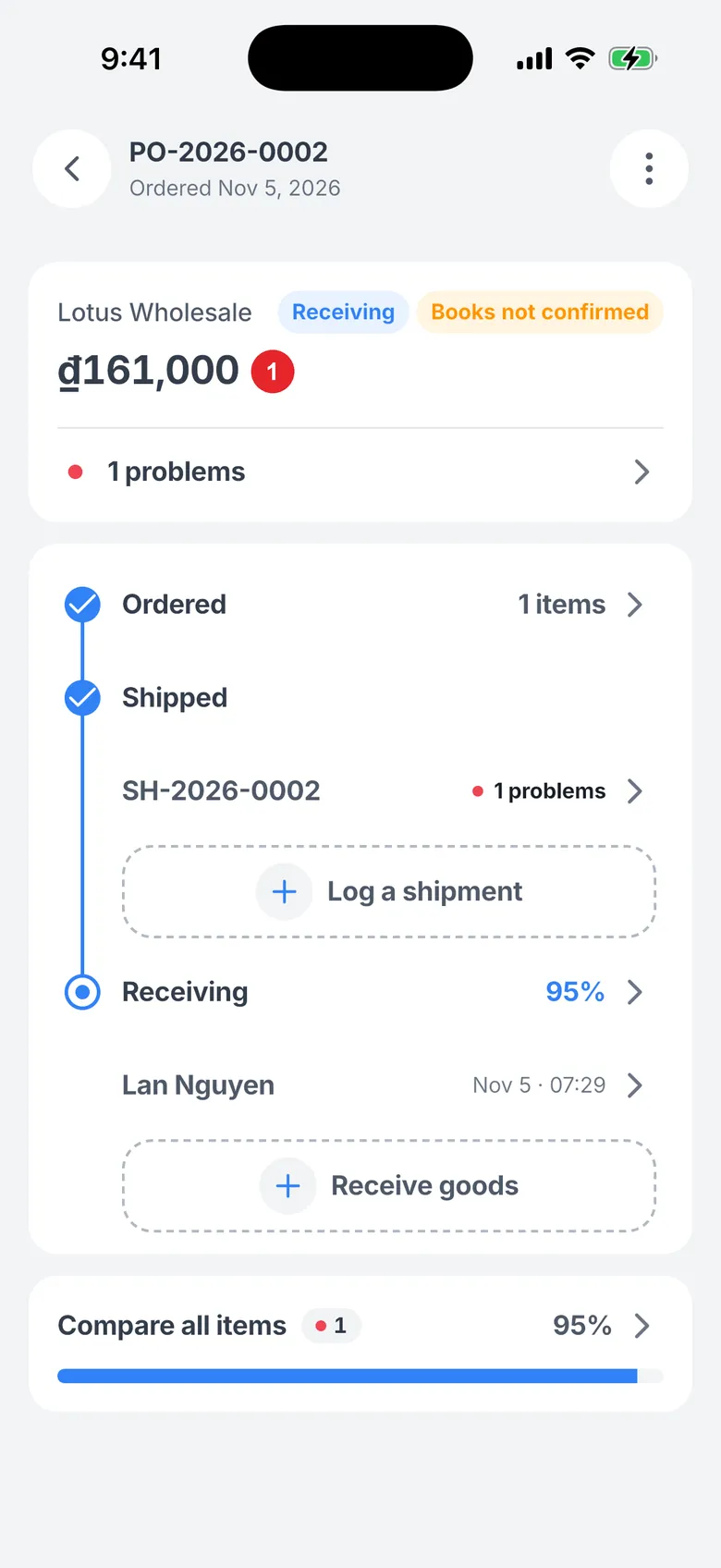
- Tap «All» at the bottom of the app, scroll down and open «Logistic Management», then open the order. Tap the order amount at the top, «₫161,000».
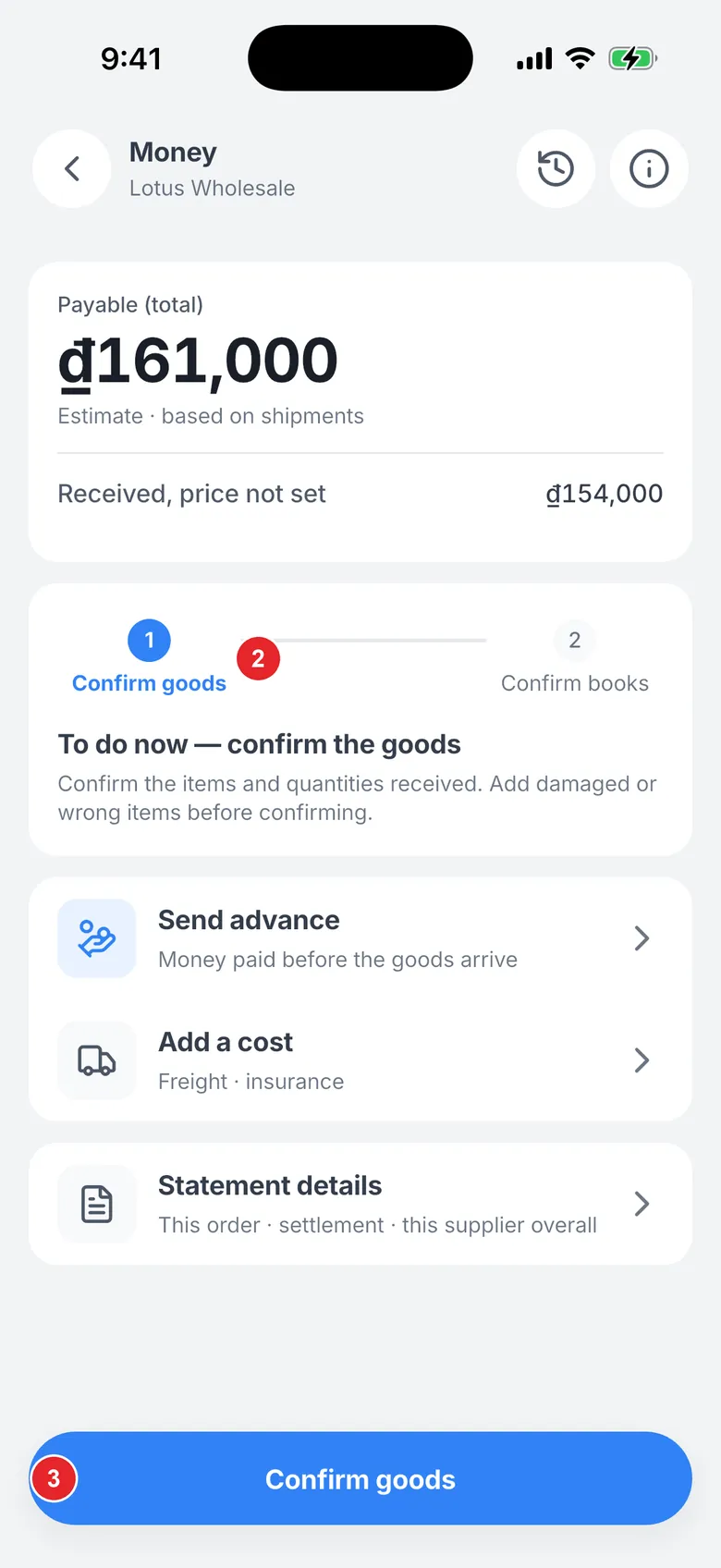
- The «Money» screen has two stages, «Confirm goods» then «Confirm books». Right now it is stage 1, «Confirm goods».
- Tap «Confirm goods».
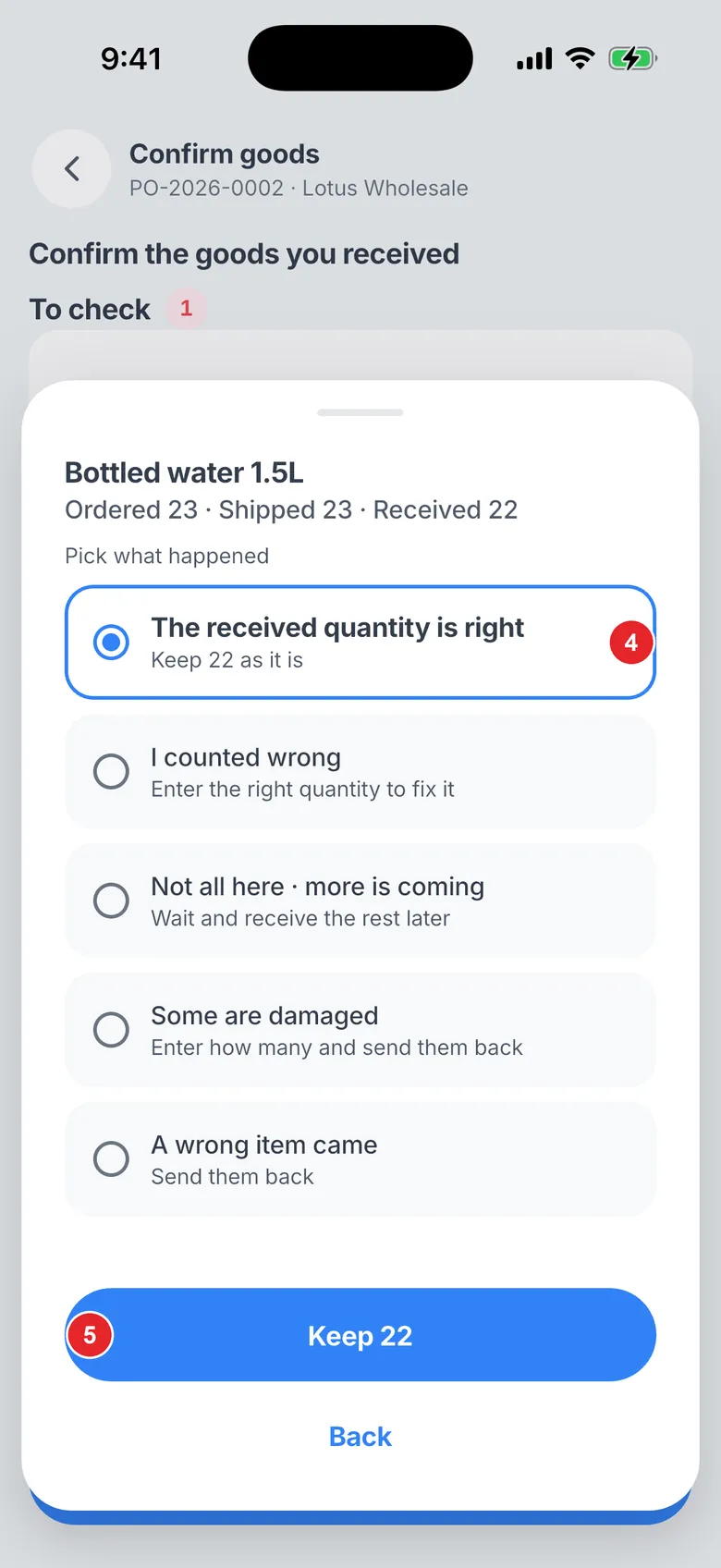
- Tap the item's row and choose what is right. If the received quantity is right, it is «The received quantity is right».
- Tap «Keep 22».
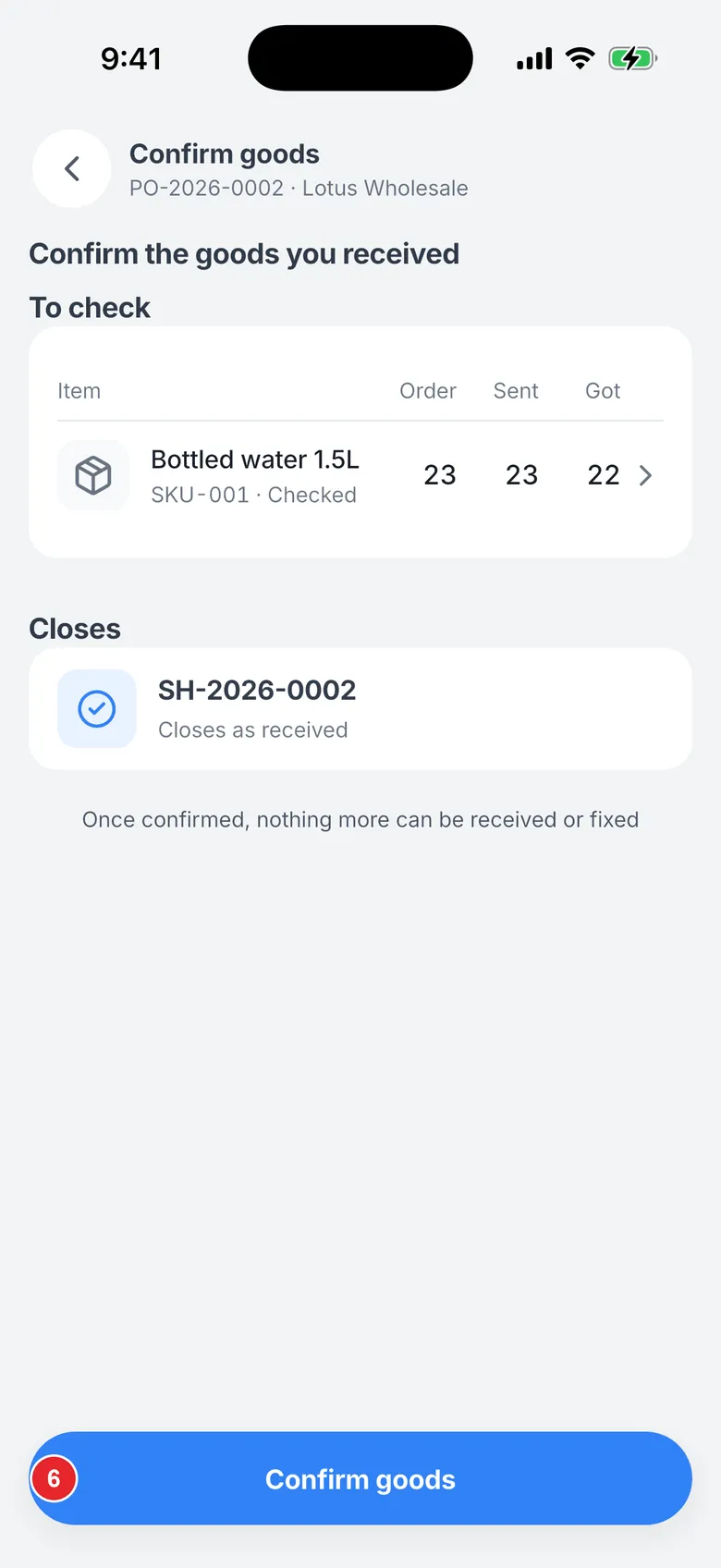
- Tap «Confirm goods». Once confirmed, nothing more can be received or fixed. Tapping it opens the «Confirm books» screen next.
Confirm books
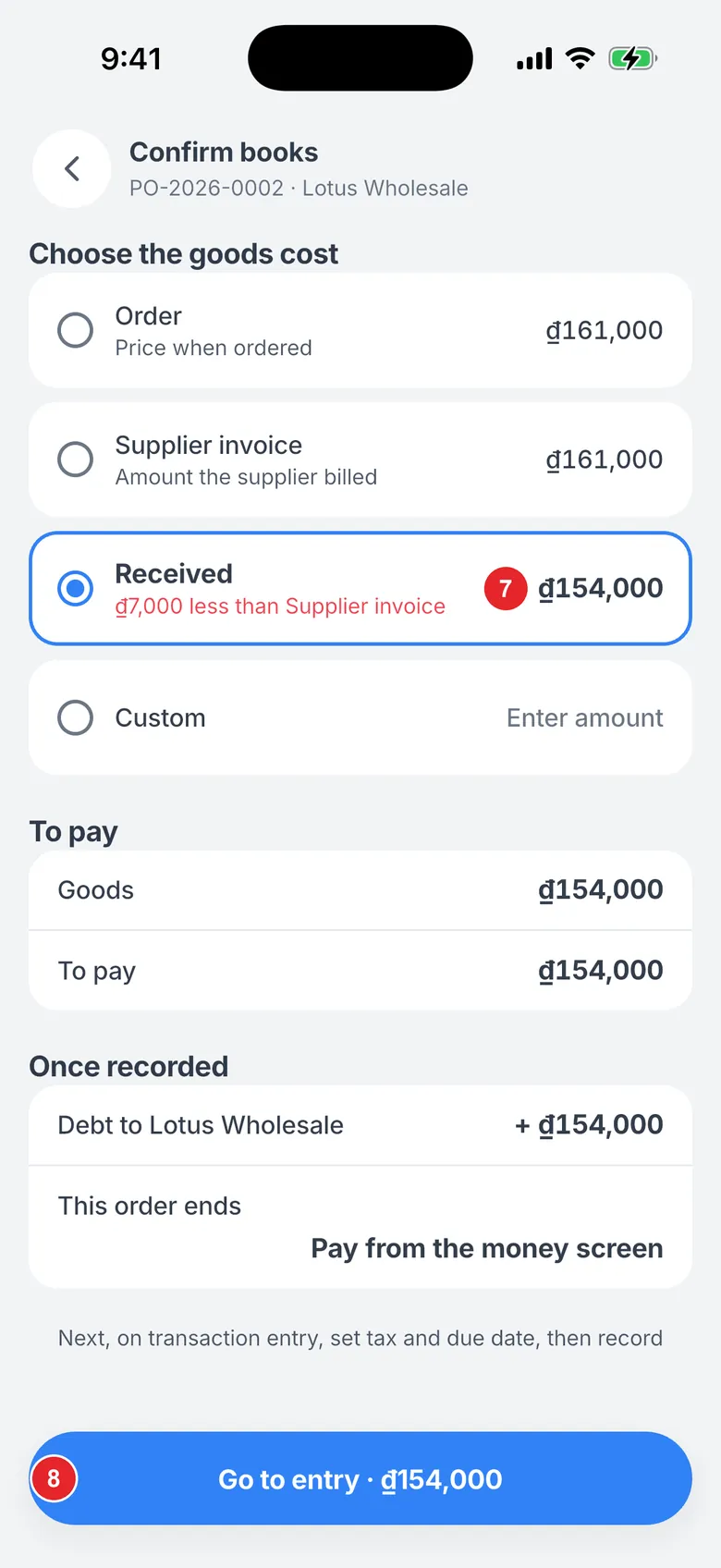
- Under «Choose the goods cost», tap the amount you really owe. Here it is «Received», ₫154,000, which is ₫7,000 less than the invoice.
- Tap «Go to entry · ₫154,000».
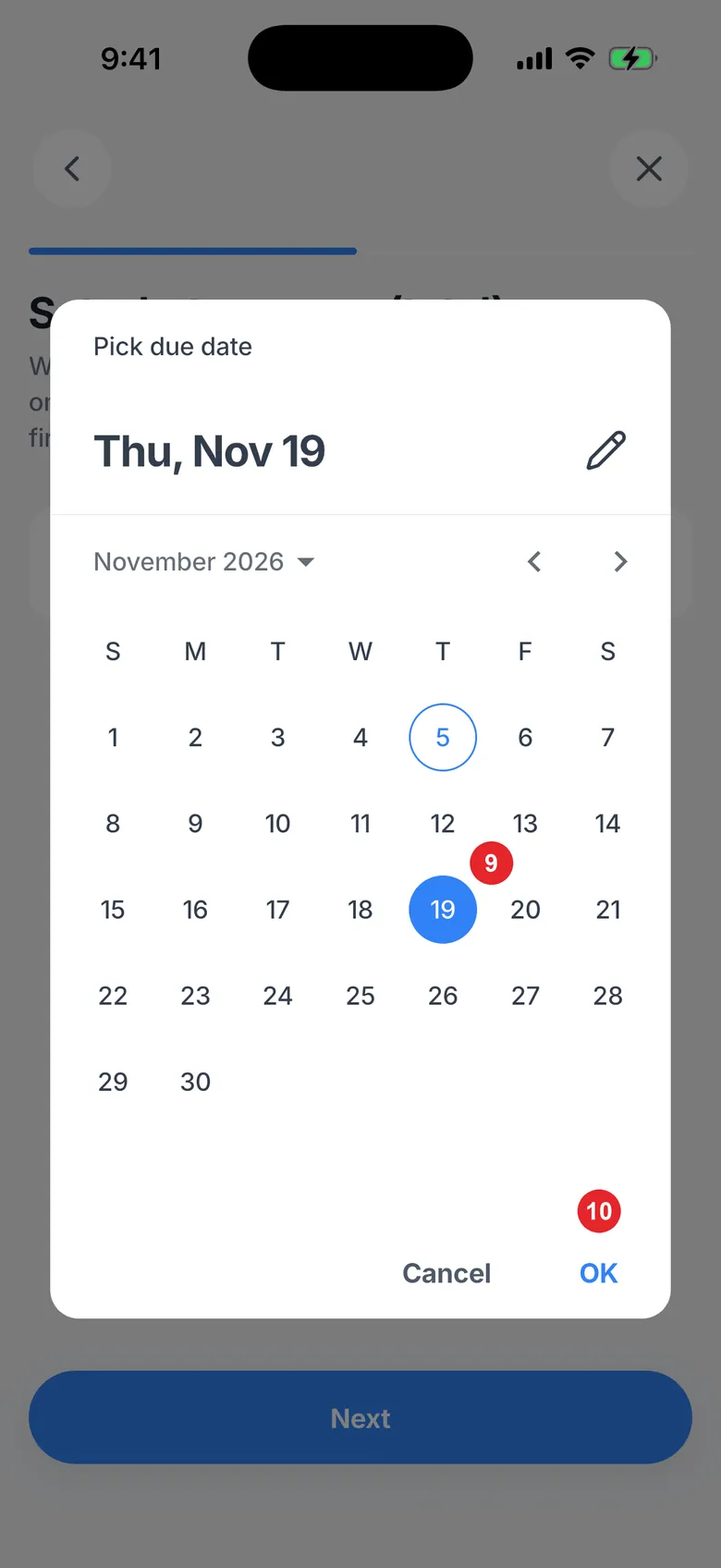
- Tap the «Due date» row and tap the day you will pay. Here it is November 19. Even if the partner has payment terms set, you choose the date by hand here.
- Tap «OK».
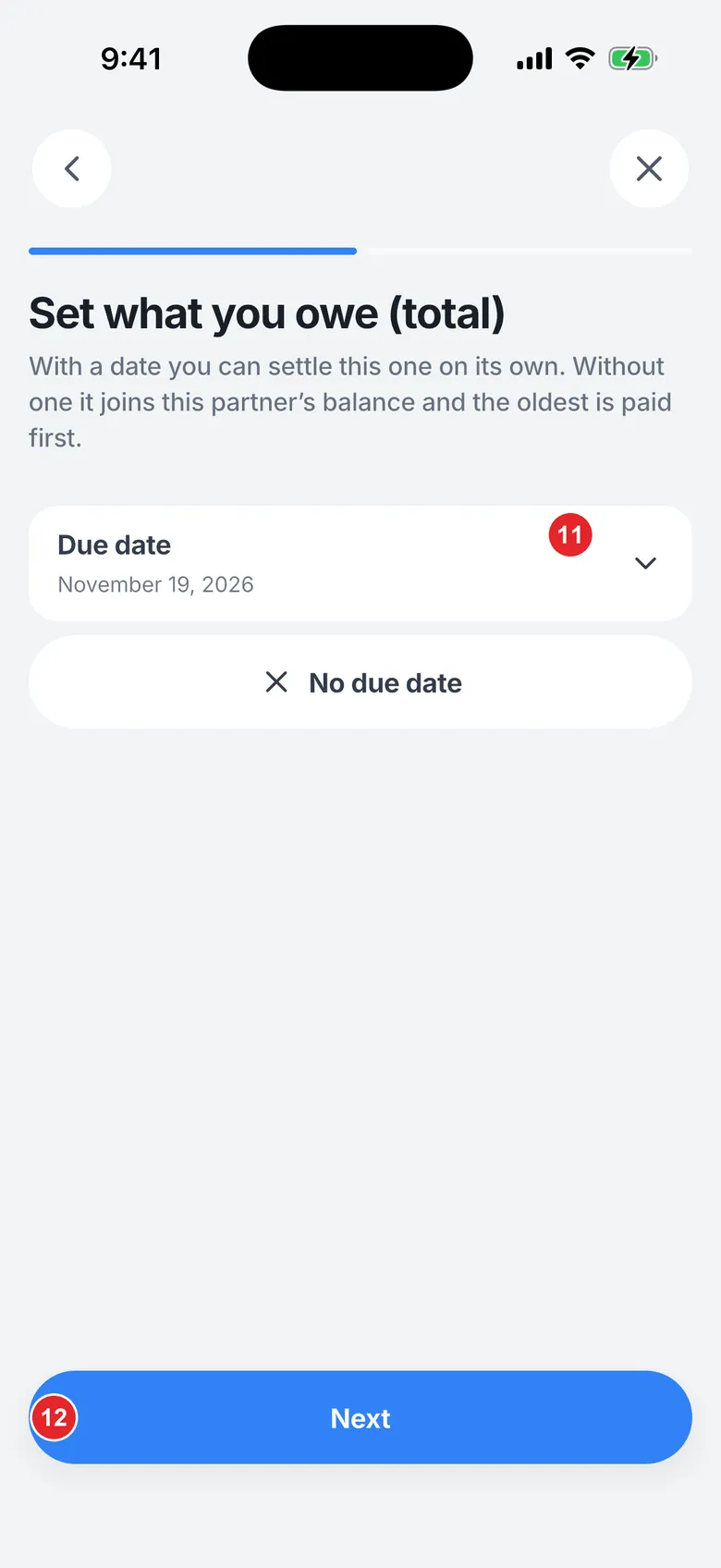
- «Due date» now has November 19, 2026. With a date, you can settle this one on its own.
- Tap «Next».
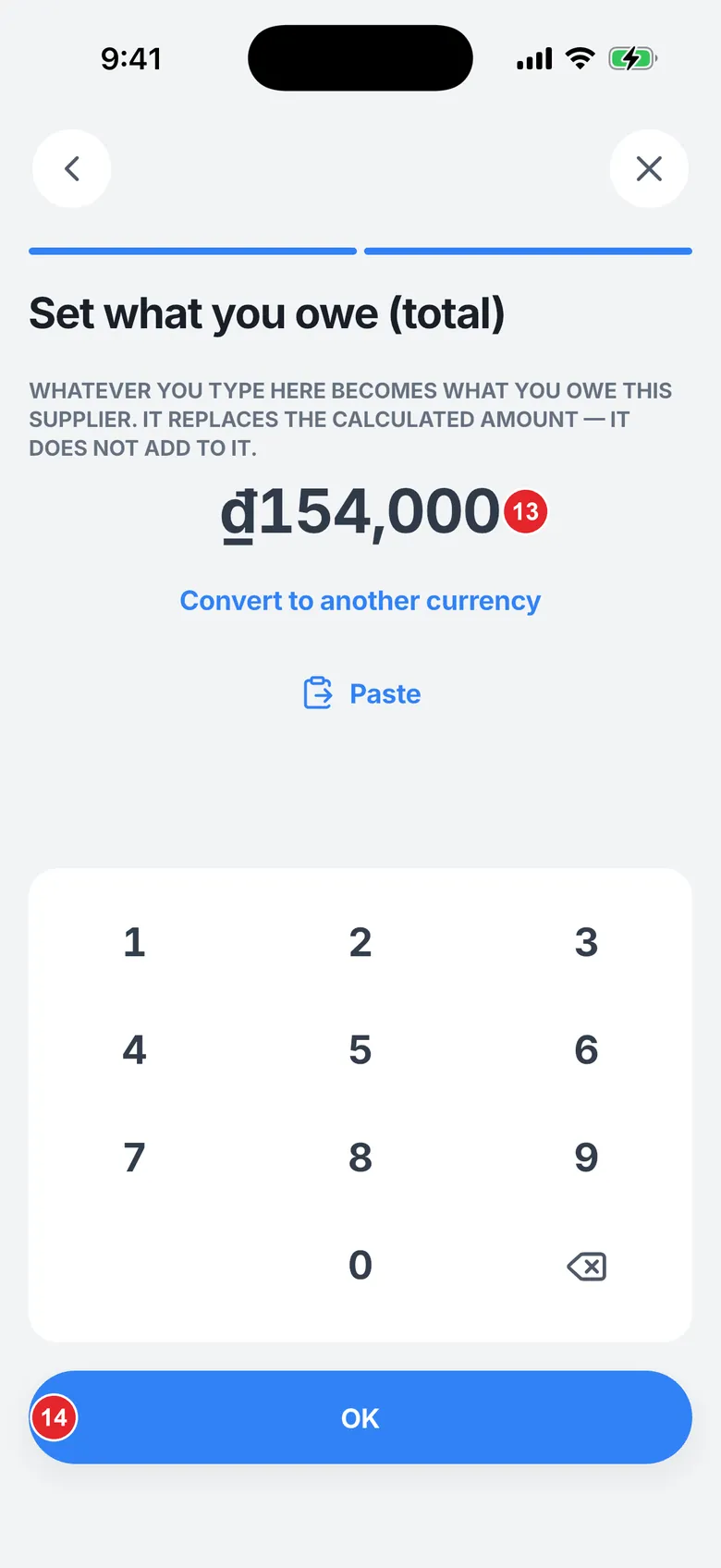
- Check that the amount, ₫154,000, is right. The amount here becomes what you owe the supplier.
- Tap «OK».
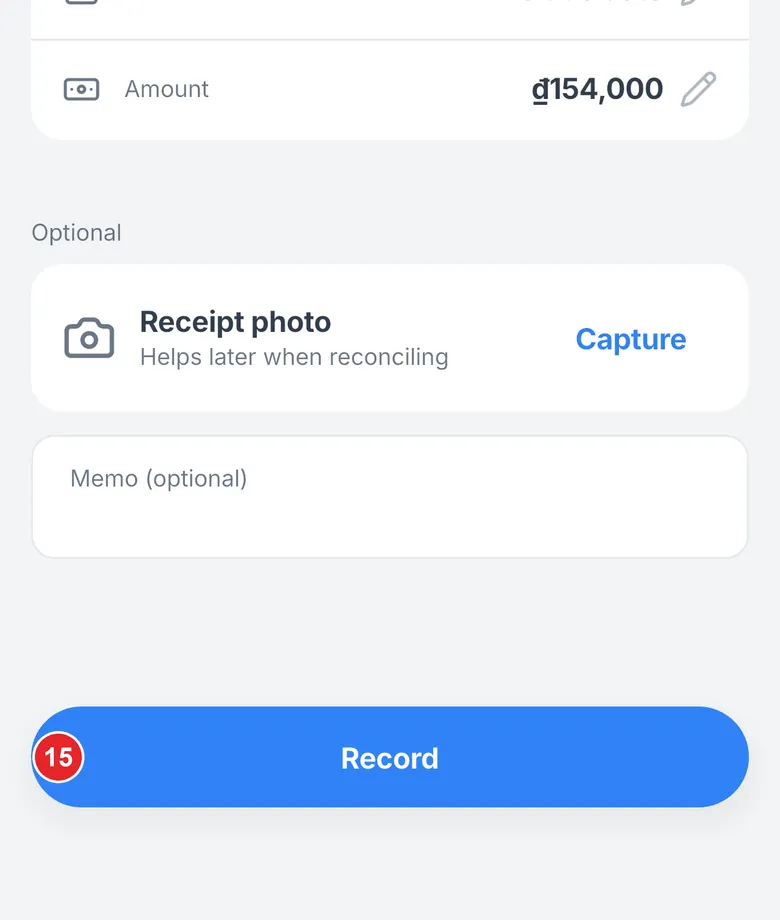
- Tap «Record». No money leaves your vault; it is only written in the books.
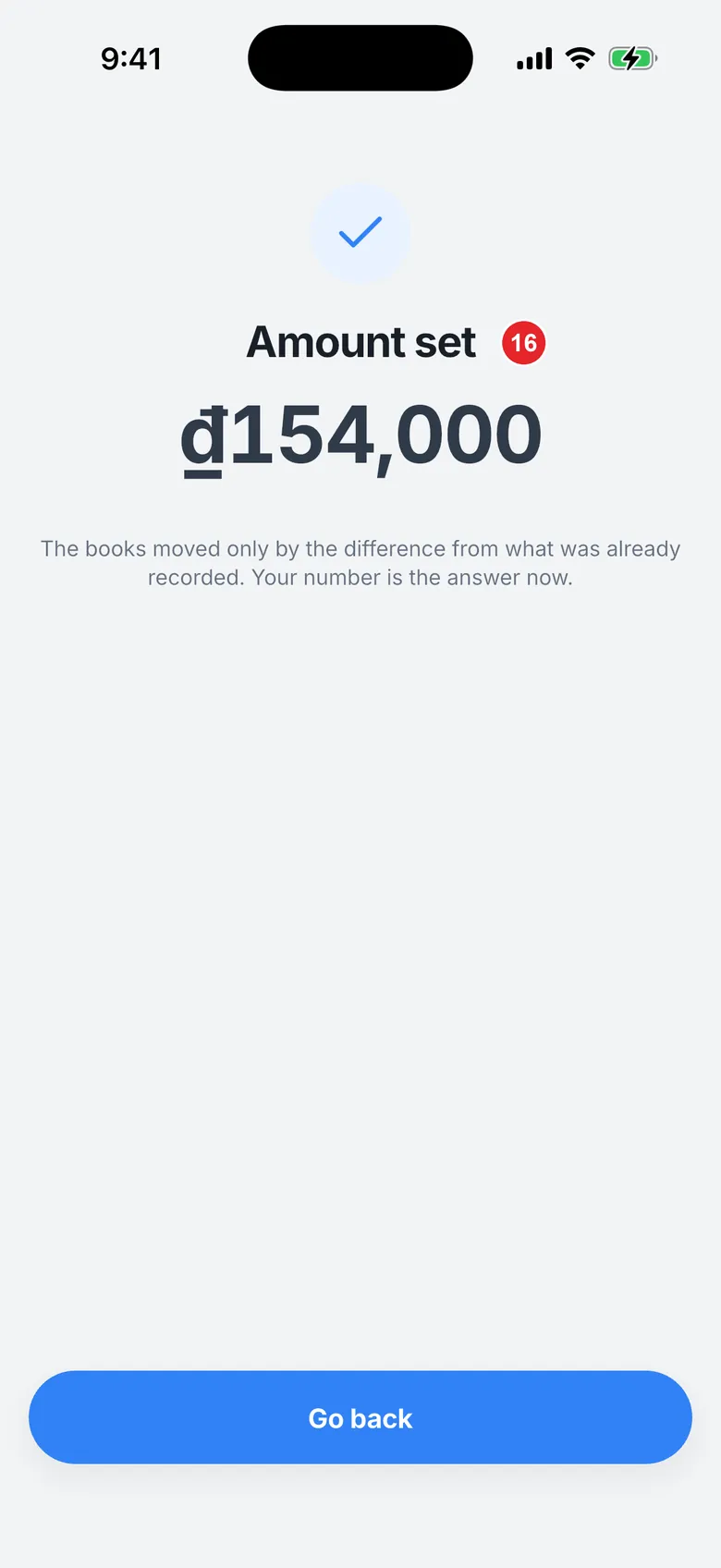
- When «Amount set» appears, ₫154,000 has become a debt to Lotus Wholesale. Tap «Go back».
Pay the debt
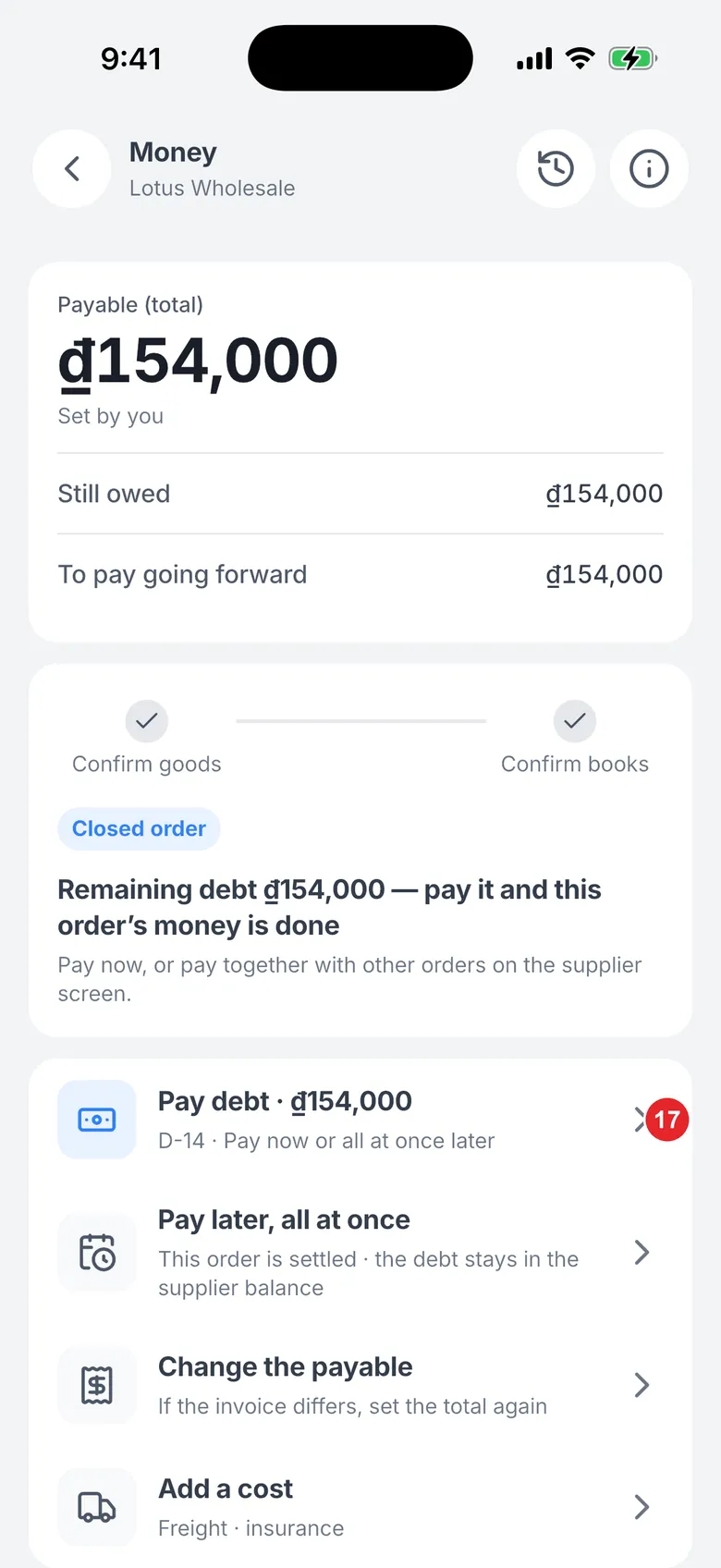
- To pay, tap «Pay debt · ₫154,000» in the order's «Money». To pay a supplier for several orders in one go, tap «Pay later, all at once». How to pay them is in «Pay several orders at once».
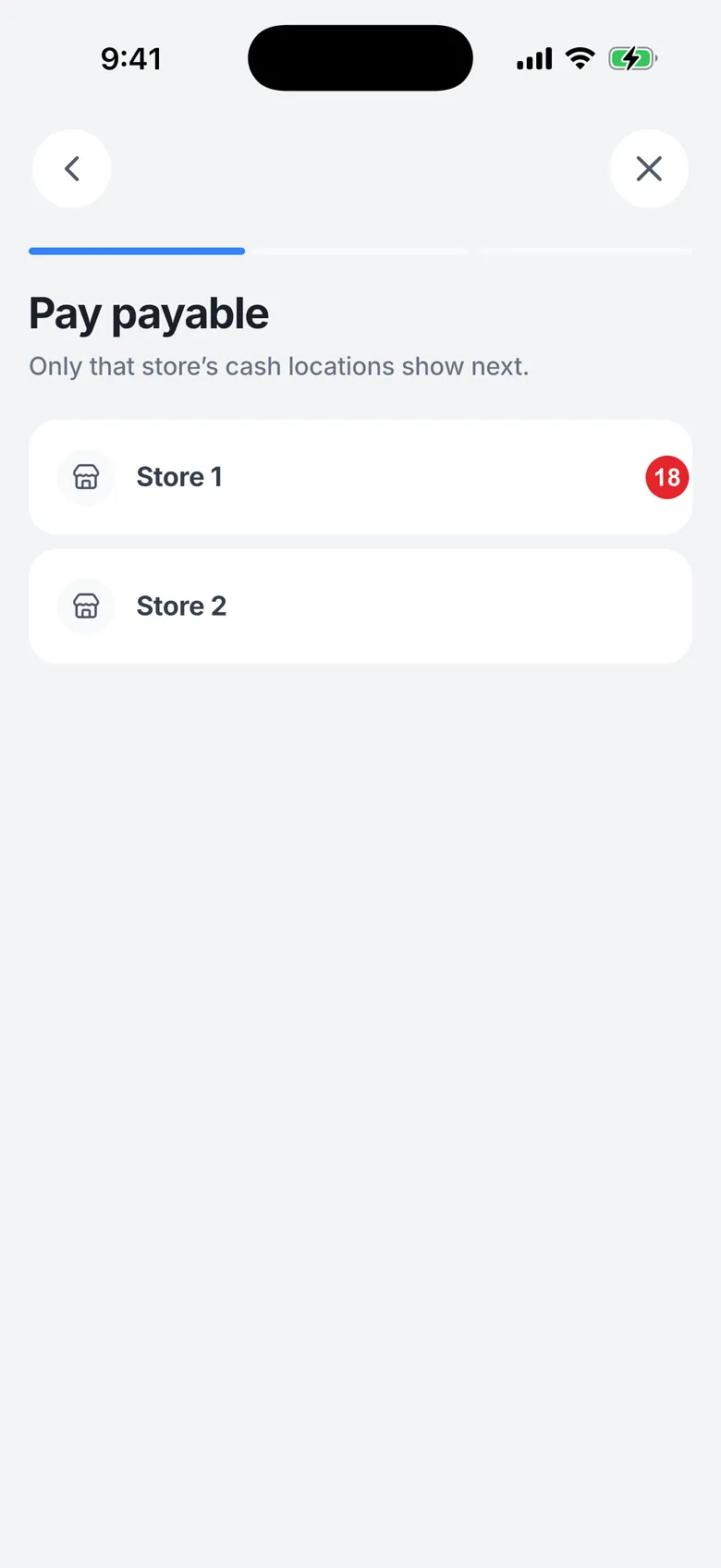
- «Pay payable» means paying what you owe the supplier. Tap the store the money went out from. Here it is «Store 1». On the next screen, choose that store's cash location. Here it is Shinhan Bank.
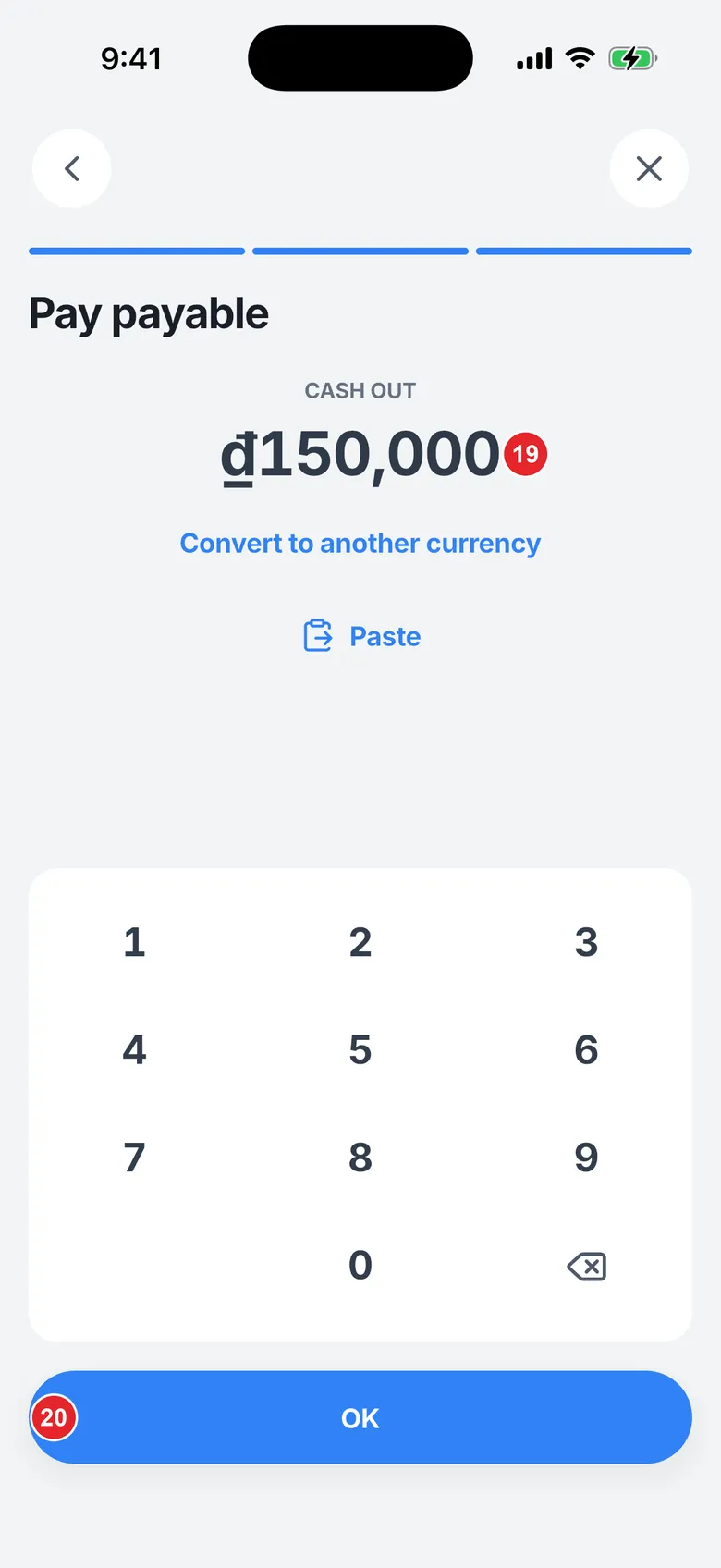
- Enter the amount to pay. Here it is ₫150,000, part of the debt.
- Tap «OK».
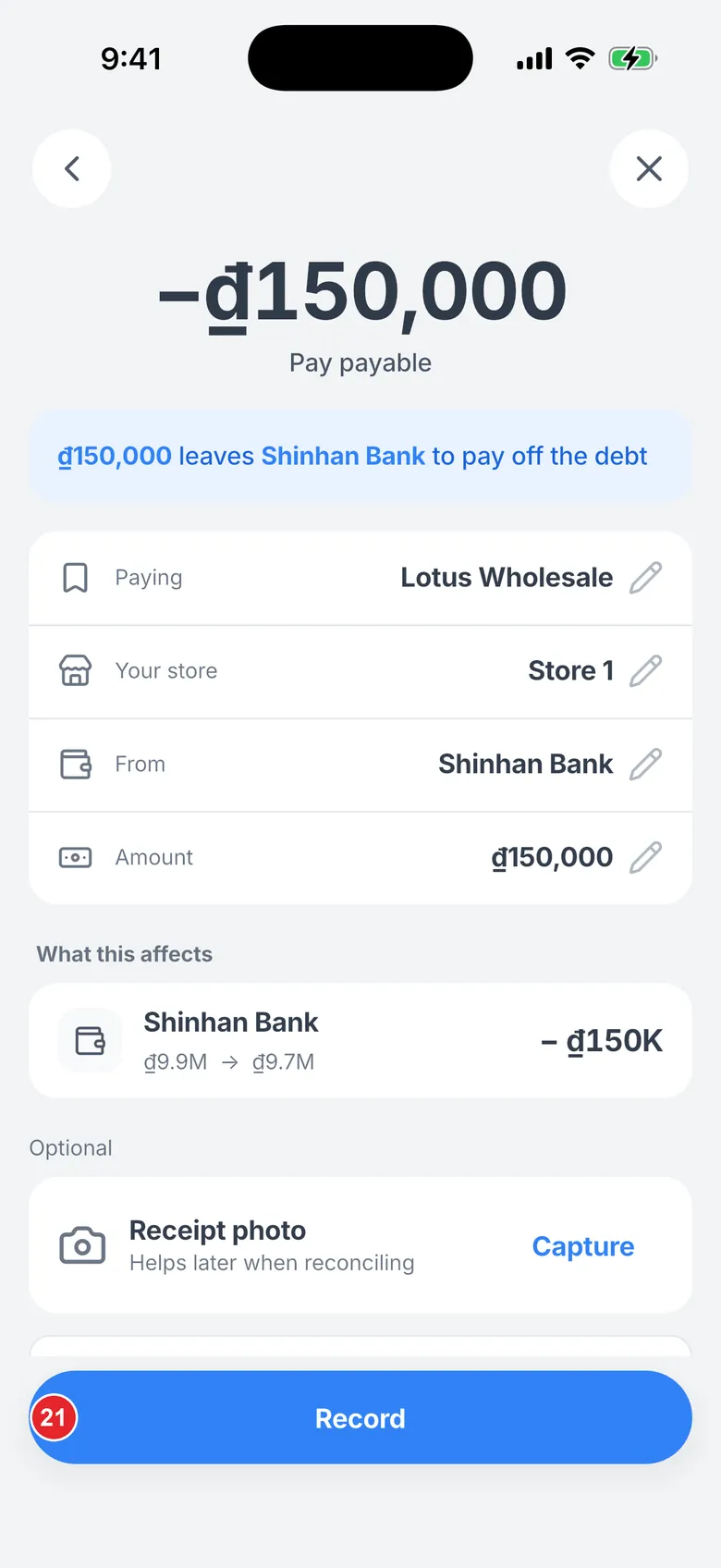
- See «₫150,000 leaves Shinhan Bank to pay off the debt» and tap «Record».
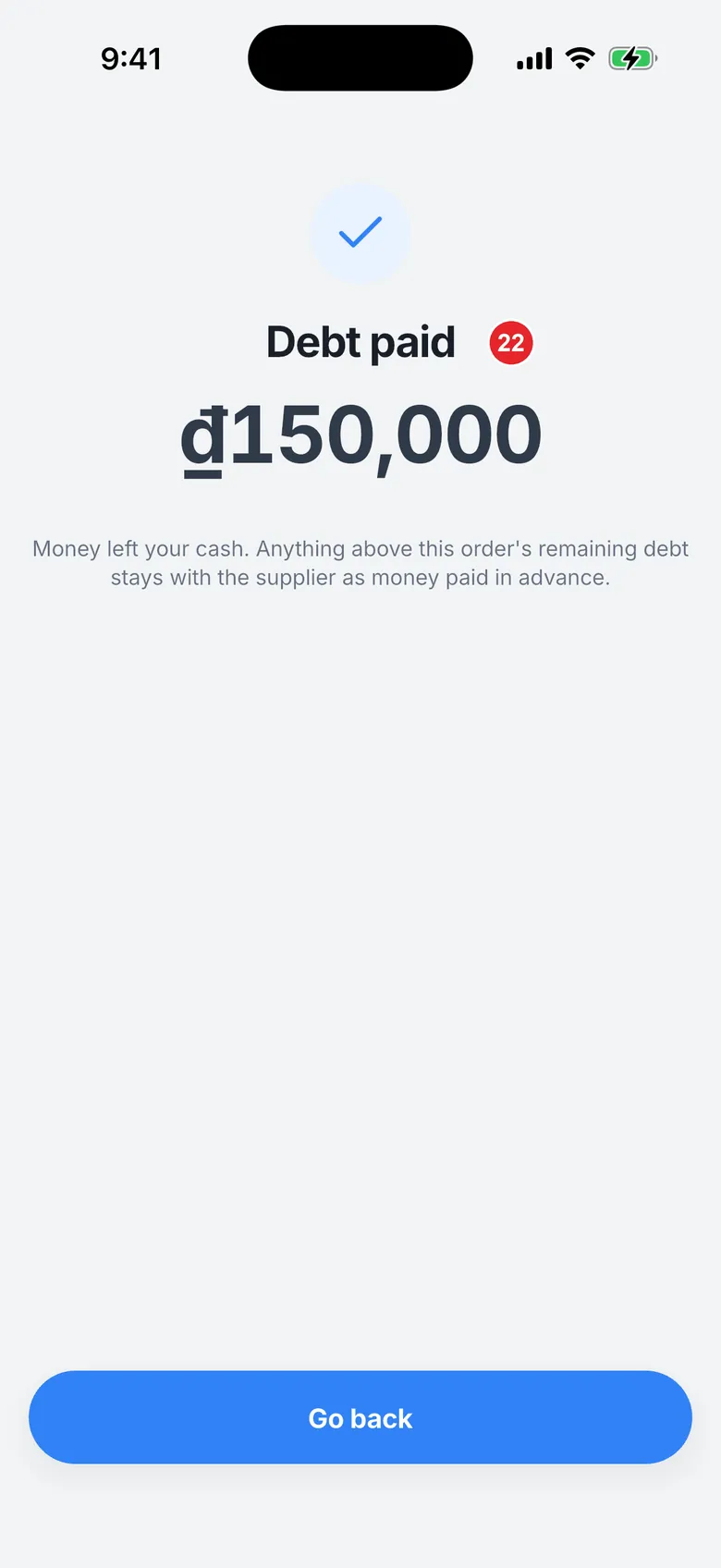
- «Debt paid» appears. If you pay more than the remaining debt, the extra stays as money paid to the supplier in advance. Tap «Go back».
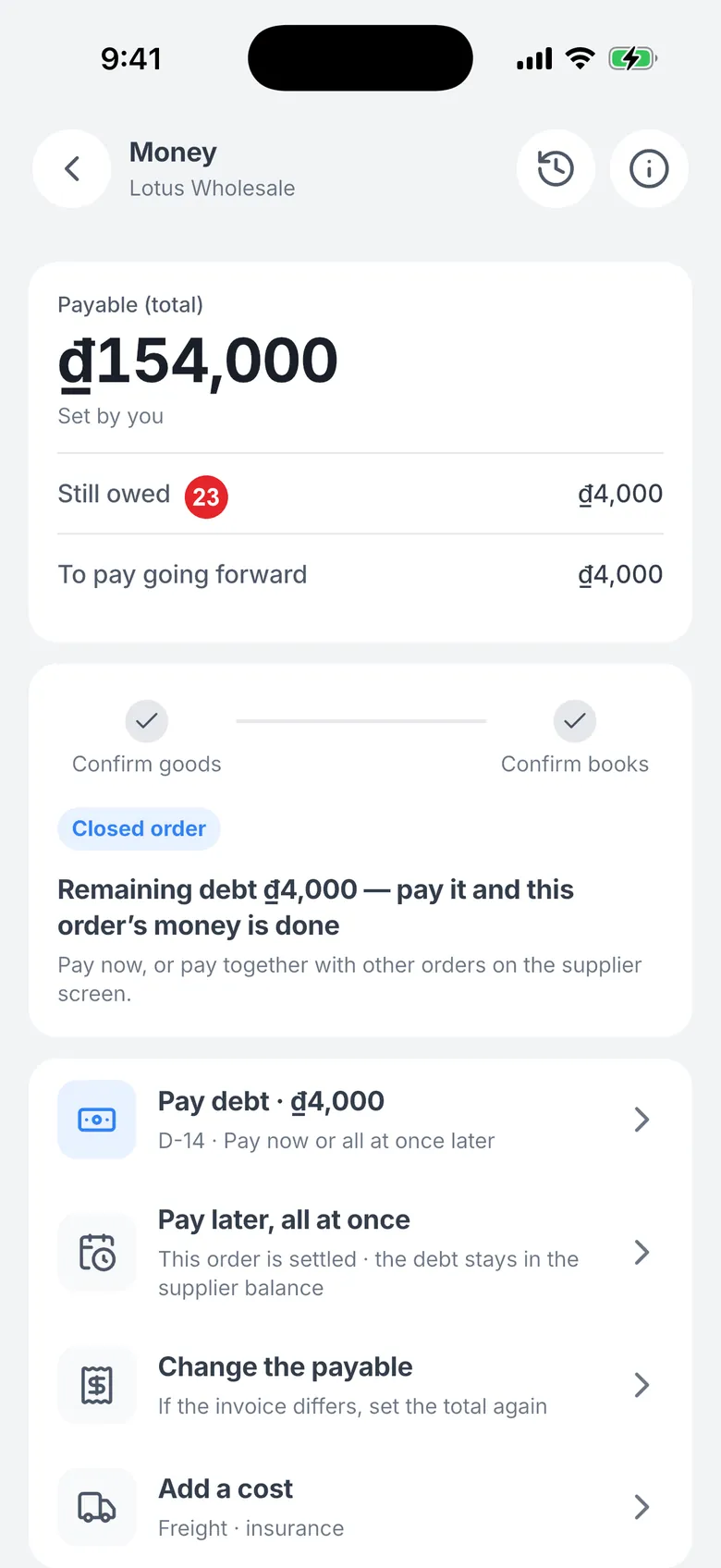
- «Still owed» is now ₫4,000.