
STOREBASE INSIGHTS · Team management
When should work past a shift end count as overtime?
Decide the boundary before the shift: define what happens after the scheduled end, record the actual time, and check the result against your contract and local labour rules. A toggle can apply the chosen rule; it cannot choose the lawful rule for you.

On this page
The dispute starts after the closing time
A worker stays to finish a handover or clean down. The owner sees a few extra minutes; the worker sees time worked. If the only record is a later conversation, a pay decision feels like a personal judgement.
The lesson is blunt: A pay deduction without a record isn't discipline — the worker never accepts it, so nothing changes. The practical lesson is broader than deductions. A rule about time after the shift must be visible before anyone needs to argue about it.
Set the boundary first
- Name the scheduled end. A shift is not “about eight hours”; it has an end time and a person assigned to it.
- Decide what extra work means. If work after the end is allowed, decide how it is recorded and paid. If it is not allowed, decide who may approve an exception and how the actual time is handled.
- Check the legal and contract layer. Overtime definitions, minimum pay, rest periods, night work and approval requirements vary by jurisdiction and worker. Official guidance in the UK, Korea and Vietnam all treats overtime as a legal employment matter, not merely an app preference.
- Test one controlled case. Use a test shift, record the scheduled end and an actual later clock-out, then inspect what the system shows. Keep the test separate from a real worker’s pay until the result is understood.
The visible Storebase action
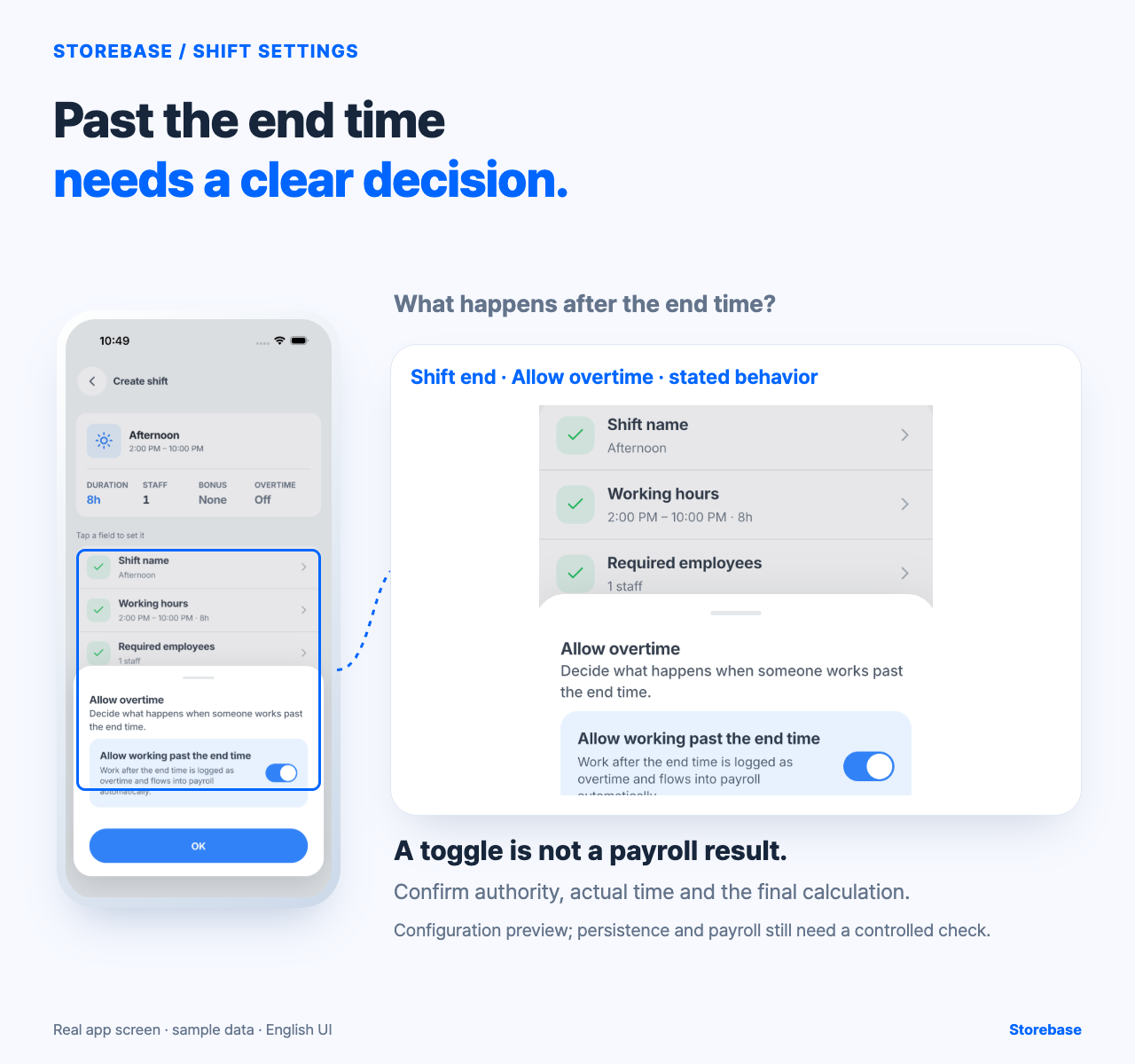
In the captured Create shift form, the shift shows an end time and a required employee count. Opening Allow overtime presents a switch labelled “Allow working past the end time.” The explanation describes how work after the end time is treated. This gives the manager a concrete place to state the intended boundary for that shift.
In practice, open a shift, review its end time, choose the overtime setting, and confirm the input. The shift-setting screen is the relevant place for this decision. The captured form shows the boundary, but saved persistence, authorization, assignment effects and a complete payroll calculation still need verification. Therefore this article should say “the form presents a way to set the boundary,” not “the system has paid the correct overtime.”
What remains human
| Work | Why it remains with the owner or manager |
|---|---|
| Define paid working time | Contract and local law determine the rule |
| Decide who may approve extra time | A permission or toggle is not a management policy |
| Explain an exception | The reason and responsible person still need a record |
| Check payroll output | A visible setting is not a verified pay result |
For example, GOV.UK says overtime usually means work beyond normal hours and that contract terms normally explain overtime rates. Korean labour guidance describes additional pay for qualifying extended or night work, while Vietnamese labour regulations define the hourly base and additional-pay calculation. Those are authoritative starting points, not one global rule.
A result check that prevents a payday argument
Before applying the setting to a live payroll period, write down: shift end, actual end, overtime choice, approving person and expected treatment. Run the controlled case, reopen the saved shift if the product allows it, and compare the displayed result with the rule you approved. If the setting does not persist or the result is unclear, stop and ask a qualified payroll adviser or verify the implementation. Do not silently edit the time to make the total look right.
This process does not promise that every extra minute is automatically fair or legal. It moves the first decision to the right place, where the manager can see it before the conversation becomes “your word against mine.” Once the boundary and result are checked, the owner has fewer recurring questions and can spend time on exceptions rather than reconstructing every closing shift.
Keep four different facts from collapsing into one timestamp
A late clock-out answers only when a recorded event occurred. It does not, by itself, establish who requested the extra work, whether the person was working rather than finishing a personal task, how the contract treats that interval, or what must appear in pay. Preserve four layers separately: the planned shift boundary, the best available evidence of actual activity, the approval or explanation for the exception, and the reviewed pay treatment. If one layer is missing, mark it unresolved instead of silently deriving it from another.
This separation protects both sides of the conversation. A manager can correct an operational habit without rewriting a factual timestamp, while the worker can see which evidence and rule led to the result. It also exposes process failures: repeated unapproved closing work may indicate unrealistic close-down duties, understaffing, weak handover, or unclear authority rather than one person's attitude. Those possibilities require investigation; the time record alone cannot diagnose them.
Use a payroll-boundary regression case after any policy change
Create a non-live scenario with a named scheduled end, a later recorded finish, an explicit approval state, and an expected treatment reviewed against the relevant contract and local requirements. Have the shift manager explain what they would record, then have the payroll reviewer independently state what evidence is still needed. Reopen the configured shift and compare the visible boundary with the approved scenario. Do not use a real employee's payable period as the experiment.
The Storebase Create shift evidence shows an end time, required staffing, and an Allow overtime control describing work past the end. It does not prove that a saved choice persisted, that a particular worker was authorized, that time after the boundary was active work, or that payroll reached a lawful figure. After a policy or configuration change, repeat the scenario and stop if any of those handoffs becomes ambiguous. The owner benefits when ordinary cases can be reviewed by the responsible manager and payroll specialist, while only genuine policy conflicts require the owner's attention.
Related resources
Explore Storebase team-management features
How to review attendance problems before payday
Employee clock-in rules: separate the timestamp from the decision