
Show contents
Debts › Money to pay
Set a supplier's credit days
- Who
- Owner
- When
- When you agree on payment terms with a supplier
- Where
- App
What you get
- Put the credit days in the partner's «Payment terms», and when you record a debt with «Create New Debt», a due date is suggested, like «Partner terms · 15 days → November 20».
- When you pick the due date in the order's ② Confirm books, this suggestion doesn't show. Pick the date yourself there.
- The website has no credit-days field for partners. On the website, you set it per debt: in the partner window, click the debt's row, choose a date in «Due» and click «Save».
What it solves
- If you leave the due date empty, overdue debts don't show.
Why this way
- Does it go in by itself? Only when you tap the suggestion. A debt needs a due date to count as «Overdue» and in «Payment Schedule».
Add payment terms to a partner
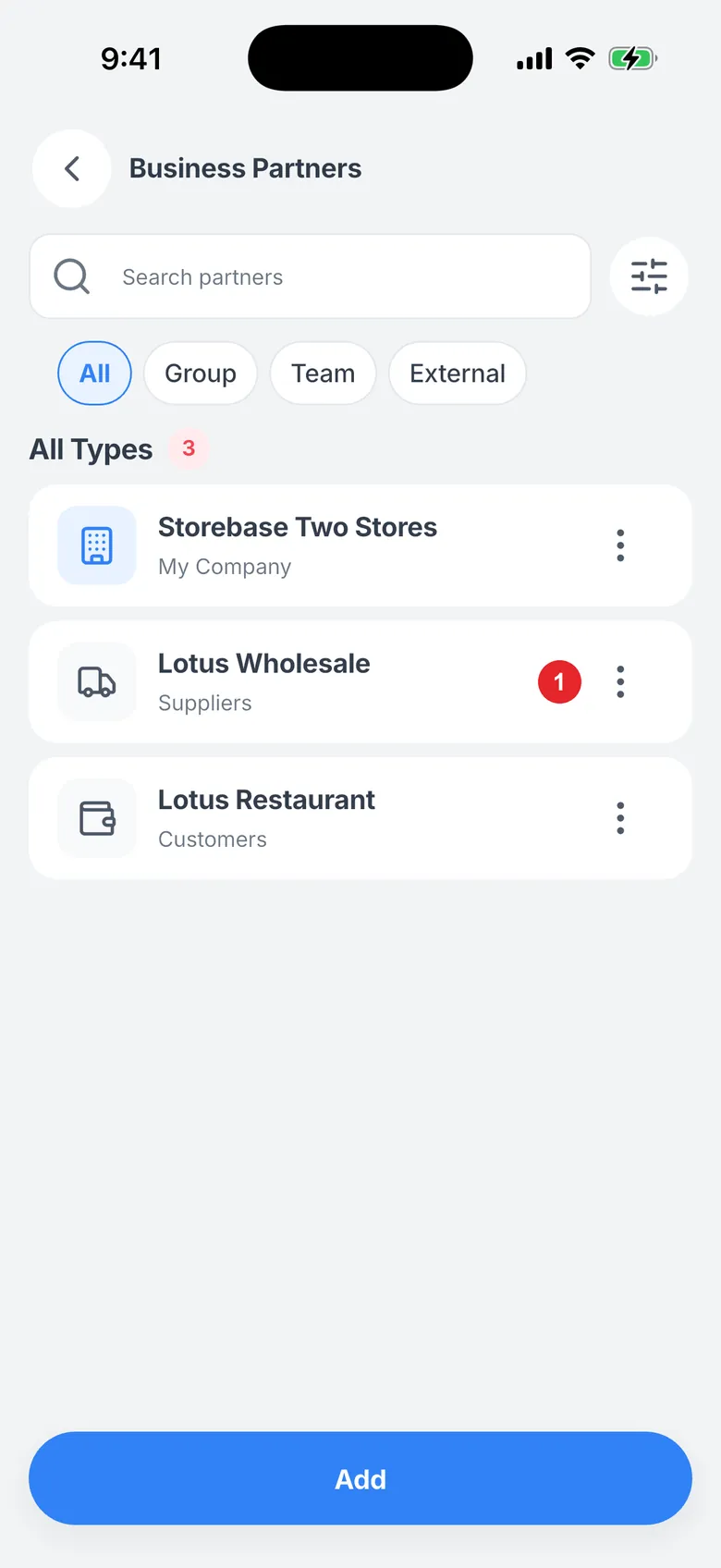
- Tap «Money» at the bottom of the app, scroll down, open «Business Partners» and tap the ⋮ button on the right of the partner's row. Here it is Lotus Wholesale.
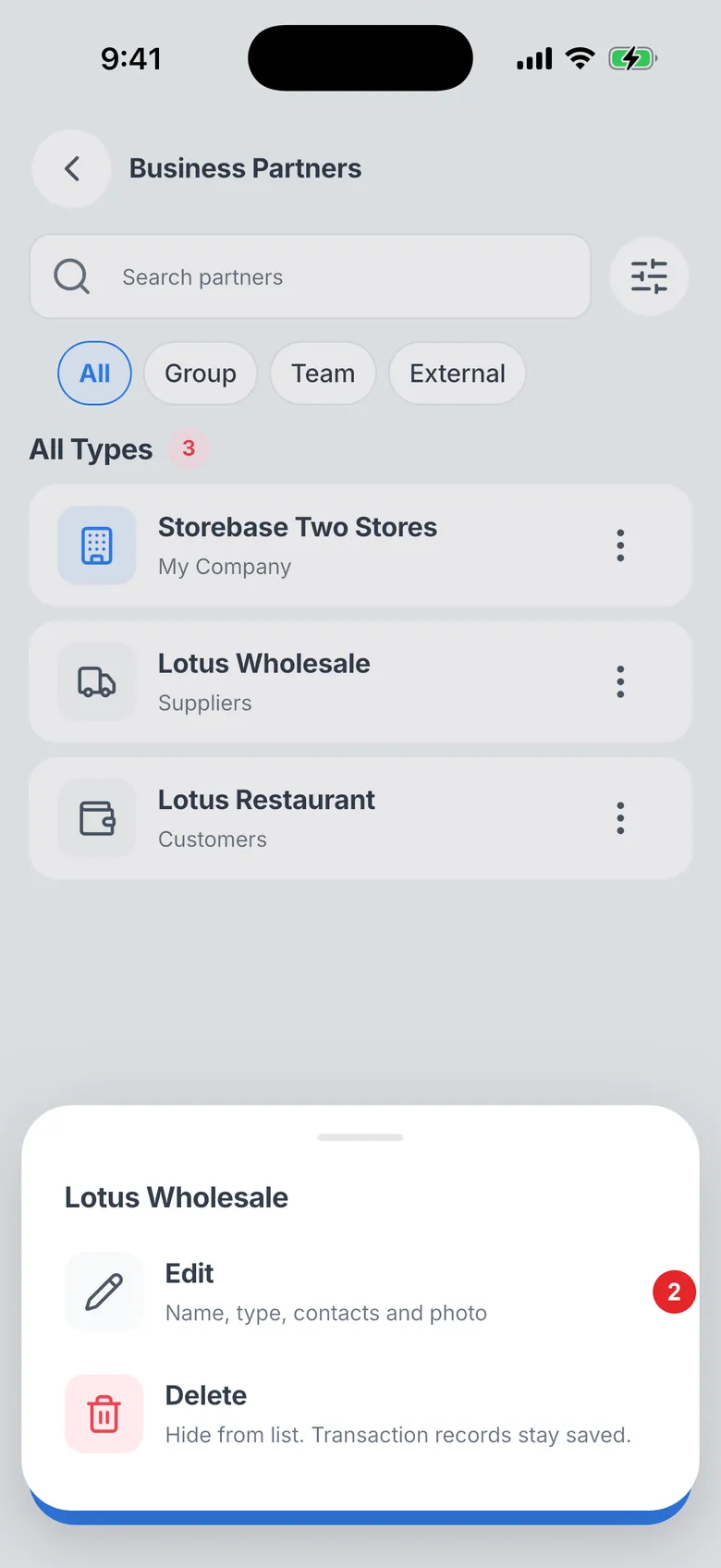
- Tap «Edit».
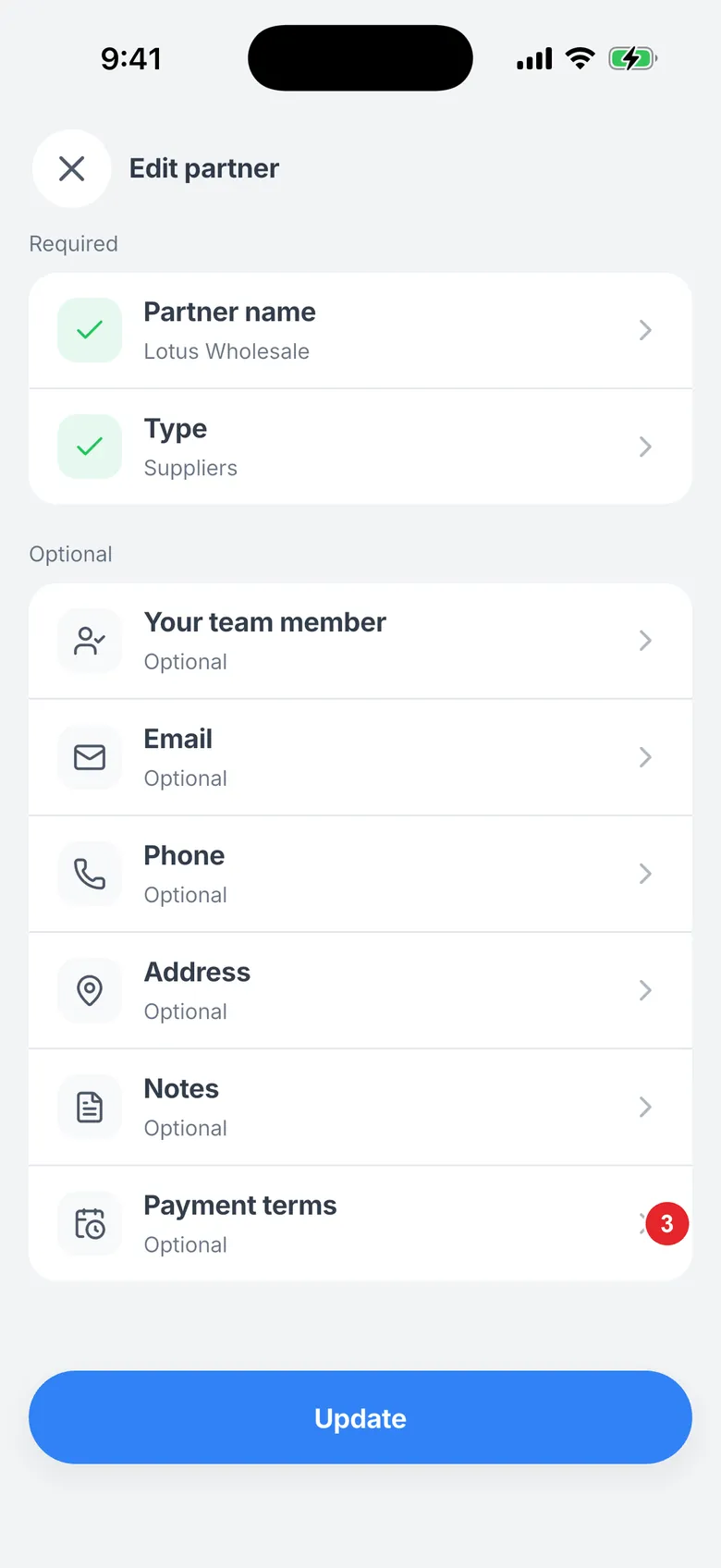
- Tap «Payment terms».
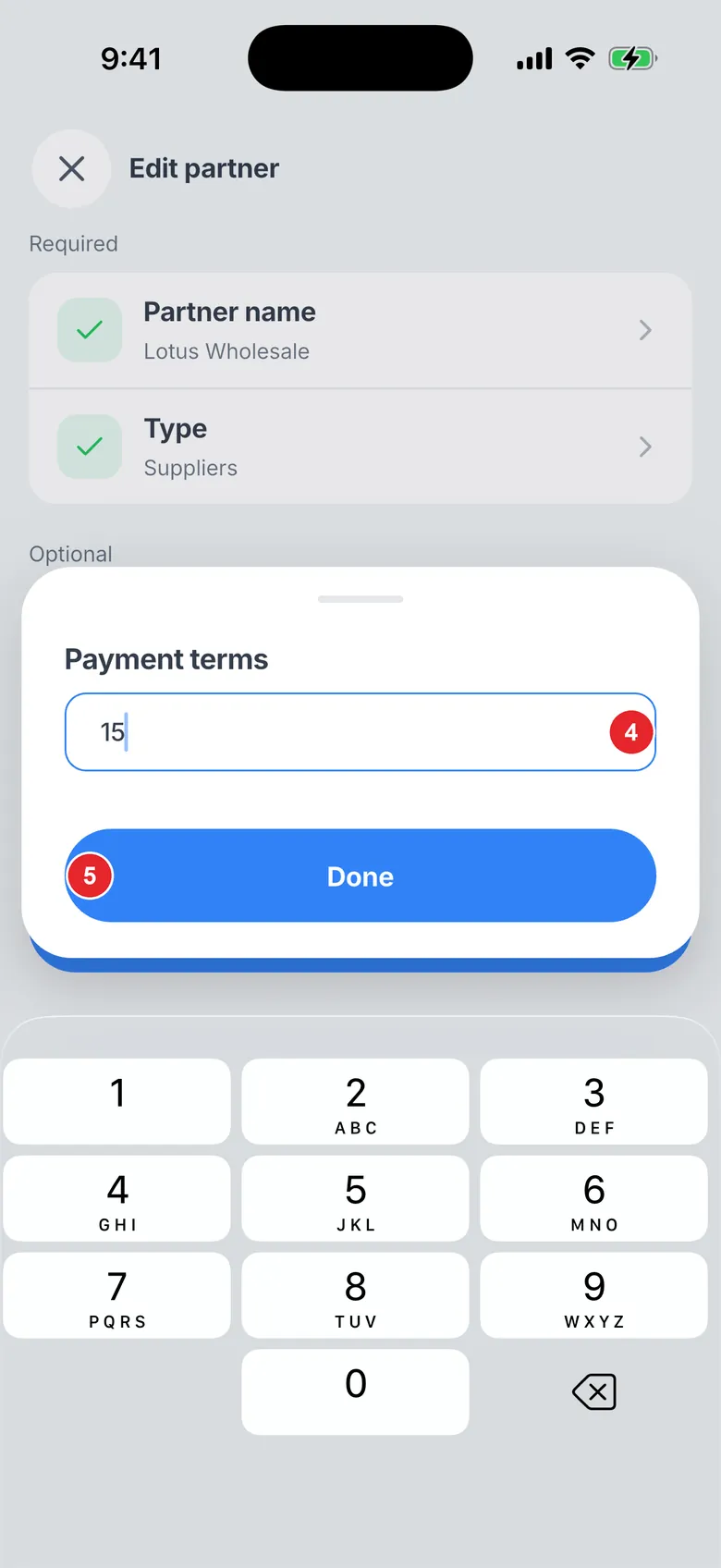
- Enter the credit period as a number of days. Here it is 15.
- Tap «Done».
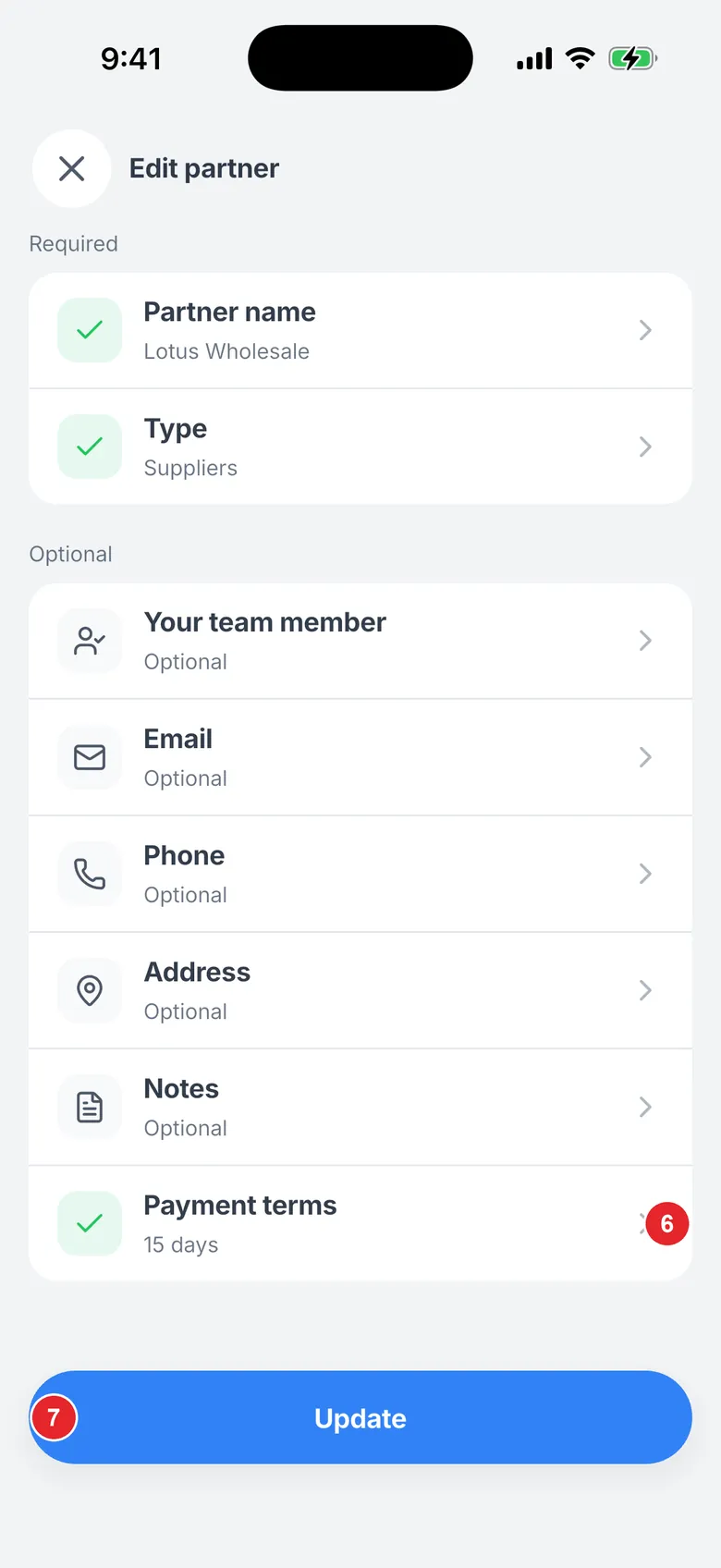
- «Payment terms» is now 15 days.
- Tap «Update».
Get a suggested due date when you record a debt
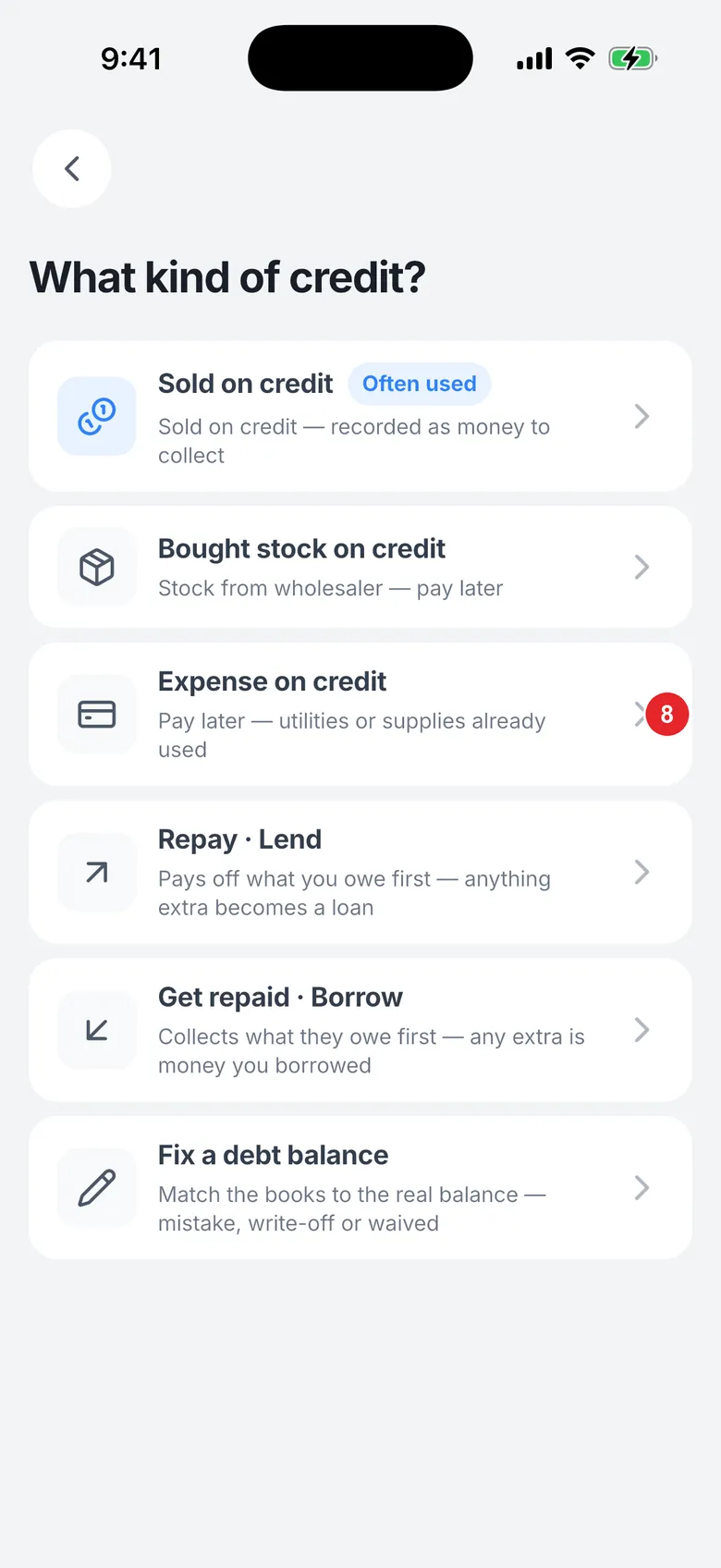
- Tap «Money» at the bottom of the app, open «Debt Management» and, in «Create New Debt», tap the kind of debt. Here it is «Expense on credit».
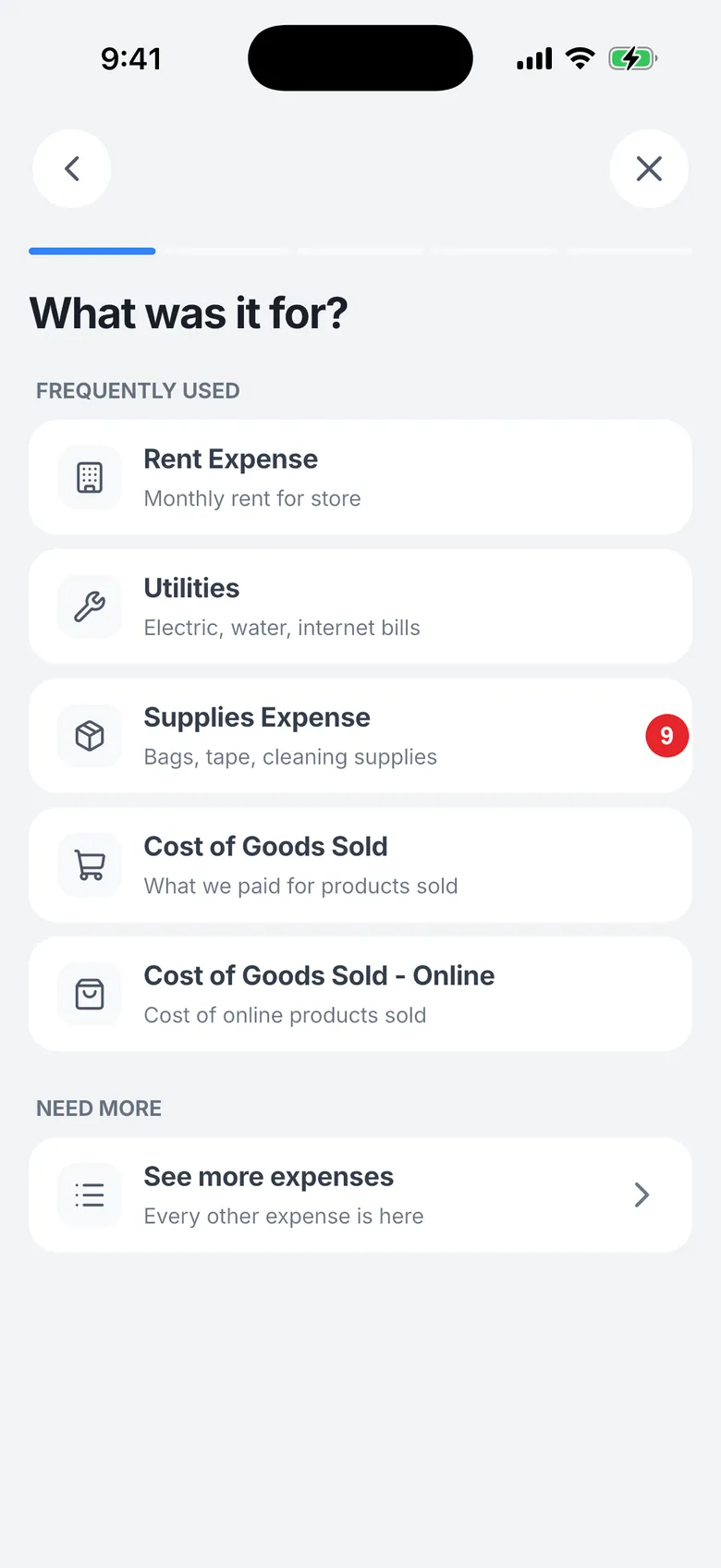
- Tap what the money was for. Here it is «Supplies Expense».
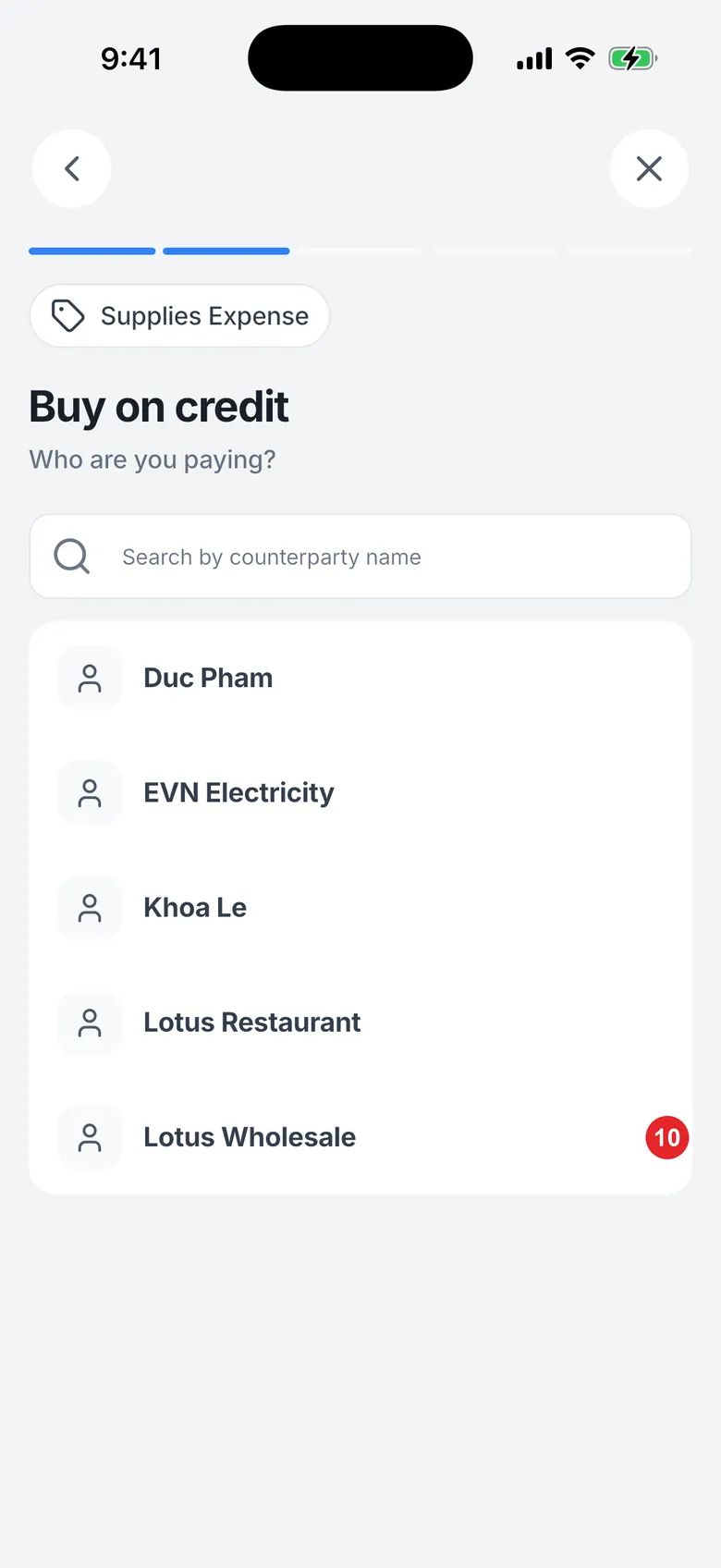
- Tap the partner to pay. Here it is «Lotus Wholesale».
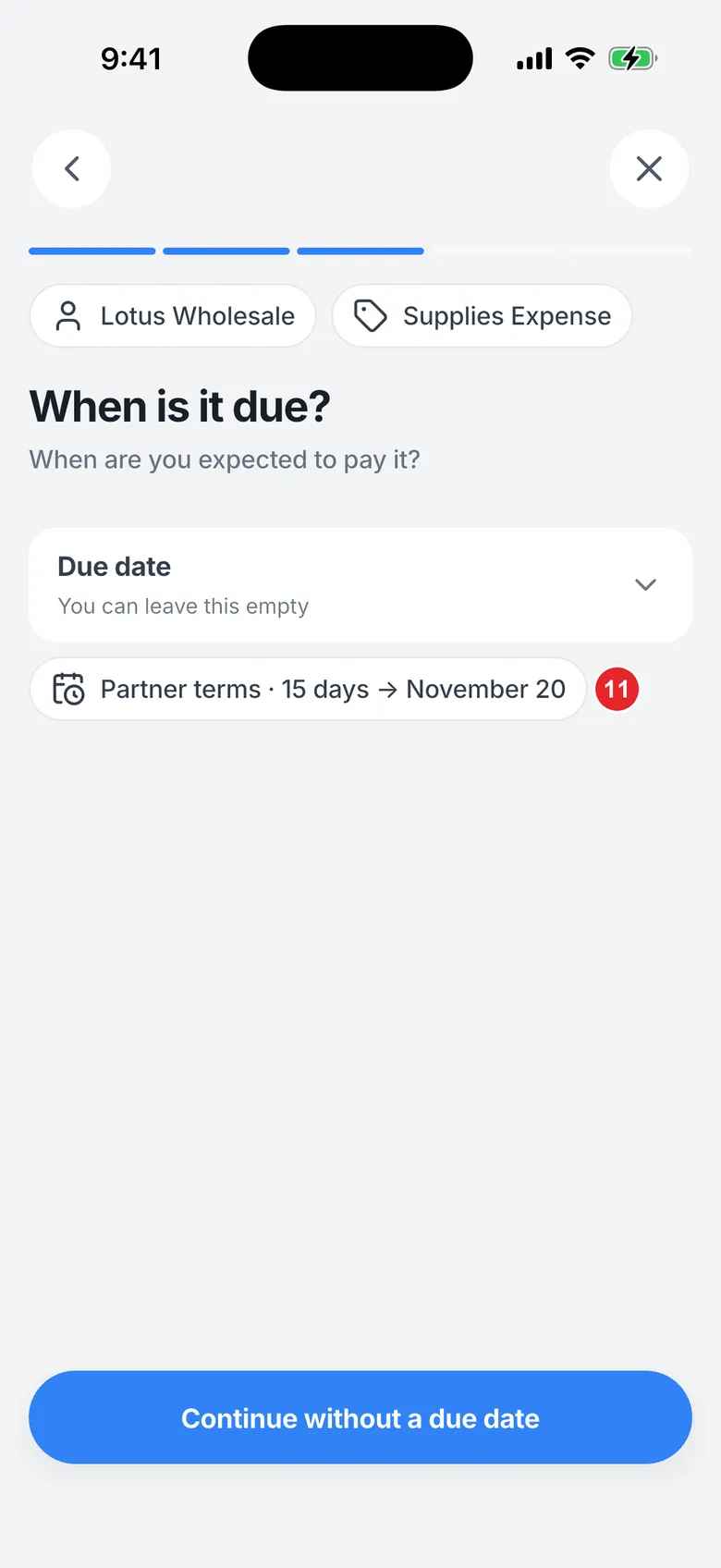
- Under «When is it due?», «Partner terms · 15 days → November 20» shows. Tap it and the due date fills in.
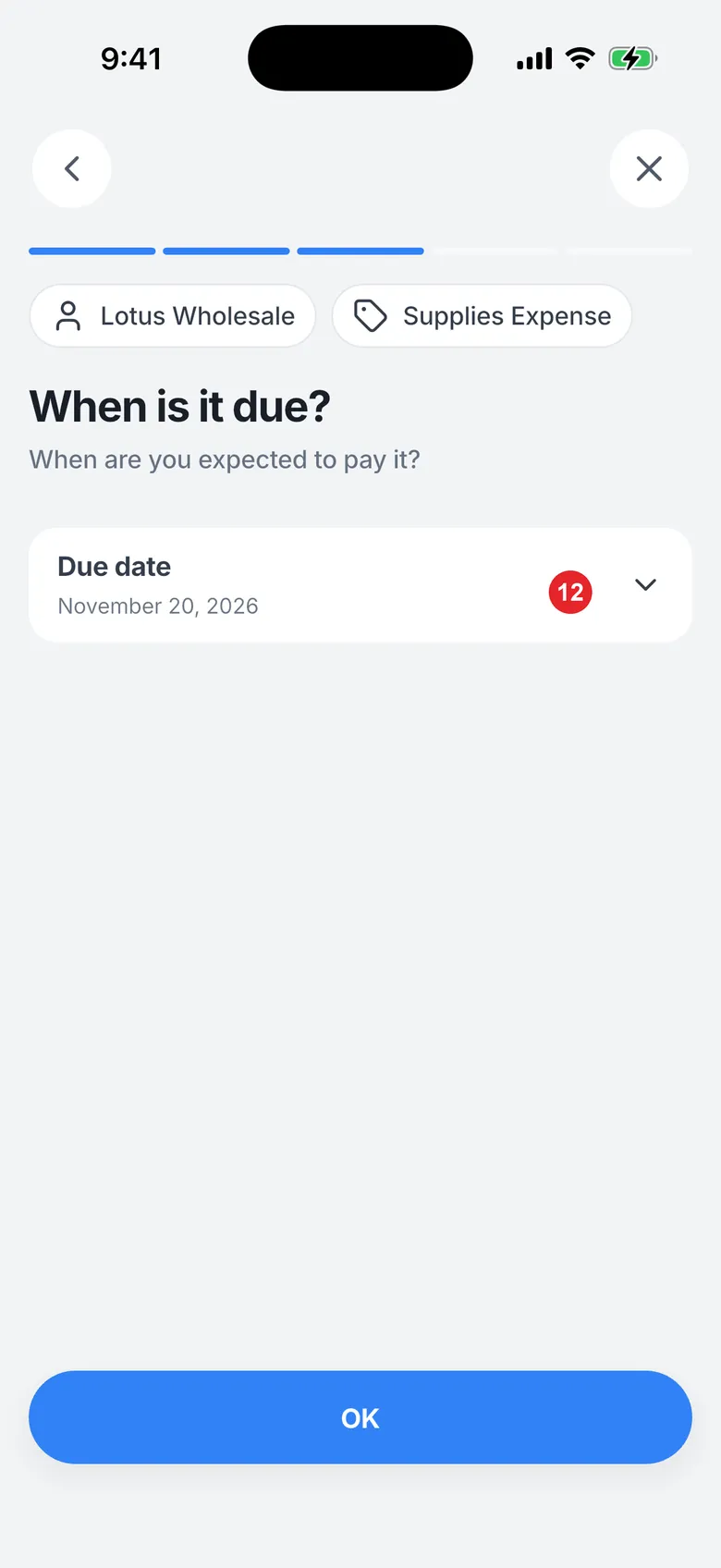
- «Due date» is now November 20, 2026. This page only goes as far as the suggestion, and nothing has been recorded yet. To really record it, tap «OK», enter the amount, go on to the end and tap «Record». In an order's Confirm books this suggestion doesn't appear, so choose the date by hand there.