
Show contents
Debts › Money to pay
Pay several orders at once
- Who
- Owner · Finance staff
- When
- When you pay one supplier for several orders together
- Where
- App · Web
What you get
- Mark a finished order «Pay later, all at once», and it leaves «Money to settle».
- Open that partner in Debt Management and pay in one go with «Repaid them» (website: «I paid them»); the earliest-due debt goes down first.
What it solves
- Paying each order separately means many transfers, and you lose track of which order you paid.
Why this way
- Does marking it pay out money? No. It's only a mark. The debt stays in the partner's balance, and you pay in Debt Management.
Mark the order
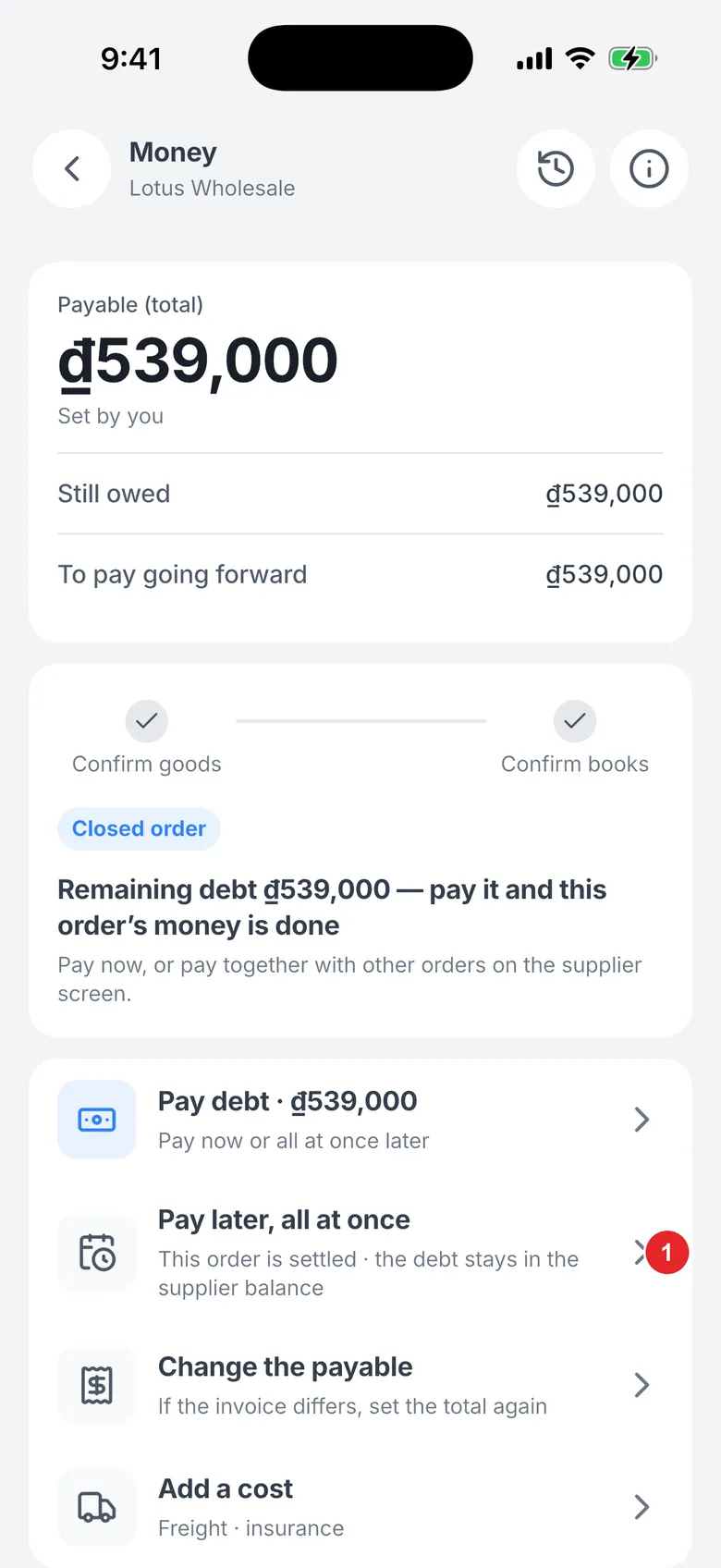
- In «Money» on a finished order, tap «Pay later, all at once». This order comes off your «Money to settle» list and the debt stays in the supplier balance. No money goes out.
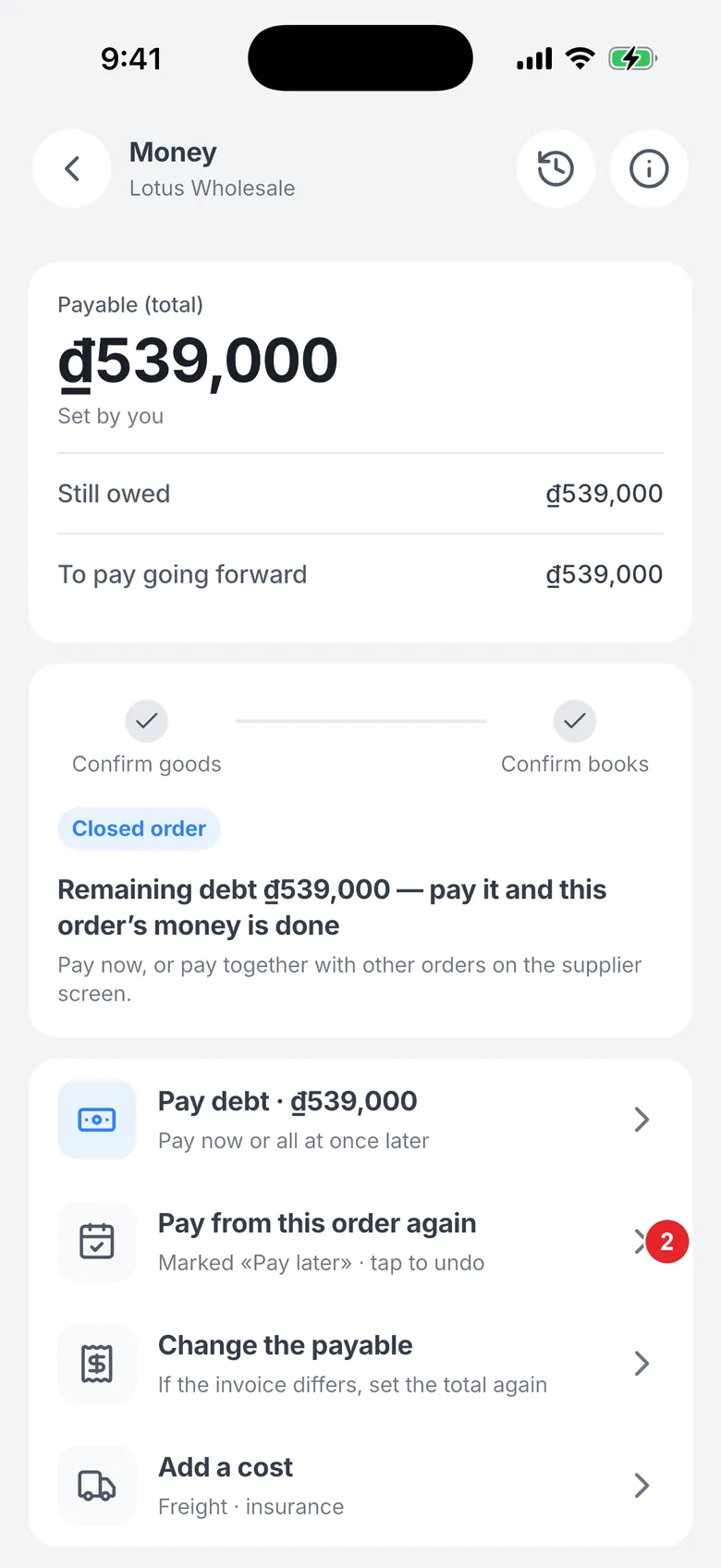
- The row changes to «Pay from this order again». Tap it again to undo.
Pay the supplier in one go
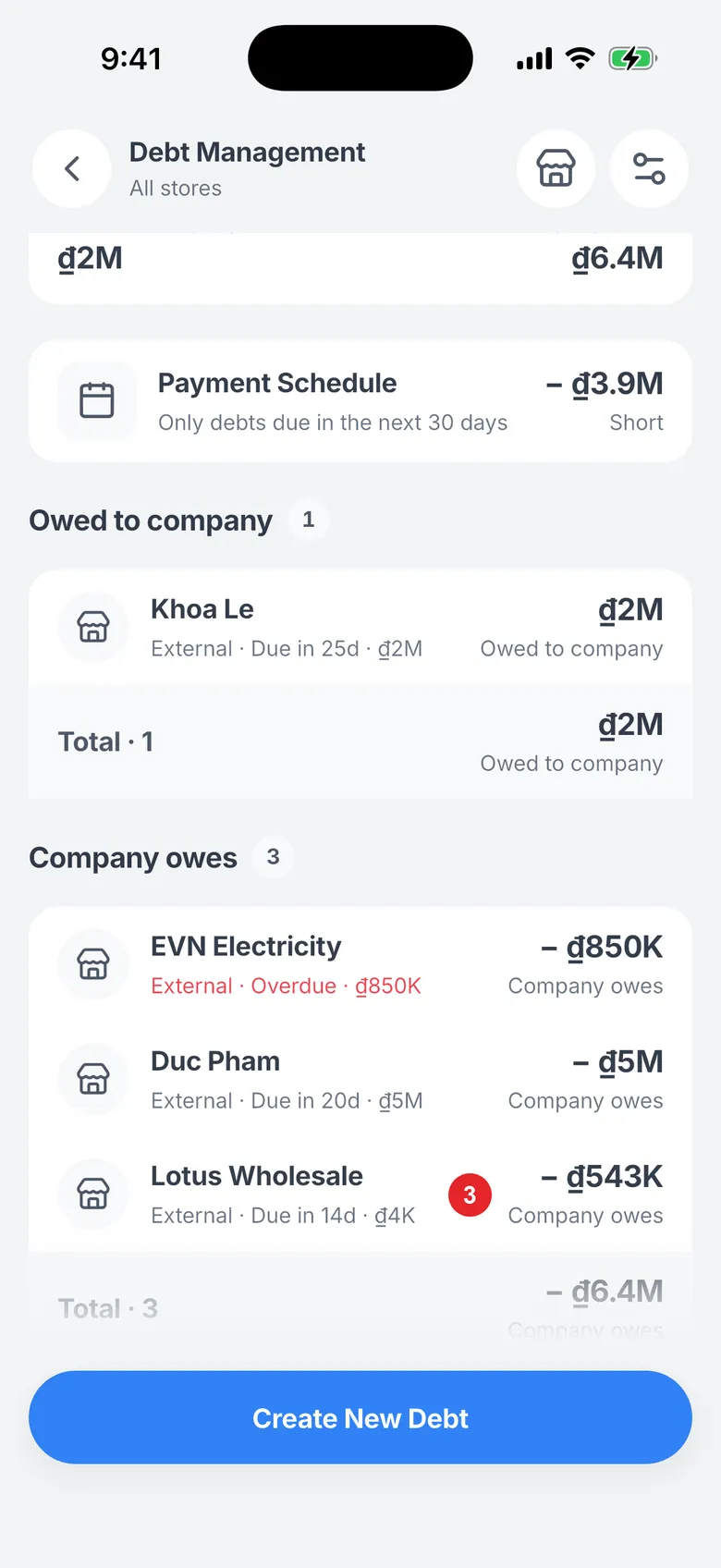
- Tap «Money» at the bottom of the app, open «Debt Management» and tap the partner to pay. Here it is «Lotus Wholesale».
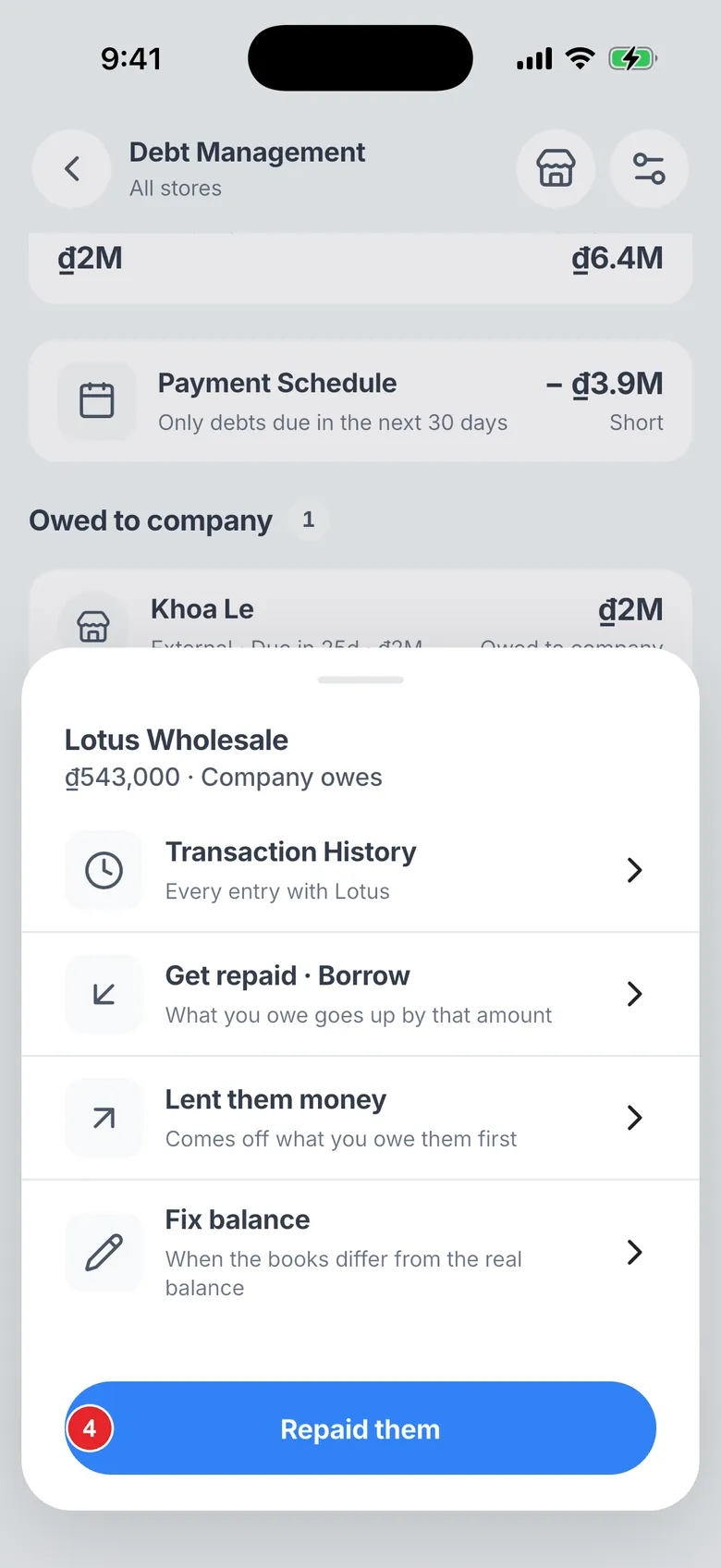
- Tap «Repaid them». Choose the store and cash location the money went out from, and the amount screen opens. Here it is Store 1 and Shinhan Bank.
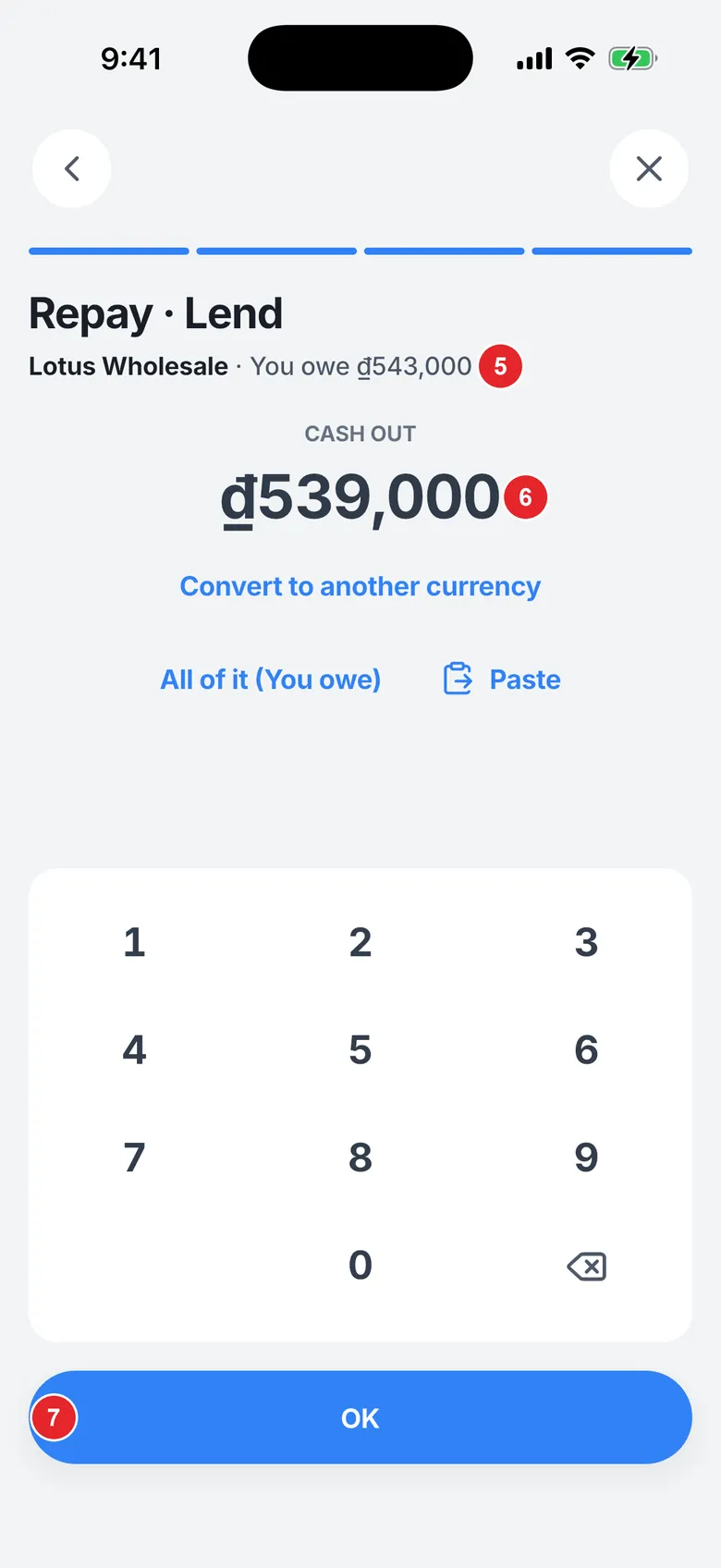
- At the top, «You owe ₫543,000» shows. It adds up all your debt to this supplier.
- Enter the amount to pay. Here it is ₫539,000.
- Tap «OK».
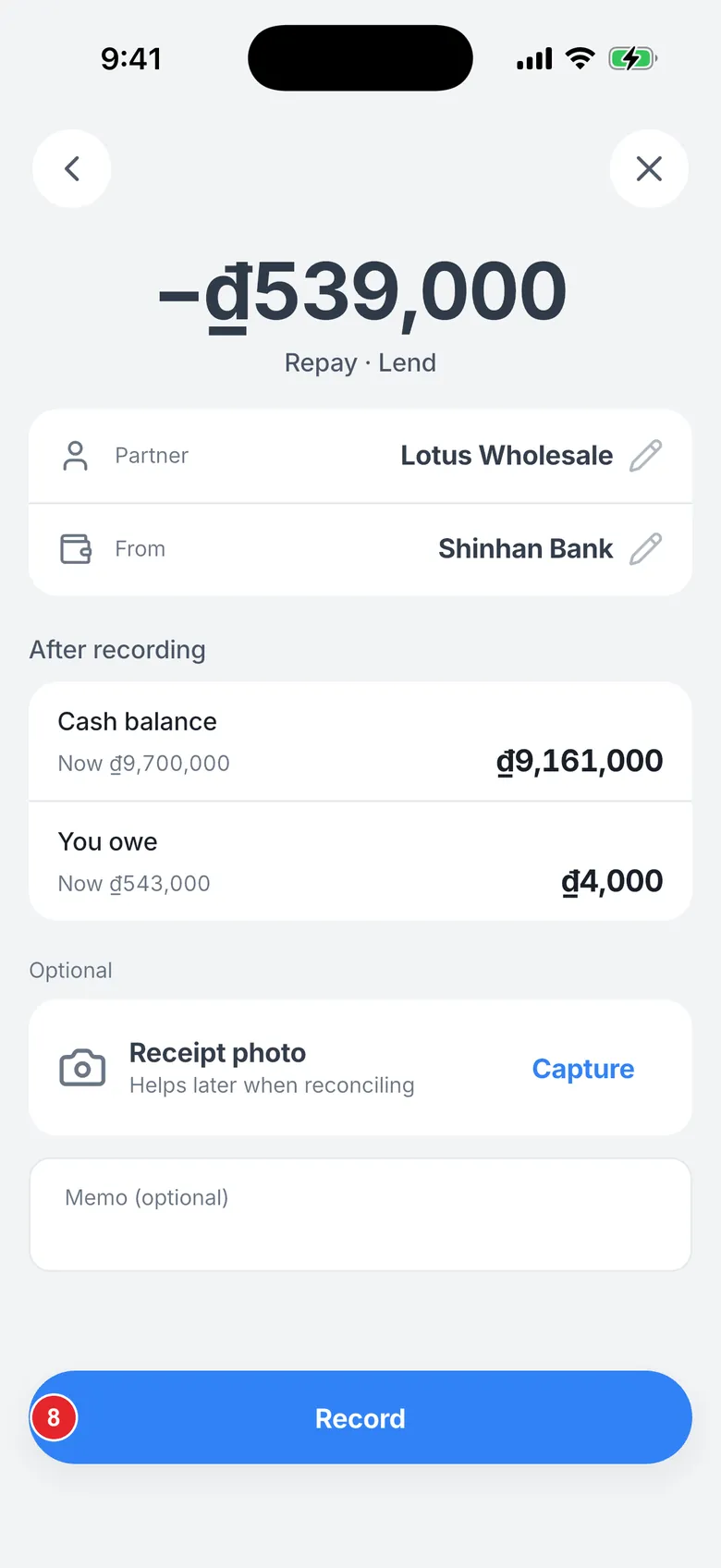
- In «After recording», see what you owe go down to ₫4,000, then tap «Record».
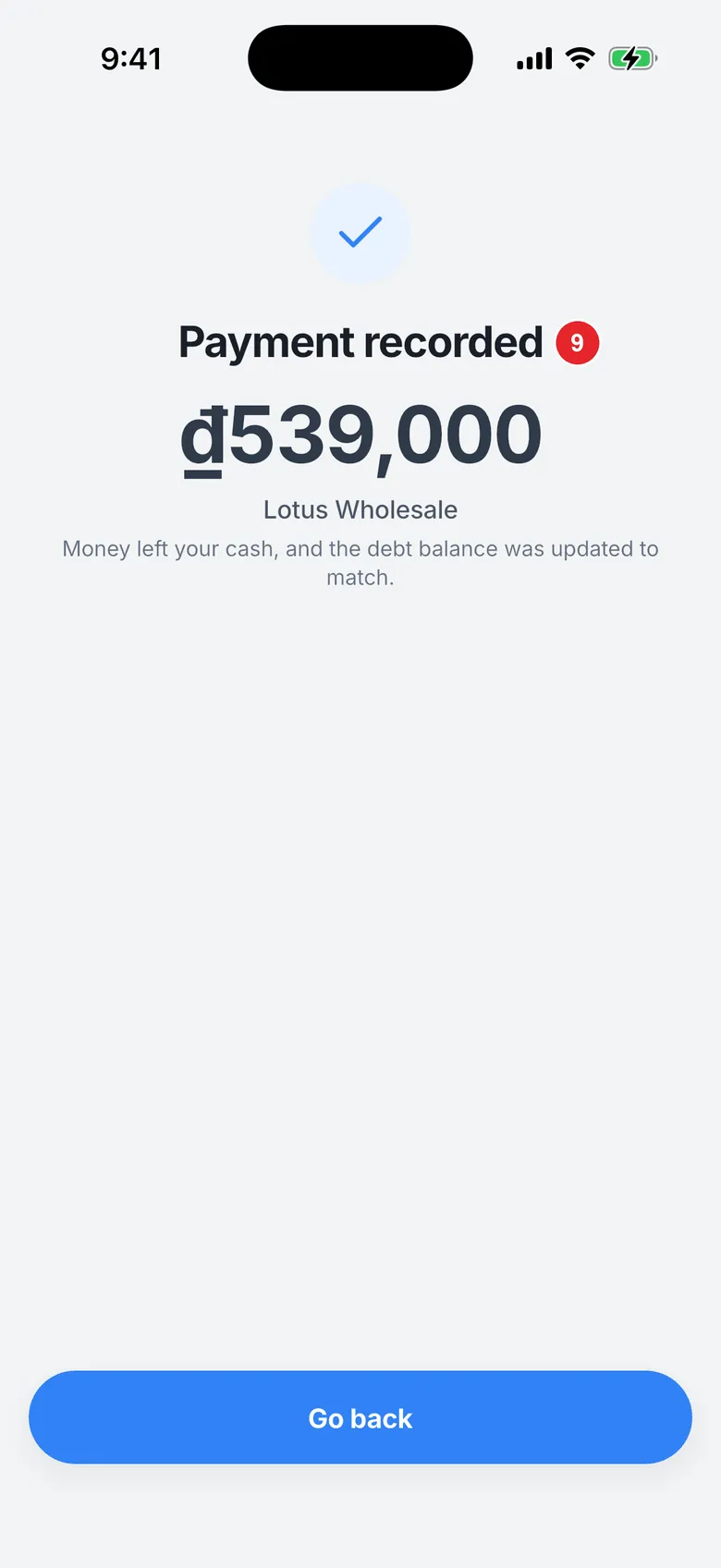
- «Payment recorded» appears. Money you pay clears the earliest-due debt first. Here ₫4,000 of another order with a due date was cleared first, so ₫4,000 is left on this order.