
Show contents
Profit & loss › Net profit
See if you passed break-even (using last month)
- Who
- Owner
- When
- Early each month
- Where
- App · Web
What you get
- It splits fixed and variable costs and shows how much you must sell to break even (break-even sales) and how much room you have (safety margin). The app also shows on which day you passed it.
What it solves
- You don't know how much you must sell not to lose money, so you set sales targets by feel.
Why this way
- Use last month. Fixed costs like wages, depreciation and rent come in only when you pay them or when the month is over. This month has fewer fixed costs in, so it can look as if you passed break-even on day one.
- Labor cost counts as a fixed cost.
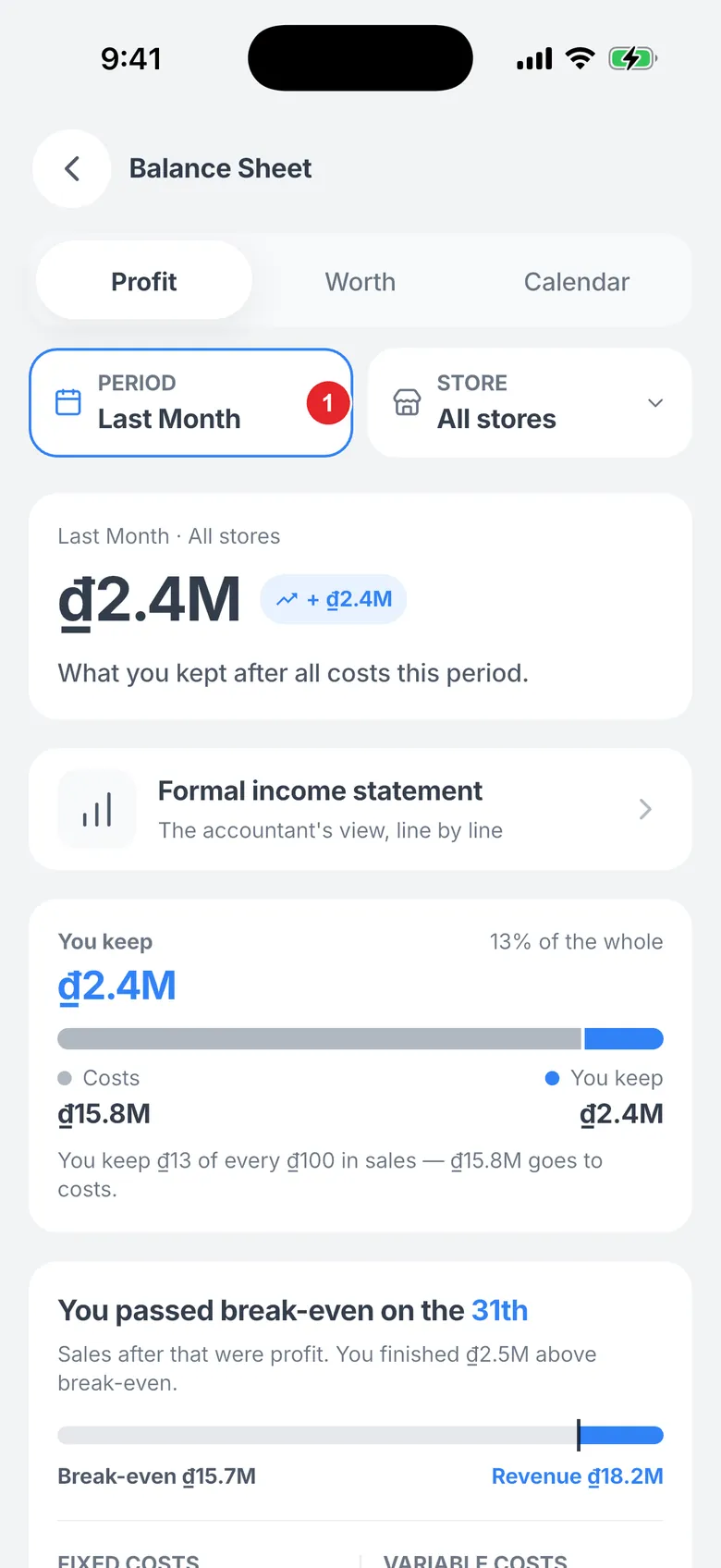
- Tap «Money» at the bottom of the app and open «Balance Sheet». Under «Profit», set «PERIOD» to «Last Month». This month fewer fixed costs have gone in, so it can look as if you passed break-even early.
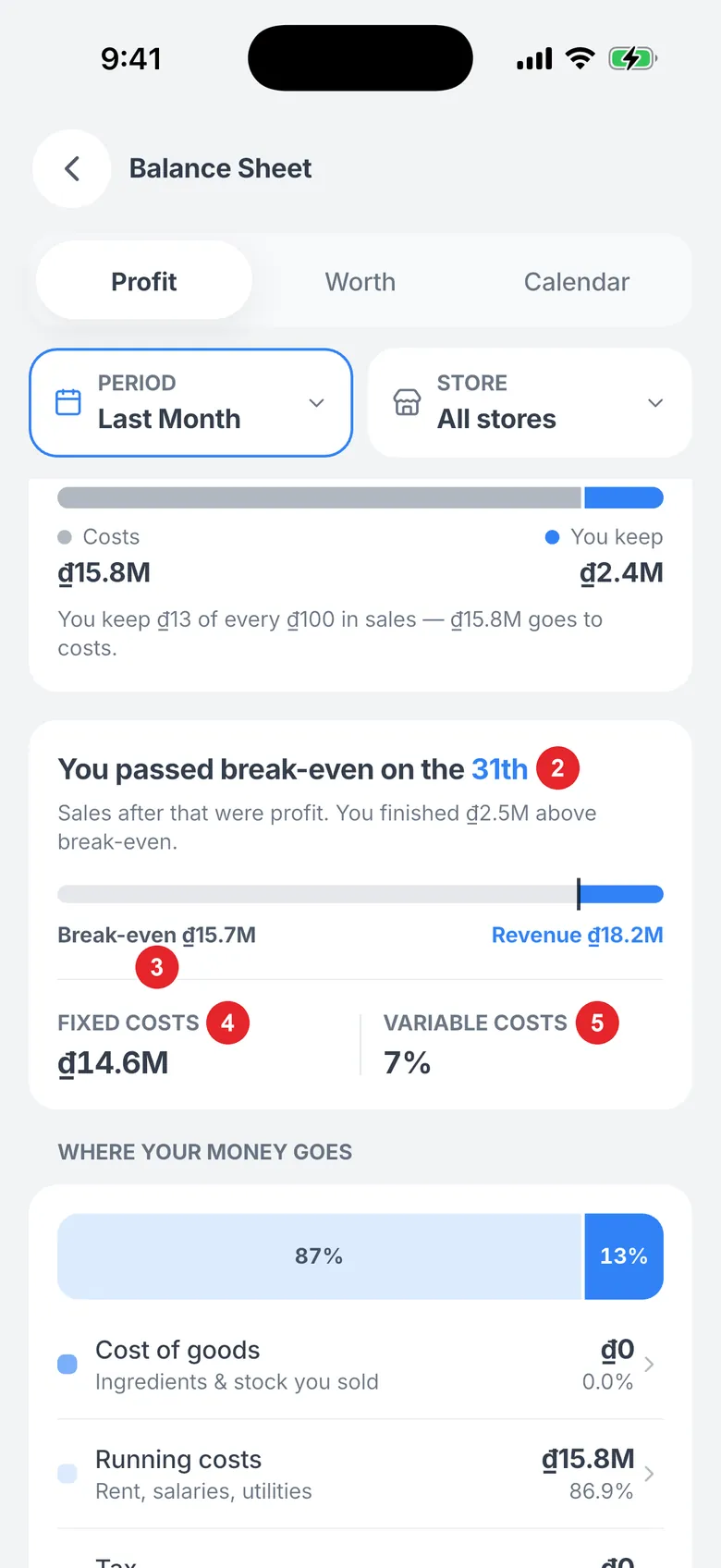
- Scroll down and see the line that names the day you passed break-even, here the 31st. What you sell from that day on is net profit.
- «Break-even ₫15.7M» is the revenue at which you break even. Revenue of ₫18.2M is ₫2.5M above it.
- «FIXED COSTS» go out whatever the revenue is. Rent and pay go here; here it is ₫14.6M.
- «VARIABLE COSTS» is the rate of costs that grow with revenue. Here it is 7%.
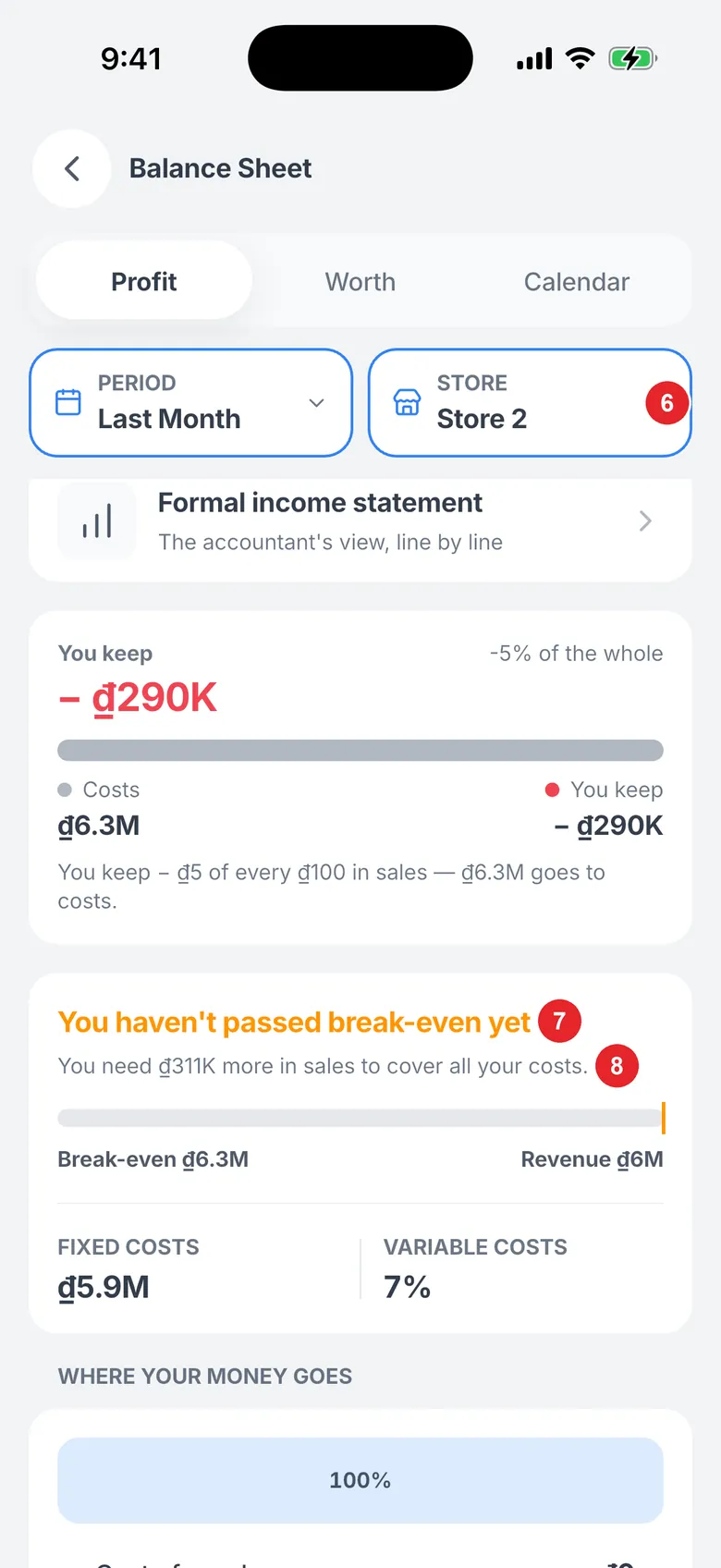
- Tap «STORE» and change it to «Store 2».
- For Store 2, «You haven't passed break-even yet» shows.
- In «You need ₫311K more in sales to cover all your costs.», see how much revenue is short.