
Show contents
Profit & loss › Net profit
See which store earns and which loses
- Who
- Owner
- When
- Every month, when you compare stores
- Where
- App · Web
What you get
- Pick a store in the store field at the top, and only that store's profit and loss shows.
- In the app, with «All stores», «Calendar» › «YOUR STORES» shows «TOP STORE», «NEEDS ATTENTION» and «Ranked by profit».
What it solves
- Looking only at the total, one store's loss hides behind another store's profit.
Why this way
- Sales, expenses and wages are recorded per store, so each store's net profit adds up on its own.
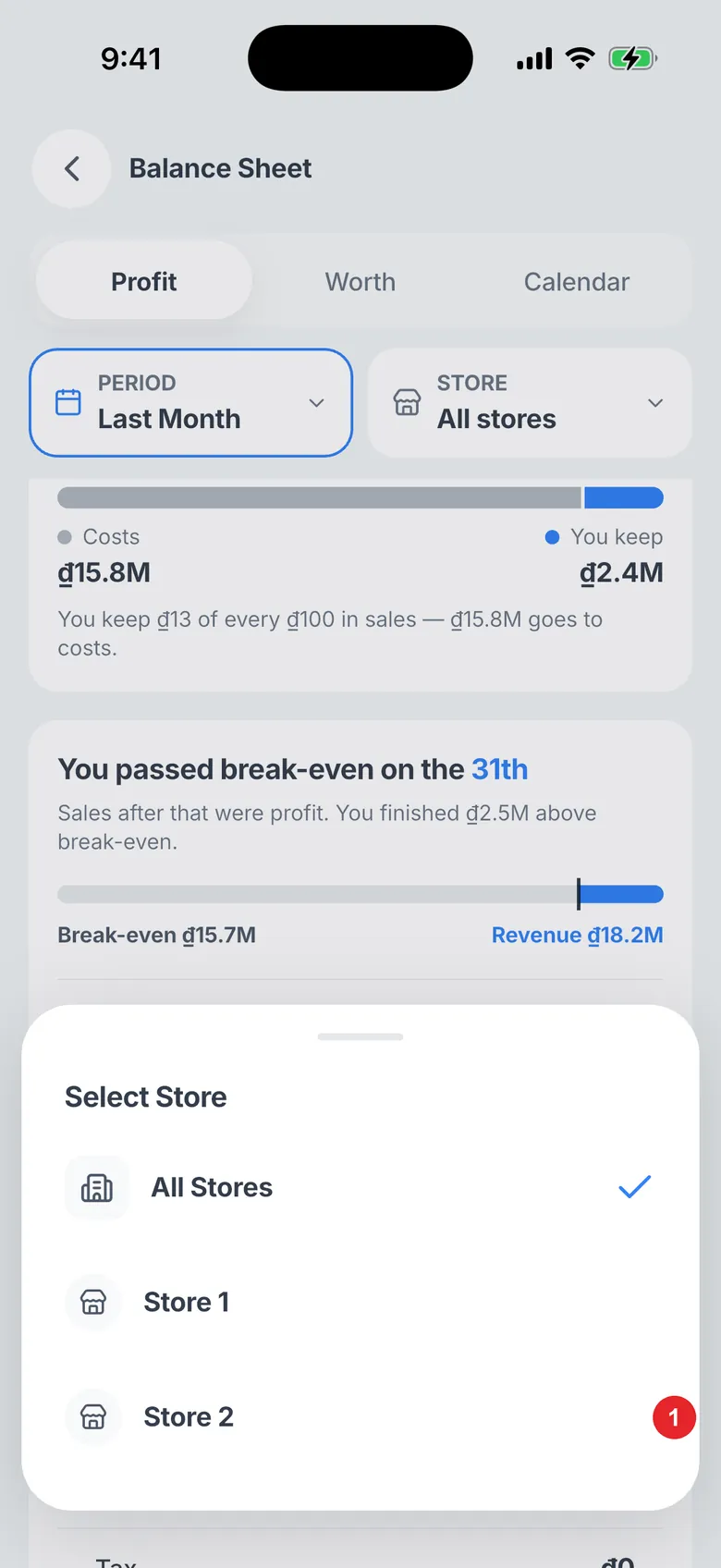
- In «Money», open «Balance Sheet» and, under «Profit», set «PERIOD» to «Last Month». Tap the store box at the top and, in «Select Store», tap the store to see. Here it is «Store 2».
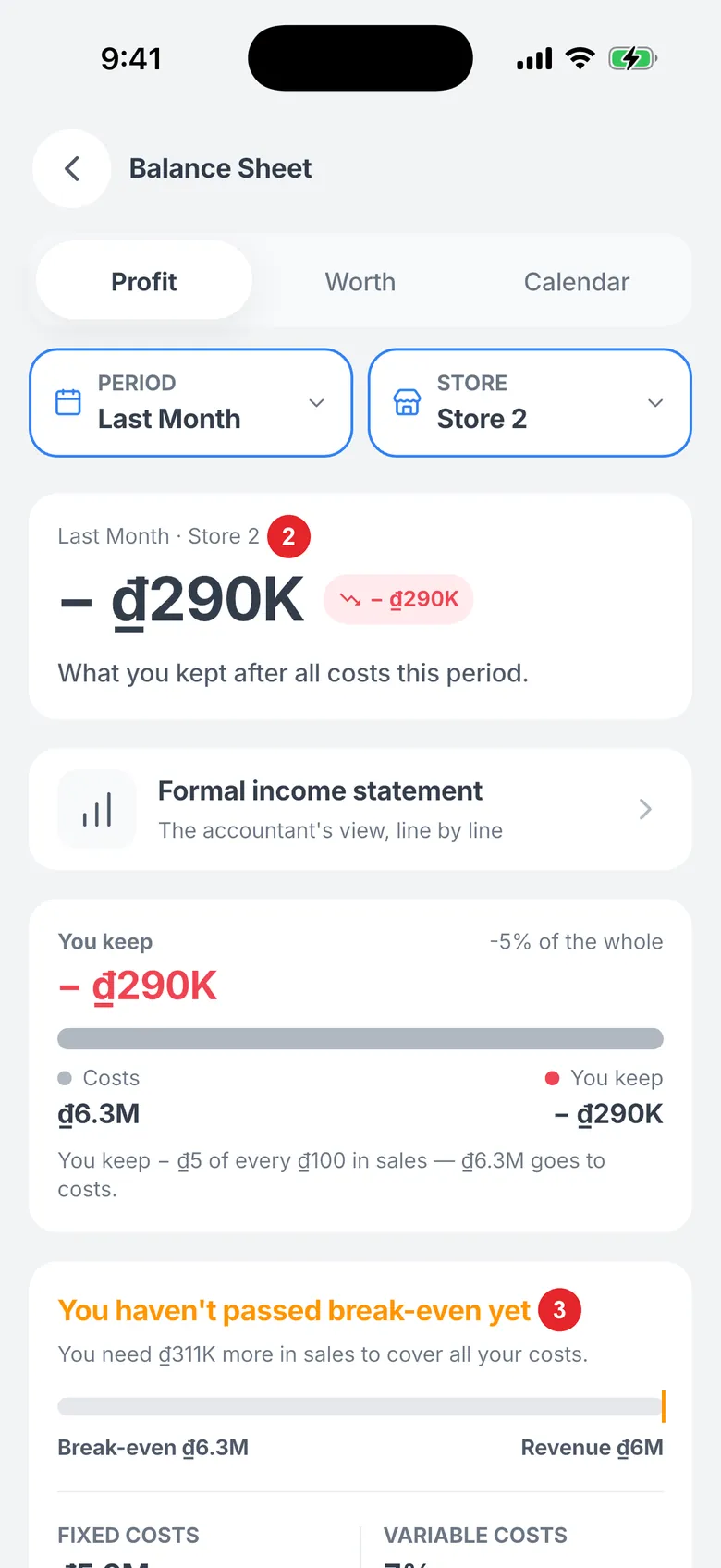
- «Last Month · Store 2» shows at the top. It is what Store 2 alone kept; here it is − ₫290K, a loss.
- «You haven't passed break-even yet» shows. Sales need to be ₫311K higher to cover all the costs.
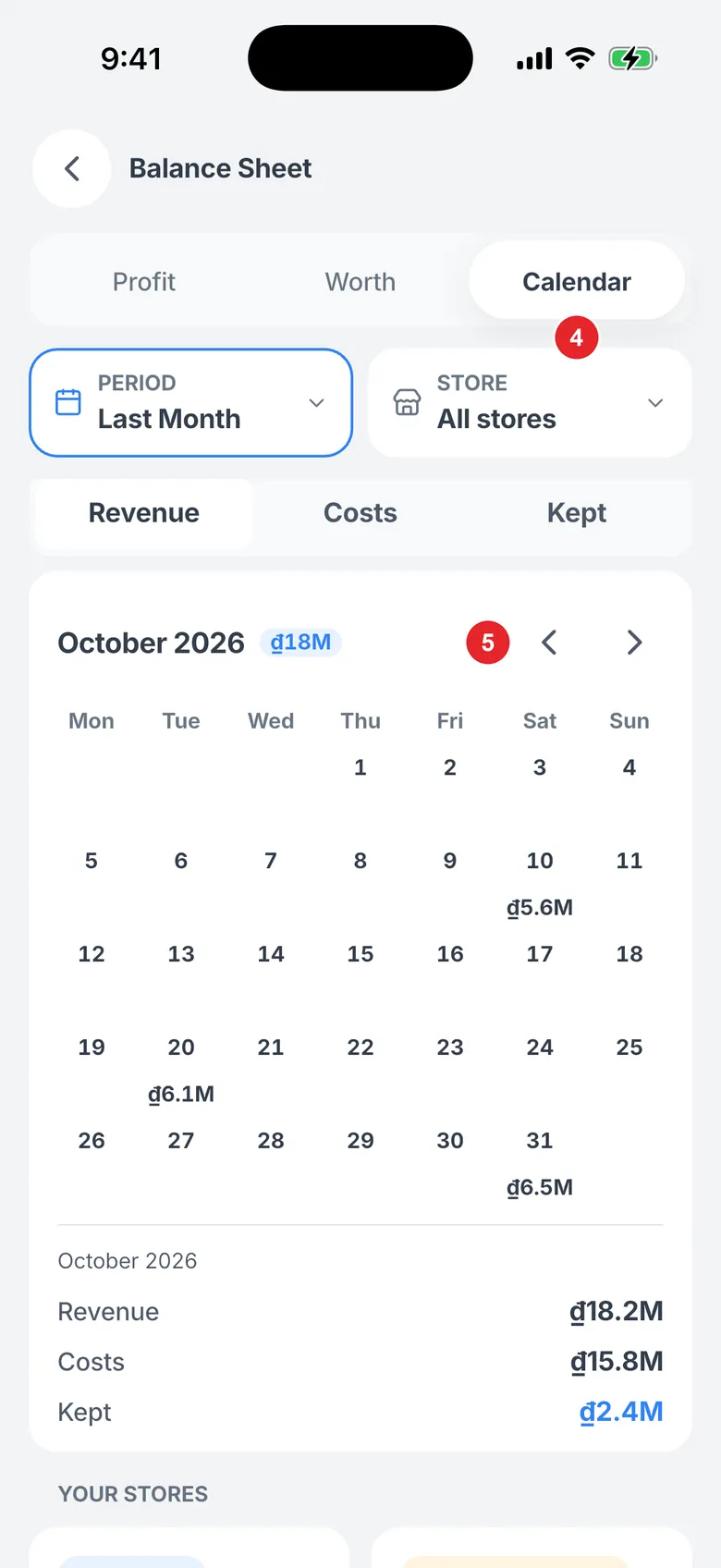
- To compare stores, keep the store on «All stores» and tap «Calendar».
- Use the ‹ button next to the month's name to choose the month. Here it is October 2026.
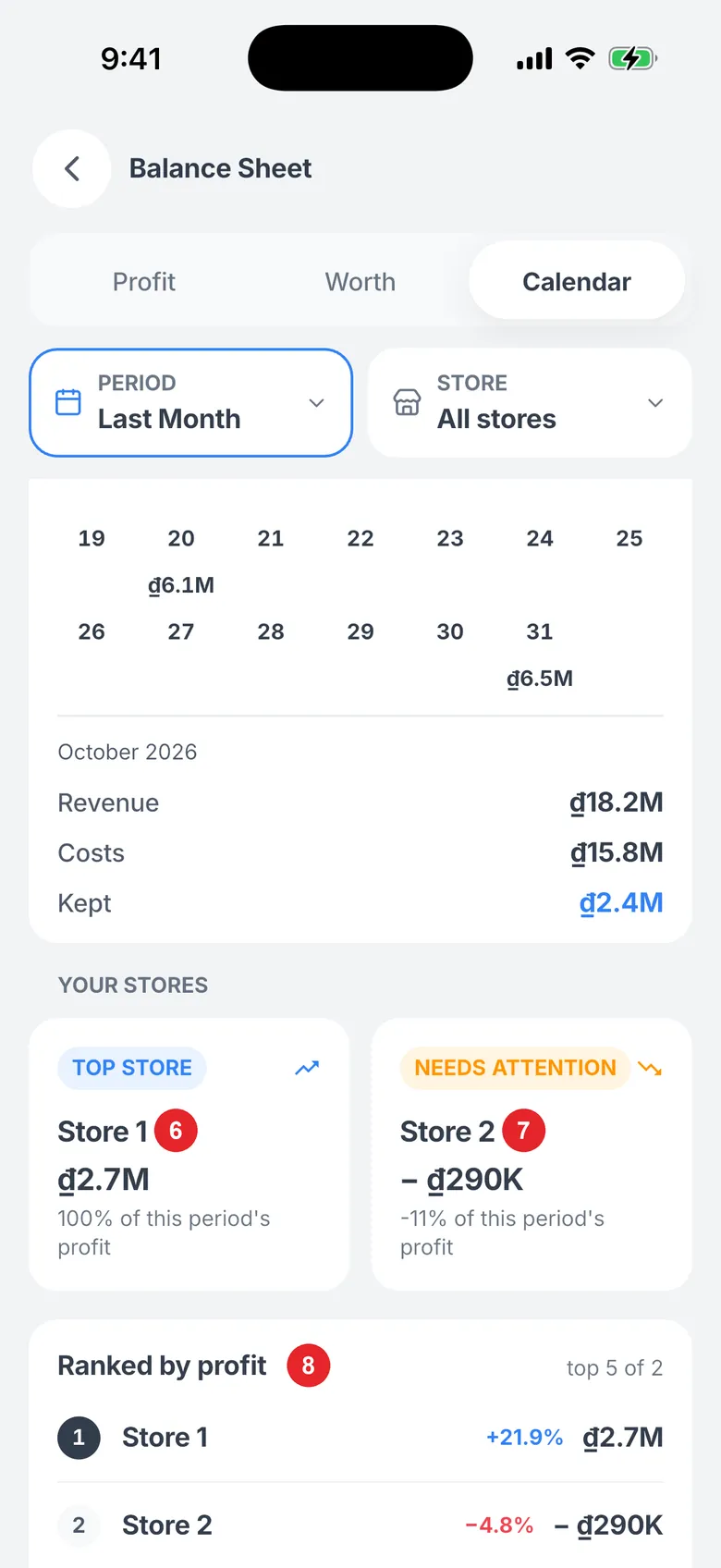
- Scroll down and, under «YOUR STORES», see «TOP STORE». Here it is «Store 1», ₫2.7M.
- Check the «NEEDS ATTENTION» store too. Here it is «Store 2», − ₫290K.
- In «Ranked by profit», see the stores in order of what they kept. The % beside each is what it kept as a share of revenue.