
Show contents
Profit & loss › Net profit
See what's left so far this month
- Who
- Owner
- When
- In the middle of the month
- Where
- App · Web
What you get
- See how this month is going from what you sold and spent up to today.
- In the app, the figure next to what you kept is the difference from the same number of days just before, not from all of last month.
What it solves
- If you only learn the profit once the month is over, there's no time to act.
Why this way
- This month's figures are still in progress. Wages not yet paid, and depreciation and prepaid rent that come in on the 1st of next month, are missing, so it looks better than it really is.
- A daily closing difference becomes a cost only after you tap «Match to count» (website: «Match the books to the count»). A difference you haven't matched isn't in net profit yet.
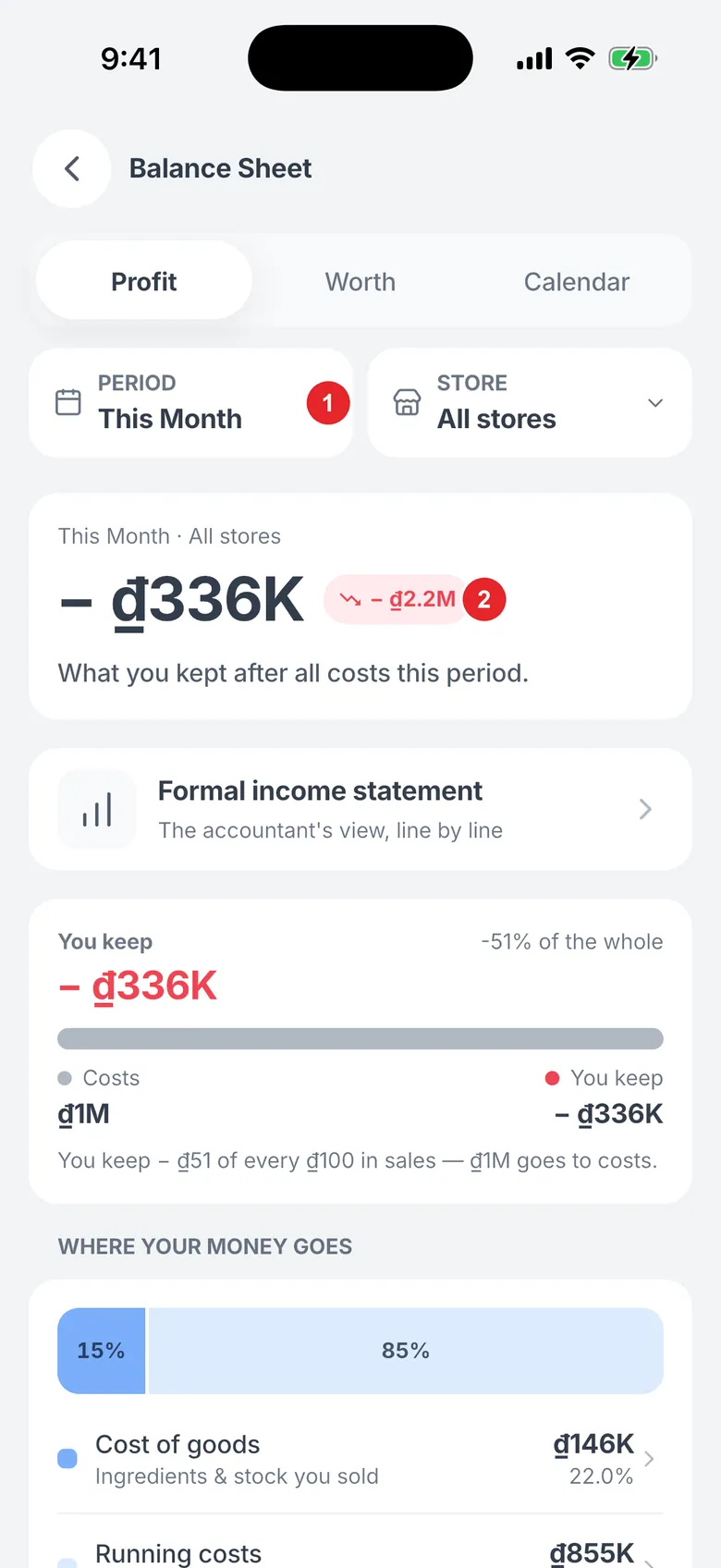
- Tap «Money» at the bottom of the app and open «Balance Sheet». Under «Profit», keep «PERIOD» on «This Month». What you kept up to today shows. Here it is − ₫336K.
- «− ₫2.2M» next to it is the difference from the same number of days right before, at the end of October. It is not compared with all of last month.
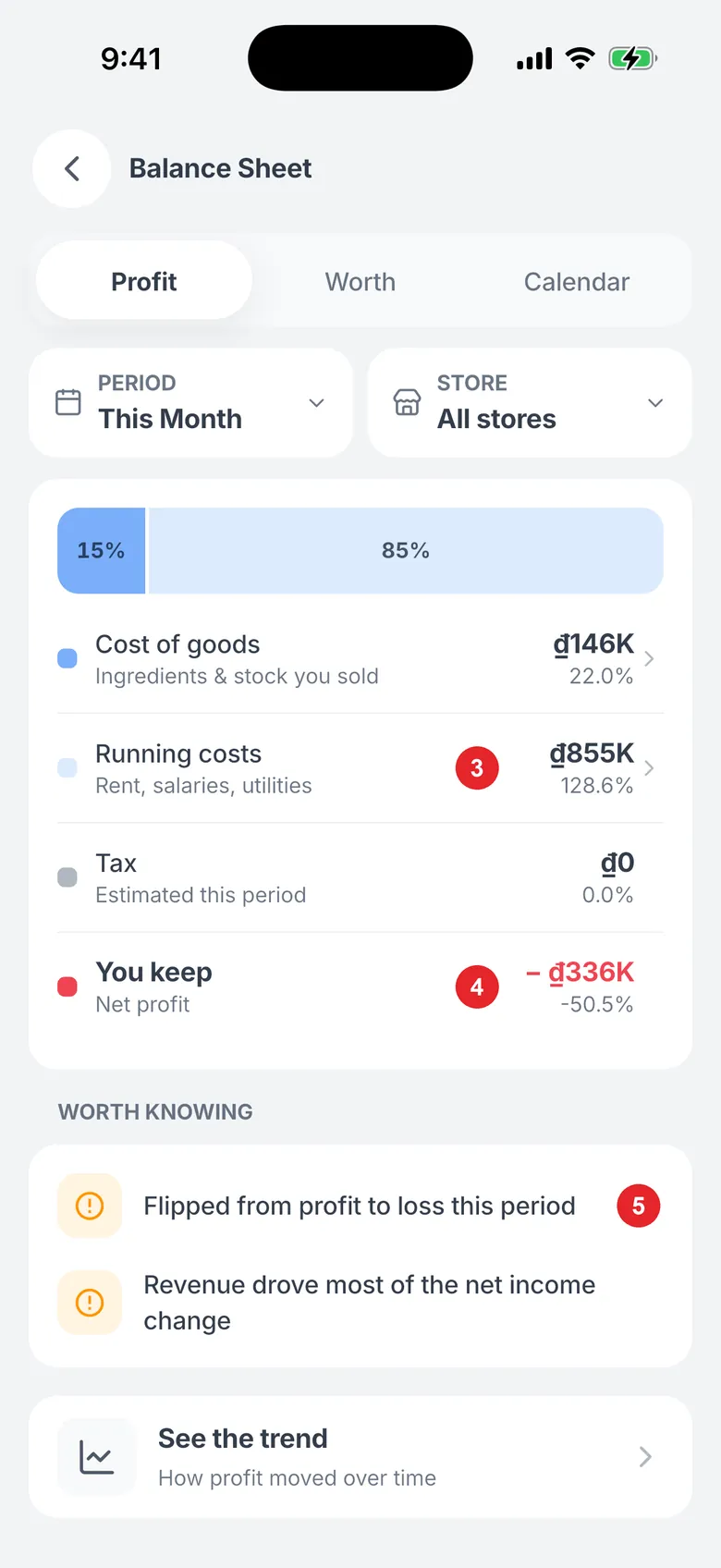
- Scroll down and see «Running costs». This month it is nearly all the electricity and water bill recorded on credit; this month's rent and pay haven't gone in yet.
- «You keep» is − ₫336K. It changes again when the month ends and rent and pay go in.
- In «WORTH KNOWING», see what changed, like «Flipped from profit to loss this period».
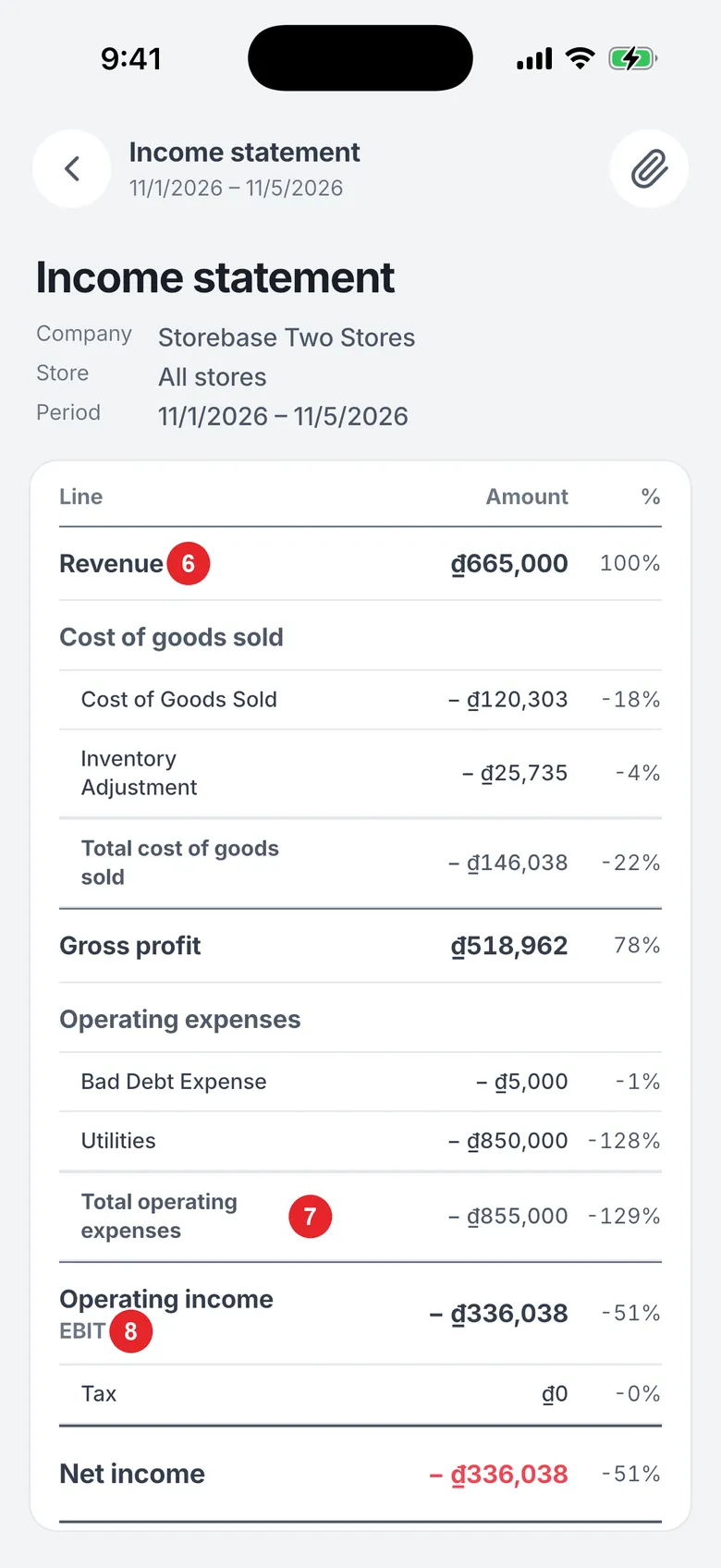
- To see it item by item, tap «Formal income statement» above. «Revenue» is ₫665,000.
- «Total operating expenses» is − ₫855,000. The «Utilities» line, ₫850,000 (the electricity and water bill), is nearly all of it, and «Bad Debt Expense», ₫5,000, is money you won't get.
- «Operating income» is what is left before tax. Tax is ₫0, so it is − ₫336,038, the same as «Net income» at the bottom. This month is still a number in progress.