
Show contents
Cost of goods › F&B cost
See what each menu leaves and where money leaks
- Who
- Owner
- When
- Once a month, when you look at menu prices or recipes again
- Where
- Web
What you get
- The «Menus» tab shows «Sales» and gross profit for the period you pick, and «What sold» compares each menu's profit by size.
- The «Ingredients» tab shows «Waste value» and each ingredient's «Loss rate». The ingredients you lose most show right away.
- «See dishes with no recipe» finds the menus without a recipe, so you know what to link.
What it solves
- You don't notice that a best-selling menu actually leaves almost nothing.
- Thrown-out food piles up, but you can't tell which ingredient is leaking.
Why this way
- Looking only at sales, the menus you sell most look best. Look at «Gross profit», after cost, to see the menus that really leave money.
- What about sales made before the recipe was linked? No cost was recorded then, so those sales count as profit with no cost. Link the recipe before you sell the menu.
- Does the shortfall from an ingredient count show as waste too? Yes. «Waste value» adds ingredients thrown away and the shortfall from stock counts, and the card splits them into thrown away and count difference. With no stock count in the period, only thrown-away ingredients are counted.
- Where do I see one serving's food cost? In «Food cost» under «On the menu» on the recipe screen («See menu cost from recipes»).
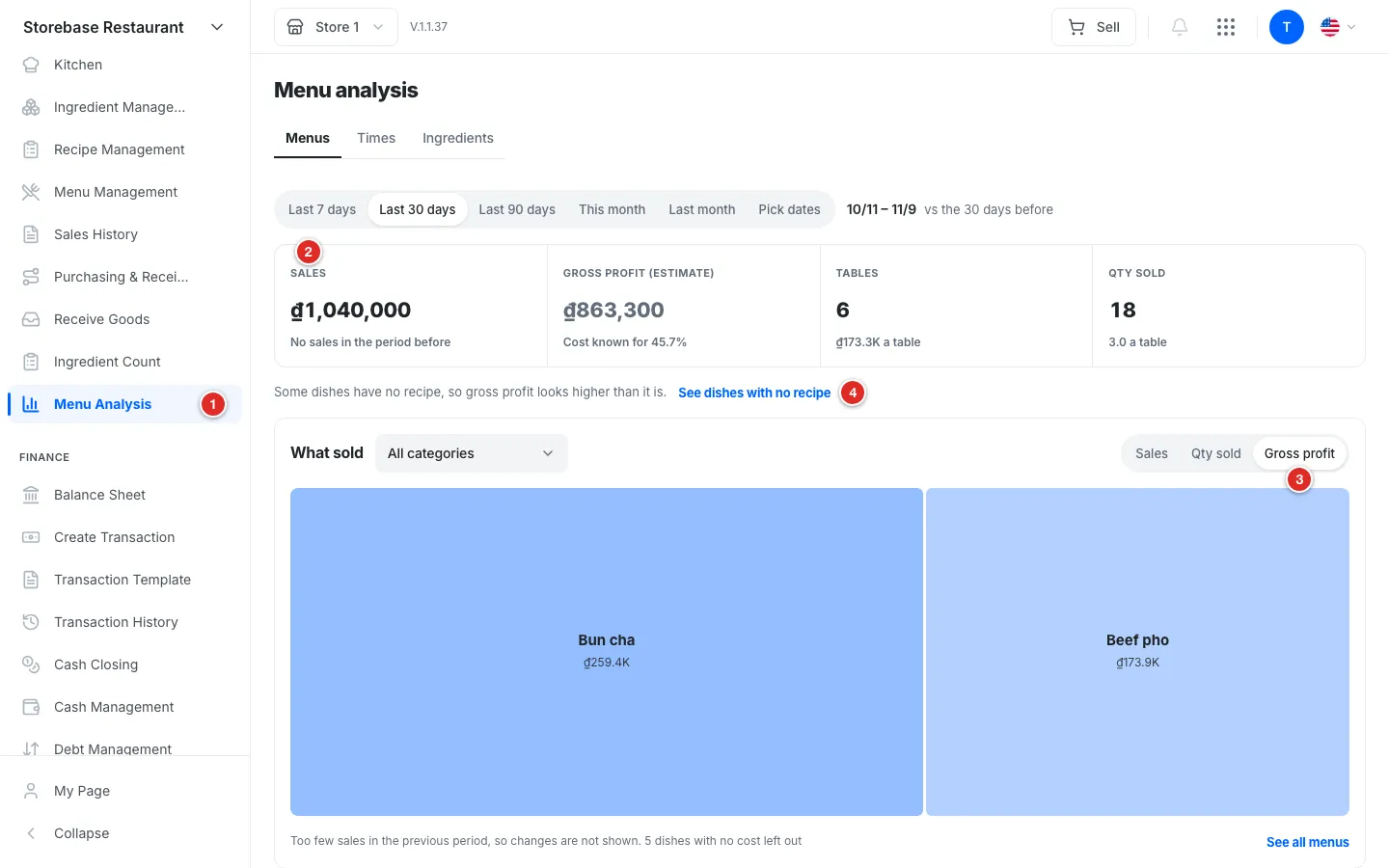
- In the left menu, click «Menu Analysis». Choose the period with the buttons at the top, such as «Last 7 days» or «Last 30 days».
- See «Sales» and gross profit for that period. Gross profit is sales minus the cost of the menus. When few sales have a known cost, it shows as «Gross profit (estimate)». Menus with no recipe count as zero cost, so it looks higher than it is.
- On the right of «What sold», click «Gross profit». The bigger the box, the more profit that menu made.
- Menus with no known cost are not in this picture, so the boxes add up to less than the gross profit above. Click «See dishes with no recipe» to find them. Once you link a recipe, profit shows for what you sell from then on («See menu cost from recipes»).
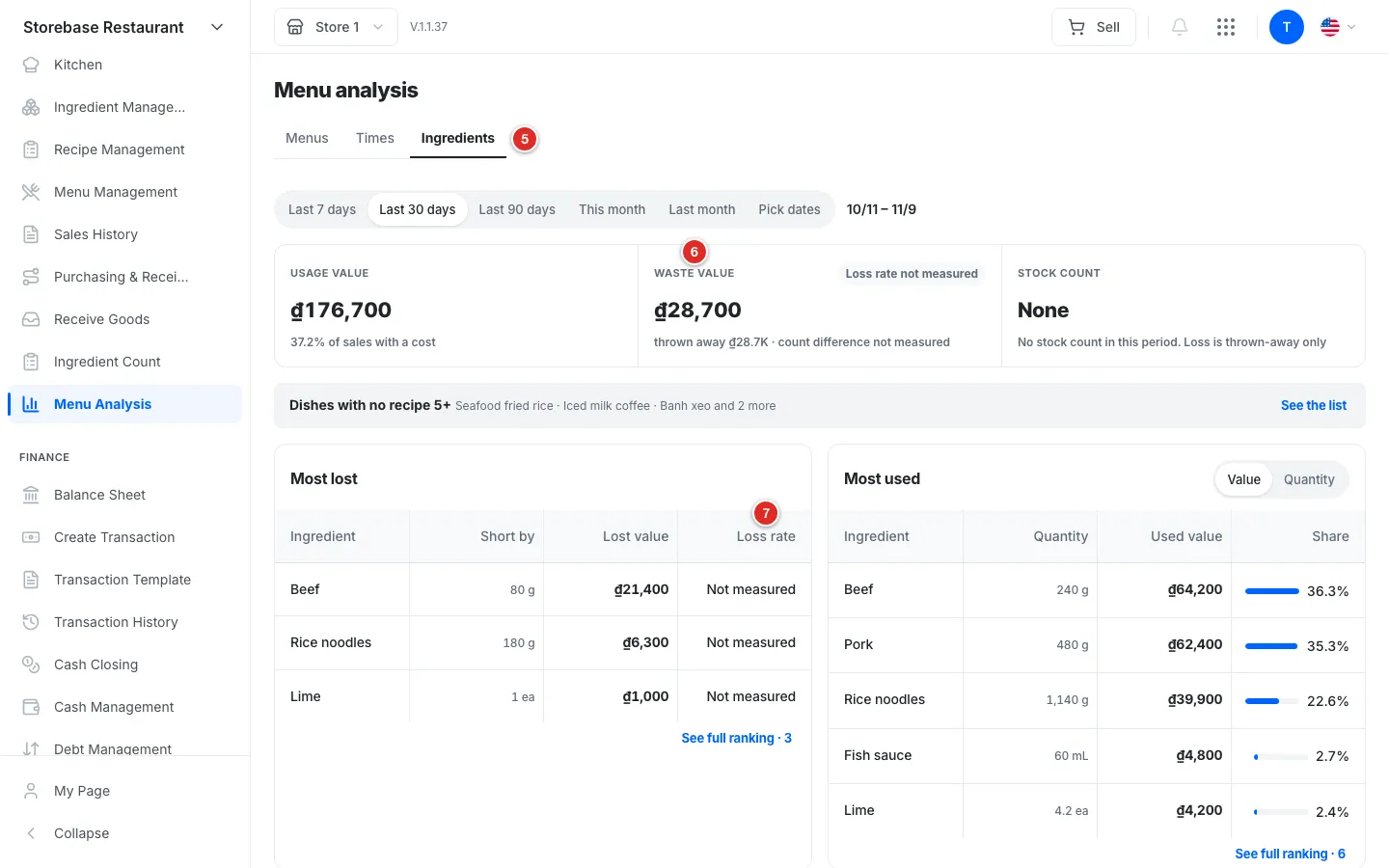
- Click the «Ingredients» tab at the top.
- «Waste value» adds the value of ingredients thrown away and the shortfall from stock counts (left menu «Ingredient Count»). Here it is 28,700. There was no stock count in this period, so only thrown-away ingredients are counted.
- «Most lost» is in order of «Lost value». Start from the top: Beef has a «Lost value» of 21,400. «Loss rate» is the share of loss in use plus loss. It shows once the ingredient has been counted in the period.