
Show contents
Cost of goods › F&B cost
Record a cost loss when you throw food away
- Who
- Owner · Manager
- When
- When you take food that was already made off the bill
- Where
- App · Web
What you get
- When you take off food that was made, «Record the cost loss?» comes up, and the cost of what you threw out is kept in one go.
- It comes off the customer's bill, the ingredients come out of stock, and the books keep it as «Inventory loss».
- A separate «Cost loss» invoice stays in «Sales History», so you can see later how much you threw out.
What it solves
- If you just take thrown-out food off, the ingredients were used but stay in stock, and when you count you can't tell why it's short.
Why this way
- The cost of food sold stays as «Sell Inventory (COGS)» and the cost of food thrown out as «Inventory loss», so you see where money leaks.
- What if the food wasn't made yet? Pick «Don't record». Stock and invoices don't change.
- What about throwing out spoiled ingredients? There's no tool for throwing out ingredients alone. Count what's really left in «Ingredient Count», and the shortfall goes into the books as a loss. Uncounted ingredients become 0, so count every ingredient.
- What if a customer sends food back to be made again? Send it back to the kitchen with «Return».
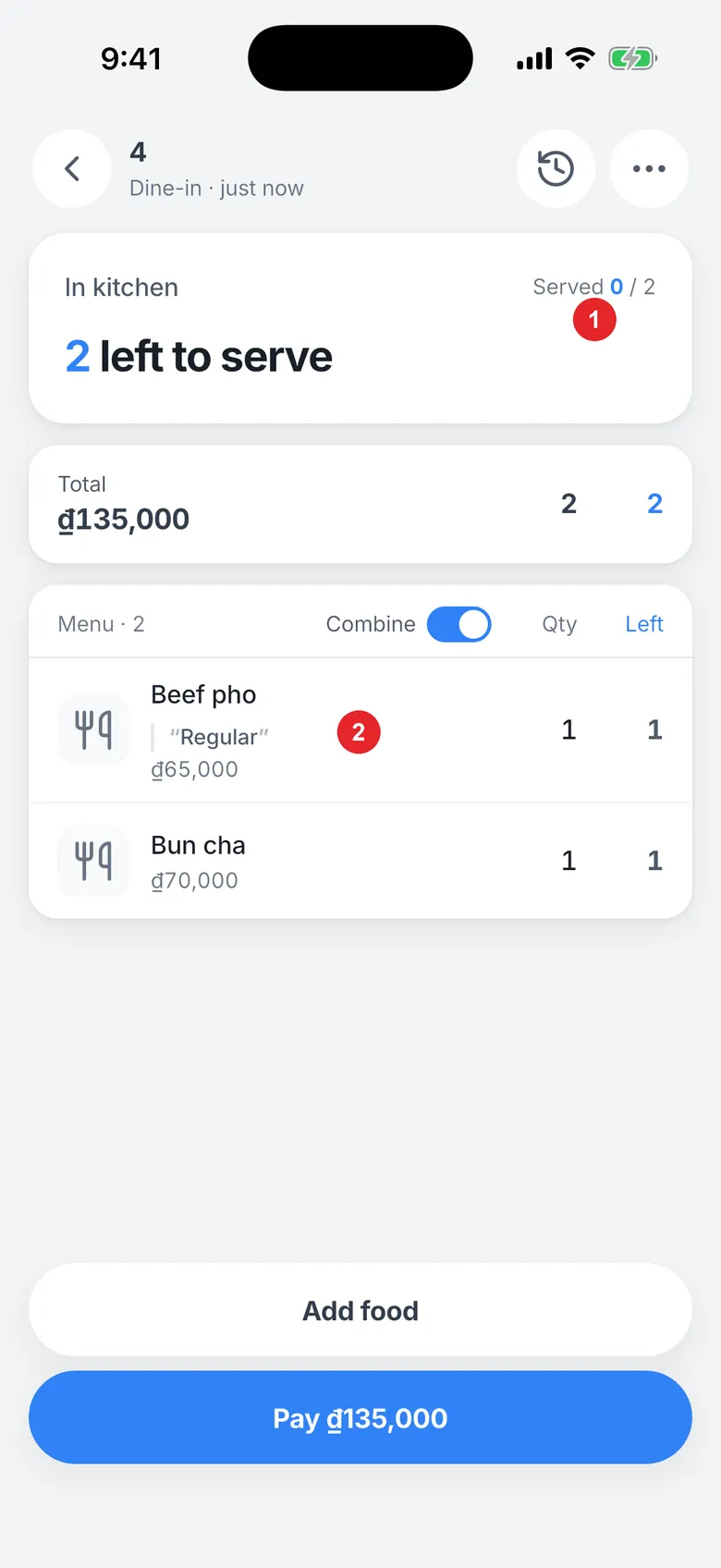
- In «F&B» at the bottom of the app, tap «Table» and open a table. Here it is table 4. «Served 0 / 2» at the top is the number of dishes that went out to the customer.
- When food goes out, tap that menu's row once. Here it is «Beef pho».
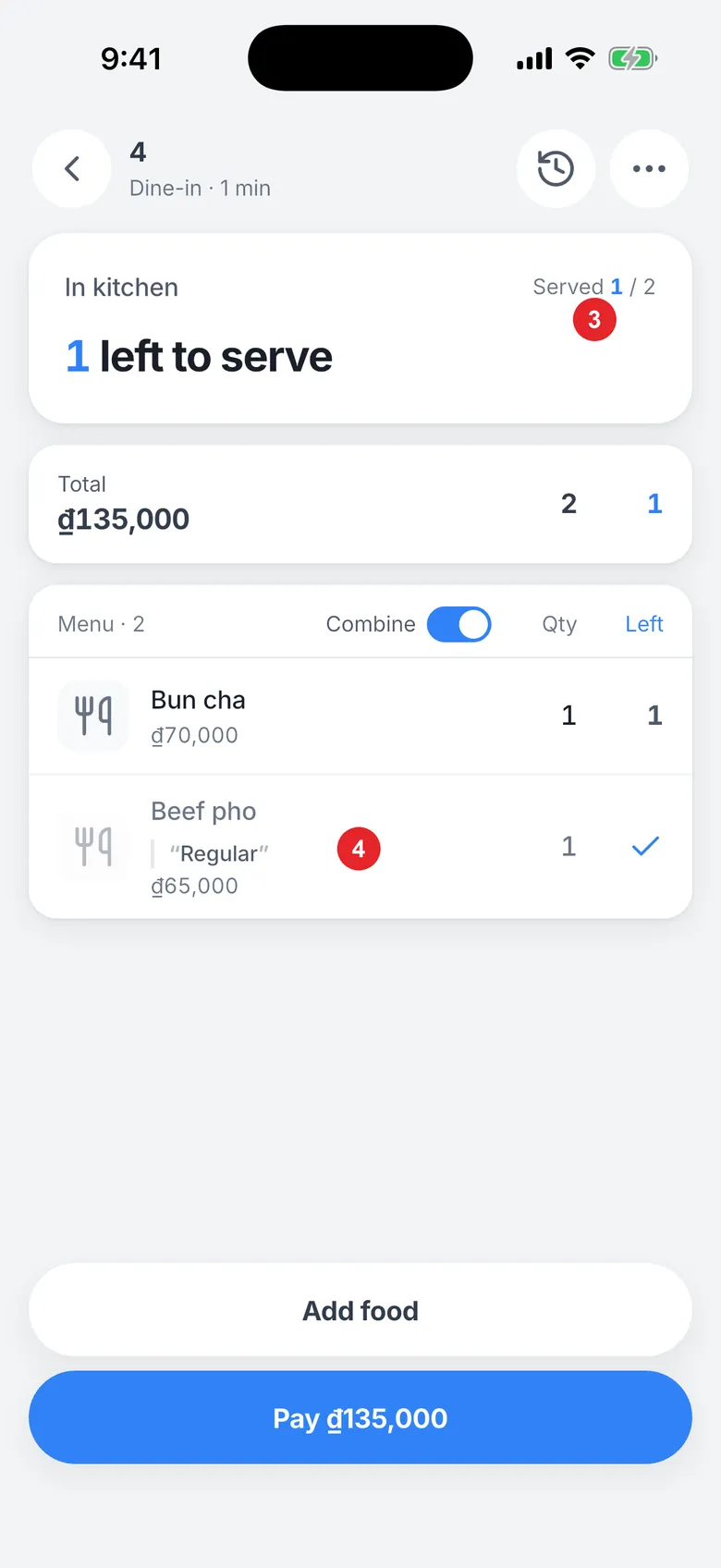
- It changes to «Served 1 / 2».
- The served menu's row fades and gets a ✓. This food has already been made.
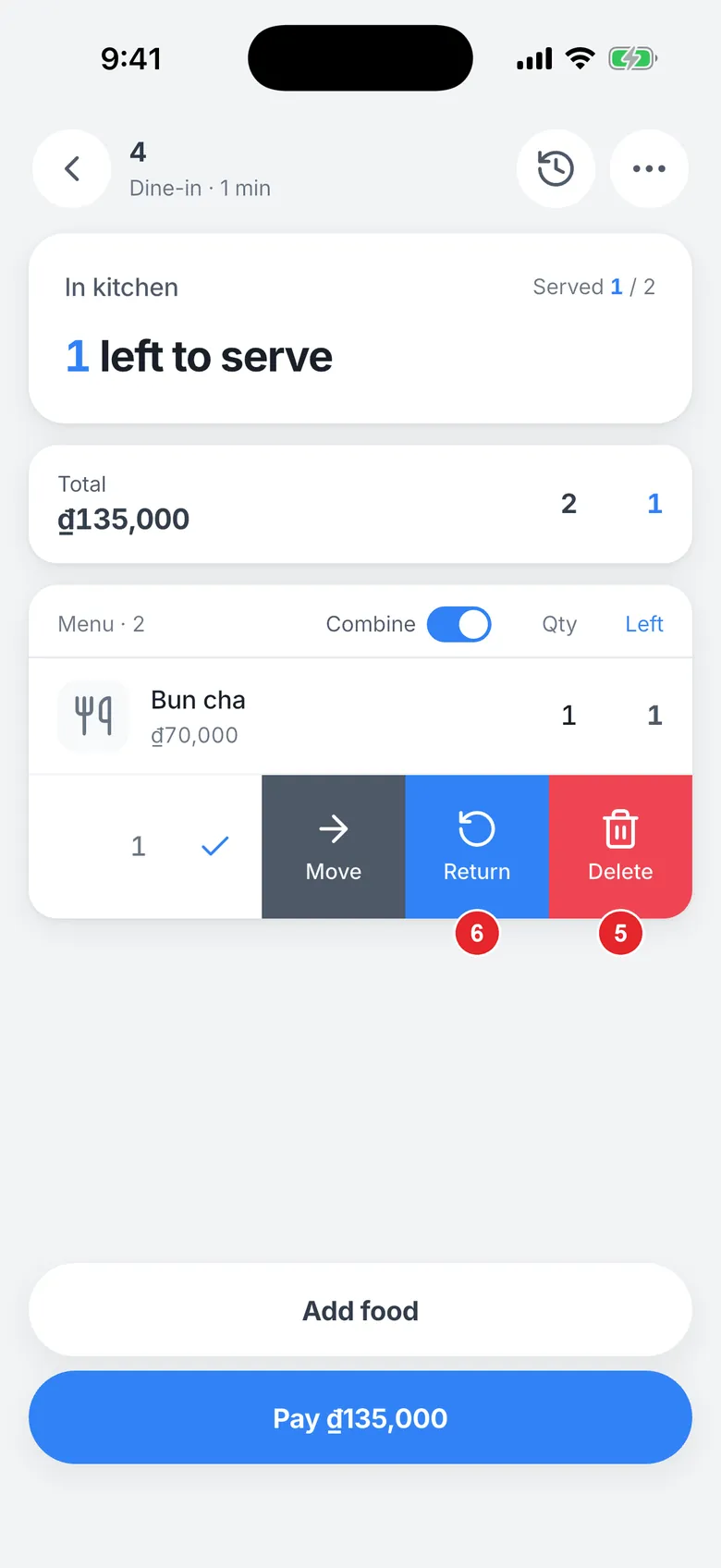
- To take food that was made off the bill, swipe that row left and tap «Delete».
- When a customer sends food back to be made again, tap «Return». It goes back to the kitchen.
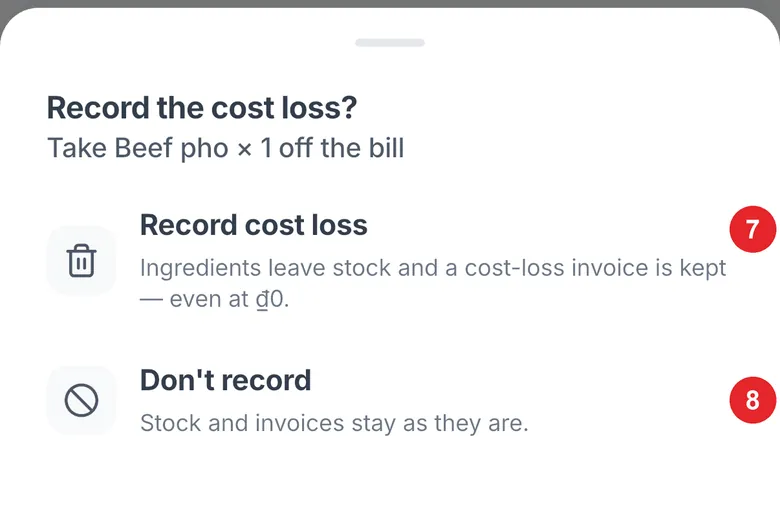
- If the food was already made, tap «Record cost loss». The ingredients leave stock and a cost-loss invoice is kept.
- If it wasn't made yet, tap «Don't record». Stock and invoices don't change.
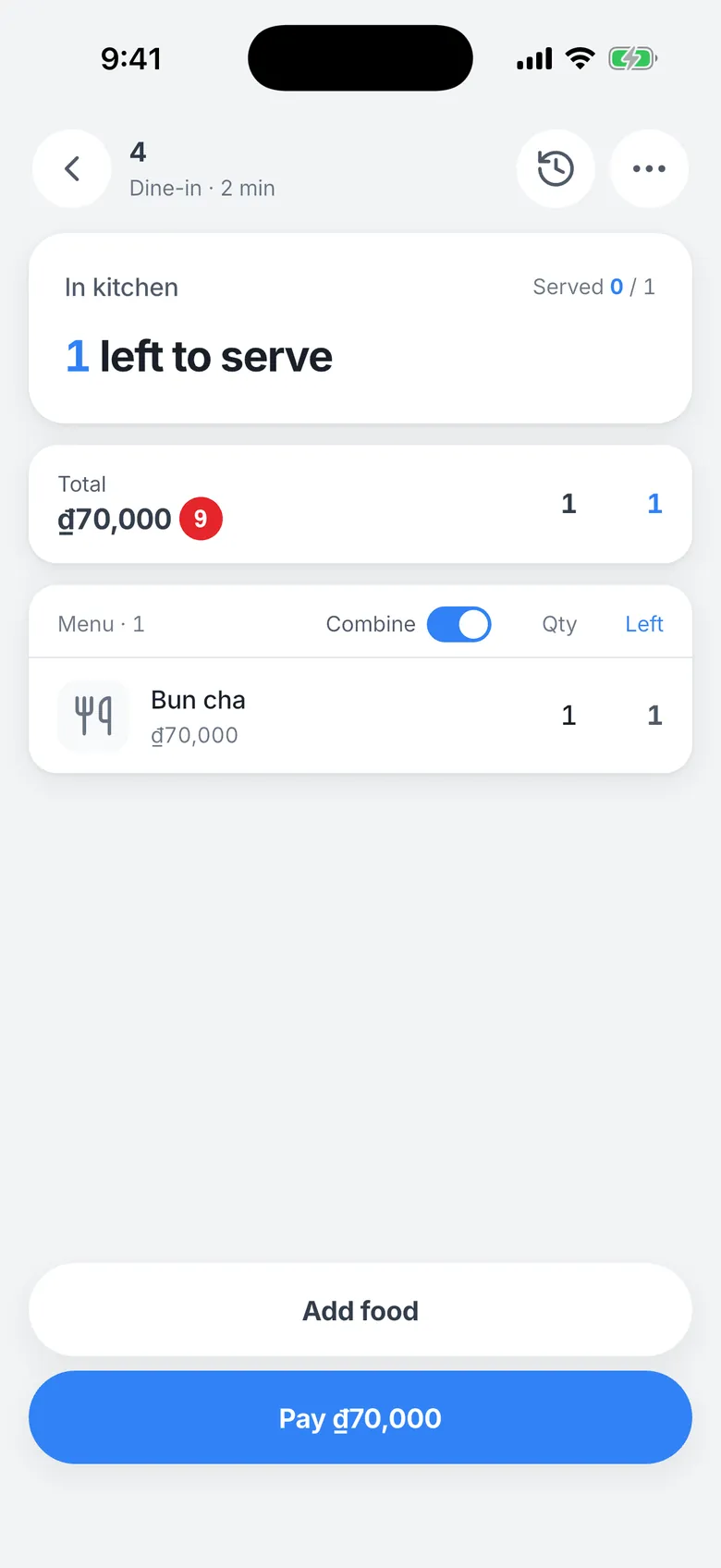
- It comes off the bill and «Total» becomes ₫70,000. The customer pays only for the remaining «Bun cha».
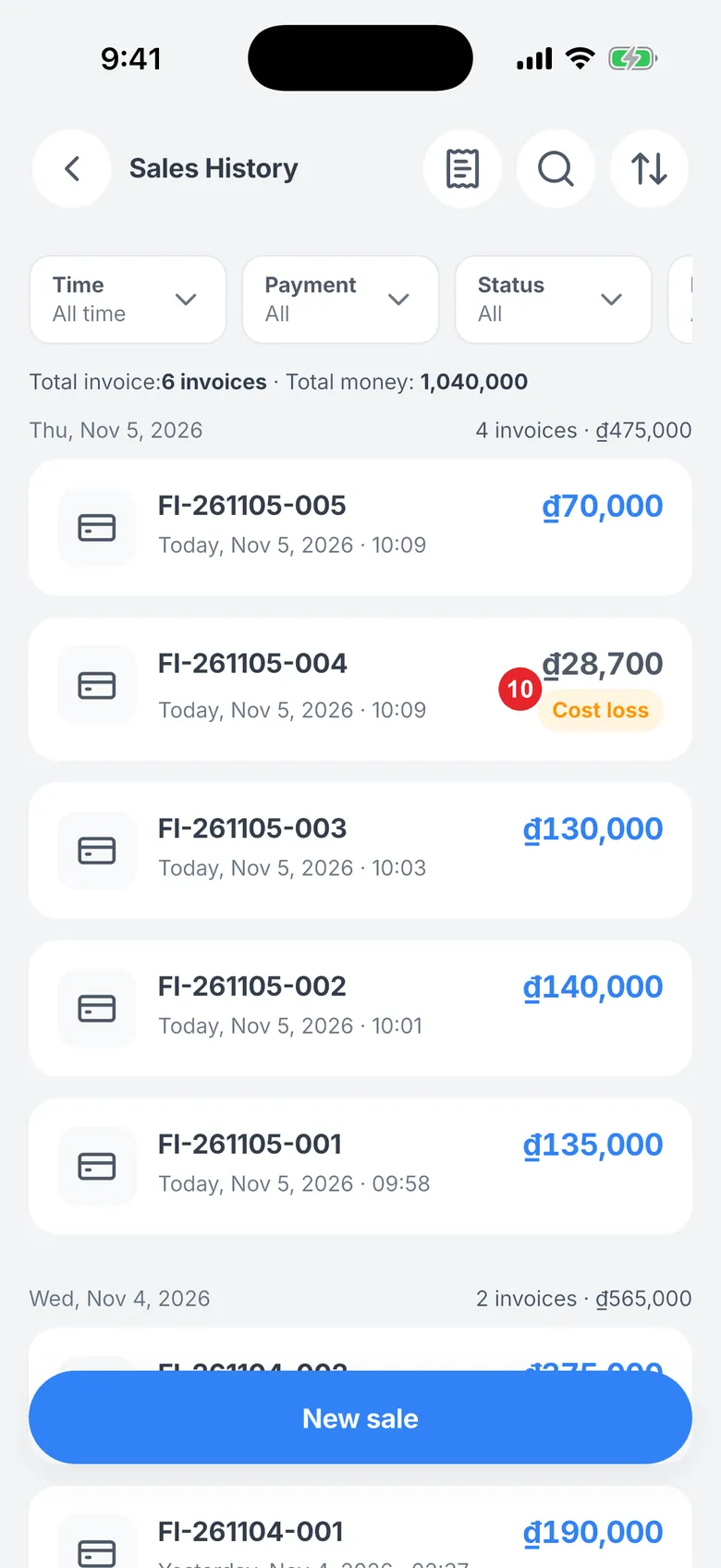
- In «Sales History» under «F&B», a separate «Cost loss» invoice appears. Here it is «FI-261105-004», and ₫28,700 is the cost of the food thrown away.
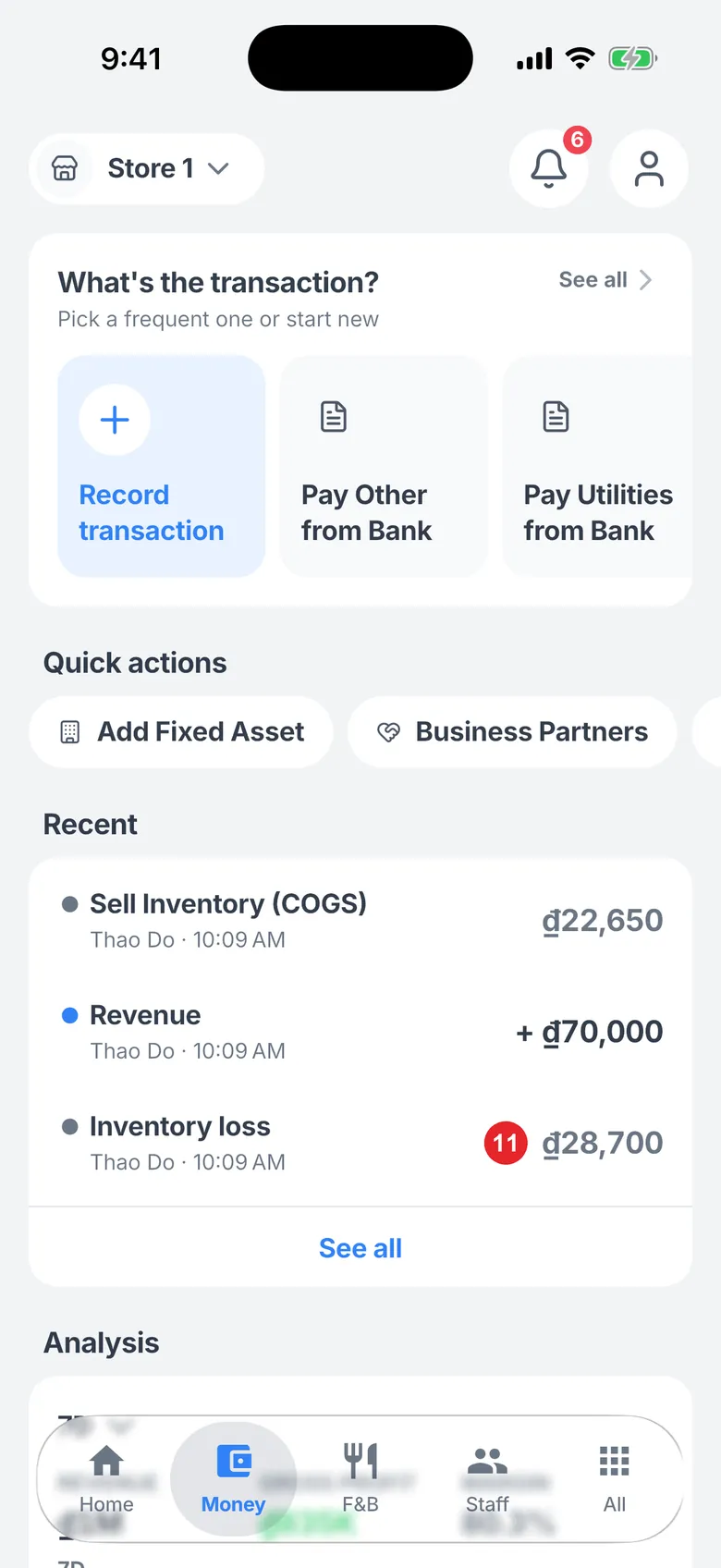
- Under «Recent» in «Money» at the bottom of the app, «Inventory loss» ₫28,700 appears. Tap this row.
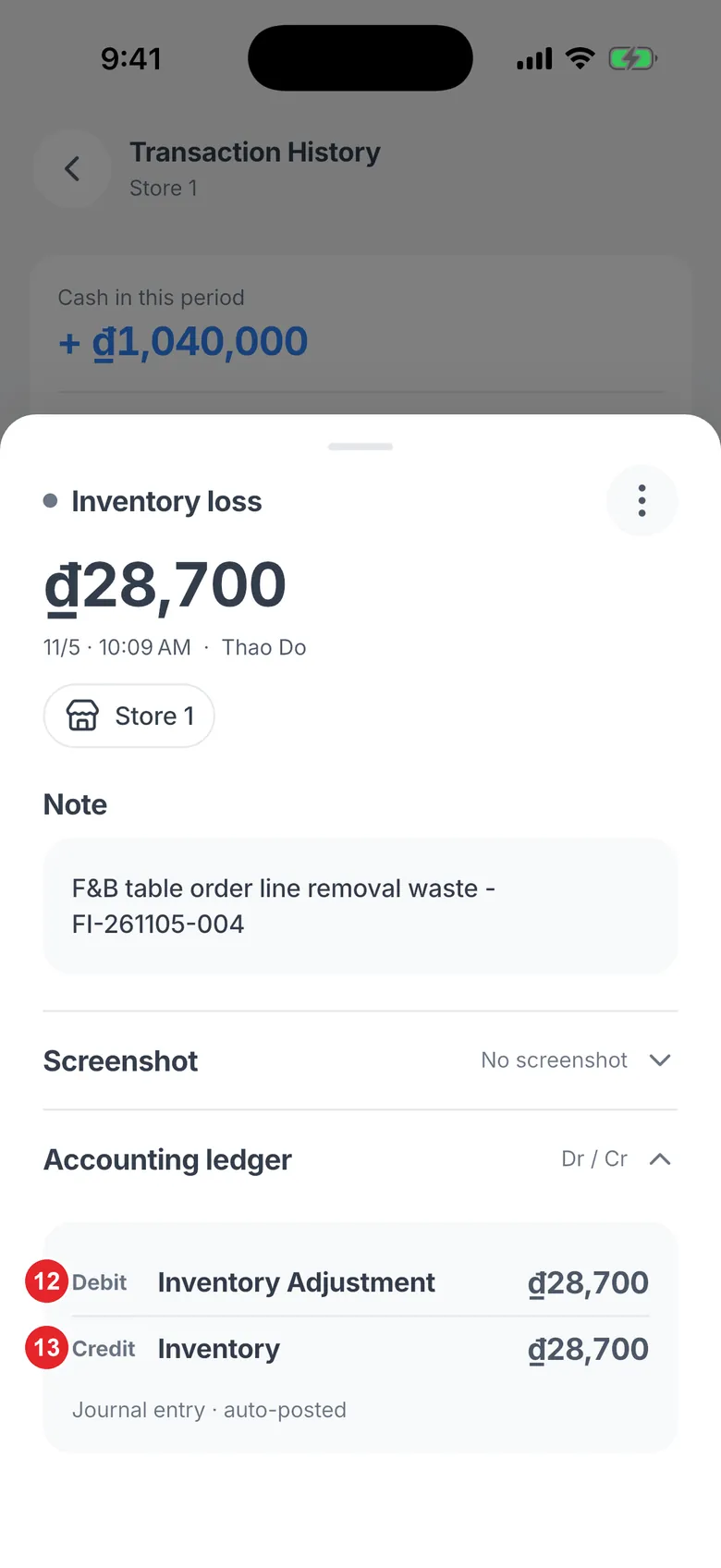
- In «Accounting ledger», «Inventory Adjustment» is written under «Debit». The cost of the food thrown away stays as a loss.
- Under «Credit», the same amount comes out of «Inventory».