
Show contents
Cost of goods › F&B cost
See menu cost from recipes
- Who
- Owner · Manager
- When
- When you make a new menu, when you set a menu price
- Where
- App · Web
What you get
- A restaurant company has auto costing on from the start. Even if the empty screen says «To calculate menu costs from recipes, turn on auto costing first.», go ahead and add with «Add New Recipe».
- Enter only the ingredients and amounts in one serving, and the «Cost per serving» is worked out by itself.
- Make sauces and broths once as a «Base recipe», and add them to many dishes like an ingredient.
- Link a recipe to a menu and the «Food cost» shows, and every sale takes the ingredients out of stock.
What it solves
- You don't know what the ingredients in one bowl cost, so you set prices by feel.
- You make sauce in big batches and share it out, but don't know what it adds to the cost of one bowl.
Why this way
- «What goes in» is listed «biggest cost first», so you see right away which ingredient pushes the cost up.
- How is a base recipe's cost split? The cost of one batch is divided by the «Batch size». ₫12,000 for 400 mL means 60 mL in a dish costs ₫1,800.
- Where do I put what's trimmed off and thrown away? Recipes have no waste % field. Enter the amount you really take out, trimmings included.
- What if I don't link a menu? A menu set to «Recipe later» is «Cost 0 · stock not used». Selling it records no cost and takes out no ingredients.
- Is there a food cost per size? No. Food cost is one line per menu. Sizes like large don't show separately.
Make a base recipe
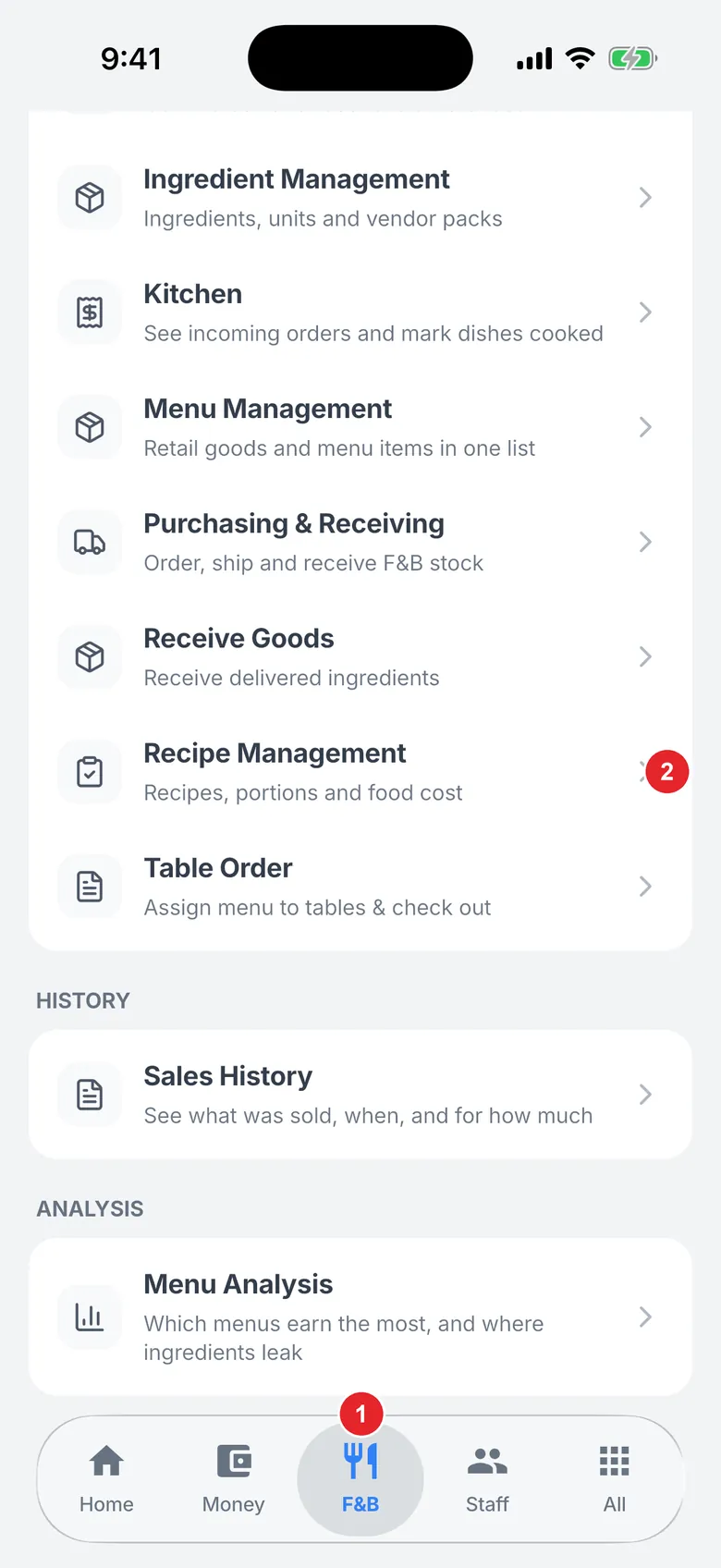
- Tap «F&B» at the bottom of the app and scroll down twice.
- Tap «Recipe Management». If you have no recipes yet, the screen says «Recipes power auto costing» with a «Turn on auto costing» button. A restaurant company already has it on, so you don't need that button.
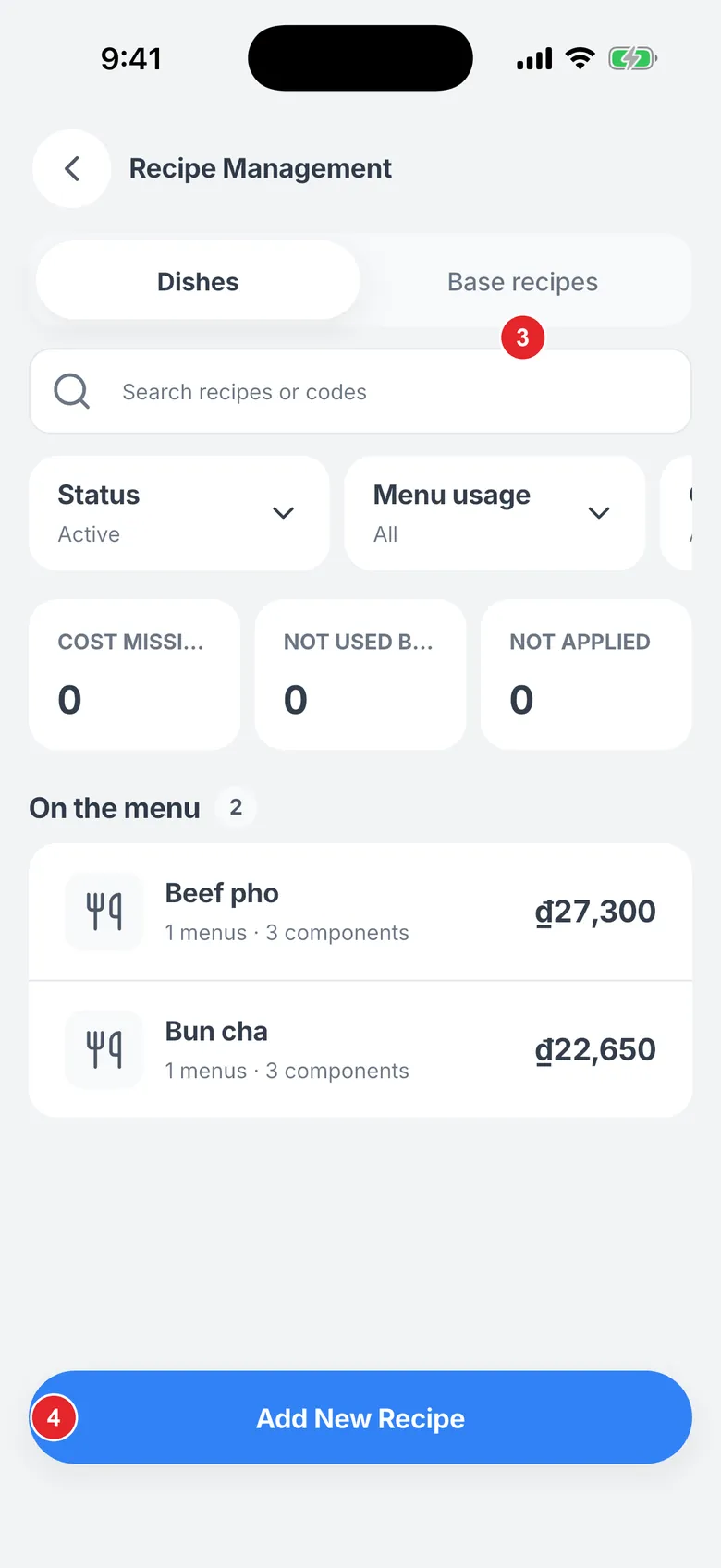
- Something that goes into other dishes, like a sauce or stock, is made first under «Base recipes». Tap «Base recipes».
- Tap «Add New Recipe».
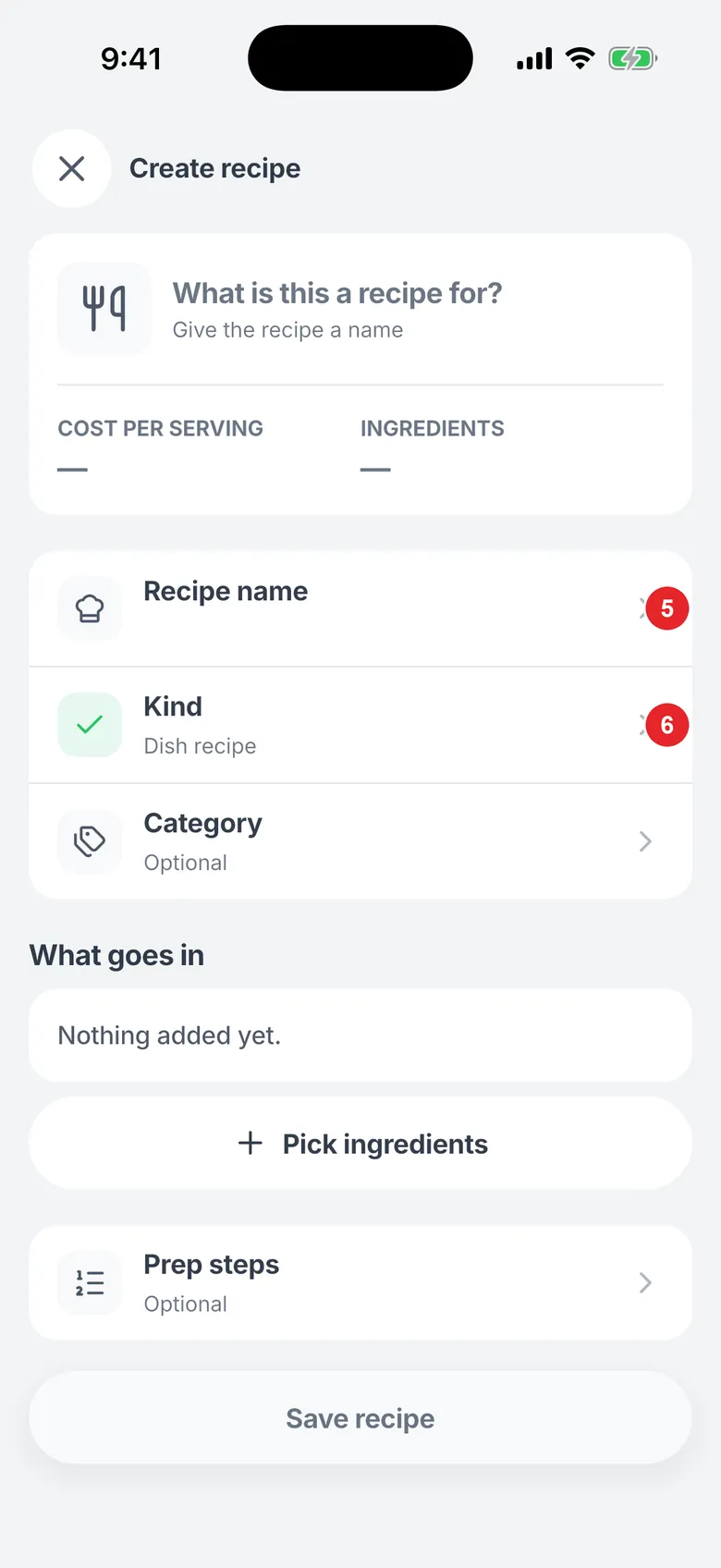
- Tap «Recipe name».
- After entering the name (step 7), tap «Kind».
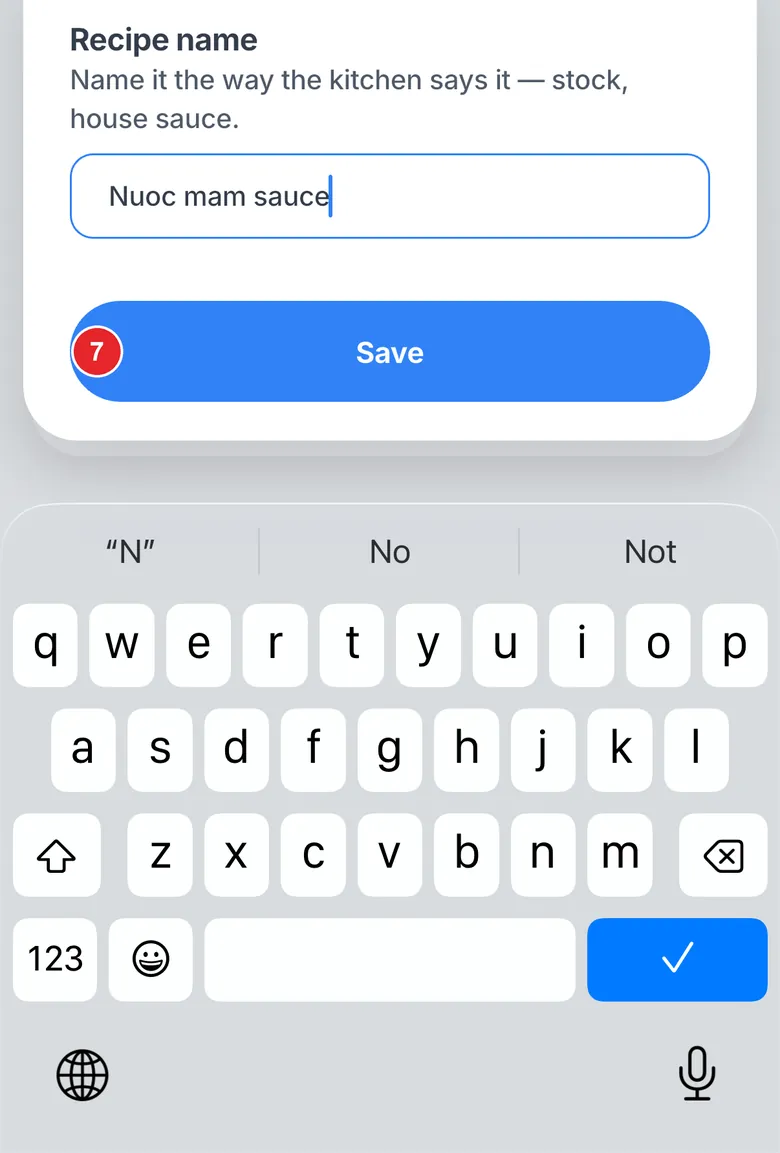
- Enter the name your kitchen calls it and tap «Save». Here it is Nuoc mam sauce.
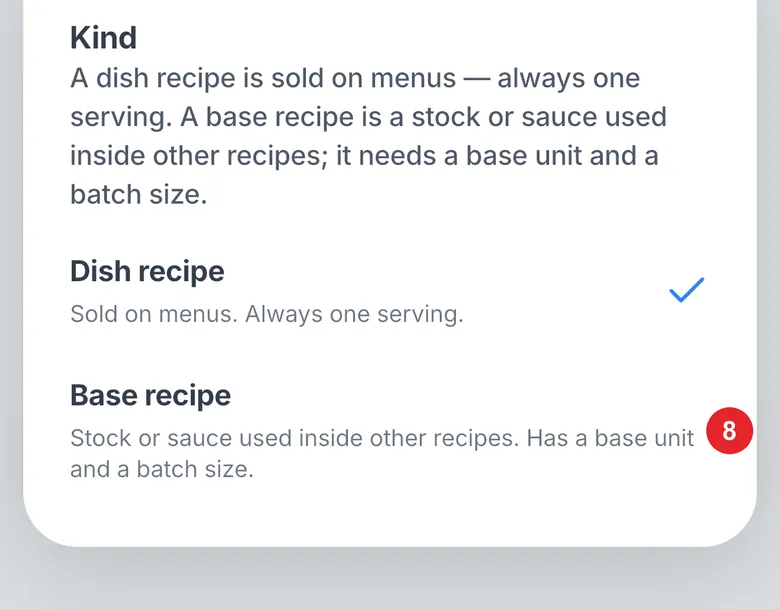
- Tap «Base recipe». A dish recipe is always one serving; a base recipe has a base unit and a batch size.
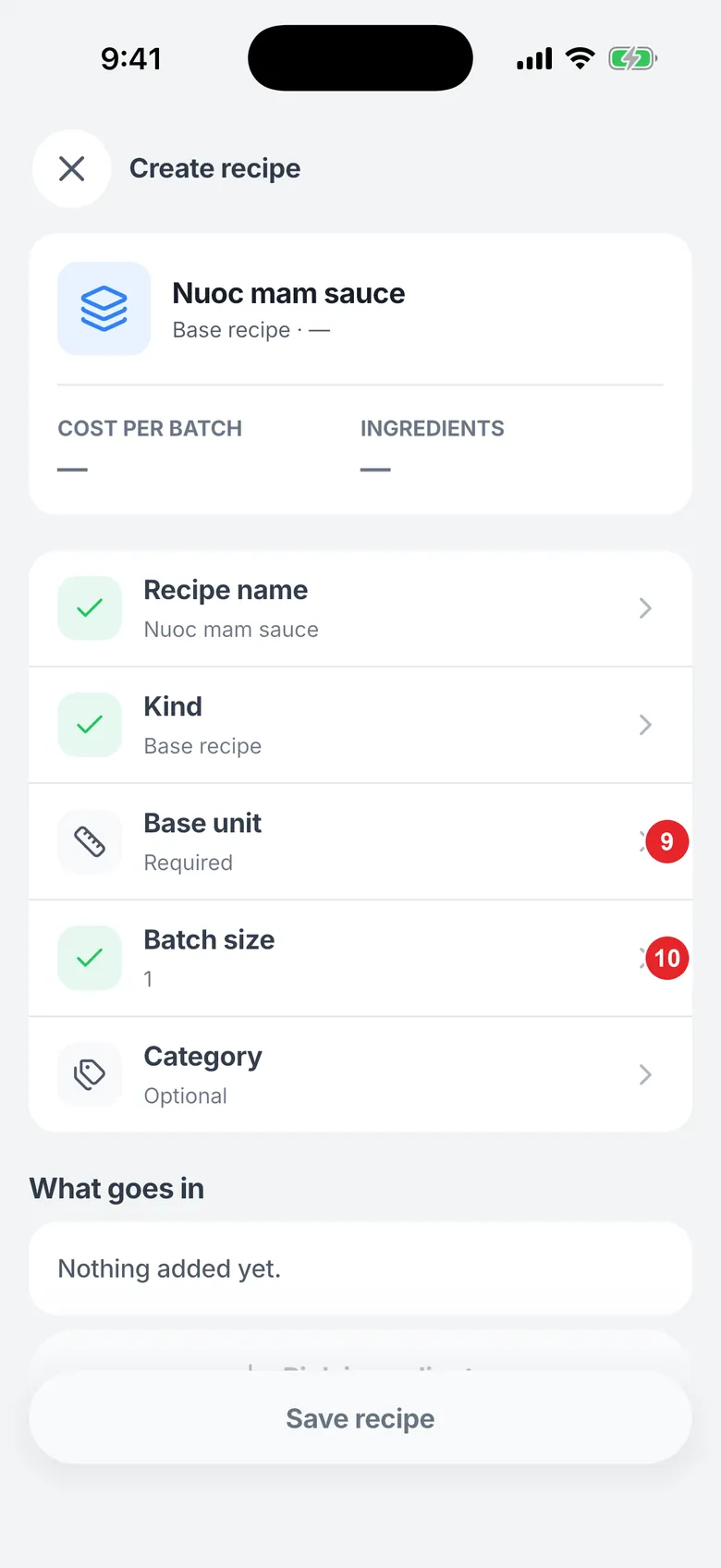
- Tap «Base unit».
- After choosing the unit (step 11), tap «Batch size».
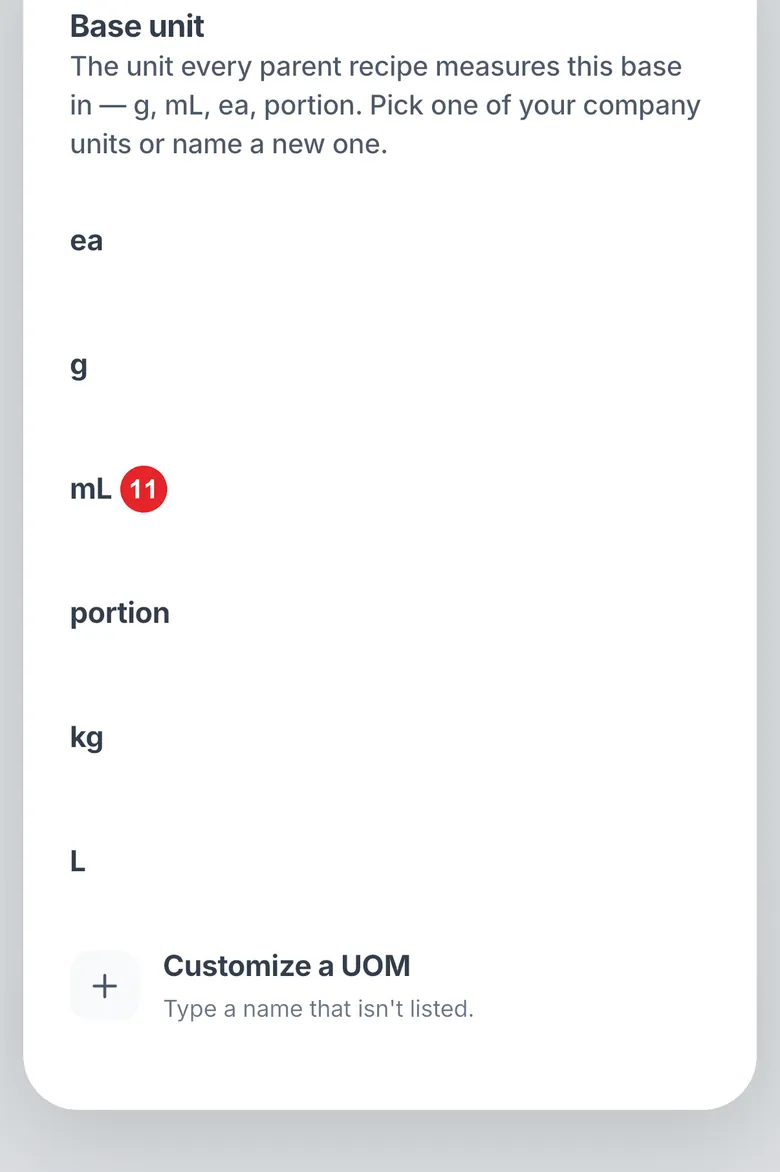
- Tap the unit you measure in when you add it to other dishes. Here it is «mL».
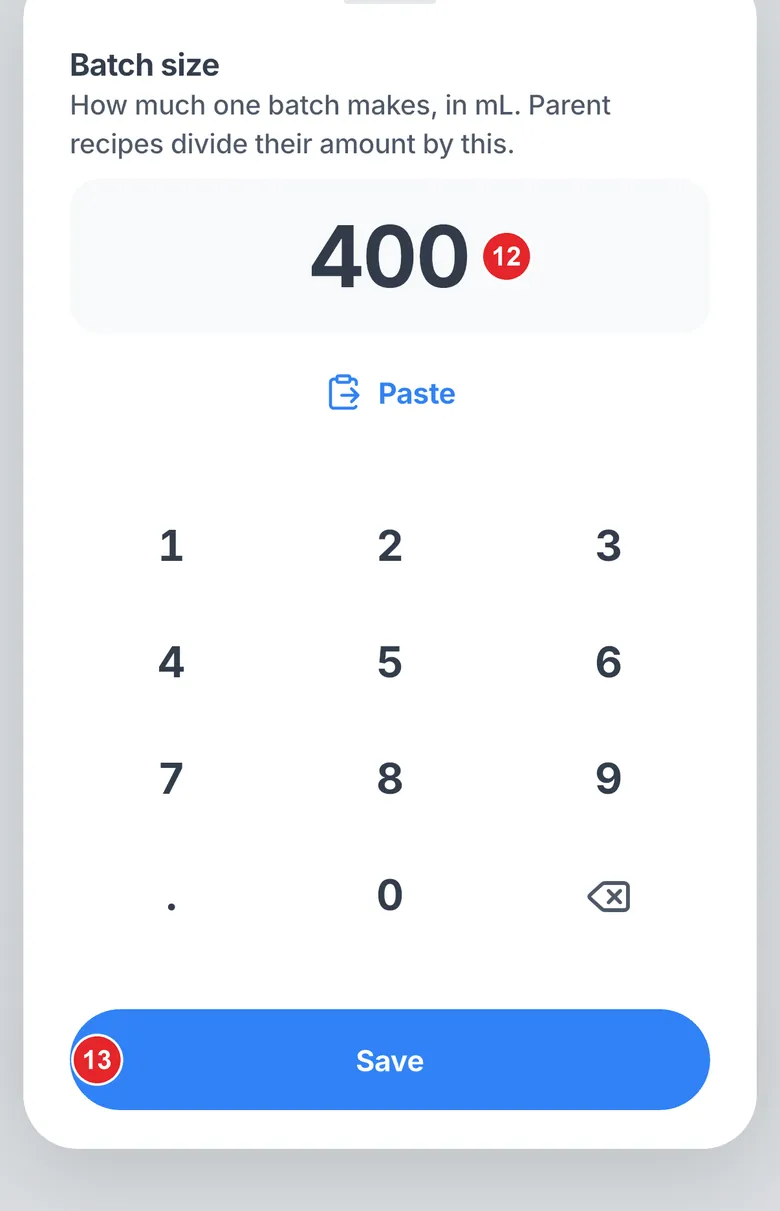
- Enter how much one batch makes. Here it is 400.
- Tap «Save».
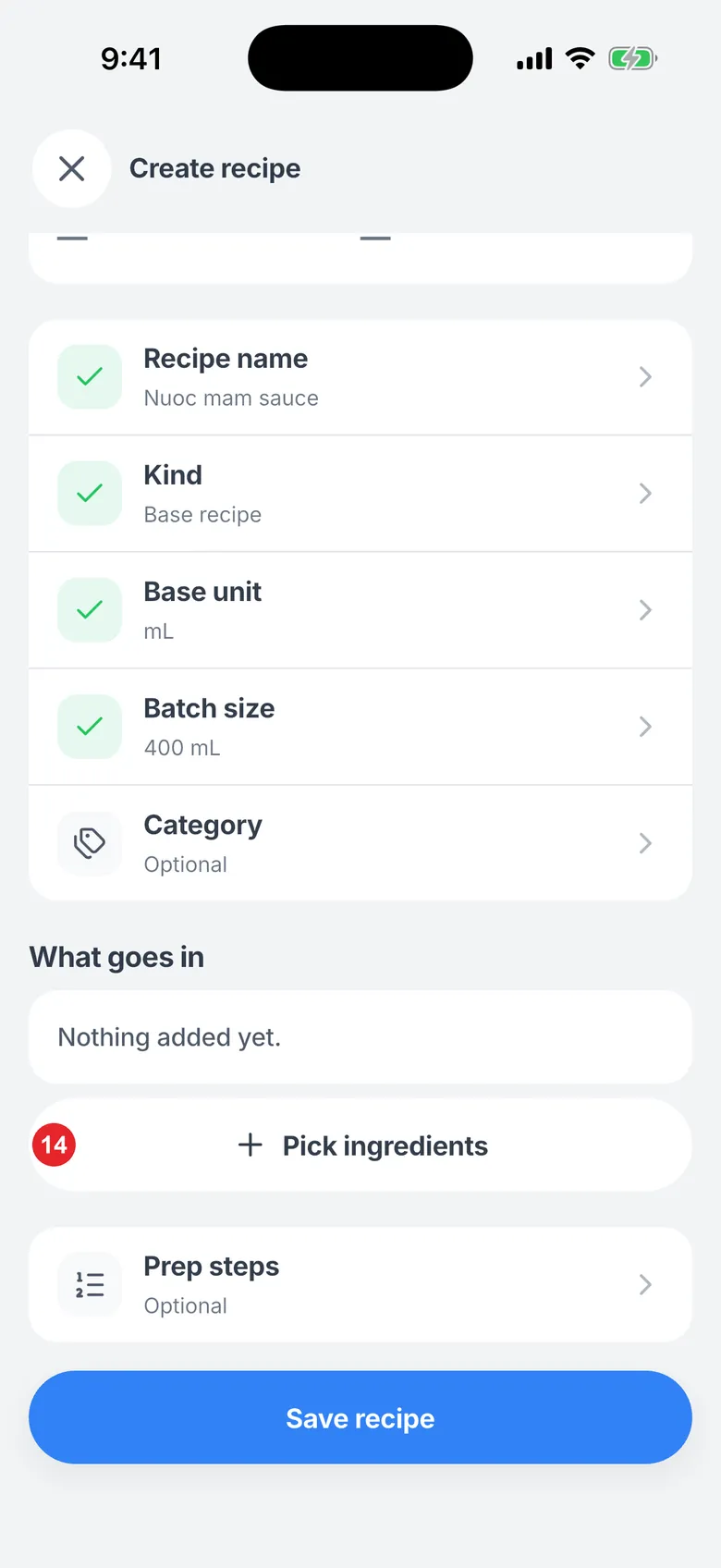
- Scroll down and tap «Pick ingredients». Scroll so that «Save recipe» below doesn't cover it, then tap.
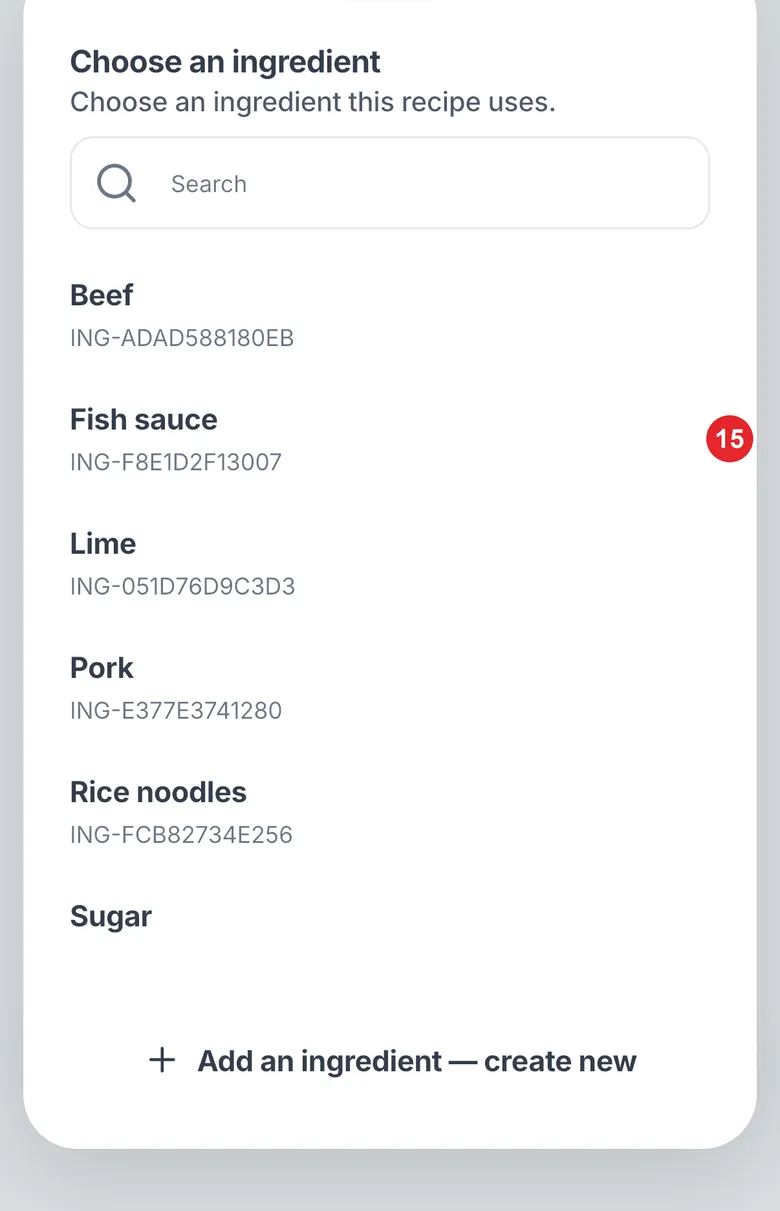
- Tap the ingredient that goes in. Here it is «Fish sauce». If it isn't in the list, tap «Add an ingredient — create new».
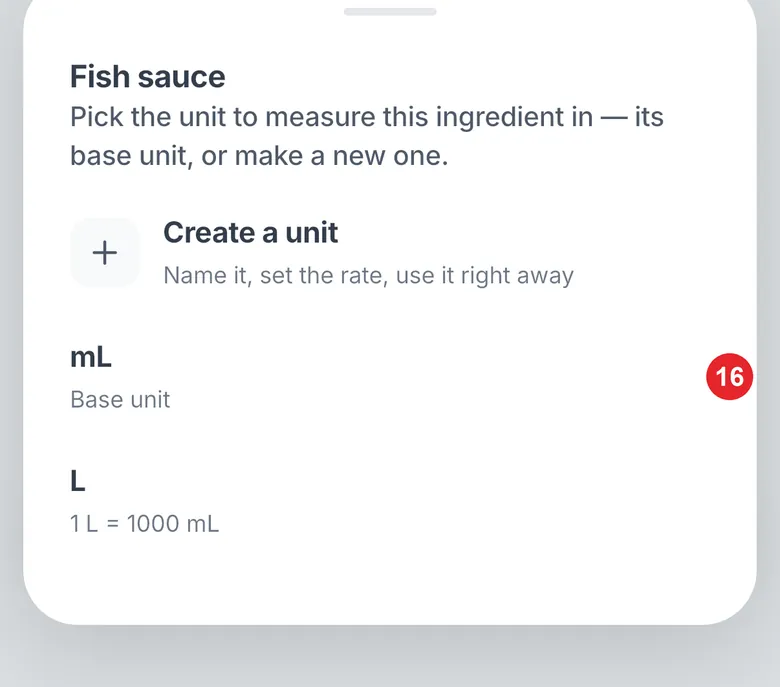
- Tap the unit to use. Here it is «mL», the «Base unit».
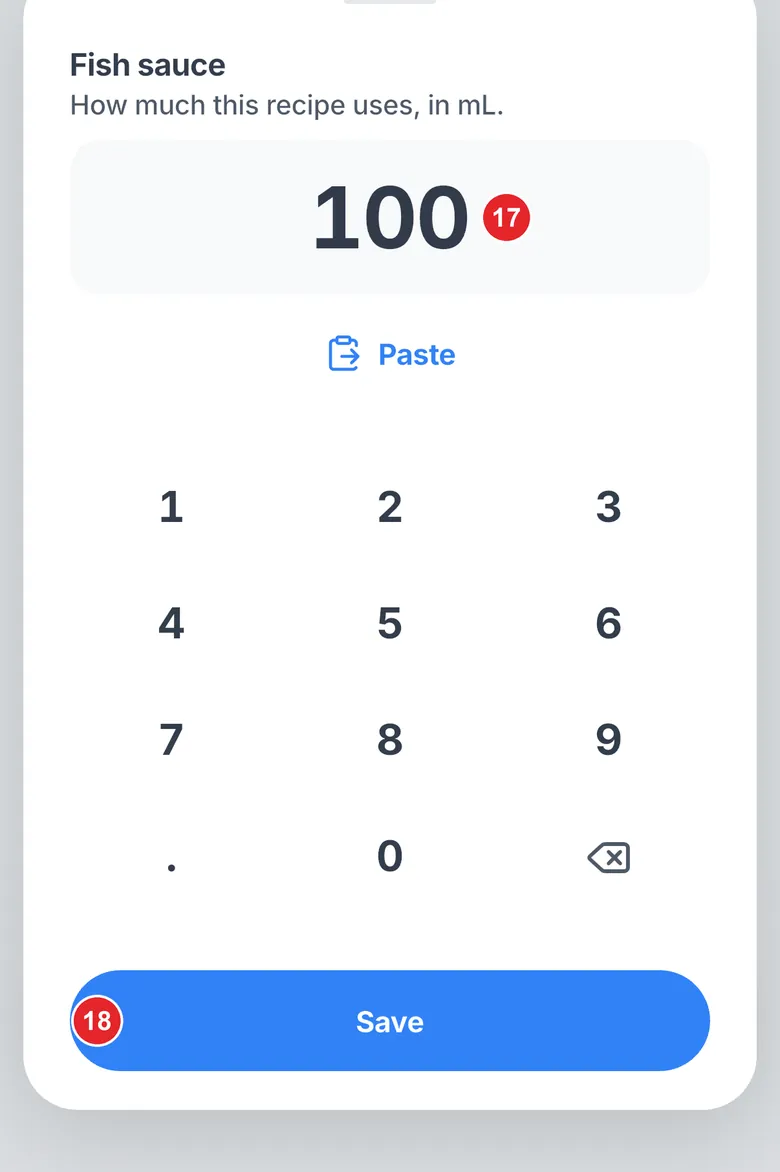
- Enter the amount one batch uses. Here it is 100.
- Tap «Save».
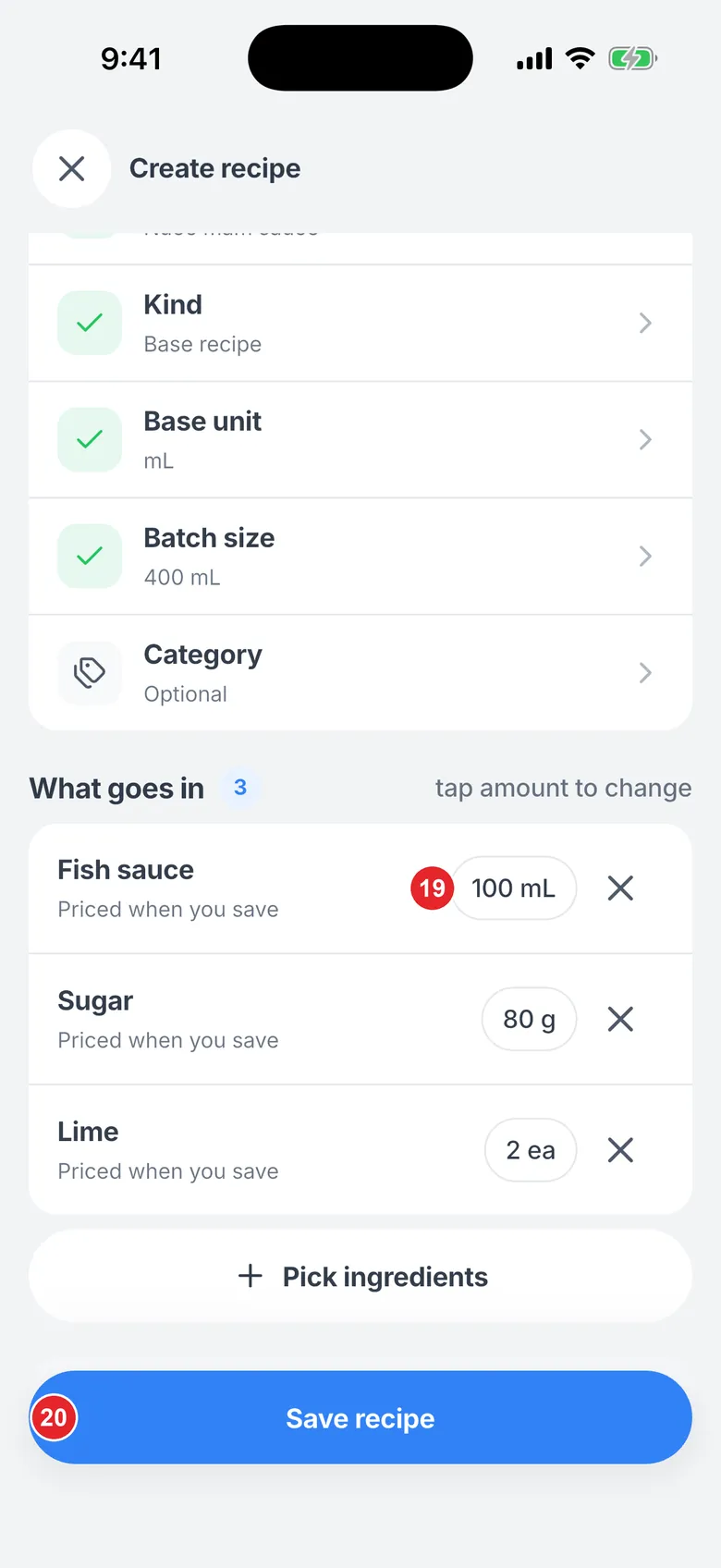
- Add the other ingredients the same way, as in steps 14–18. To change an amount, tap it, like «100 mL».
- Tap «Save recipe».
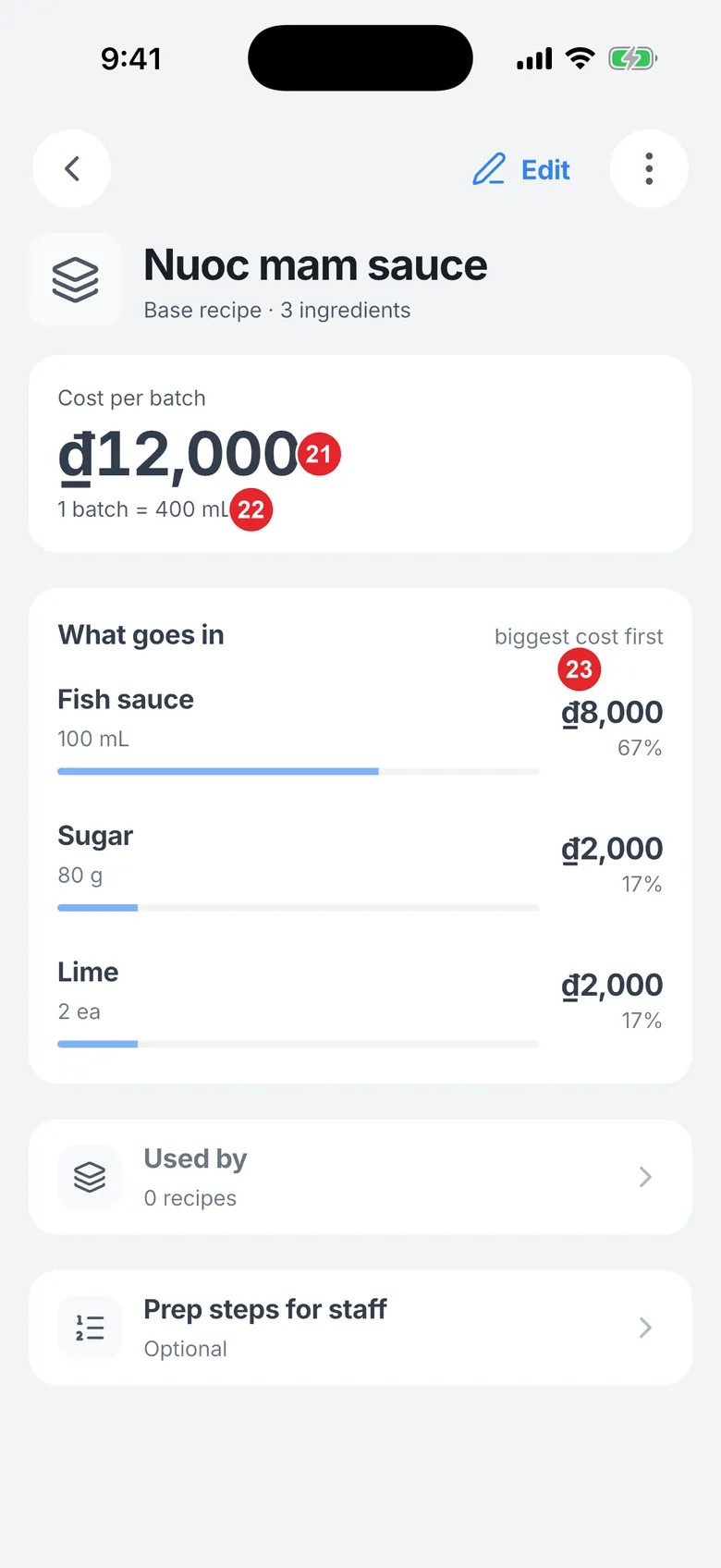
- «Cost per batch» is ₫12,000.
- «1 batch = 400 mL», so 1 mL is ₫30. 60 mL in another dish comes to ₫1,800.
- «What goes in» is listed «biggest cost first». «Fish sauce» takes 67%.
Make a dish recipe
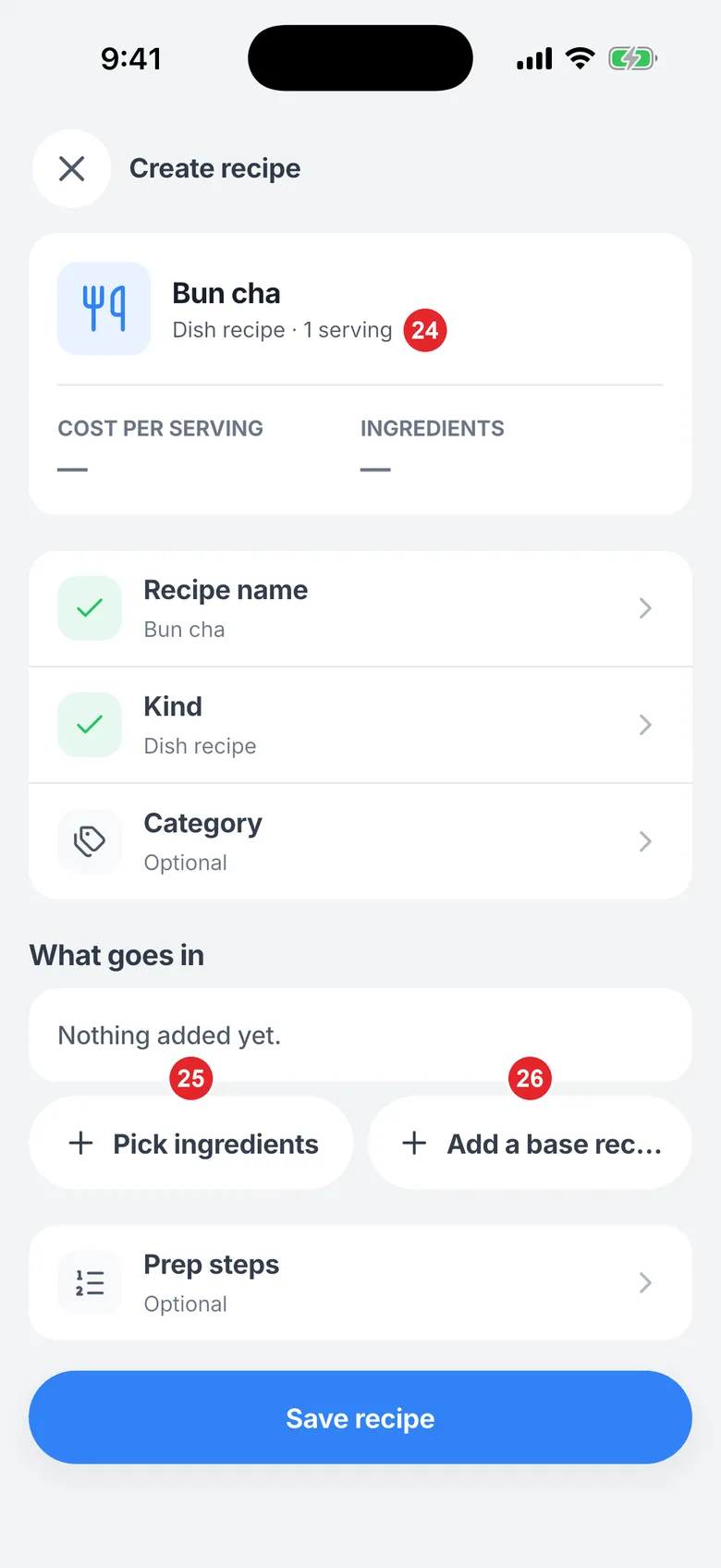
- Under «Dishes» in «Recipe Management», tap «Add New Recipe» and enter the name. Here it is Bun cha. A dish recipe is always «Dish recipe · 1 serving».
- Add what goes into one serving with «Pick ingredients». Here it is Pork 120 g and Rice noodles 150 g.
- For a sauce made ahead, tap «Add a base recipe».
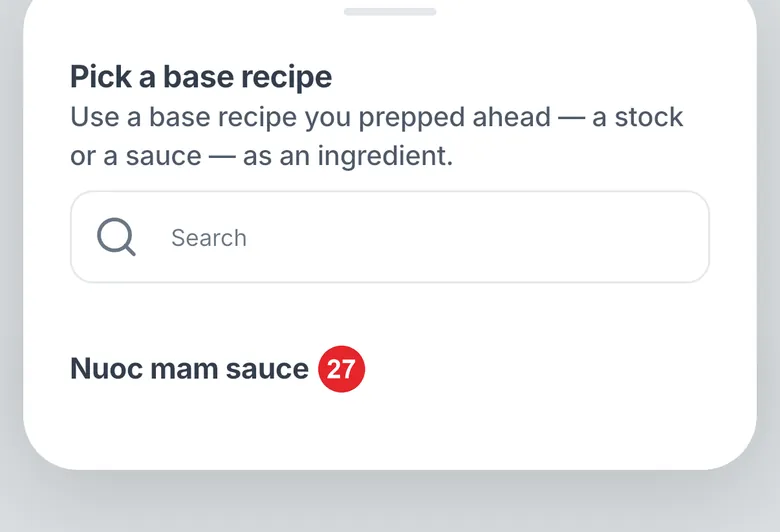
- Tap «Nuoc mam sauce».
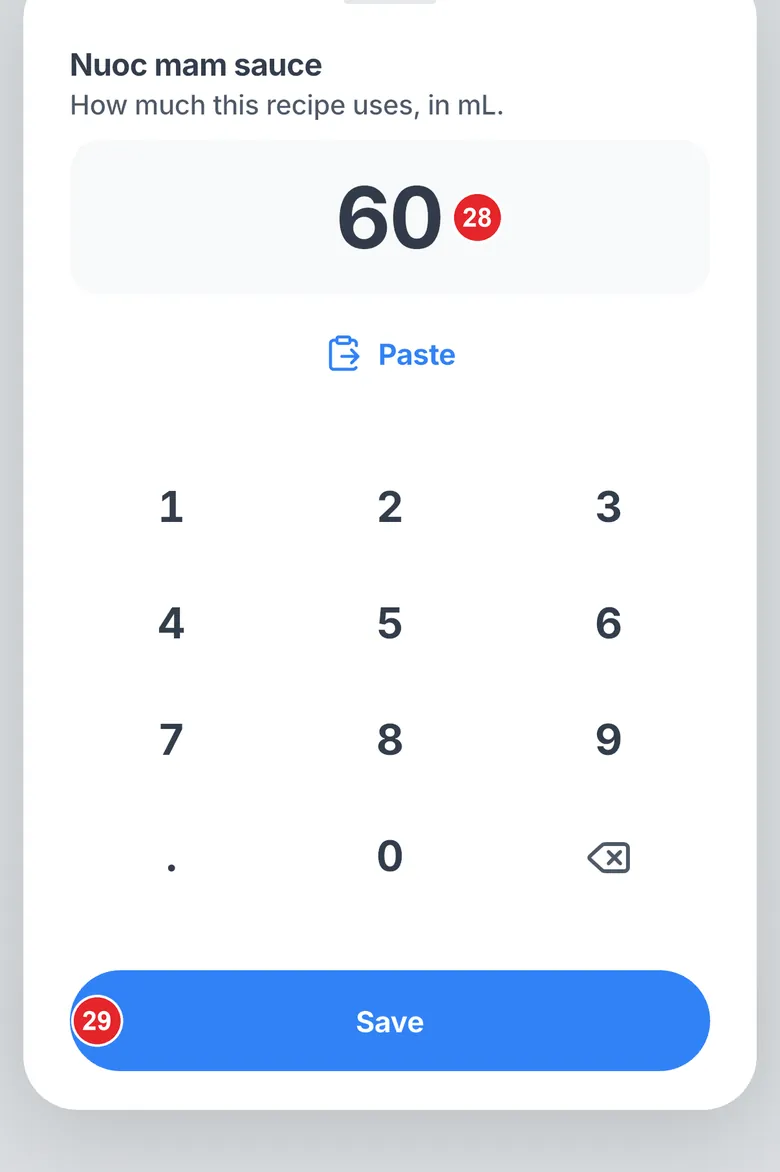
- Enter the amount one serving uses. Here it is 60.
- Tap «Save».
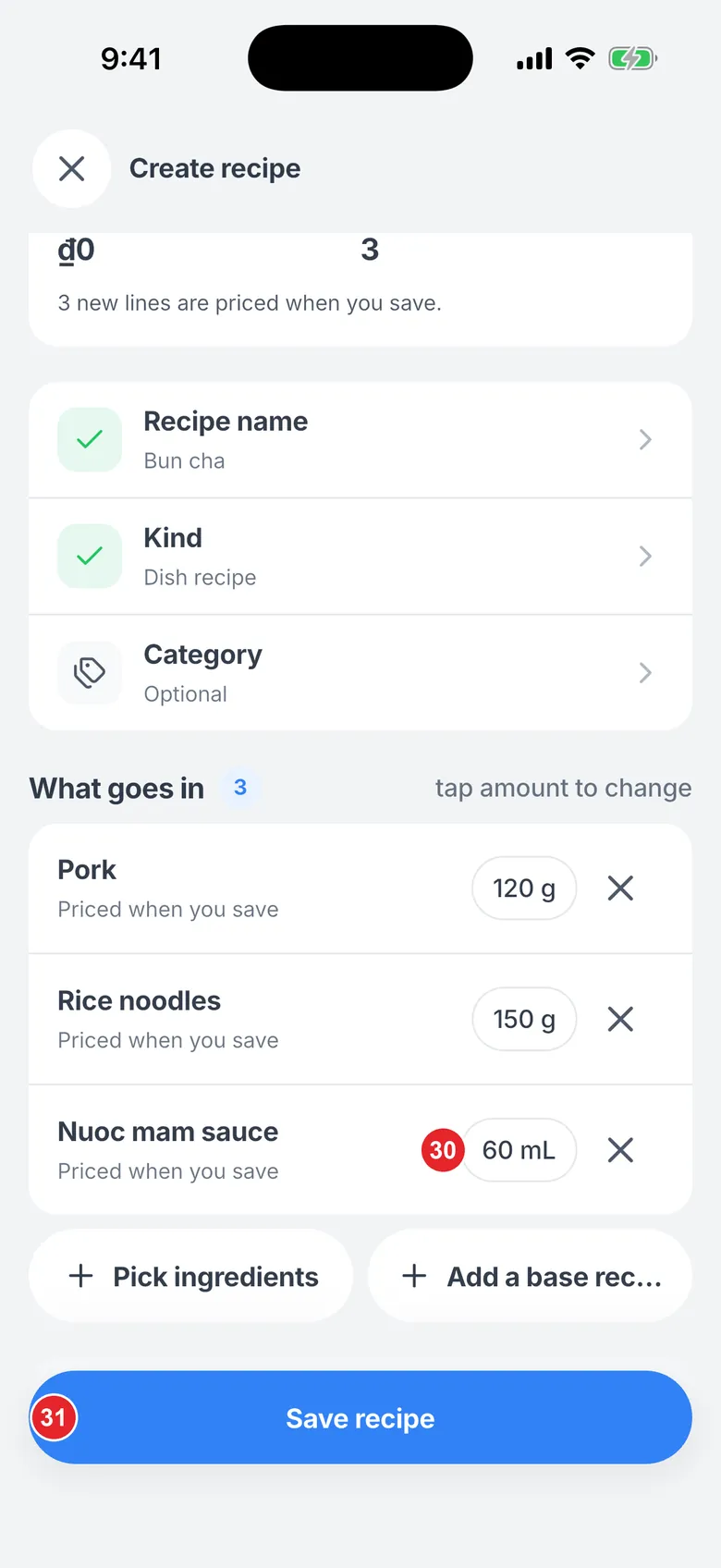
- A base recipe goes in as «60 mL», like an ingredient.
- Tap «Save recipe».
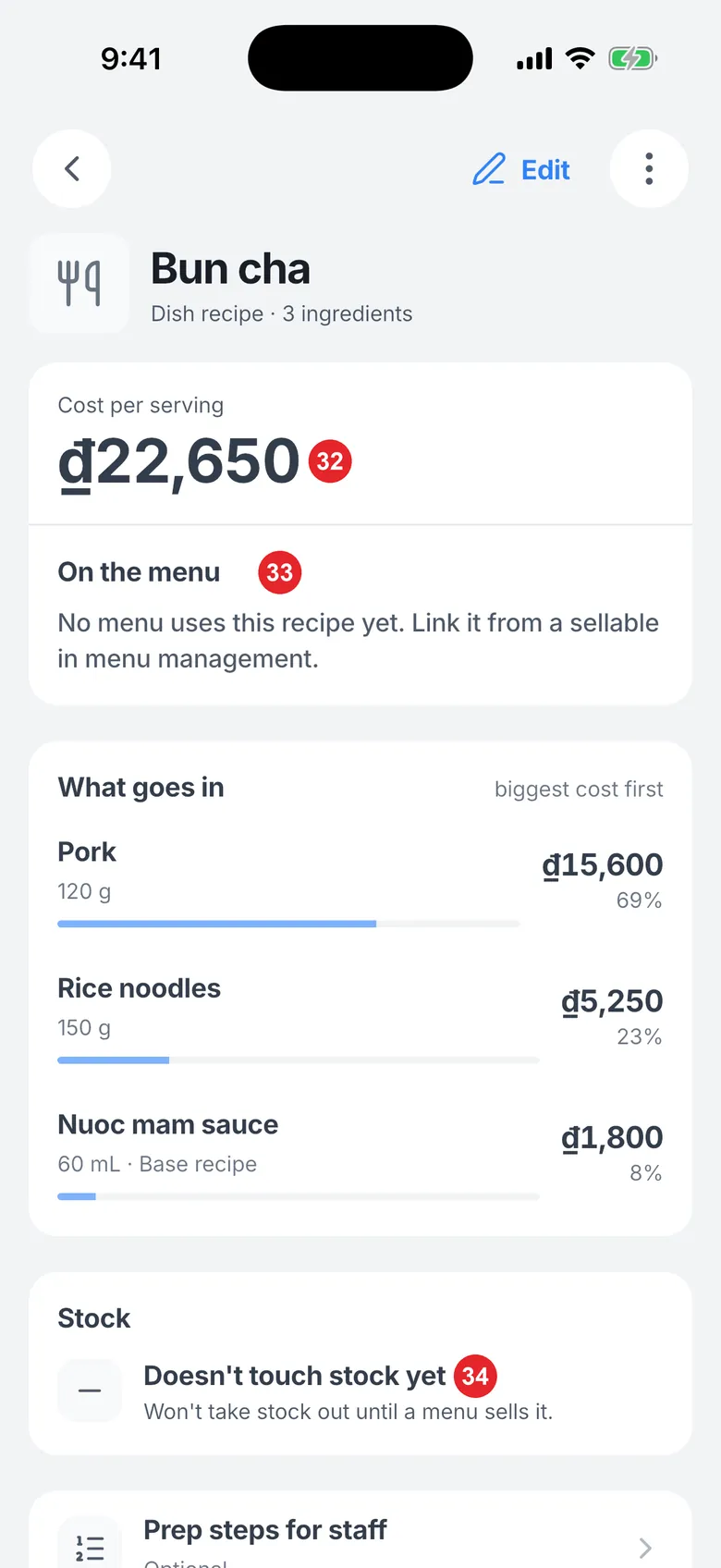
- «Cost per serving» is ₫22,650. «Nuoc mam sauce» at 60 mL is ₫1,800.
- «On the menu» is still empty. Food cost shows only once it is linked to a menu.
- «Doesn't touch stock yet» shows. Until it is linked to a menu, selling it takes no ingredients out.
Link the recipe to a menu
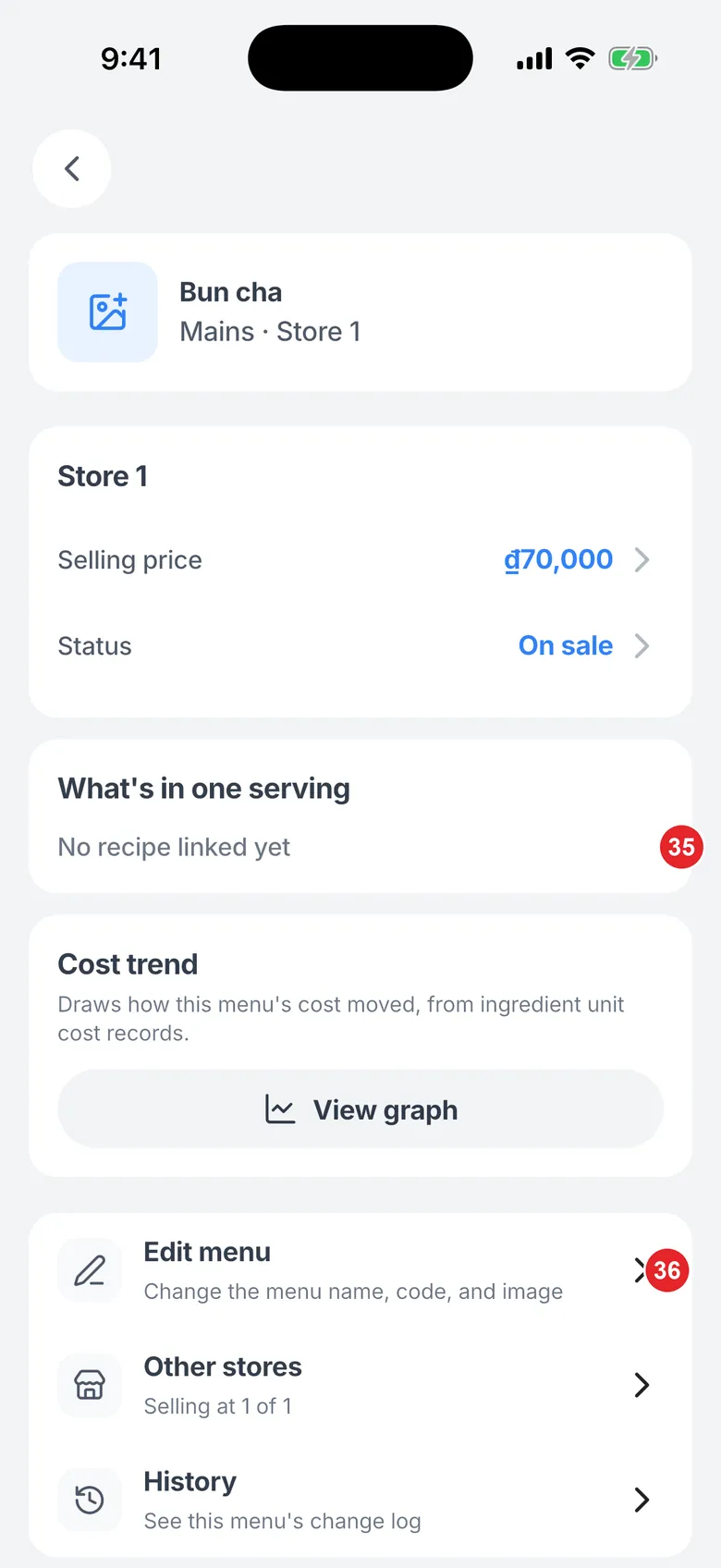
- In «Menu Management» under «F&B», open a menu. If you have no menus yet, see «Set up menu items». Here it is «Bun cha». «What's in one serving» says «No recipe linked yet».
- Tap «Edit menu».
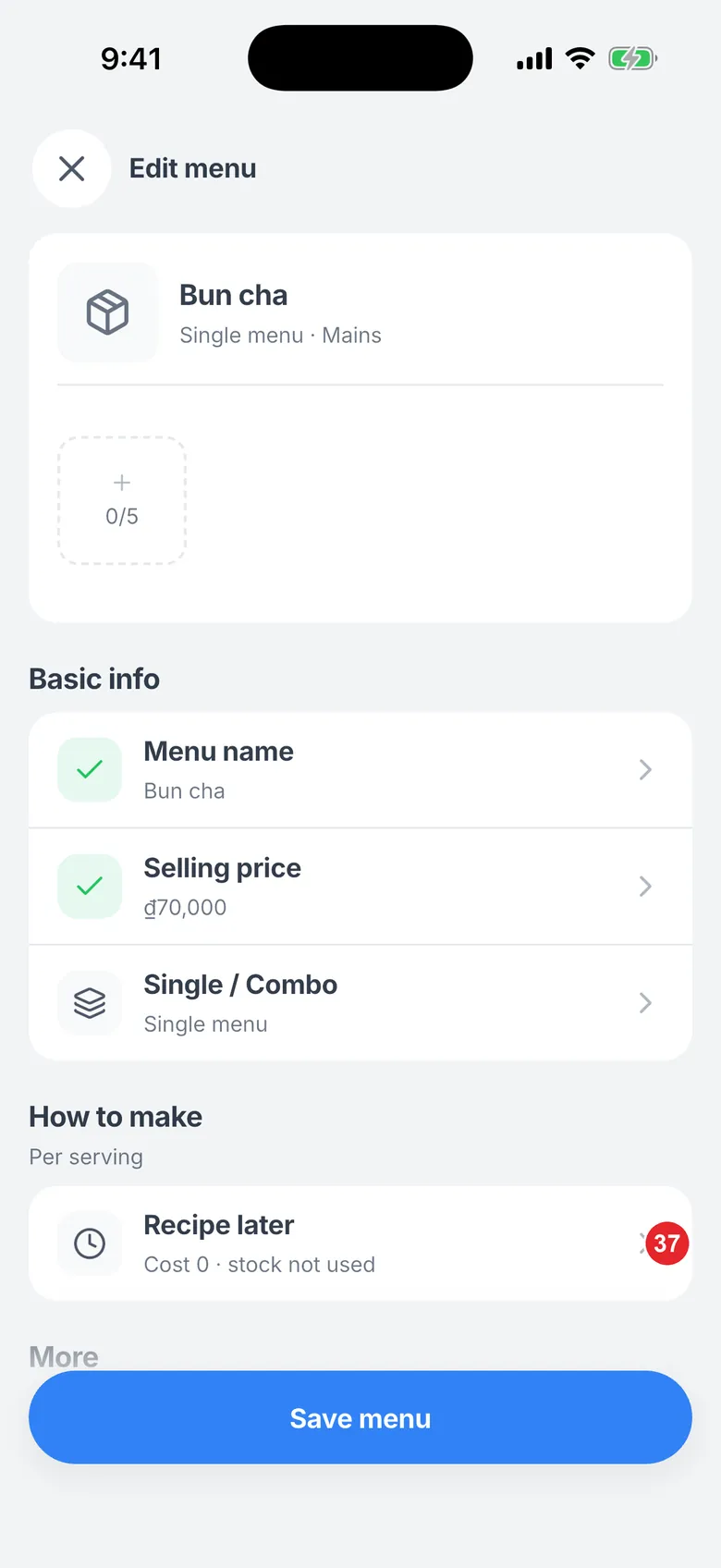
- Under «How to make», tap «Recipe later». For now it is «Cost 0 · stock not used».
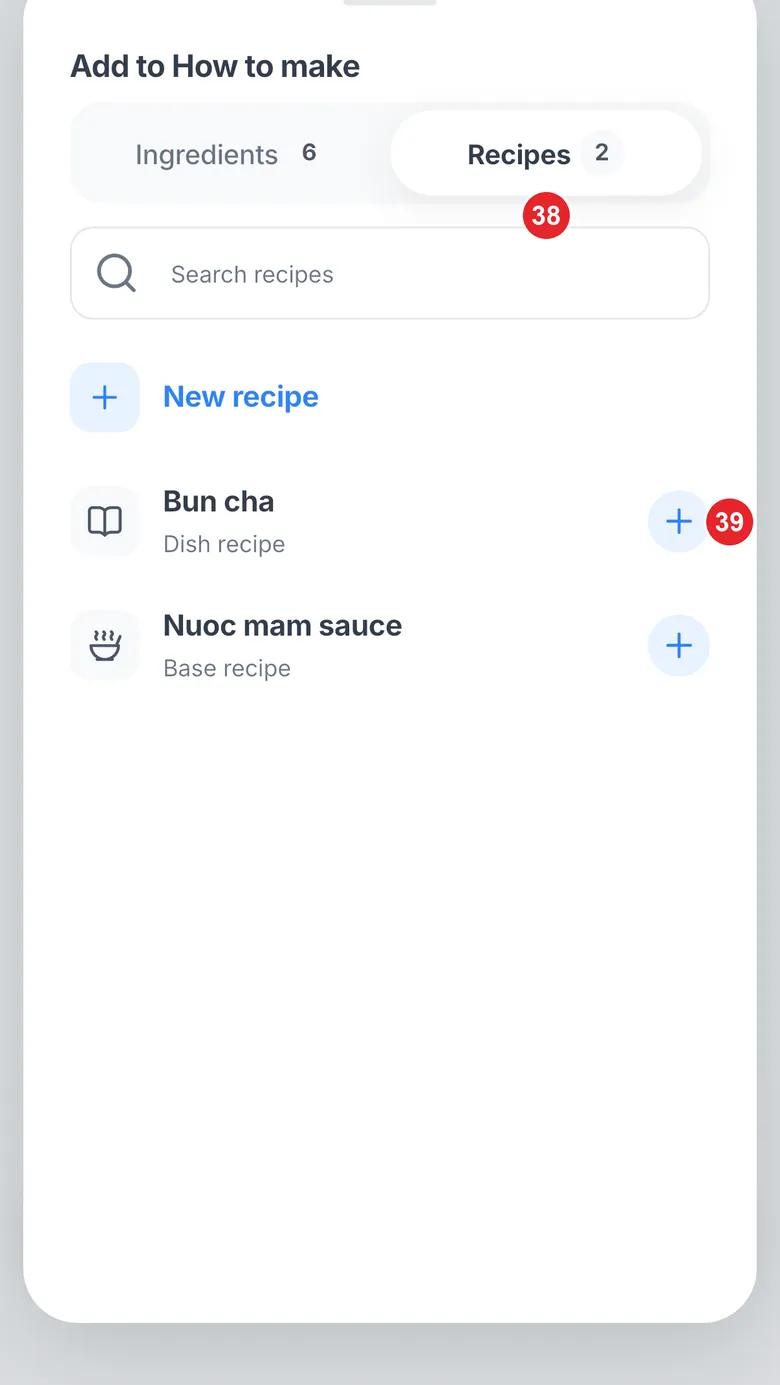
- Tap «Recipes».
- Tap the + button next to the recipe to link. Here it is «Bun cha».
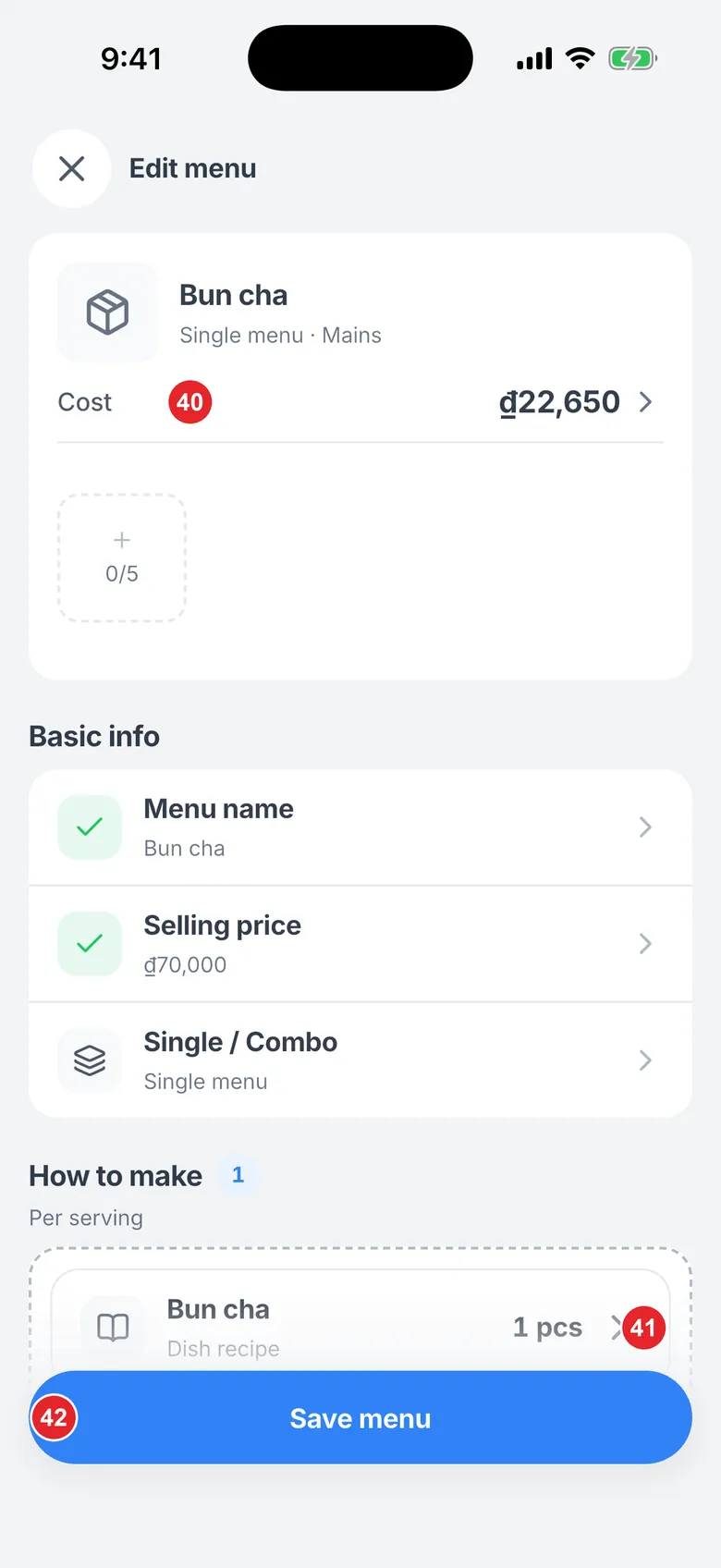
- «Cost» ₫22,650 shows at the top.
- «Bun cha» «1 pcs» is now in «How to make».
- Tap «Save menu».
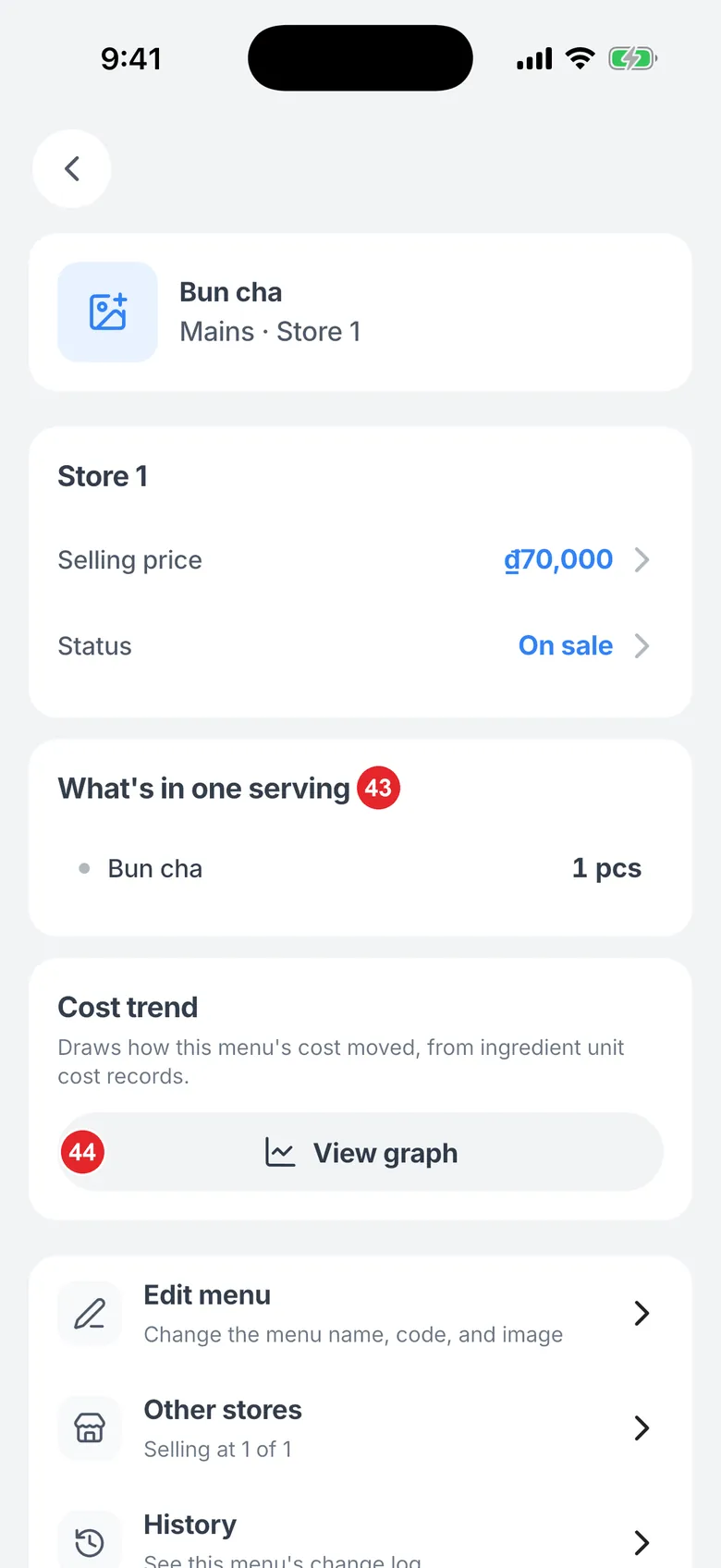
- Bun cha «1 pcs» now shows in «What's in one serving».
- Tap «View graph» under «Cost trend» to see how this menu's cost changed with ingredient prices.
See the food cost
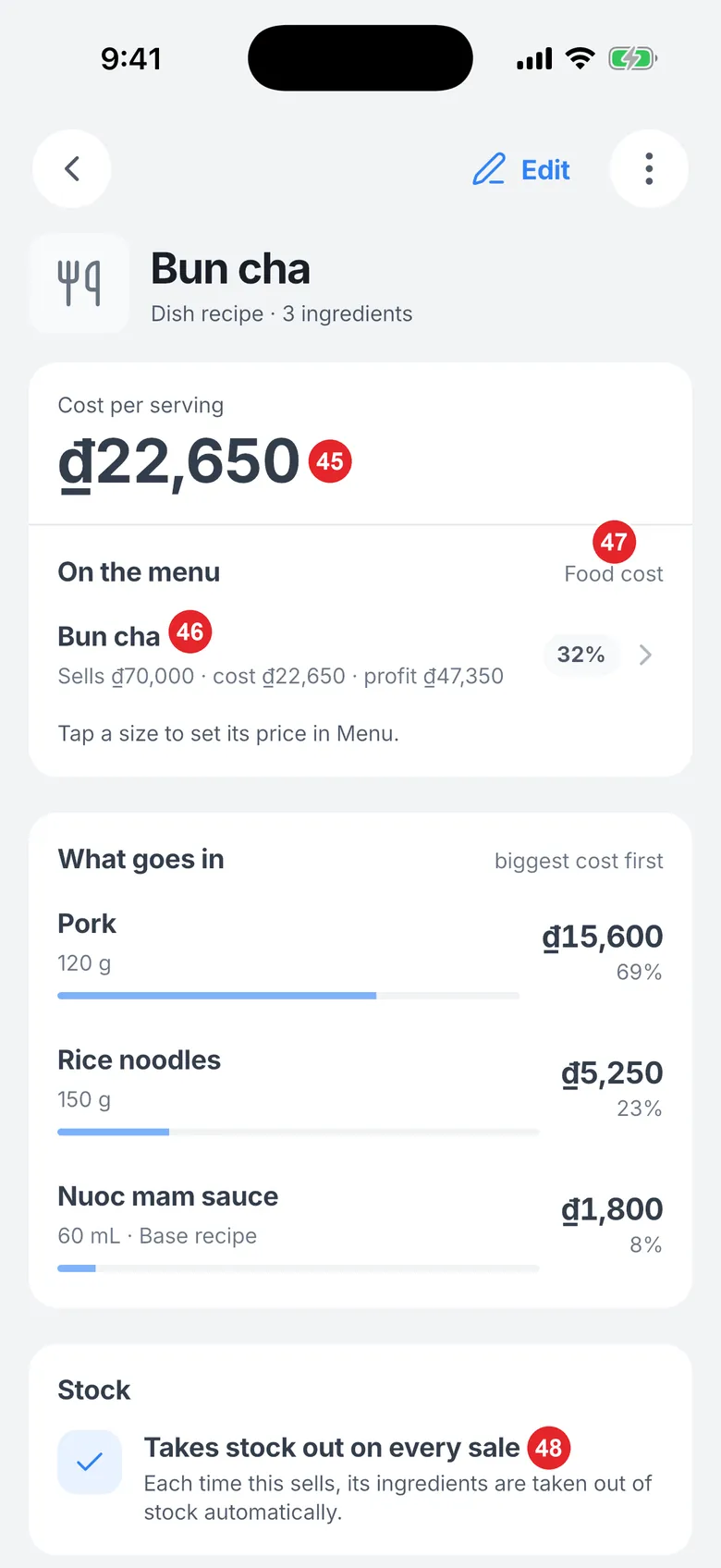
- Open «Bun cha» again in «Recipe Management». «Cost per serving» is ₫22,650.
- «Bun cha» is now under «On the menu». Selling price ₫70,000, cost ₫22,650, profit ₫47,350.
- «Food cost» is 32%. It is the cost's share of the selling price. There is one line per menu, not one per size.
- It has changed to «Takes stock out on every sale». From now on, every sale takes the ingredients that went in out of stock.
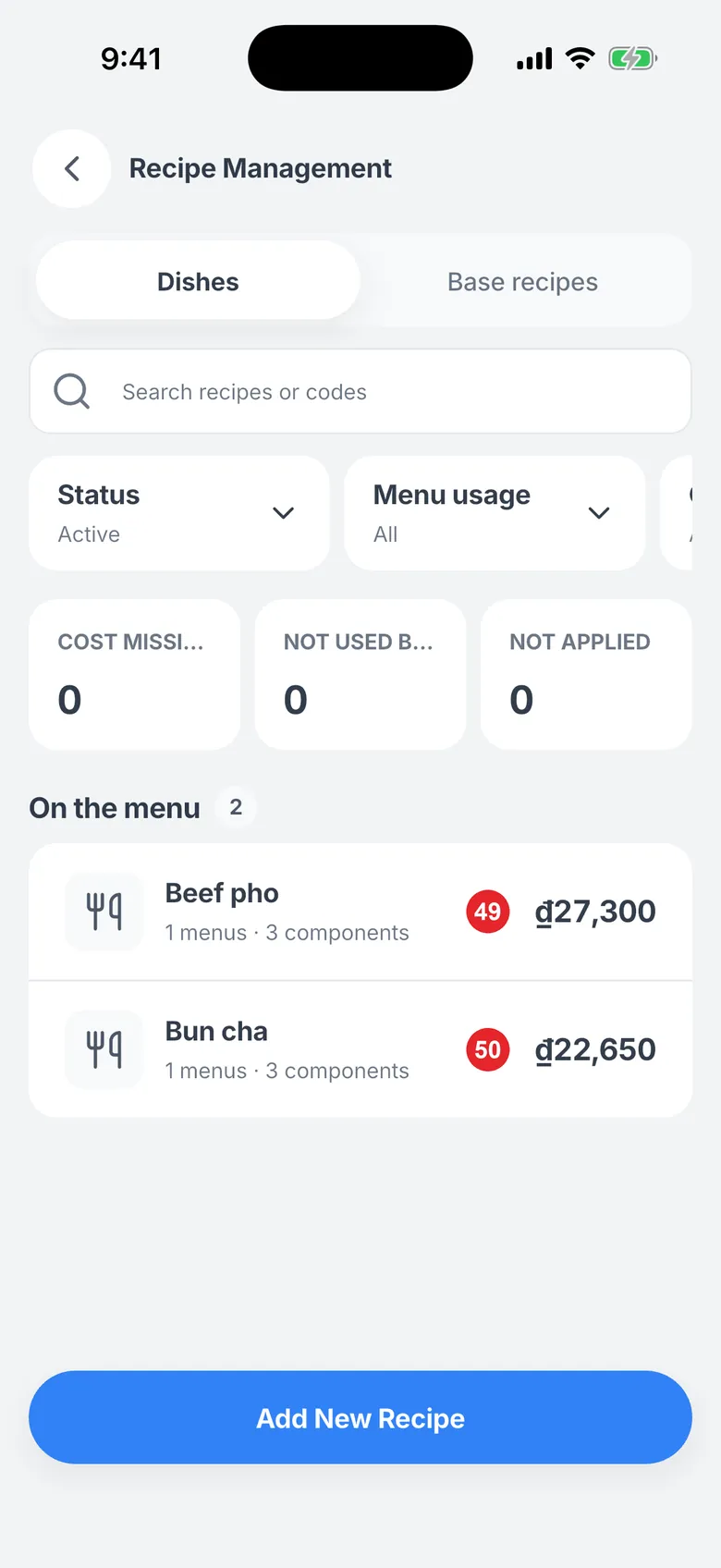
- In the «Recipe Management» list, see each recipe's cost per serving. «Beef pho» is ₫27,300.
- «Bun cha» is ₫22,650.