
Show contents
Daily cash & closing › Close without our POS
Close the day without our POS
- Who
- Owner · Manager · Staff
- When
- Every day at closing
- Where
- App · Web
What you get
- The app works out the money that should be in the drawer at closing. No adding and subtracting by hand.
- If the counted money is short or over, that amount shows right away as the «Difference». If money goes missing, you know it on the same day.
- Who closed, when, and with how much is kept. See it under «Last ending» in the website's «Cash Closing».
What it solves
- When you sell with another POS or by hand, even if the drawer is short, it is hard to know when and how much went missing.
- If you don't write down expenses, you can't tell whether money gone from the drawer was spent or lost.
Why this way
- You enter sales and expenses first and then count, so missing records or lost money show up as the «Difference».
- You match one day at a time, so even with a difference you only need to look at that day's transactions.
- Can I trust it if staff do the closing? Staff only enter the number of notes they counted; the money that should be there («Books») is worked out by the app from the sales and expenses entered that day.
- What if there is a difference? Before saving, look for missing expenses first and count again. If it still differs, see «The cash doesn't match».
1. Enter today's sales
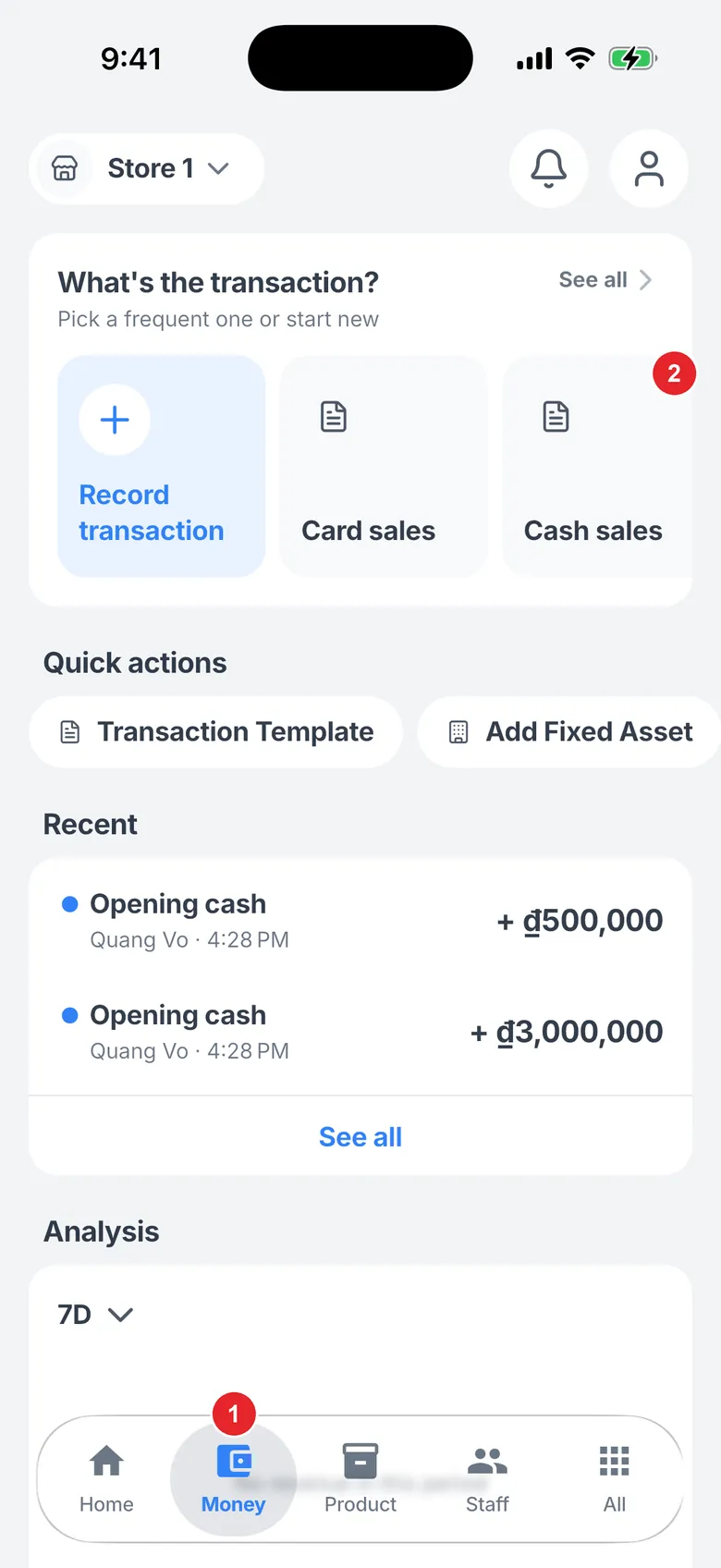
- Tap «Money» at the bottom of the app.
- Tap the «Cash sales» card.
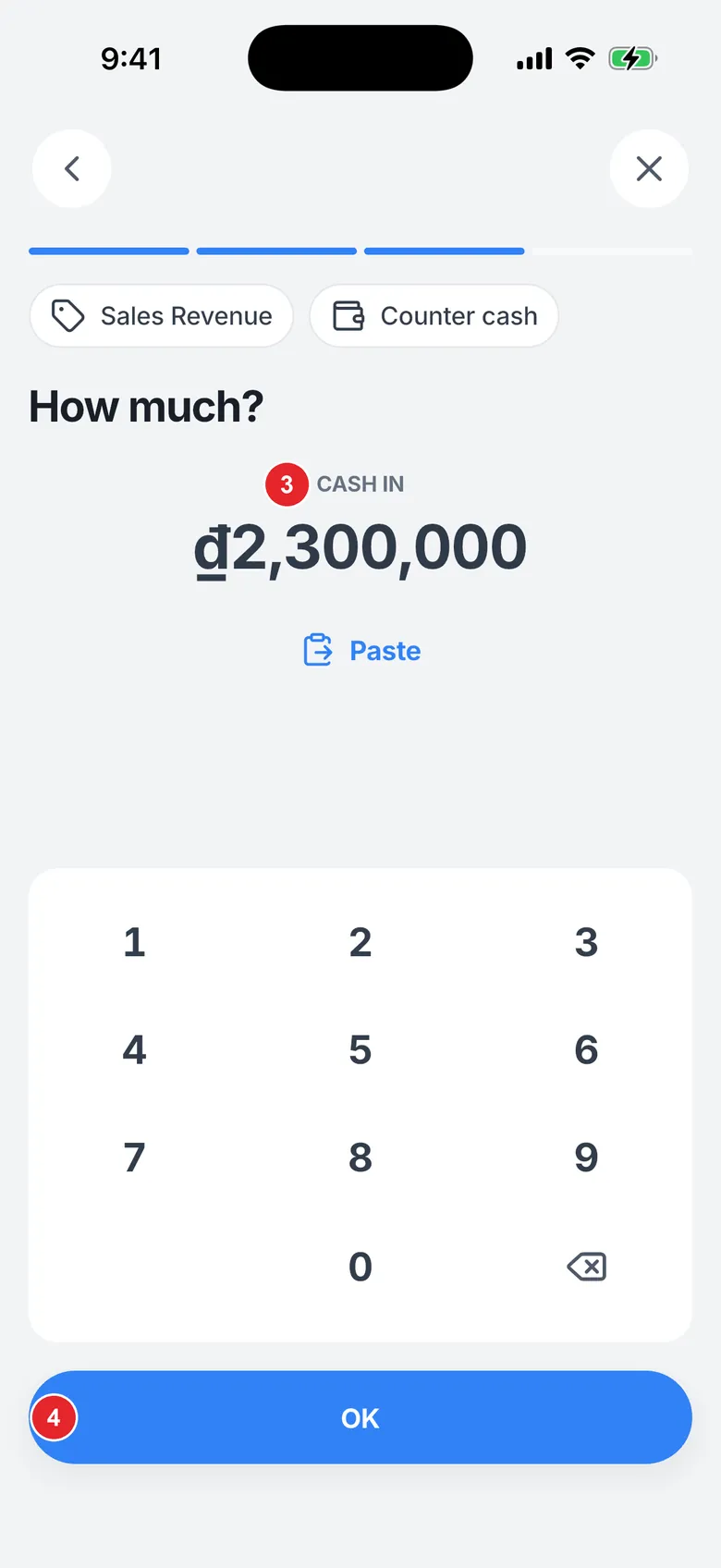
- In «CASH IN», enter today's total of sales received in cash. Here it is ₫2,300,000.
- Tap «OK».
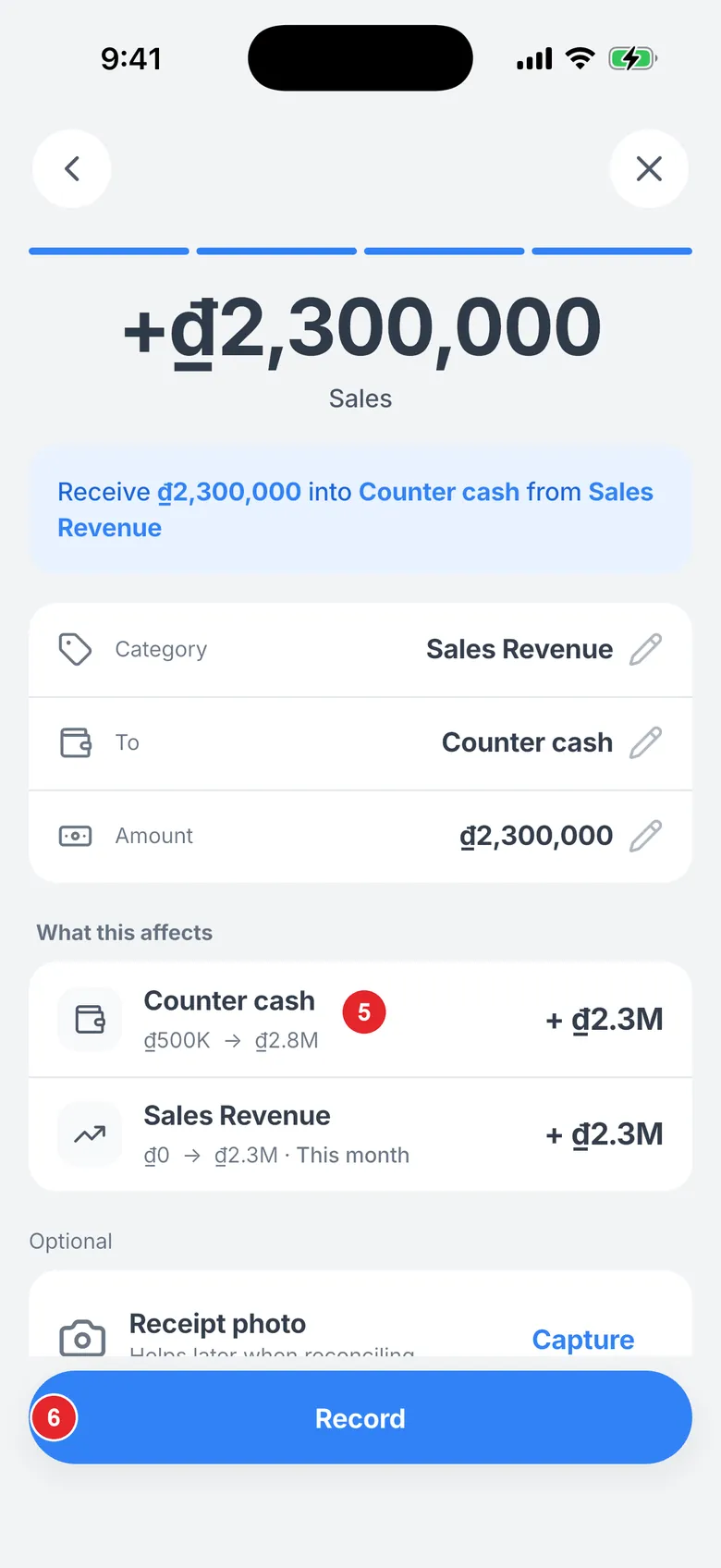
- In «What this affects», check that Counter cash goes from ₫500K to ₫2.8M.
- Tap «Record».
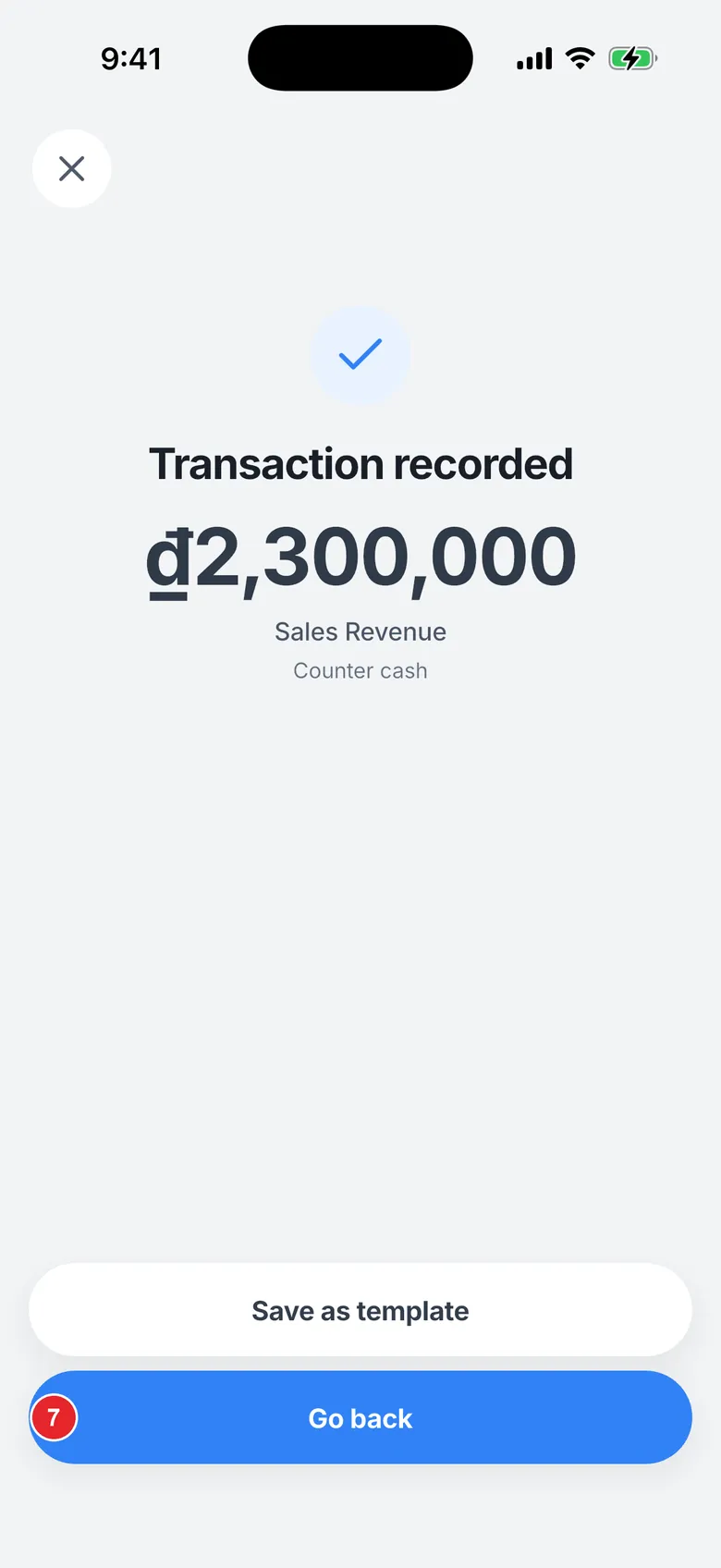
- When «Transaction recorded» shows, tap «Go back».
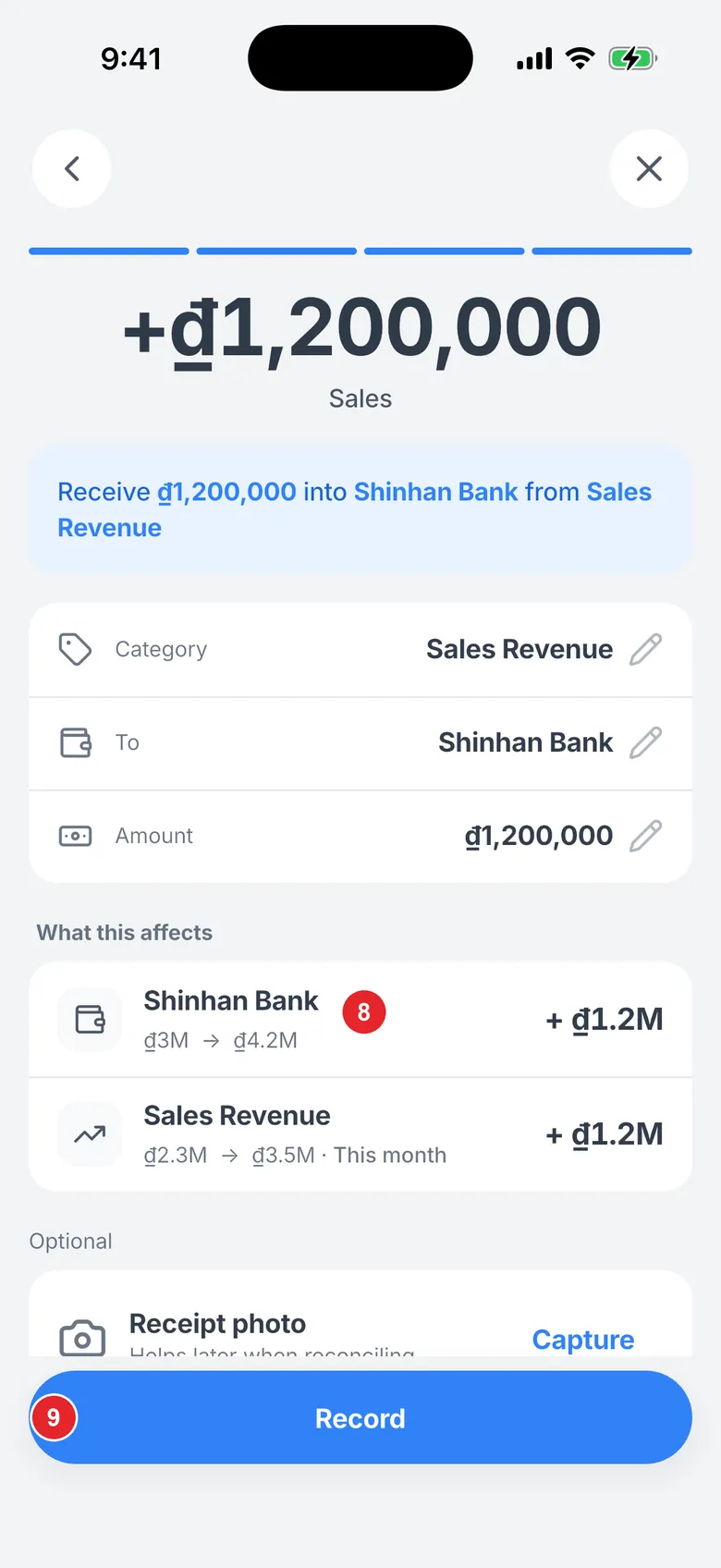
- Tap the «Card sales» card the same way and enter the total of sales received by card. Here it is ₫1,200,000, and Shinhan Bank goes from ₫3M to ₫4.2M.
- Tap «Record», then «Go back».
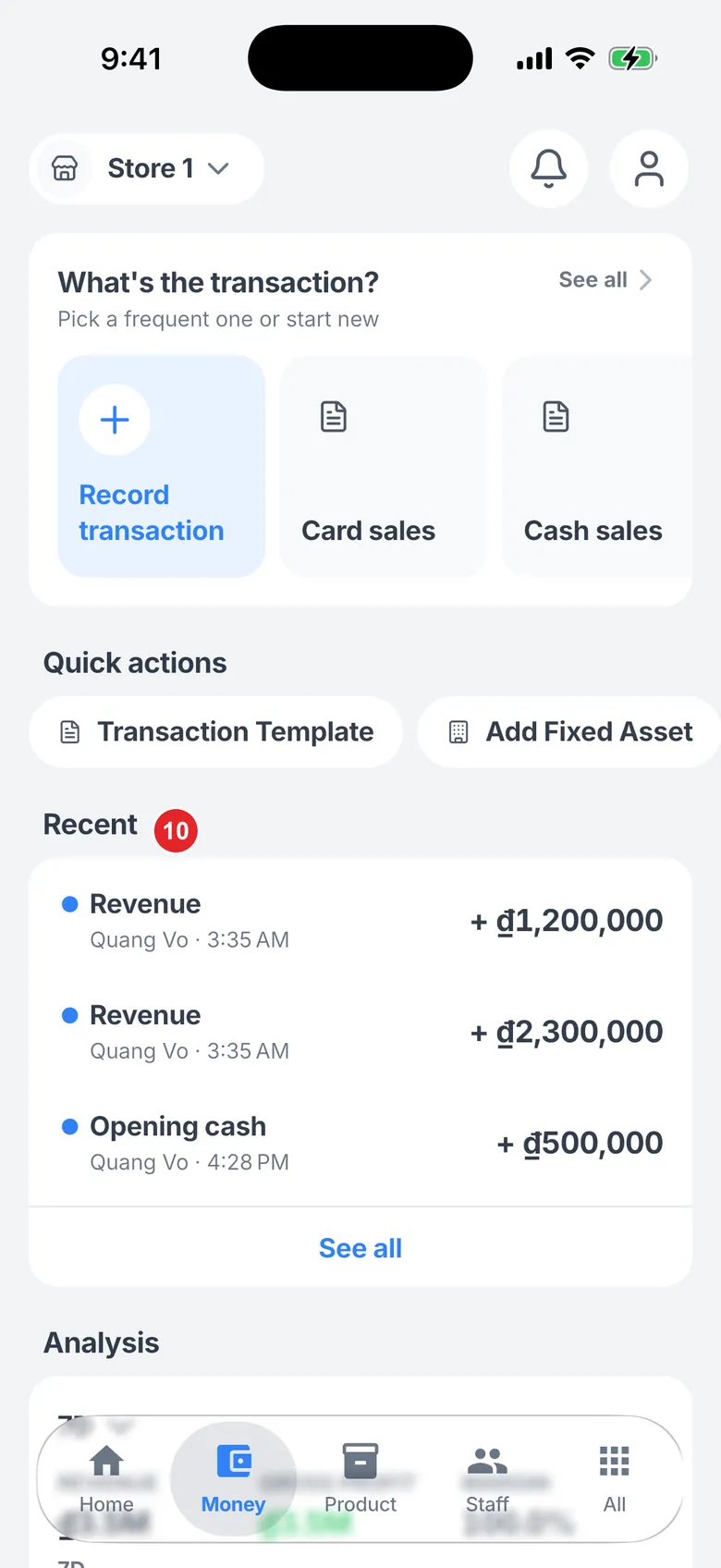
- When both sales show under «Recent», it is done.
2. Enter today's expenses
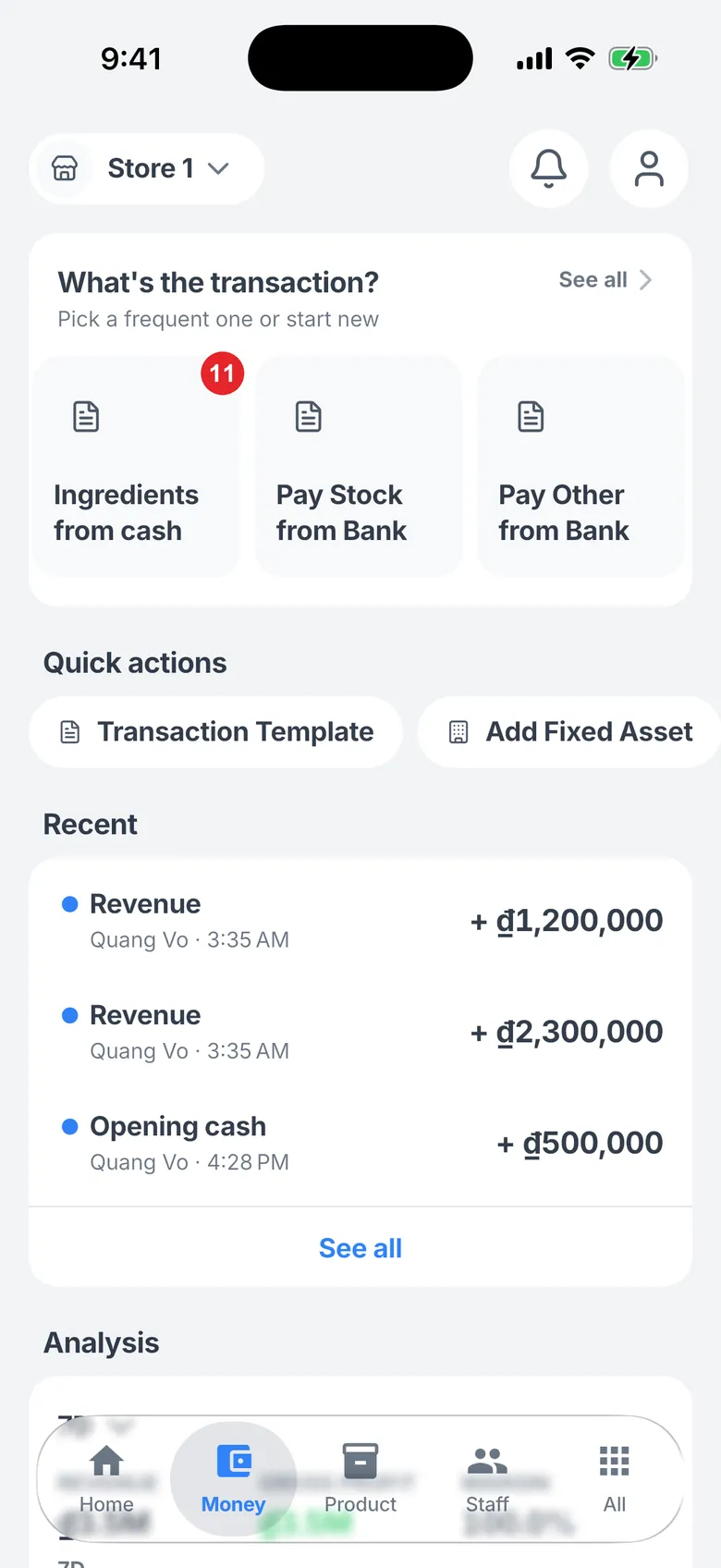
- Swipe the row of template cards to the left and tap «Ingredients from cash». It is the template for expenses paid from drawer money. If it isn't there, see «Set up frequent expenses» first.
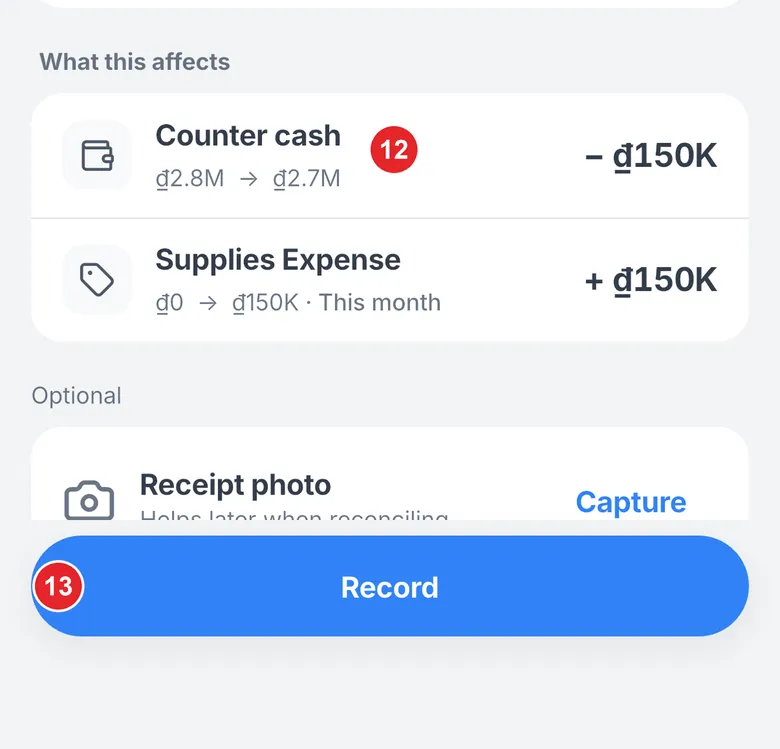
- Enter the amount paid from the drawer and tap «OK». Here it is ₫150,000, and Counter cash goes from ₫2.8M to ₫2.7M on the screen (₫2,650,000).
- Tap «Record», then «Go back». If there are several expenses, enter them one by one.
3. Count the drawer money
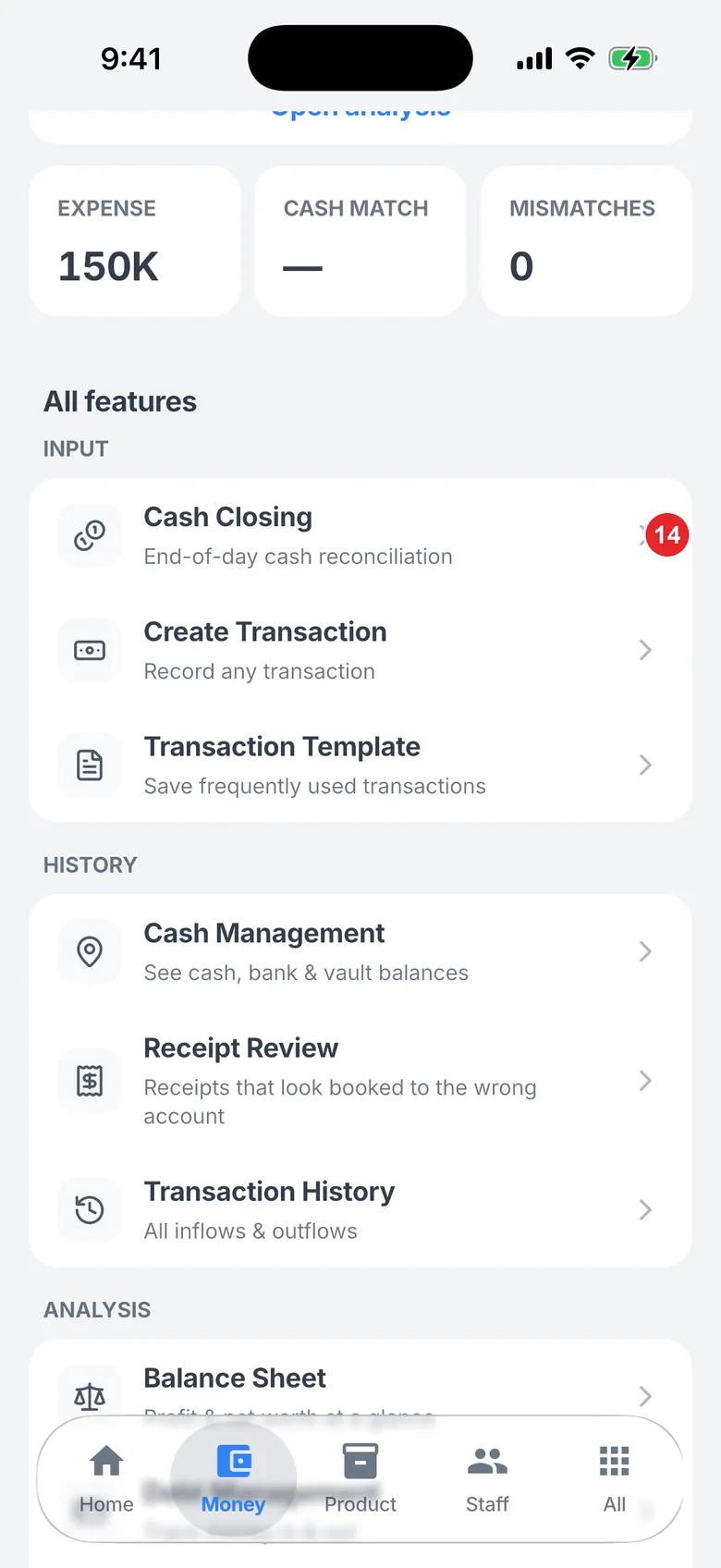
- Scroll down and, in «All features», tap «Cash Closing».
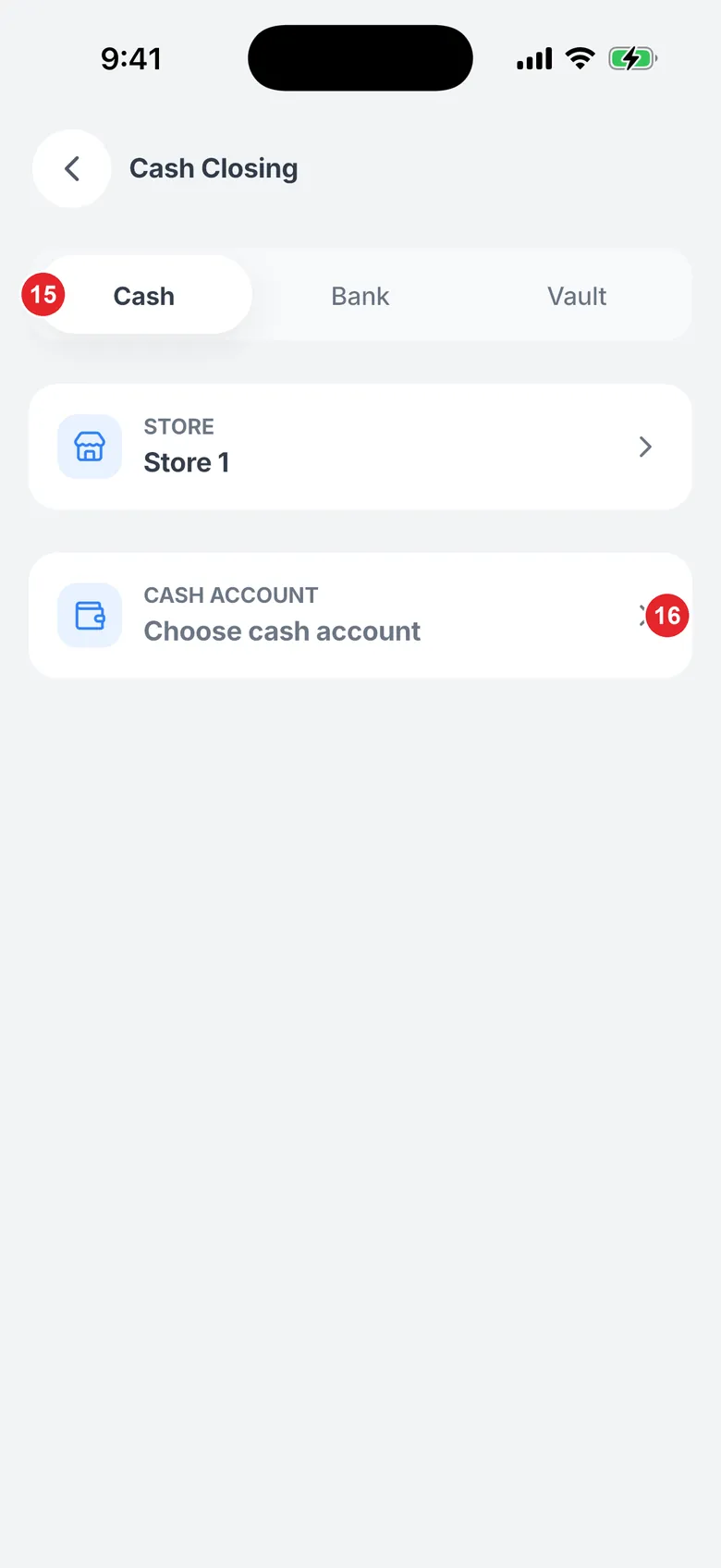
- Count on the «Cash» tab.
- Tap «Choose cash account».
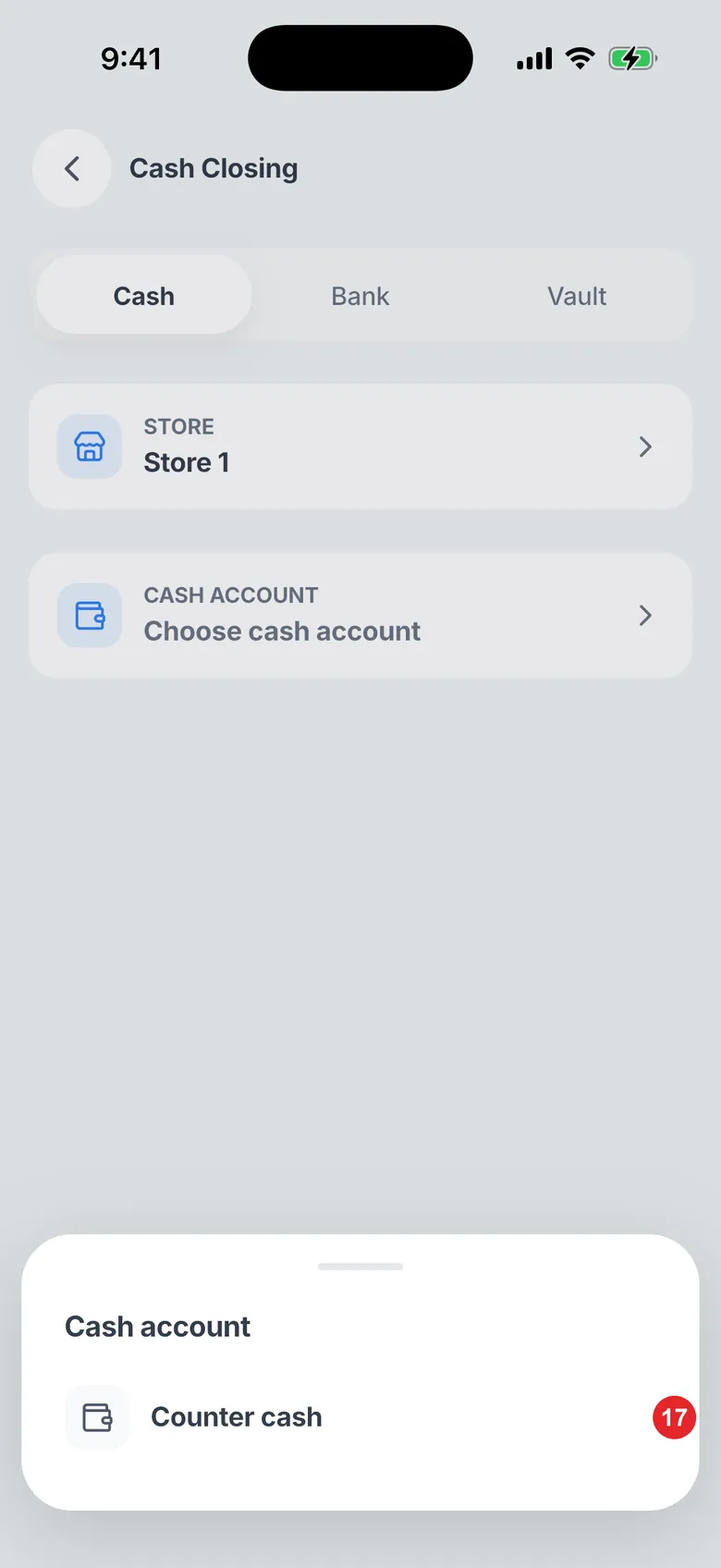
- Tap «Counter cash».
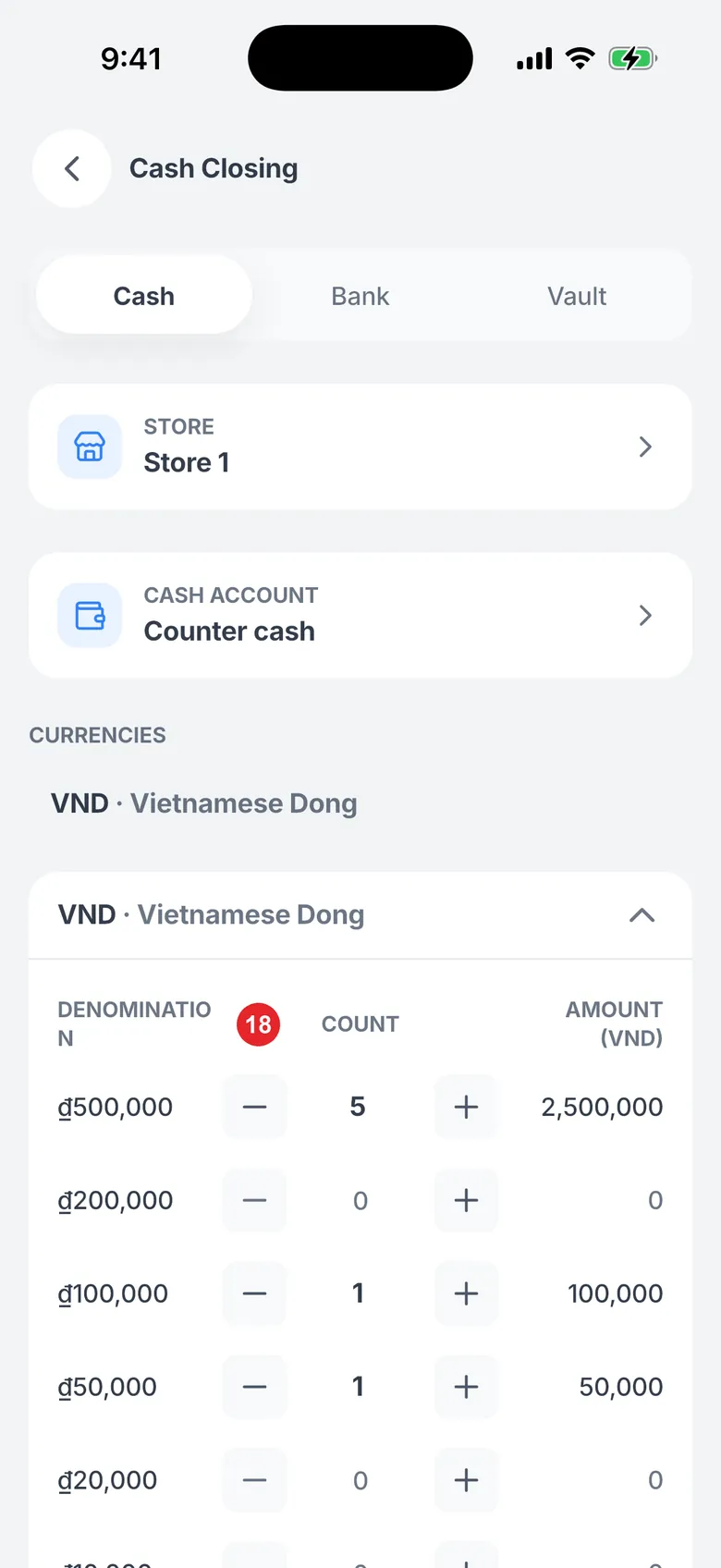
- Count the notes in the drawer and enter how many of each. Tap the + button, or tap the number in the middle to use the number pad.
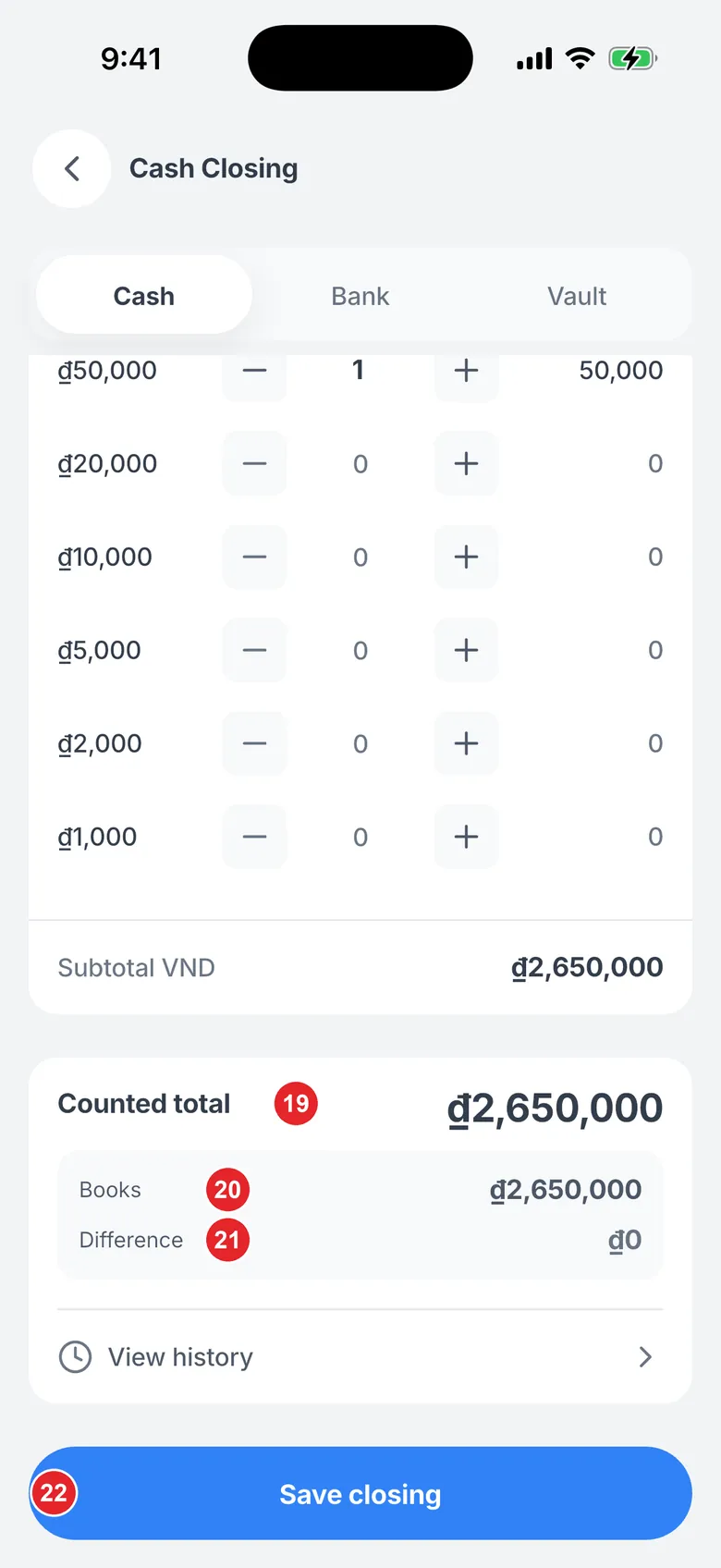
- Scroll down. «Counted total» is the money you just counted.
- «Books» is the money that should be there: ₫500,000 + ₫2,300,000 − ₫150,000 = ₫2,650,000.
- If «Difference» is ₫0, it matches.
- Tap «Save closing».
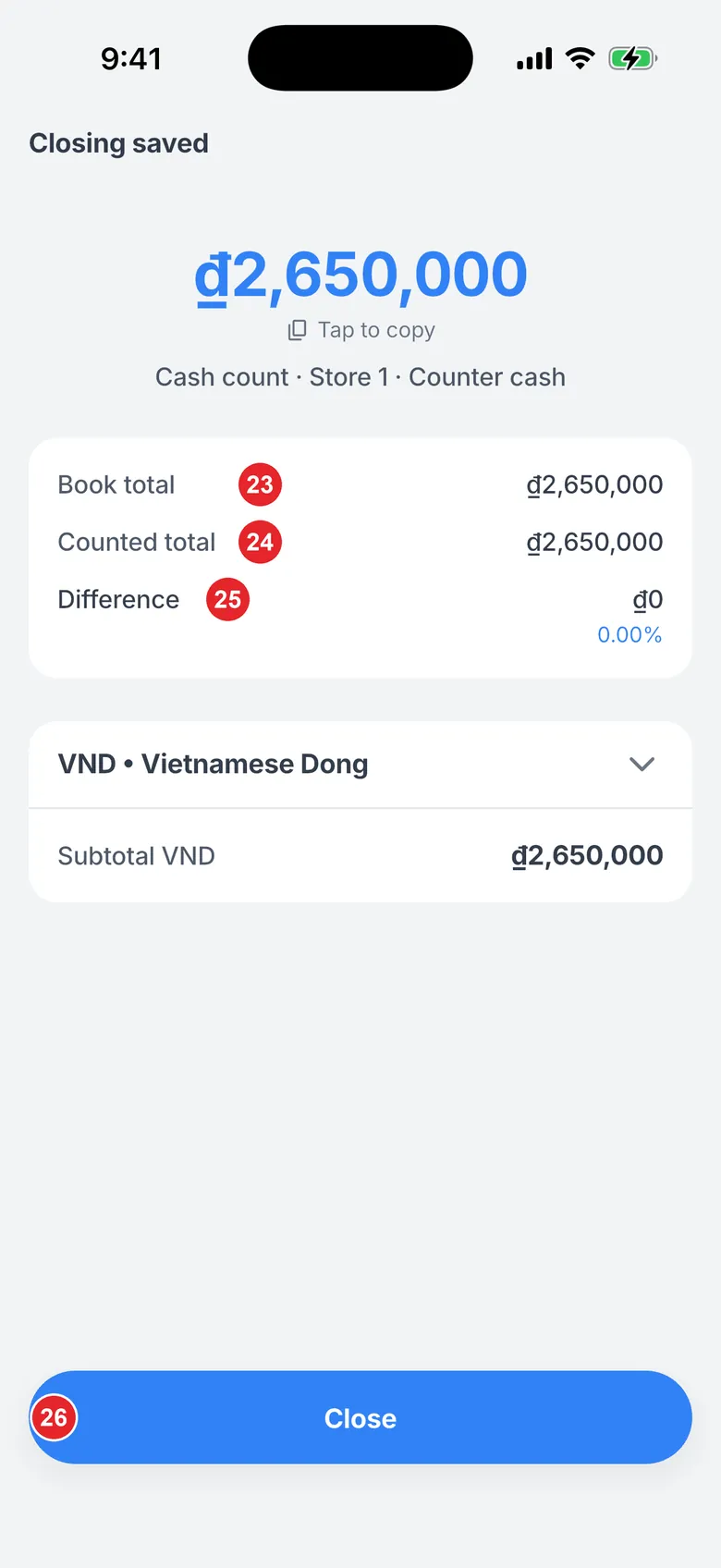
- «Book total» is the money that should be there.
- «Counted total» is the money you just counted.
- If «Difference» is ₫0, today's closing matches.
- Tap «Close».
If there is a difference
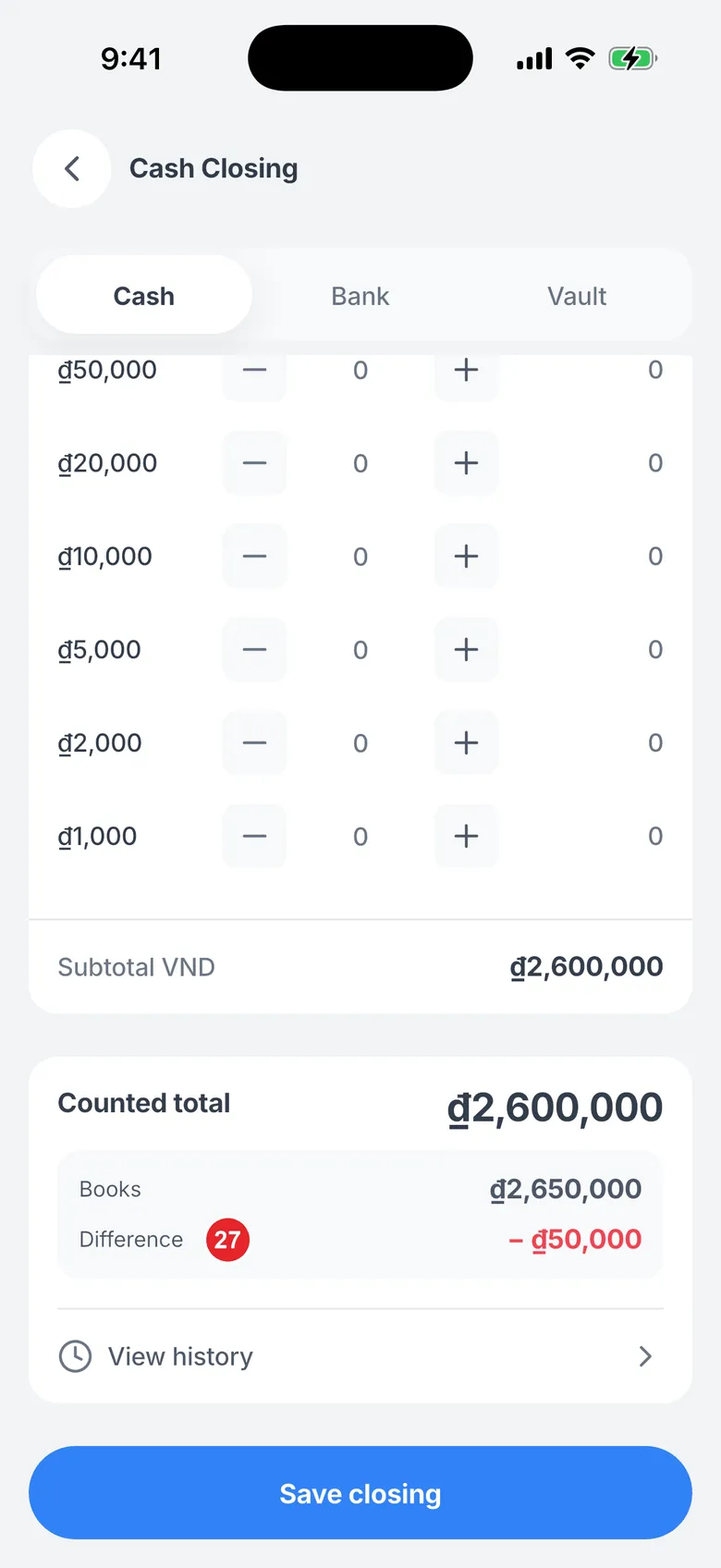
- If the counted money differs from the books, the amount shows in red in «Difference». Here one ₫50,000 note was missed, so it is «− ₫50,000». Before saving, look for missing expenses first and count again.
After the day's selling is done, enter the sales and expenses and count the drawer money. «Cash Closing» then shows the difference between the money that should be there and the counted money.
Money in the morning + today's cash sales − today's expenses paid from the drawer = the money that should be in the drawer at closing
The numbers on this screen
| Step | What you enter | Counter cash | Shinhan Bank |
|---|---|---|---|
| Morning | Money left from the last closing | ₫500,000 | ₫3,000,000 |
| 1 | Sales «Cash sales» · «Card sales» | + ₫2,300,000 | + ₫1,200,000 |
| 2 | Expense «Ingredients from cash» | − ₫150,000 | ₫0 |
| 3 | «Books» in cash closing | ₫2,650,000 | ₫4,200,000 |
If the money counted in the drawer is ₫2,650,000, the difference is ₫0.
Remember
- Count after all sales and expenses are entered. Money entered after counting shows as a difference.
- For sales, enter the totals by payment method from the other POS's closing report or your books, as they are. The cash total goes in «Cash sales», the card total in «Card sales».
- Enter all money paid from the drawer as expenses. If even one is missing, the cash shows as short by that much.
- Money put in the bank or moved to the vault is not an expense. Enter it as explained in «Move cash to the vault or bank».
- Card money can reach the bank account late. Match the bank account after that money arrives, by entering the balance on the «Bank» tab of «Cash Closing».
- If there is a difference, see «The cash doesn't match».