
Show contents
Daily cash & closing › Count money at closing
Count cash at closing
- Who
- Staff
- When
- Every day at closing
- Where
- App · Web
What you get
- Enter only the number of each note, and the app works out the total and the «Difference».
- Close the drawer, bank account and vault on one screen with the «Cash» · «Bank» · «Vault» tabs.
- When you save, when it was counted and by whom is kept. See it under «Counted by» in the website's «Cash Management» table.
What it solves
- Counting and adding by hand easily gets the total wrong, and you can't see right away whether it matches the money that should be in the books.
- Without a record of counts, if money goes missing later you can't tell until when it was right.
Why this way
- The counted money and the «Books» are side by side, so if there is a difference you know it right there while closing.
- Do the books change when staff count? No. Saving leaves the books as they are and keeps only a record that it was counted.
- Do staff fix the difference? If there is a difference after saving, the app shows «Match to count», but staff should not press it; they tell the owner («Fix a cash difference»).
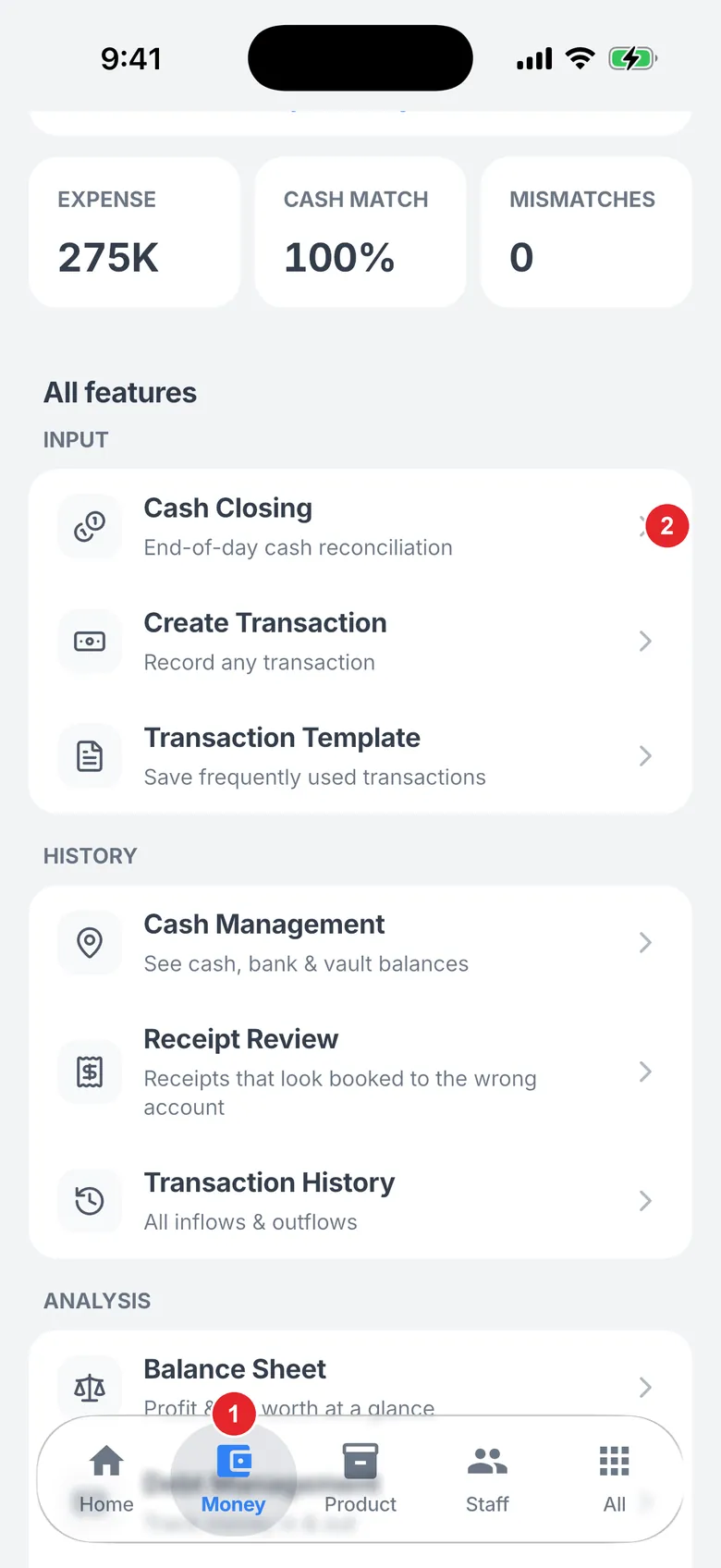
- Tap «Money» at the bottom of the app.
- Scroll down and, in «All features», tap «Cash Closing».
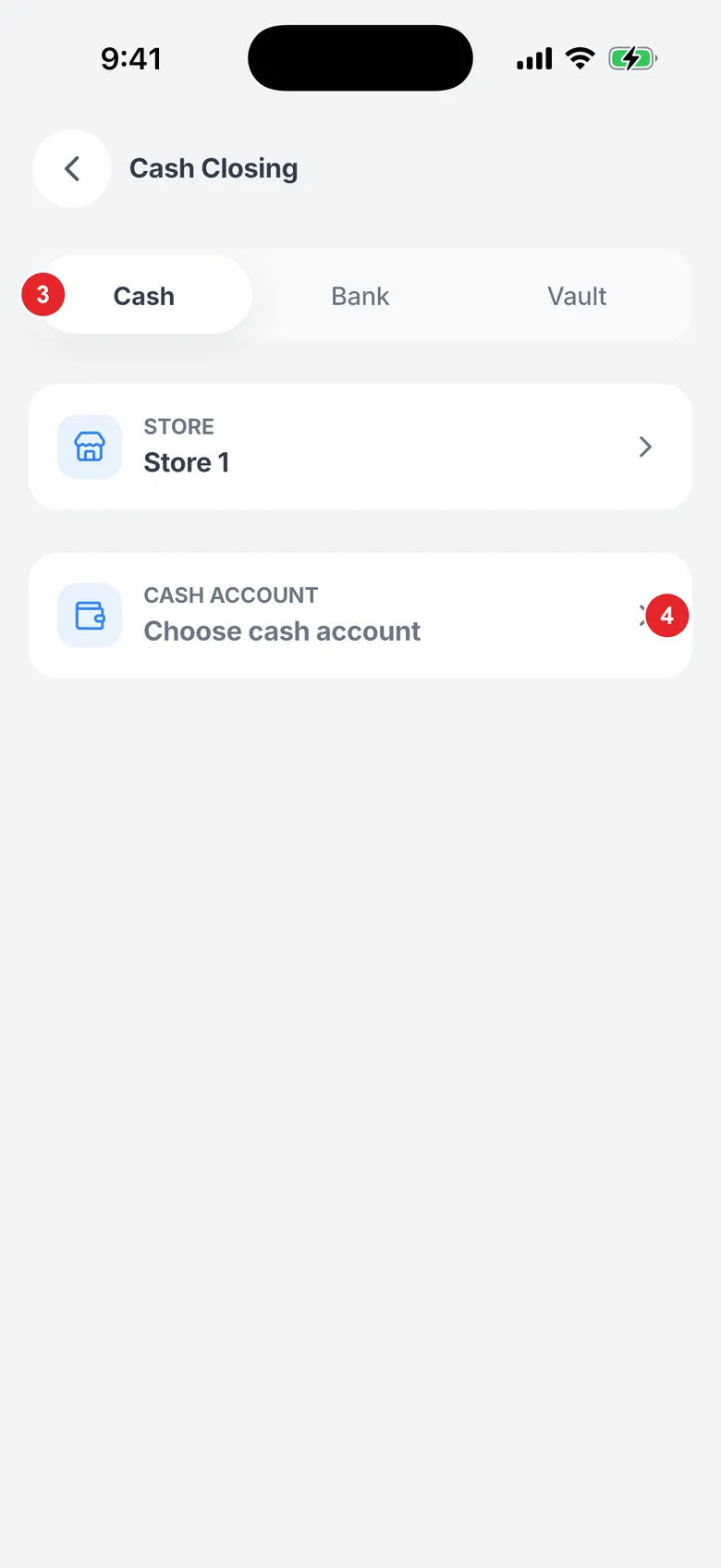
- Count drawer cash on the «Cash» tab.
- Tap «Choose cash account».
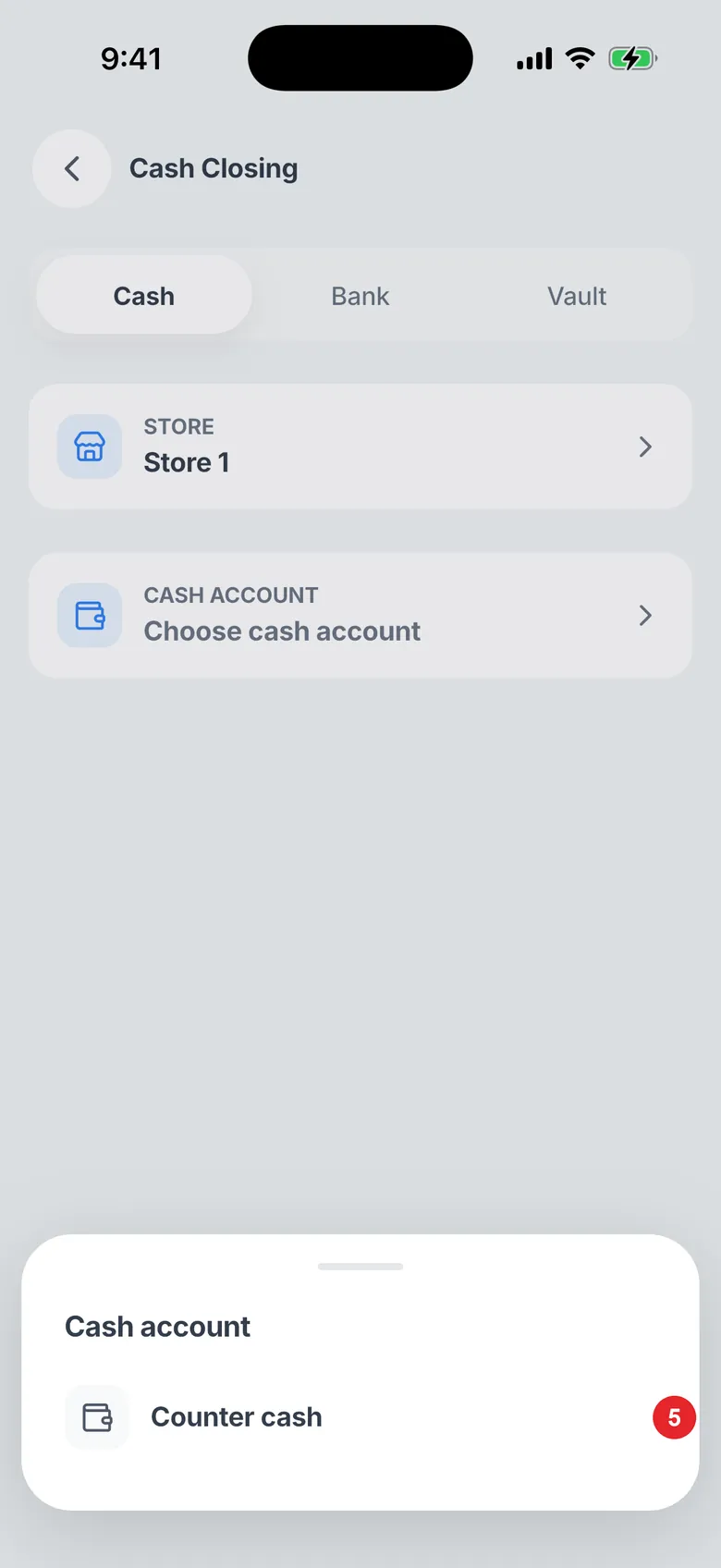
- Tap the place where the counted money is. Here it is «Counter cash».
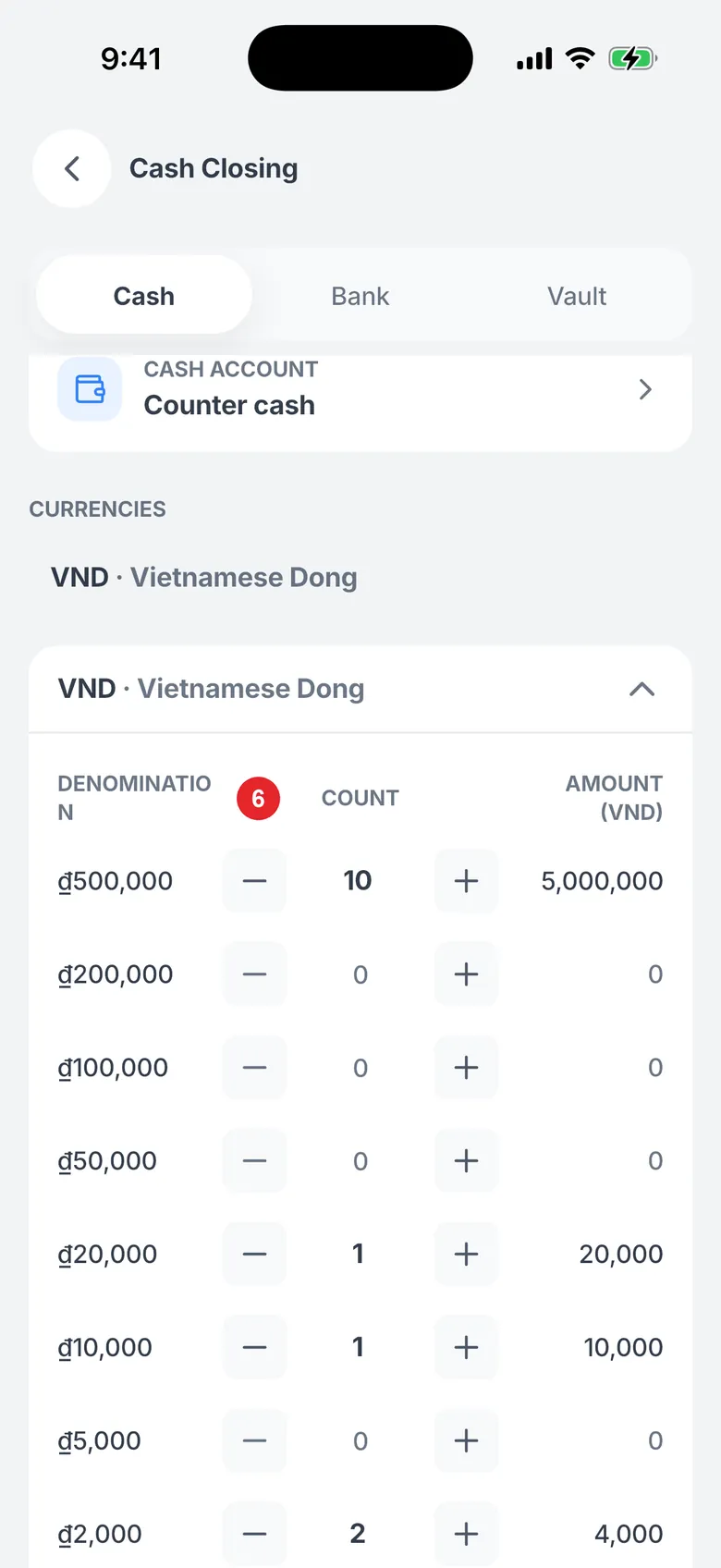
- Enter how many of each note. Tap the number in the middle, and a number pad opens; when you are done, tap «Done». You can also change it with the − + buttons.
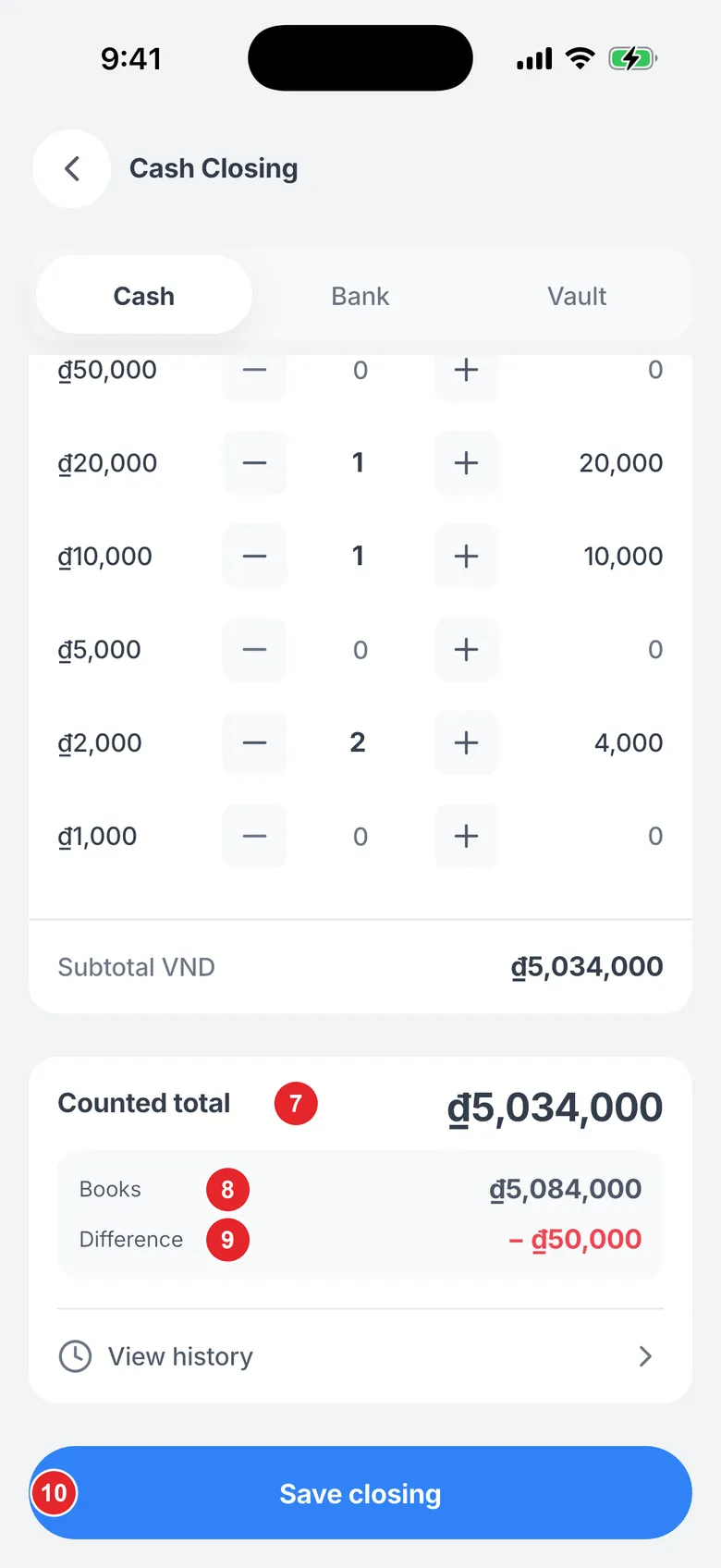
- Scroll down. «Counted total» is the money you just counted.
- «Books» is the money that should be there, going by the books.
- Check the «Difference».
- Tap «Save closing».
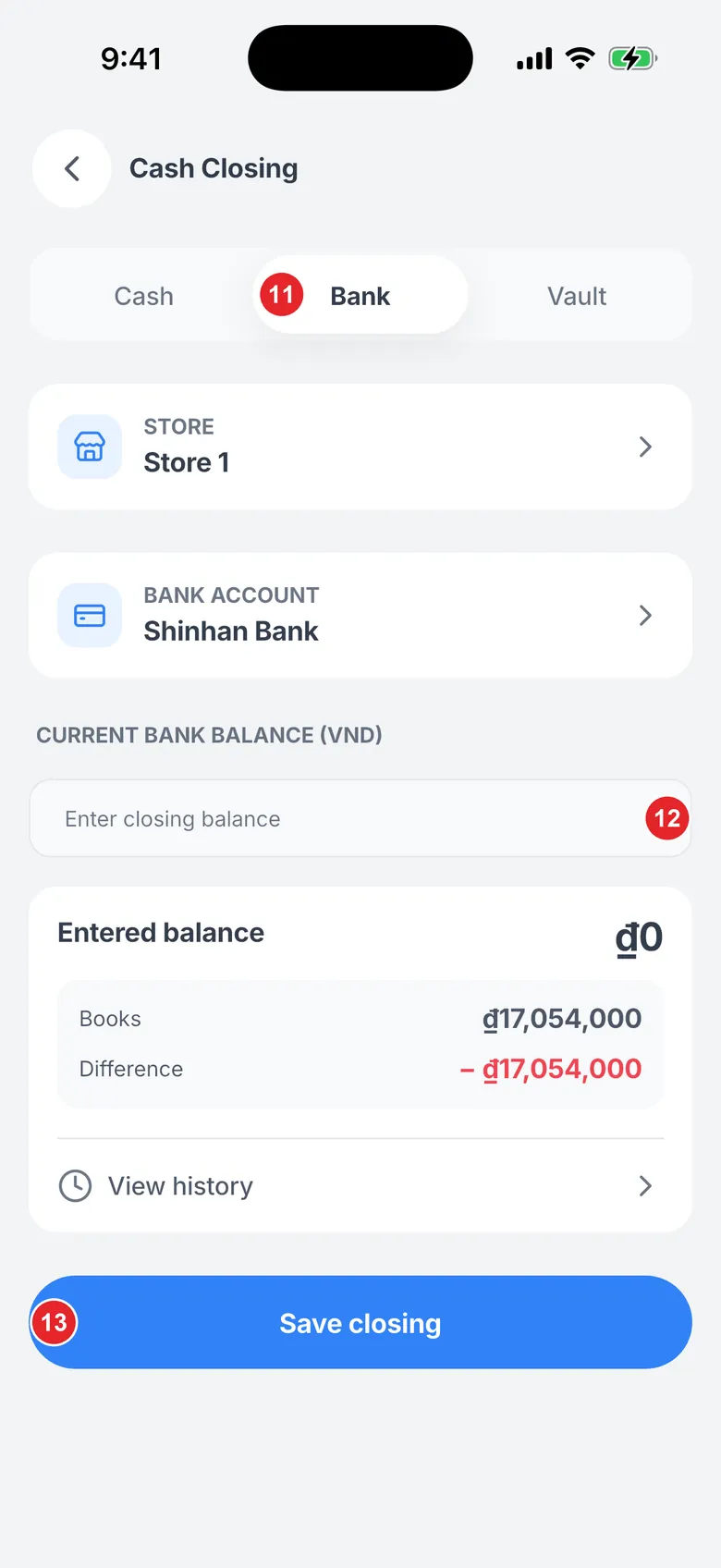
- Do bank accounts on the «Bank» tab. Tap the «BANK ACCOUNT» row and choose the account.
- Under «CURRENT BANK BALANCE (VND)», enter the bank balance now (the box reads «Enter closing balance» until you type).
- Tap «Save closing».
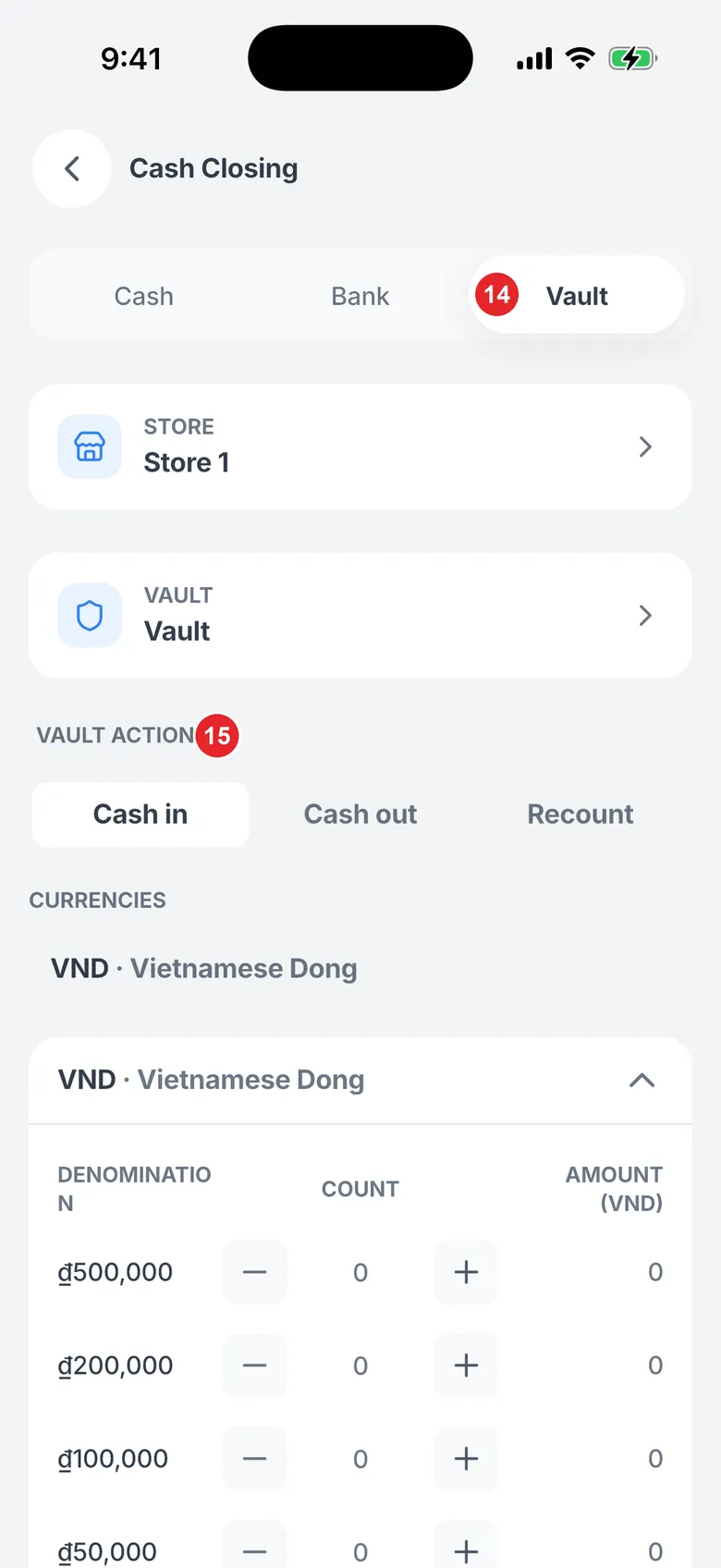
- Do the vault on the «Vault» tab. Below the tabs, tap the «VAULT» row and choose the vault.
- In «VAULT ACTION», tap one of «Cash in» · «Cash out» · «Recount». If you counted the vault money, tap «Recount» and enter how many of each note.
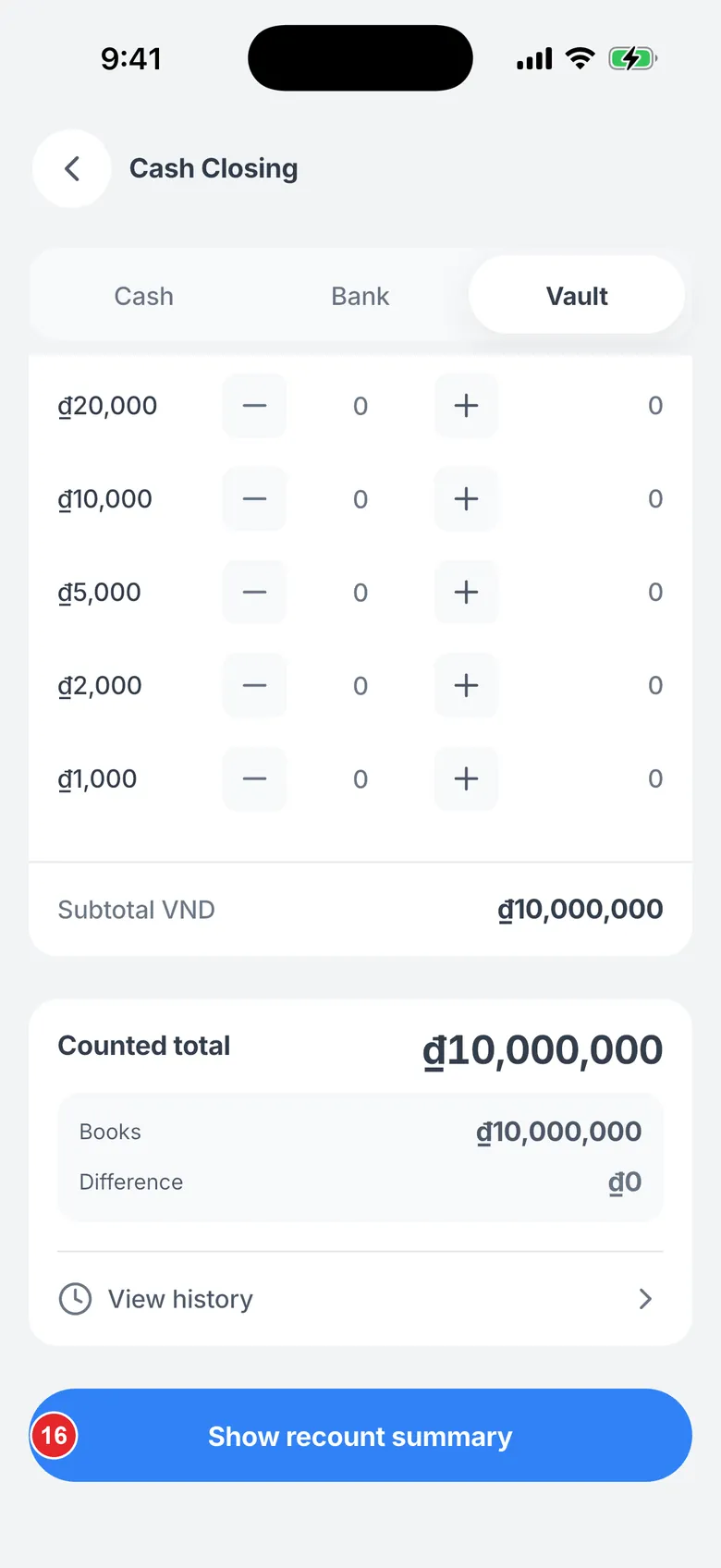
- Scroll down and tap «Show recount summary».
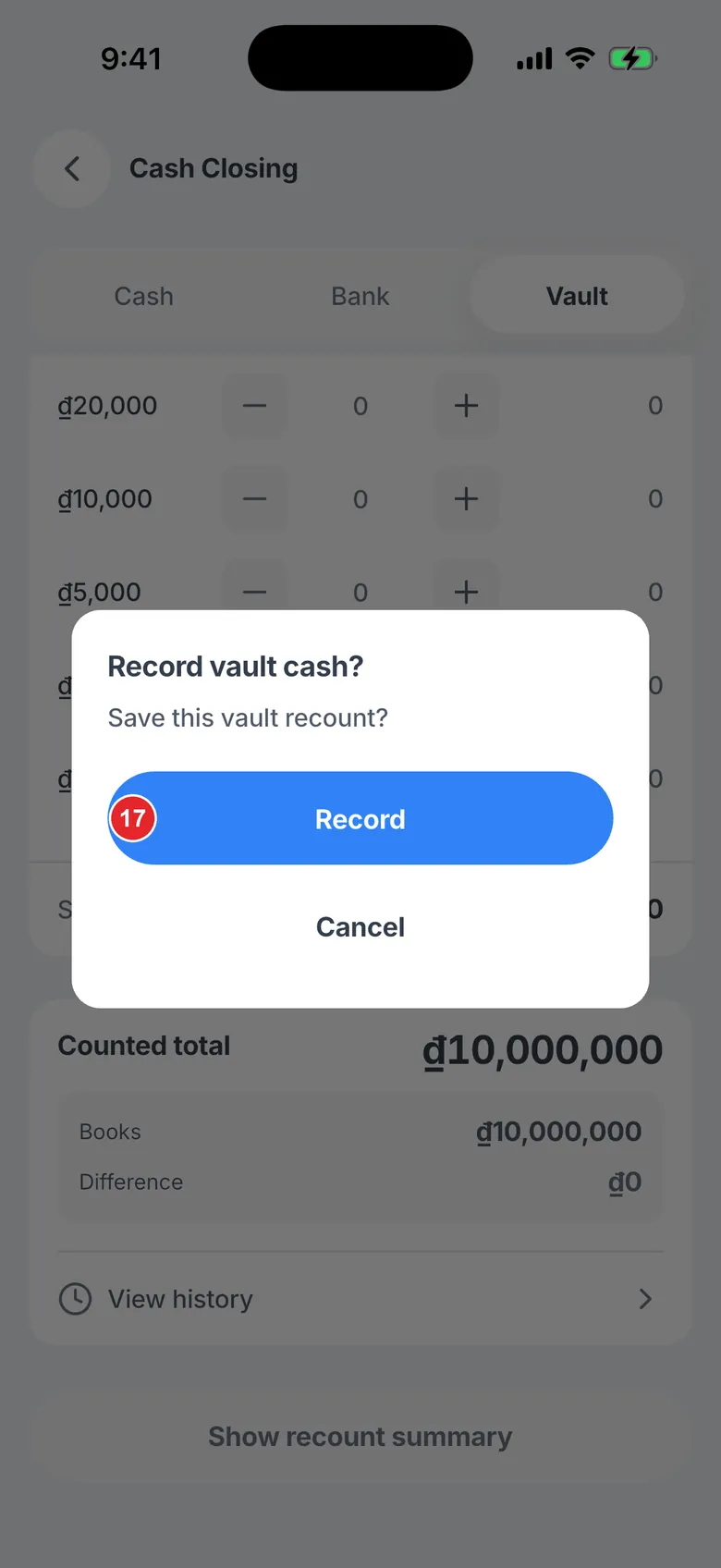
- Tap «Record».
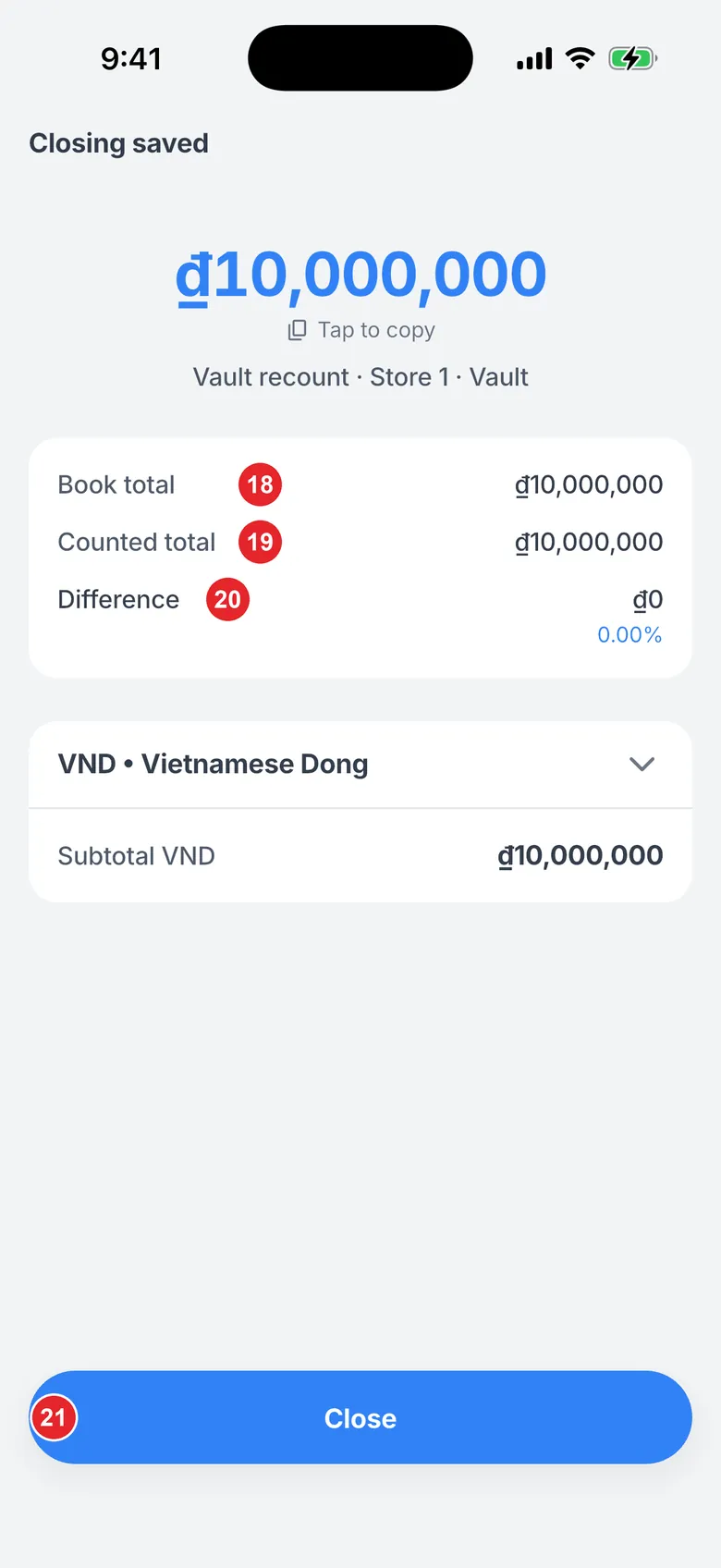
- «Book total» is the money that should be there, going by the books.
- «Counted total» is the money you just counted.
- Check the «Difference». If it matches, it is ₫0.
- Tap «Close».
Remember
- Saving doesn't change the books. It only keeps a record that it was counted.