
Show contents
Daily cash & closing › Sales
Make a sale · the books fill in themselves
- Who
- Staff
- When
- Every day
- Where
- App · Web
What you get
- When you sell, just choose where the money was received, and the money is recorded to that place in the books automatically. You don't write the books separately.
- For cash, enter what the customer handed over in «Cash received» and see the «Change» right away. The app and the website both do this.
- The money from a sale is added to the drawer or bank account right away, so the app works out the money that should be there at closing.
What it solves
- If you write sales in the books separately after selling, you miss some or write them twice, and the money won't match at closing.
Why this way
- The sale and the record in the books happen at once, so you never enter the same money again. If you enter it again with «Create Transaction», it is counted twice.
- What if staff don't put the sales money in the drawer? The sale is already recorded in the place chosen, so if the counted money is short at closing, it shows as a difference.
- Can any staff member take payment? The pay button in the app's «Table Order» shows only for people with permission.
- What if a sale was entered wrong? You can't cancel it in «Transaction History». Undo it from the receipt with «Return» («I entered a sale wrong»).
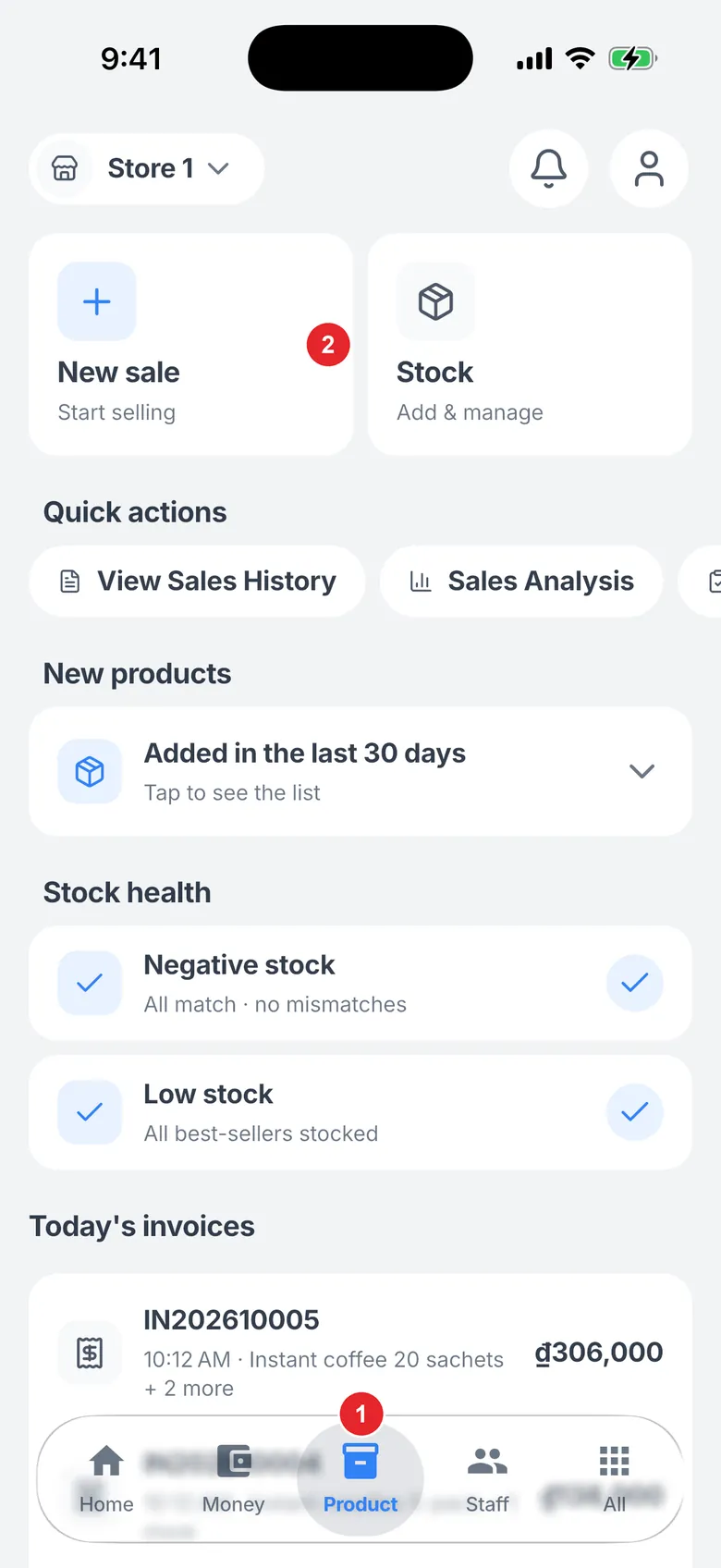
- Tap «Product» at the bottom of the app.
- Tap «New sale».
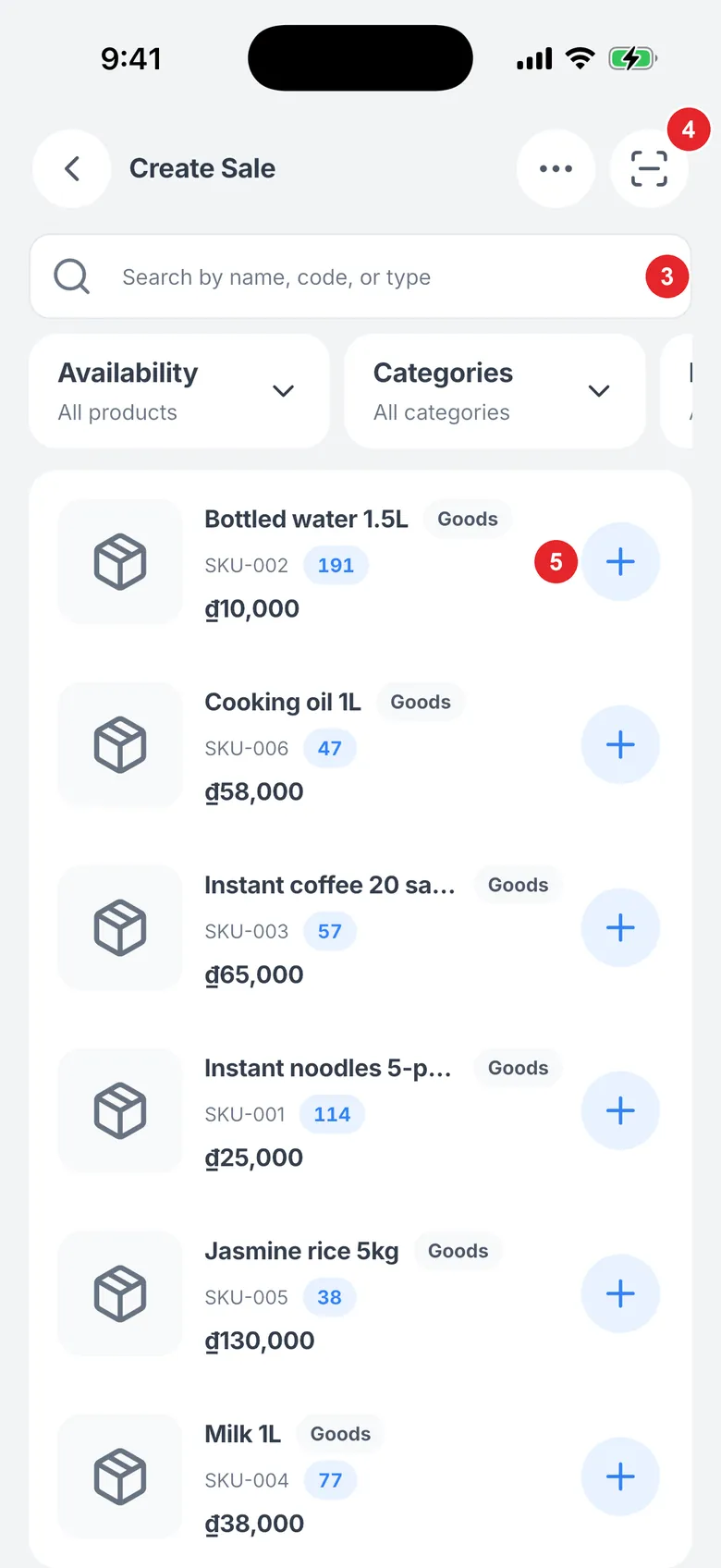
- Type a product name in the search box at the top to find it.
- To find it by barcode, tap the barcode button at the top right.
- Tap the + button on a product row to put it in the cart.
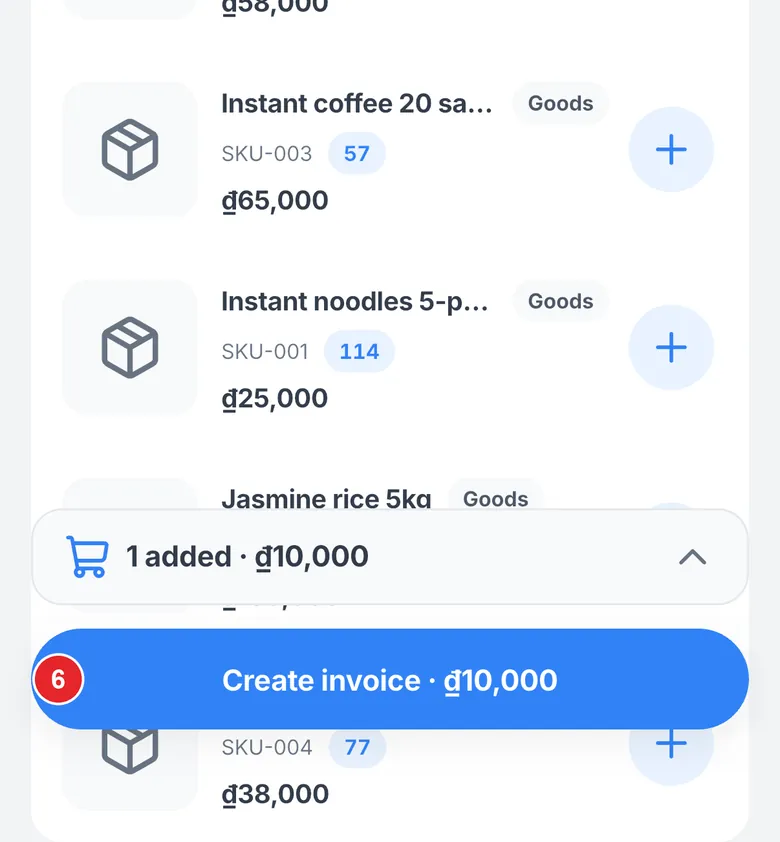
- Tap the button at the bottom, here «Create invoice · ₫10,000».
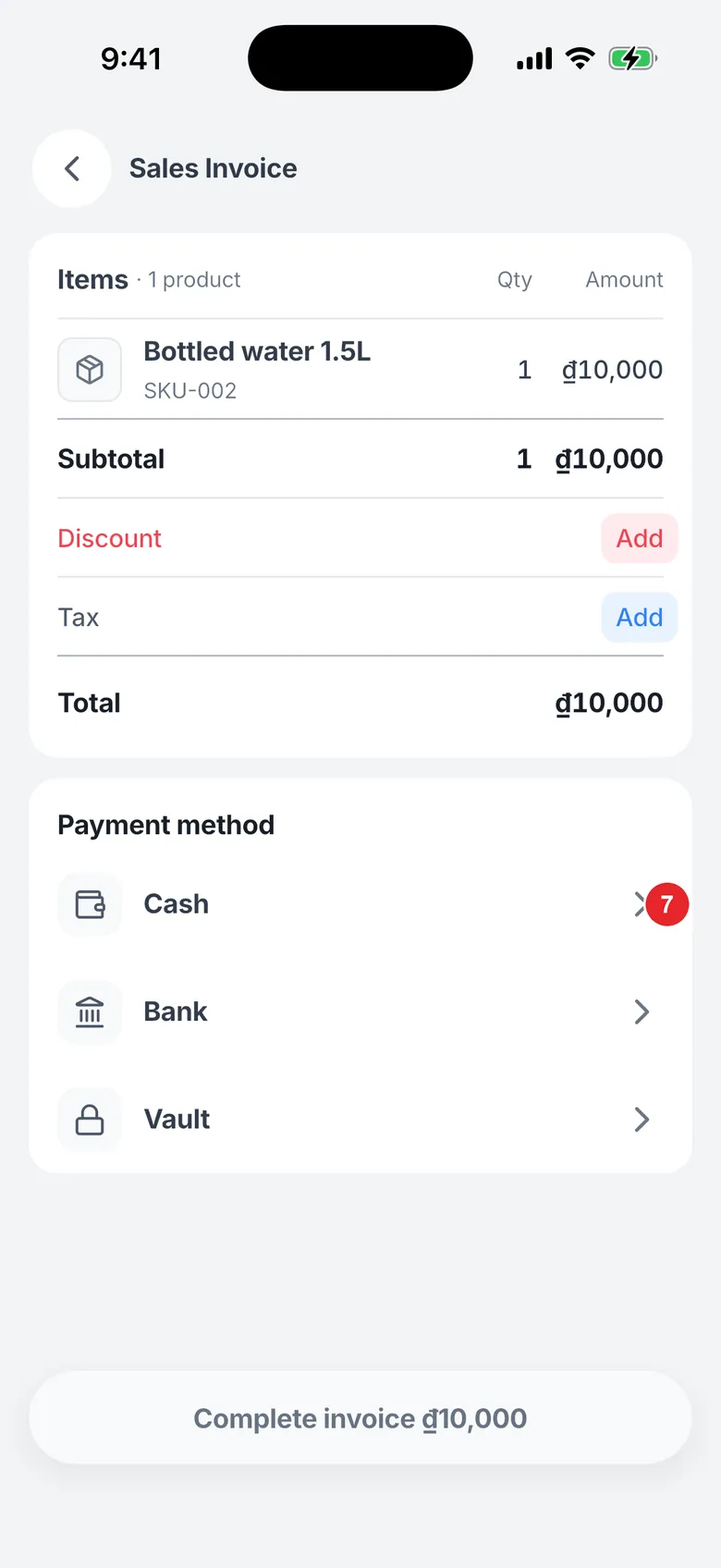
- In «Payment method», tap where the money was received: «Cash» · «Bank» · «Vault».
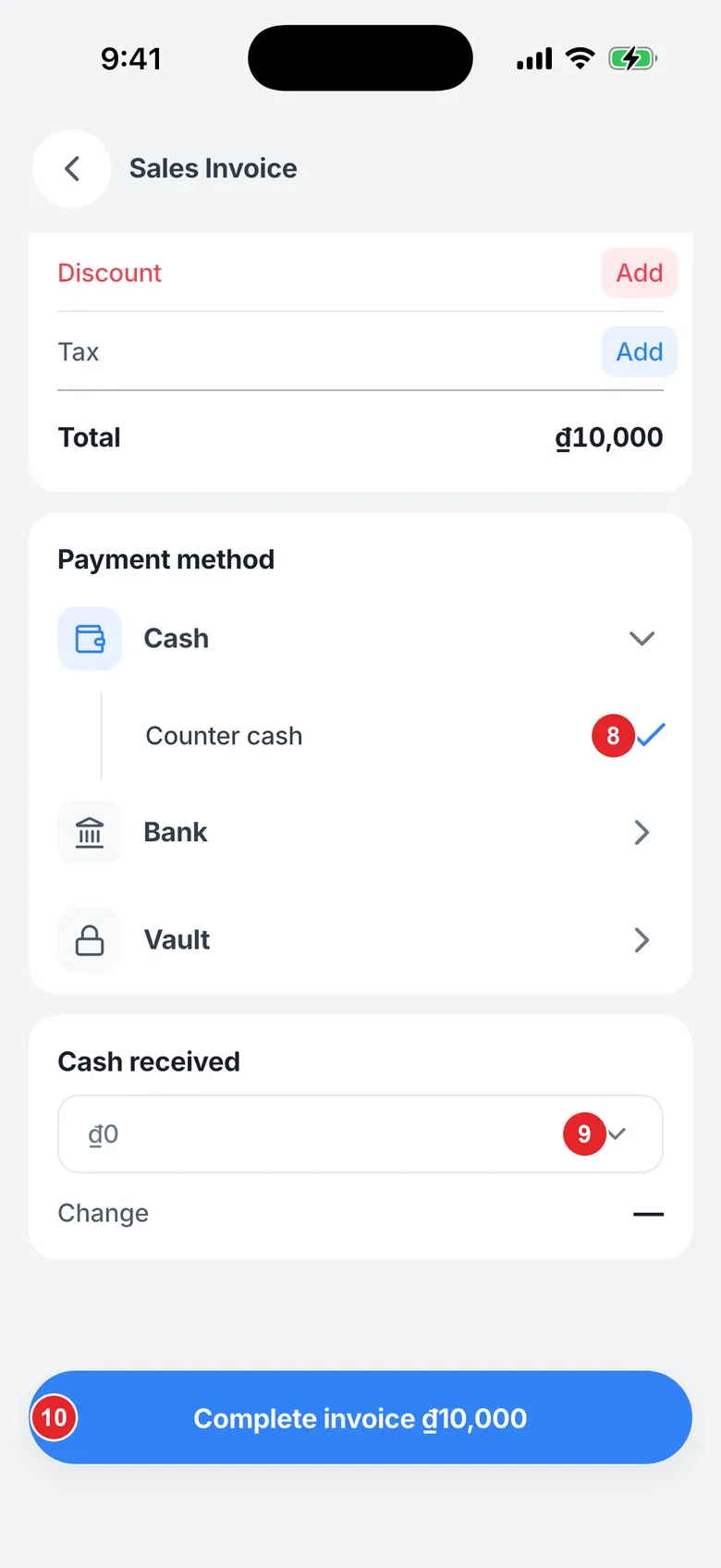
- Tap the place that received the money. Here it is «Counter cash».
- For cash, enter what the customer handed over in «Cash received», and the «Change» shows.
- Tap the button at the bottom, here «Complete invoice ₫10,000». It is faded on the picture above until you choose where the money was received. The sale goes into the books automatically, to the place you chose.
In a restaurant, you choose where the money goes when you take payment in «Table Order». In the app, the pay button shows only with permission.
Restaurants take orders in «F&B menu & sales» › «Take orders & get paid».
Remember
- The money is recorded automatically to the place you chose. Don't enter the sales again with «Create Transaction». They would be counted twice.
- Stores that sell with another POS and enter only the day's sales: see «Close without our POS».