
Show contents
Daily cash & closing › Staff training
Staff can't see the menus
- Who
- Owner
- When
- When someone joins
- Where
- App · Web
What you get
- Fix just one role, and the same menus open for every staff member in that role.
- Turn on only the menus needed. Example: «Cash Closing» is in the «Finance» group.
What it solves
- Staff screens don't have menus like «Cash Closing», or the staff website shows only «My Page».
- Without the menus, staff can't do the closing or record expenses, so the owner has to do it for them.
Why this way
- Menus are set by the role's permissions, not for each staff member. People in the same role see the same menus.
- If I turn on the website, are all menus shown? No. The website's left menu also shows only the menus whose permissions are on for that role.
- Does only one staff member change? No. Everyone in that role changes together.
- I turned it on, but it still doesn't show? It shows once the staff member signs in again.
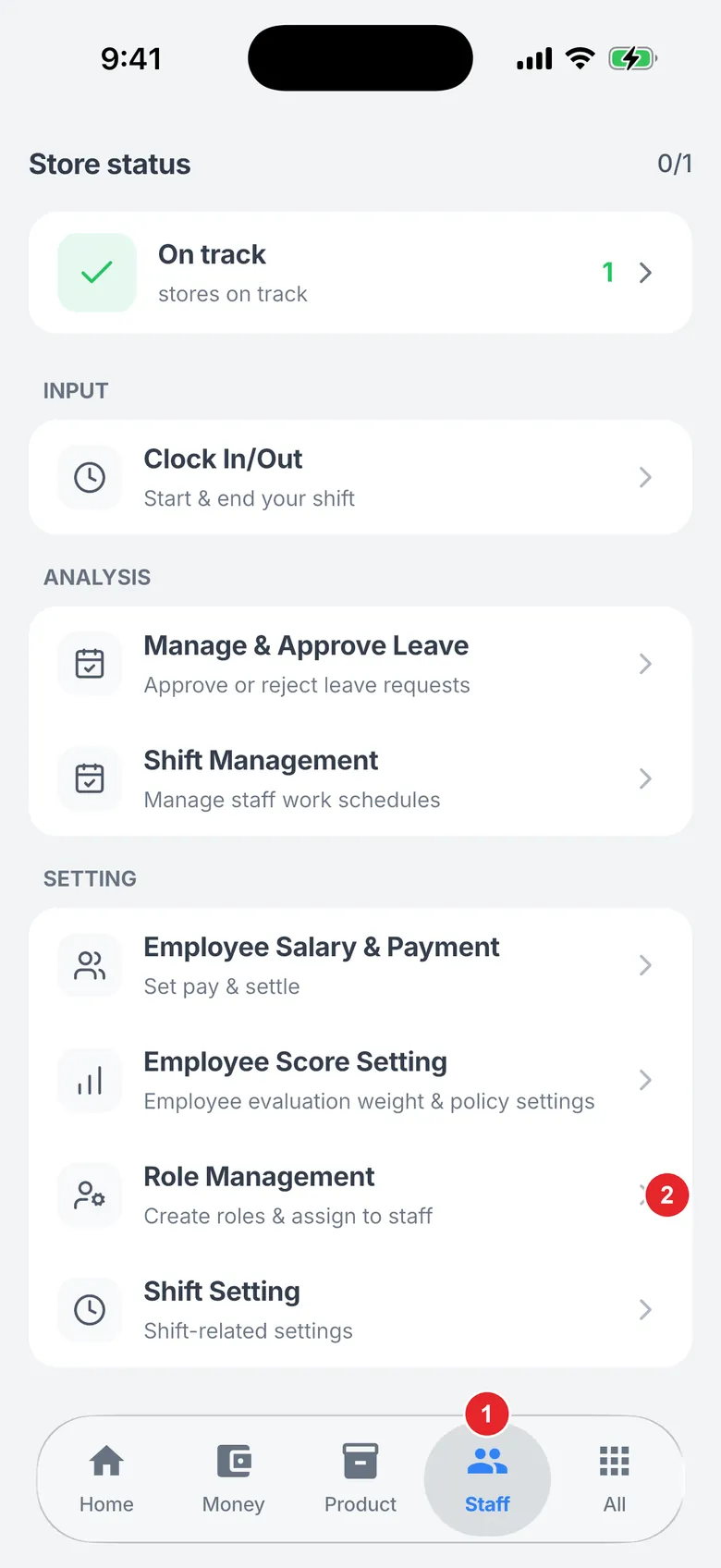
- Tap «Staff» at the bottom of the app.
- Scroll down and, under «SETTING», tap «Role Management».
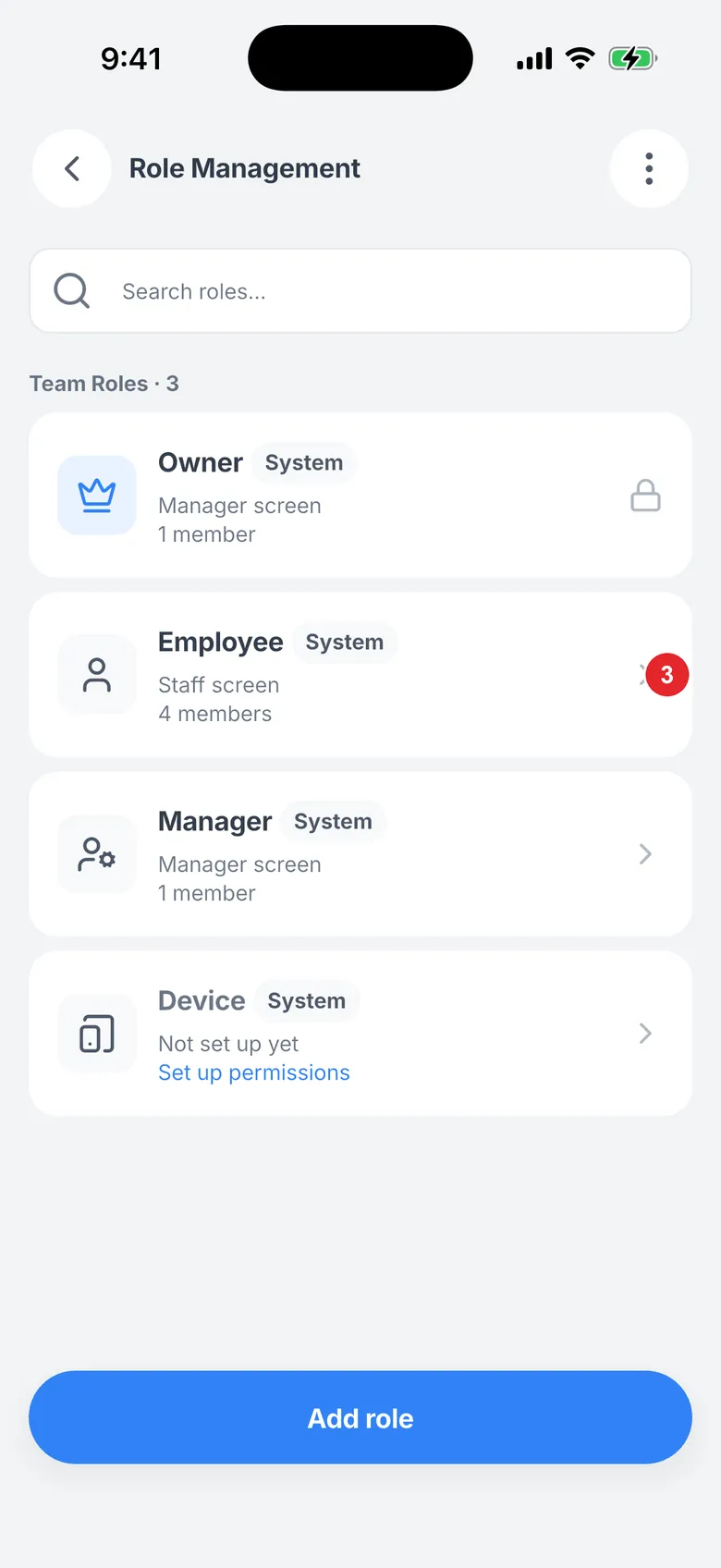
- Tap the staff member's role. Here it is «Employee».
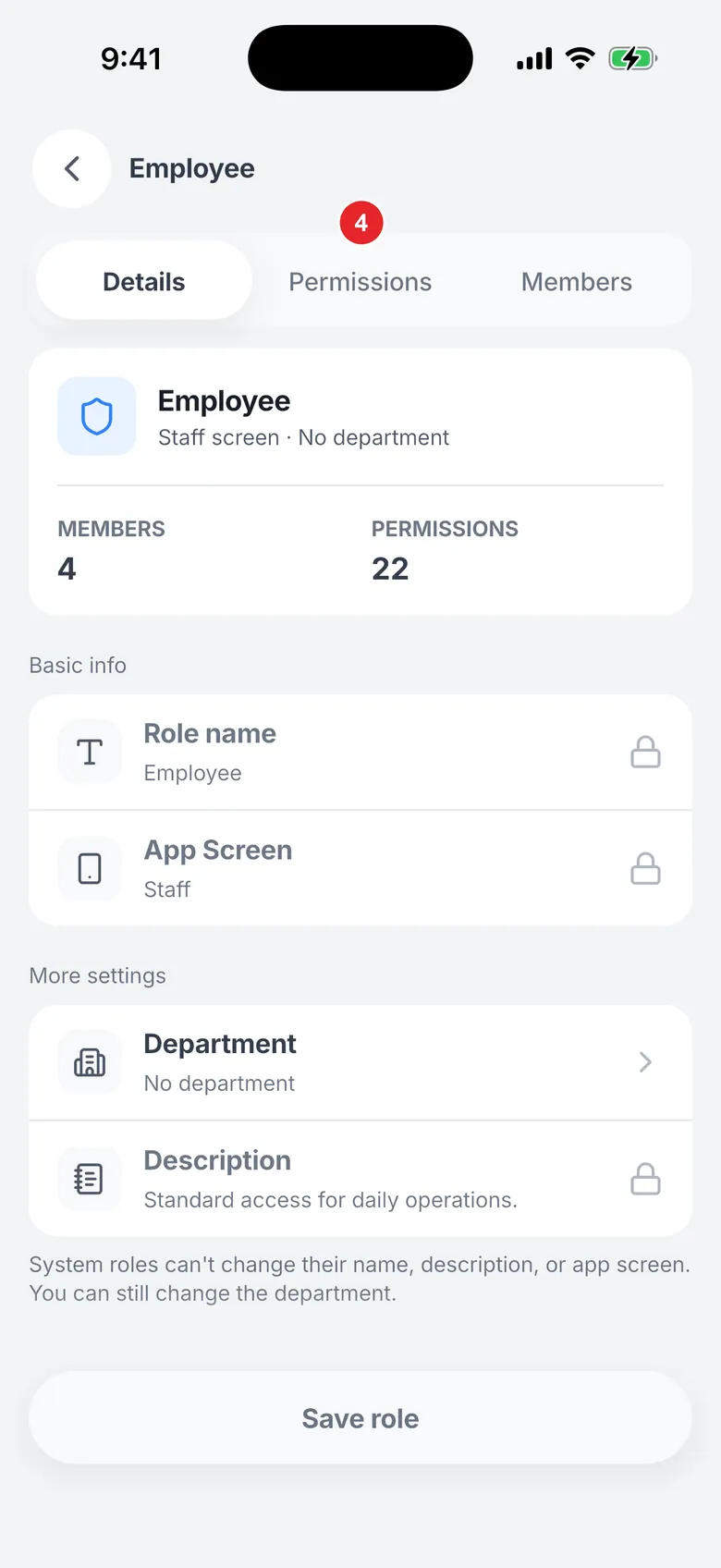
- Tap the «Permissions» tab.
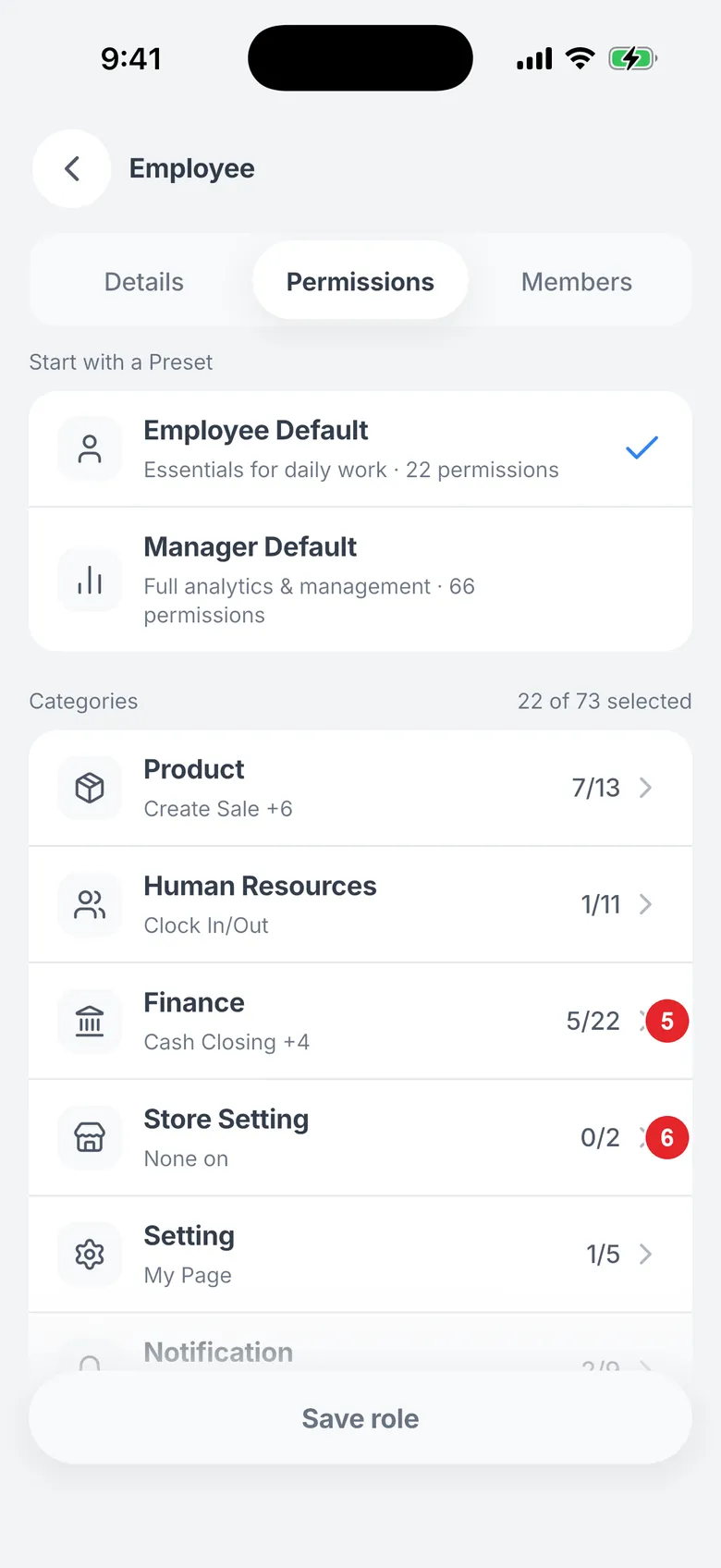
- Each group shows how many of its permissions are on. Money menus like «Cash Closing» are in «Finance». Tap it and turn on the permissions needed.
- To let them use the website, tap «Store Setting».
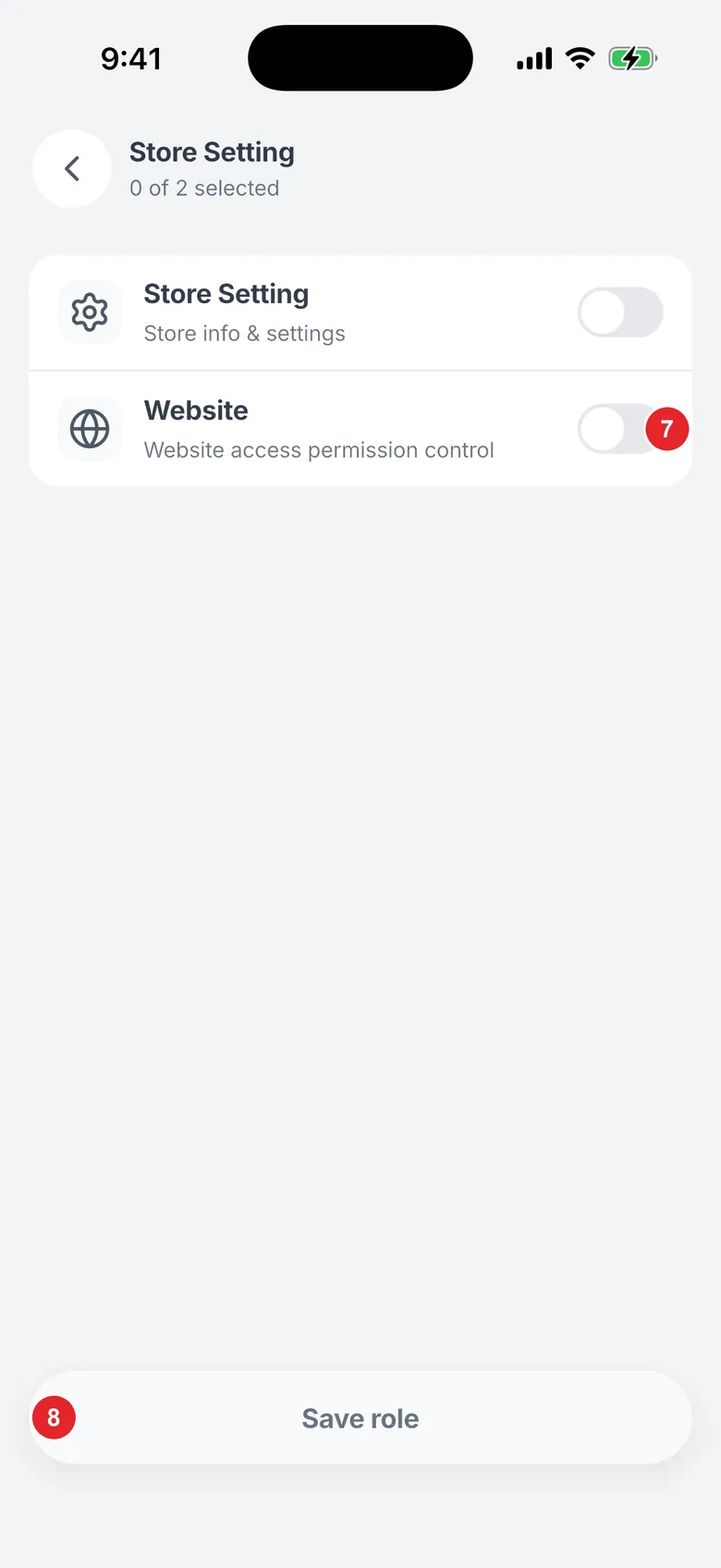
- Turn on «Website».
- Tap «Save role» at the bottom (faded in the picture; you can tap it once you turn «Website» on).
Why it works this way
The menus staff see are set by the permissions of their role. On the website, menus show only when «Website» in the «Store Setting» group is on. If it is off, the staff website shows only «My Page».
Remember
- Changing a role's permissions changes them the same way for everyone in that role.
- If only one menu is missing, that menu's permission is off. Example: «Cash Closing» is in the «Finance» group.
- After you change it, the menus show once the staff member signs in again.