
Show contents
F&B menu & sales › Menu setup
Set up menu categories
- Who
- Owner
- When
- Once, at the start
- Where
- App · Web
What you get
- The staff order screen is split by category, so staff find menu items quickly even when it's busy.
- The menu list, the guest menu and the order screen are grouped in the order you set. You can put the groups you sell most at the front.
- One menu item can go in several categories, so it shows up whichever group you look in.
What it solves
- If menu items stand in one long line, staff keep guests waiting while they look for them.
Why this way
- Make them before the menu items, and you can choose them right away when you make a menu item. Menu items with no category are grouped under «Other», so none go missing.
- What if I make a category wrong? Categories can't be deleted. Rename it and use it again.
- If I change the order, do staff screens change too? Yes. Press «Save order» in the app or «Save» on the website, and they show in that order.
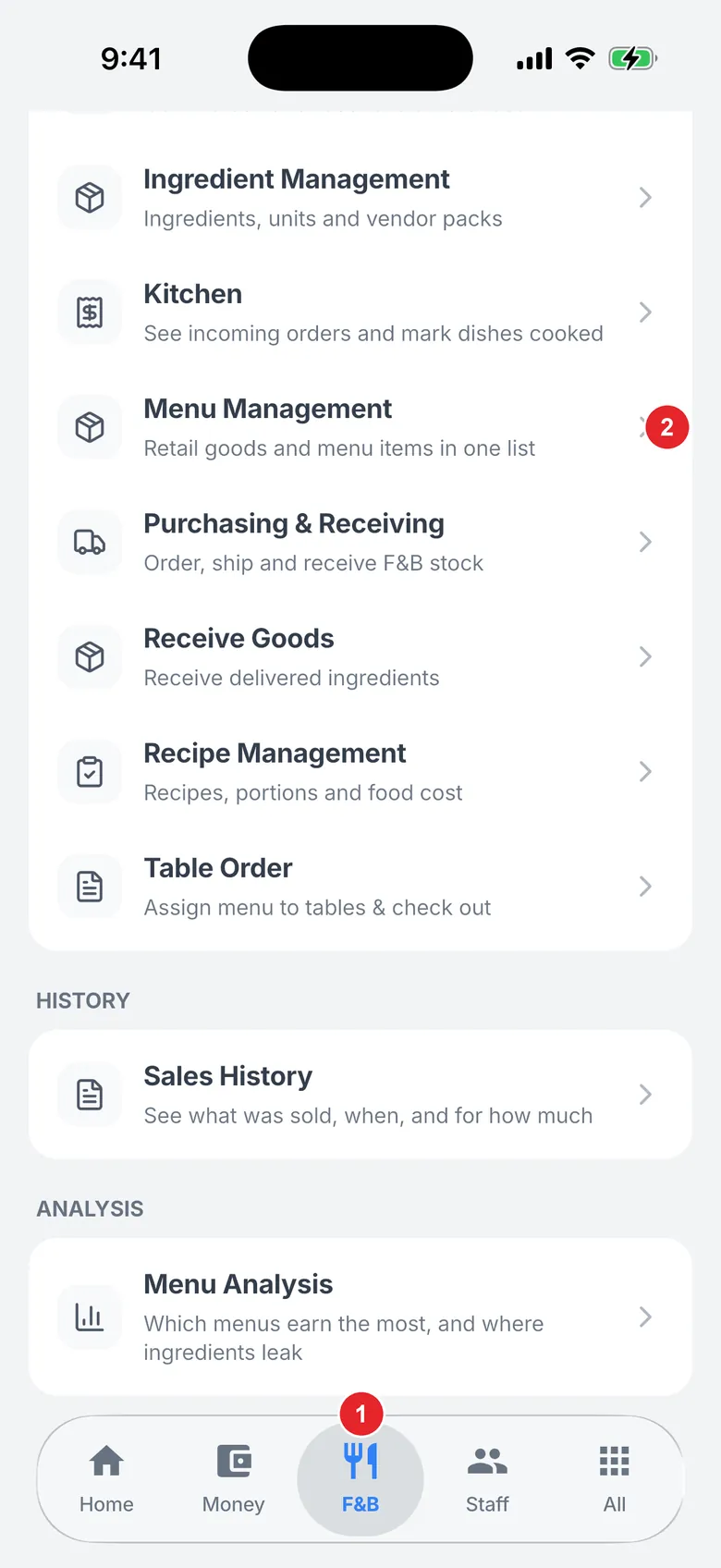
- Tap «F&B» at the bottom of the app.
- Scroll down and tap «Menu Management».
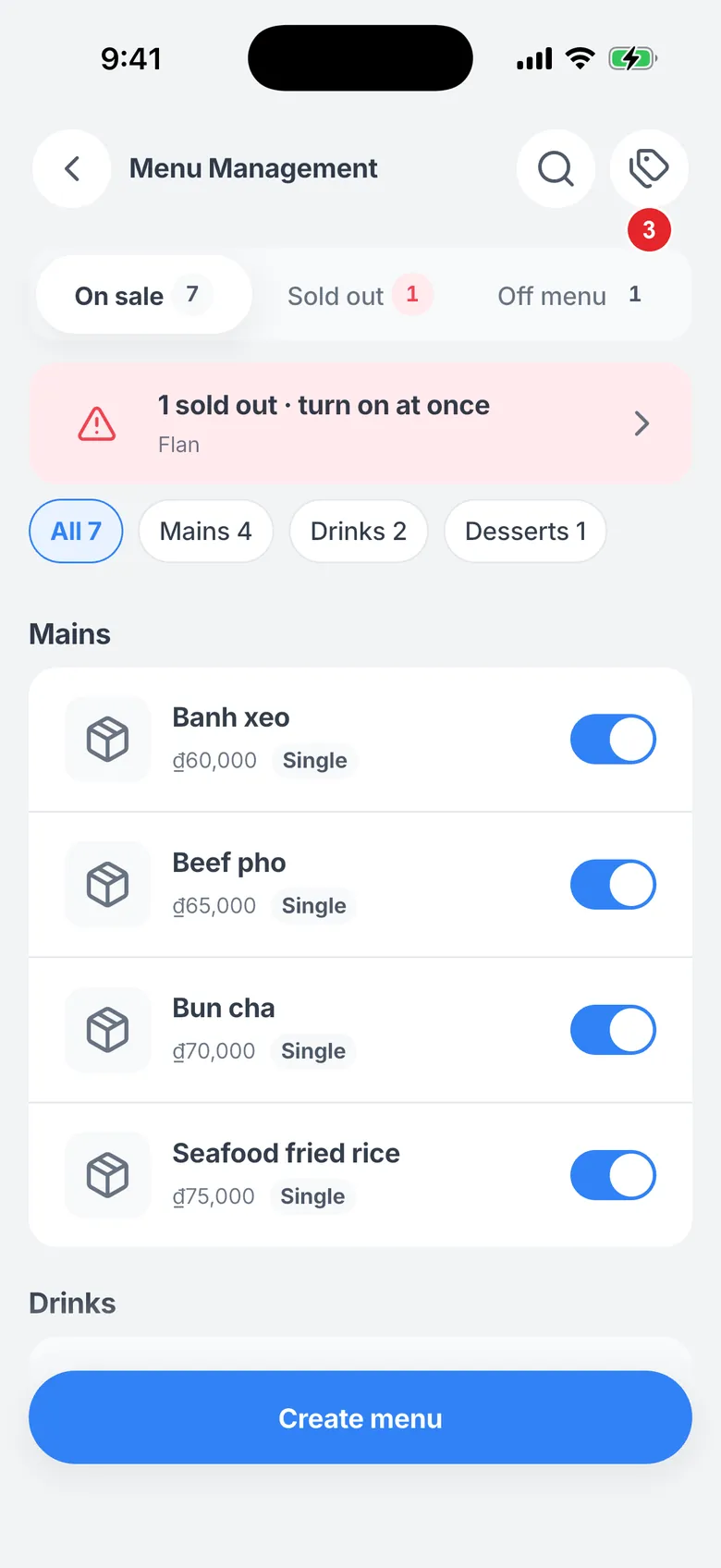
- Tap the tag button at the top right («Manage categories»).
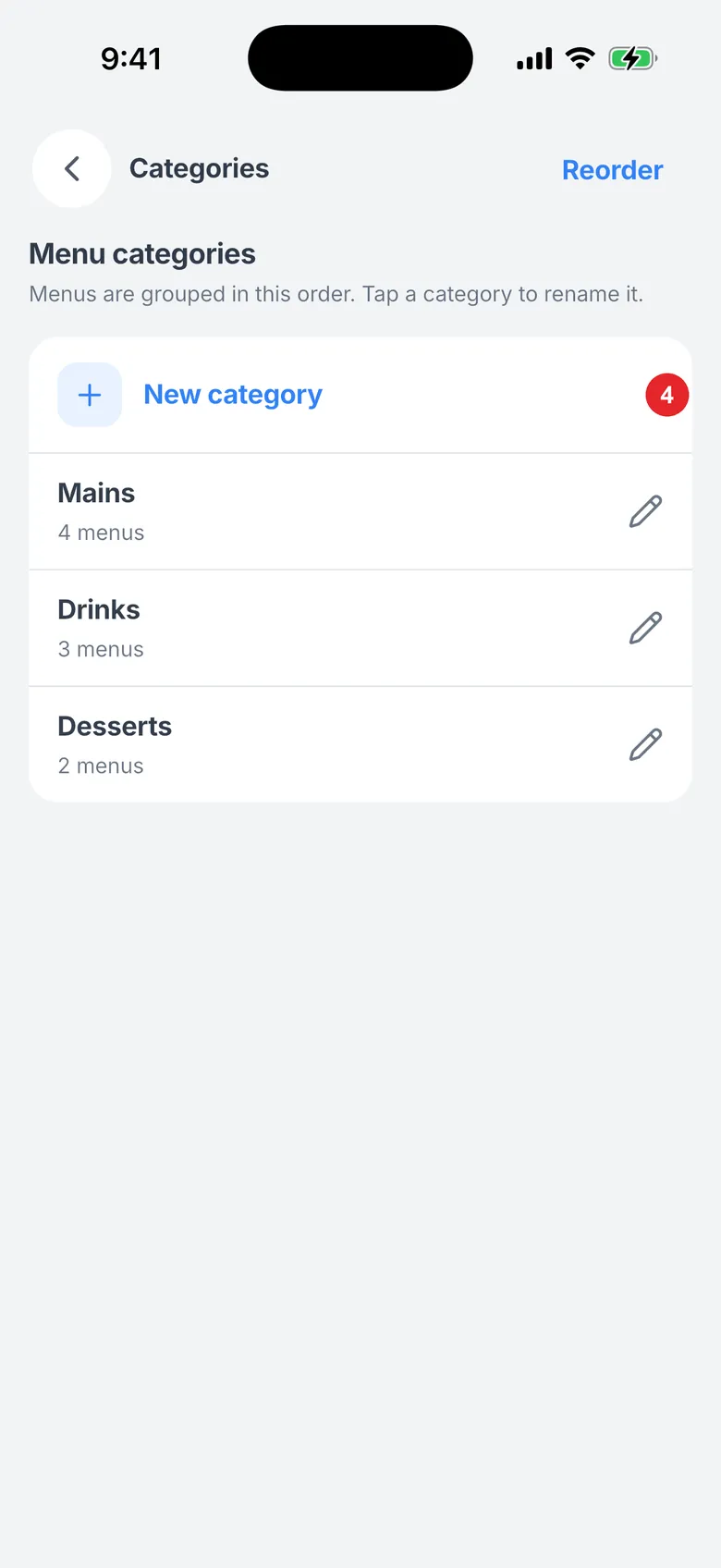
- Tap «New category».
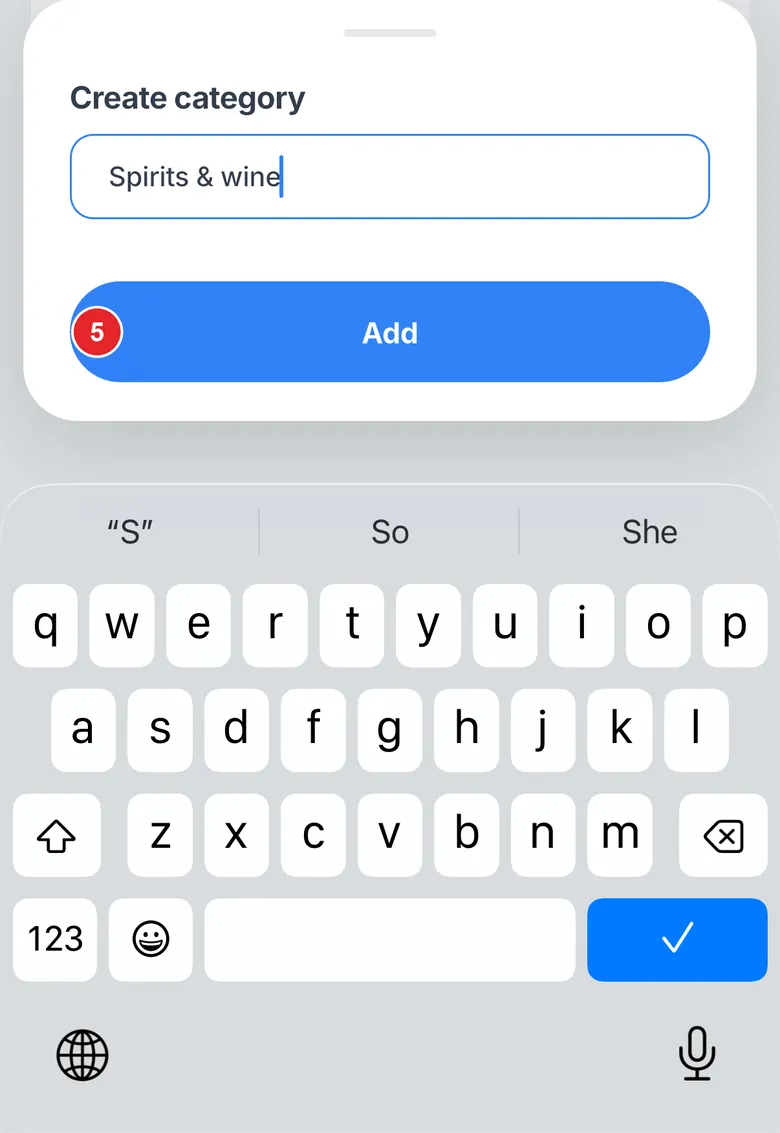
- Enter the category name and tap «Add». It appears right away at the bottom of the list.
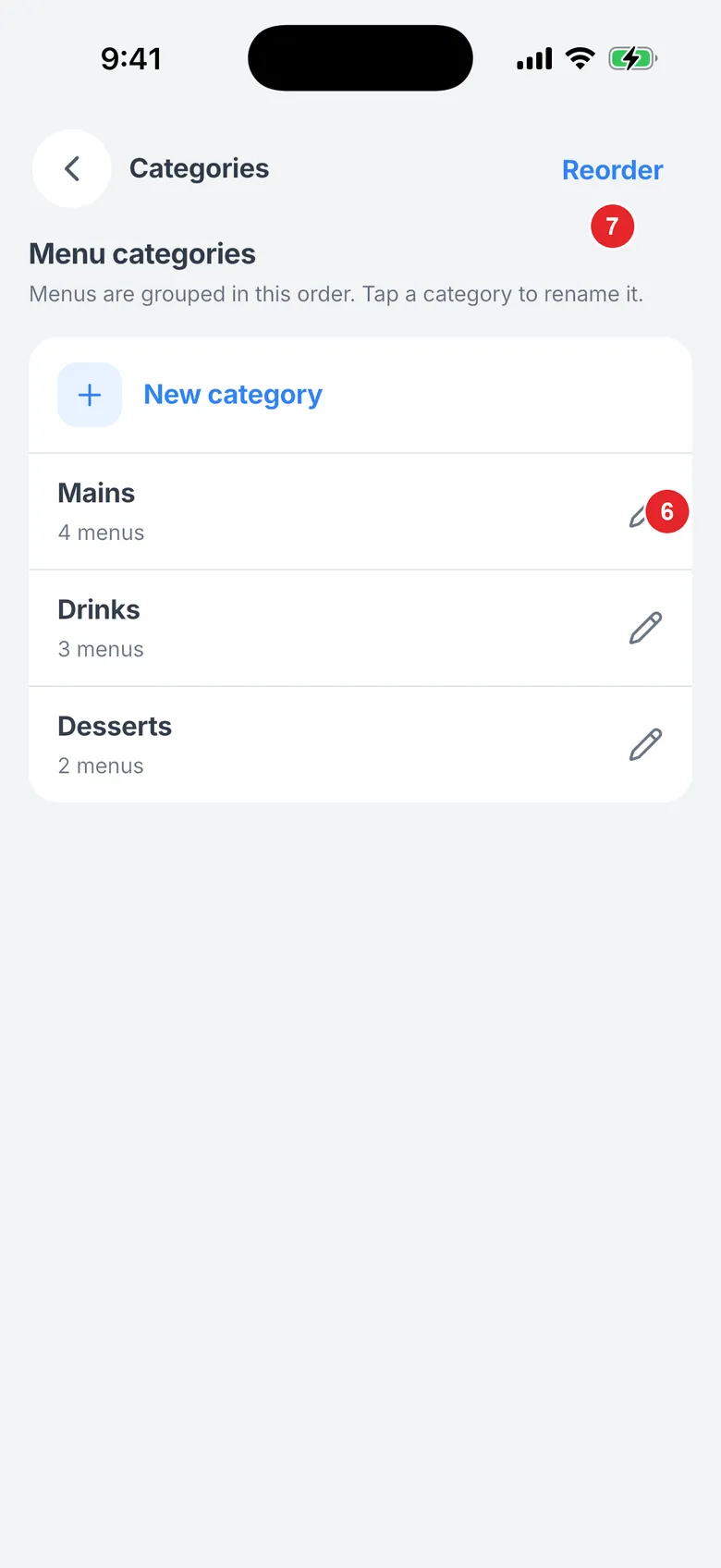
- To rename one, tap the category (or its pencil), enter the new name in the window that opens and tap «Save».
- To change the order, tap «Reorder».
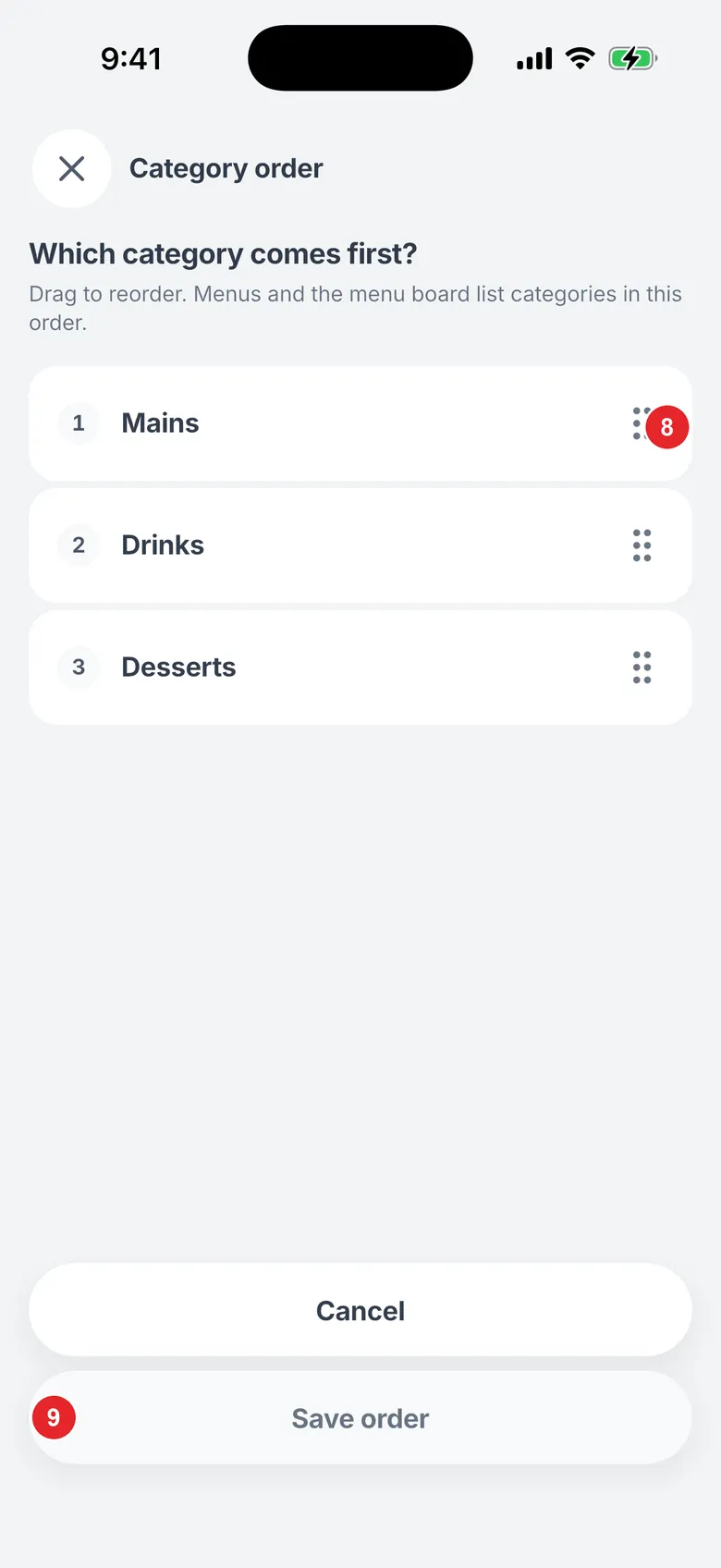
- Drag the handle on the right to change the order.
- Tap the button at the bottom (faded «Save order» in the picture; you can tap it once you move a category). The menu list and the menu board show categories in this order.
A category is a box that groups menu items, like Mains · Drinks. The menu list and the guest menu are grouped in category order. Make them before the menu items, so you can choose them right away when you make a menu item.
Remember
- Categories can't be deleted. Rename a category you no longer use and use it again.
- One menu item can go in several categories.
- Menu items with no category chosen are grouped under «Other».