
Show contents
Inventory › Count stock
Count together
- Who
- Owner · Manager · Staff
- When
- When there are too many products to count alone
- Where
- App · Web
What you get
- Once one person starts a count, others join it from «In progress» with «Continue counting».
- What each person counted shows as a separate card, and the review adds it all up.
- Before you submit, «Total inventory value» shows how much changes.
What it solves
- When everyone counts on paper, you can't tell who counted what, or whether something was counted twice.
Why this way
- Everyone counts inside the same count, so you can split it up and still submit once.
- Do uncounted products become 0? If you started with «Count stock», no. Only the products you counted change to the counted quantity; the others stay as they are. With «Count by location», they become 0 when you submit («Count by location»).
- Can I undo after submitting? «Rollback» takes you back to the moment of an earlier count («Undo a wrong count»).
The person who starts
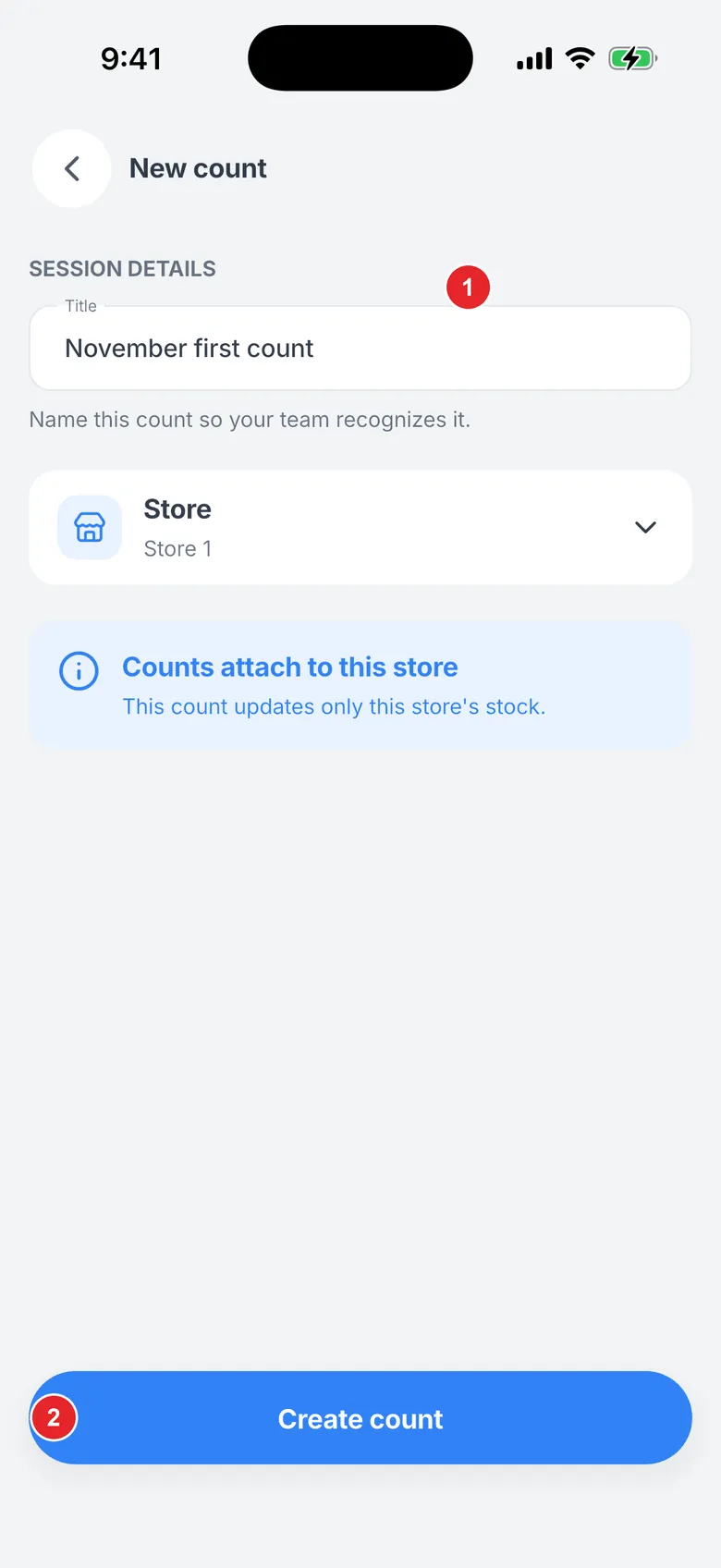
- In «Check Stock», tap «Count stock» and this screen opens. Tap «Title» and enter a name everyone will recognize.
- Tap «Create count».
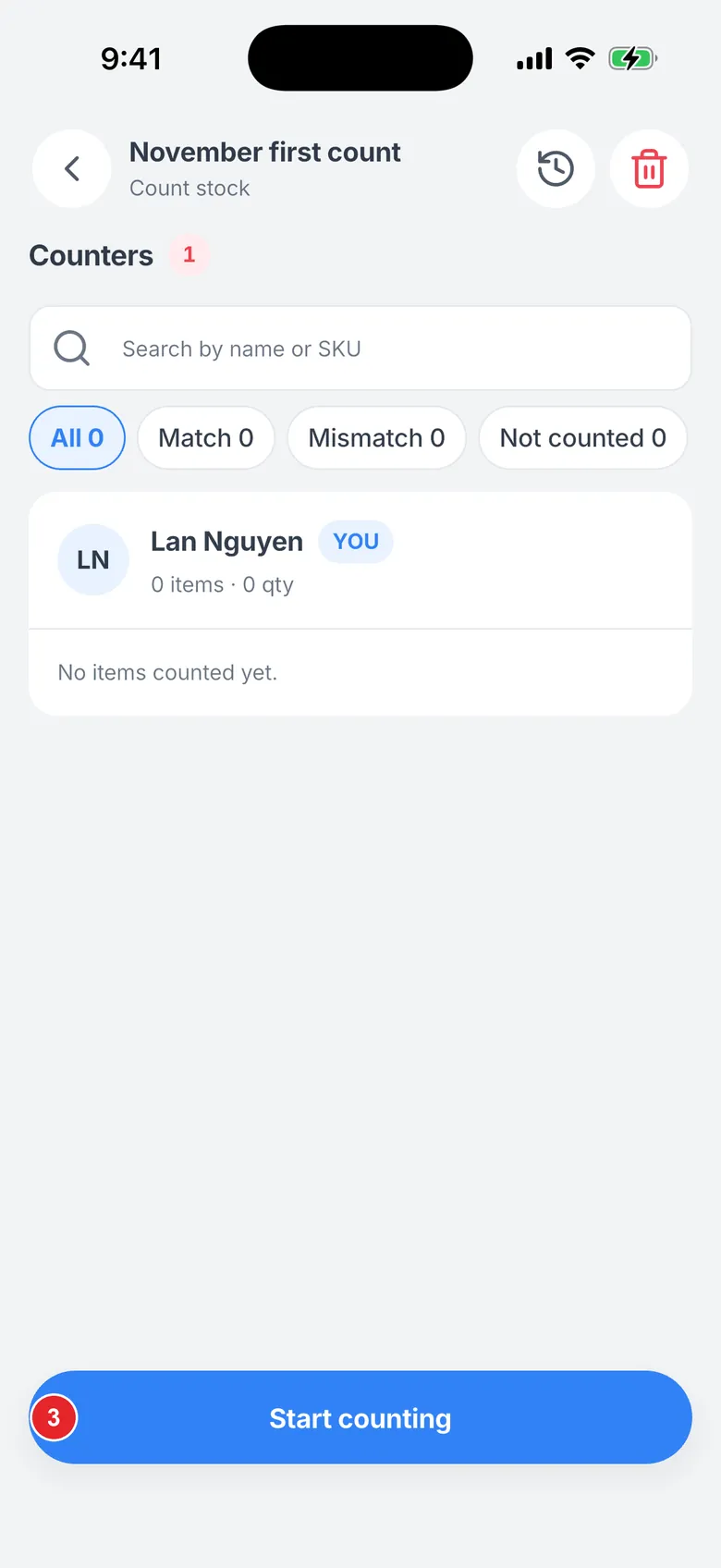
- Tap «Start counting».
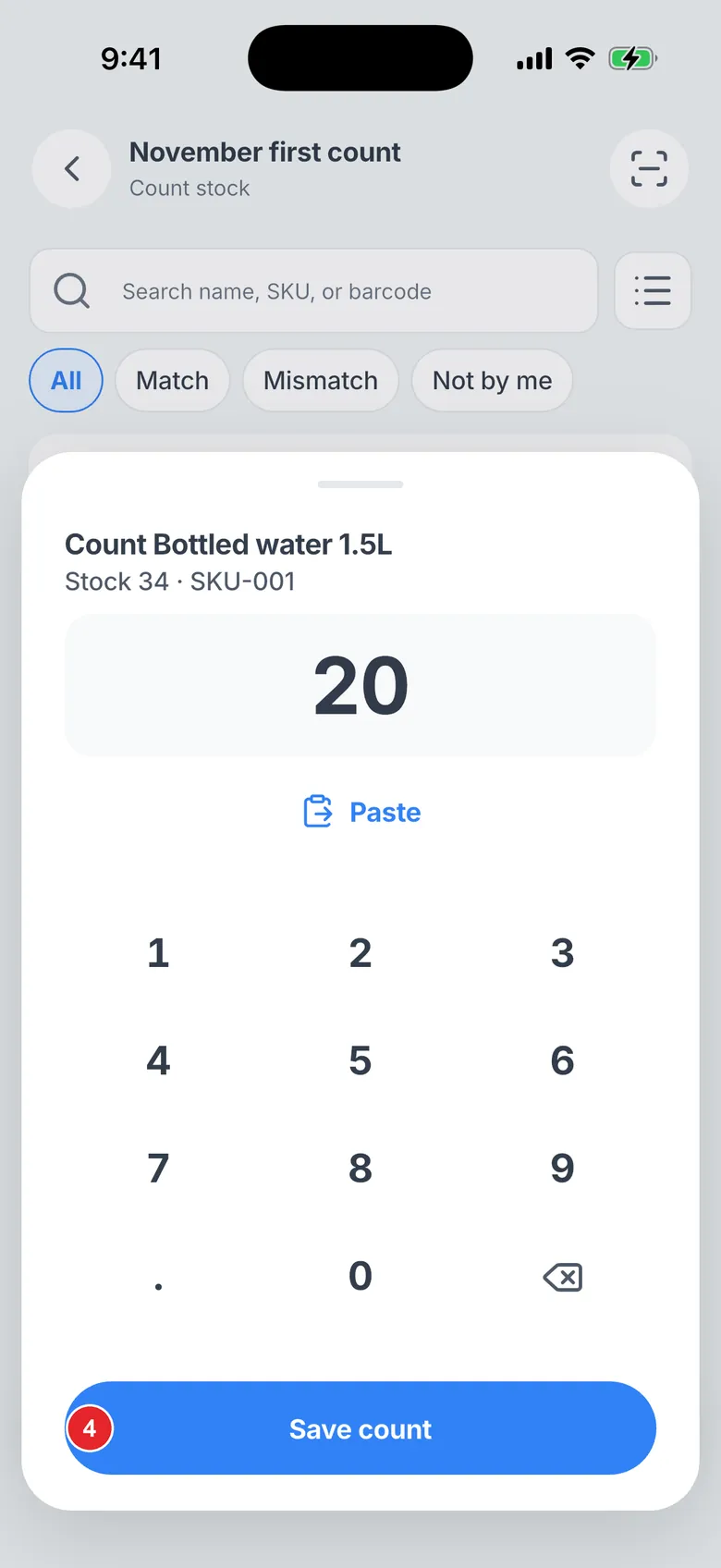
- Each tap on a product row adds 1. For a large amount, tap the number, enter the counted quantity on this pad and tap «Save count». Here it is 20.
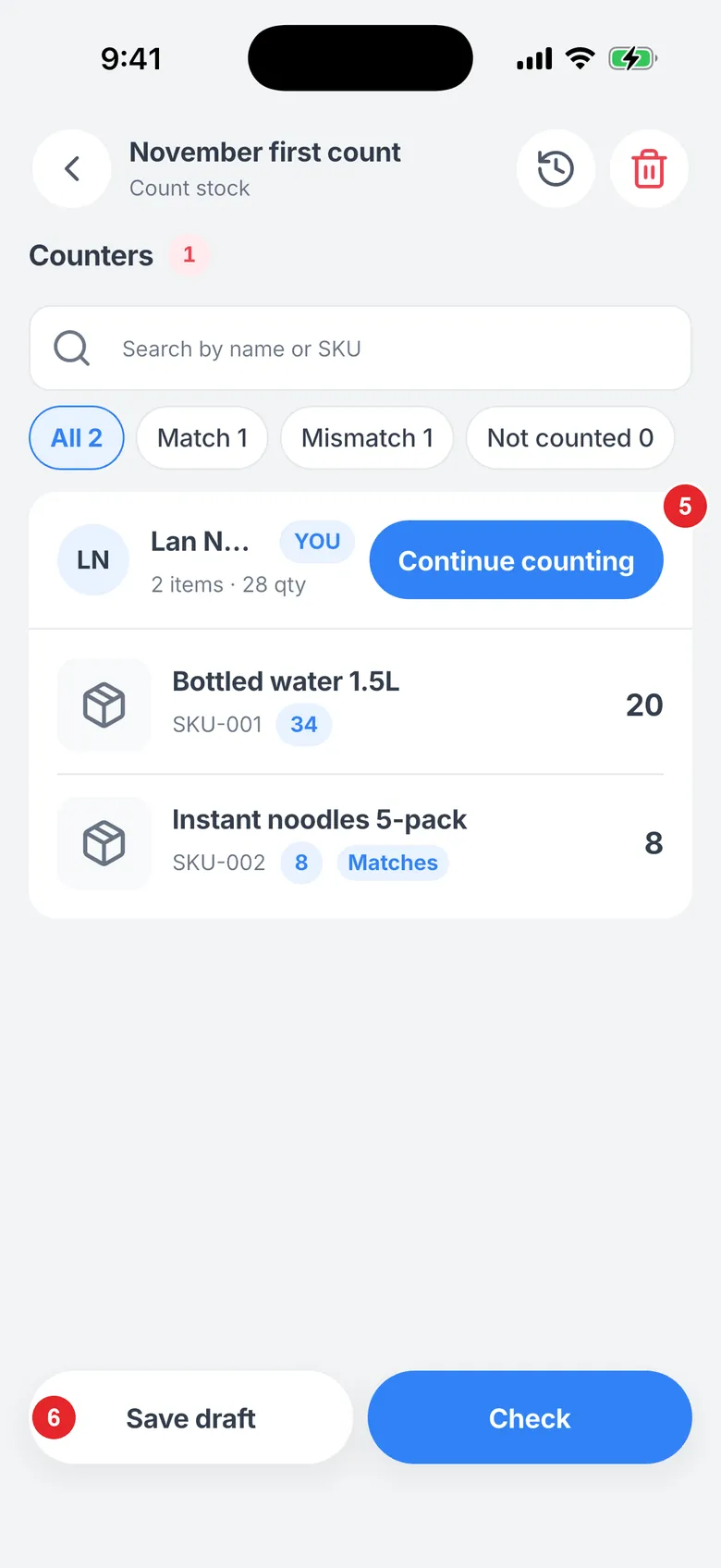
- When you've counted, save with «Save draft» at the bottom of the list and come back. Your card («YOU») collects the products you counted. Here it is «2 items · 28 qty».
- If you can't finish alone, tap «Save draft» at the bottom and leave. Someone else counts the rest.
The person counting with you
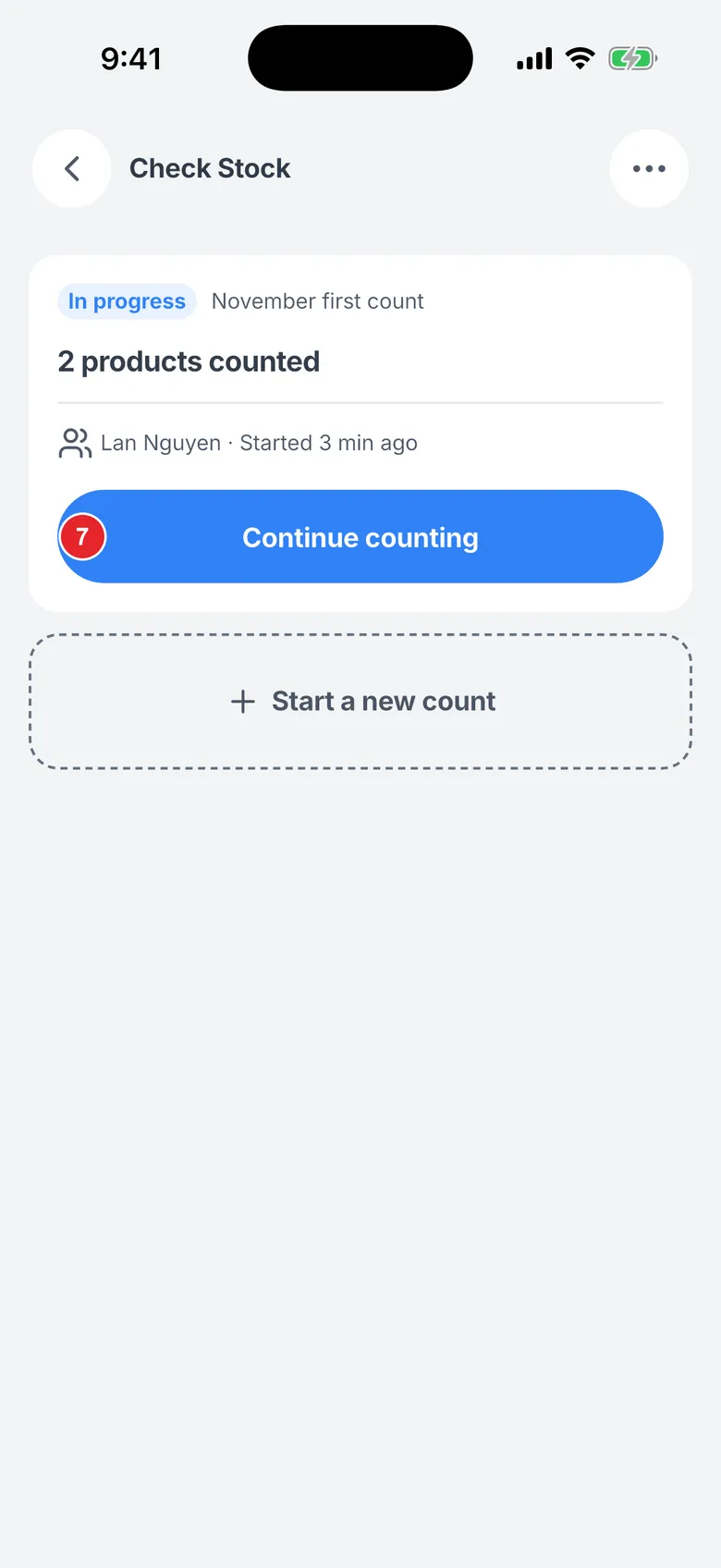
- Staff also open «Check Stock». Under «In progress», on «November first count», tap «Continue counting».
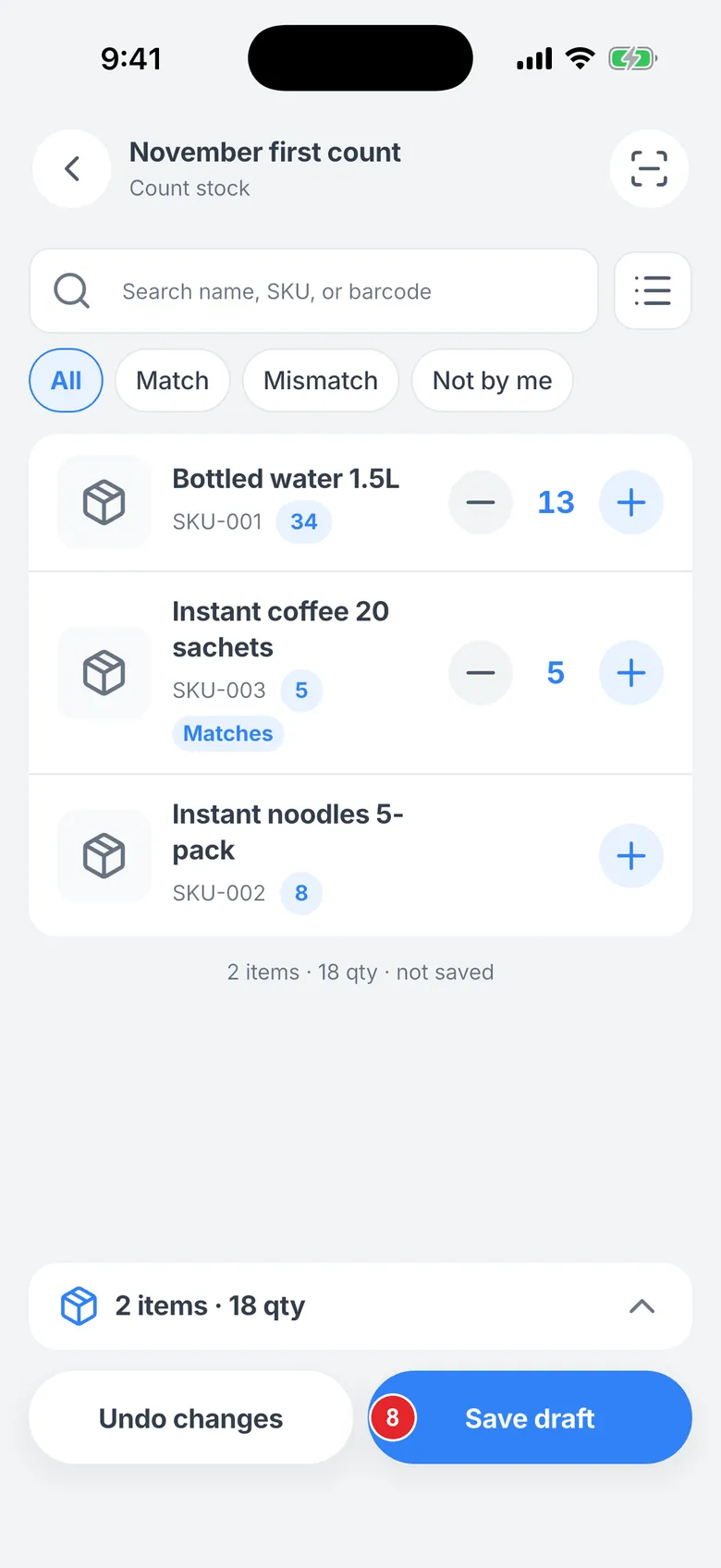
- Tap «Start counting», count the products you took on with the − + buttons, then tap «Save draft». Here Mai counted «Bottled water 1.5L» 13 and «Instant coffee 20 sachets» 5.
The person who started checks and submits
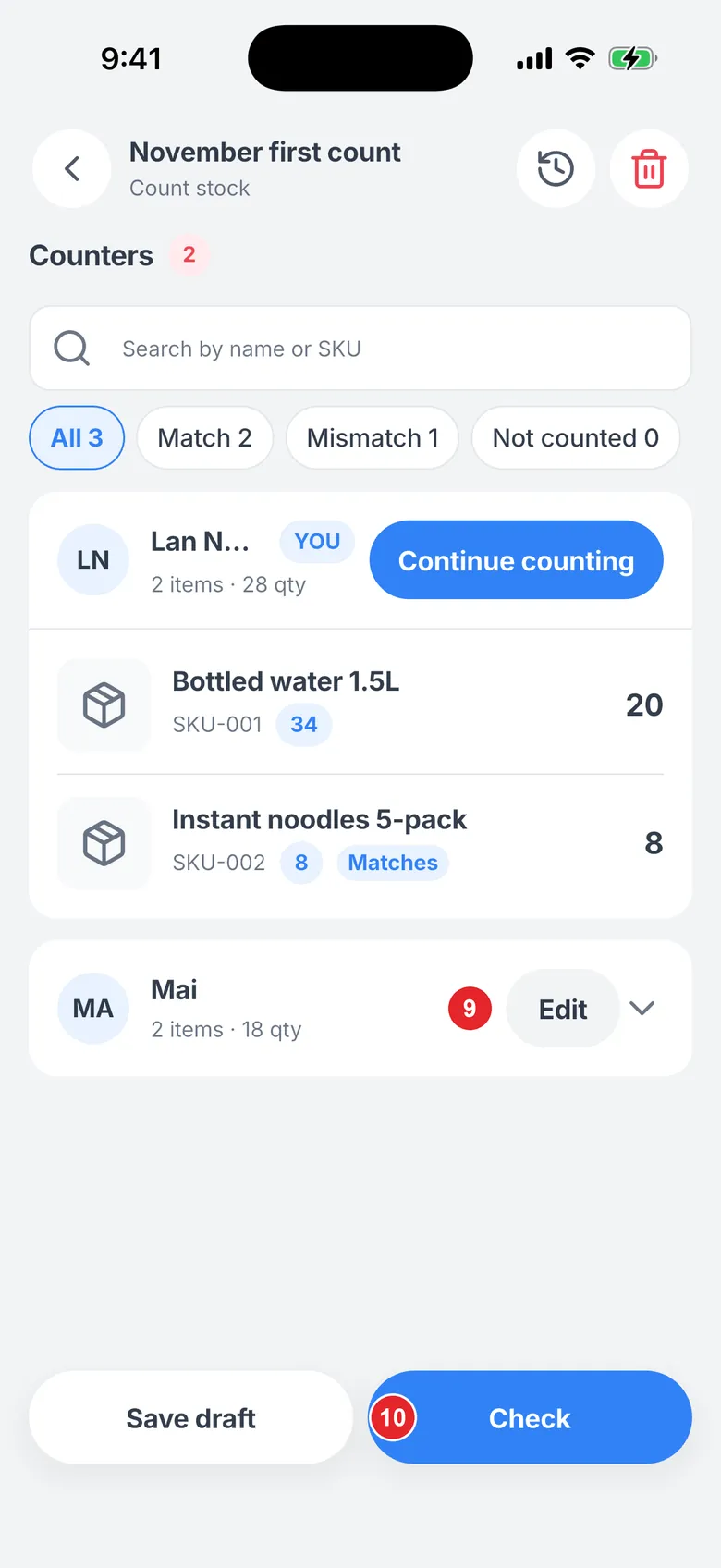
- A «Mai» card has appeared. See what Mai counted, «2 items · 18 qty». If it is wrong, tap «Edit».
- When counting is finished, tap «Check».
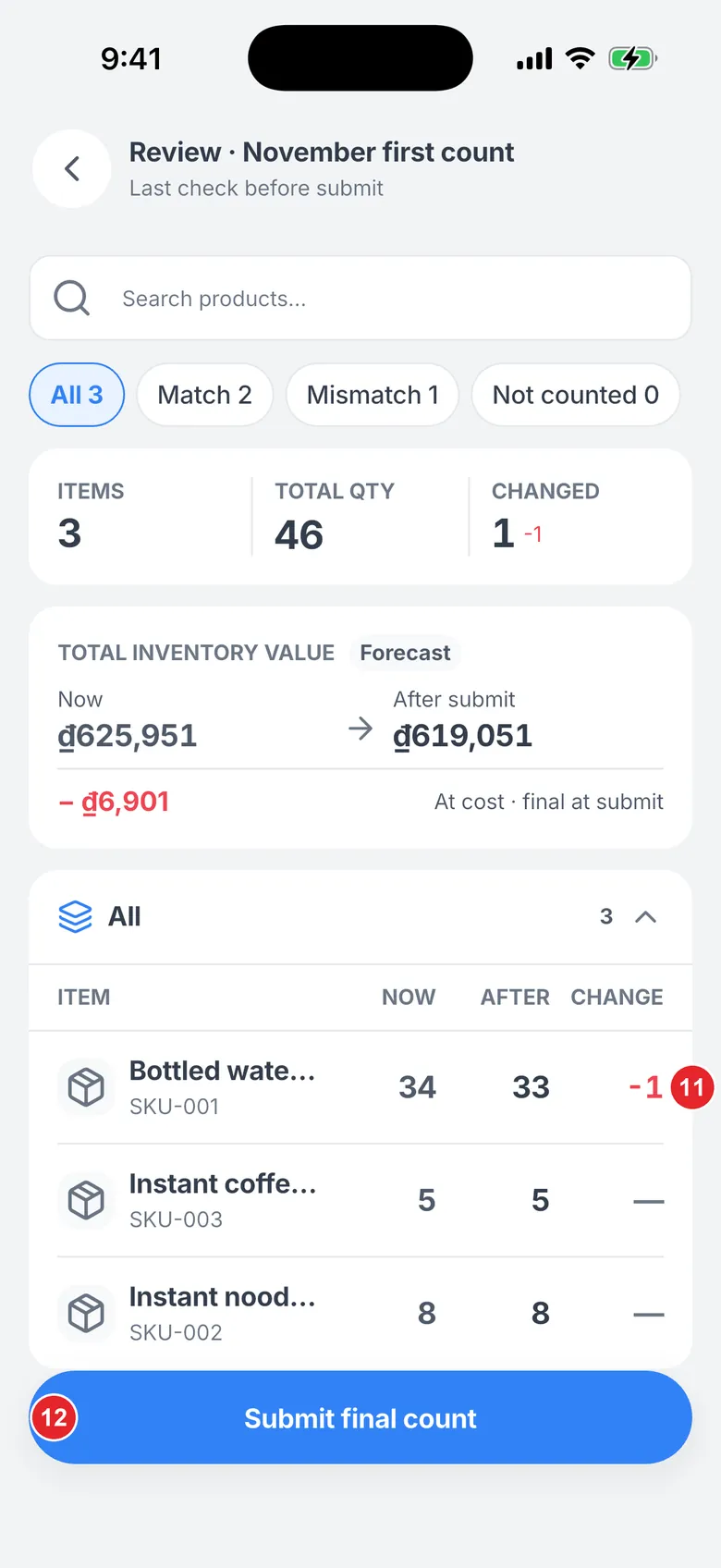
- The two people's counts are added together. «Bottled water 1.5L» is 20 + 13 = 33, so «NOW» 34 becomes «AFTER» 33 and «CHANGE» is −1.
- Check the amount that changes in «TOTAL INVENTORY VALUE» and tap «Submit final count».
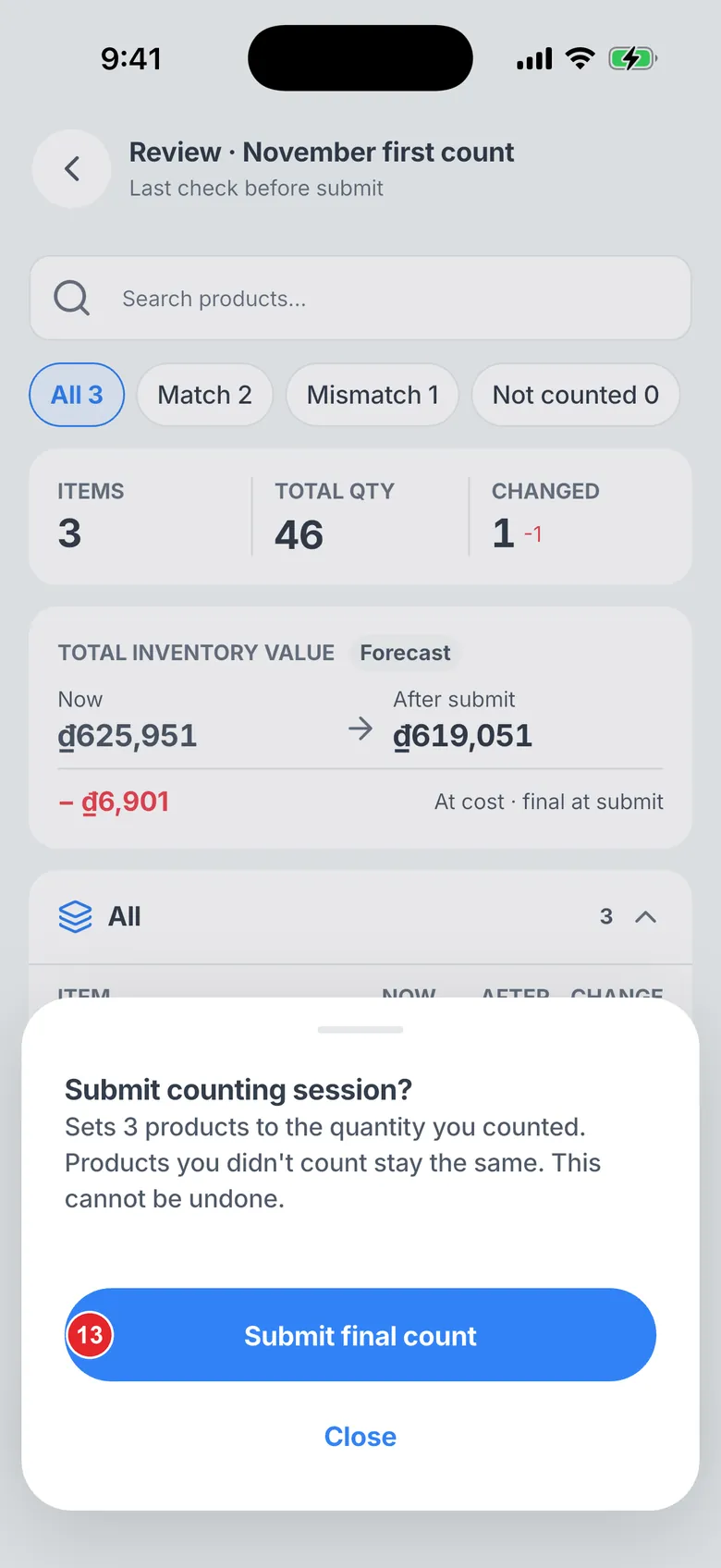
- In the window, tap «Submit final count» once more. Products nobody counted stay the same.
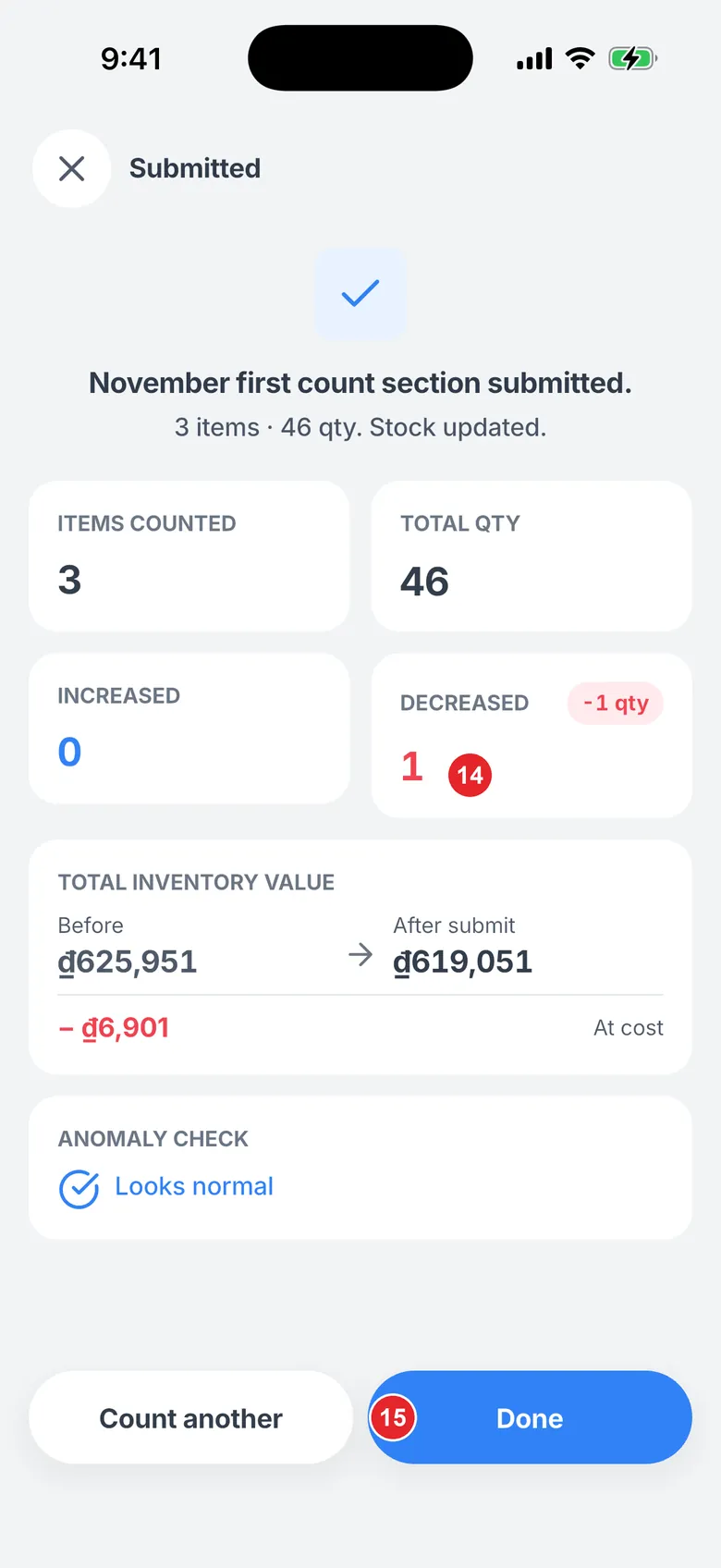
- In «DECREASED», see the number of products that went down (1) and the quantity («-1 qty»).
- Tap «Done».