
Show contents
Inventory › Count stock
Undo a wrong count
- Who
- Owner · Manager
- When
- When the count you just submitted was wrong
- Where
- App · Web
What you get
- Open the correct count in «History» and tap «Rollback», and stock goes back to the moment that count was submitted.
- Before you press it, it shows what the stock value will change to.
What it solves
- A wrongly counted quantity stays in stock and in the books.
Why this way
- You roll back to “the correct count before it”, not to “the wrong count”.
- What if the very first count was wrong? There is no earlier count to go back to. Count just the wrong products again with «Count stock».
- What should I watch out for? Rolling back overwrites today's stock. Sales, moves and other counts after that count disappear. Only use it when you notice right away.
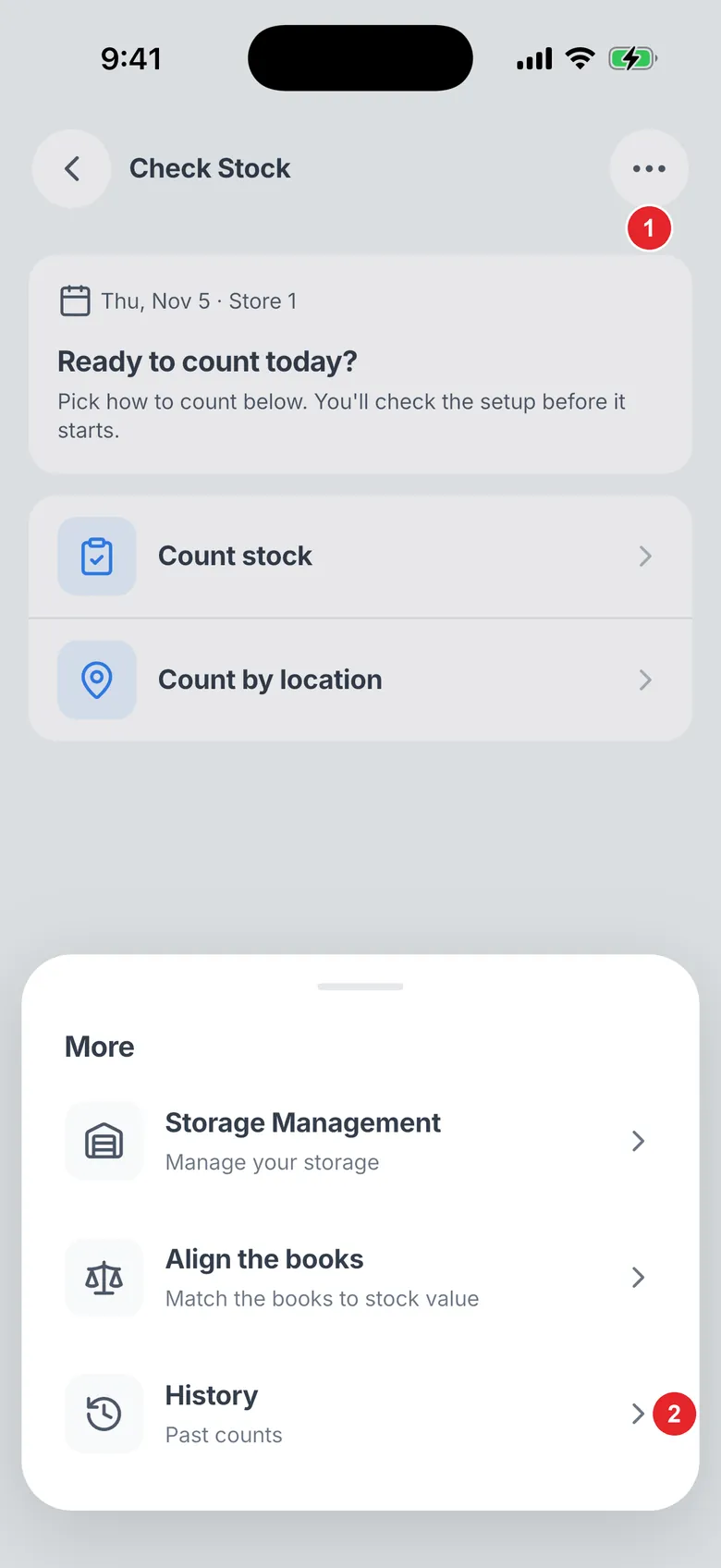
- In «Check Stock», tap the ⋯ button at the top right.
- Under «More», tap «History».
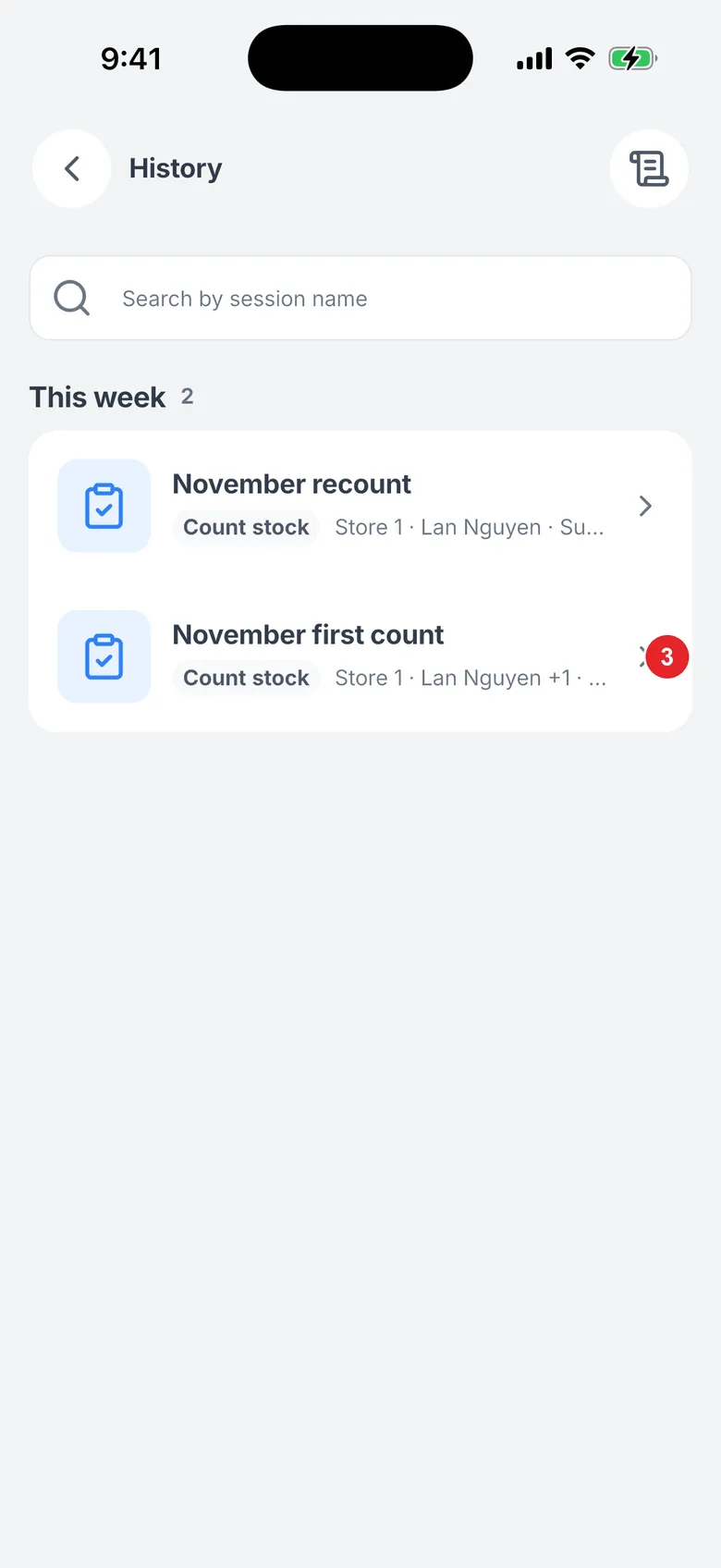
- Tap the count to go back to: not the wrong count, but the correct one before it. Here «November recount» is wrong, so tap «November first count», the one before it.
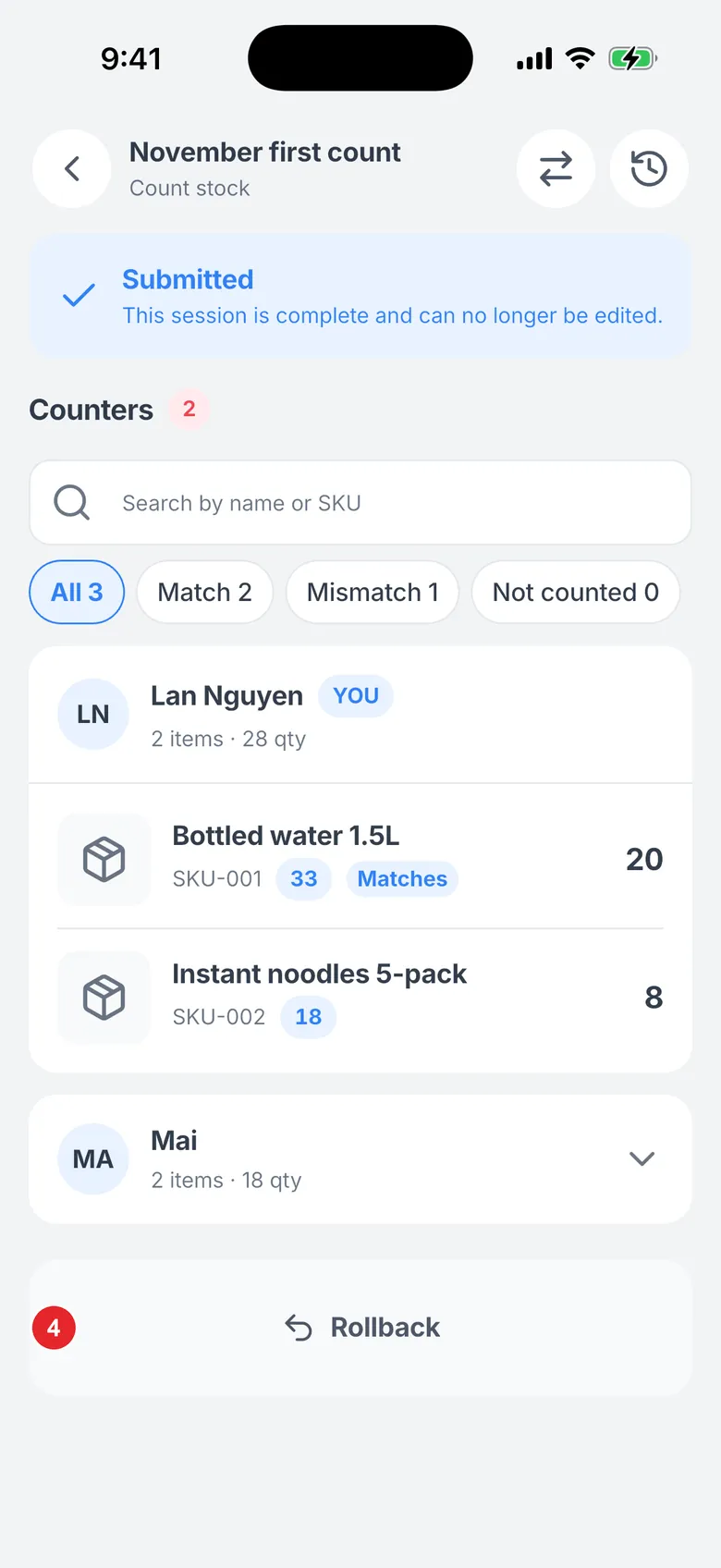
- Tap «Rollback» at the bottom.
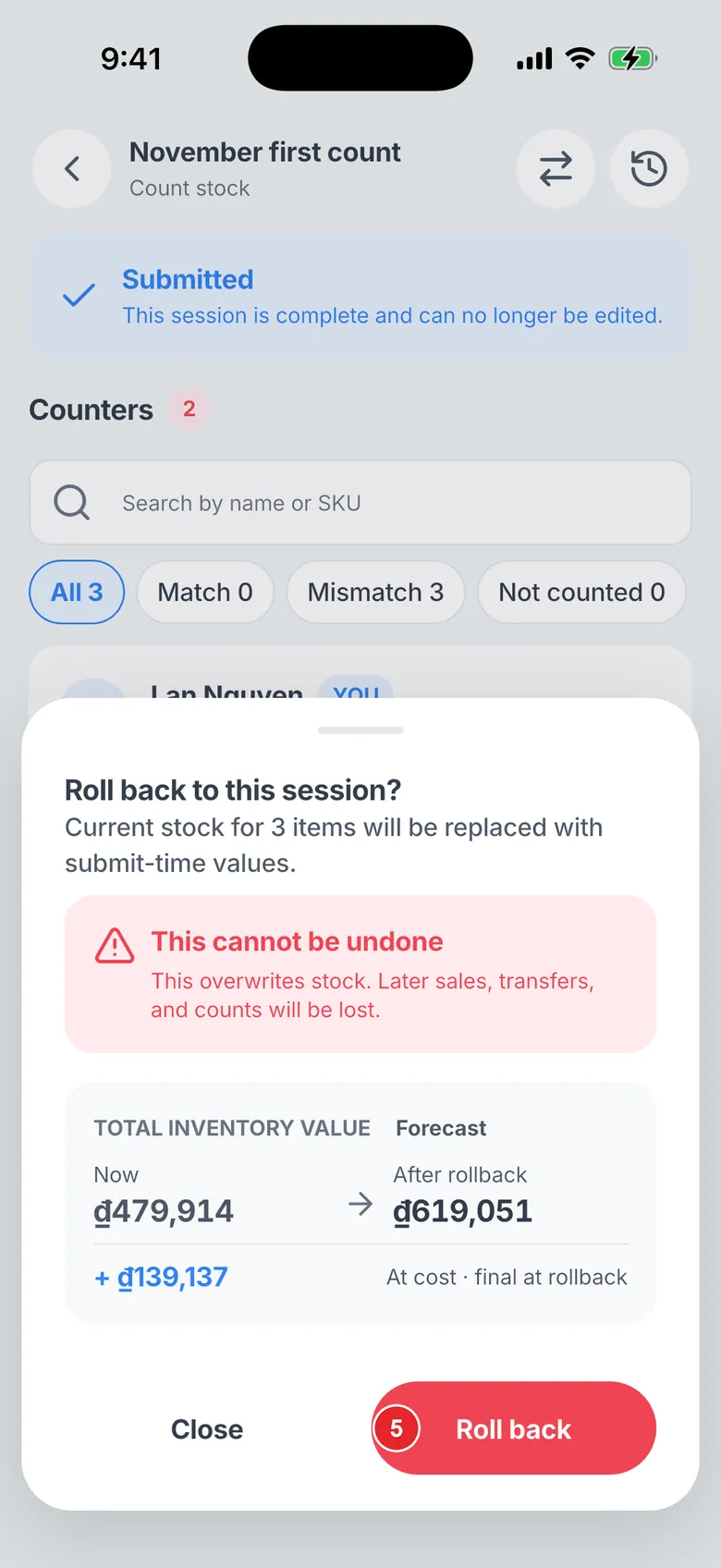
- Read «This overwrites stock. Later sales, transfers, and counts will be lost.» In «TOTAL INVENTORY VALUE», see the «Now» amount and the «After rollback» amount, then tap «Roll back».
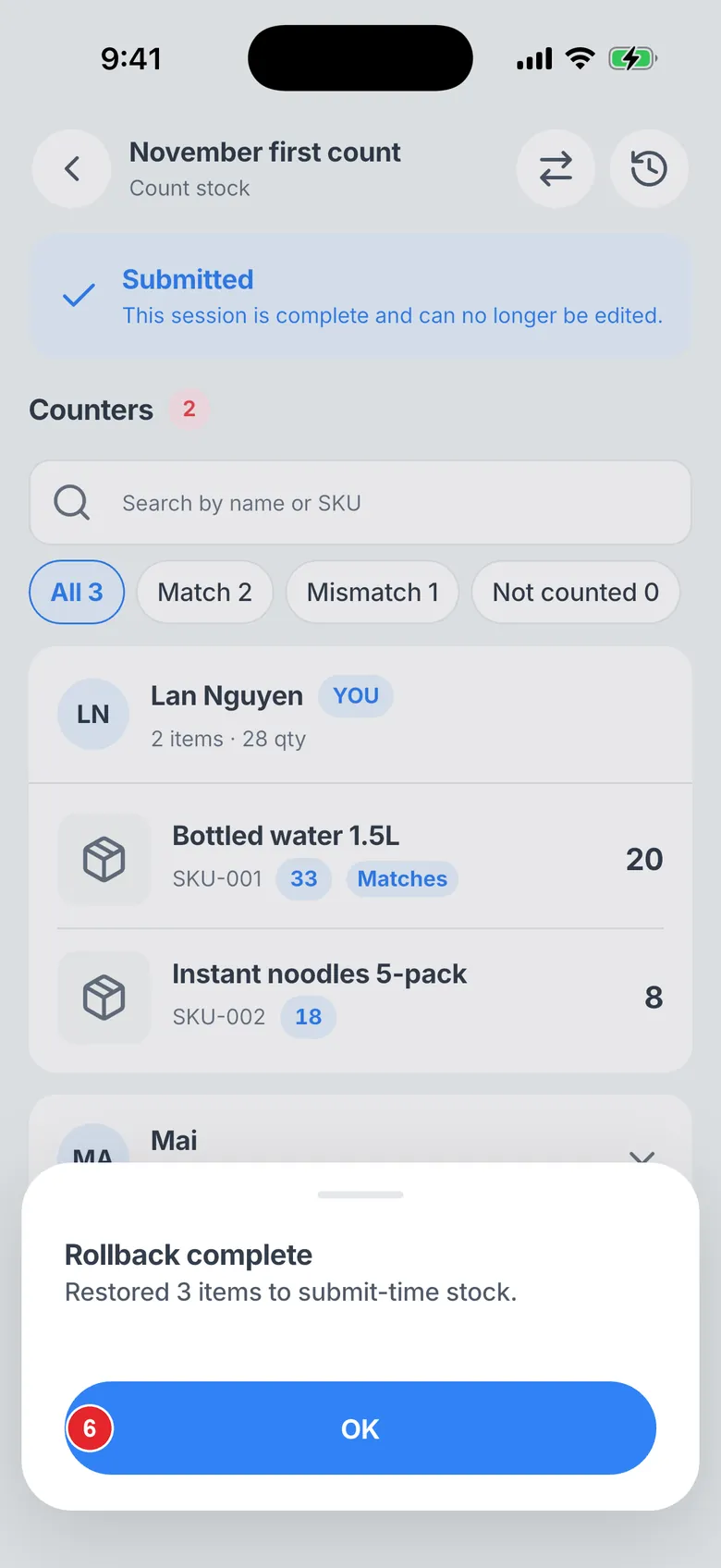
- See «Restored 3 items to submit-time stock.» and tap «OK».