
Show contents
Inventory › Count stock
Take out broken or expired goods
- Who
- Owner · Manager
- When
- When goods break or pass their expiry date
- Where
- App
What you get
- Enter only the quantity to throw out and the reason («Damaged» or «Expired»), and stock goes down.
- The product's «History» keeps when and how many you took out as «Adjustment (−)».
What it solves
- If you just throw broken goods away, book stock stays higher than what's really there, and at the next count you can't tell why it's short.
Why this way
- Thrown-out goods are a loss, not a sale. Write them down separately and you know why stock is short when you count.
- How does it show in the books? Stock goes down and it's recorded as a loss.
- What if the goods go back to the supplier? Don't throw them out; take them out with «Send goods back to the supplier».
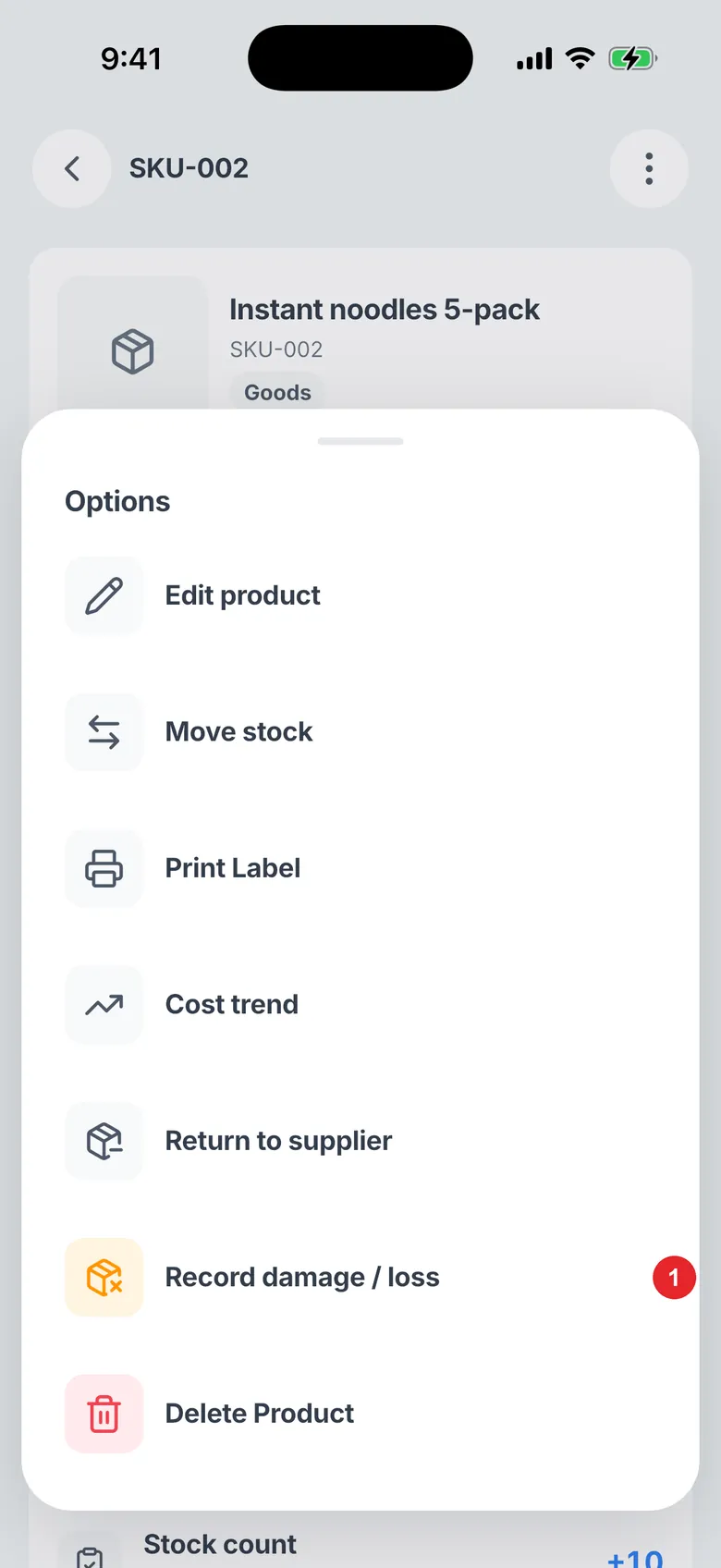
- In «Stock · Add Products», open a product, tap the ⋮ button at the top right and tap «Record damage / loss».
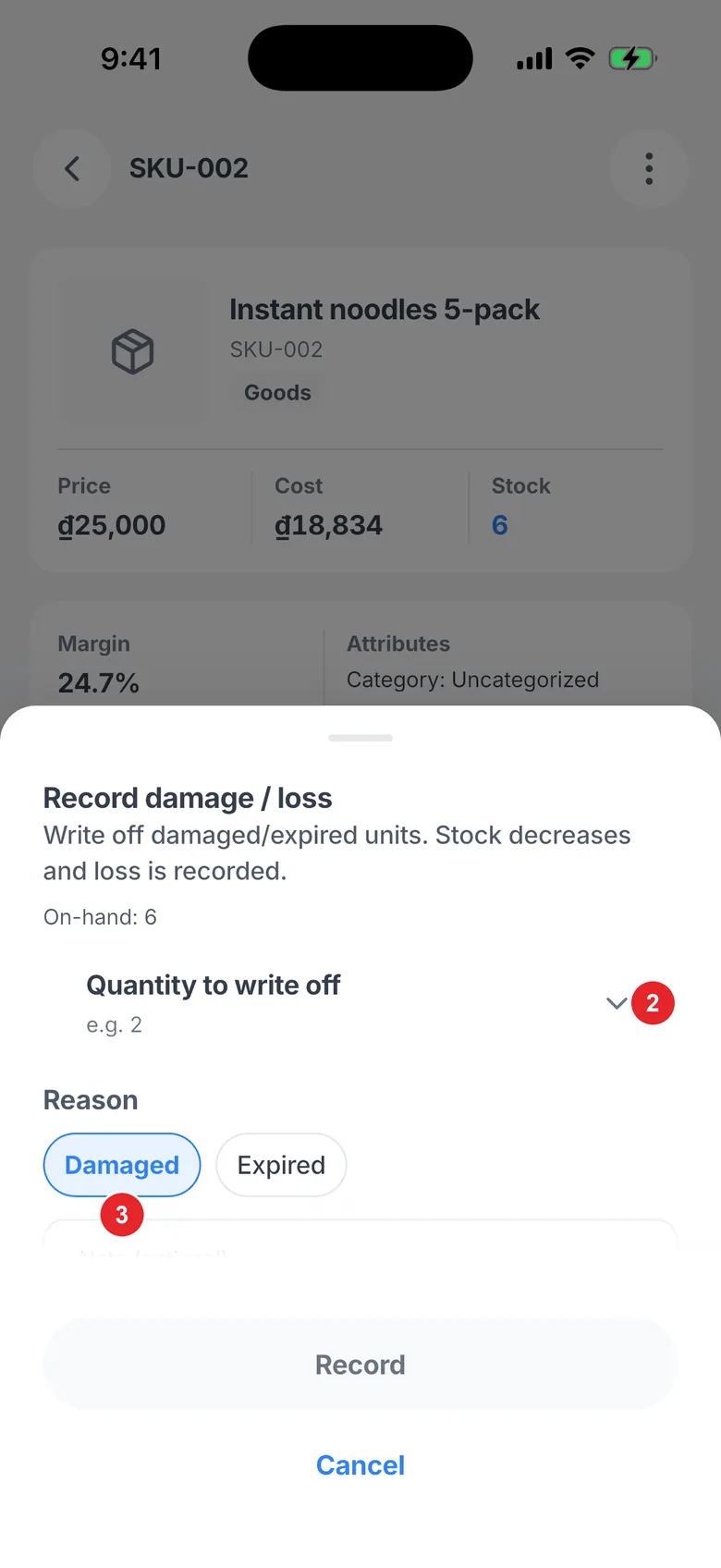
- Tap «Quantity to write off» and enter the quantity to throw away. «On-hand: 6» above is what is left now.
- Under «Reason», tap «Damaged». If it is past its date, tap «Expired».
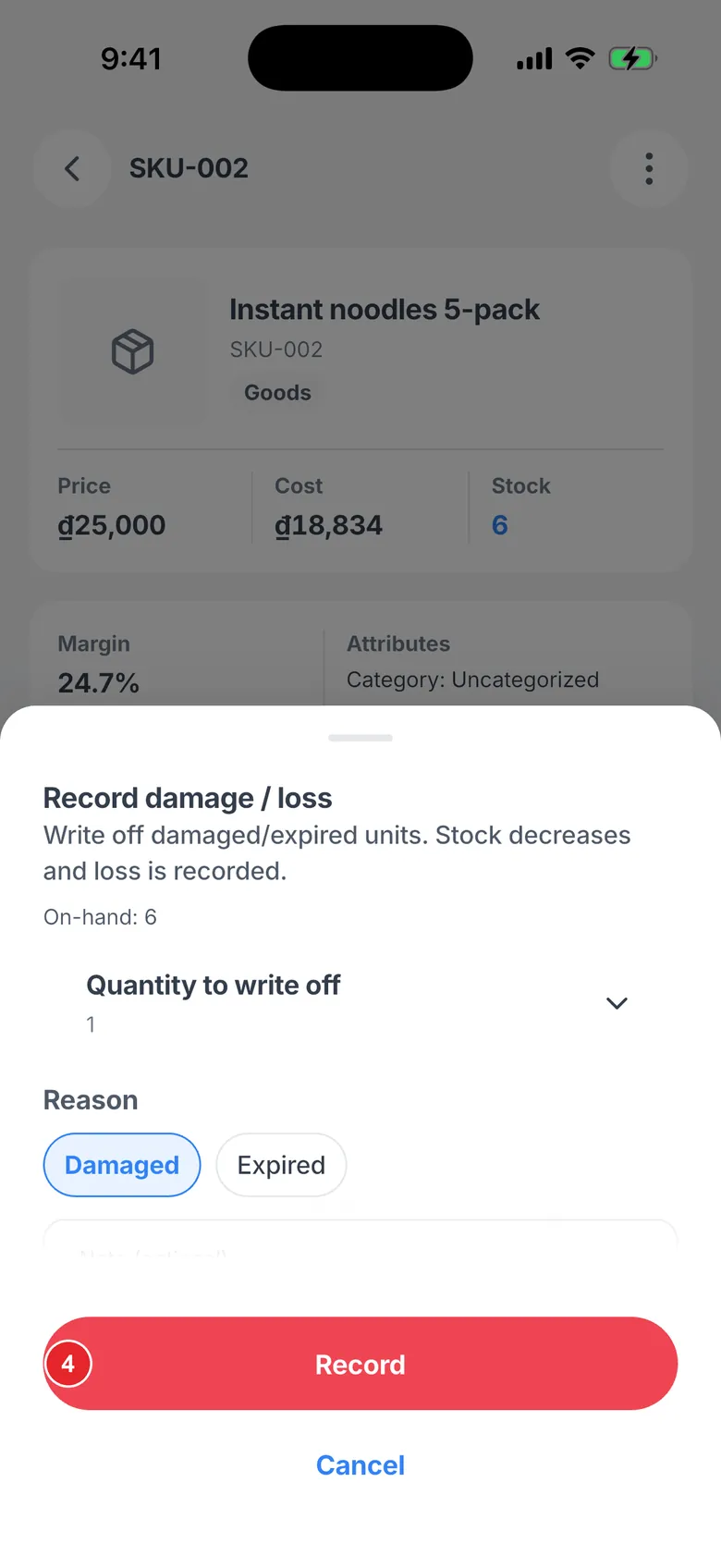
- Tap «Record».
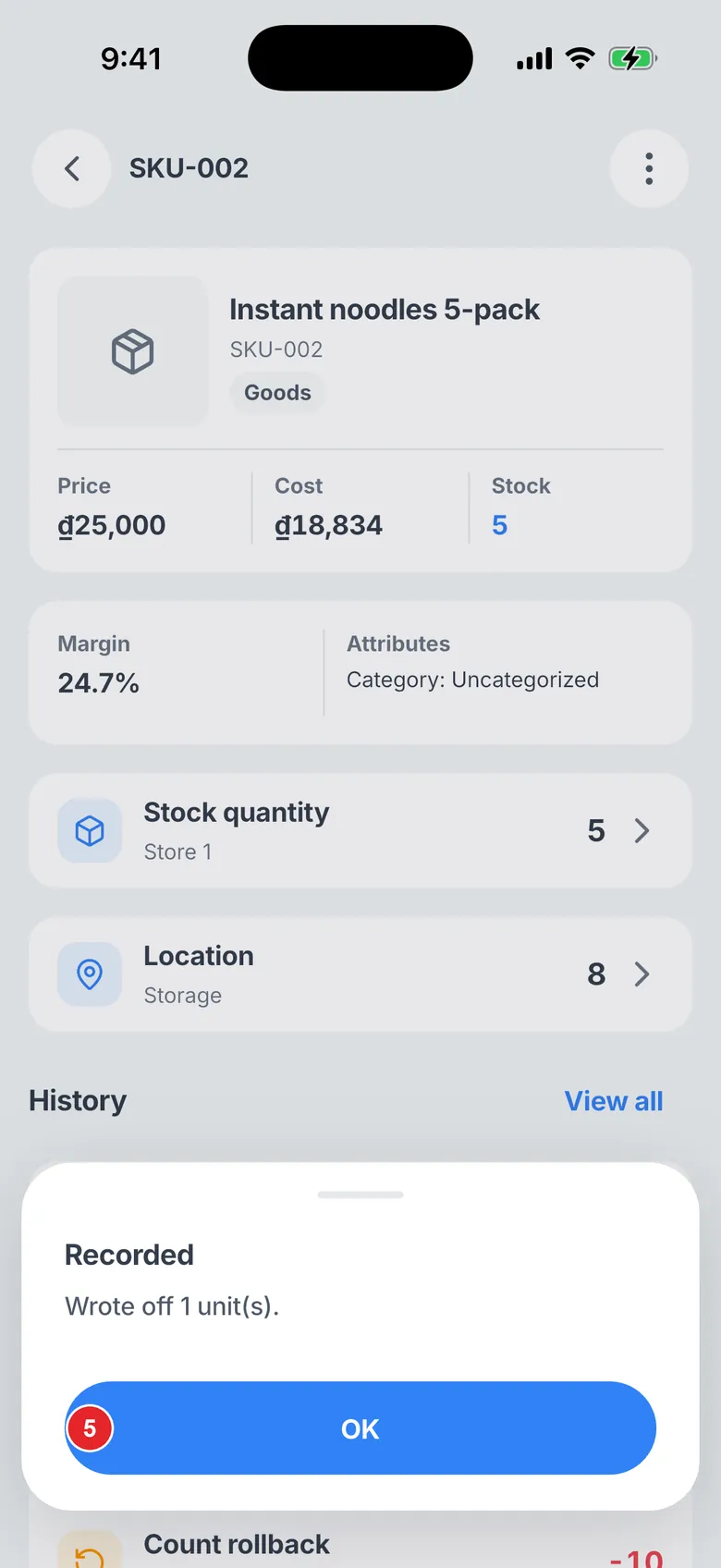
- Check that 1 unit was written off and tap «OK».
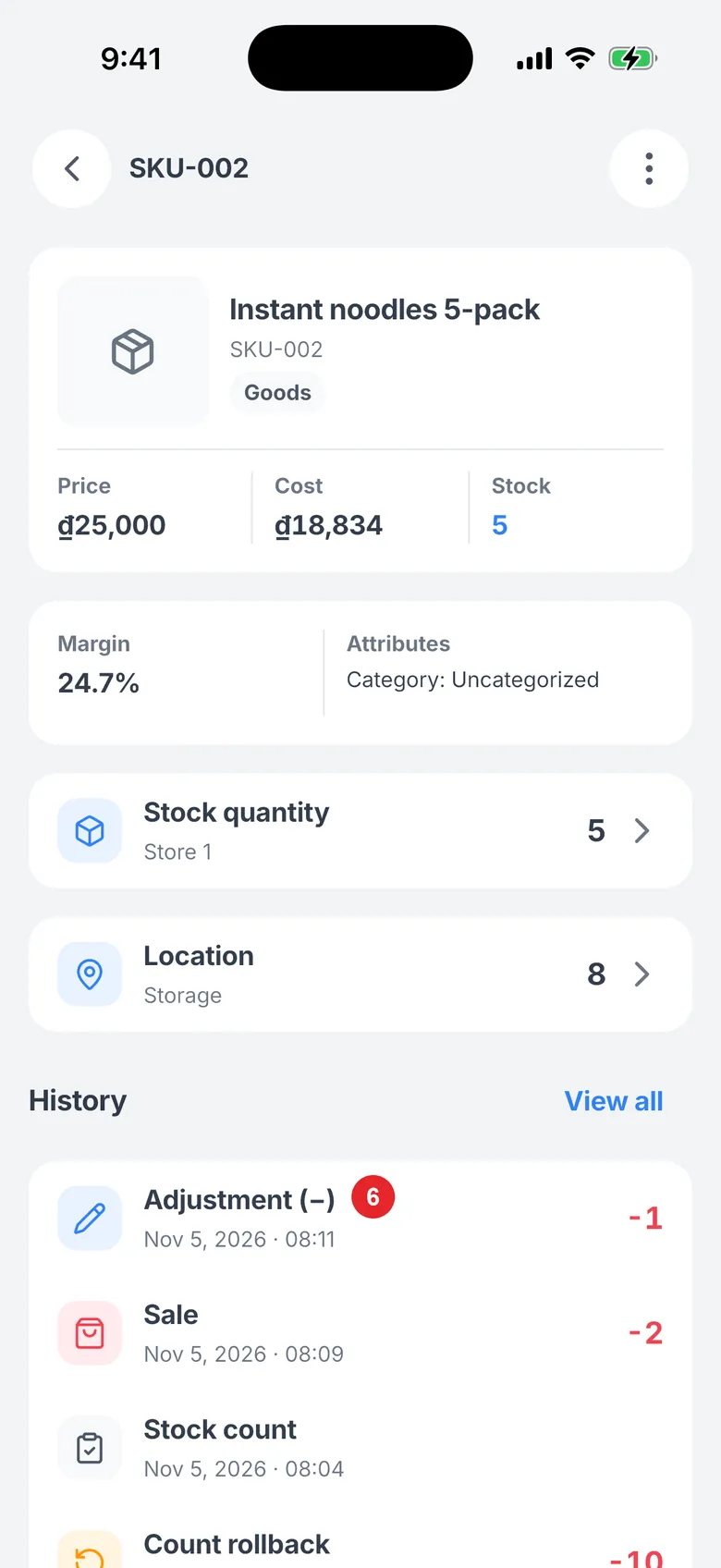
- In the product's «History», an «Adjustment (−)» row appears at −1. «Stock» went from 6 to 5. The 8 on «Location» is what was counted at the last count by location. It doesn't go down with sales or write-offs, so it differs from «Stock».