
Show contents
Inventory › Order and receive
Confirm goods when some are missing
- Who
- Owner · Manager
- When
- When everything has been received, or you end with some still missing
- Where
- App · Web
What you get
- For each item, compare the «Order», «Sent» and «Got» quantities in one table.
- For a line that differs, pick one of five reasons: «The received quantity is right», «I counted wrong», «Not all here · more is coming», «Some are damaged», «A wrong item came».
- Confirming the goods leads straight to «Confirm books».
What it solves
- An order with goods missing stays «Receiving», so you can't tell what is finished.
Why this way
- Confirming goods says “this is all I'll receive on this order” and closes it. The shipment closes as received.
- What if more comes after I confirm? Once confirmed, you can't receive more or fix anything. Enter damaged or wrong items before you confirm.
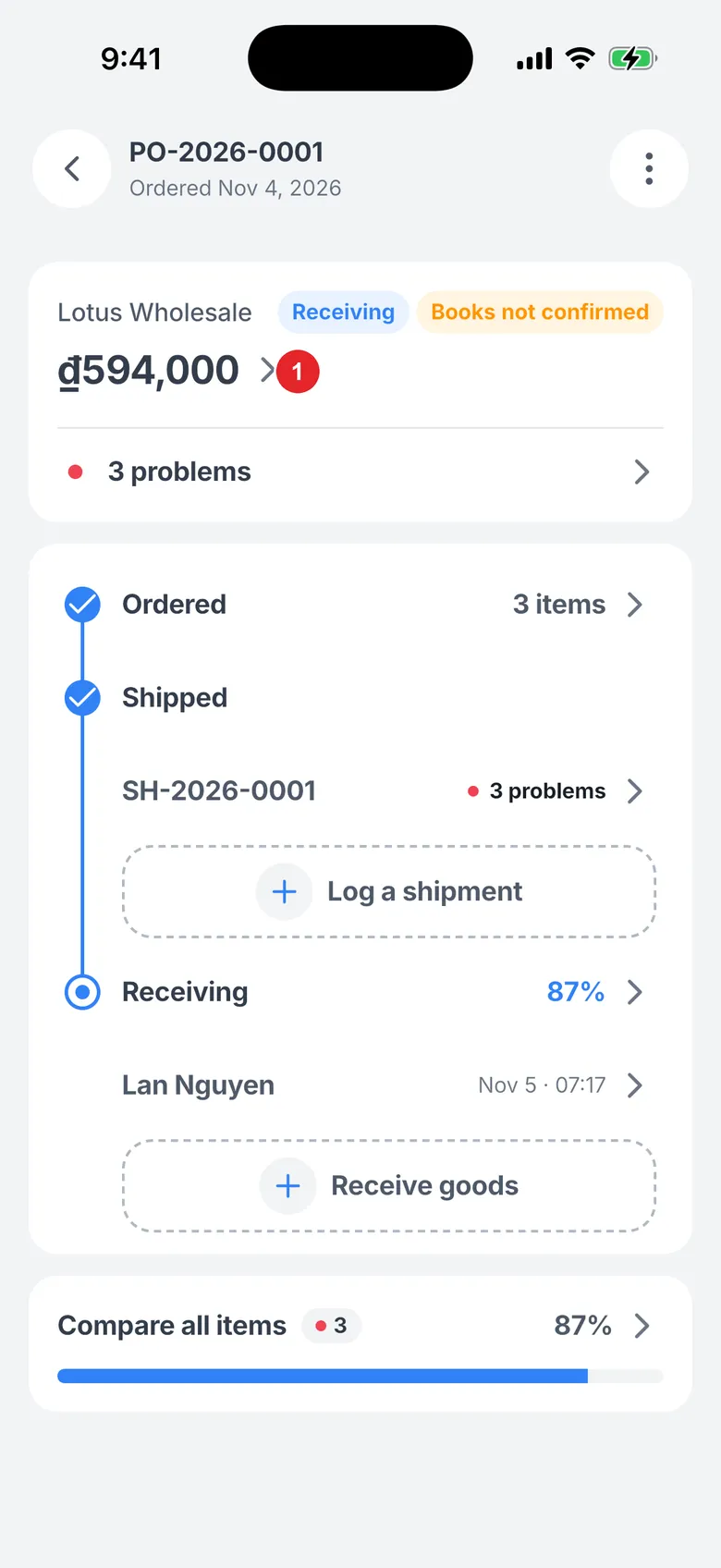
- In «Logistic Management», open the order and tap the order amount at the top, «₫594,000».
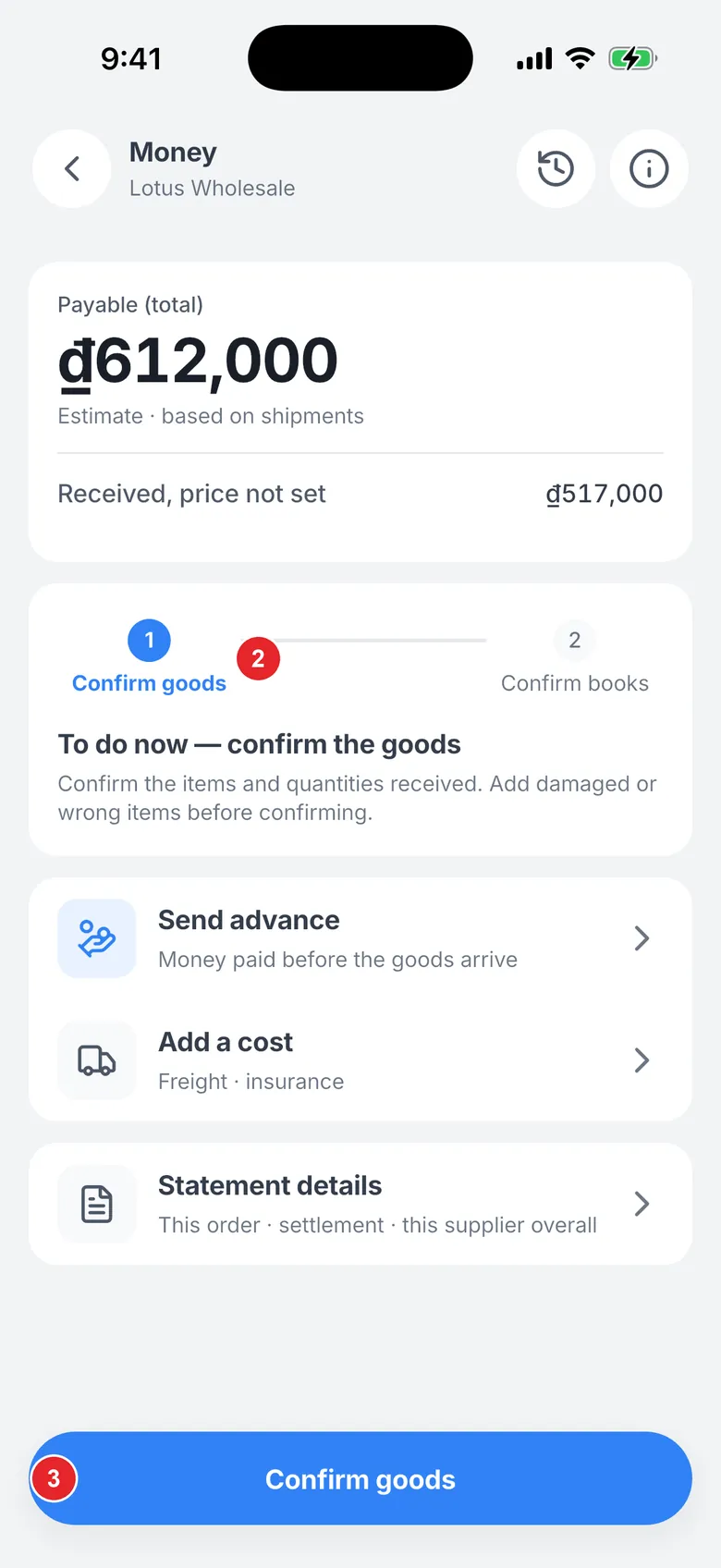
- In the step line, see that what to do now is «Confirm goods». There are three amounts: ₫594,000 is the price when you ordered, «Payable (total)» ₫612,000 is the estimate based on shipments, and «Received, price not set» ₫517,000 is the received value. You set what you really owe in «Confirm books».
- Tap «Confirm goods» at the bottom.
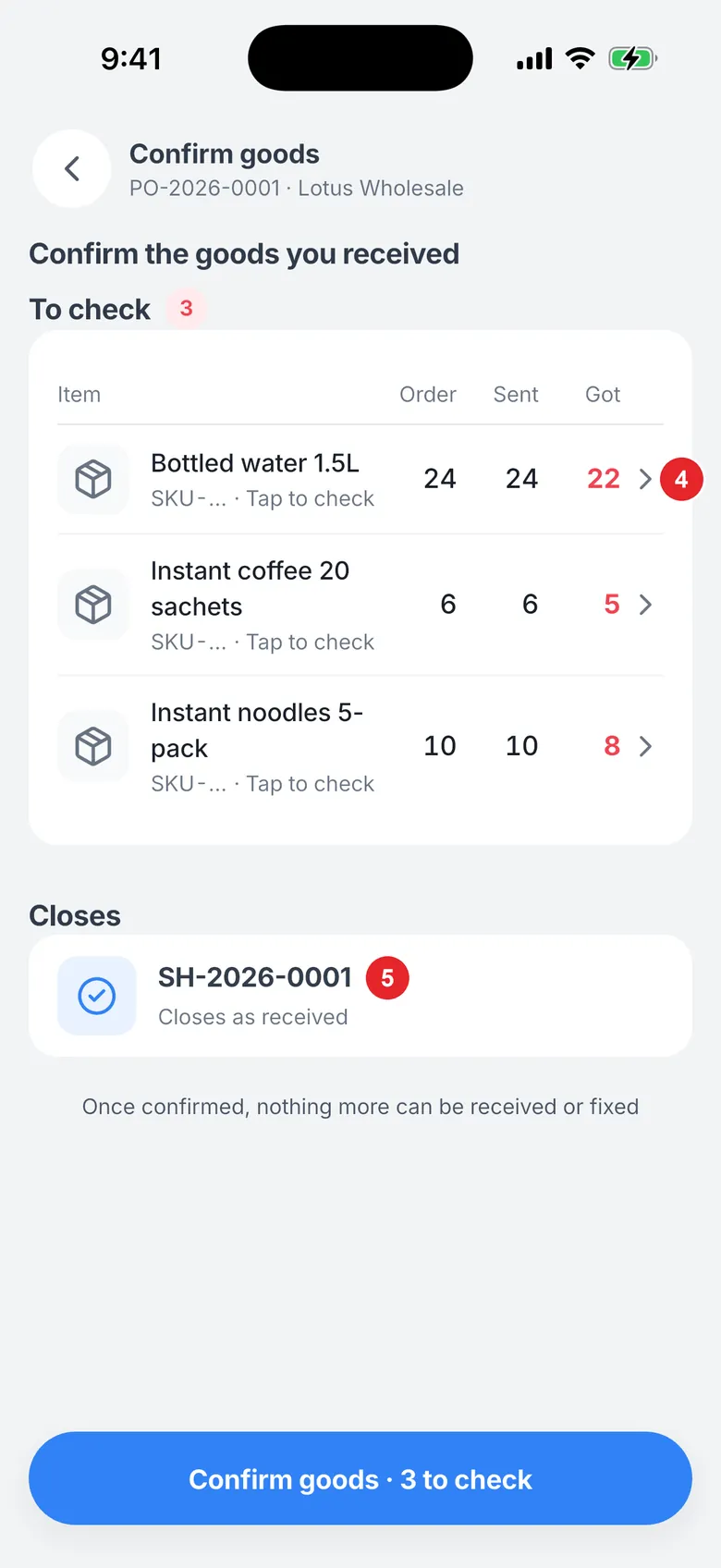
- Each item shows its «Order», «Sent» and «Got» quantities. A quantity that differs shows in red. Tap that row. Here it is «Bottled water 1.5L».
- «Closes» shows the shipment. Once confirmed, «SH-2026-0001» closes as received.
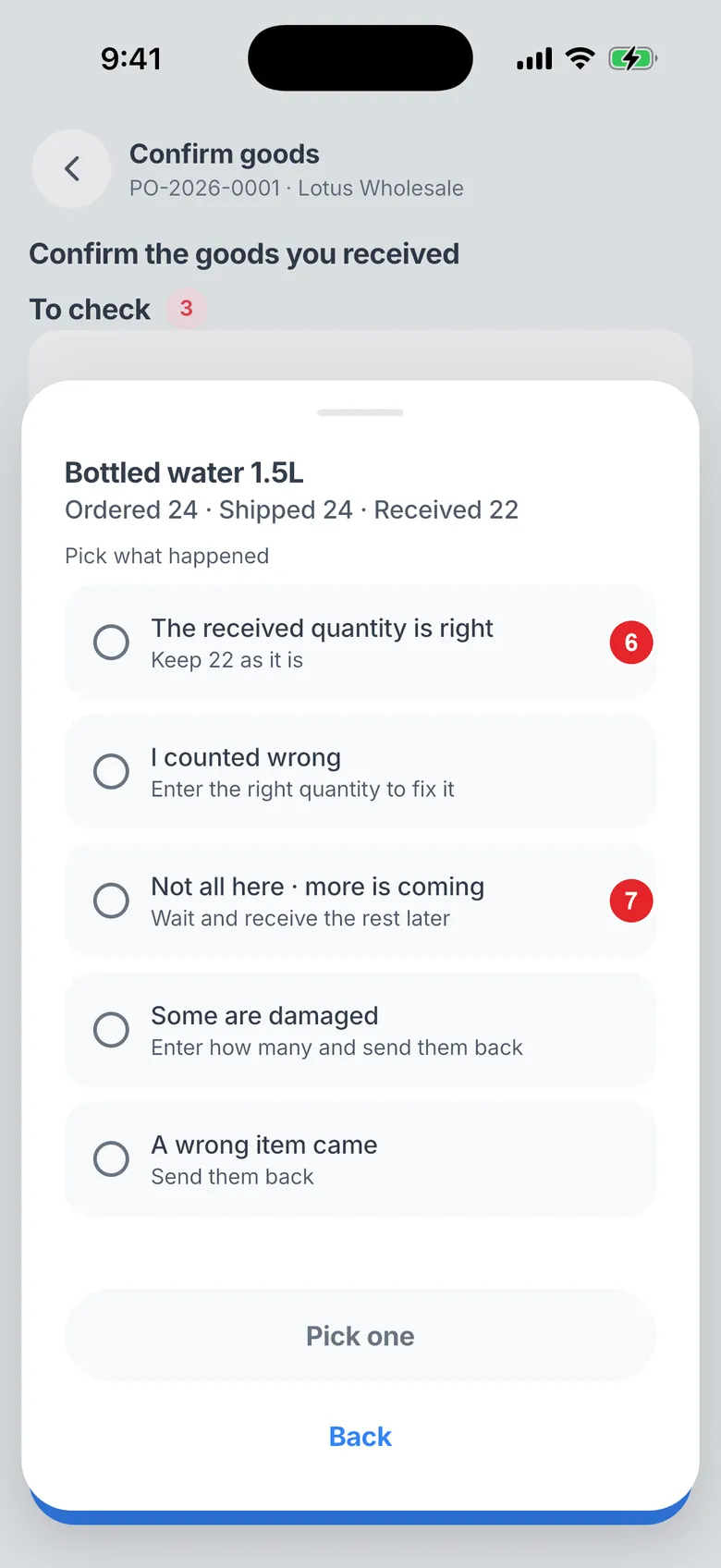
- To finish with the received quantity as it is, tap «The received quantity is right».
- If the rest is still coming, tap «Not all here · more is coming». Confirming waits, and you receive more later.
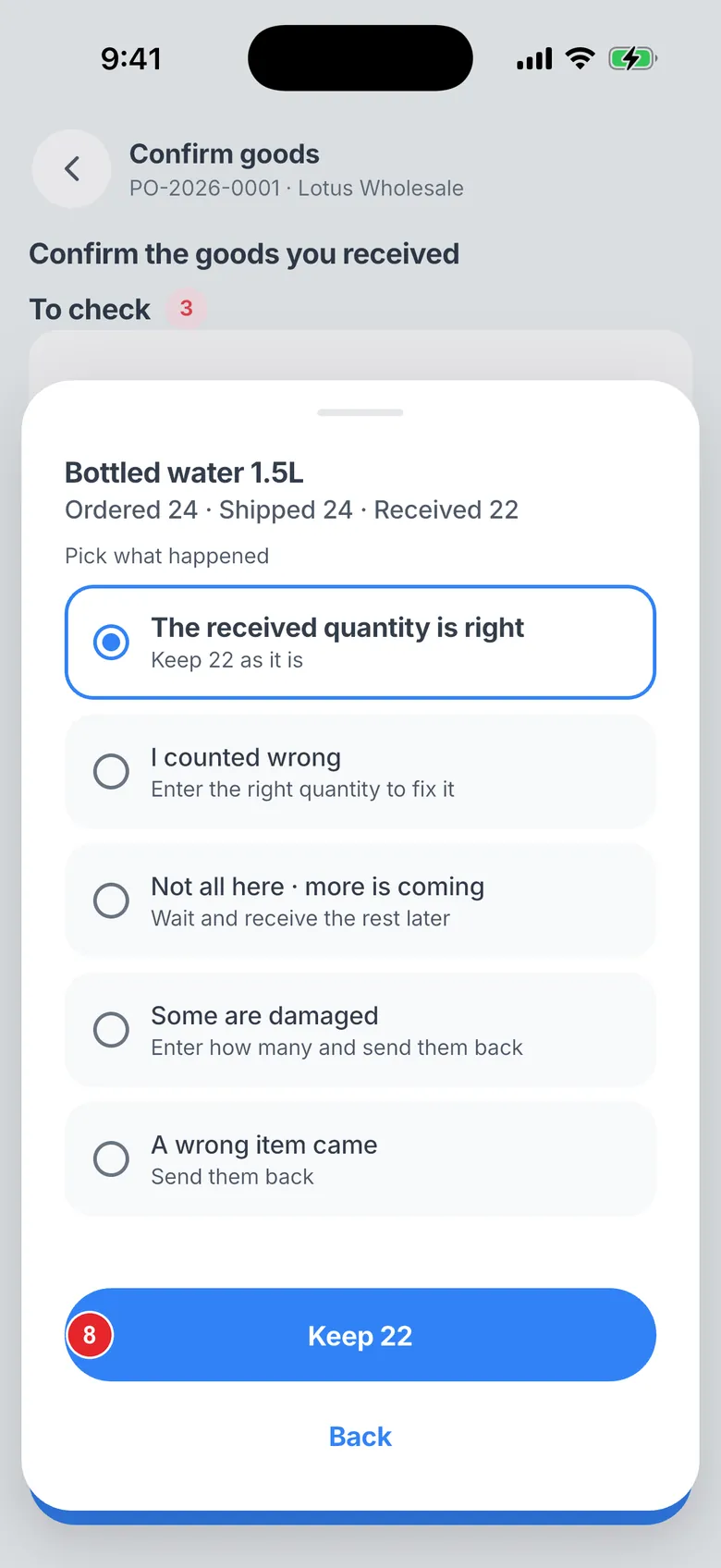
- Tap «Keep 22» at the bottom. Choose for the other rows the same way, one by one.
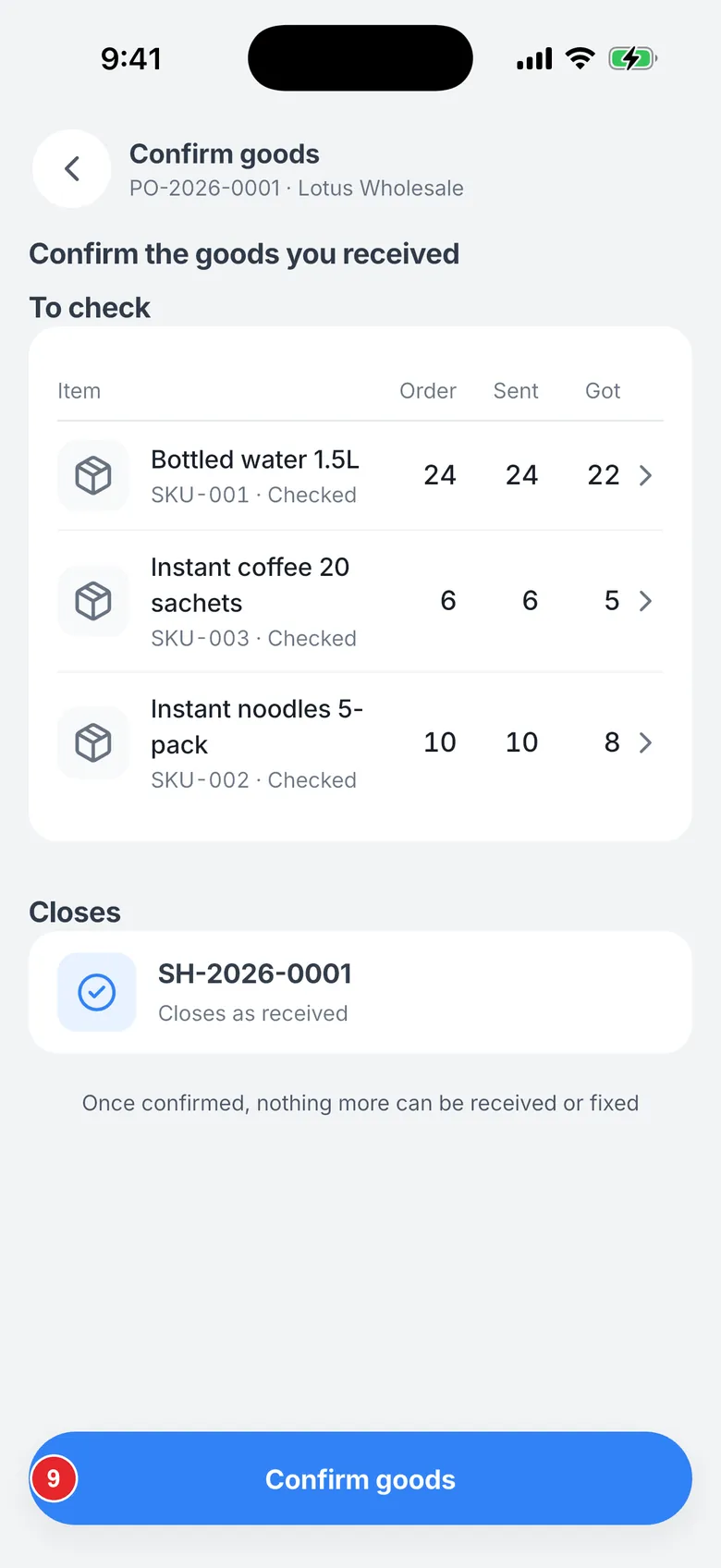
- When every row is checked, tap «Confirm goods». You go straight to «Confirm books». See «How confirming what you owe changes cost».
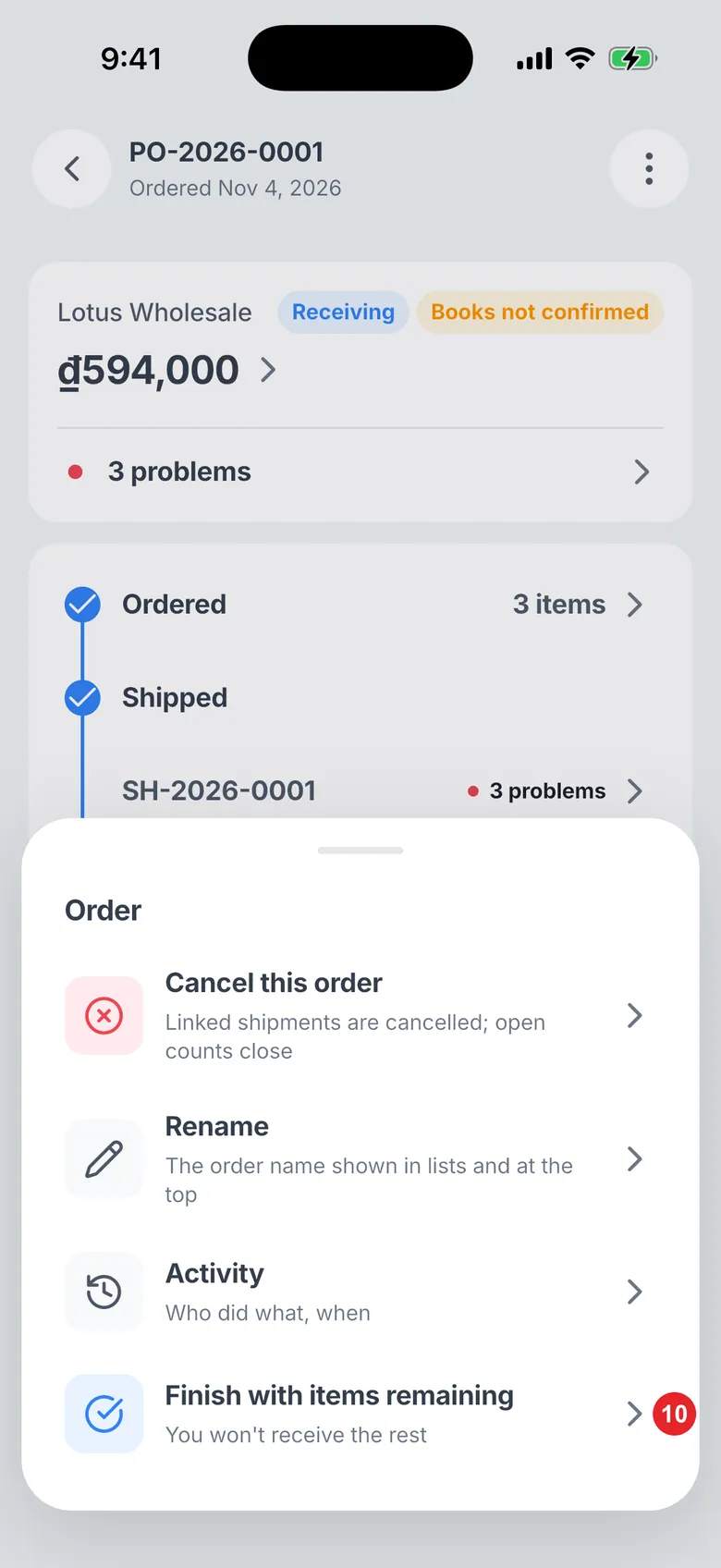
- There is also a way straight from the order screen. Tap the ⋮ button at the top right of the order and tap «Finish with items remaining», and the Money screen from step 2 opens. The remaining quantity won't be received. After that it is the same as steps 2–9.