
Show contents
Inventory › Order and receive
Send goods back to the supplier
- Who
- Owner · Manager
- When
- When you send received goods back to the supplier (before confirming goods)
- Where
- App
What you get
- Pick the returned product and quantity from the receiving record, and they come out of stock.
- «I counted wrong» and «I sent them back to the supplier» are kept apart.
What it solves
- Returned goods stay in stock, so a count looks short.
Why this way
- The returned quantity stays with the receiving record, so later you know why it went down.
- What if I find out days later that some are missing? If they were lost or broken, fix it with a stock count, not here.
- Does the amount I owe go down too? Not by itself. When you set the amount in «Confirm books», take off what you sent back.
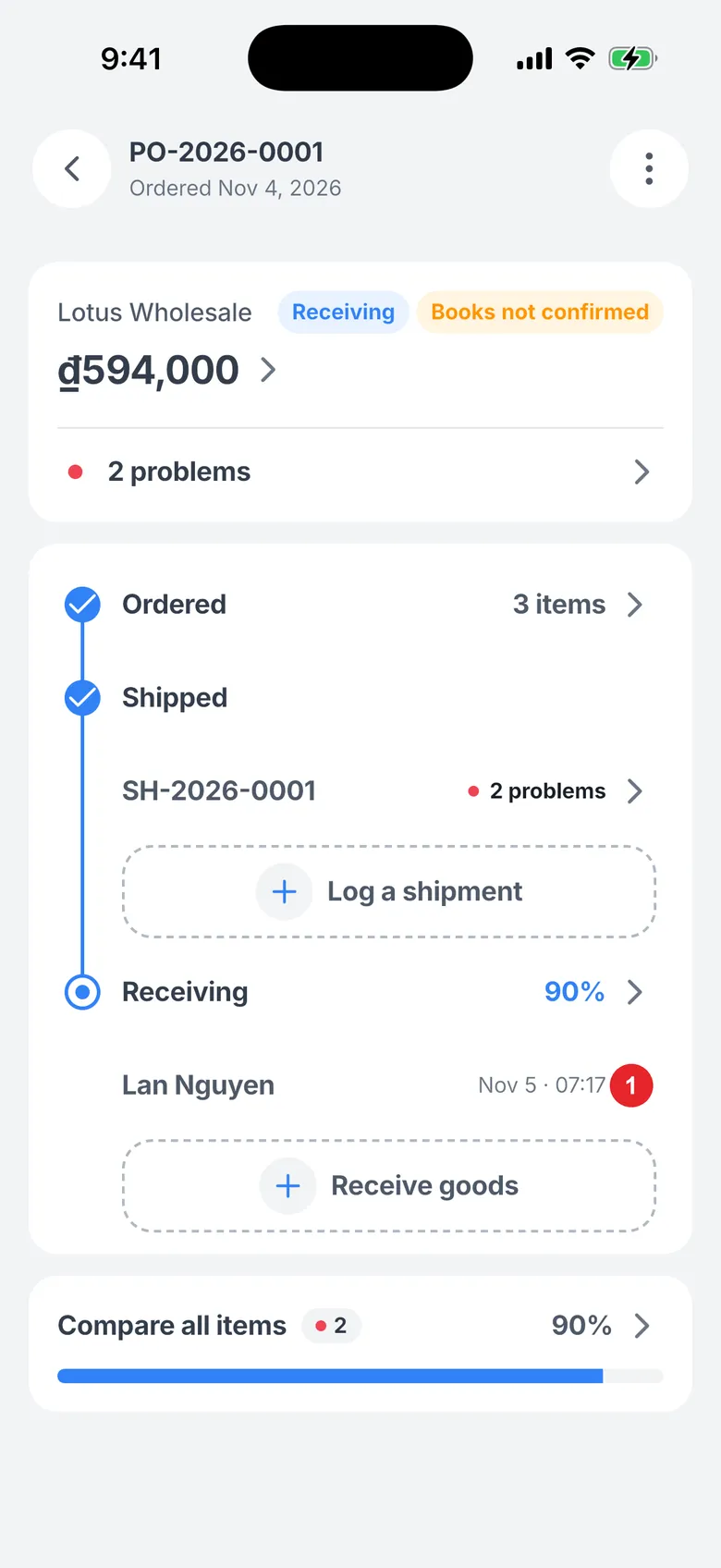
- In «Logistic Management», open the order and tap the receiving record row under «Receiving». Here it is the one «Lan Nguyen» received.
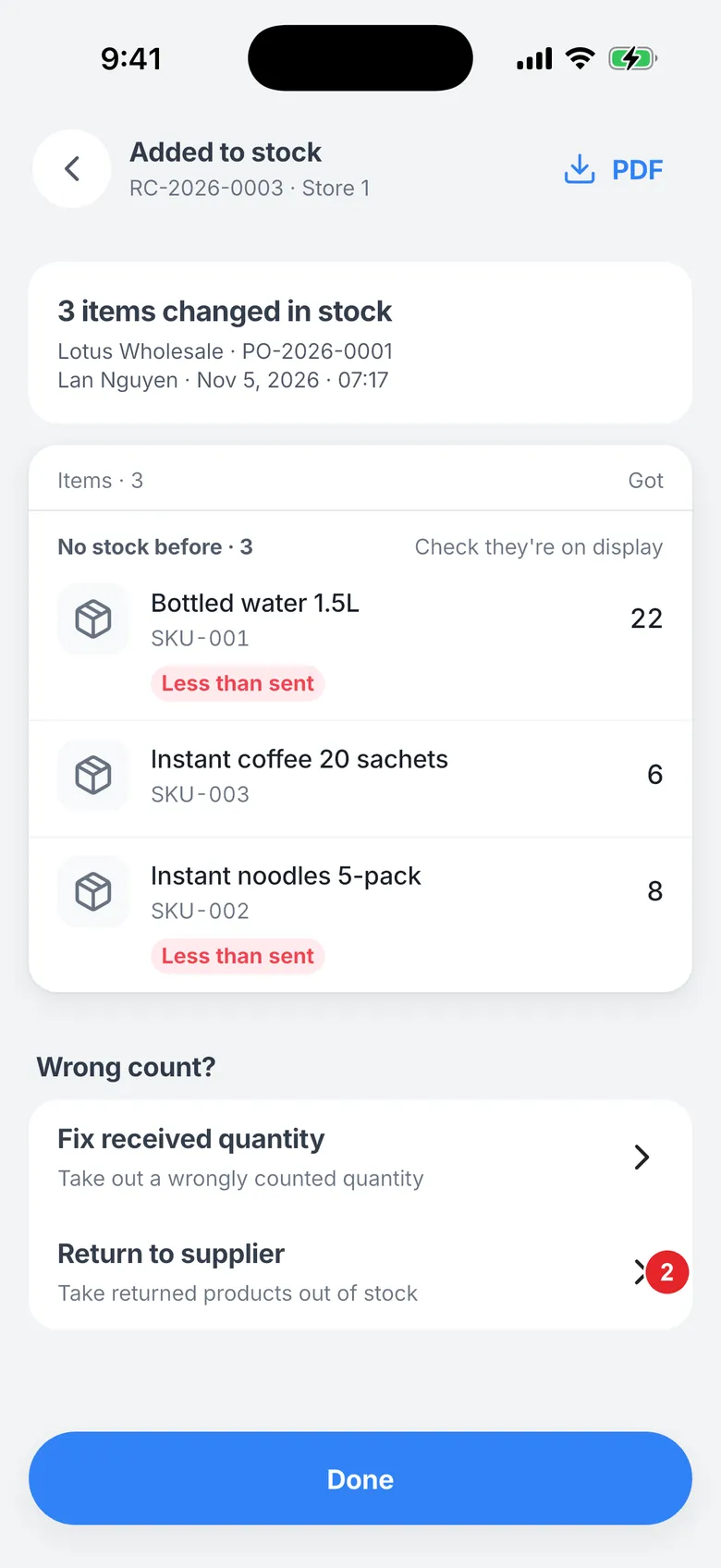
- Under «Wrong count?», tap «Return to supplier». «No stock before · 3» above is a group of products that had no stock before this receiving, as a reminder to check they're on display. It doesn't mean they didn't go into stock.
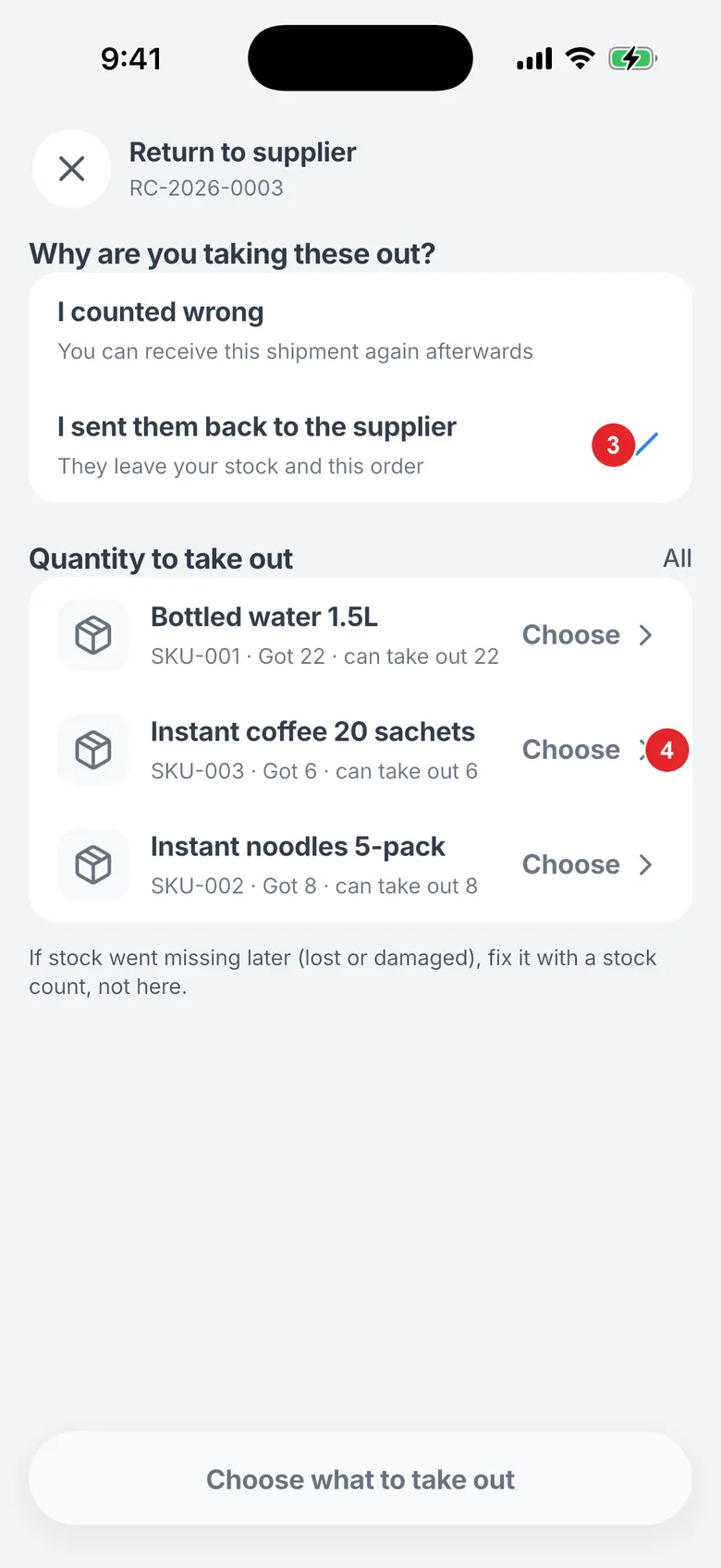
- Under «Why are you taking these out?», tap «I sent them back to the supplier». If you counted wrong, tap «I counted wrong».
- Tap «Choose» on the row of the product you sent back. Here it is «Instant coffee 20 sachets».
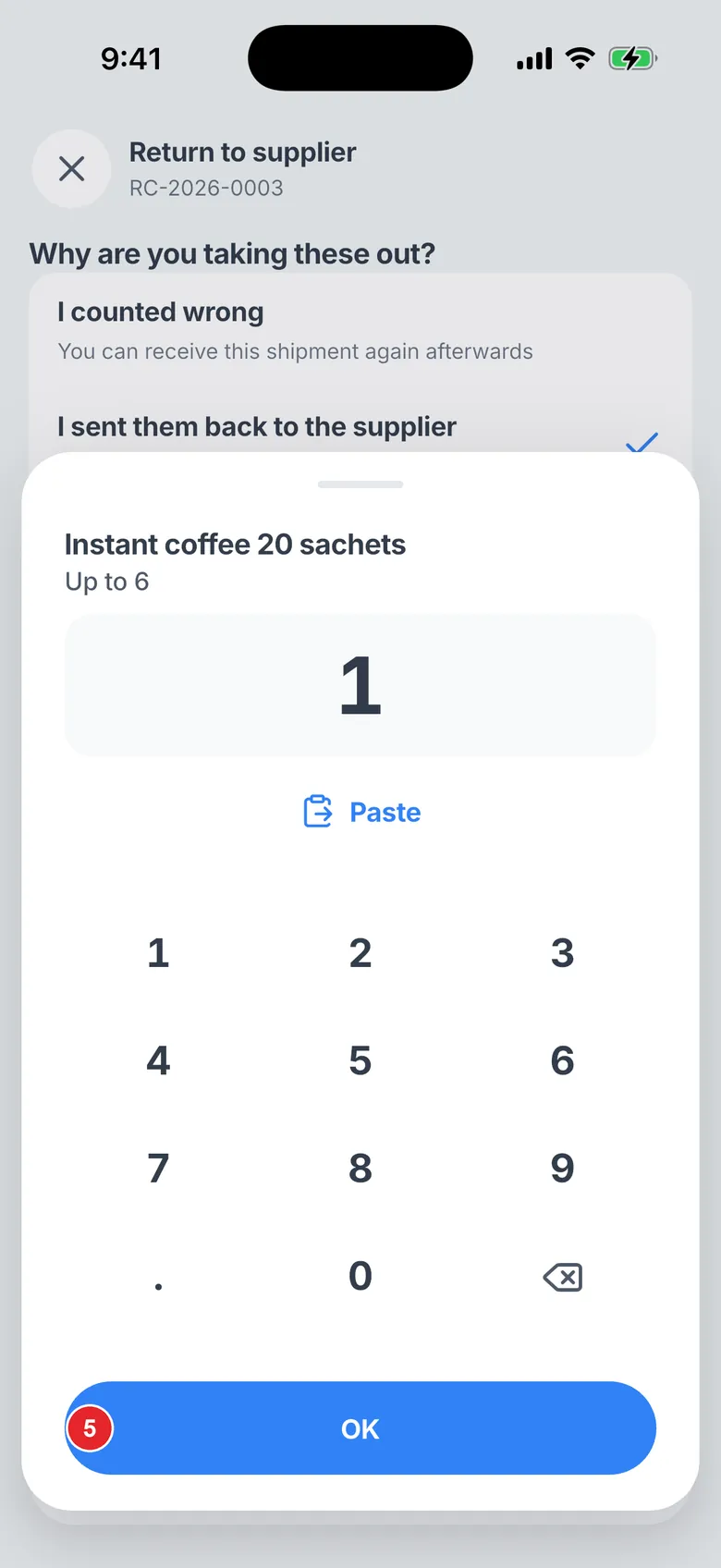
- Enter the quantity you sent back and tap «OK». You can't take out more than you received.
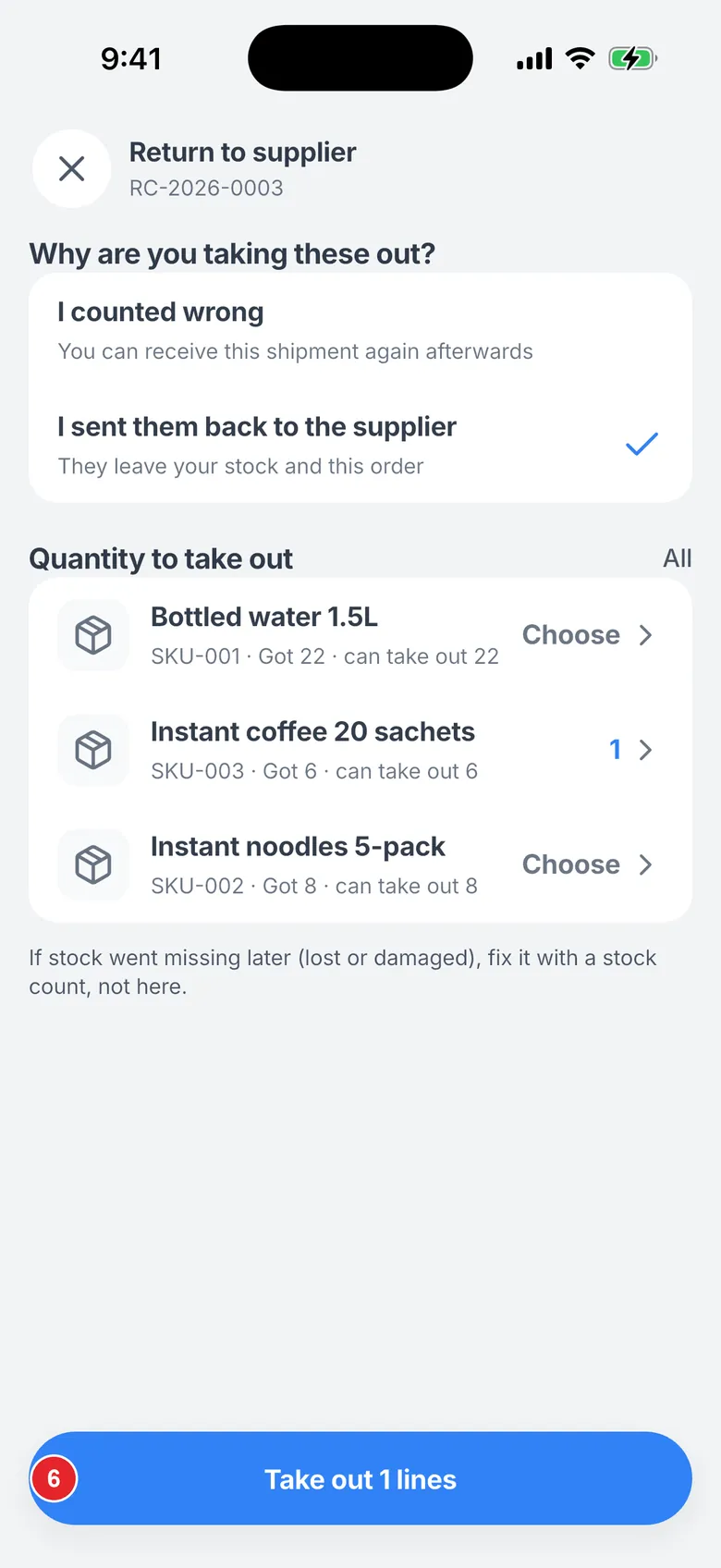
- Tap the blue button at the bottom, which shows how many lines you are taking out. It comes out right away, with no confirmation window.
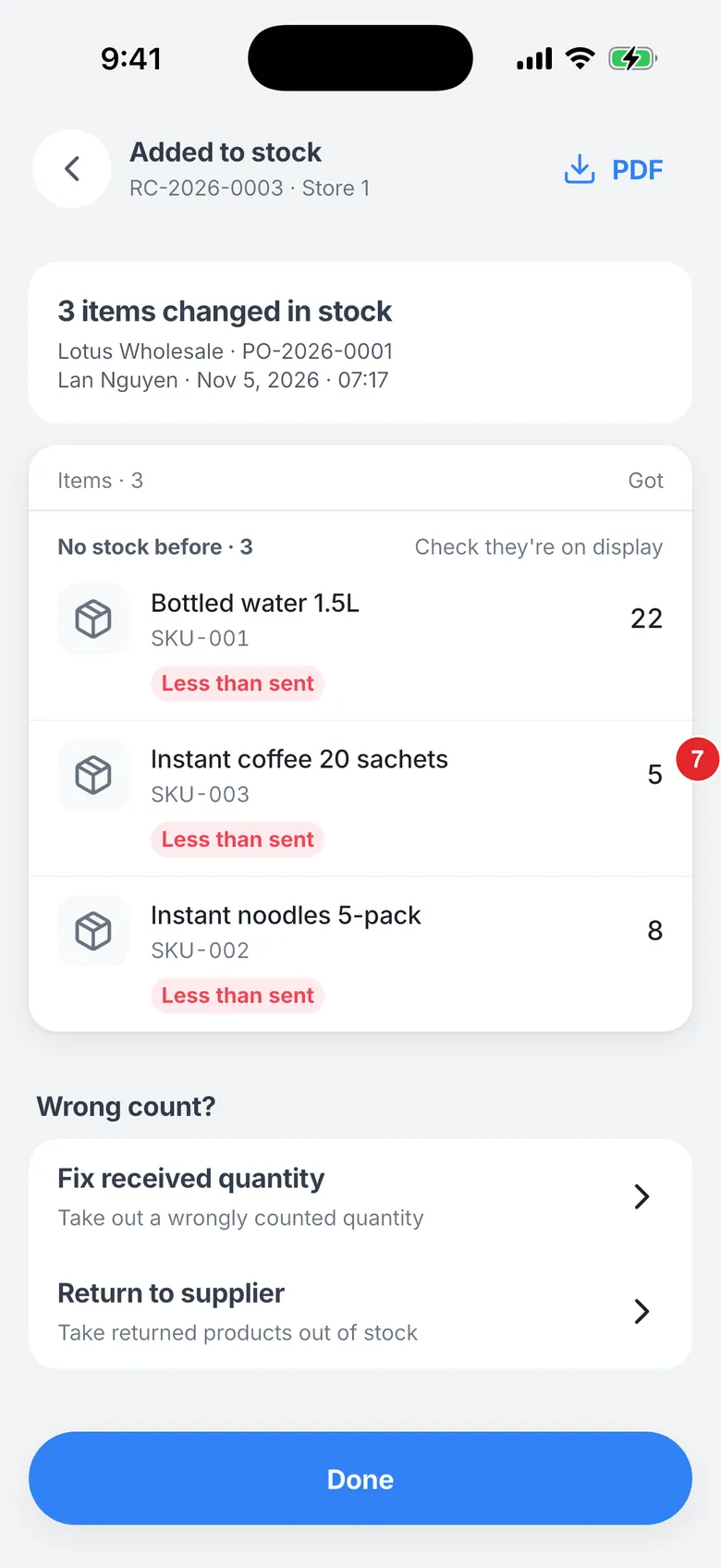
- In the receiving record, «Instant coffee 20 sachets» went from 6 to 5. It has also left stock.