
Show contents
Daily cash & closing › Expenses
Owner takes money out or puts money in
- Who
- Owner
- When
- When you take store money for personal use, or put personal money into the store
- Where
- App · Web
What you get
- The money the owner took is recorded, so it doesn't come up short at closing.
- «Owner draw» is not a cost, so the store's profit doesn't go down.
- Even when you put personal money in, «Owner deposit» doesn't count as sales, so the sales figure stays the same.
What it solves
- If you take money from the drawer without recording it, the cash is short by that much at closing. The staff member closing doesn't know why it is short.
- If you enter money used for personal things as an «Expense», it counts as a store cost and the profit goes down.
Why this way
- Store money and personal money are recorded apart, so the store's sales and profit show only what the business really made.
- Before recording, see in «What this affects» which money goes down and which goes up.
- What about the starting money I first put in the drawer? Enter it in the app's «Count your starting money». If you already counted and got a difference, enter it as an «Owner deposit» («There's a big difference on the first day»).
- What if I enter it wrong? Cancel it in «Transaction History», the same way as «I entered an expense wrong».
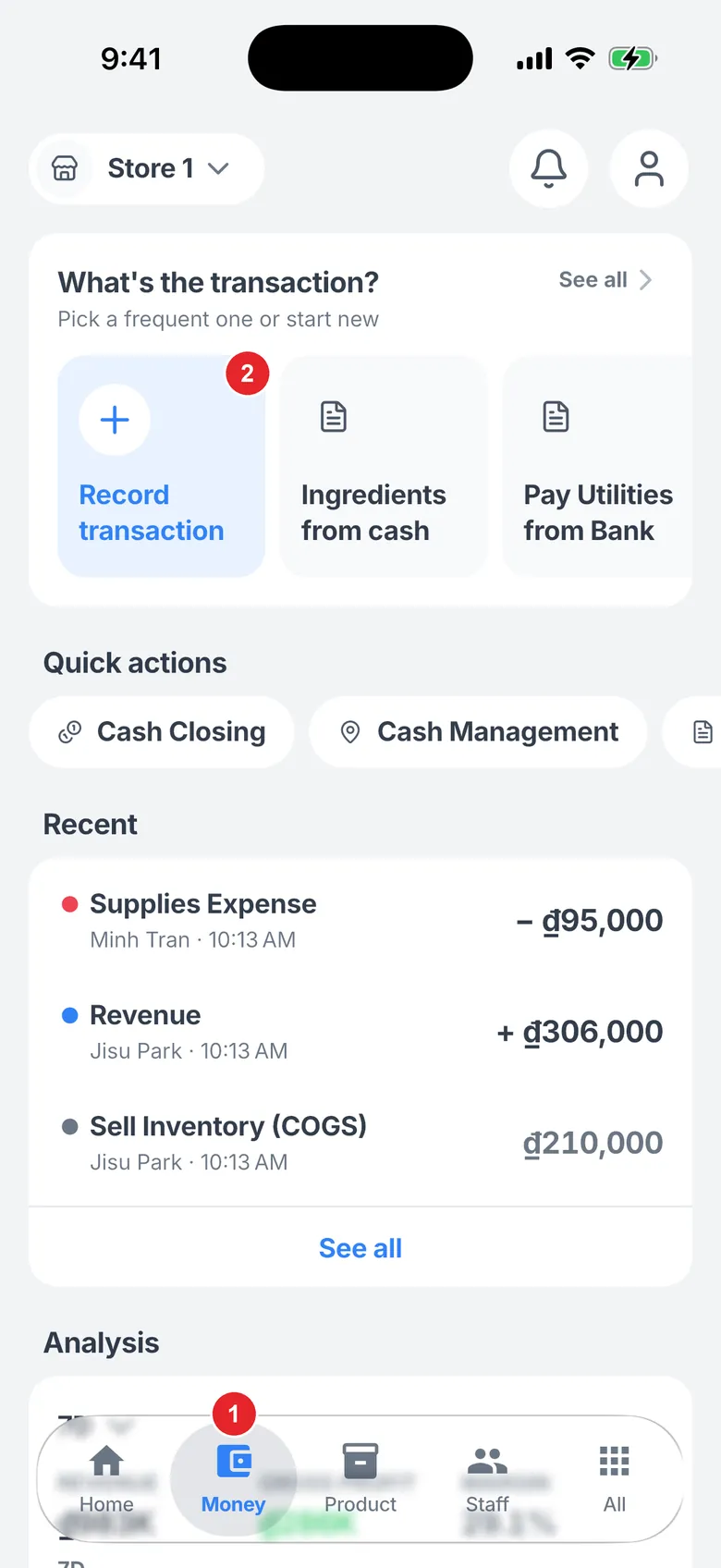
- Tap «Money» at the bottom of the app.
- Tap «Record transaction».
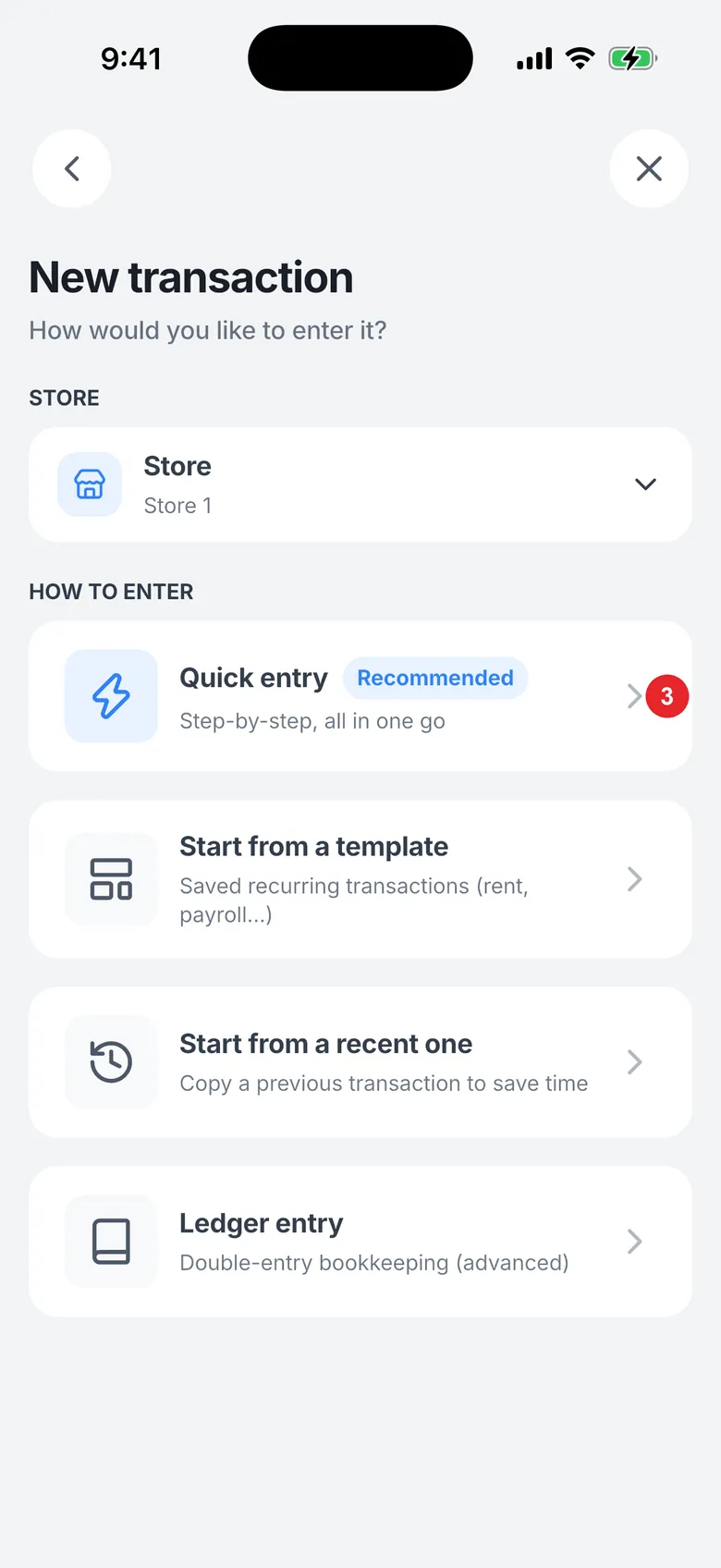
- Tap «Quick entry».
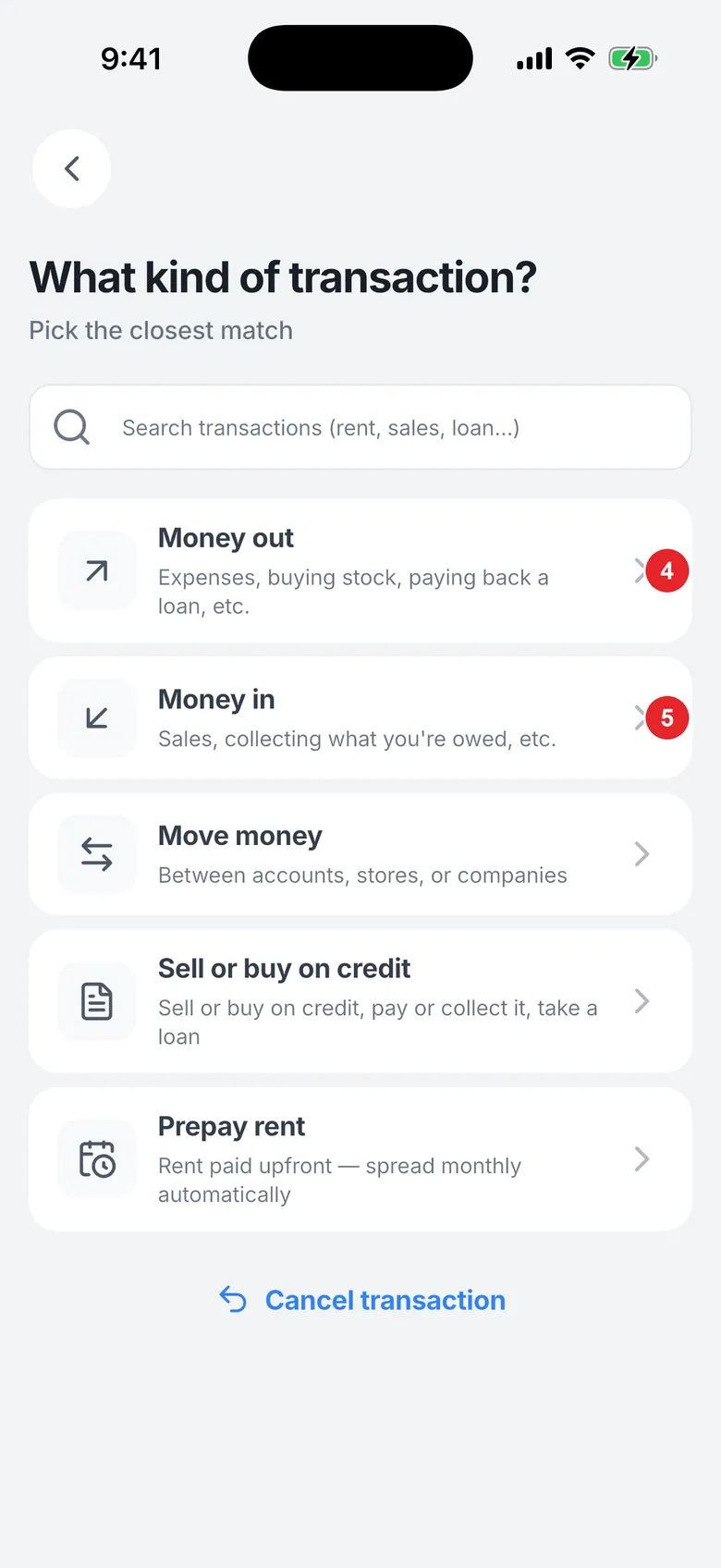
- If you take store money, tap «Money out».
- If you put personal money in, tap «Money in» and go to step 10 below.
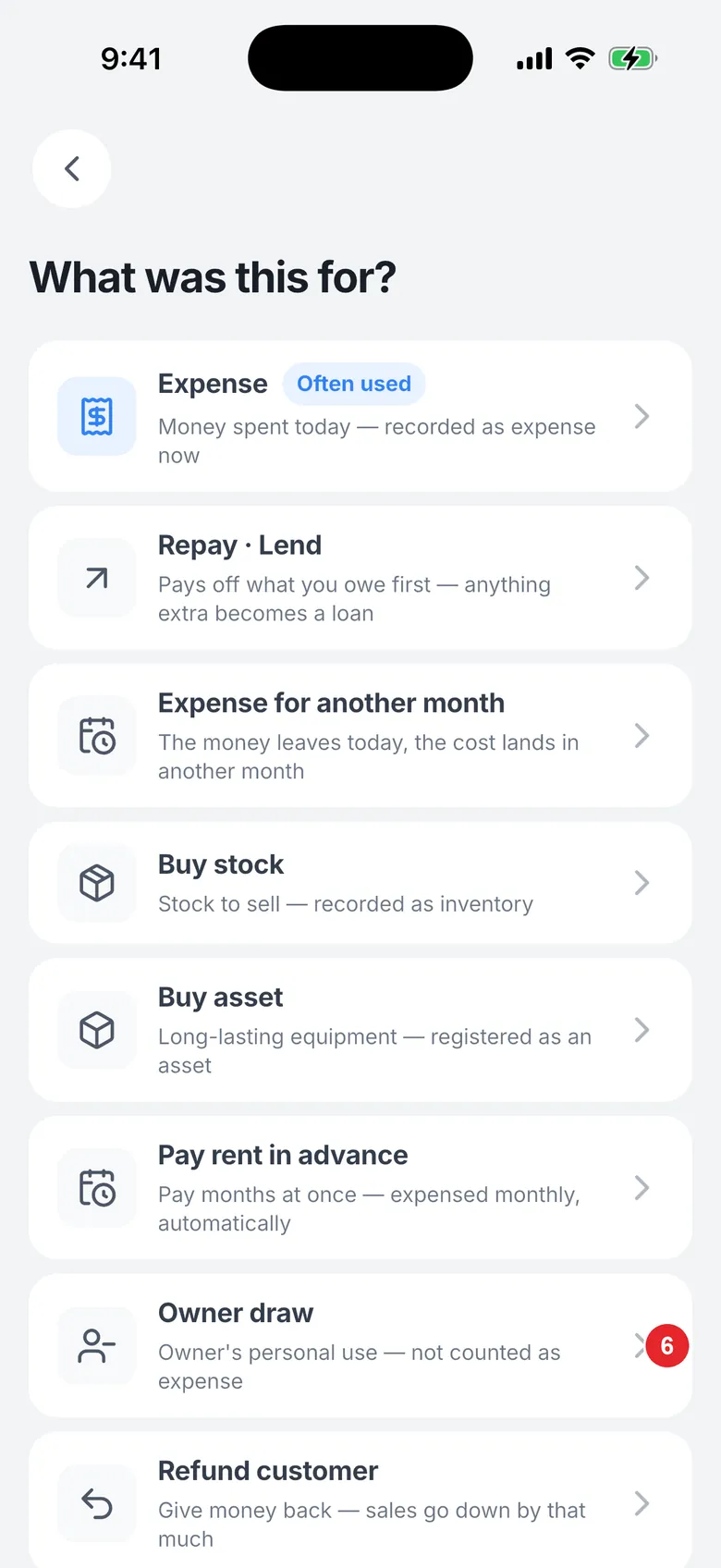
- Tap «Owner draw». The ones you use often show at the top, marked «Often used».
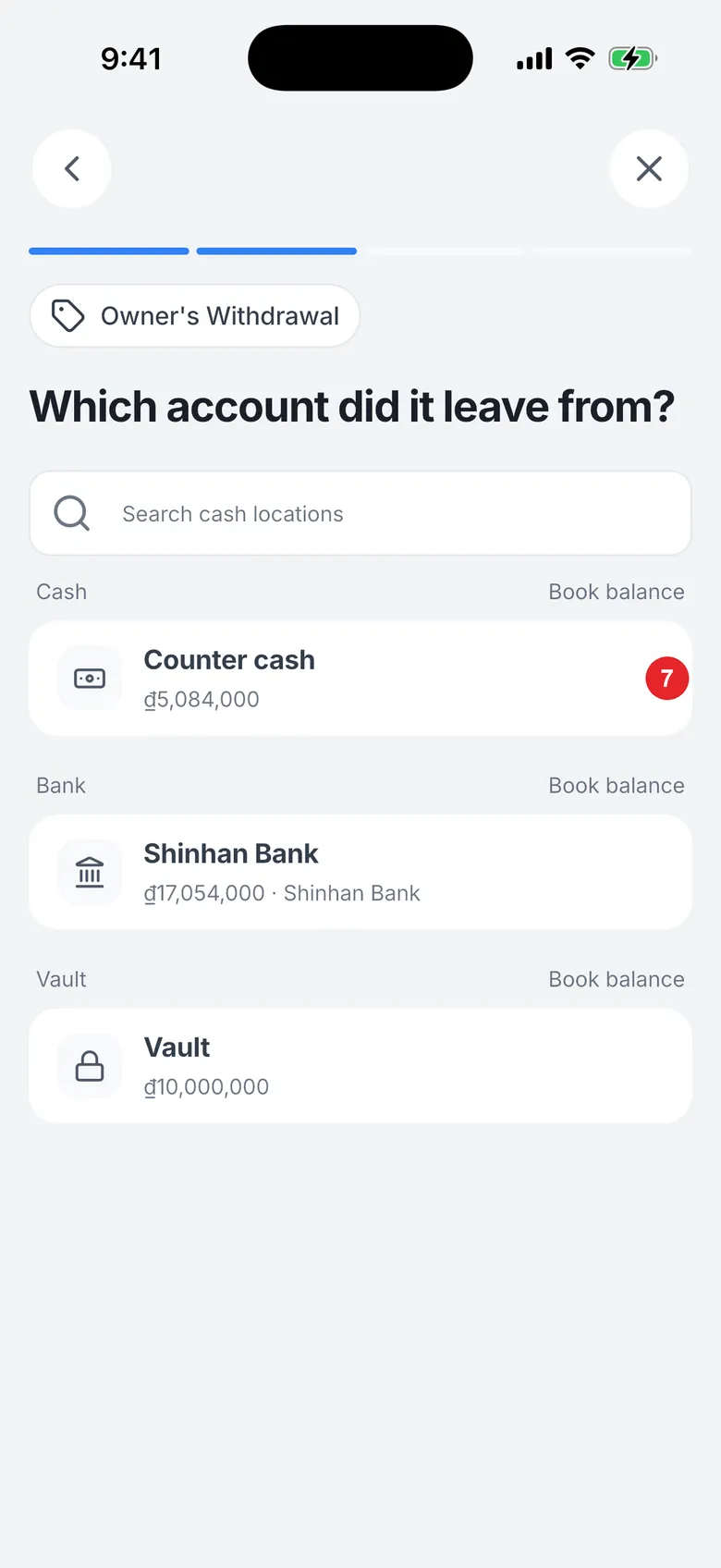
- Tap the place you took the money from. Here it is «Counter cash».
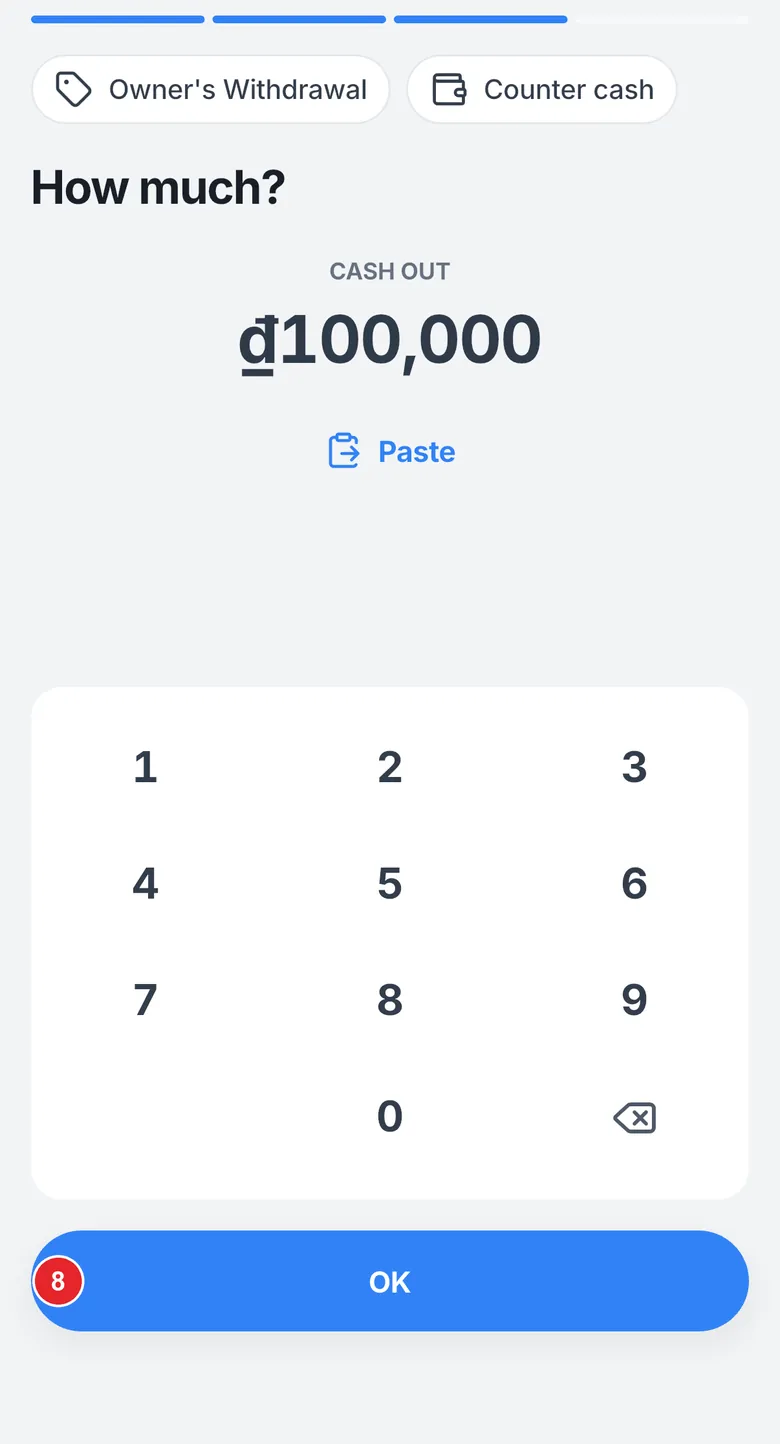
- Enter the amount you took and tap «OK».
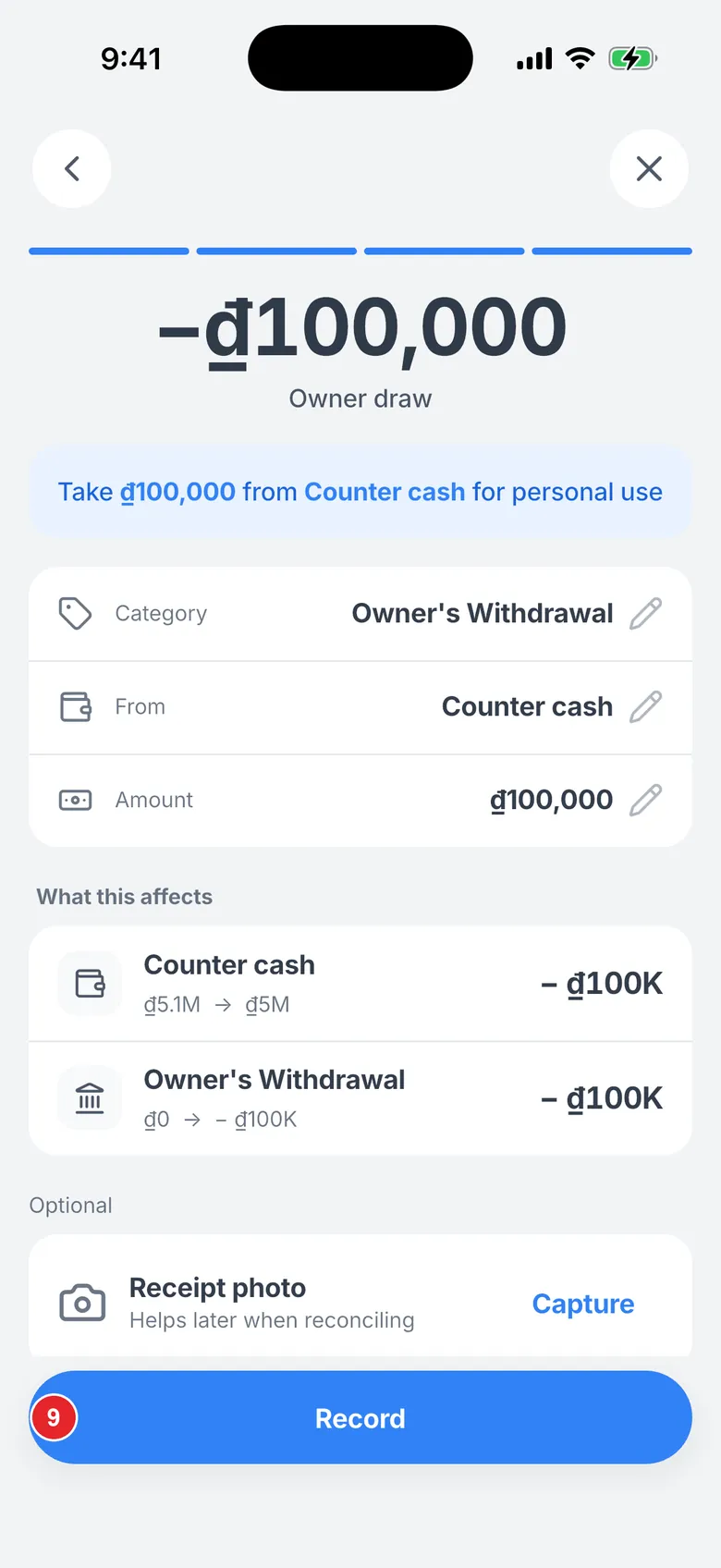
- Check «What this affects» and tap «Record».
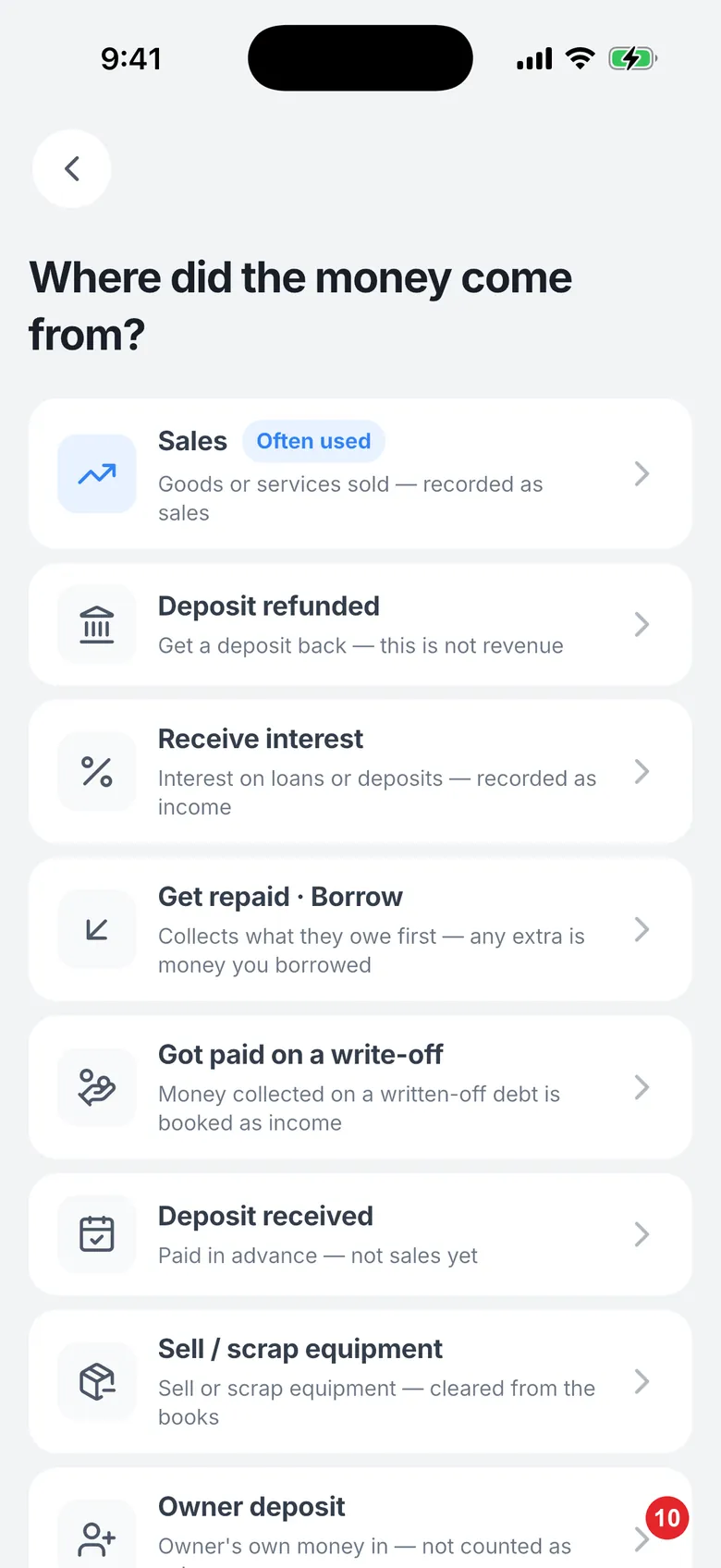
- To put personal money in, tap «Owner deposit». In the next step, «Where did the money go?», choose the place you put the money, enter the amount, and tap «Record».
Record money you took from the drawer or bank account for personal use as an «Owner draw», and personal money you put into the store as an «Owner deposit». A draw doesn't count as a cost, and a deposit doesn't count as sales.
Remember
- If you take money without recording it, the cash is short by that much at closing.
- Don't enter money taken for personal use as an «Expense». It counts as a store cost and the profit goes down.