
Show contents
Daily cash & closing › Expenses
Record an expense
- Who
- Staff · Manager
- When
- Each time money goes out
- Where
- App · Web
What you get
- The money comes off the place it went out from (drawer · bank account) right away, so the money that should be there at closing comes out right.
- With a template, tap the card and enter just the amount.
- In the app, keep a photo of the receipt with it using «Capture».
What it solves
- If you don't write down money paid from the drawer, the cash shows as short by that much at closing.
- Writing everything down at the end of the day makes it easy to miss some.
Why this way
- Enter it each time money goes out, and have everything in before counting. An expense entered after counting shows as a difference.
- What if staff enter it wrong? Cancel it in «Transaction History» and enter it again («I entered an expense wrong»).
- Can staff delete past expenses as they like? The person who entered it can cancel only within 6 hours. Even when it is cancelled, both the original transaction and the reversing one stay in the history.
- Can I see who entered it? The website's «Transaction History» shows that person under «Created by».
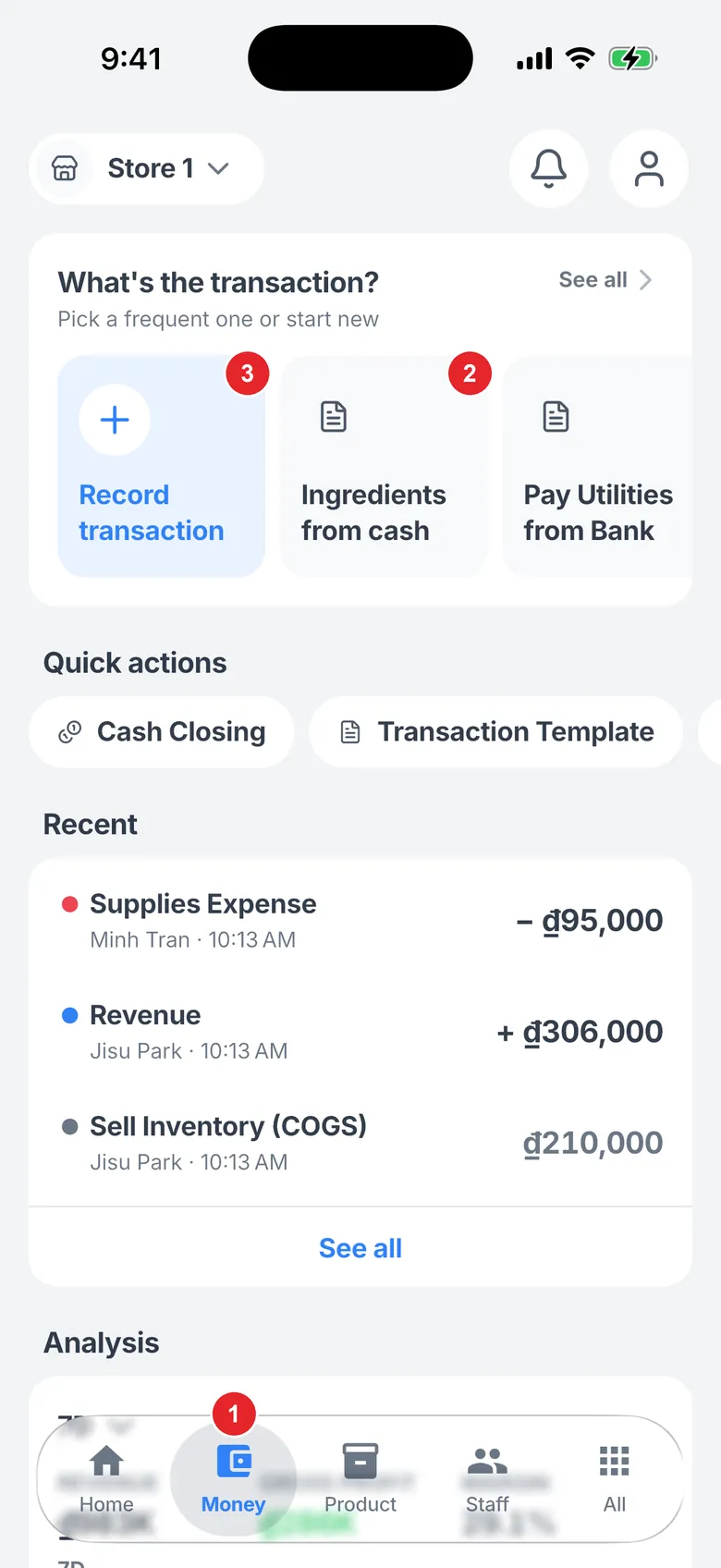
- Tap «Money» at the bottom of the app.
- If you have a template, tap its card. Here it is «Ingredients from cash».
- If you don't, tap «Record transaction» and go to step 8 below.
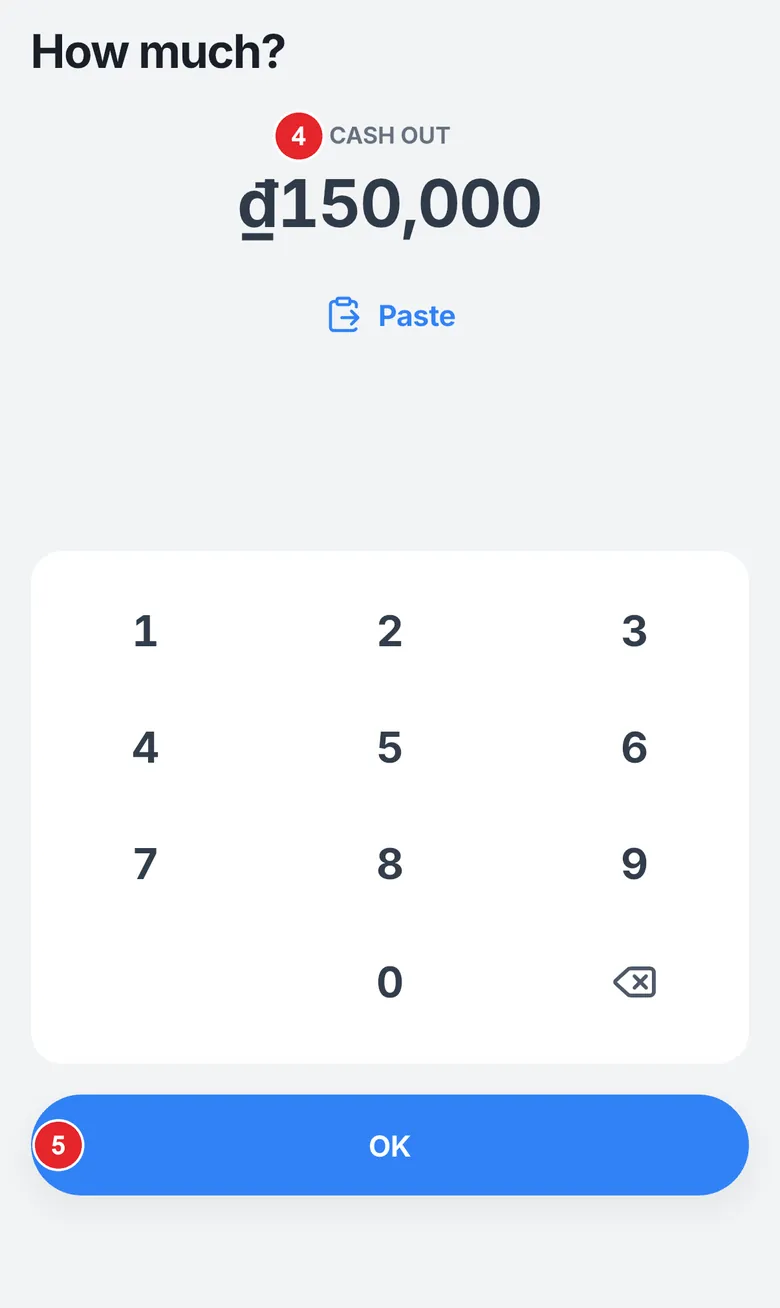
- Enter the amount under «CASH OUT» with the number pad.
- Tap «OK».
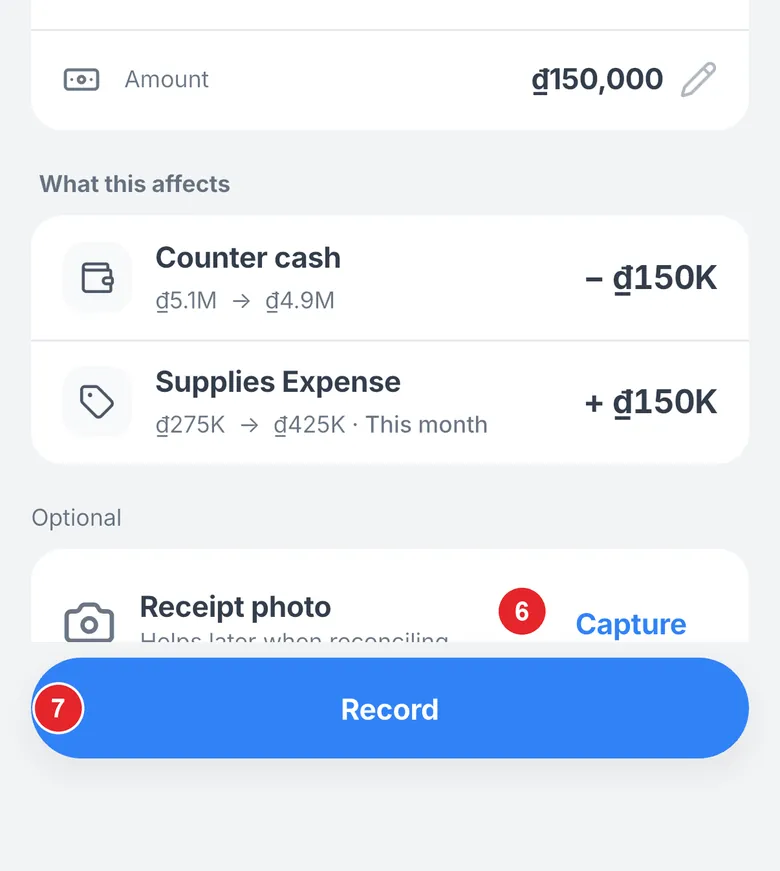
- To keep the receipt, tap «Capture».
- Check the details and tap «Record».
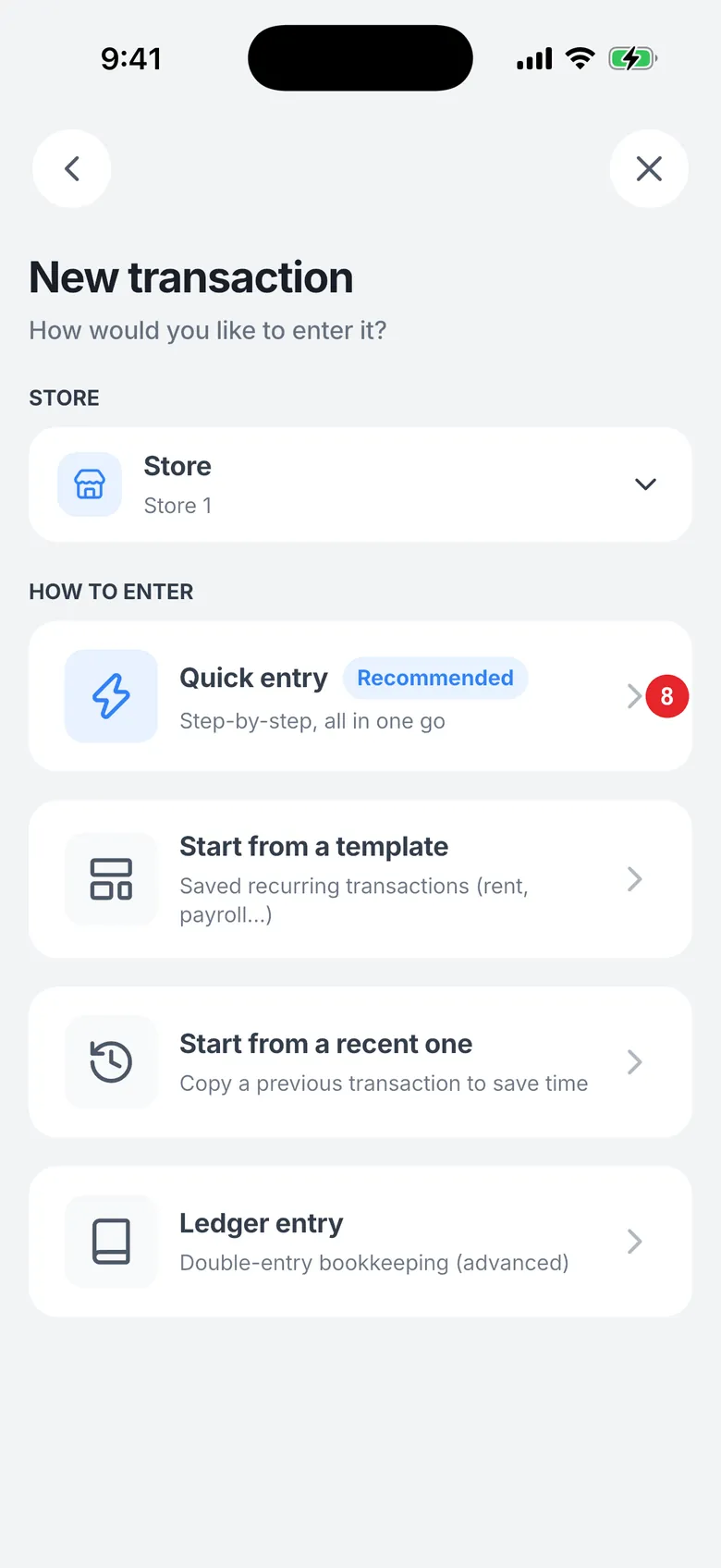
- If you tapped «Record transaction» in step 3, this screen opens. Tap «Quick entry».
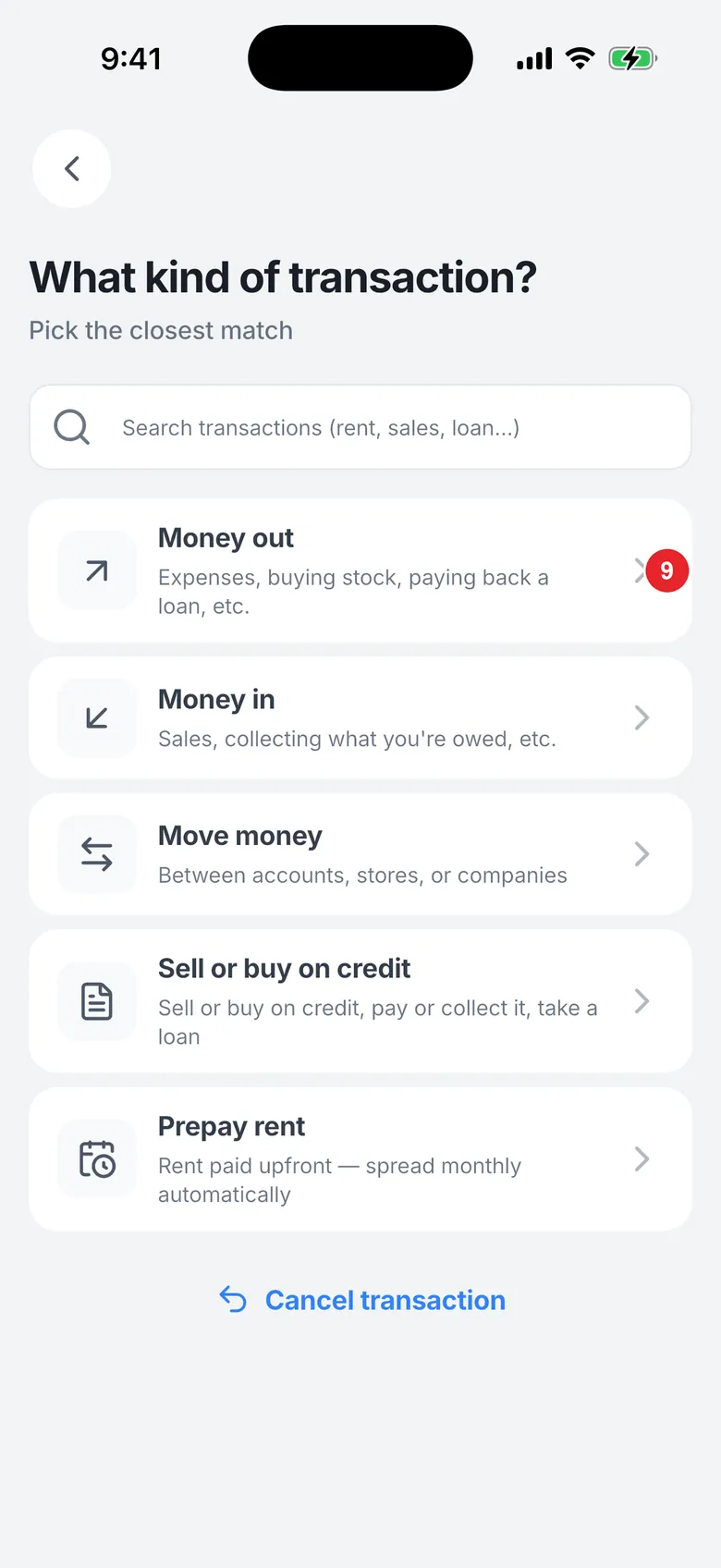
- Tap «Money out».
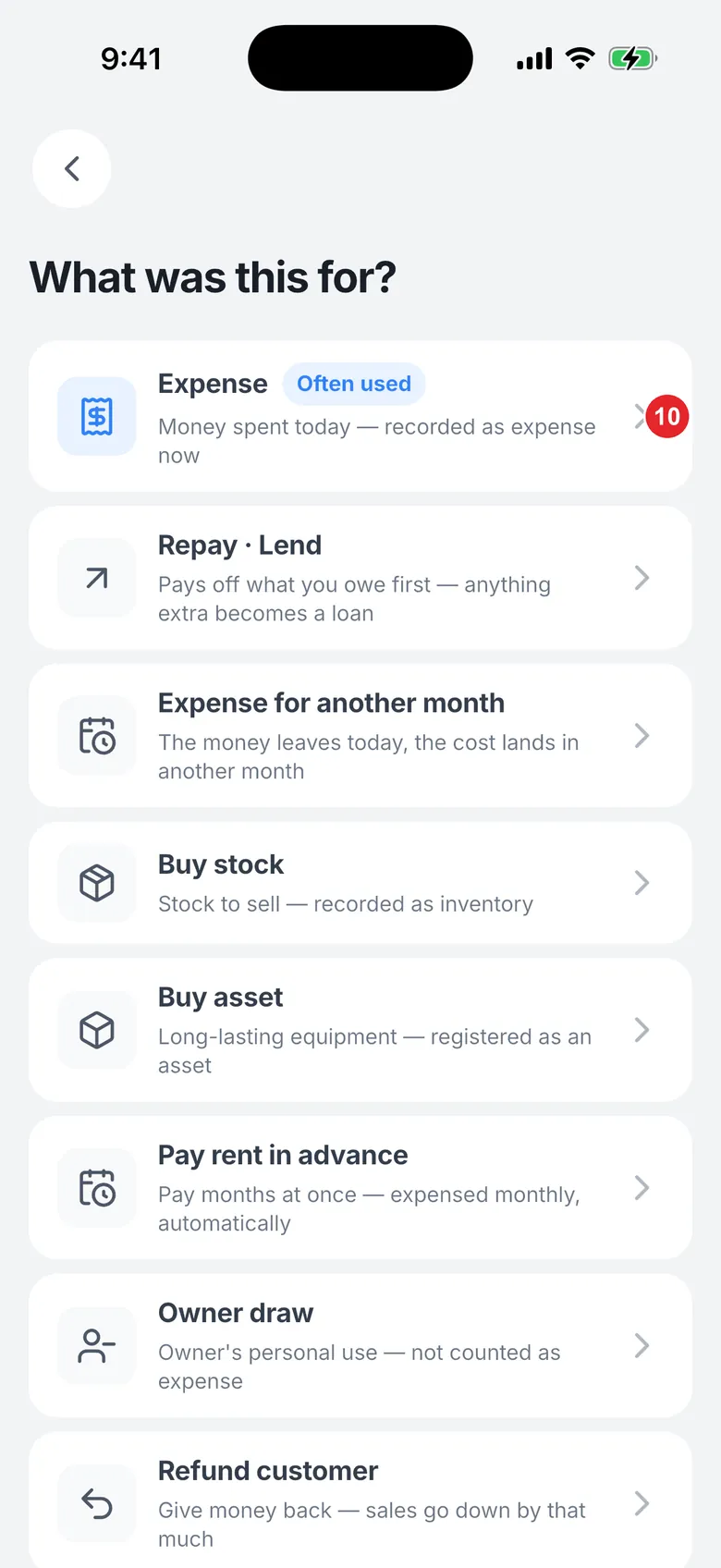
- Tap «Expense».
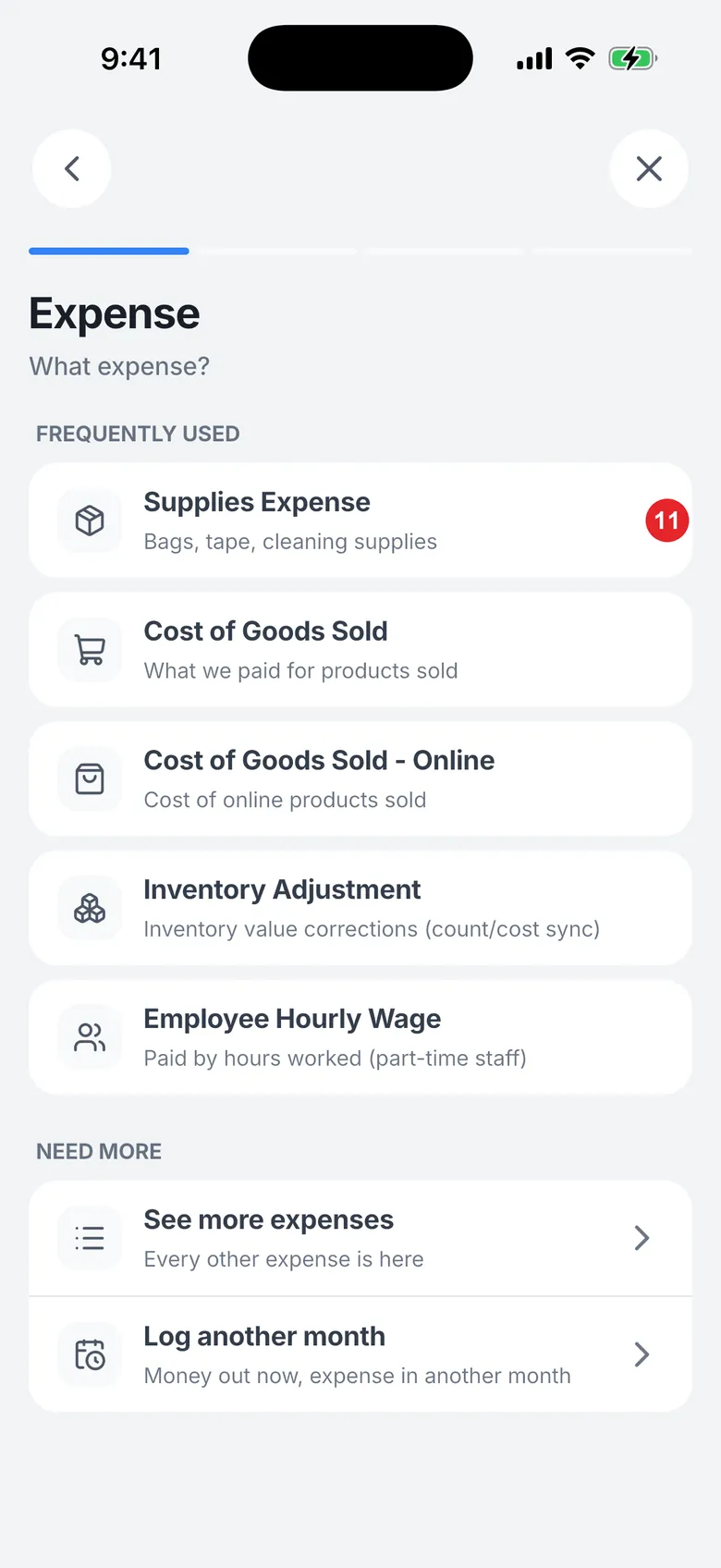
- Tap the right expense. Here it is «Supplies Expense».
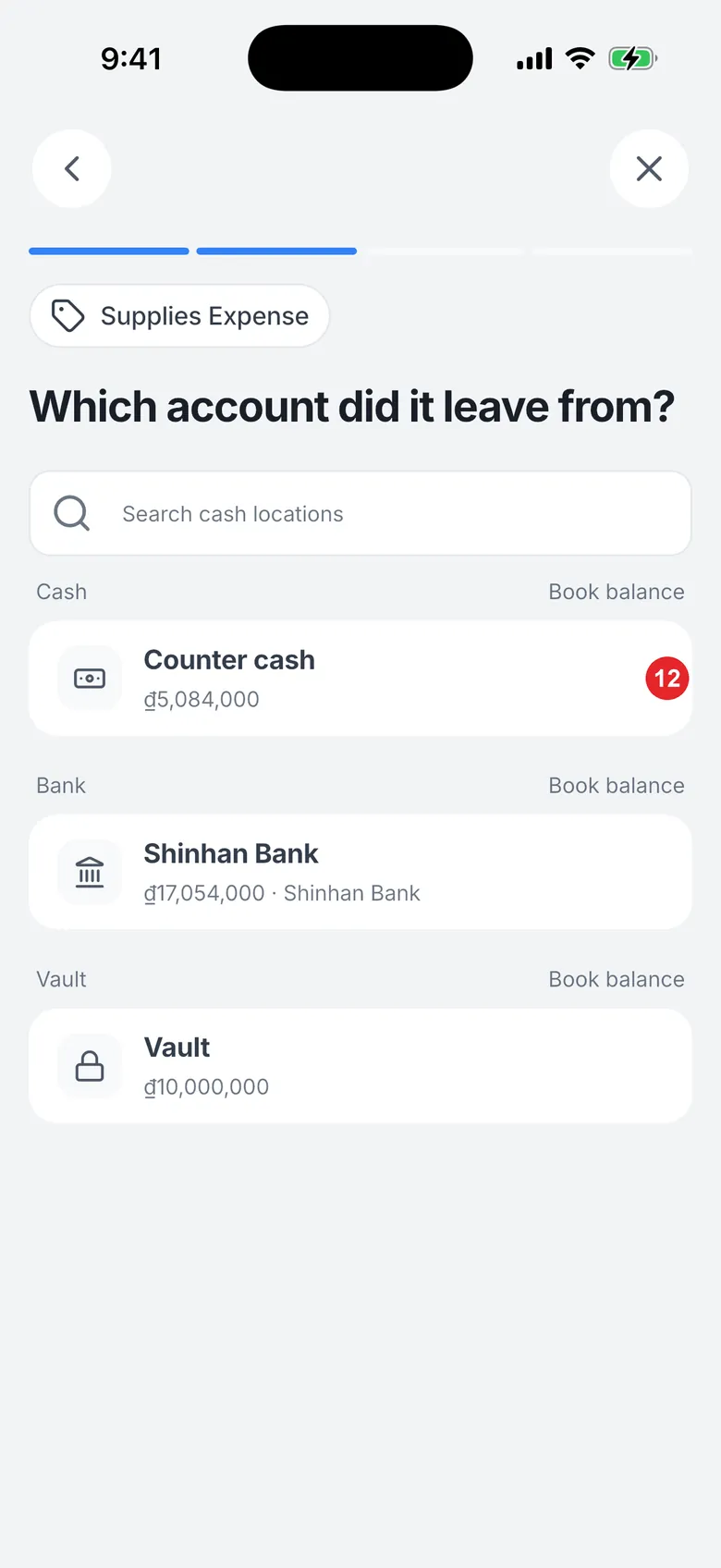
- Tap the place the money went out from. Here it is «Counter cash». After that, it is the same as from step 4 above.
Remember
- Enter everything before you count the money.
- If you entered it wrong, cancel it in «Transaction History». The person who entered it can cancel only within 6 hours.
- A template that needs a receipt photo can be recorded only in the app.