
Show contents
Daily cash & closing › Cash & bank setup
There's a big difference on the first day
- Who
- Owner
- When
- When you count for the first time
- Where
- App · Web
What you get
- Put the starting money in the books, and from the first day «Difference» shows only money that is really missing or extra.
- If you already counted, you don't need to count again. Enter it as an «Owner deposit» on the website, and it becomes «Matches».
What it solves
- You counted for the first time, but all the counted money shows as a difference. That is because the starting money wasn't entered yet, so the «Books» are ₫0.
- Left as is, a big difference shows at every closing, and you can't pick out money that is really missing.
Why this way
- Starting money is not money from sales, so enter it with «Count your starting money» or «Owner deposit». An «Owner deposit» doesn't count as sales.
- Can't I just clear it by matching? No. All the starting money would go into «Cash over/short».
- Can I do it on the website too? The website has no «Count your starting money». Enter it with «Owner deposit» in «Create Transaction».
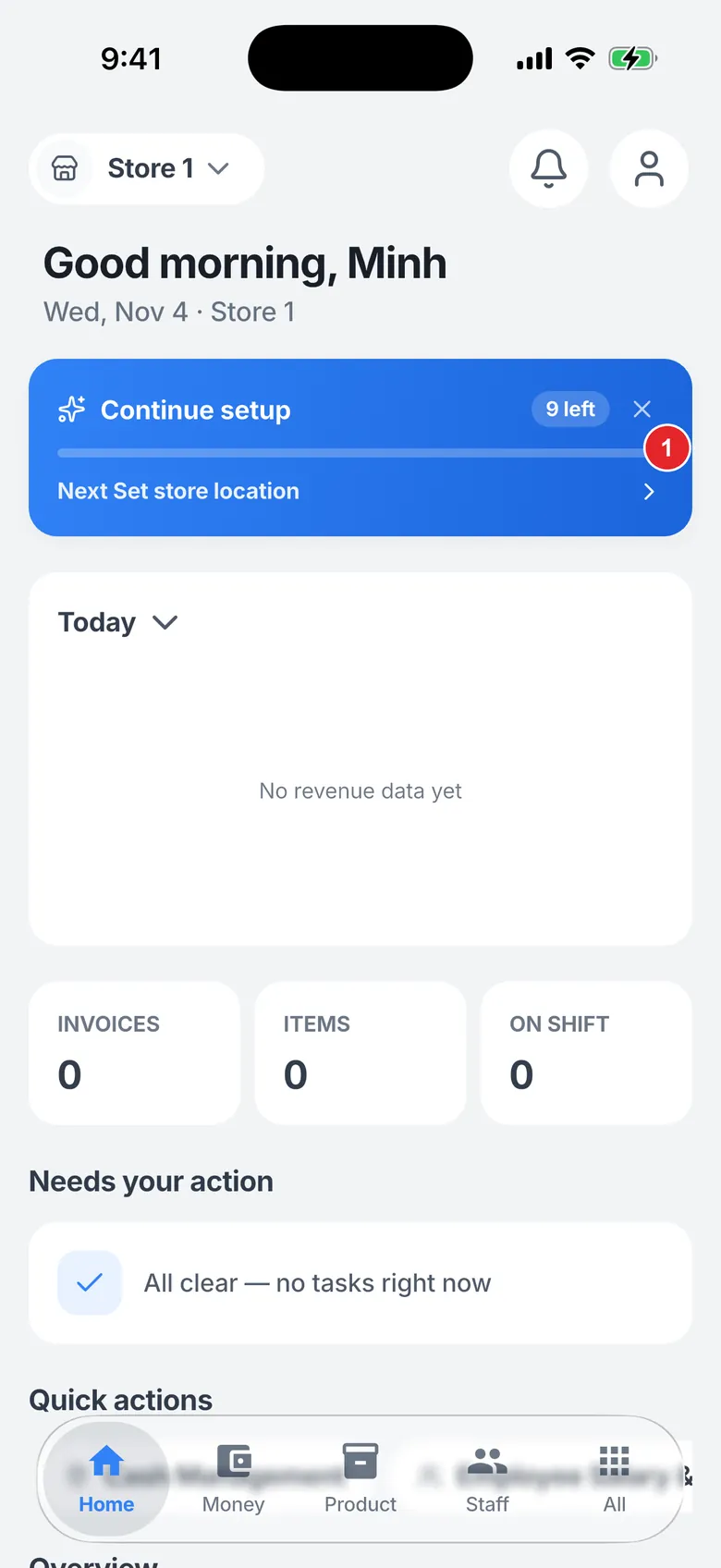
- Before counting money for the first time, enter the starting money. Tap «Continue setup» on the home screen.
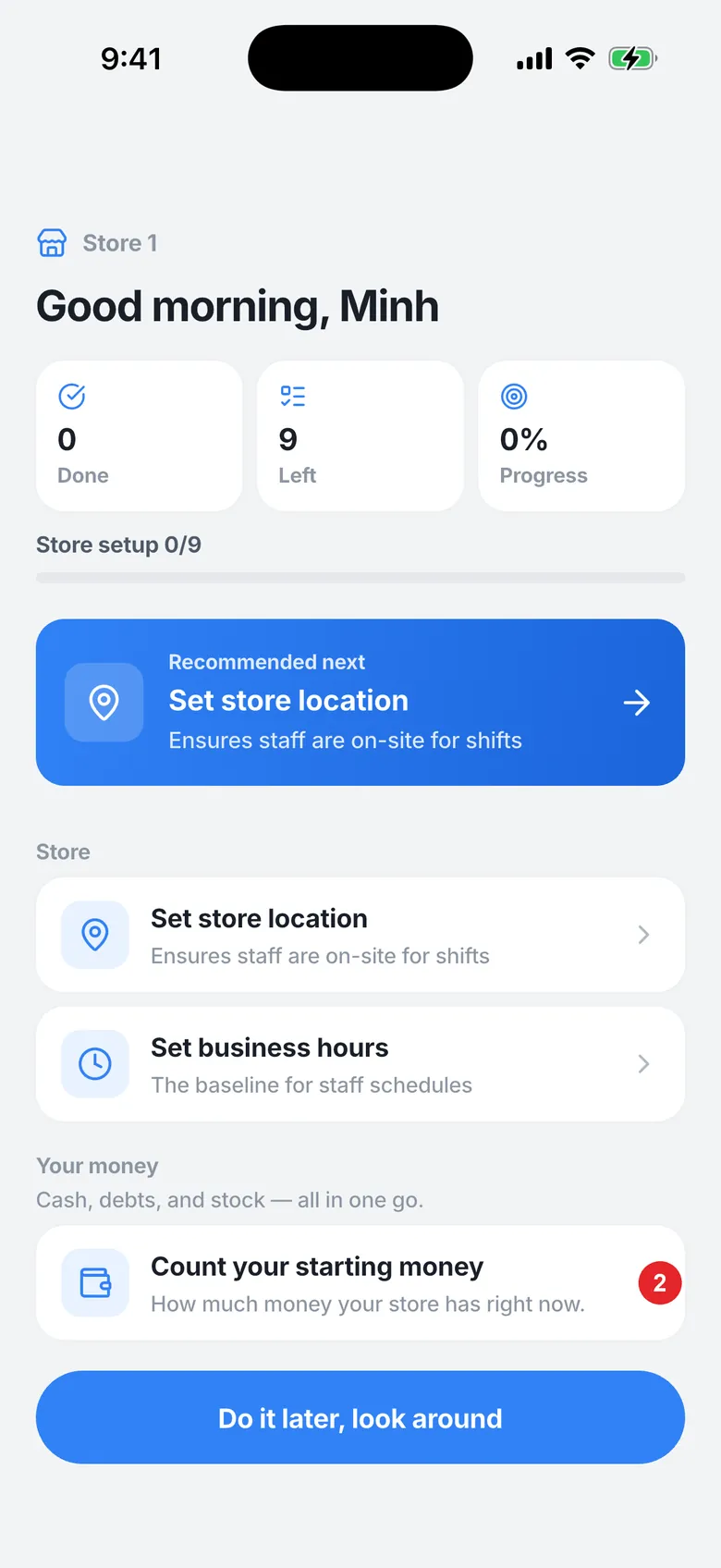
- Scroll down and, under «Your money», tap «Count your starting money». How to enter it is on the «Set your starting balances» page.
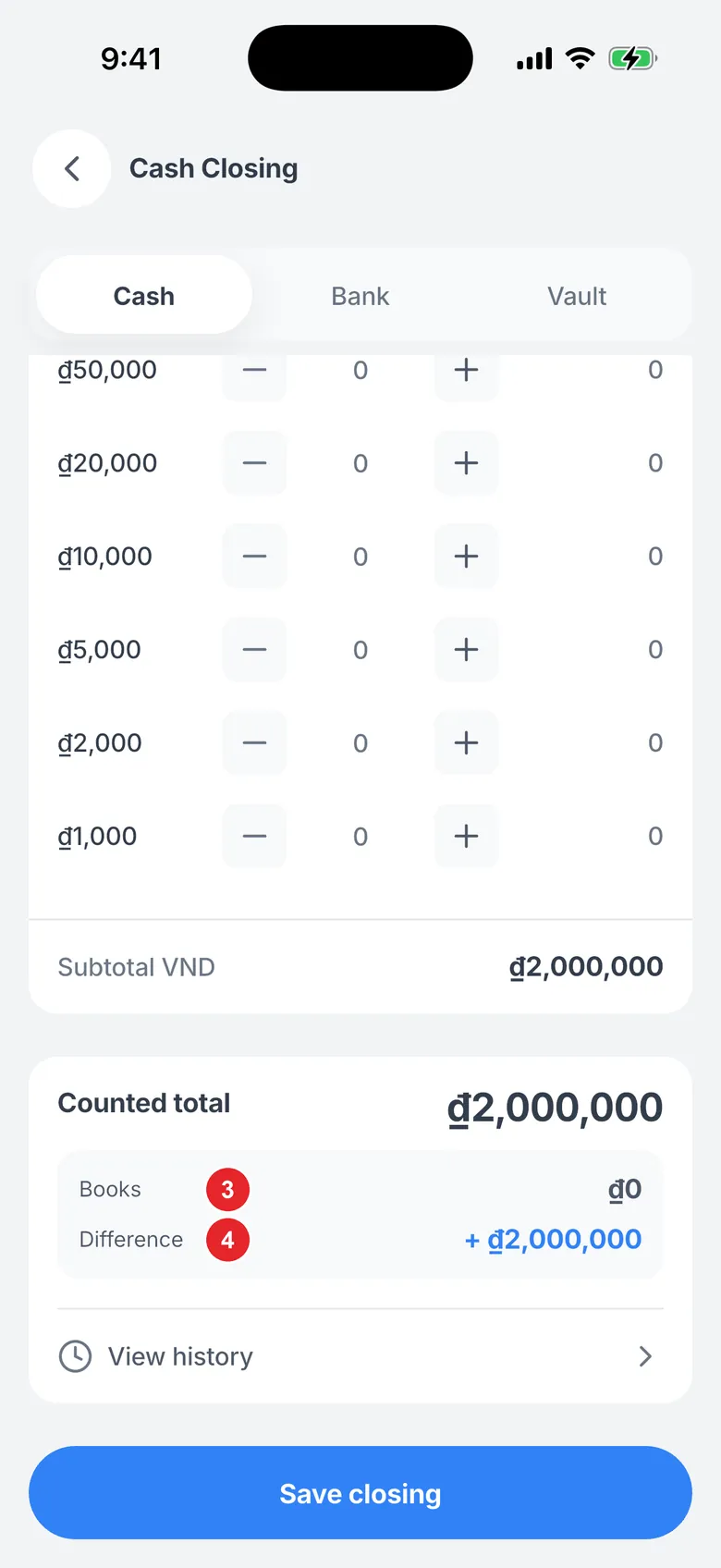
- If you count in «Cash Closing» without entering the starting money, «Books» is ₫0.
- So all the counted money shows as the «Difference». Don't fix this difference with «Match to count» or «Auto match».
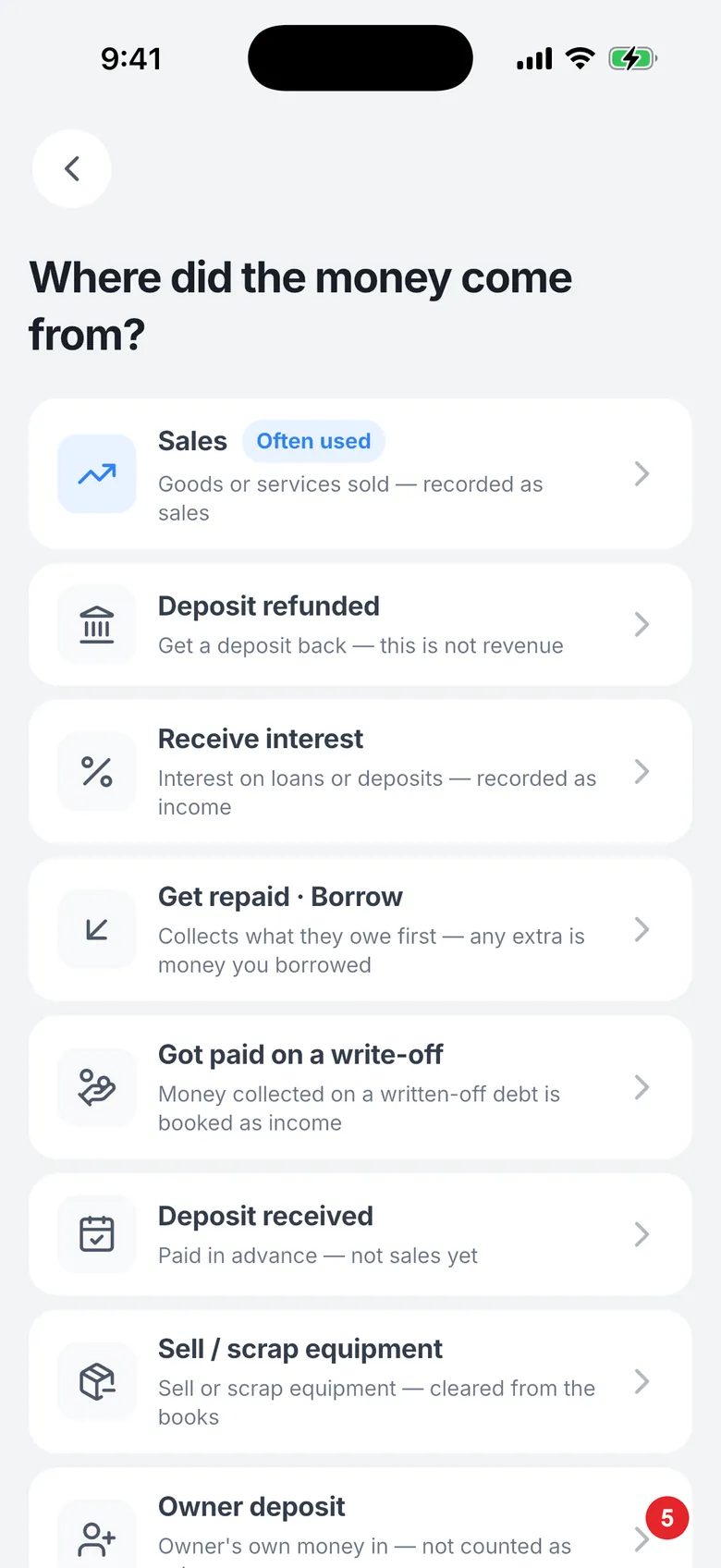
- To put money you already counted into the books, go from the «Money» tab to «Record transaction» › «Quick entry» › «Money in» and tap «Owner deposit». Enter the amount and record it.
Why it works this way
If you count money before putting the starting money in the books, the money in the books is 0. So all the money you first count shows as a difference.
Remember
- Enter the starting money in the app's «Count your starting money» («Set your starting balances»). The website doesn't have this screen.
- On the website, you can enter that money with «Owner deposit» in «Create Transaction». Then it becomes «Matches» without counting again.
- Don't fix this difference by matching (website «Match the books to the count», app «Match to count»). All the starting money would go into «Cash over/short».