
Show contents
Daily cash & closing › Cash & bank setup
Set your starting balances
- Who
- Owner only
- When
- Once, at the start
- Where
- App
What you get
- From the first cash closing, the money in the books starts out the same as the real money in the drawer, bank account and vault.
- Enter not only money but also stock, money owed to you and money you owe on one screen, and check «HAS» · «OWES» · «NET».
What it solves
- If you don't enter the starting money, the money in the books is 0, so all the money you first count shows as a difference («There's a big difference on the first day»).
Why this way
- The money you had at the start must be in the books, so that a difference at later closings is money really missing or extra.
- Do I need to know my stock or debts exactly? You can enter stock roughly, and skip the fields you don't have.
- Can staff enter or change it? If you are not the owner, «Continue setup» doesn't show on the app home.
- What if I find a mistake later? For one month after you first tap «Record in ledger», you can fix it on this screen. After that, «The editing period has ended.» shows and you can't fix it here, because all the past numbers would change. After that, enter it as a transaction.
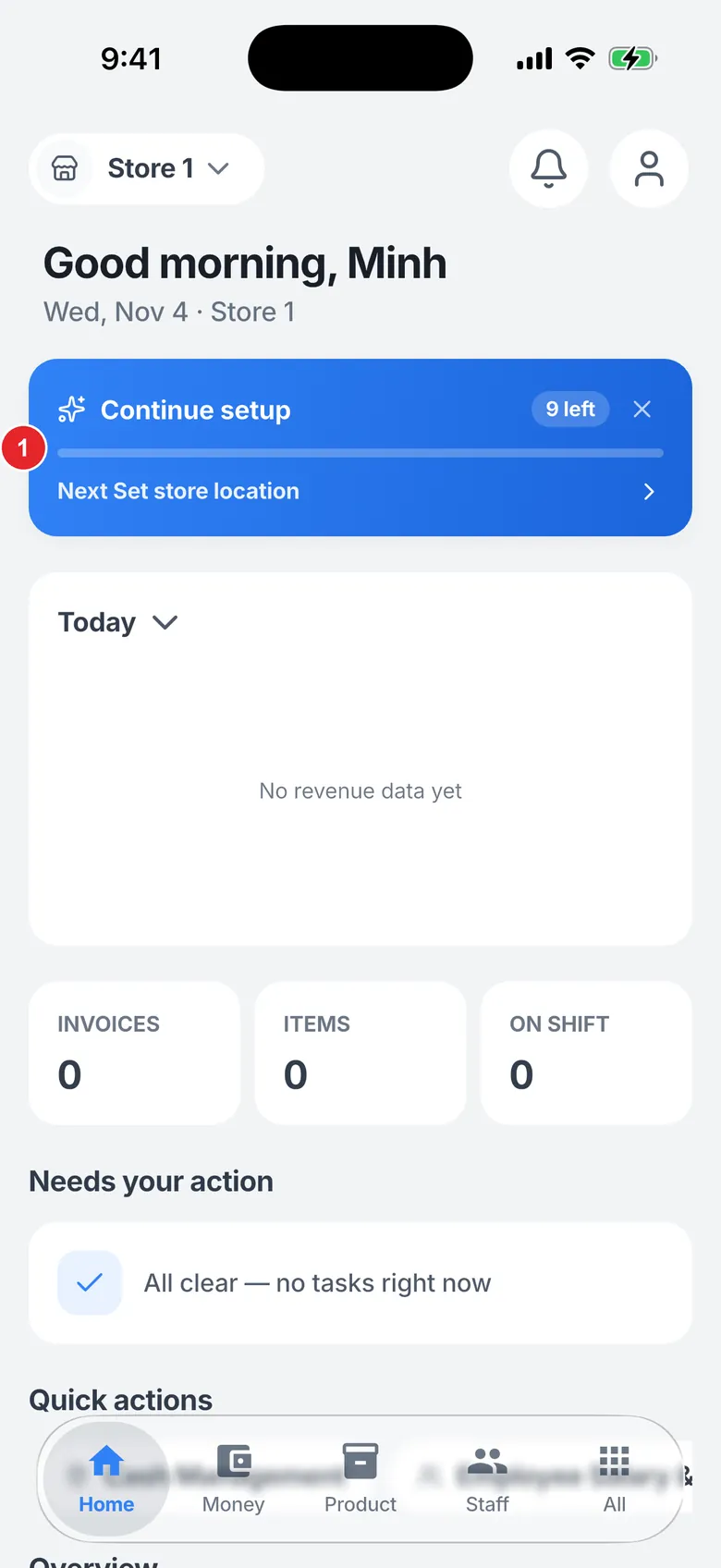
- On the app home, tap «Continue setup». The first time you tap it, «What's the situation of this store?» opens first. Choose «START FRESH» or «SWITCH TO STOREBASE», tap «Yes, that's my situation», then answer whether you have staff.
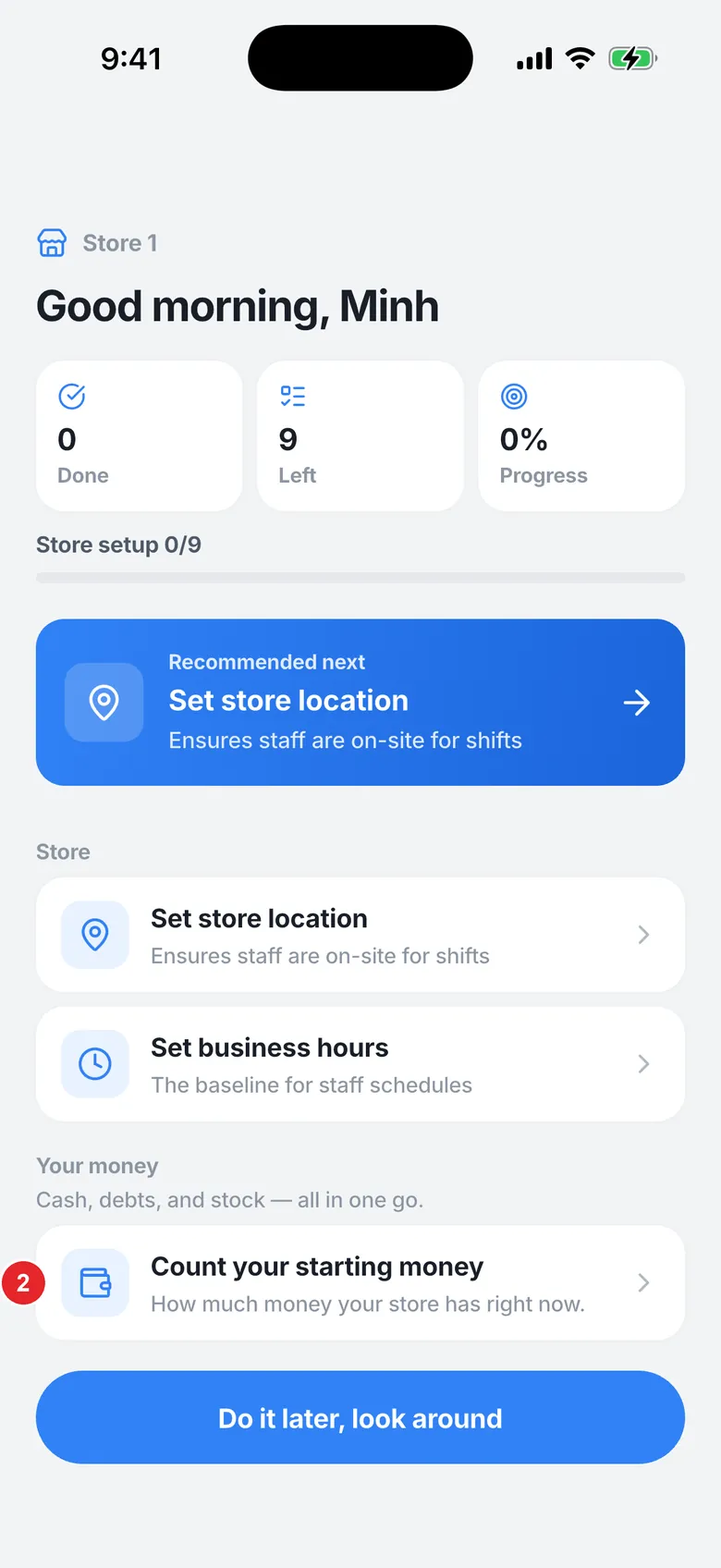
- In the list, tap «Count your starting money».
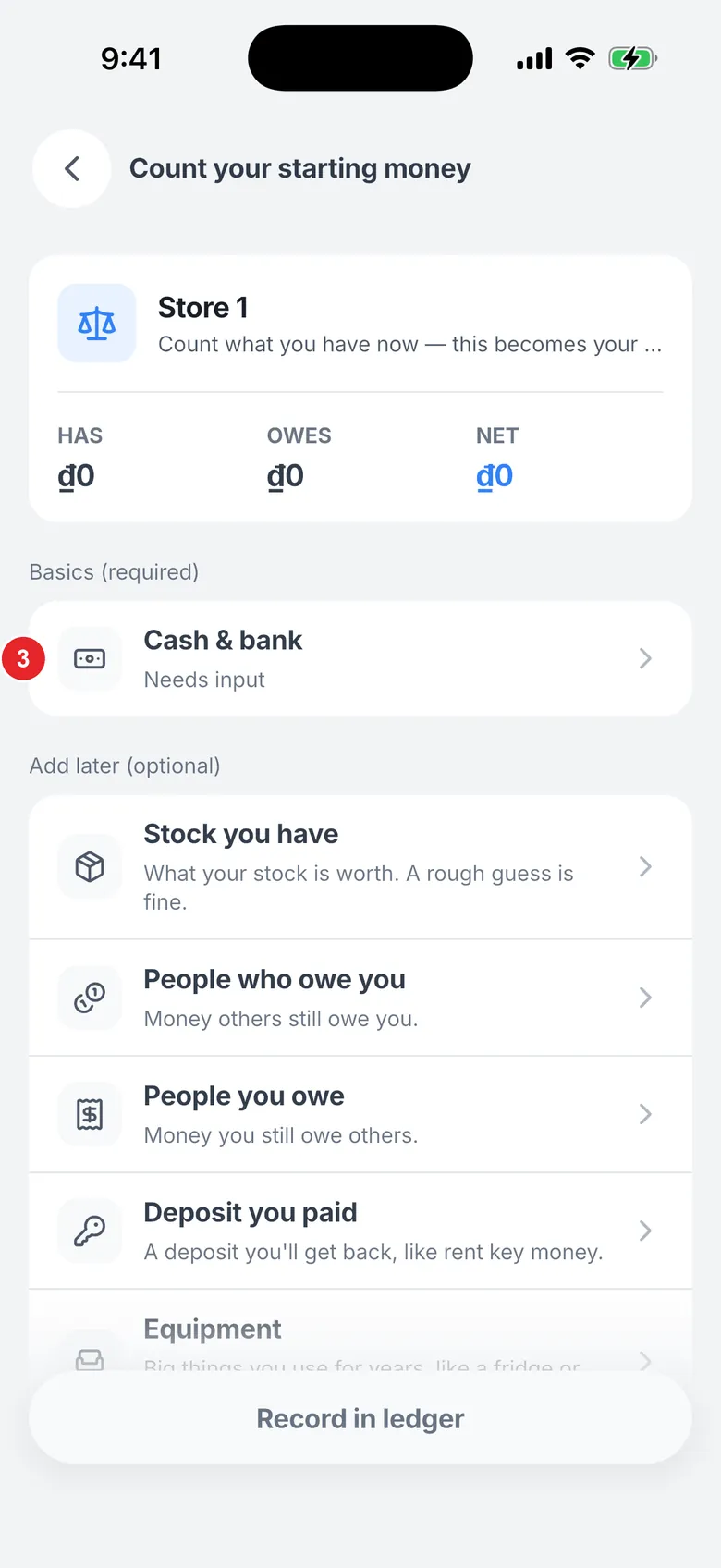
- Tap «Cash & bank».
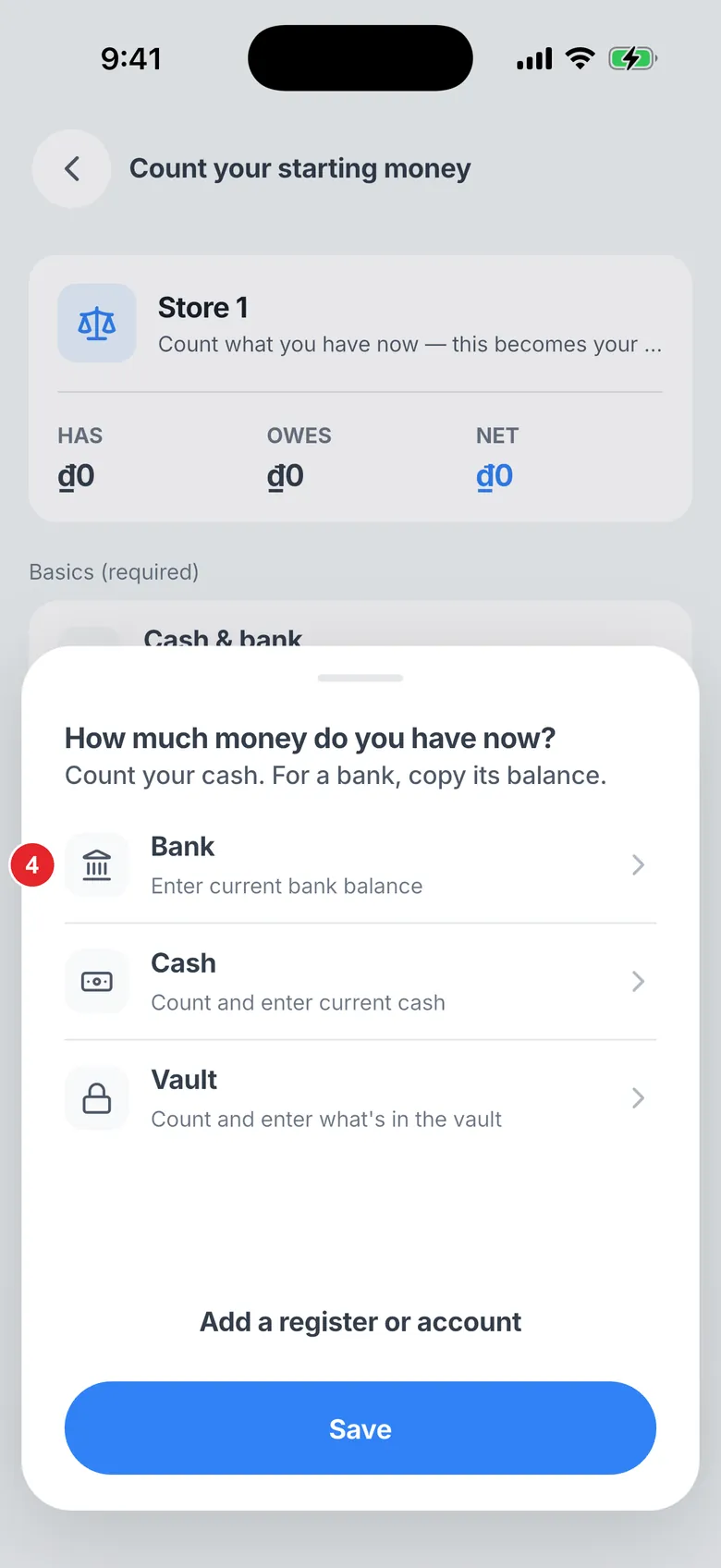
- Tap the bank account. In this picture it is «Bank».
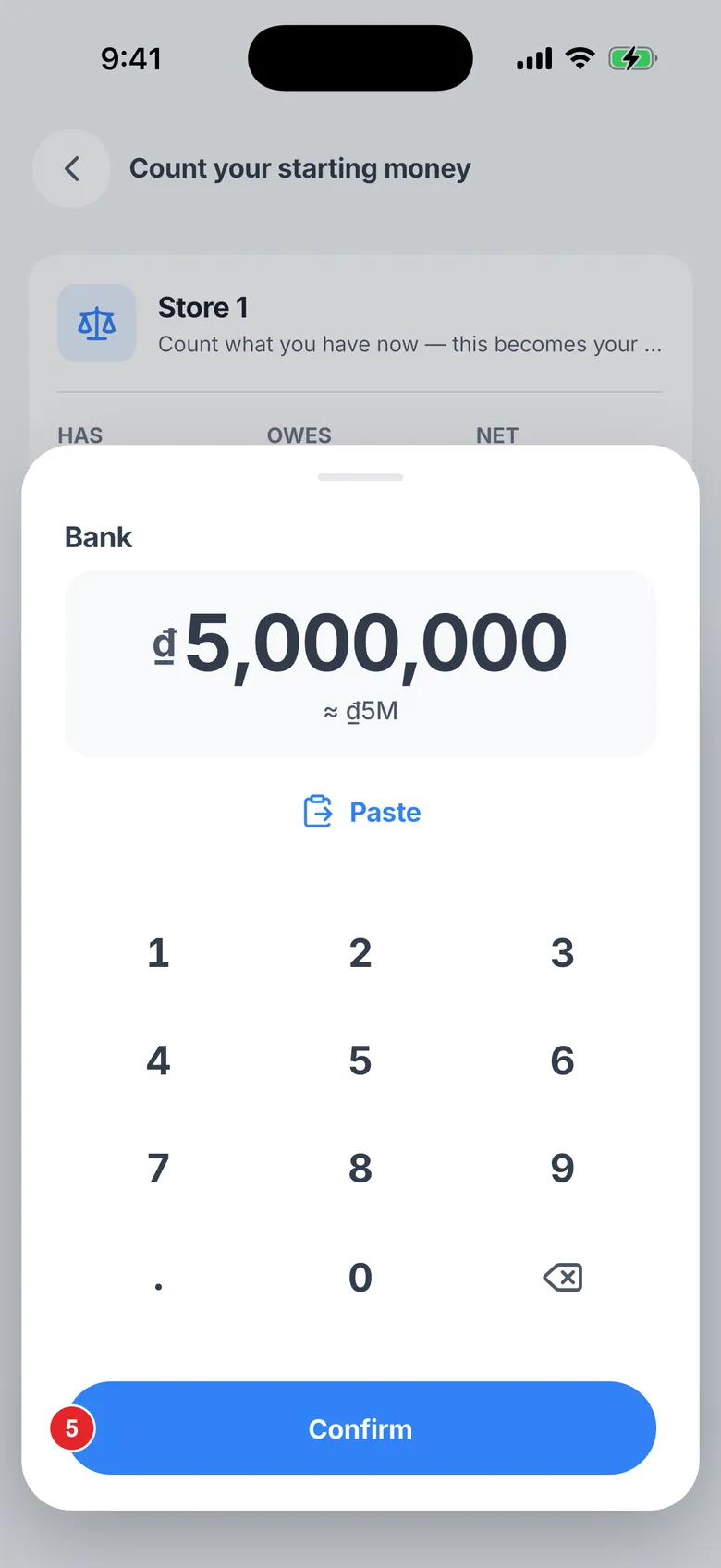
- Enter the bank balance and tap «Confirm».
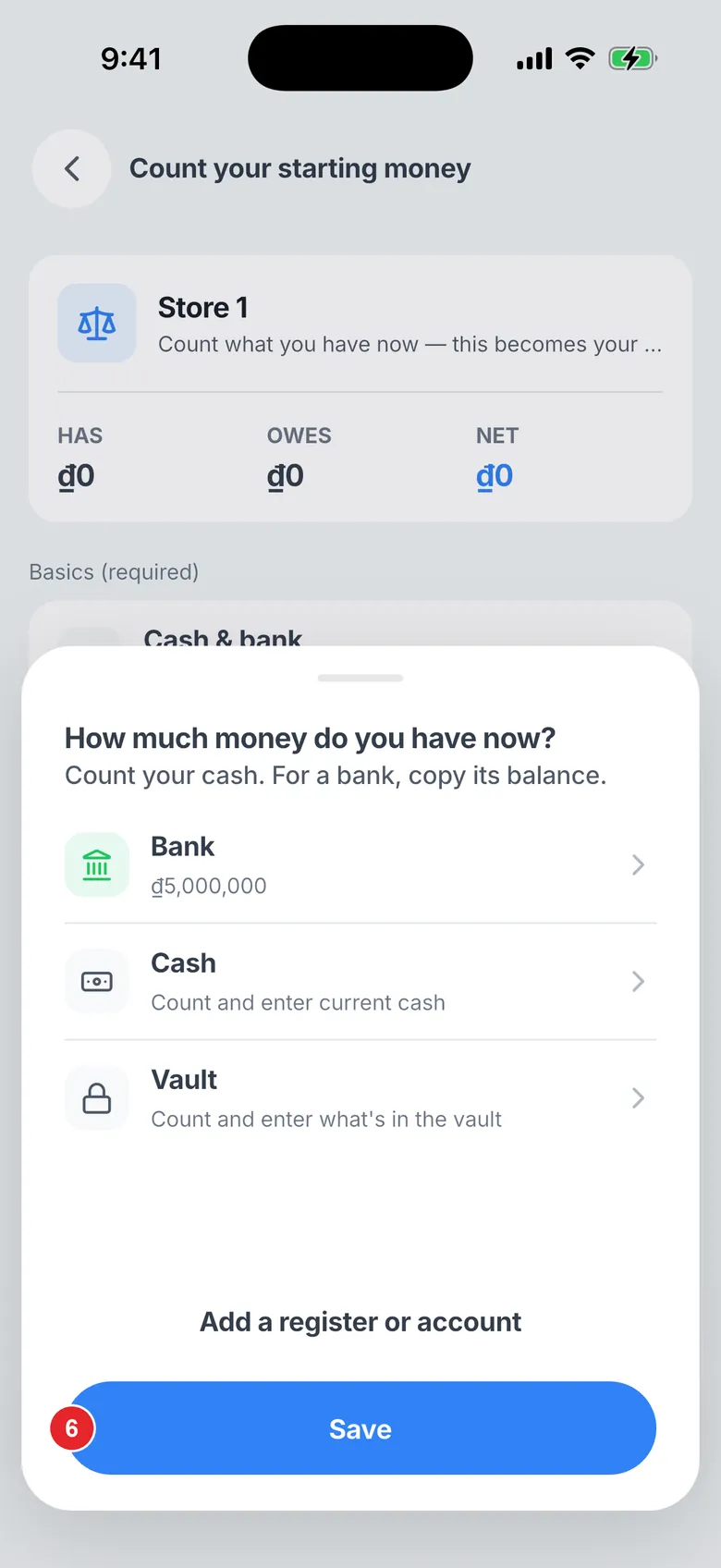
- Enter the cash («Cash») and the vault («Vault») the same way, then tap «Save».
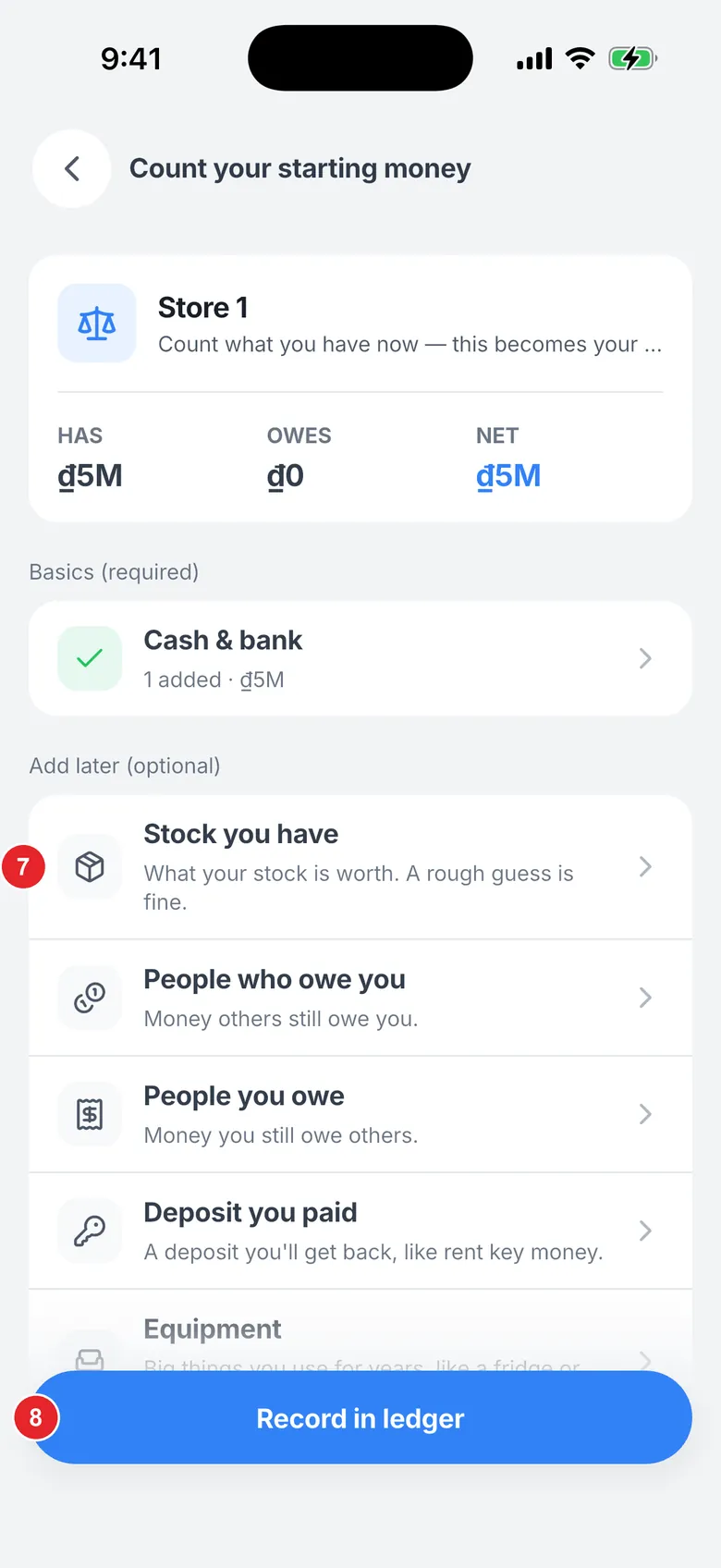
- If you have stock, tap «Stock you have» and enter a rough amount. Below it, also fill in «People who owe you» · «People you owe» · «Deposit you paid» · «Equipment» · «Loans» if you have them. If not, skip them.
- Check «HAS» · «OWES» · «NET» in the card at the top, then tap «Record in ledger».
Remember
- Do it before your first cash closing. If you don't, the money in the books is 0, and all the money you first count shows as a difference.
- One month after you first tap «Record in ledger», you can't fix it any more. After that, enter it as a transaction.