
Show contents
Daily cash & closing › Sales
Take card or bank transfer payments
- Who
- Staff
- When
- When a customer pays by card or bank transfer
- Where
- App · Web
What you get
- Card and transfer money is recorded to the bank account, so the drawer money matches the drawer and the bank money matches the bank account.
- Even with several bank accounts, you choose the one the money really goes into, and match each account's balance.
What it solves
- If you leave card money as «Cash», it is recorded in «Counter cash». That money is not in the drawer, so it won't match the counted money at closing.
Why this way
- You choose where the money was received right when you sell, so you never have to move card money from the drawer to the bank account in the books later.
- What if card money reaches the bank account late? After it arrives, enter the balance on the «Bank» tab of «Cash Closing» and match it.
- What if staff chose the wrong place? The place on the receipt can't be changed. Move it in the books with «Move money» in «Create Transaction» («I picked the wrong place for the money»).
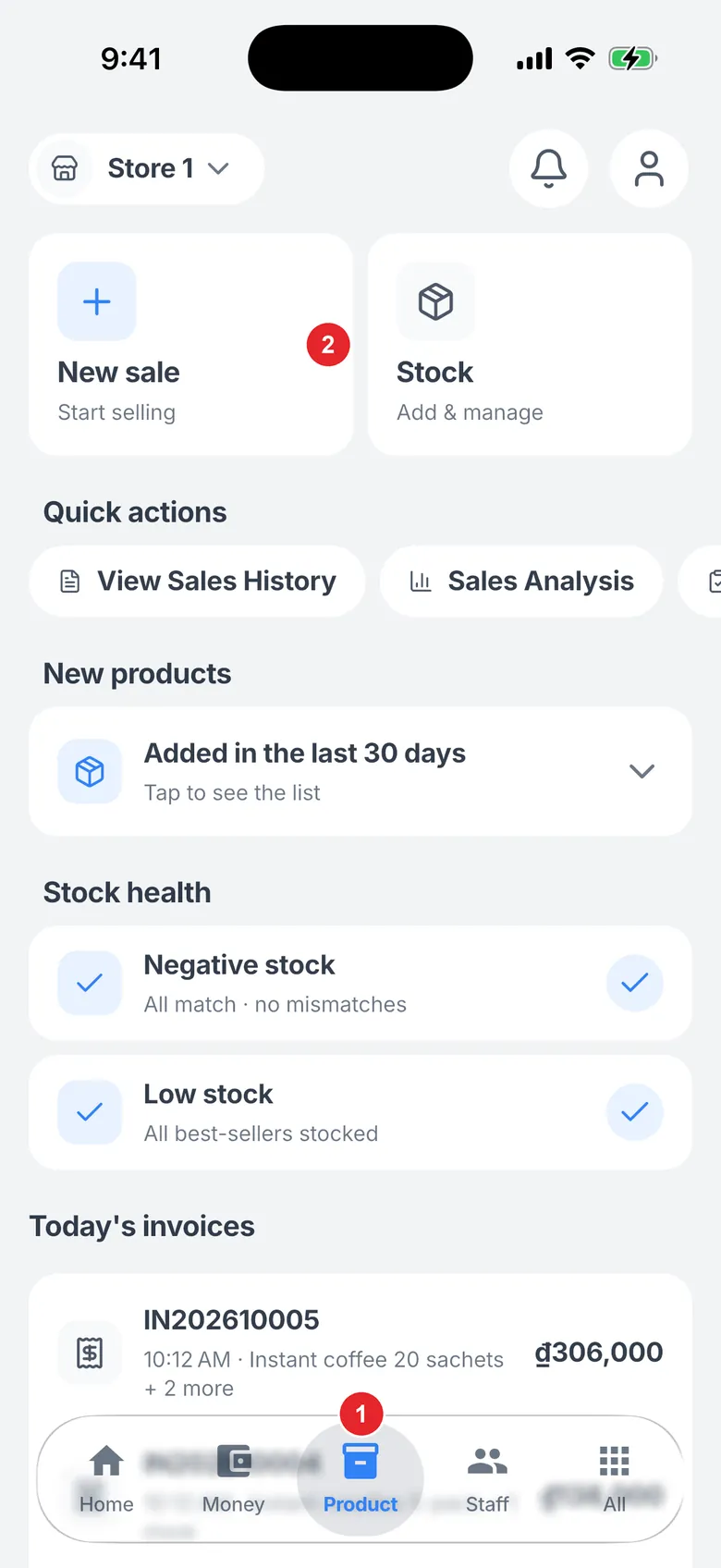
- Tap «Product» at the bottom of the app.
- Tap «New sale».
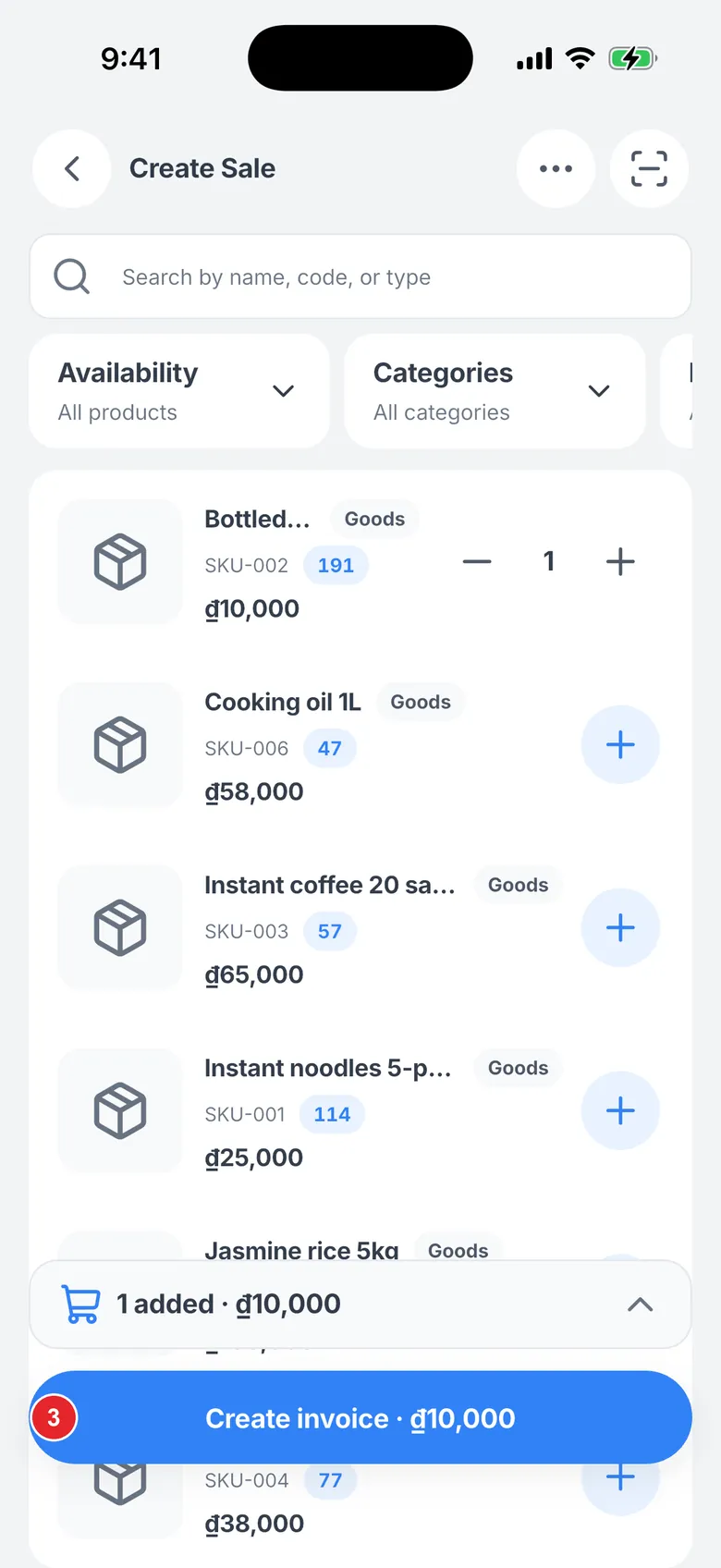
- Add the products sold with their + buttons, then tap the button at the bottom, here «Create invoice · ₫10,000».
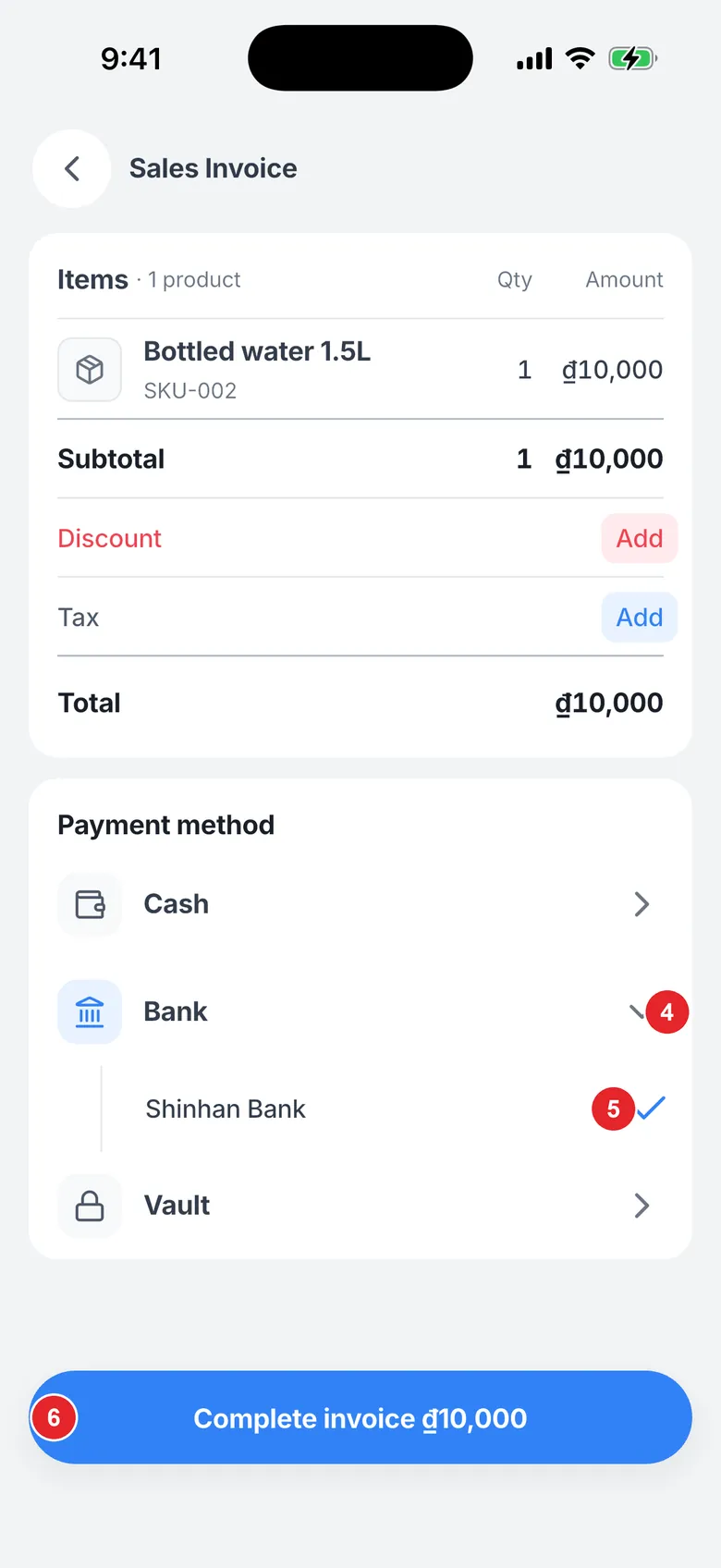
- In «Payment method», tap «Bank».
- The bank accounts show below. Check that the account card · transfer money comes into is checked. Here it is «Shinhan Bank».
- Tap the button at the bottom, here «Complete invoice ₫10,000».
Money from a card machine or a bank transfer doesn't go into the drawer; it goes into the bank account. When you sell, choose «Bank» in «Payment method», then choose the bank account the money goes into.
Remember
- If you leave it as «Cash», that money is recorded in «Counter cash». It is not in the drawer, so it won't match the counted money at closing.
- With several bank accounts, choose the one the money really goes into.
- If you find out after the sale that the place was wrong, see «I picked the wrong place for the money».