
Show contents
Daily cash & closing › Sales
I entered a sale wrong
- Who
- Owner · Manager
- When
- When you sold something wrong
- Where
- App · Web
What you get
- Return it from the receipt, and the stock comes back and the money given back is recorded, so stock and money match together.
- Undo all of it, or choose a few items and undo just part of it.
What it solves
- If a wrong sale is left as is, the sales and the stock differ from reality.
- A sale made in «Create Sale» can't be cancelled in «Transaction History».
Why this way
- In a sale, stock and money moved together, so «Return» on the receipt undoes both together.
- Do past days' sales change? No. The sales on the day sold stay as they are, and a return comes off the sales of the day it is returned.
- Is it recorded as soon as I press? Yes. There is no confirm window. Before you press, check the money to give back and the place it goes out from.
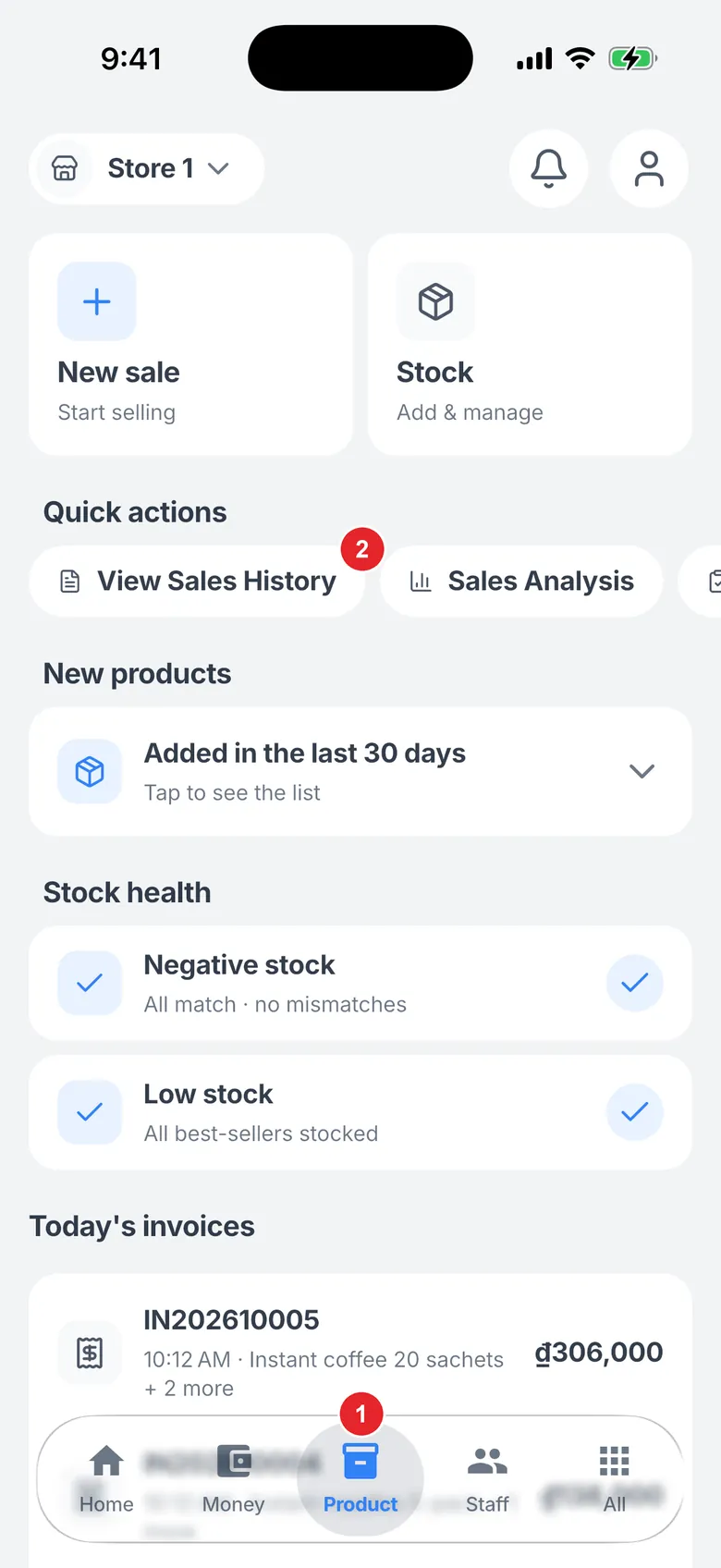
- Tap «Product» at the bottom of the app.
- In «Quick actions», tap «View Sales History».
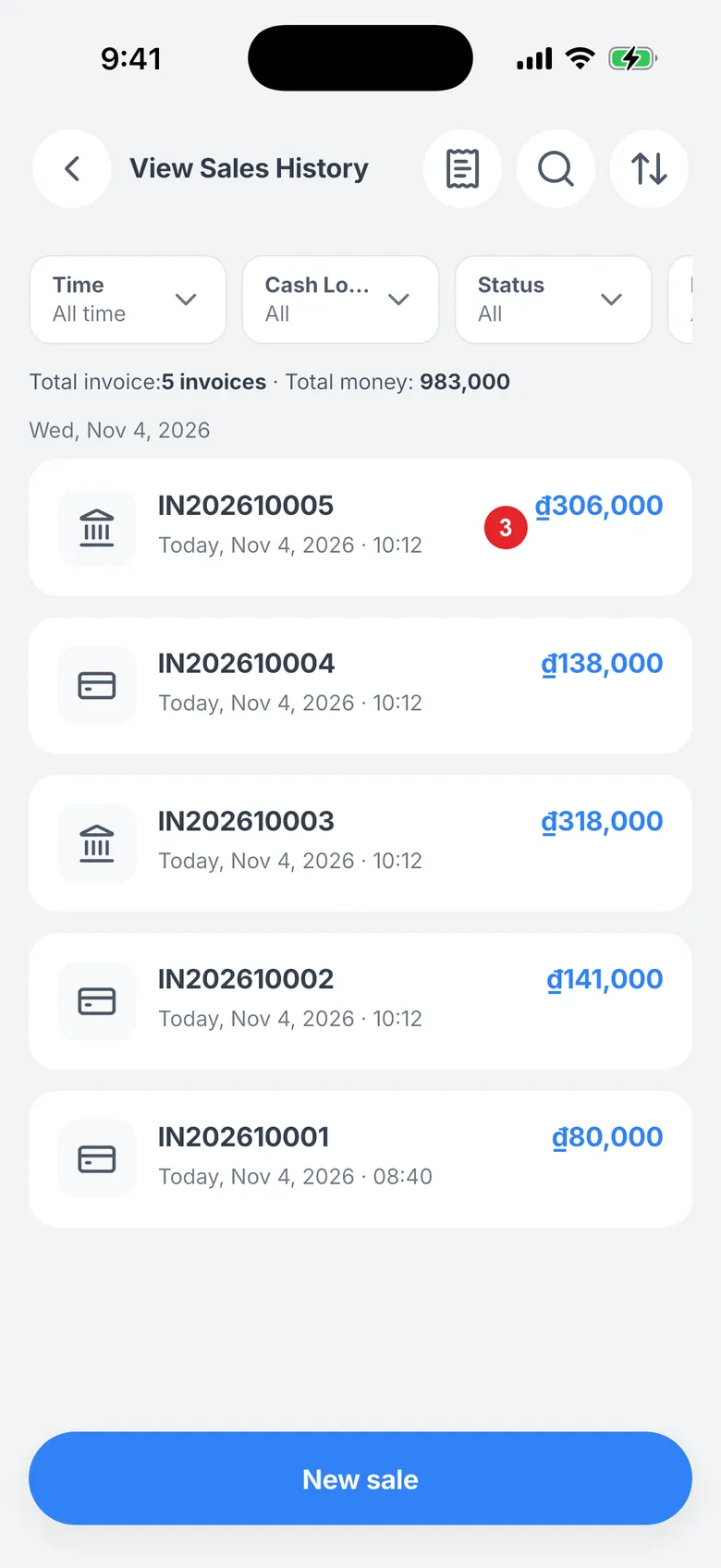
- Tap the invoice sold by mistake.
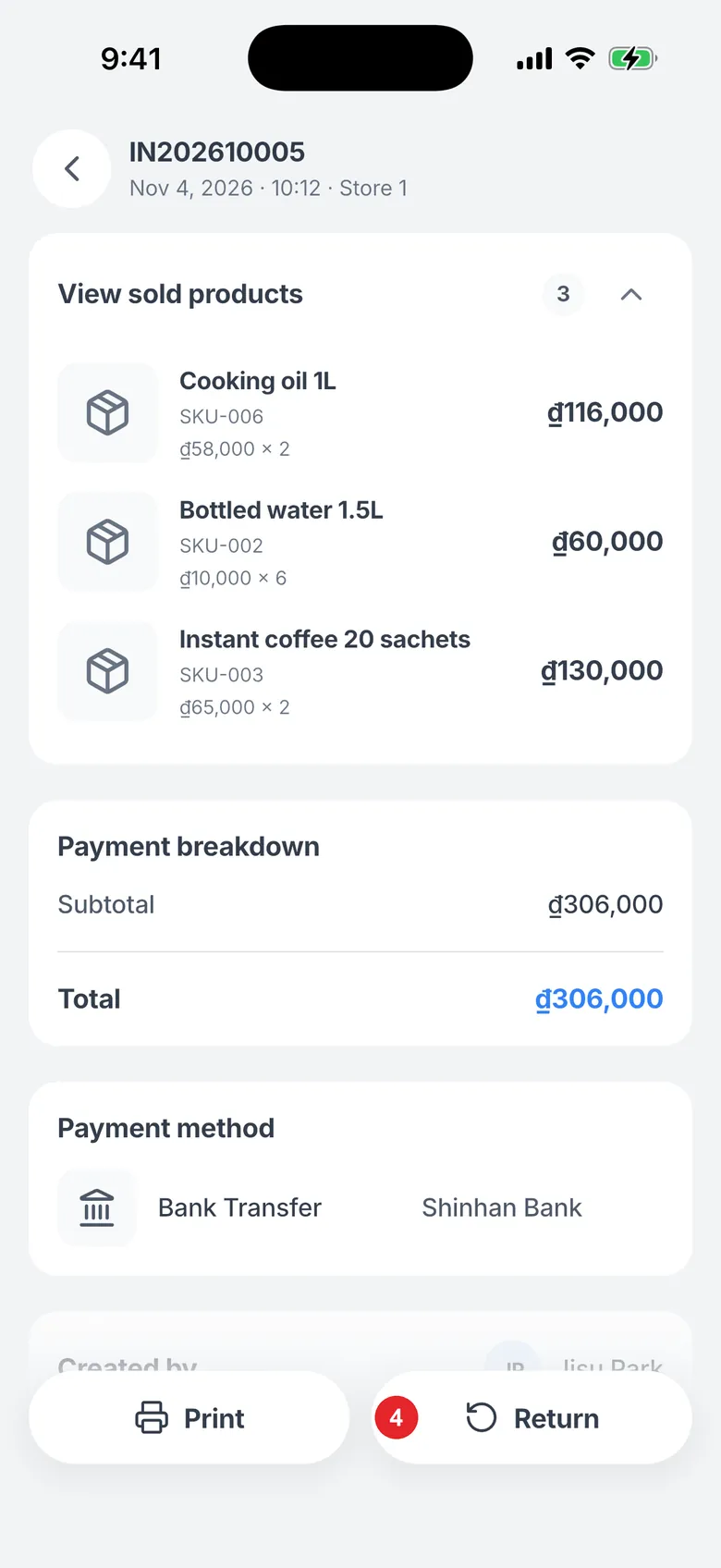
- Tap «Return».
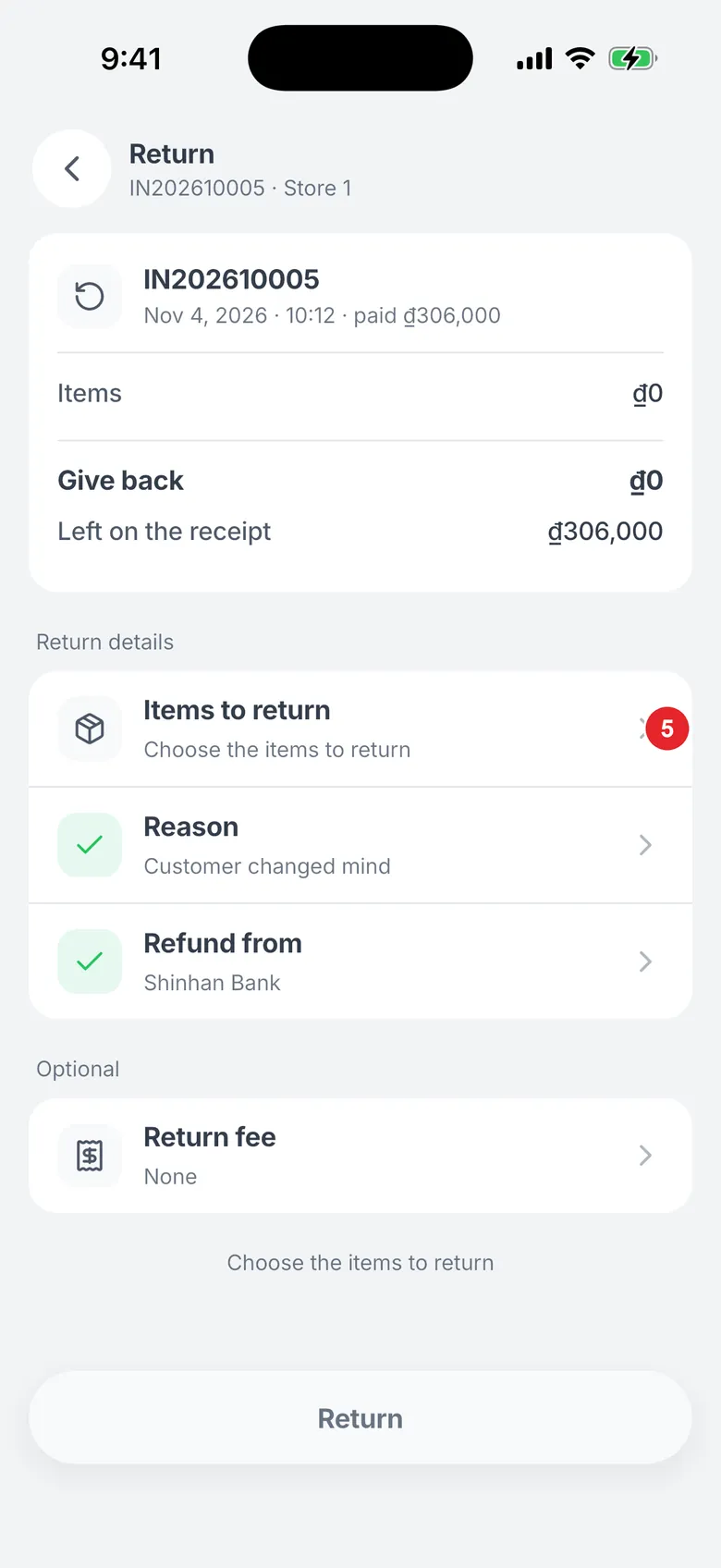
- Tap «Items to return».
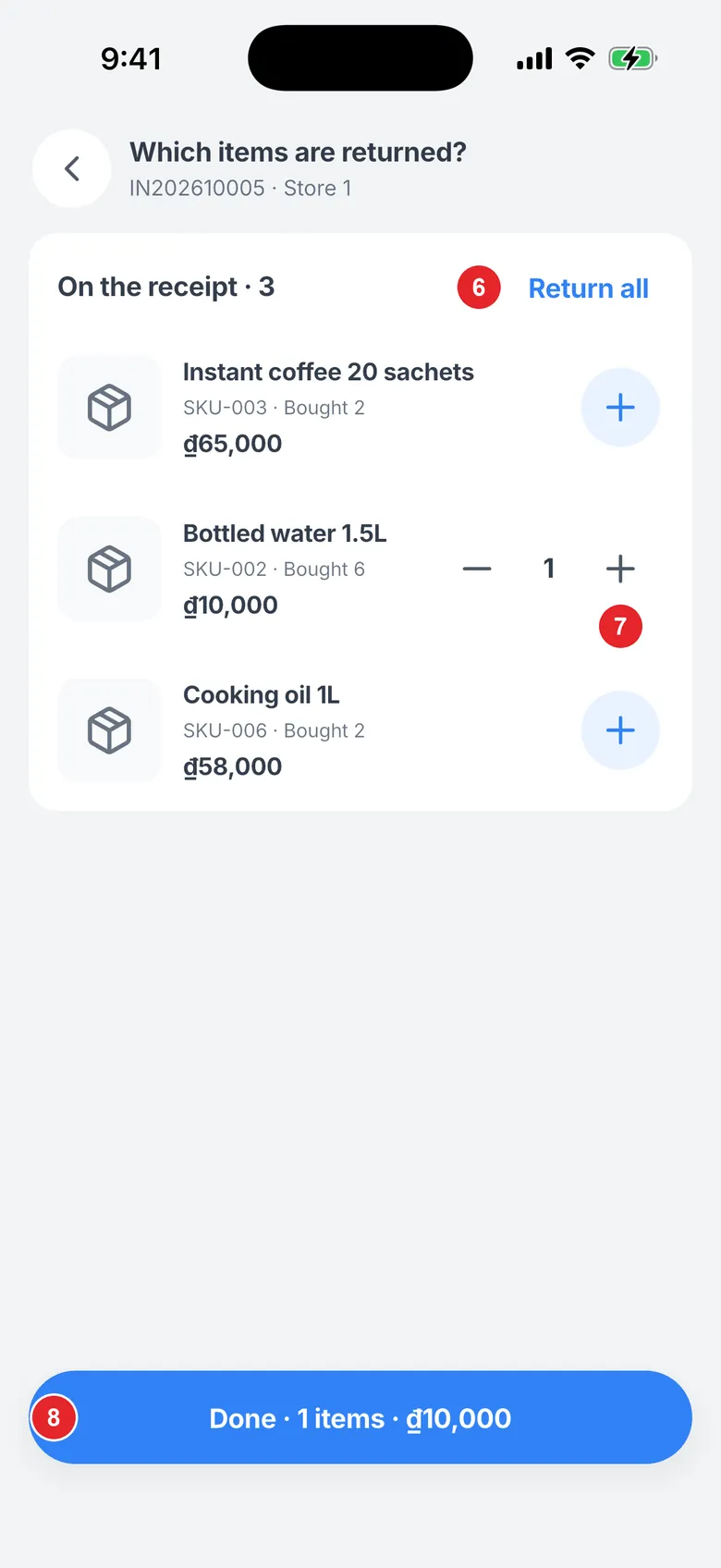
- To undo all of it, tap «Return all».
- To undo just part, enter how many with the + button on each item row.
- Tap the button at the bottom, here «Done · 1 items · ₫10,000».
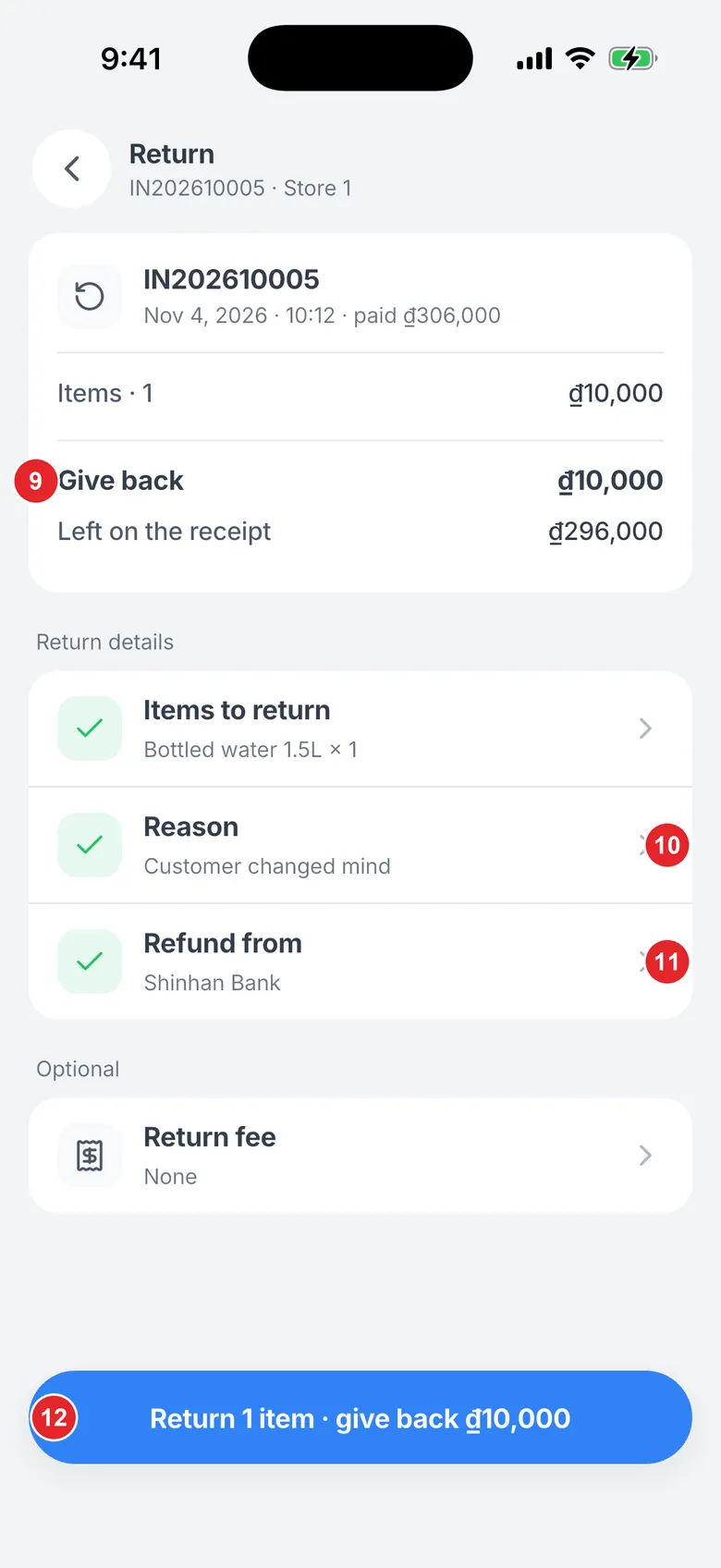
- Check «Give back».
- Choose the «Reason».
- Check that «Refund from» is the place you give the money back from.
- Tap the button at the very bottom that shows the number of items and the money, like «Return 1 item · give back ₫10,000». It is recorded right away, with no confirm window. Make the right sale again with «New sale».
Why it works this way
A sale made in «Create Sale» can't be cancelled in «Transaction History». Undo it from the receipt with «Return». The stock comes back and the money given back is recorded.
Remember
- A return comes off the sales of the day it is returned.
- When you press the return button, it is recorded right away, with no confirm window.
- Make the right sale again in «Create Sale».