
Show contents
Daily cash & closing › Sales
I entered sales twice
- Who
- Owner · Manager
- When
- When something goes wrong
- Where
- App · Web
What you get
- Cancel only the sales you entered by hand, and the sales count once.
- The sale receipt and the stock stay as they are.
What it solves
- A sale already put these sales into the books automatically, and they were entered again with «Create Transaction», so the same sales count twice.
- Left as is, the sales are inflated, and the cash place the money went into should hold more than it really does, so it shows as short at closing.
Why this way
- Sales with an invoice came from a sale, so don't delete them. If the sale was wrong, return it («I entered a sale wrong»).
- I see «Cancel transaction» in the app? For sales that came from a sale, pressing it doesn't cancel anything.
- Does cancelling erase the record? No. A reversing transaction is made, and both stay in the history.
- How do I keep it from happening again? Tell staff not to enter sales in «Create Transaction» («Sales & closing guide to send to staff»).
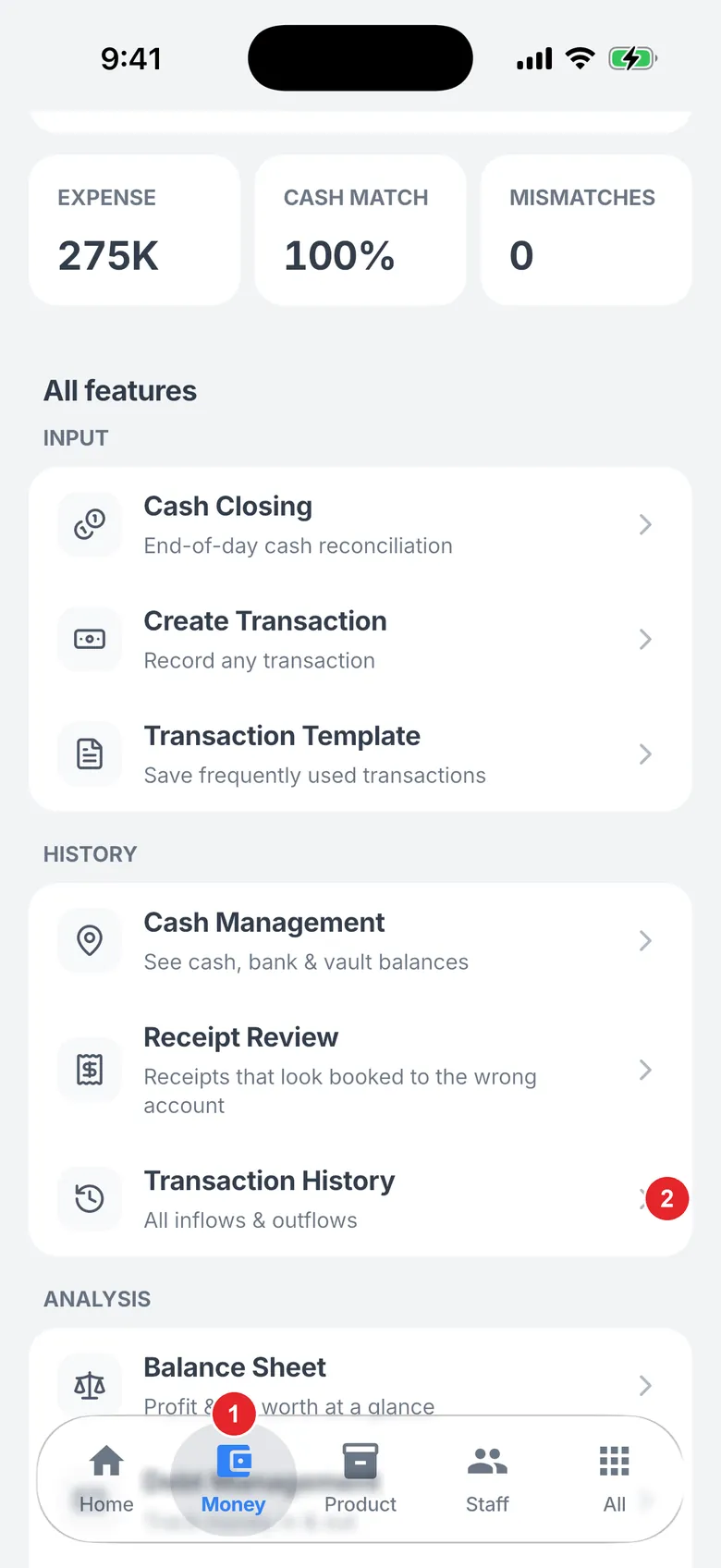
- Tap «Money» at the bottom of the app.
- Scroll down and, in «All features», tap «Transaction History».
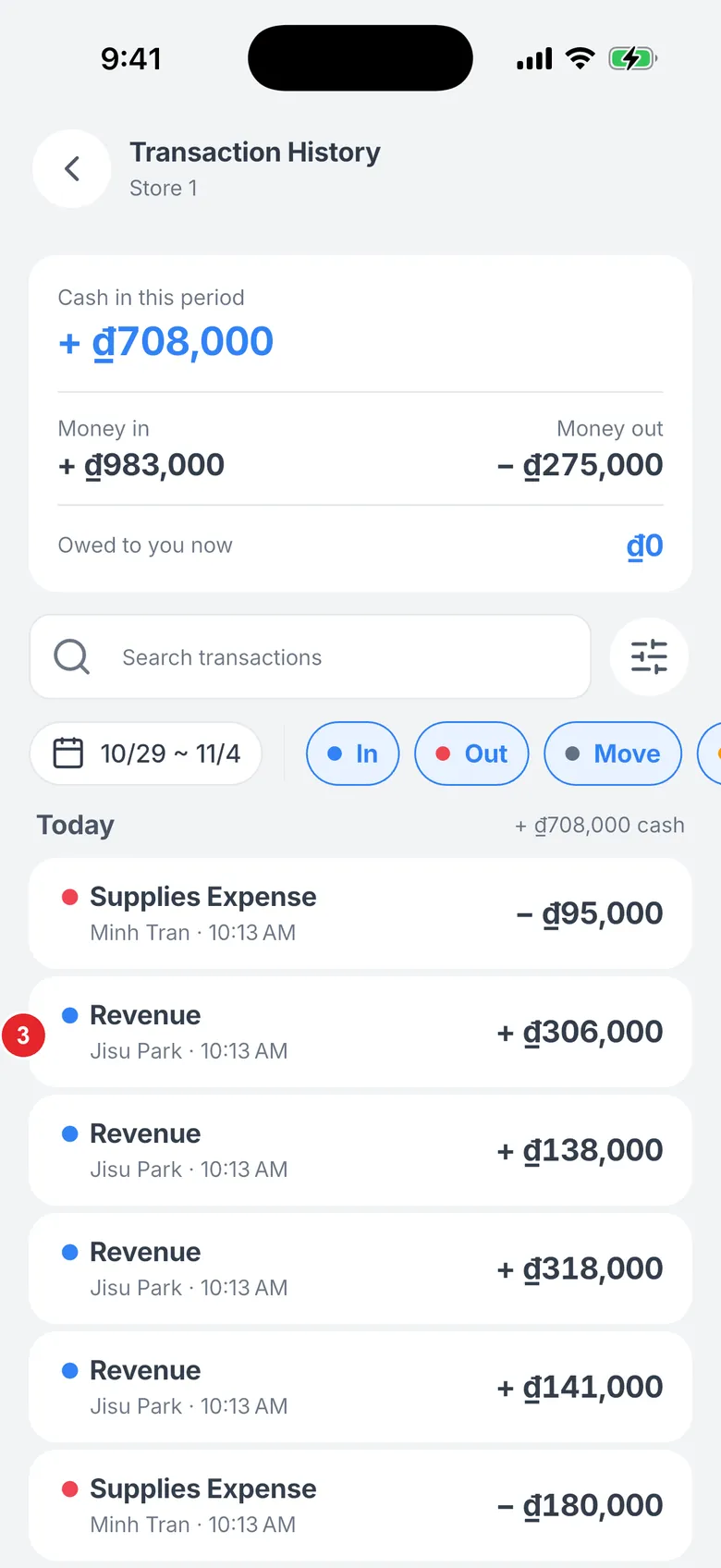
- Tap a «Revenue» row.
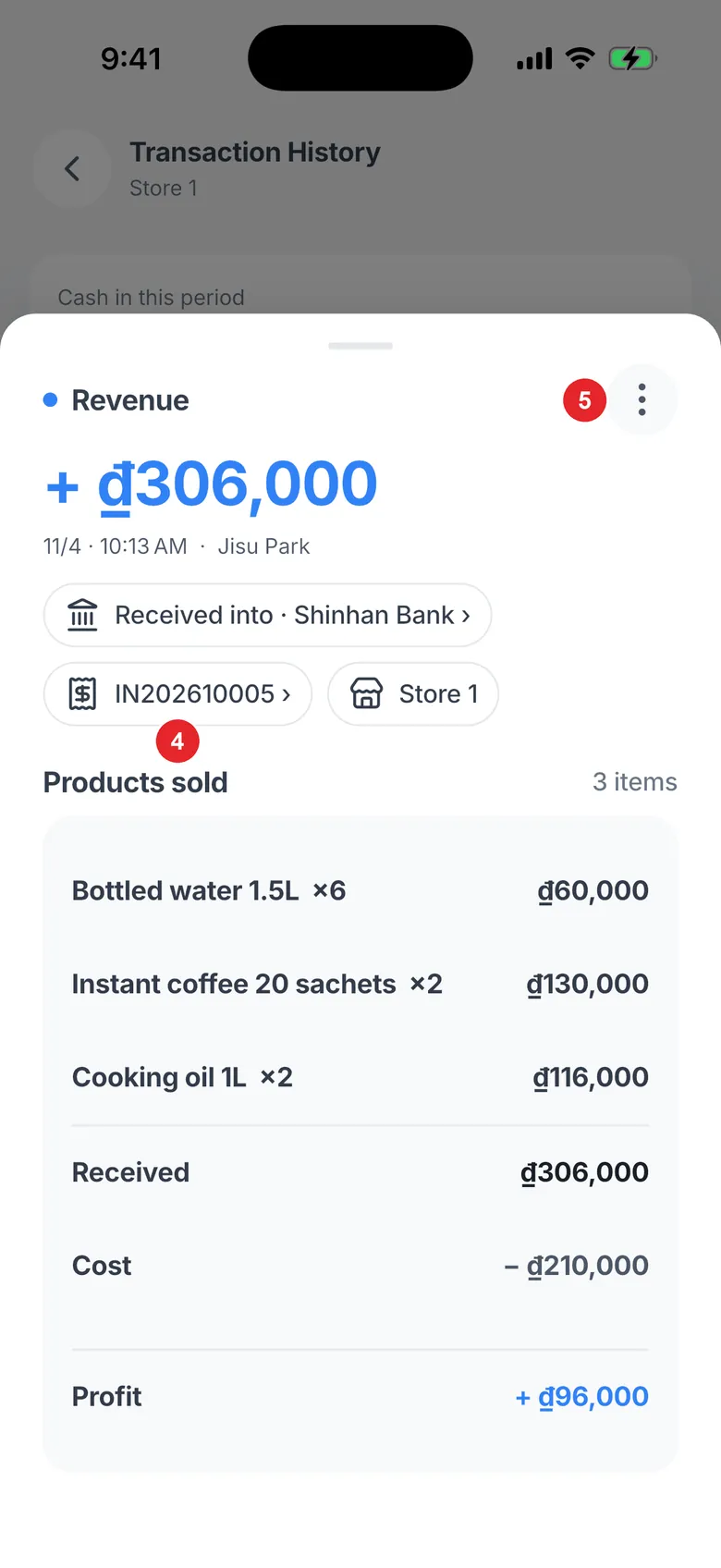
- If it has an invoice number, like «IN202610005» here, the sales came in automatically from a sale. Tapping «Cancel transaction» on this row doesn't cancel it. If the sale was wrong, return it as in «I entered a sale wrong».
- A «Revenue» row with no invoice number was entered by hand. Open that row, tap the ⋮ button at the top right, and cancel it the same way as in «I entered an expense wrong».
Why it works this way
Sales made in «Create Sale» go into the books automatically. If you enter the same sales again with «Create Transaction», they count twice.
Remember
- Sales that came from a sale have an «Invoice» number. Don't delete those. The app shows a «Cancel transaction» button, but pressing it doesn't cancel anything.
- Sales entered by hand have no «Invoice» and do have «Cancel transaction». Cancel those, the same way as in «I entered an expense wrong».