
Show contents
Staff & shifts › Monthly staff
A mid-month hire shows a full month's salary
- Who
- Owner
- When
- Month end
- Where
- App · Web
What you get
- You don't pay for the month before they joined, so no money goes out for a month they did not work.
- For the month they joined, you pay only for the days worked, and the amount taken off and the reason stay in the payment record and in the books.
What it solves
- Someone joined on October 1, but September also shows the full salary as the amount to pay.
- If you pay as it is, salary goes out for a month they did not work, and the full month goes out even for the month they joined mid-month.
Why this way
- The salary comes out as the set amount and is not split by hire date. So for the month they joined, you adjust it with a deduction when paying.
- Do I work out the amount to take off myself? On the website, yes. In the app, for the month they joined mid-month, the dates before they joined show as «Days outside employment» in «Leave & attendance deduction», so check the amount and tap «Apply (-amount)».
- What about a month that is entirely before they joined? It does not show in the app's suggestion either. Don't pay that month.
- What if I already paid? Cancel it in «Transaction History», and you can «Pay» again («I made a wrong payment»).
At the bottom of the app, go to «Staff» → «Employee Salary & Payment» → the «Pay Salary» tab, and choose the month with the calendar button next to the search box.
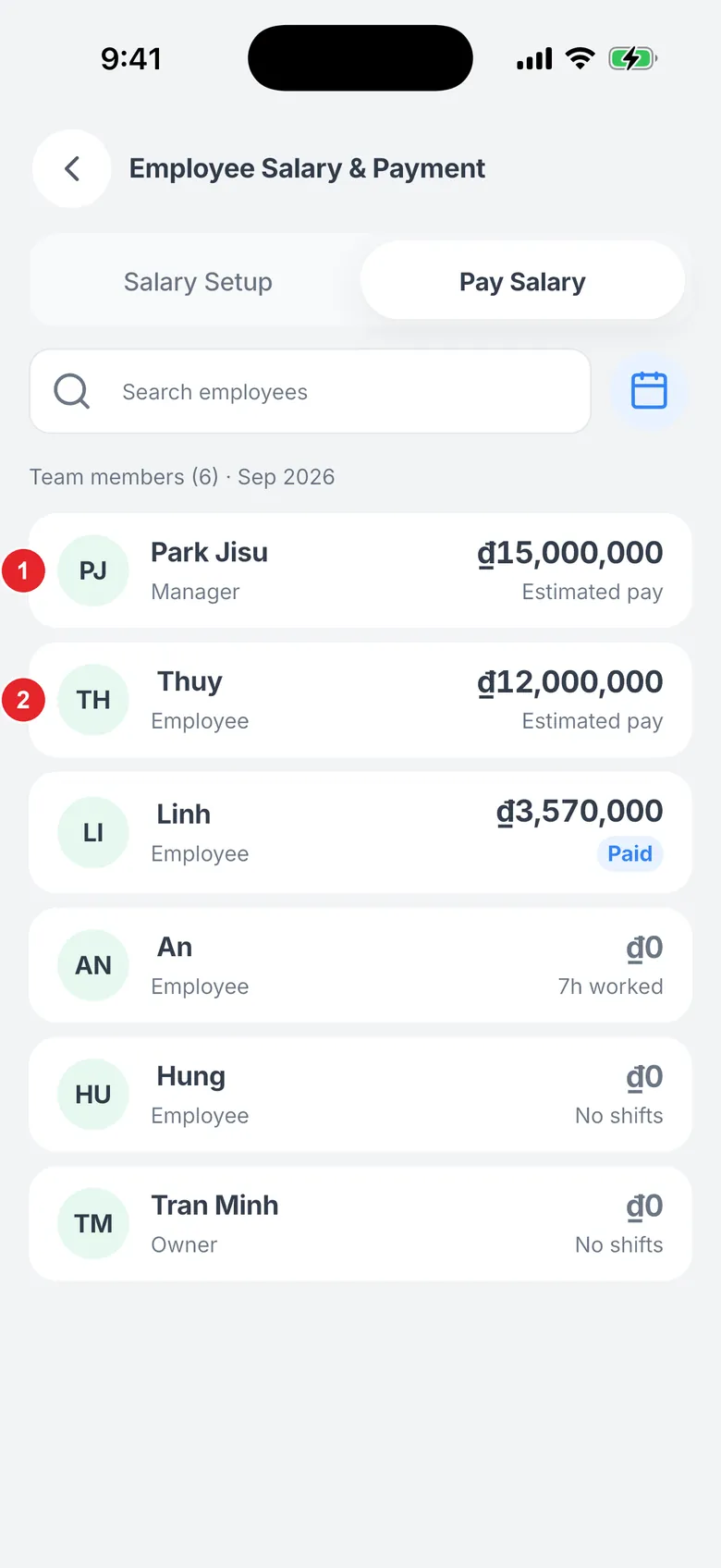
- Park Jisu, who joined on October 1, also shows the full salary as «Estimated pay» for September.
- Thuy is the same.
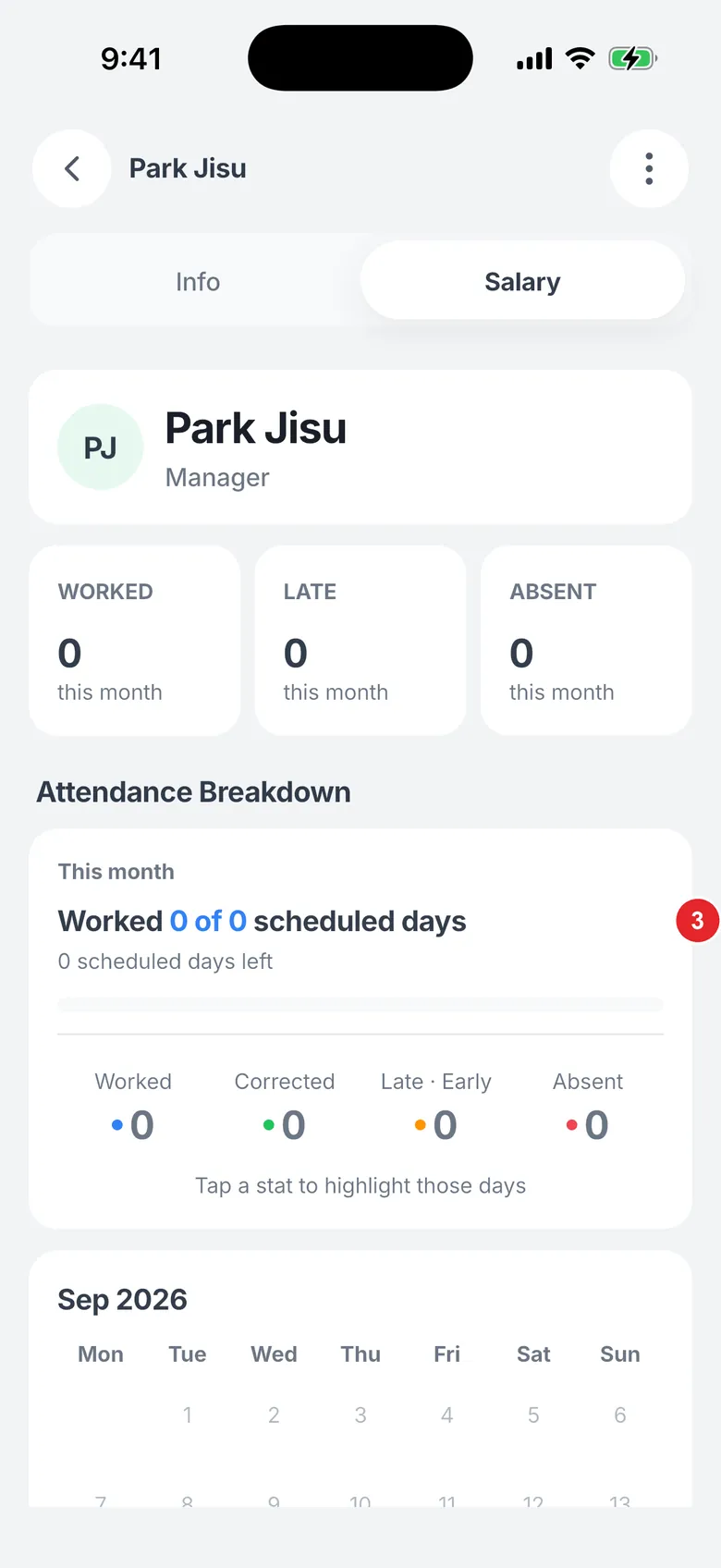
- Tap the staff member, and it shows «Worked 0 of 0 scheduled days». The salary stays the same even with no days worked.
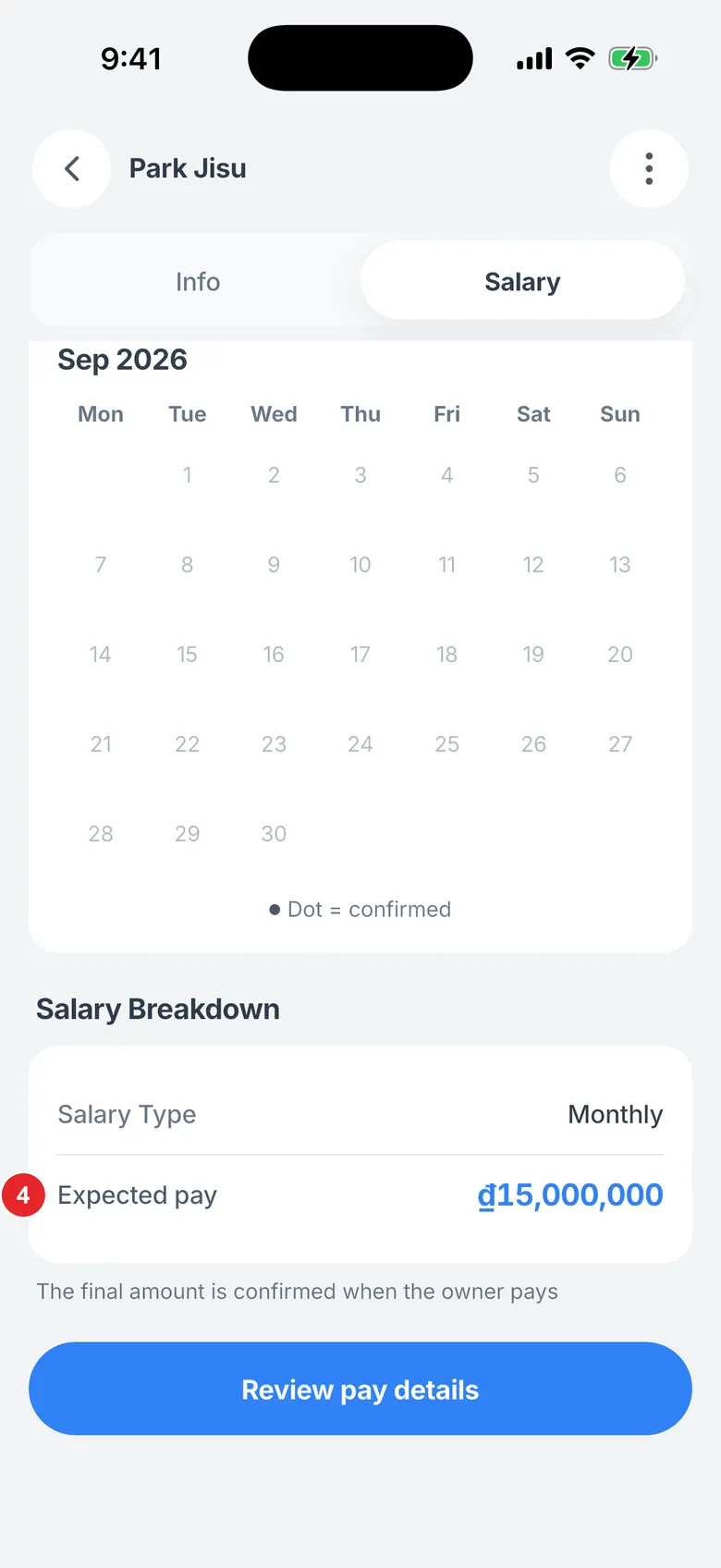
- «Expected pay» is also the full salary.
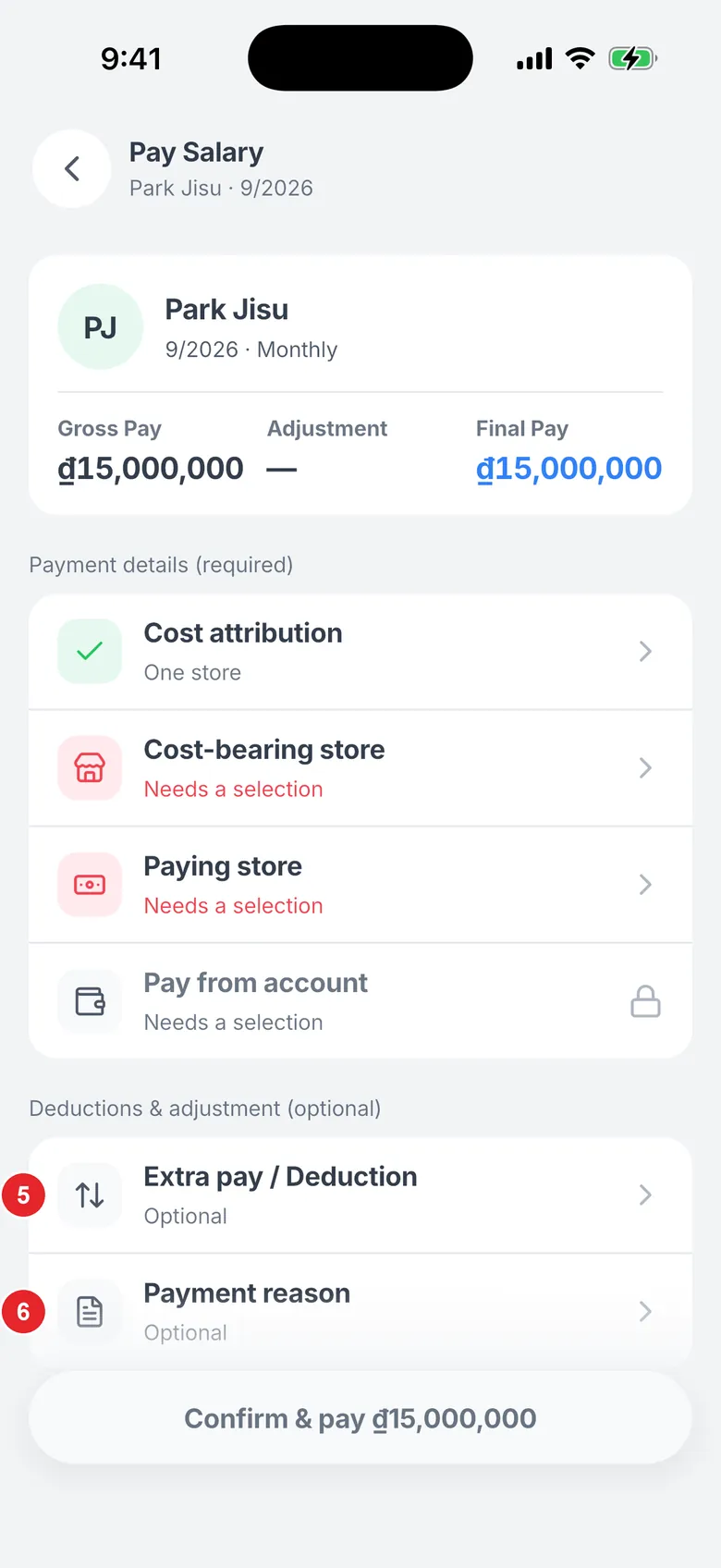
- To pay less for the month they joined, go to «Review pay details» → «Open review», tap «Extra pay / Deduction» and enter the amount to take off. For a month they joined mid-month, a «Leave & attendance deduction» row shows just above it. Tap it: the days before they joined are already worked out, so check the amount and tap «Apply (-amount)» (the same window as step 11 of «A monthly staff member has no attendance record»). The picture is the September pay screen; the month they joined works in the same place.
- Write the reason in «Payment reason».
Why it works this way
Monthly staff get the set salary as it is. It is not split by hire date. Even the month before they joined shows the full salary as the amount to pay. In the pictures, Jisu Park and Thuy joined on October 1, but September also shows the full salary.
Remember
- Don't pay for the month before they joined.
- To pay only for the days worked in the month they joined, enter the amount to take off and the reason in the deduction when paying. On the website, work out the amount yourself. In the app, you can check the amount «Leave & attendance deduction» works out and tap «Apply (-amount)».