
Show contents
F&B menu & sales › Take orders & get paid
Guests left before ordering
- Who
- Staff · Manager
- When
- When guests left after you chose only the number of guests
- Where
- App · Web
What you get
- One «Free this table» makes the table empty again, so you can seat the next guests right away.
- The cleared table also stays in the order records as ₫0 «Cancelled before payment».
What it solves
- If guests leave after you chose only the number of guests, the table keeps showing as taken, and you can't seat guests at the empty spot.
Why this way
- Can staff use this to get rid of orders? No. A table with dishes added can't be cleared, and «This table already has dishes — open it to cancel» shows.
- Is it OK that it clears without a confirm window? Only tables with no menu items are cleared, so no order is lost.
- What if menu items were already sent to the kitchen? Do «Cancel entire order» («I entered an order wrong»).
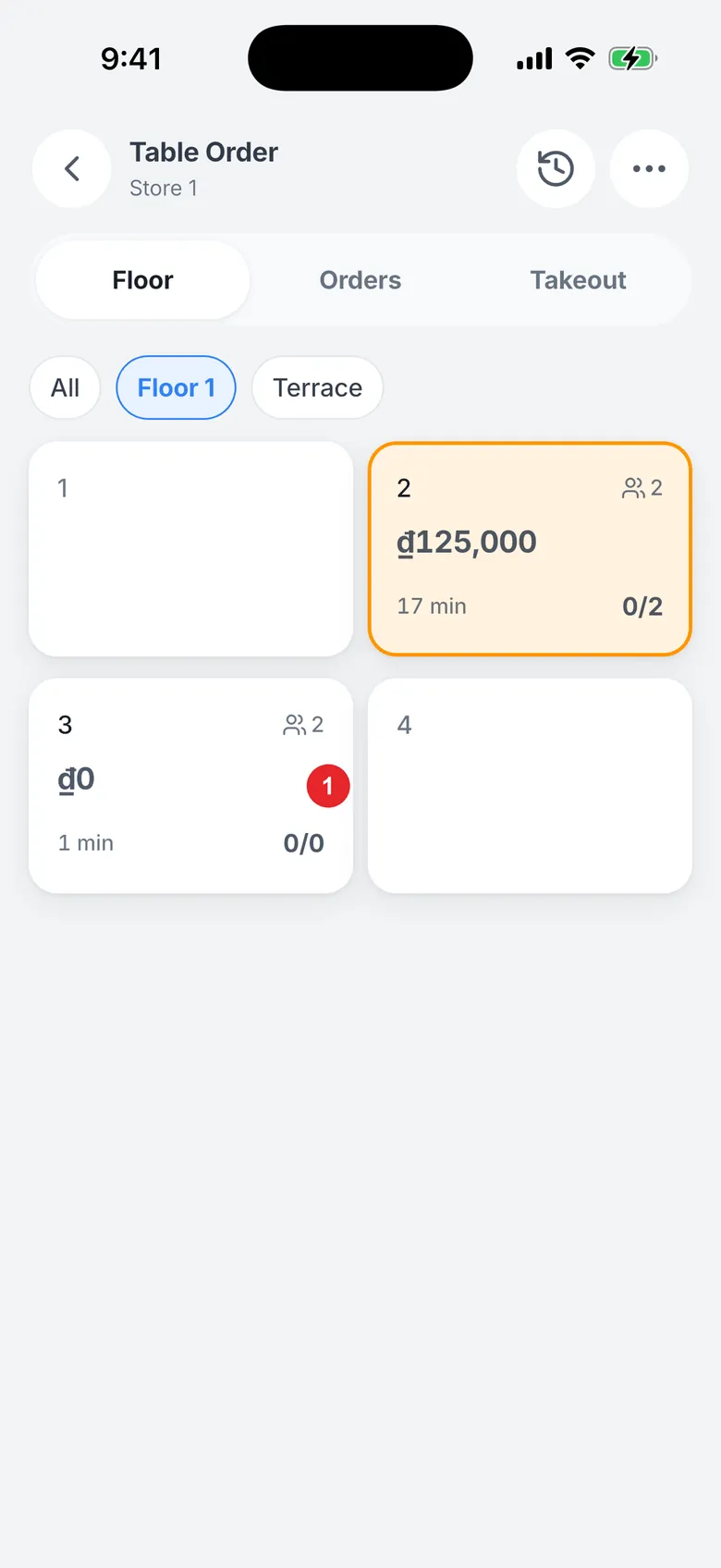
- A table where you chose the number of guests stays open even with no menu items. Tap that table. Here it is «3».
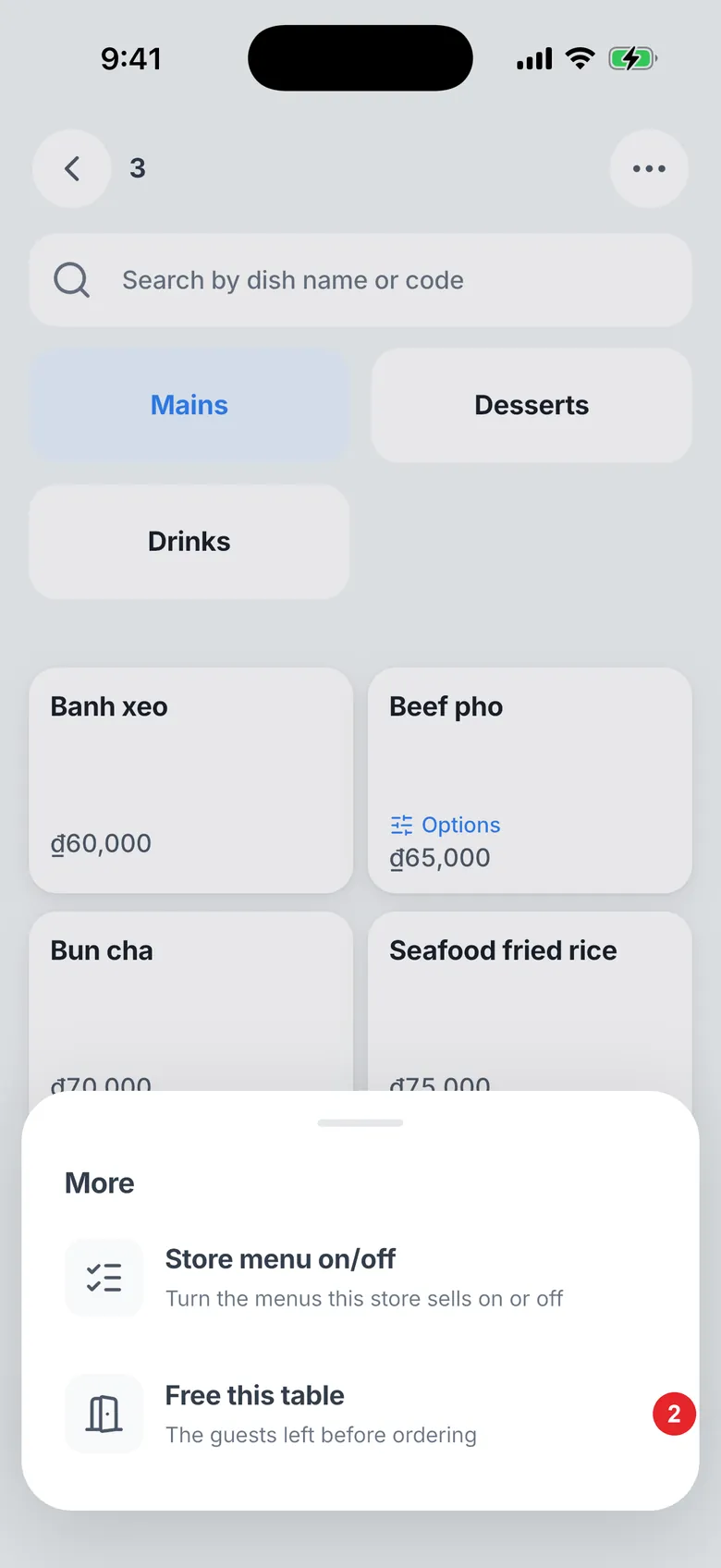
- Tap the ⋯ button at the top right, then tap «Free this table». It is cleared right away, with no confirm window.
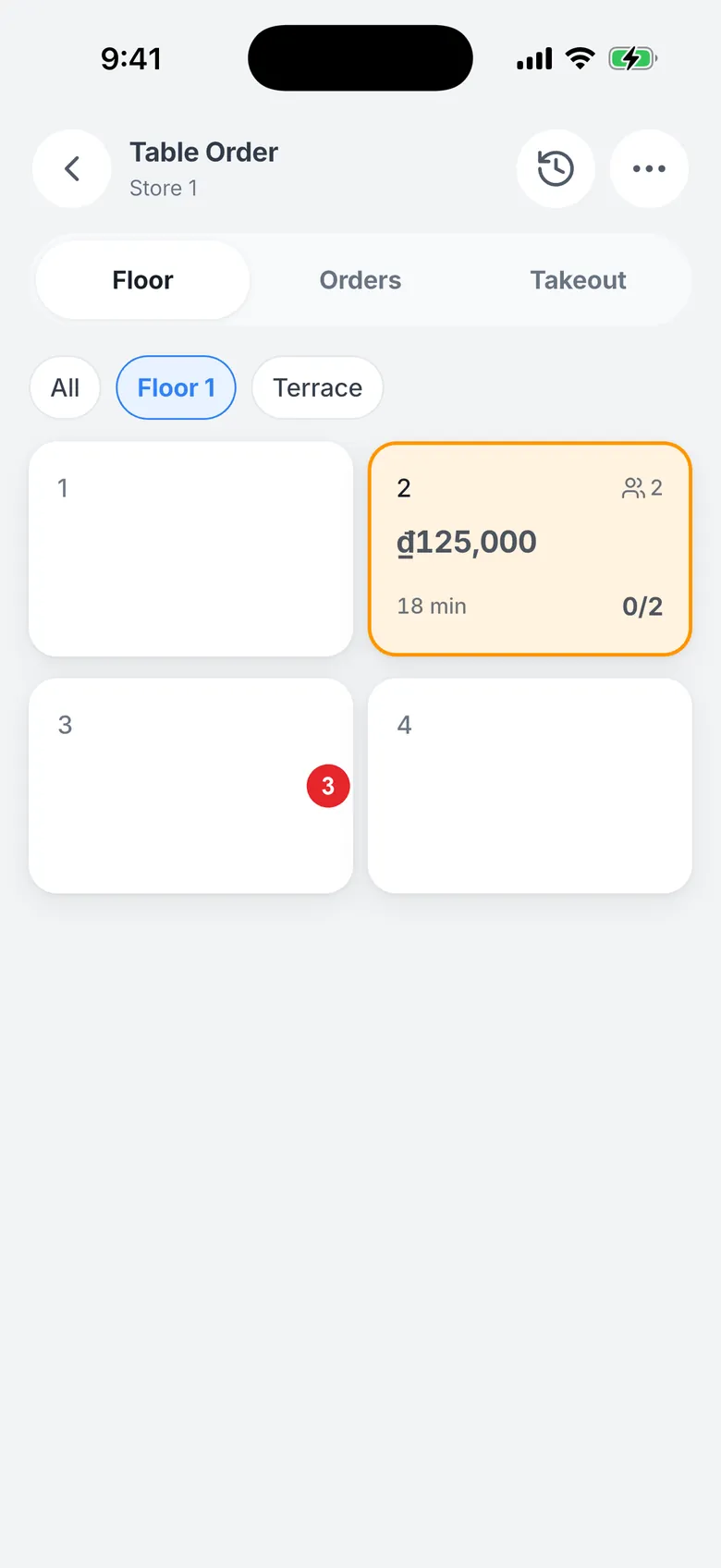
- The table is empty again. In «Order records», it stays as ₫0 «Cancelled before payment».
Why it works this way
The moment you choose the number of guests, the table's order opens. Even with no menu items added, the table stays as taken.
Remember
- Open that table and press «Free this table», and it is cleared right away, with no confirm window.
- If menu items were already sent to the kitchen, do «Cancel entire order», as in «I entered an order wrong».