
Show contents
F&B menu & sales › Take orders & get paid
I entered an order wrong
- Who
- Owner · Manager
- When
- When you sent something to the kitchen by mistake
- Where
- App · Web
What you get
- Even after it's sent to the kitchen, lower the quantity with «Edit order» or remove it with «Cancel entire order».
- When you remove or cancel something, a notice shows on the kitchen screen right away, so they stop the food being made.
- For food already made, choose «Record cost loss» to keep a record of the cost of the ingredients thrown away.
What it solves
- If you leave a menu item sent by mistake, the kitchen makes it, and food the guest didn't order stays on the bill.
Why this way
- The bill and the kitchen screen change together. Even if you only lower the quantity, the kitchen shows «Cancelled» and «Stop preparing this item».
- What if staff remove menu items in secret? In the app, tap the clock button («History») at the top right of that table's screen, and it shows who removed menu items or changed quantities, and when.
- Does a cancelled order disappear? No. It stays in «Order records» as «Cancelled before payment».
- What if I found out after payment? A paid order can't be cancelled. Refund it, as in «I took a payment wrong».
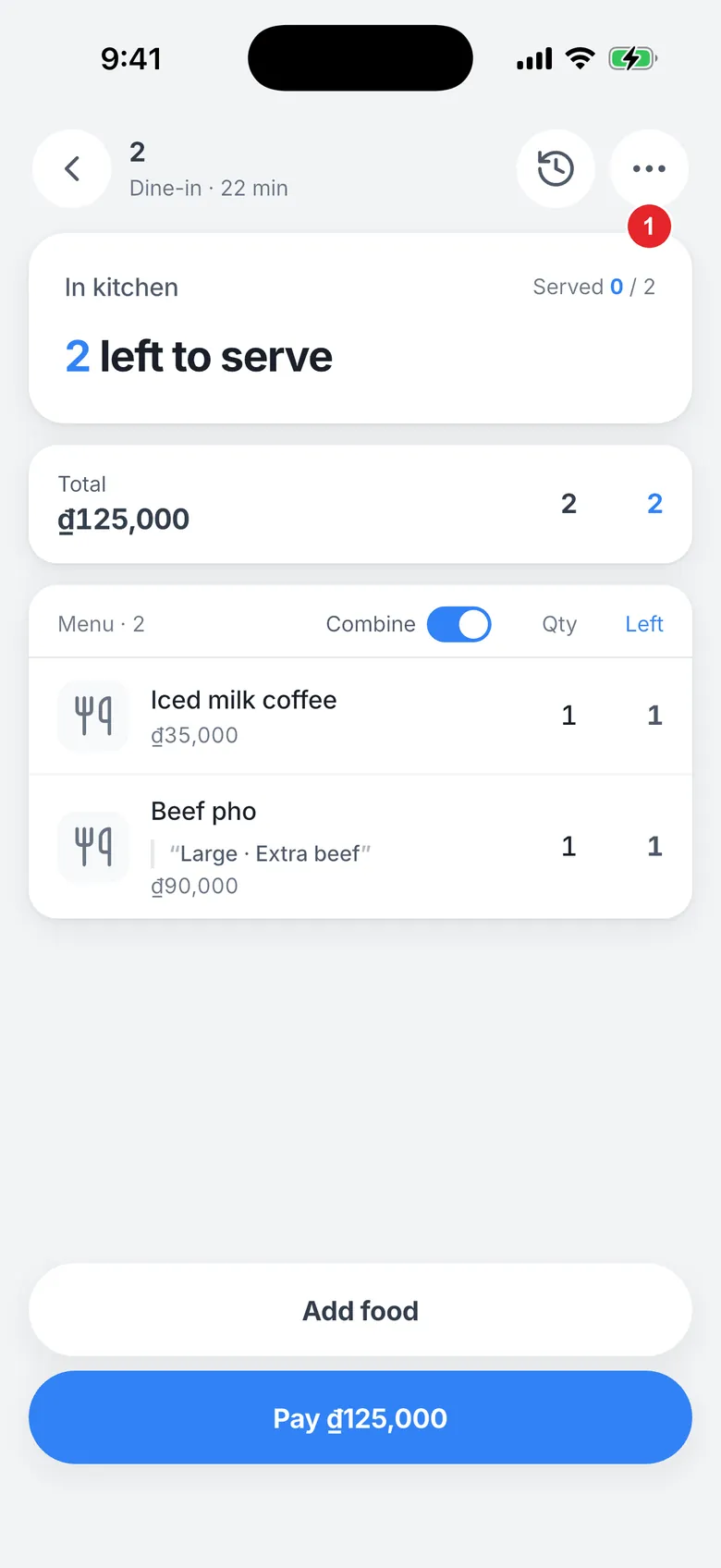
- If it hasn't gone to the kitchen yet, remove the menu item with its − button. If it was already sent, open that table and tap the ⋯ button at the top right.
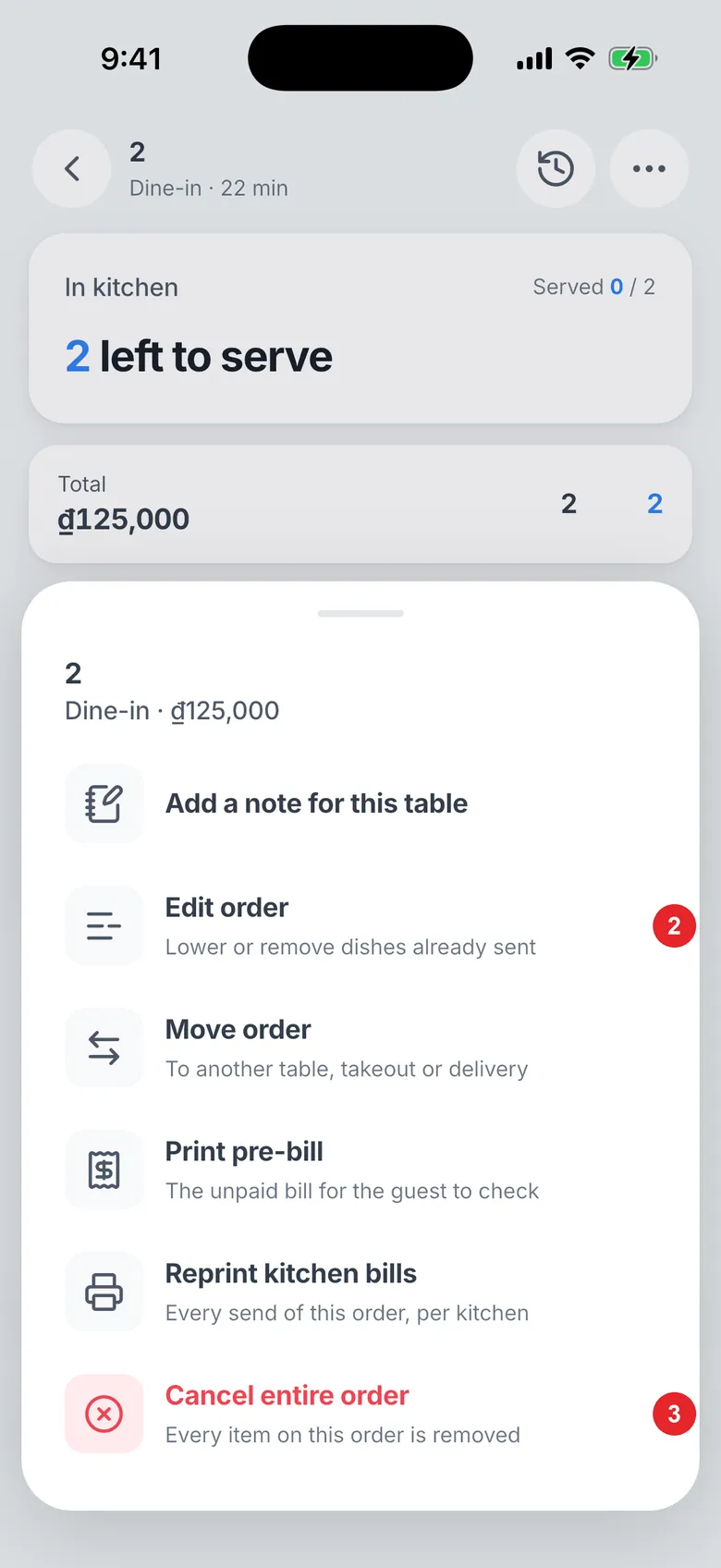
- To remove only a few menu items, tap «Edit order».
- To remove the whole order, tap «Cancel entire order» and go to step 6 below.
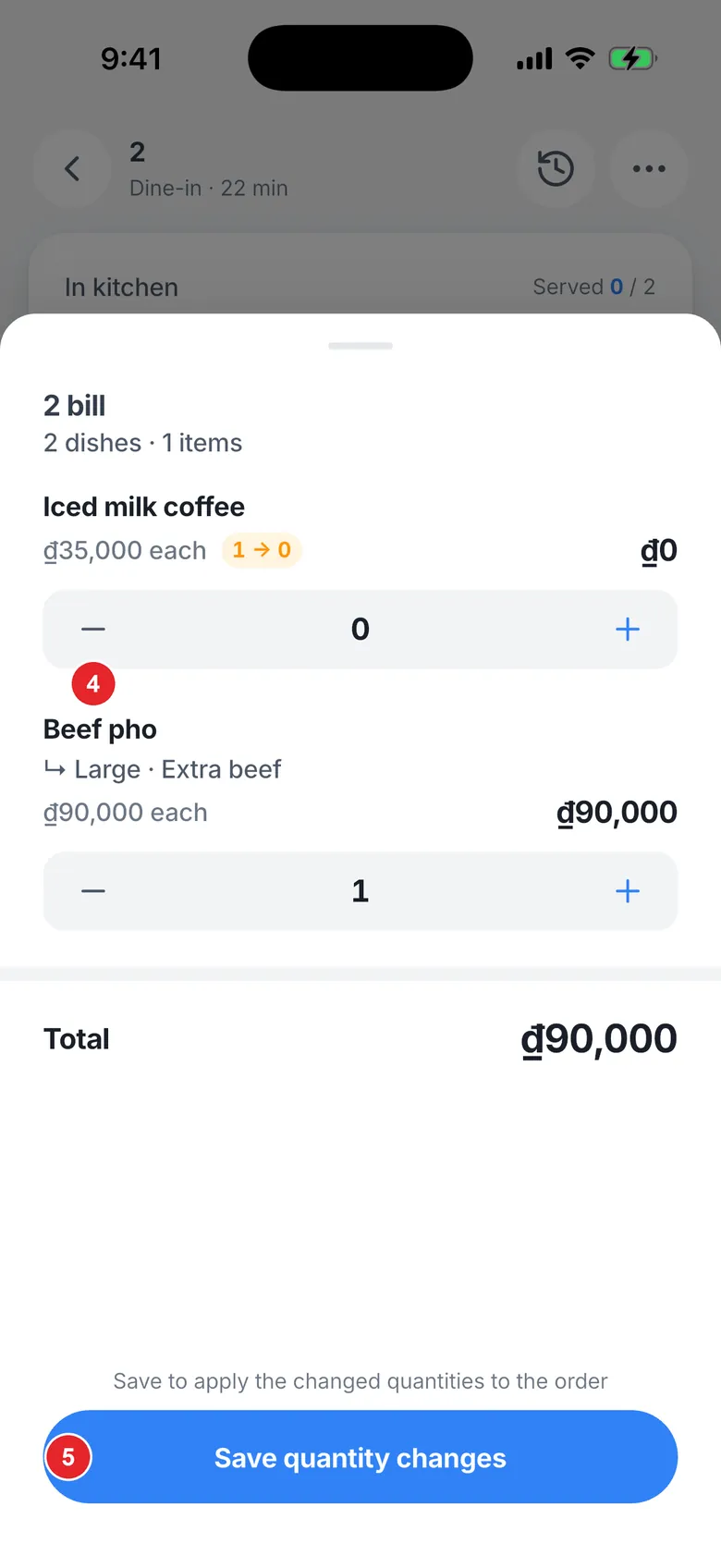
- Tap the − button of the menu item to remove. The changed quantity shows like «1 → 0».
- Tap «Save quantity changes». The order changes only when you save. If «Record the cost loss?» shows, tap «Record cost loss» or «Don't record».
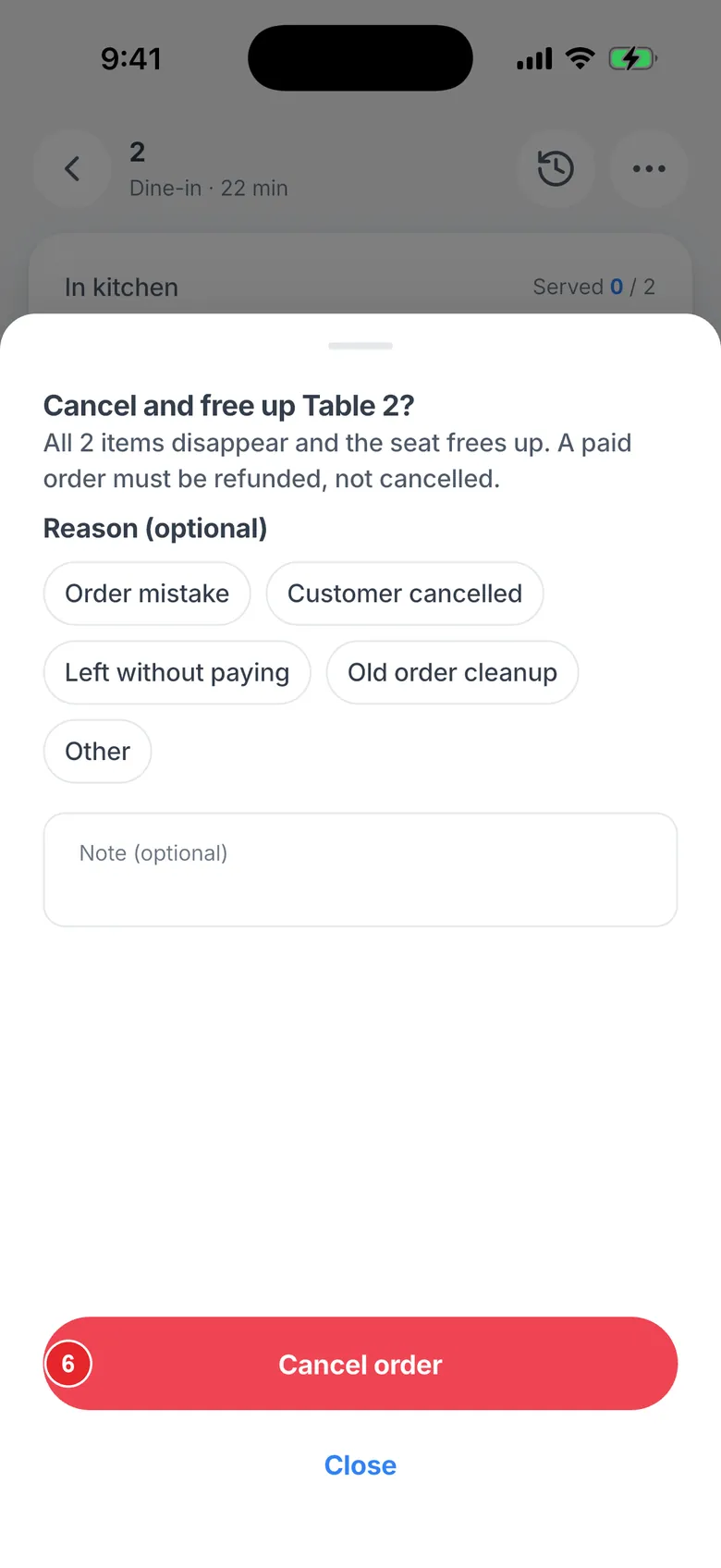
- If you want, choose a reason under «Reason (optional)», then tap «Cancel order». If «Record the cost loss?» shows, tap «Record cost loss» or «Don't record». All the menu items added disappear and the seat is free again. A paid order is not cancelled but refunded, as in «I took a payment wrong».
Why it works this way
Press «Send order», and the menu items go straight to the kitchen. After that, lower the quantity with «Edit order», or remove the order with «Cancel entire order».
Remember
- If you change the quantity, it takes effect only when you press «Save quantity changes».
- When you remove or cancel something, «Record the cost loss?» shows. If the food is already made, choose «Record cost loss»; if not, «Don't record».
- The kitchen screen shows «Order cancelled» to tell them to stop cooking.
- A paid order can't be cancelled. Refund it.