
Show contents
F&B menu & sales › Take orders & get paid
I took a payment wrong
- Who
- Owner · Manager
- When
- When you need to give money back after payment
- Where
- App · Web
What you get
- Even a paid order is put right with a refund. In the app, the receipt changes to a refund, and it stays in the order records as «Refunded».
- In the website's «Sales History», you refund just part, item by item. If only one dish is the problem, give back just that. The invoice stays, and the refund shows under it.
- On the website, «Give money back from» has the place the money was received already chosen.
What it solves
- If you just take money from the drawer and hand it back, there is no record, so the cash shows as short at closing.
- A paid order can't be put right by cancelling it.
Why this way
- Instead of just taking money from the drawer, do a refund, and the order stays as «Refunded», so later you still know why money went out.
- Can any staff member give refunds? In the app, «Refund» shows only for people with payment permission.
- Can it be refunded twice? No. For an order already refunded, «This order is already refunded» shows.
- Do the ingredients go back into stock? No. The ingredients don't come back, and the cost stays as a loss.
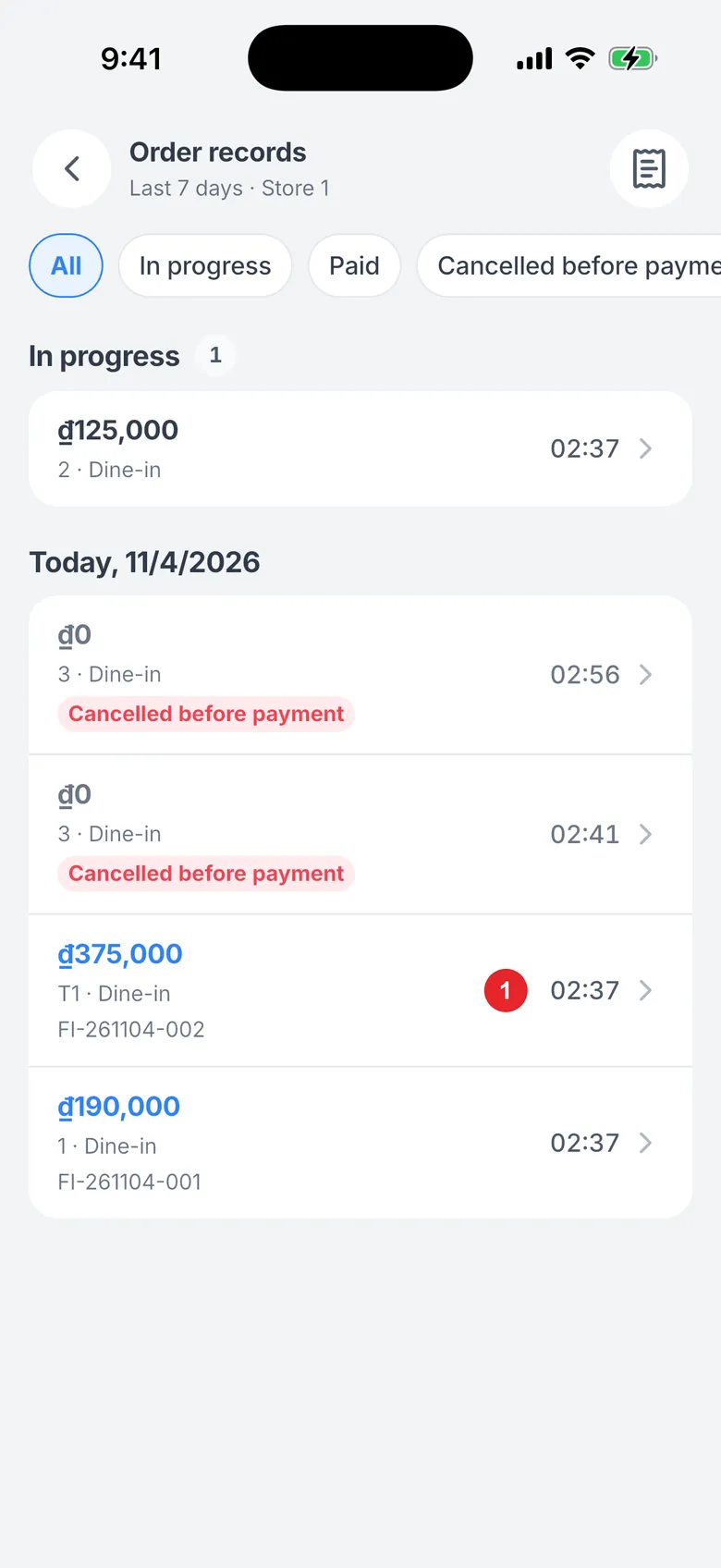
- In «F&B» › «Table», tap the clock button at the top right («Order records»), then tap the order to refund.
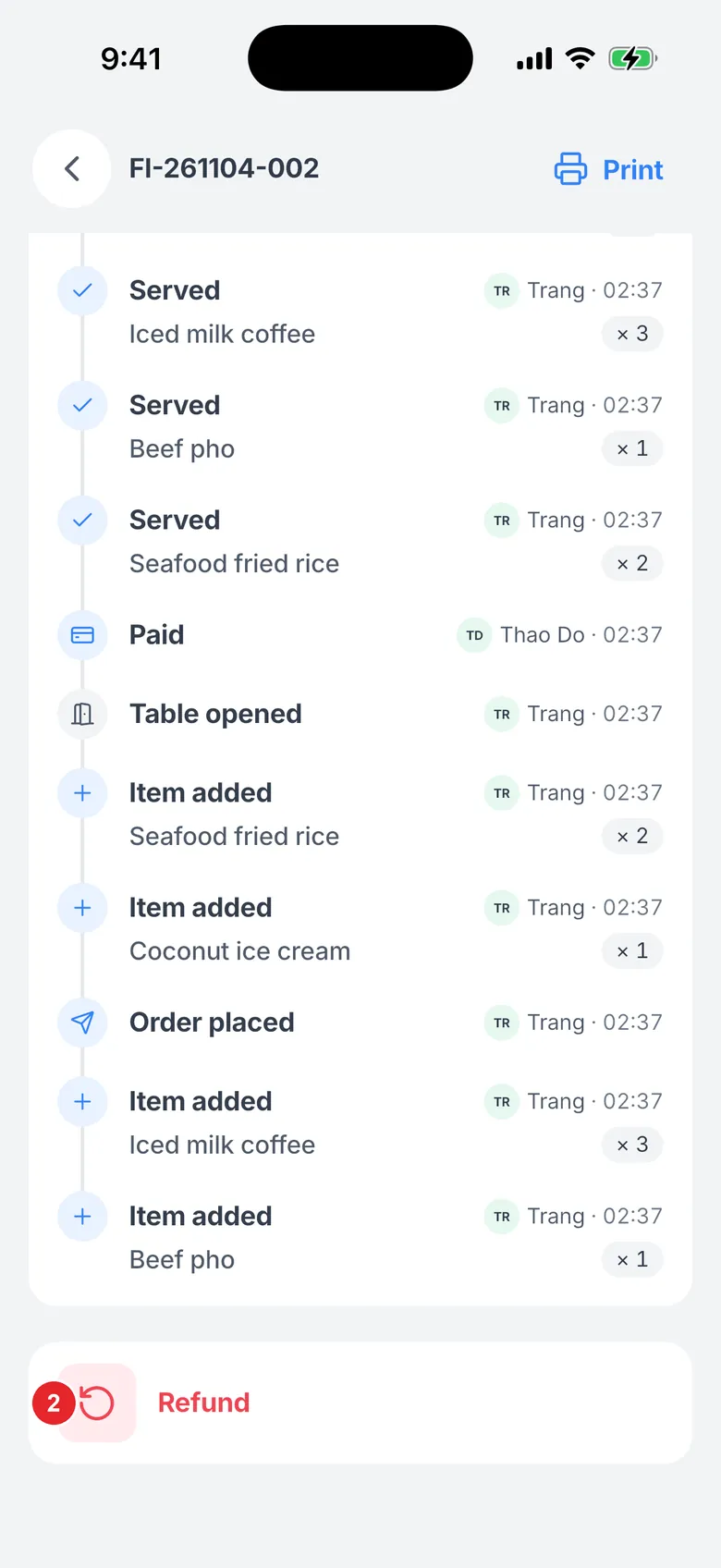
- Scroll to the very bottom and tap «Refund».
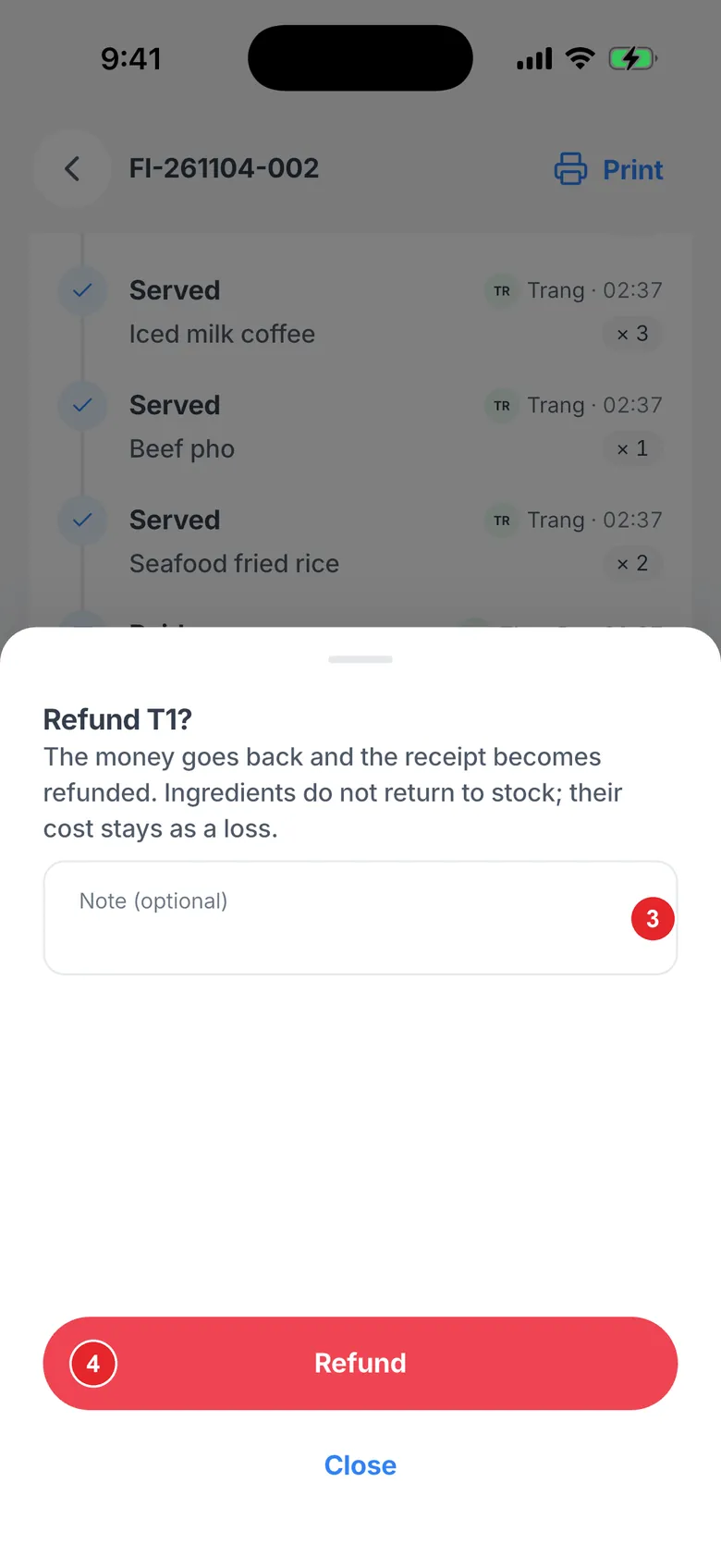
- Write the reason in the note box (it reads «Note (optional)» until you type).
- Tap «Refund». The money received is given back and the receipt changes to a refund.
Why it works this way
A paid order is refunded, not cancelled. The money received is given back. In the app, the receipt changes to a refund; on the website, the refund is added under the invoice.
Remember
- The ingredients don't go back into stock, and the cost stays as a loss.
- The app refunds the whole order. In the website's «Sales History», you can refund just part, item by item.