
Show contents
F&B menu & sales › Take orders & get paid
I want to change tables
- Who
- Staff · Manager
- When
- When guests change seats
- Where
- App · Web
What you get
- Even if guests change seats, you move the order, menu items and all, to the new table. You don't enter the order again.
- If guests decide to take it away, change it with «Switch to takeout».
- You can choose only empty tables, so it doesn't mix with other guests' bills.
What it solves
- If you leave the order on the old table, food goes to the old seat, and when paying it is confusing which table's bill it is.
Why this way
- What if other guests sit at that table in the meantime? It isn't moved, and «That table was just taken — pick another» shows.
- Can I move it after payment too? No. Only orders not yet paid can be moved.
- Is the move kept on record? In the app, open that order and tap the clock button («History») at the top right, and it shows as «Order moved».
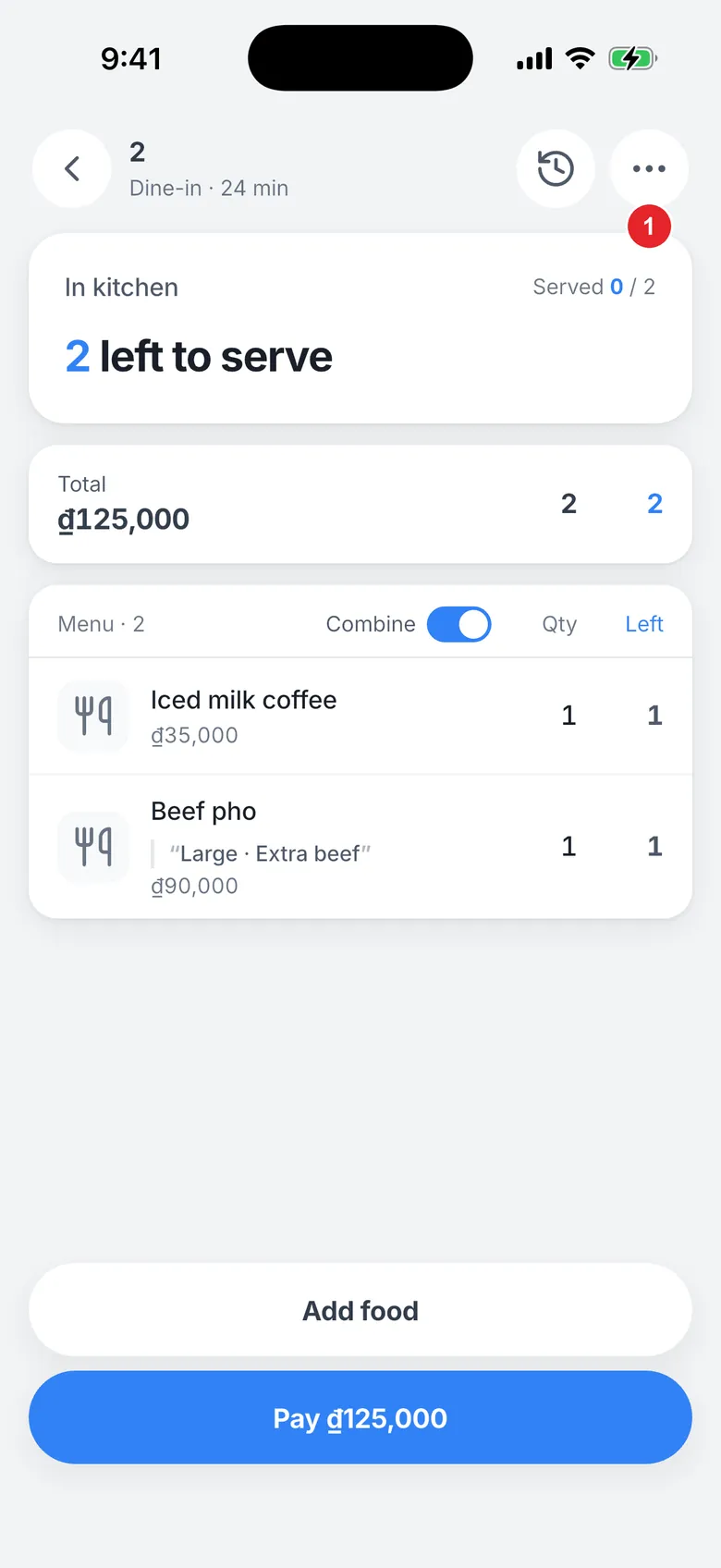
- Open the table to move and tap the ⋯ button at the top right.
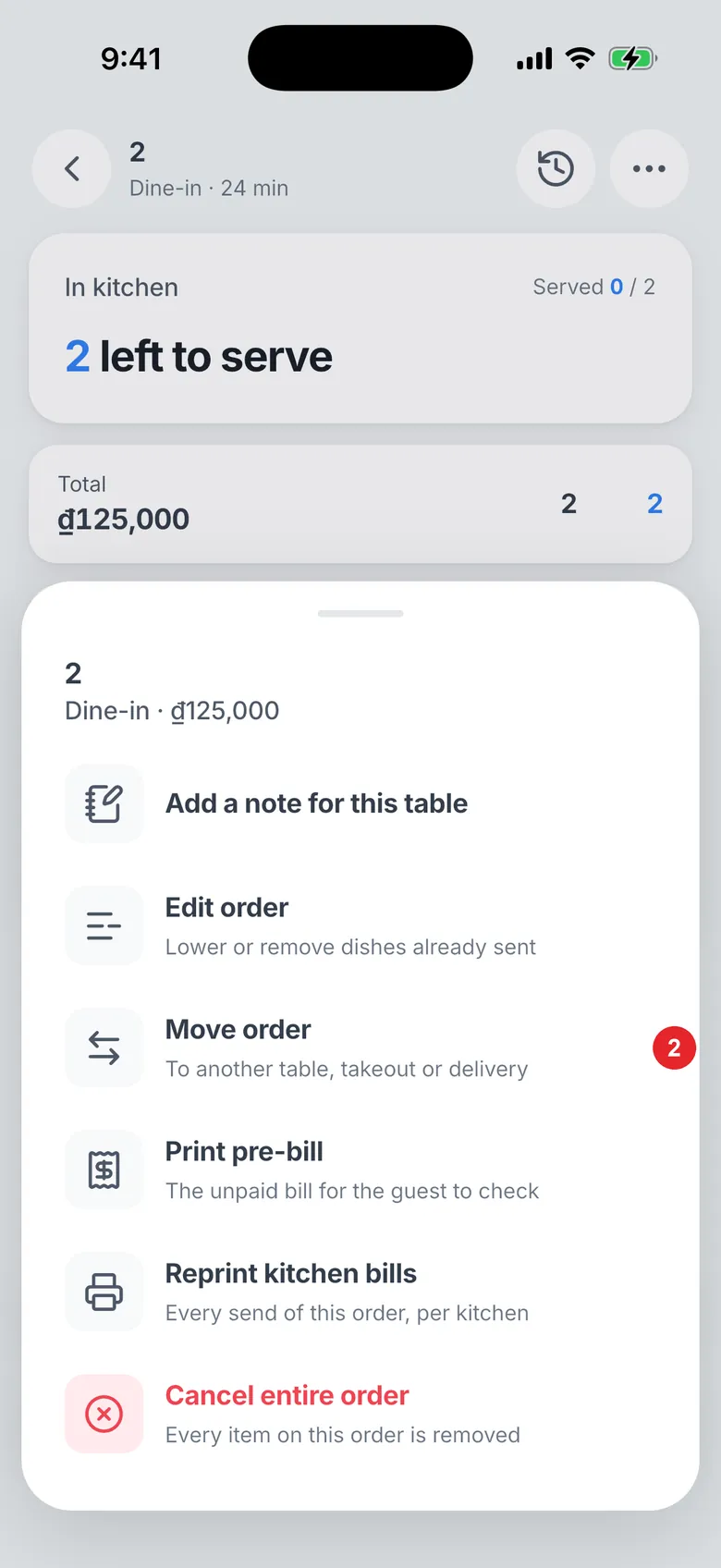
- Tap «Move order».
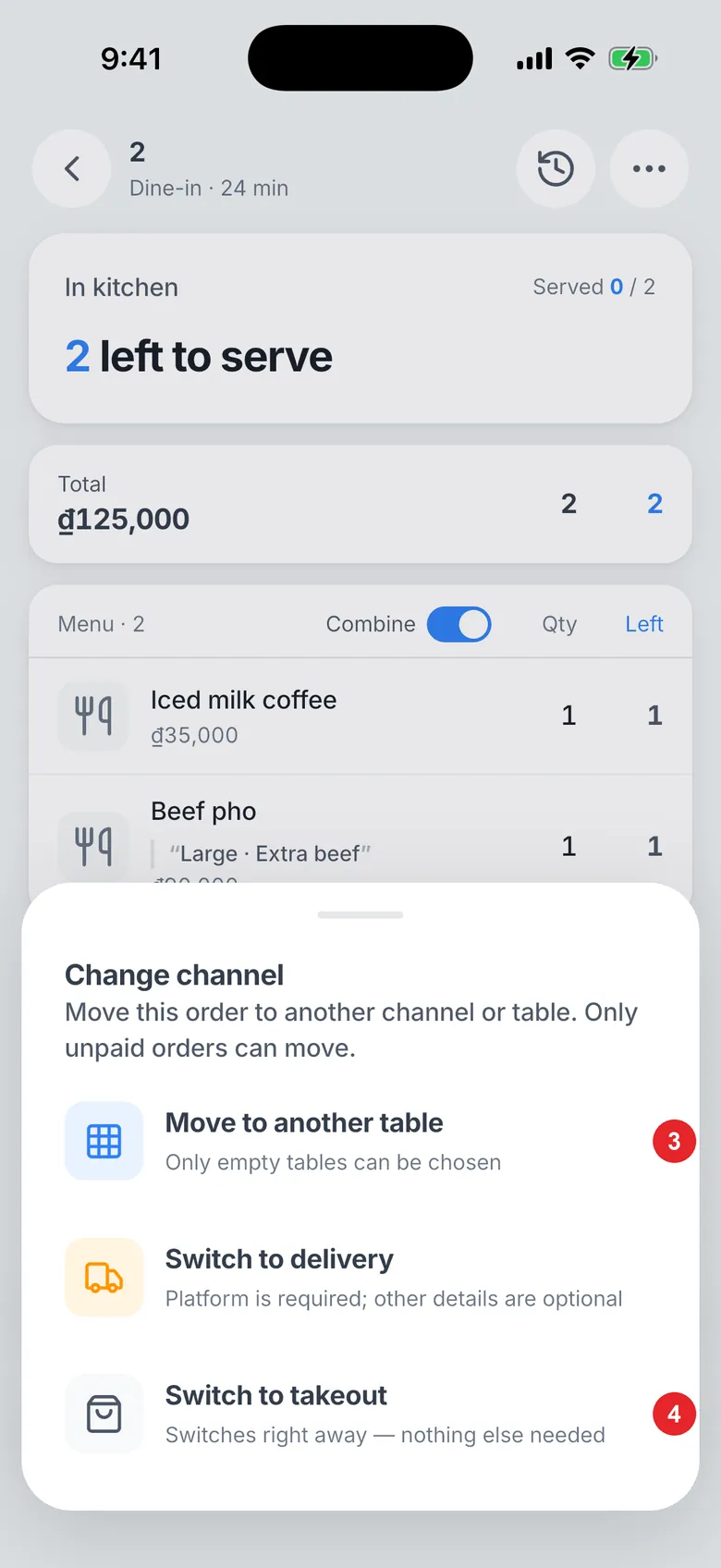
- To move to another seat, tap «Move to another table».
- If the guests decide to take it away, tap «Switch to takeout».
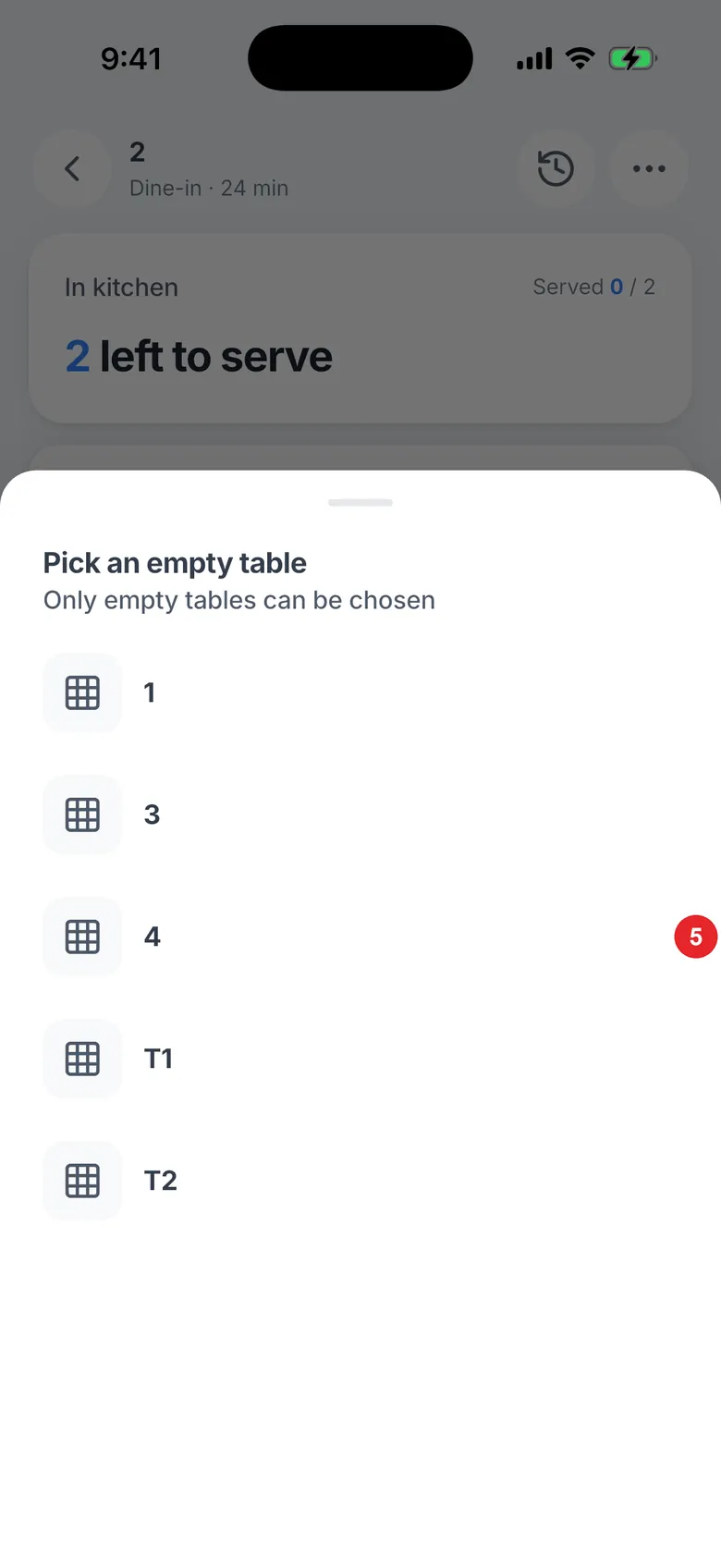
- Tap the table to move to. Only empty tables show.
Why it works this way
An order belongs to a table. When guests change seats, move the order to an empty table with «Move order». You can also change it to takeout.
Remember
- You can move it only to an empty table. It can't be moved to a table with guests.
- Only orders not yet paid can be moved.