
Show contents
F&B menu & sales › Take orders & get paid
Split the payment
- Who
- Owner · Manager · Staff with payment permission
- When
- When guests pay separately, or pay with cash and card mixed
- Where
- App · Web
What you get
- Each guest chooses just their own menu items and pays separately. No dividing with a calculator.
- Even if one bill is received partly in cash and partly by bank, each place gets its own amount.
- The split-bill state stays on that order, so the next guest can go on and pay for the menu items left.
What it solves
- «We'll each pay for our own.» When you split the dishes by hand, you charge for one dish twice or miss one.
- If you take cash and card mixed and write it all to one place, the drawer money won't match at closing.
Why this way
- In combine payments, change the amount on one line, and the rest goes to the other line. If the total differs from the bill, it won't be paid.
- What if I remove or move a menu item of a guest who already paid? Menu items already paid for can't be removed, reduced or moved.
- Can one guest be charged twice? No. For a guest who already paid, «This guest has already paid» shows.
- What if they want to pay all at once after all? Go back with «Pay whole bill».
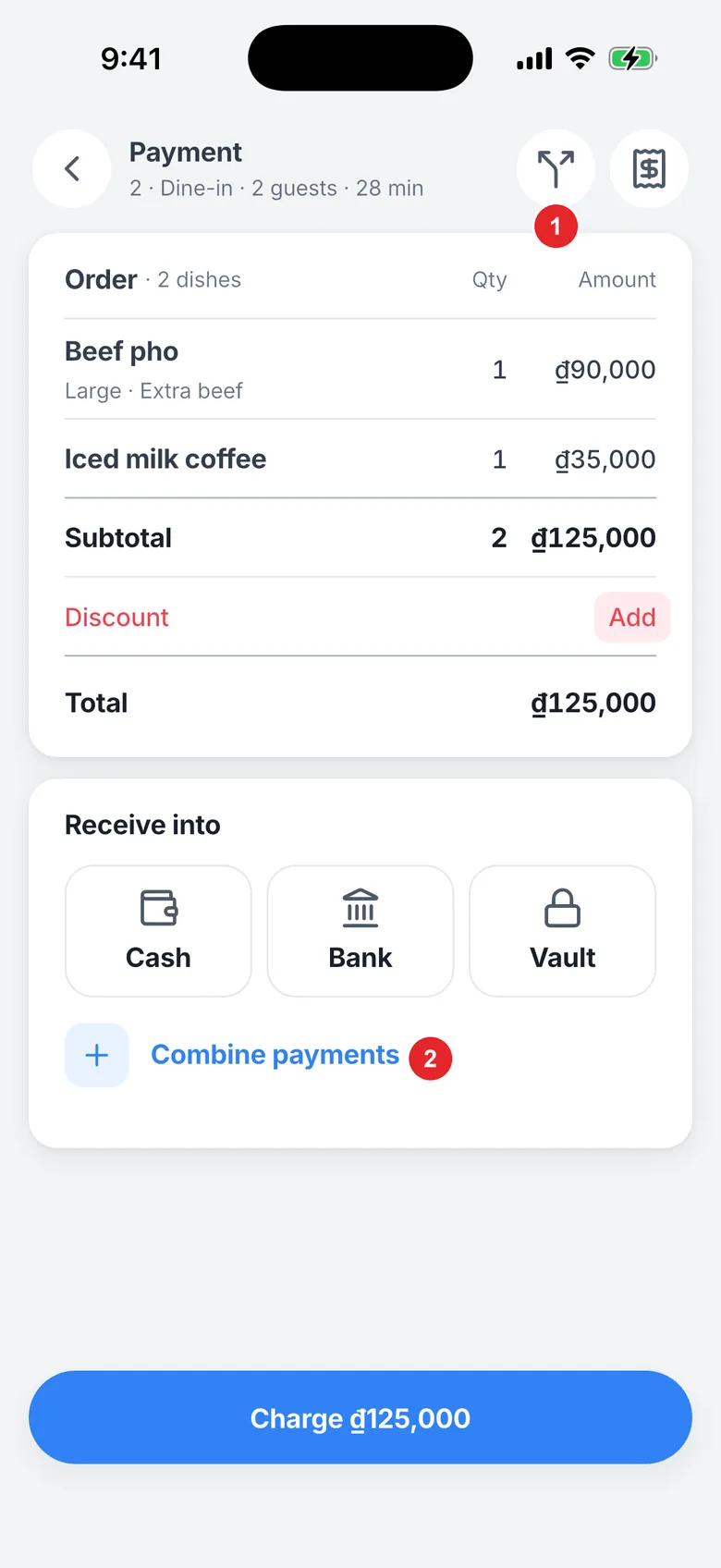
- Open the payment screen as in «Take payment». If each guest pays separately, tap the fork button at the top right («Split bill»).
- To receive one bill into two places, like cash and bank, tap «Combine payments» and go to step 7 below.
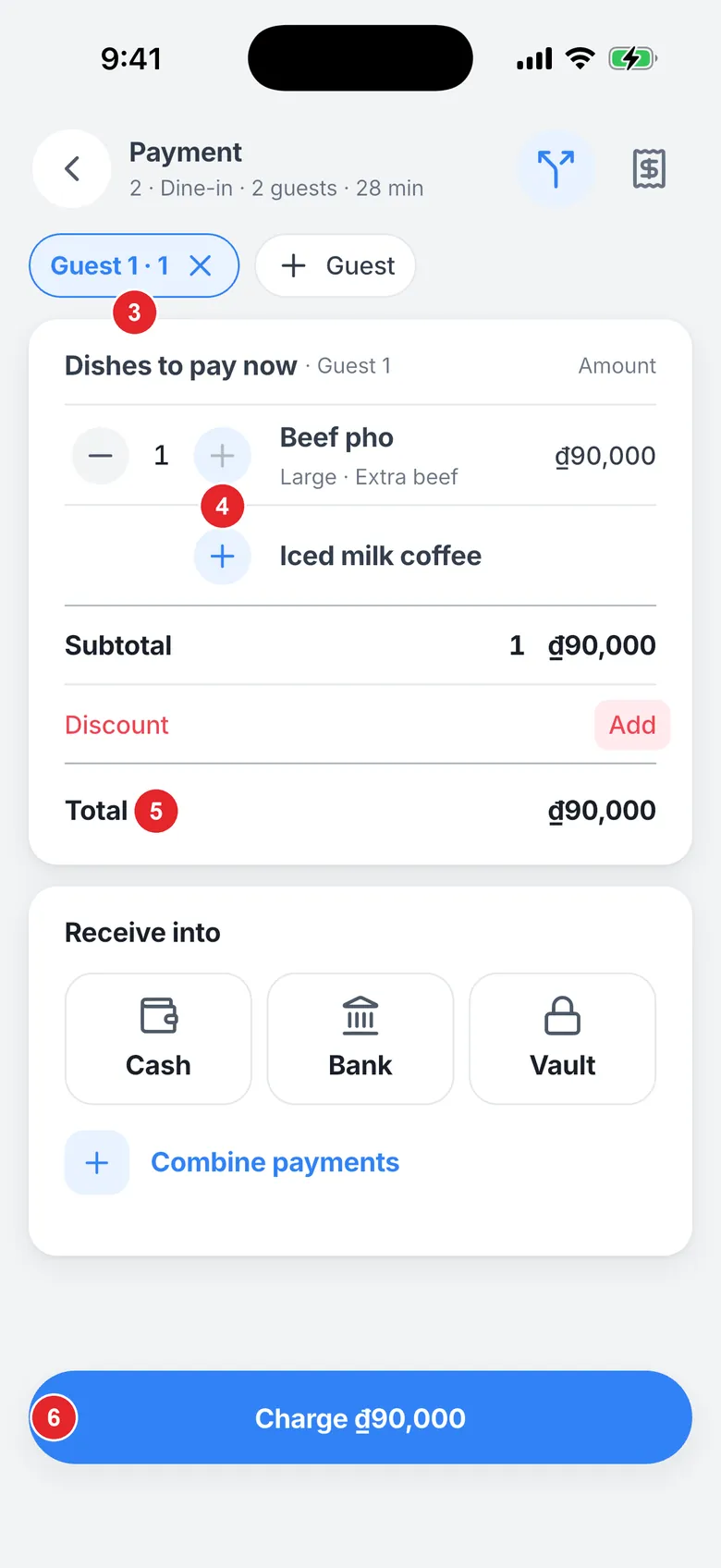
- «Guest 1 · 1» appears at the top. For the next guest, tap + «Guest».
- Use the + button of the menu items this guest pays for to set how many.
- «Total» is the money this guest pays.
- Choose where to receive it and tap the button at the bottom, here «Charge ₫90,000». Take payment for the menu items left from the next guest the same way.
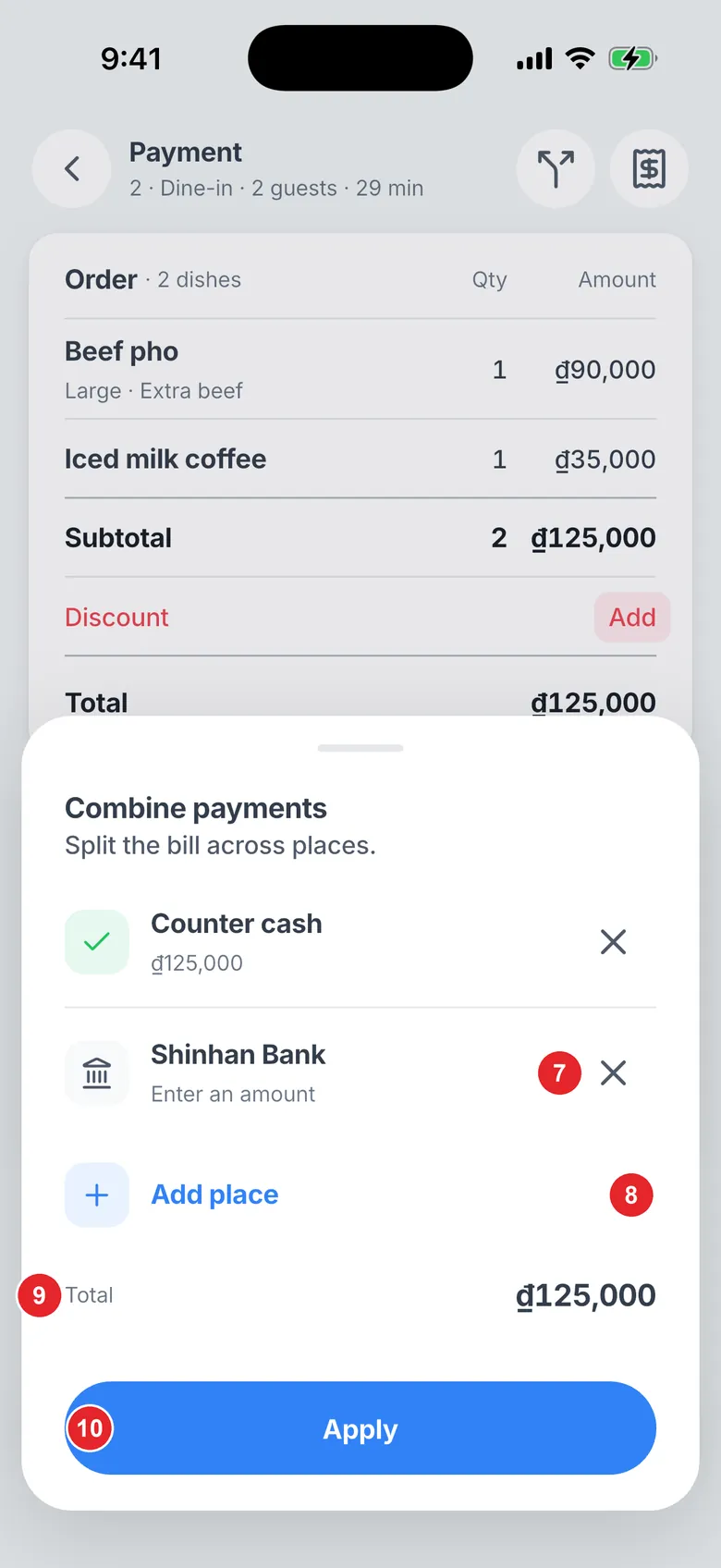
- Enter an amount for each place. Here they are «Counter cash» and «Shinhan Bank».
- To add another place, tap «Add place».
- Check the «Total».
- Tap «Apply», then tap the charge button at the bottom of the payment screen.
There are two ways. Split bill has each guest pay for just their own menu items. Combine payments receives one bill into several places, like cash and bank.
Remember
- In combine payments, enter an amount for each place. Change the amount on one line, and the rest goes to the other line.
- The split-bill state stays on that order. To pay all at once, go back with «Pay whole bill».