
Show contents
Daily cash & closing › Count money at closing
Count dollars you received
- Who
- Staff
- When
- At closing on days with dollars mixed into the drawer
- Where
- App · Web
What you get
- You don't work out the dollars separately: enter just the number of notes, and they are changed into dong and added to the counted money.
- Count dong and dollars at once in the same «Counter cash».
- The dollar total and the amount in dong show together, so you see right away what it came to.
What it solves
- When dollars are mixed into the drawer, multiplying by the exchange rate and adding by hand easily goes wrong.
Why this way
- The exchange rate shows above the table, so both staff and the owner see what rate was used.
- Where does the exchange rate come from? It is the rate entered in the company's «Currency Setting». To change it, use «Edit exchange rate» in «Currency Setting».
- What if there are no dollars under «Add currency»? Dollars haven't been added to the company. Add them in «Currency Setting».
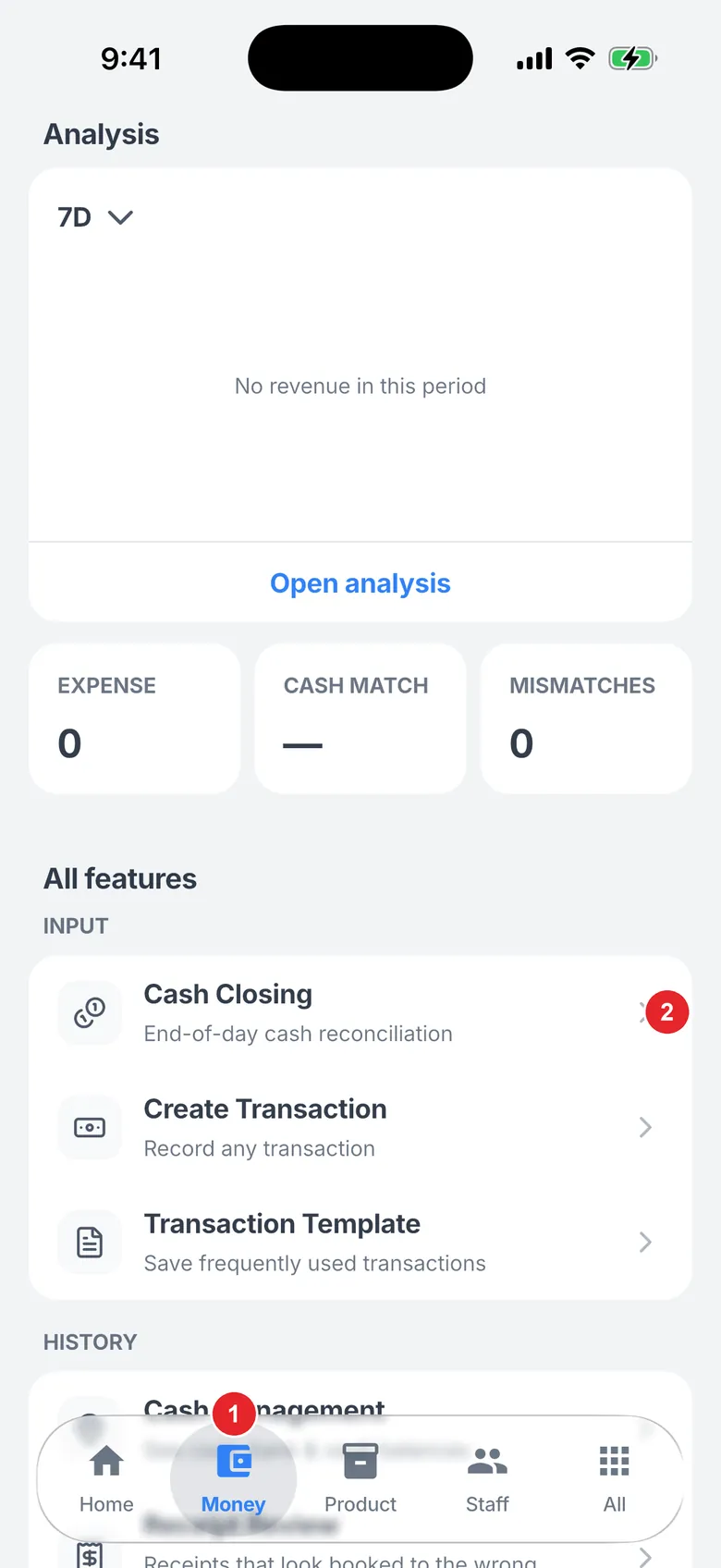
- Tap «Money» at the bottom of the app.
- Scroll down and, in «All features», tap «Cash Closing».
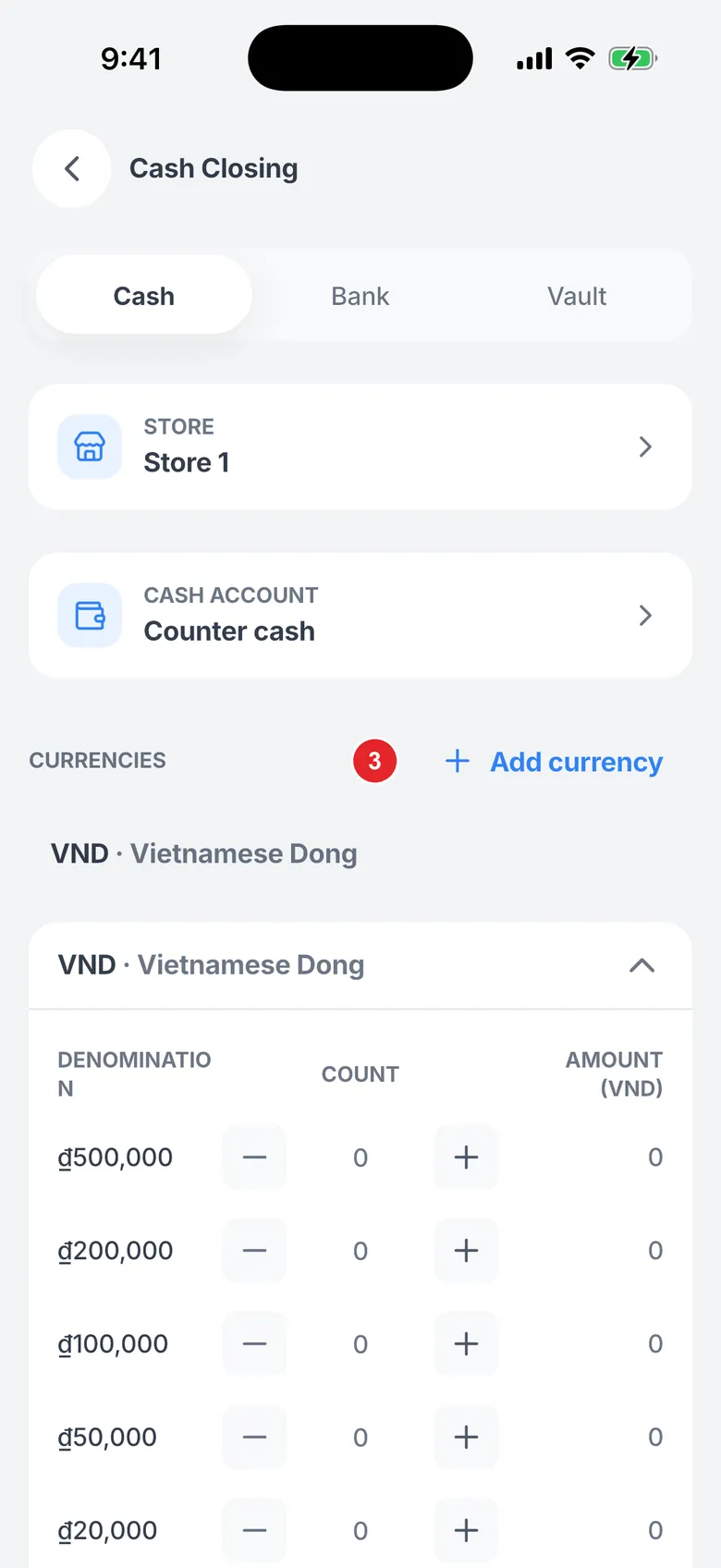
- In «CASH ACCOUNT», choose «Counter cash», then tap «Add currency».
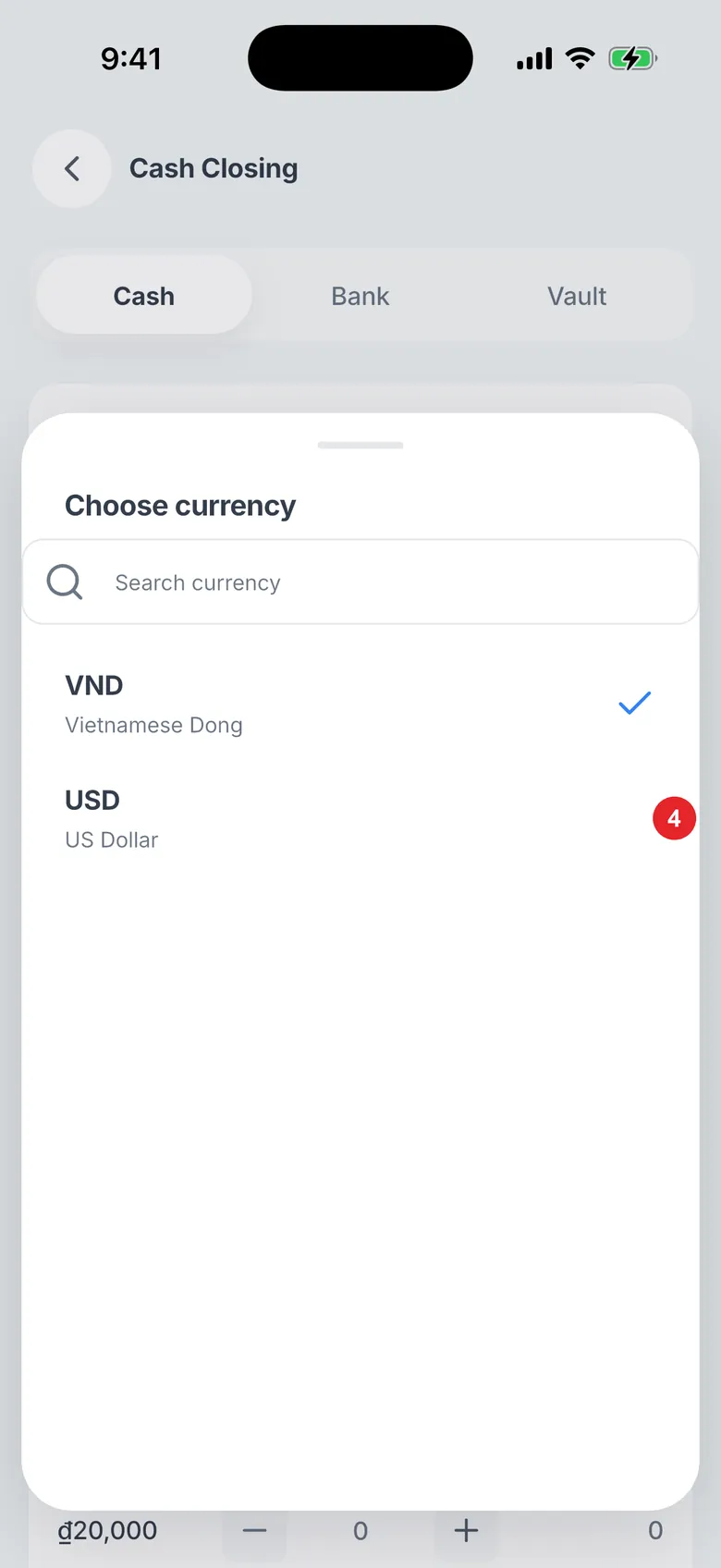
- Tap «USD».
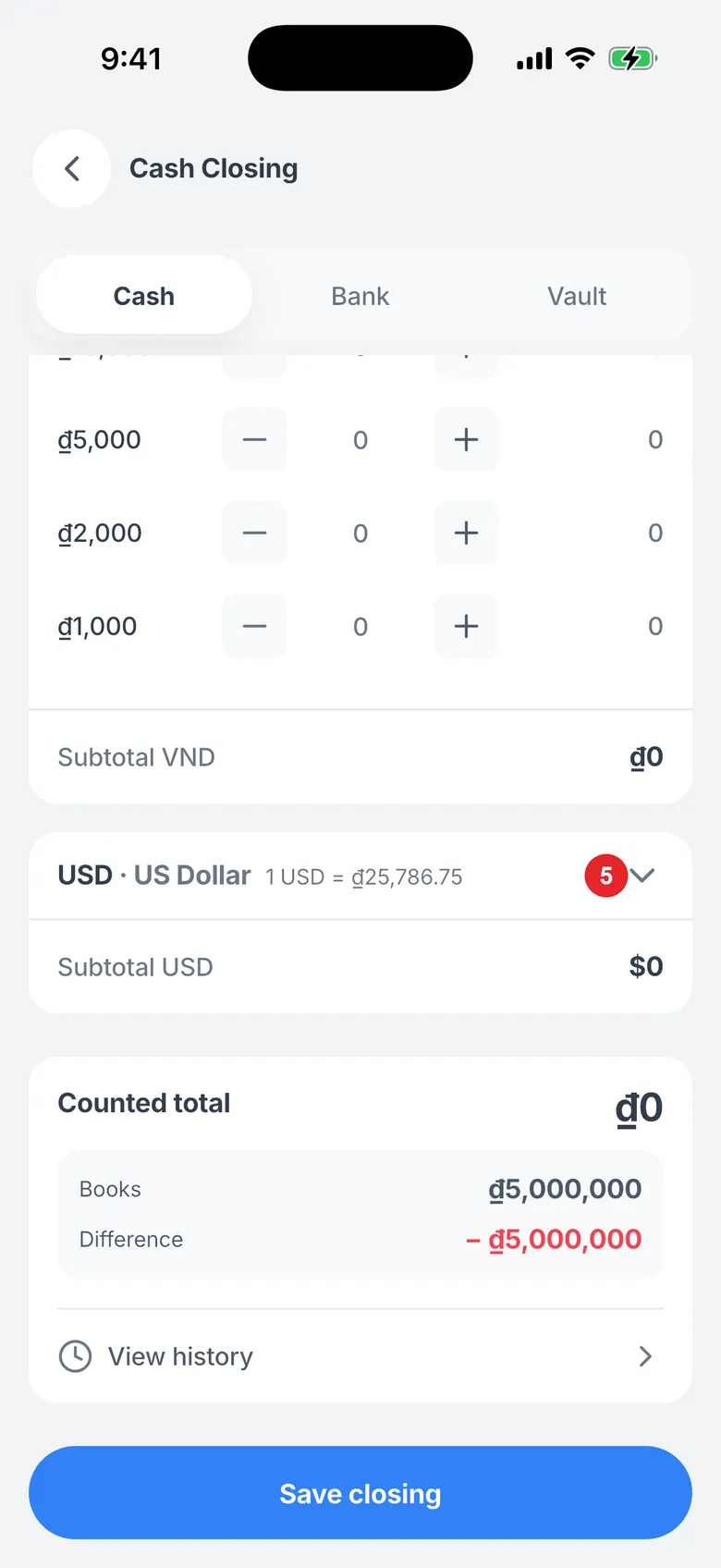
- A «USD · US Dollar» row appears below the dong table, with the exchange rate next to it. Tap this row to open the table.
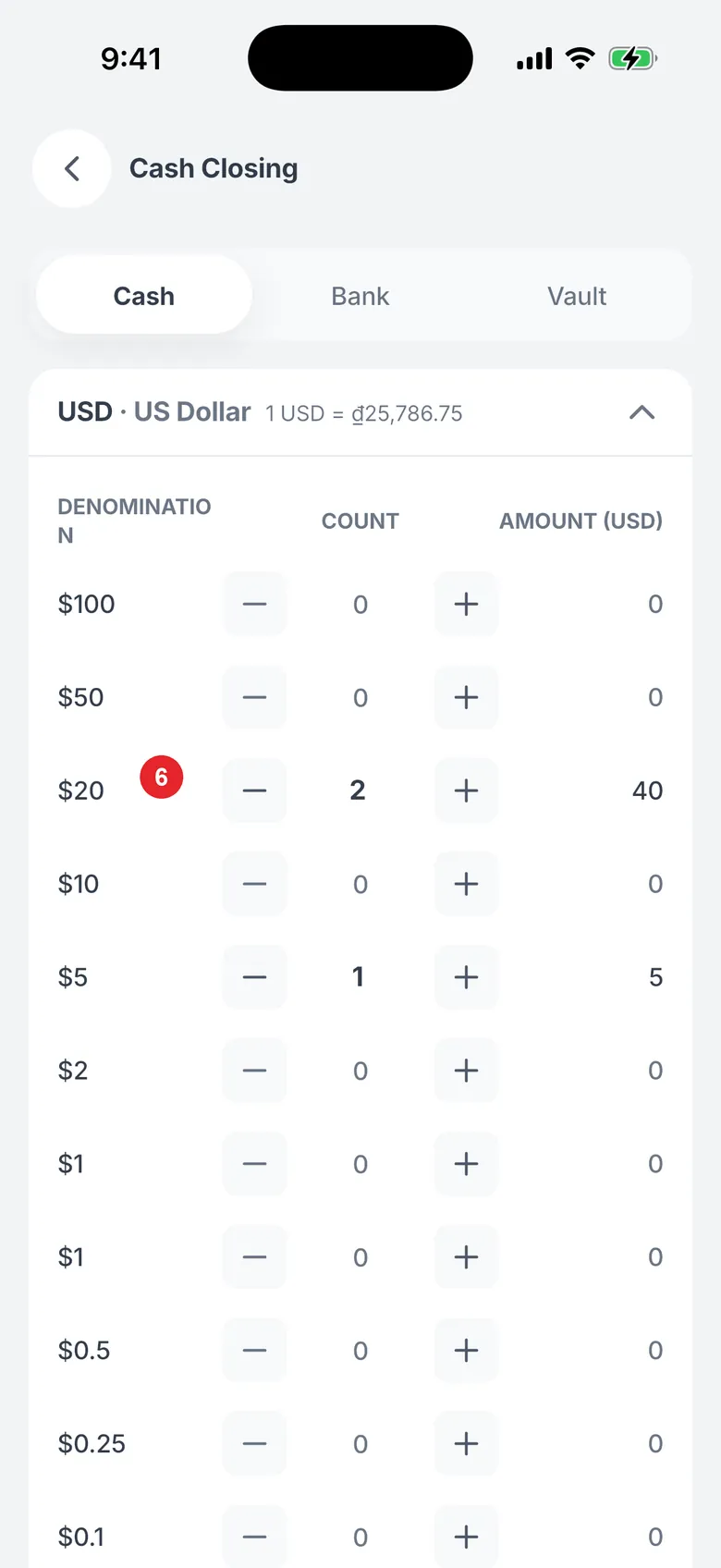
- Tap + for each dollar note to enter how many. Here, two $20 notes and one $5 note.
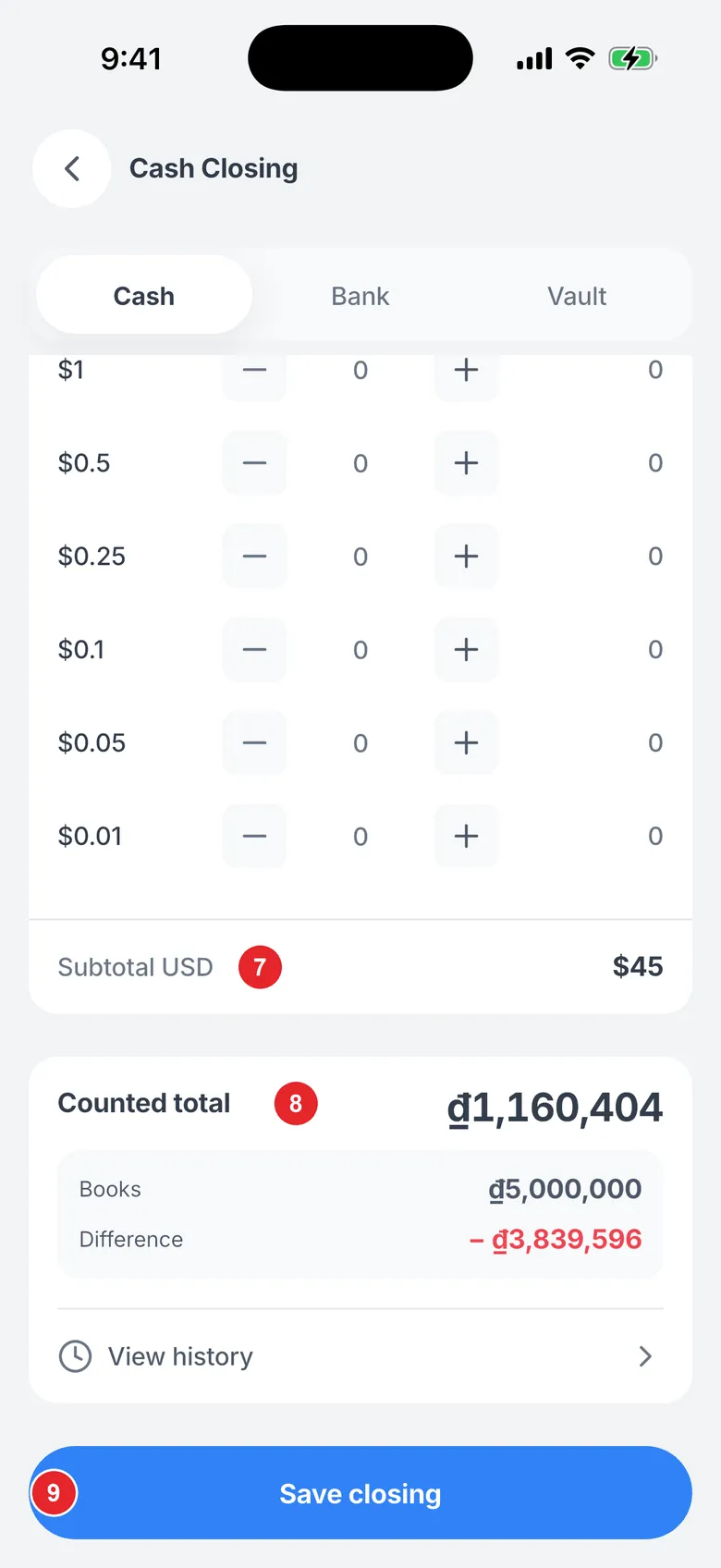
- «Subtotal USD» shows the dollar total. Here it is $45.
- «Counted total» is the dong plus the dollars changed into dong. The $45 was added as ₫1,160,404.
- When the dong notes are entered too, tap «Save closing».
When the drawer has both dong (₫) and dollars, open one more table, for dollars, in the same «Counter cash» and enter the number of dollar notes. The dollars are changed into dong at the exchange rate shown above the table and added to the counted money.
Remember
- The dollar table shows under «Add currency» only after dollars are added to the company. Add company currencies in «Currency Setting».
- Check the exchange rate above the table. In this example, 1 USD = ₫25,786.75.
- Dong notes go in the dong table, dollar notes in the dollar table.