
Show contents
Daily cash & closing › Count money at closing
We missed closing one day
- Who
- Owner · Manager
- When
- When something goes wrong
- Where
- App · Web
What you get
- Even with a day missed, count today, and the difference since the last count shows all at once.
- You see when each place was last counted and by whom, so you know which places weren't counted.
What it solves
- You forgot yesterday's closing, but you can't choose a past date and count.
- If you don't count for several days, the difference for that whole time shows together, and it is hard to tell which day the money went missing.
Why this way
- Counting means counting the money there now, so a past day's drawer can't be counted again. Count today and check the transactions in between.
- Do the books go wrong if one day is missed? No. Saving a closing only keeps a record of the count and doesn't change the books.
- What about places not counted for a long time? A place not counted for more than 7 days shows that its difference can't be trusted. Count it again.
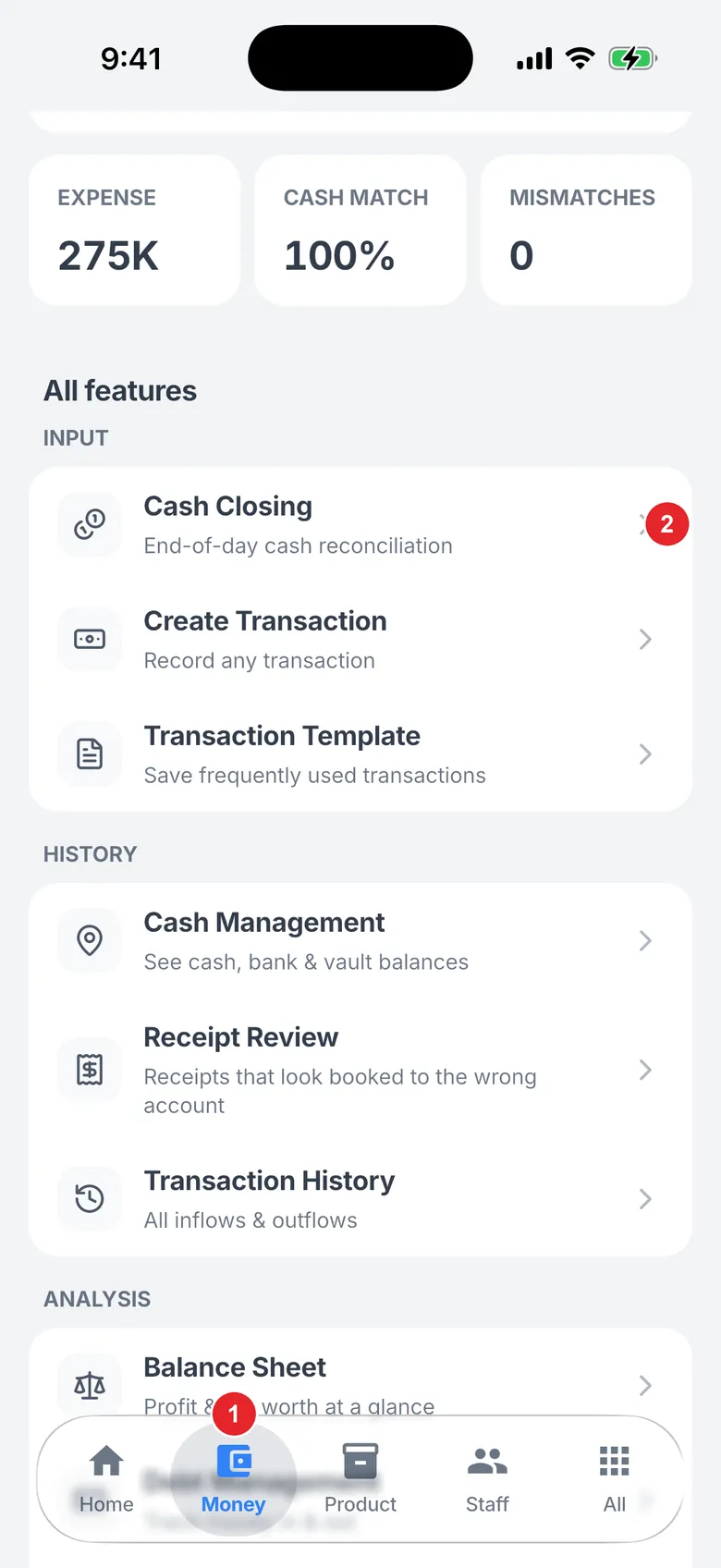
- Tap «Money» at the bottom of the app.
- Scroll down and, in «All features», tap «Cash Closing».
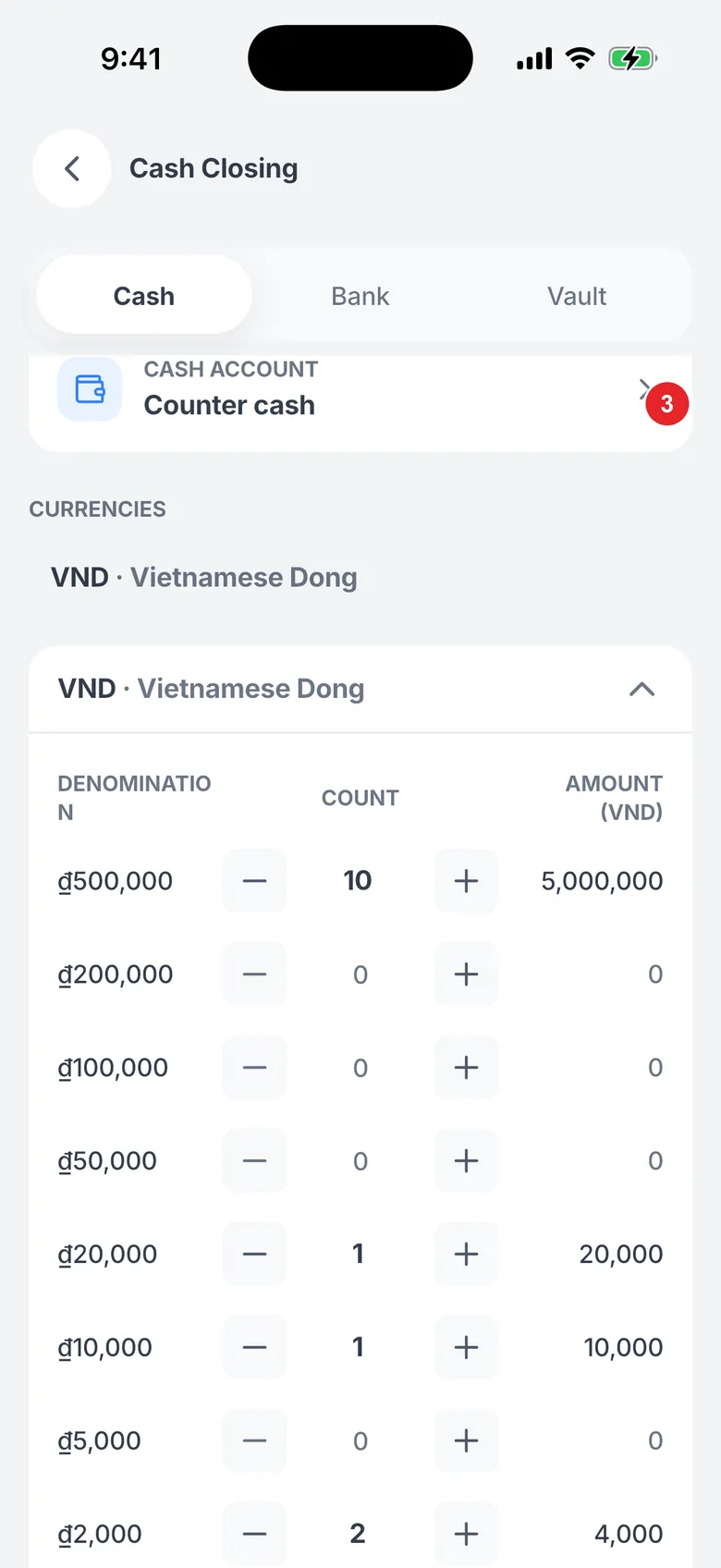
- There is no box to choose a date. Choose the place, count the money there now, and save.
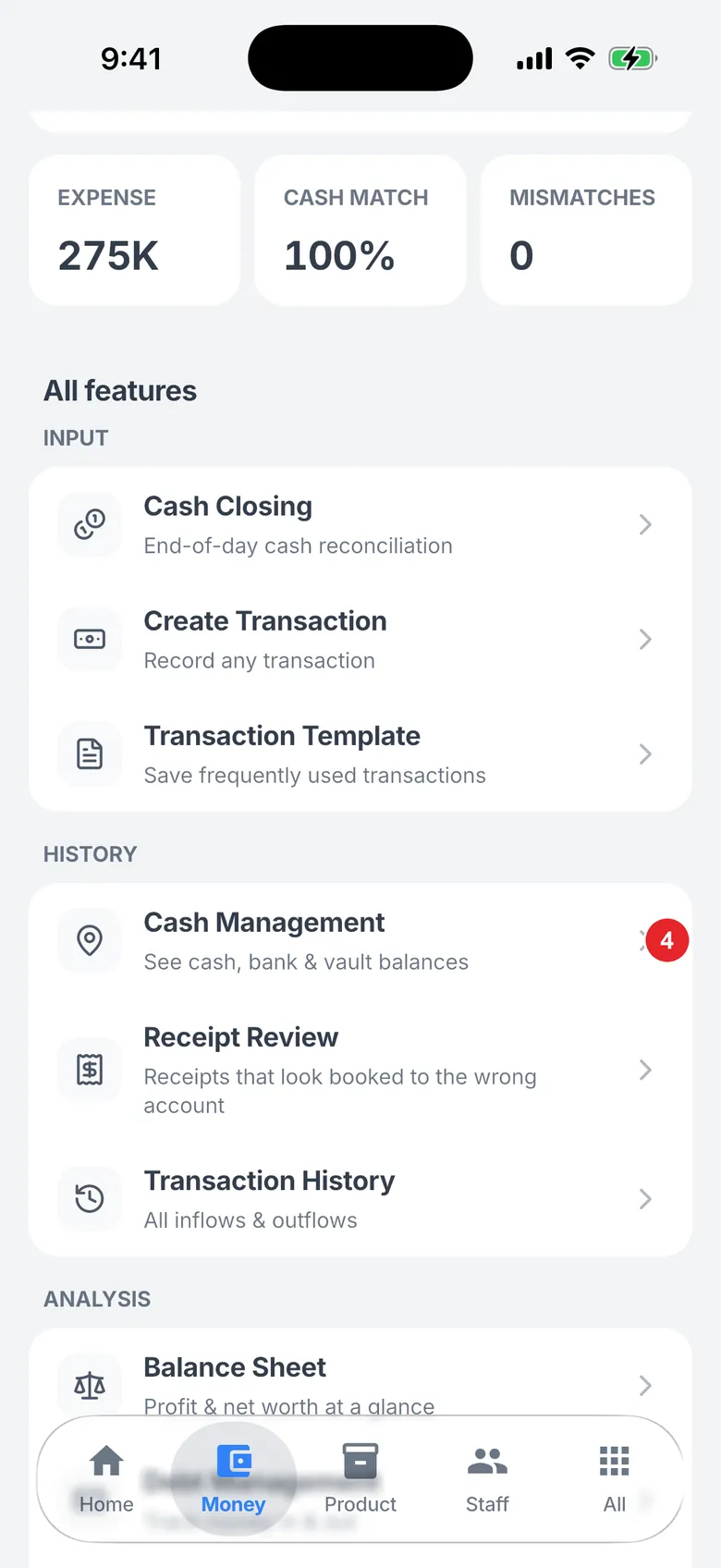
- To see when it was last counted, tap «Cash Management» in «All features» on the «Money» tab.
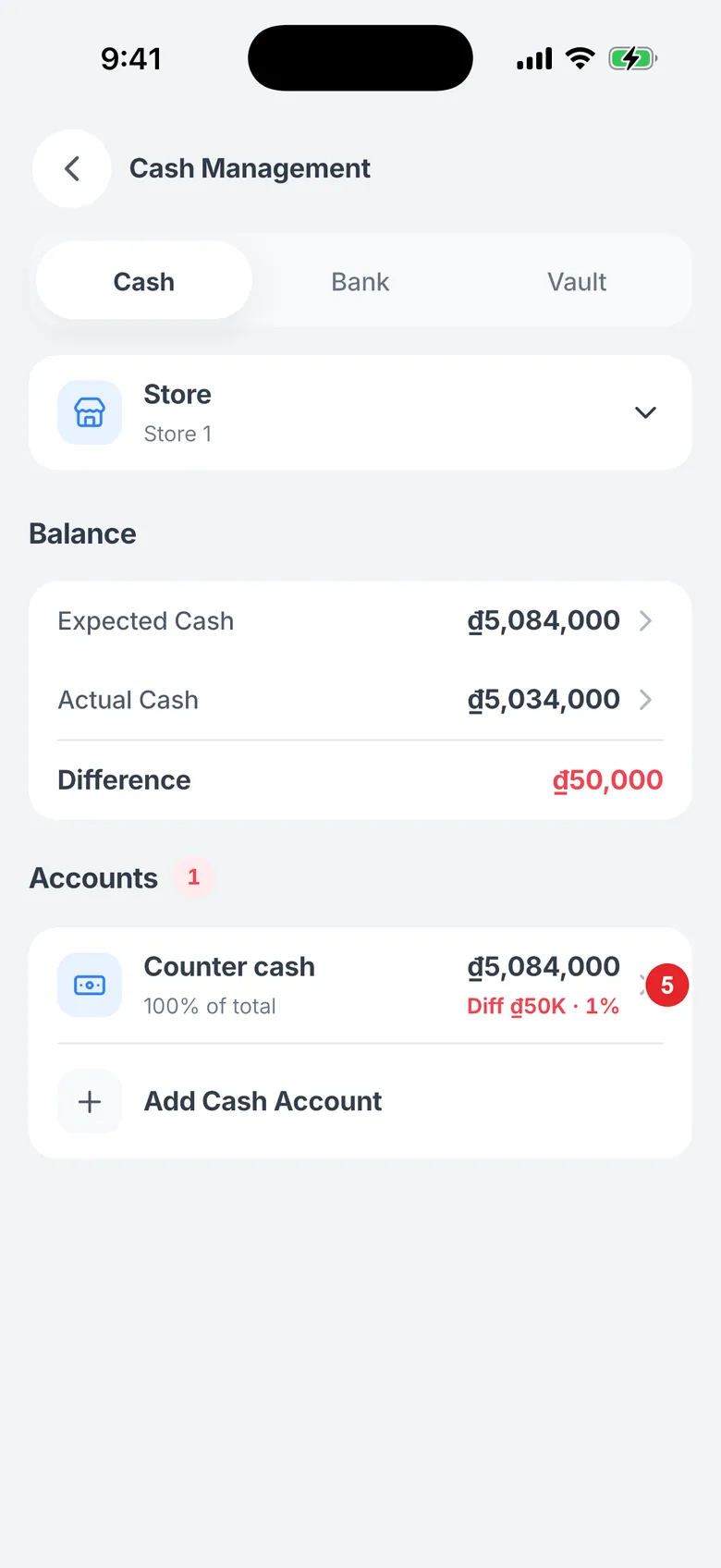
- Tap the place. Here it is «Counter cash».
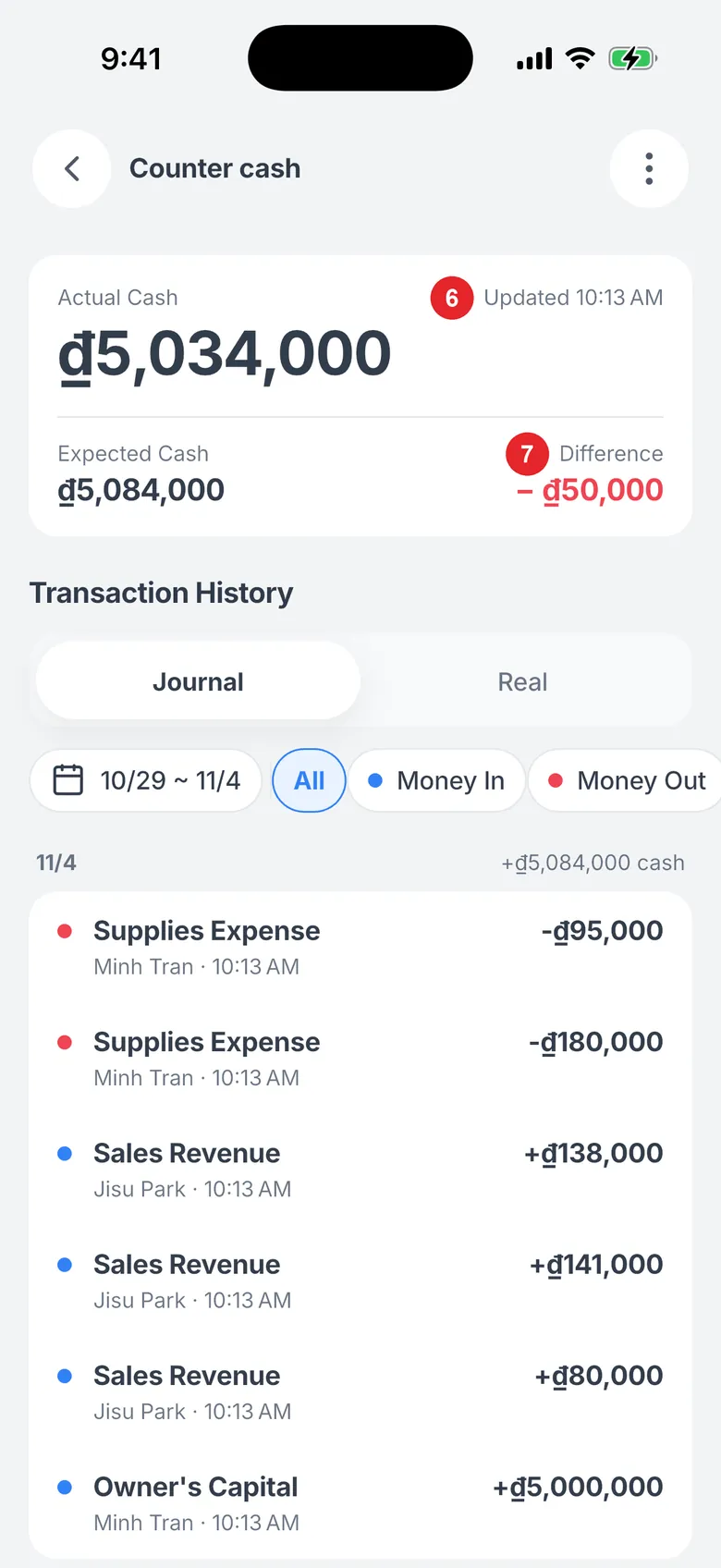
- Next to «Actual Cash», «Updated 10:13 AM» shows the time it was last counted.
- «Difference» is the gap between «Expected Cash» and the last counted «Actual Cash». If there is a difference, start by checking the transactions in between, as in «The cash doesn't match».
Why it works this way
Cash closing counts and saves the money there now. You can't choose a past date and count. When you count today, every difference since the last count shows together.
Remember
- A place not counted for more than 7 days shows that its difference can't be trusted. Count it again.
- If there is a difference, start by checking the transactions in between, as in «The cash doesn't match».