
Show contents
Daily cash & closing › Count money at closing
Move cash to the vault or bank
- Who
- Owner · Manager
- When
- When you put drawer money in the vault or deposit it at the bank
- Where
- App · Web
What you get
- Money moved from the drawer to the vault or bank account is moved in the books too, so both places match at closing.
- Putting it in the bank doesn't change sales or costs; only where the money is changes.
What it solves
- If you don't write down money you moved, the drawer shows as short and the vault or bank account as over.
- If you enter money put in the bank as an expense, it counts as a cost and the profit goes down.
Why this way
- The place it left and the place it went are written down at once, so the two places always match together.
- Before recording, check on the screen that the sending place goes down and the receiving place goes up.
- What about change money? Leave out the money you keep in the drawer, and enter only the amount you really moved.
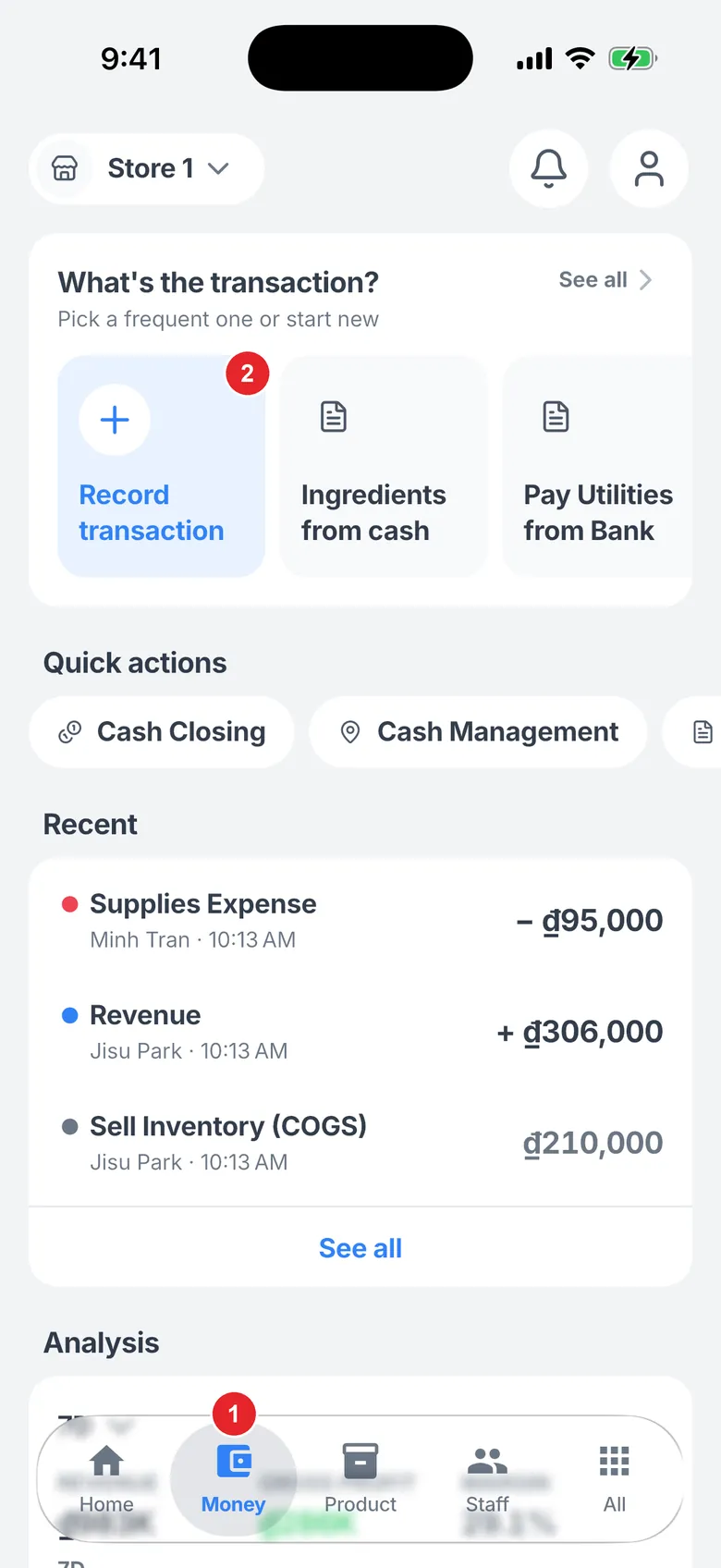
- Tap «Money» at the bottom of the app.
- Tap «Record transaction».
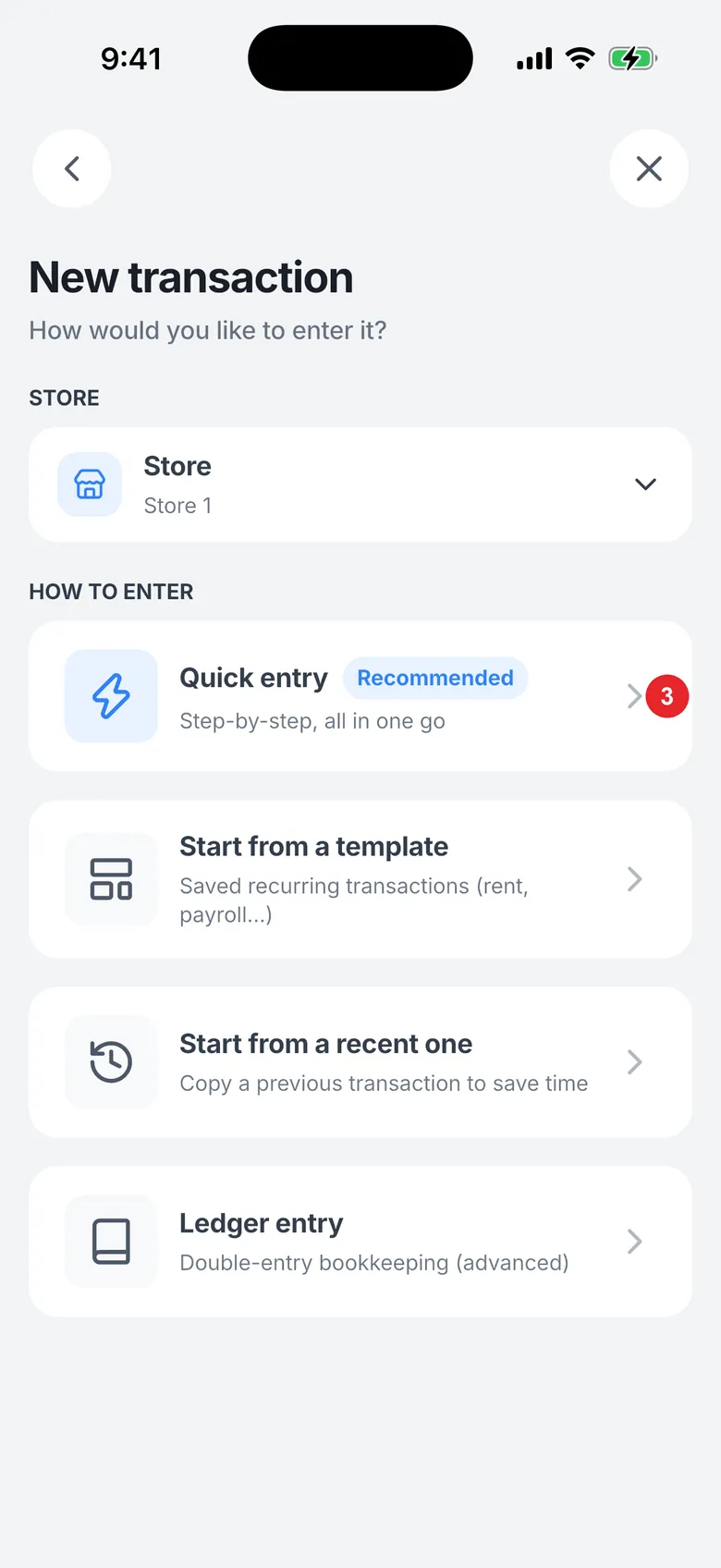
- Tap «Quick entry».
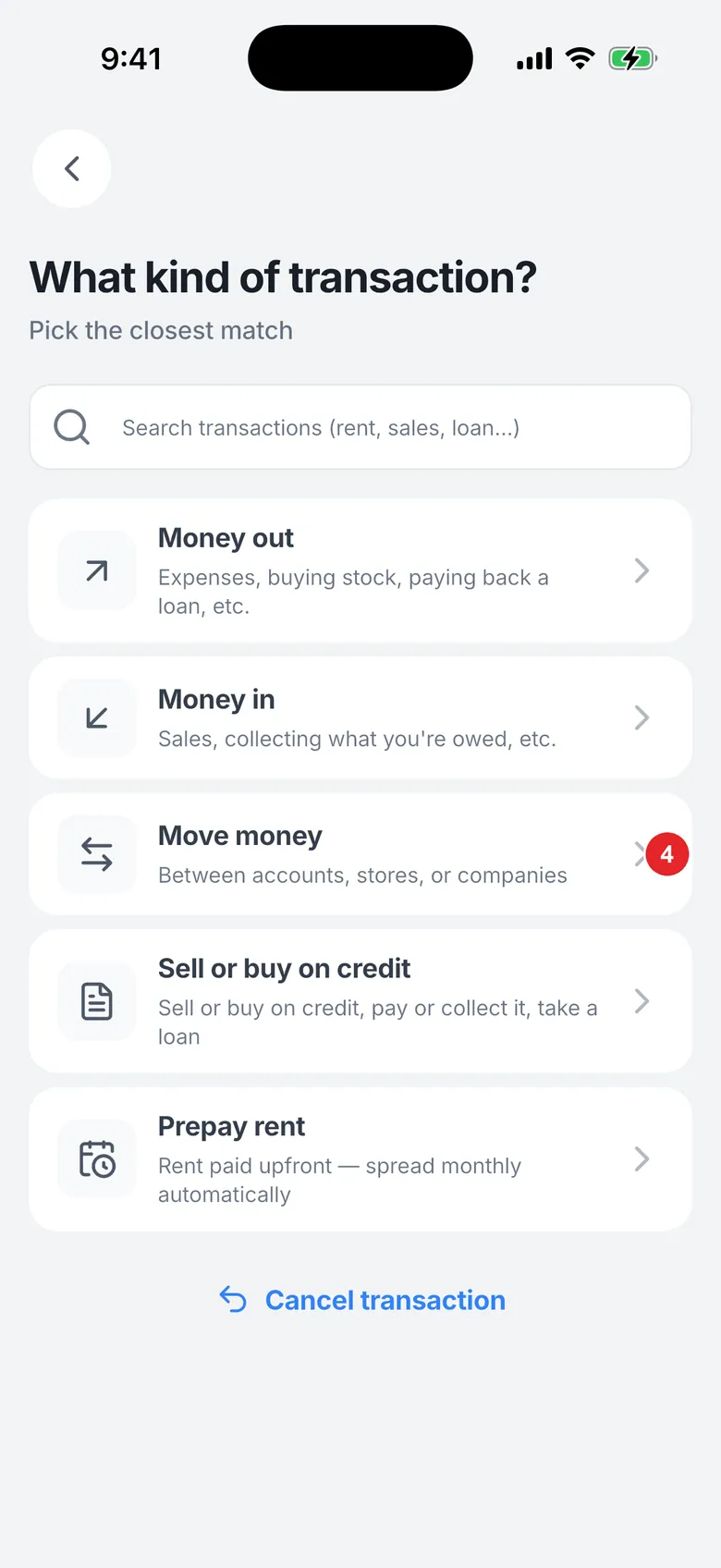
- Tap «Move money».
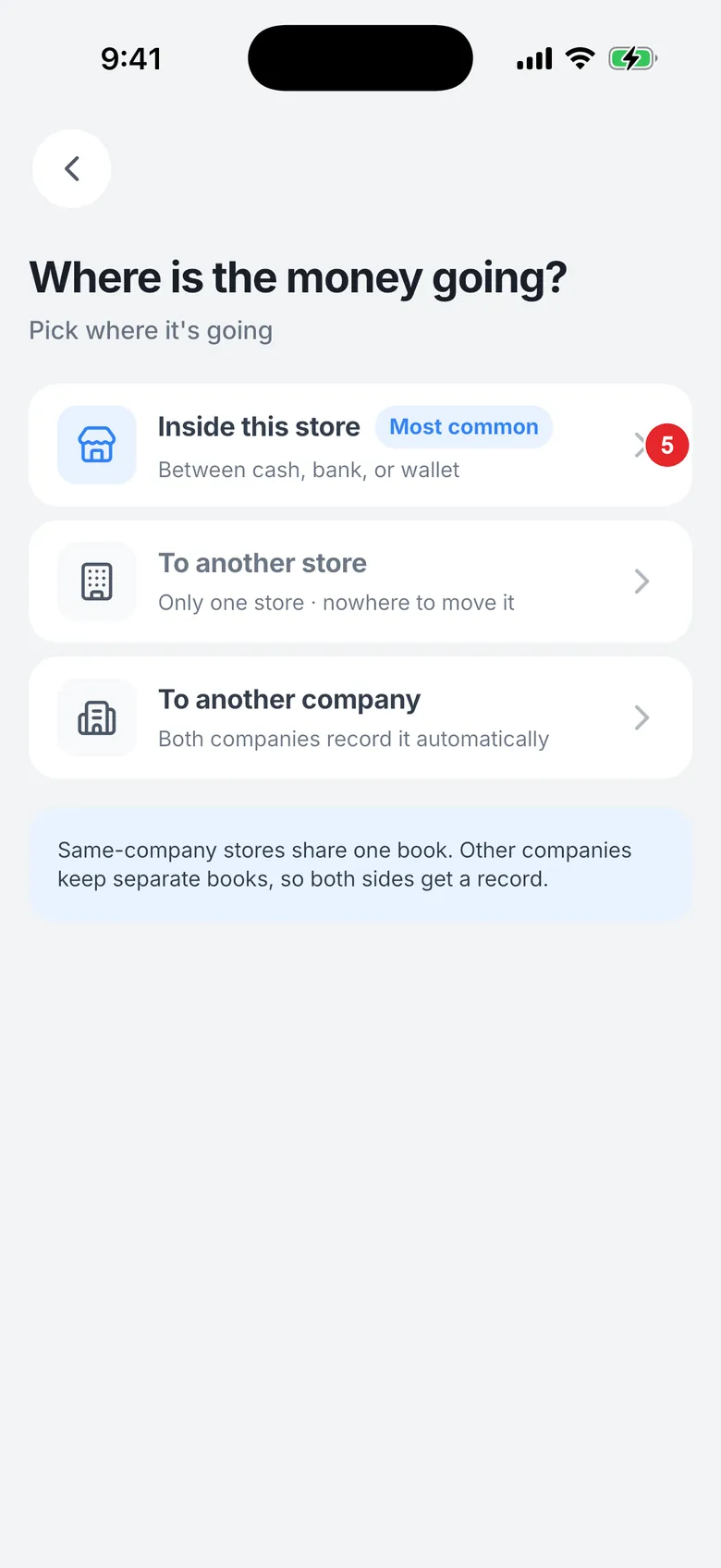
- Tap «Inside this store».
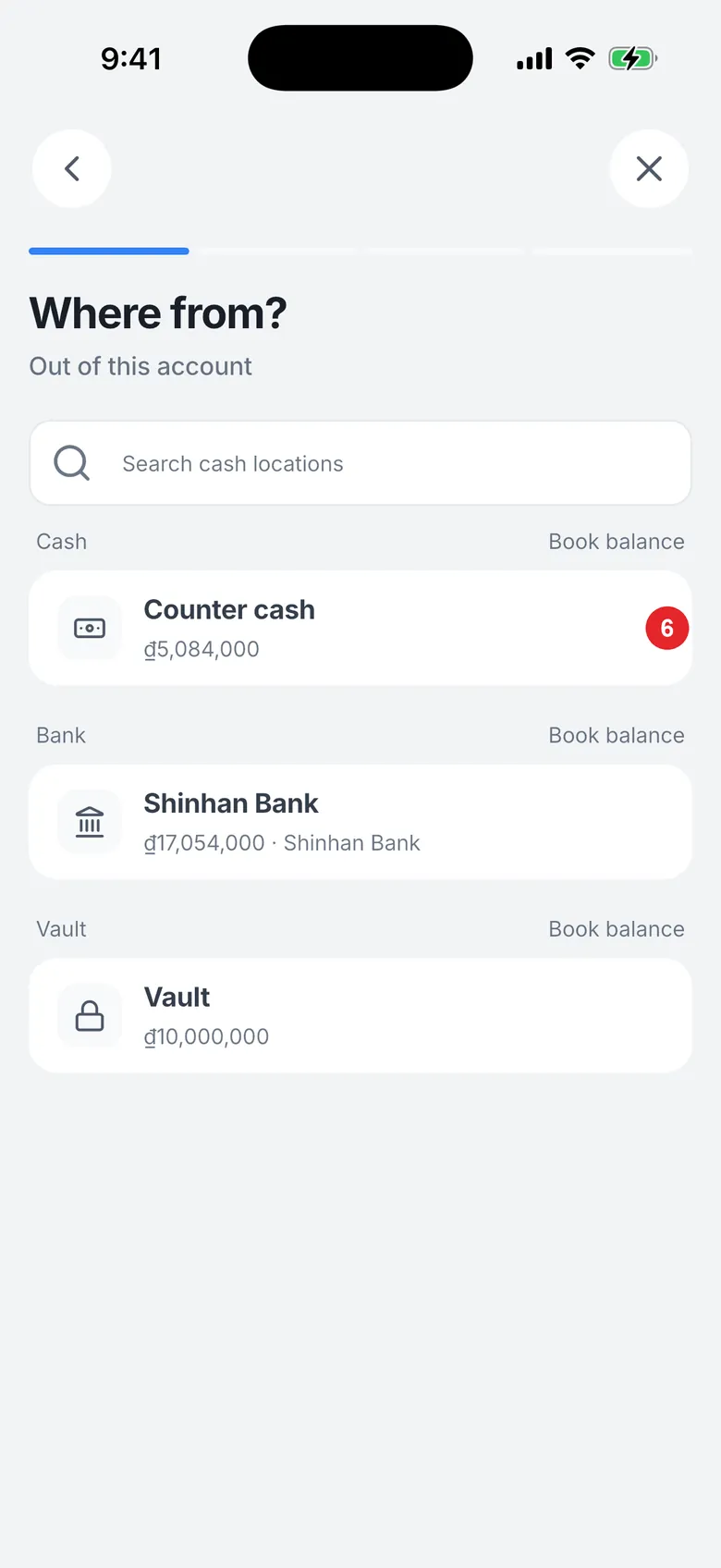
- Tap the place you took the money from. For drawer money, it is «Counter cash».
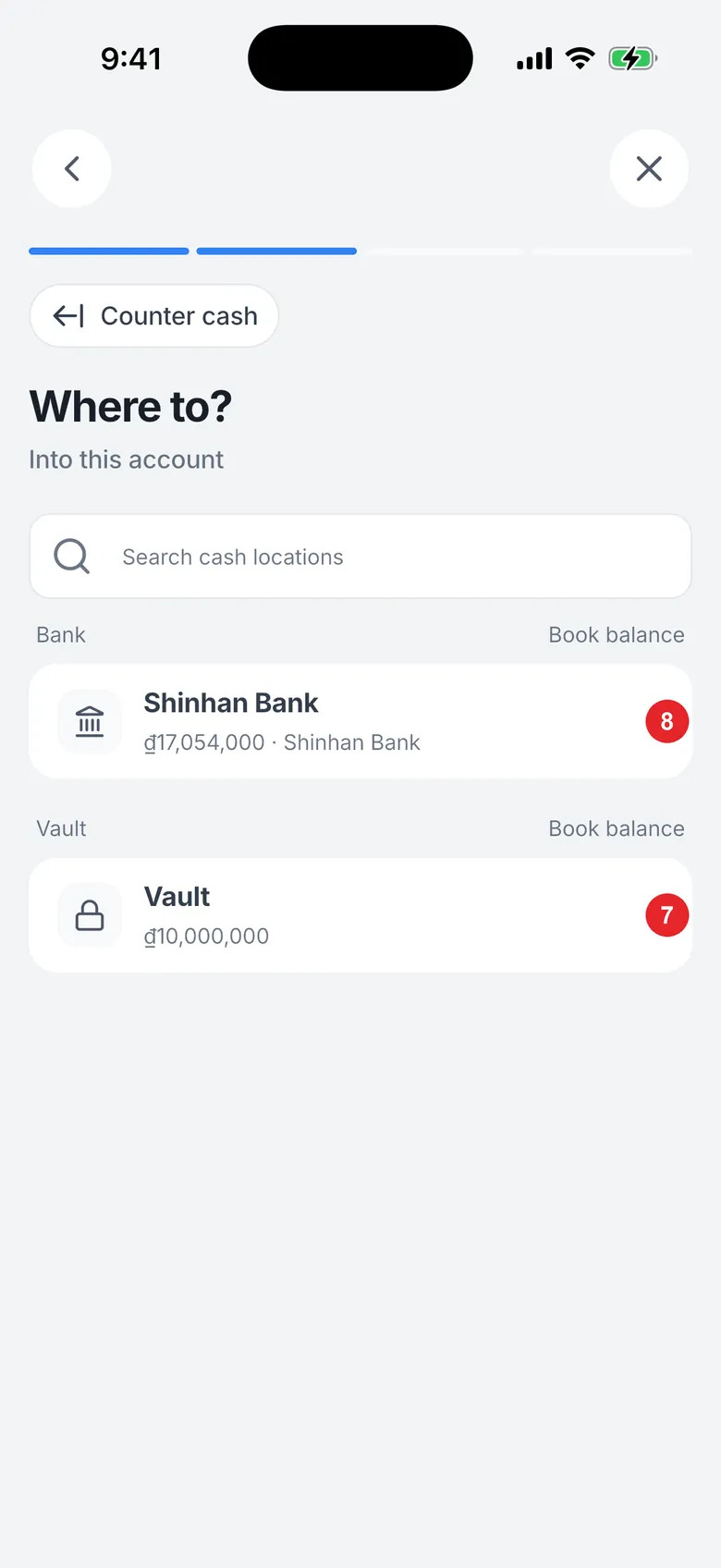
- If you put it in the vault, tap «Vault».
- If you deposited it at the bank, tap the bank account. Here it is «Shinhan Bank».
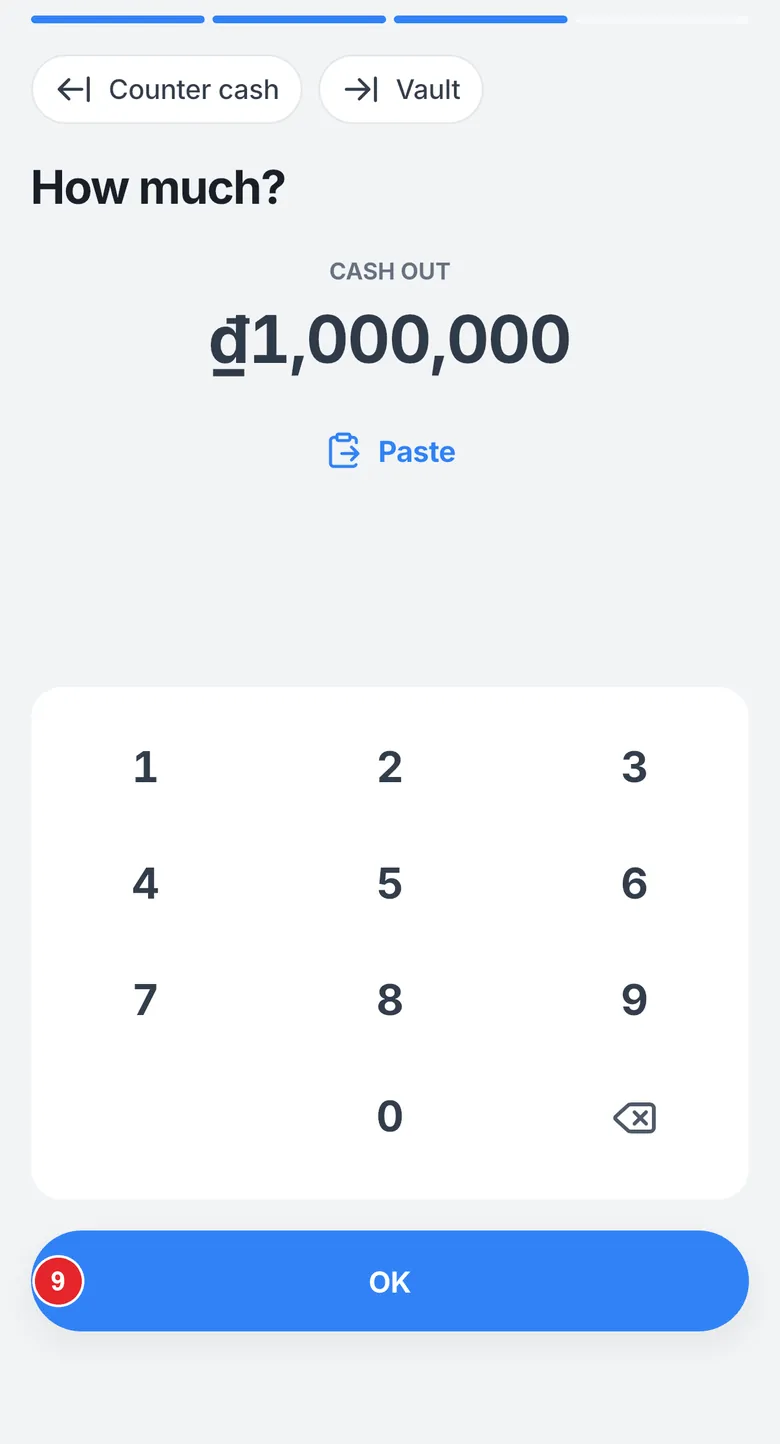
- Enter only the amount you moved and tap «OK». Don't include money left in the drawer as change.
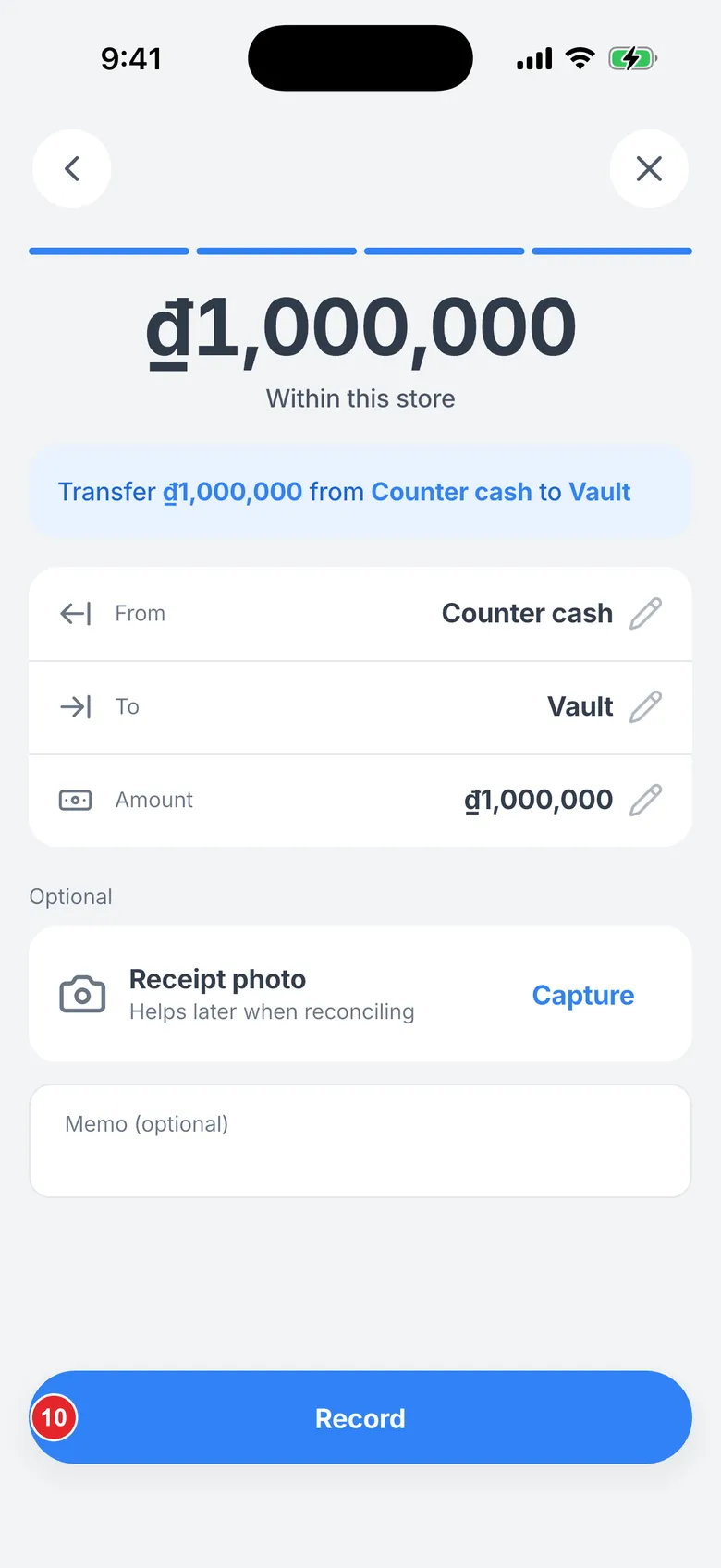
- The blue text at the top reads like «Transfer ₫1,000,000 from Counter cash to Vault». If it is right, tap «Record».
Record money moved from the drawer to the vault, or deposited at the bank, with «Move money». The sending place goes down and the receiving place goes up. Sales and costs don't change.
Remember
- If you don't record money you moved, the drawer shows as short and the vault or bank account as over.
- Leave out the money you keep in the drawer as change, and enter only the amount you really moved.
- After moving it, count each of the two places at closing.