
Show contents
Staff & shifts › Work out & pay salary
Add a bonus or deduction
- Who
- Owner · Manager
- When
- When needed
- Where
- App · Web
What you get
- A bonus or deduction added to one shift goes into that shift's pay and shows right away in «Final Pay» on the Payroll tab.
- A bonus or deduction added when paying keeps its amount and reason in the payment record and in the books.
What it solves
- If you keep bonuses or money taken off in separate notes, you have no record to show when staff ask why the amount is different.
Why this way
- What is about one shift stays on that shift, and what is about the whole payment stays on that payment, so later you find the reason right away.
- Can I change only the amount, with no reason? A bonus or deduction added when paying needs a reason before it can be paid. On the website, «Pay …» does not turn on without a reason.
- What if I add it after paying? It is not paid that month. See «Shifts changed or were added after paying».
- Can I add them when paying several staff at once? No. Pay staff with a bonus or deduction separately («Pay several staff at once»).
On one shift: at the bottom of the app, go to «Staff» → «Shift Management» and open that shift.
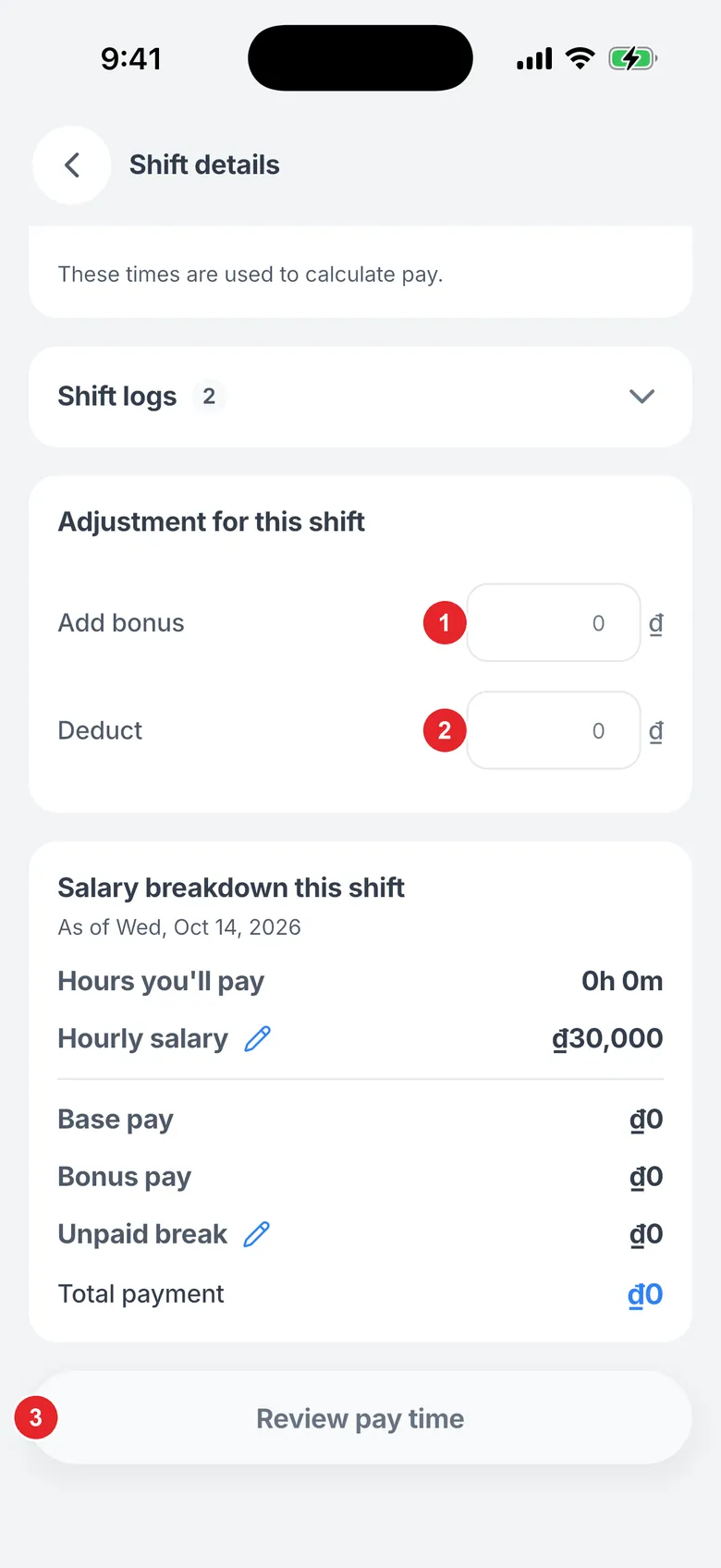
- Enter the extra amount in «Add bonus».
- Enter the amount to take off in «Deduct».
- Tap the button below to save. In the picture it is «Review pay time».
When paying: open the «Pay Salary» screen as in «Pay salaries».
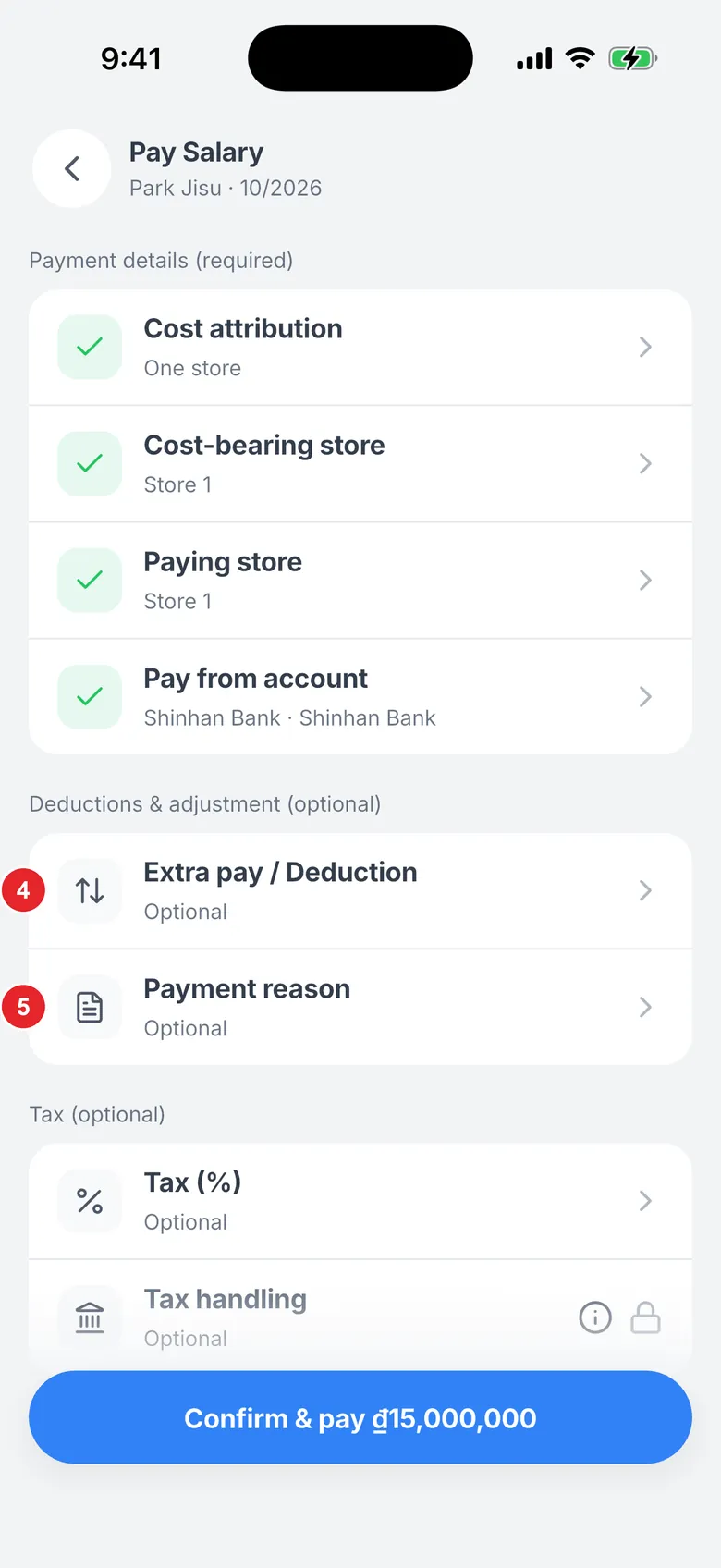
- Tap «Extra pay / Deduction» and enter the amount.
- Write the reason in «Payment reason».
Two places to add them
- On one shift: the bonus and deduction in the shift window («Add bonus» · «Deduct» on both the website and the app). It goes into that shift's pay and shows in «Final Pay» on the Payroll tab.
- When paying: the bonus and deduction in the salary payment window (web «+ Bonus» · «− Deduction», app «Deductions & adjustment (optional)»). You need a reason to pay, and the amount and reason stay in the payment record and in the books.
Remember
- A bonus or deduction added to a shift after paying is not paid that month. See «Shifts changed or were added after paying».