
Show contents
Staff & shifts › Work out & pay salary
Pay salary with tax withheld
- Who
- Owner · Manager with permission
- When
- Every month
- Where
- App · Web
What you get
- Just enter the tax rate, and the tax to withhold and the money to give the staff member are worked out before you pay.
- The tax record is made together with the payment. You don't record the tax separately.
- Tax not paid yet stays in the books as money owed to the tax office (a debt).
What it solves
- If you work out the tax by hand and take it off, the amount can be wrong, or you can forget the tax you must pay later.
- If you enter the tax again as an expense when you pay it, the same tax is recorded twice.
Why this way
- In the app, entering a tax rate makes you choose «Tax handling». You won't forget whether it is already paid or to be paid later.
- Can I see how much is withheld before I pay? Yes. Before paying, the app shows «Tax Withheld» and «Final Pay», and the website shows the amount next to «Tax» and «Final pay».
- What if I paid with the wrong tax rate? Use «Cancel transaction» on that payment and pay again («I made a wrong payment»).
- Open the «Pay Salary» screen as in «Pay salaries». Scroll down and tap «Tax (%)» under «Tax (optional)».
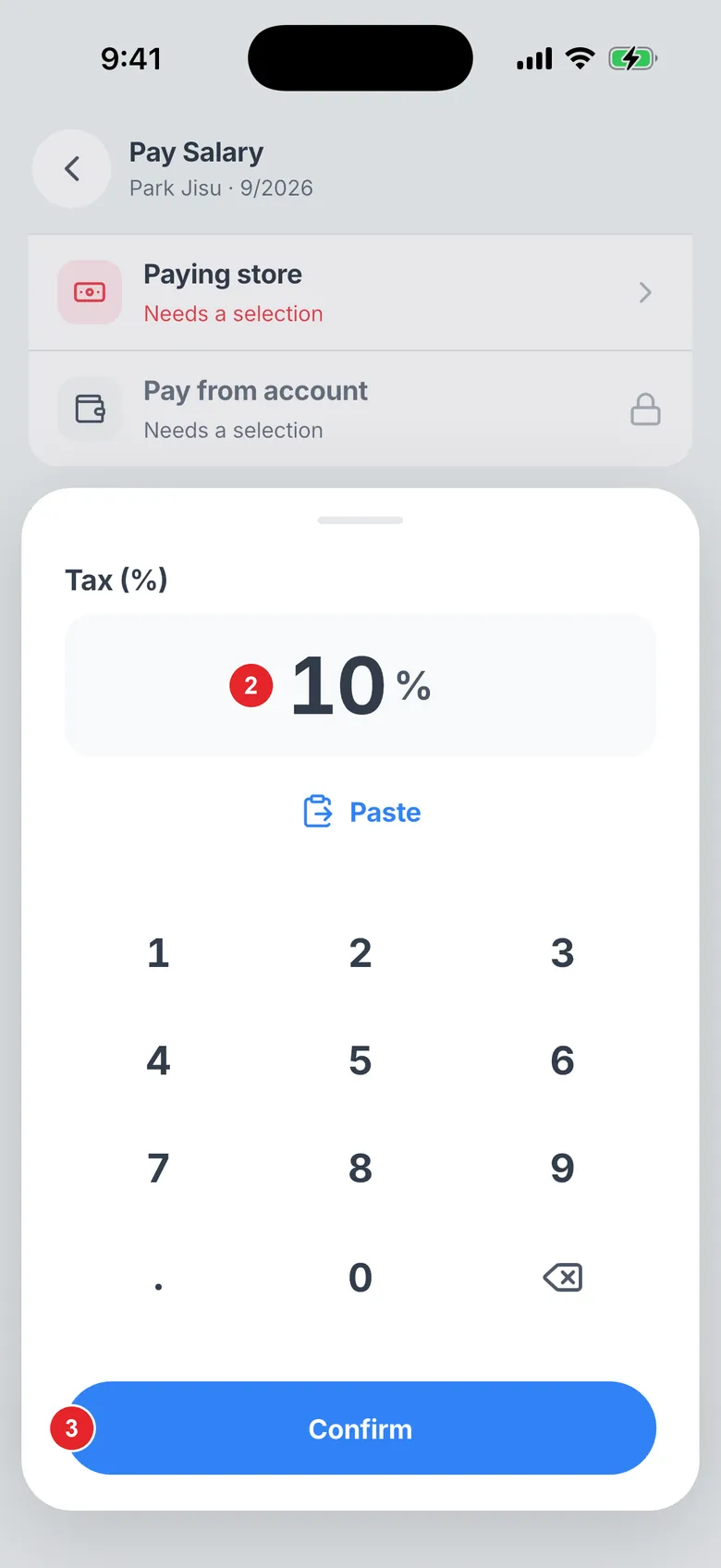
- Enter the tax rate as a number.
- Tap «Confirm».
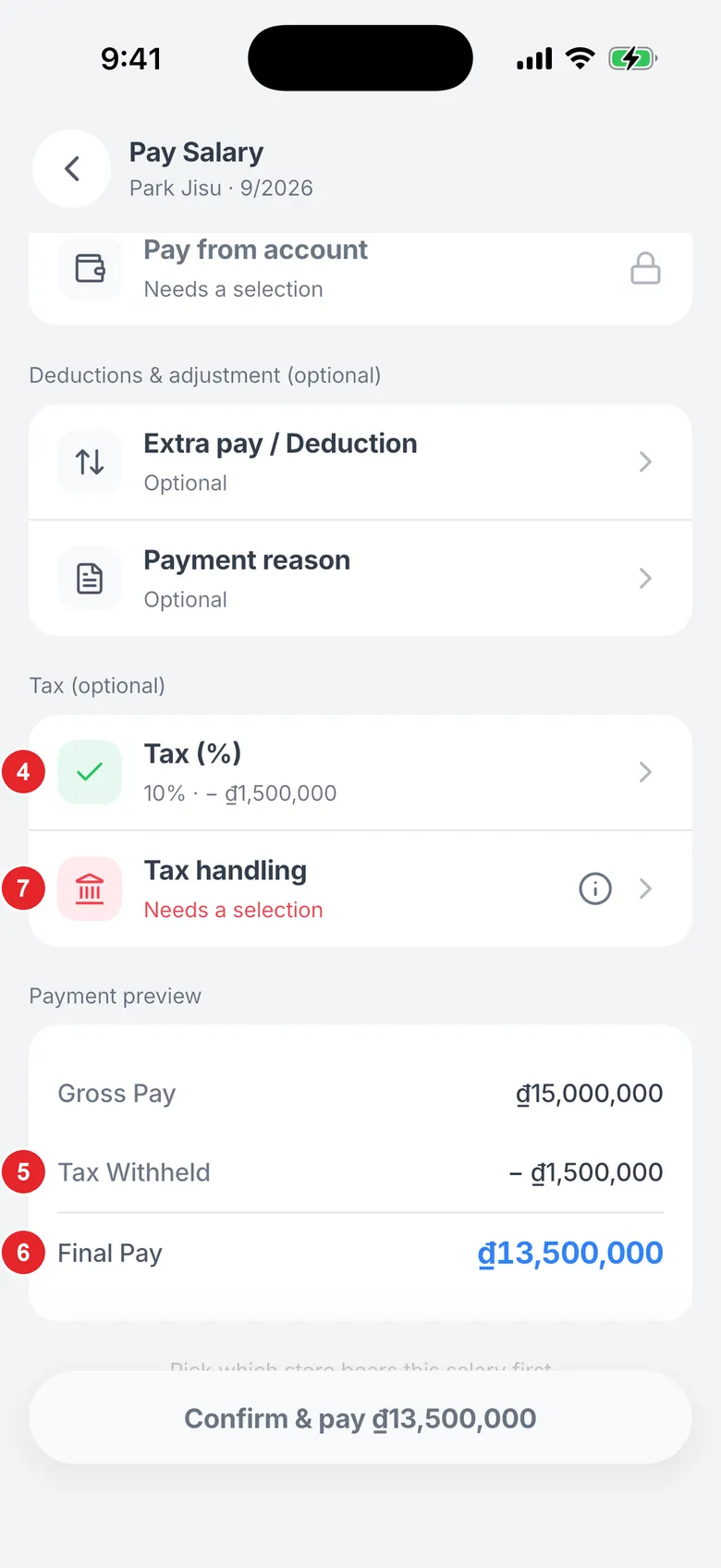
- «Tax (%)» shows the rate and the amount withheld.
- «Tax Withheld» in «Payment preview» is the tax taken off. If you choose to keep it as money owed to the tax office below, the line is renamed «Tax (owed to the tax office)».
- «Final Pay» is the money the staff member actually gets.
- Tap «Tax handling». Once you enter a tax rate, you must choose it.
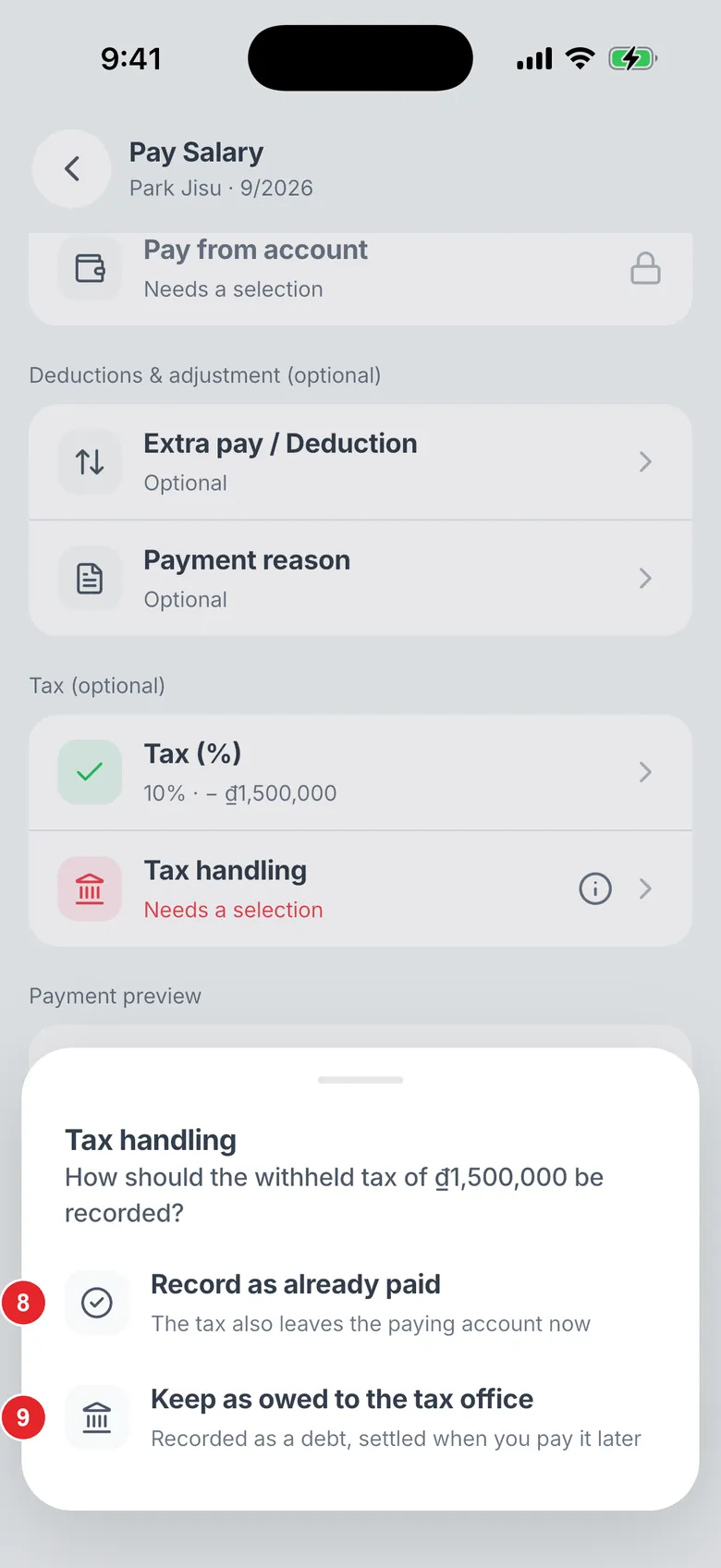
- If you have already paid the tax office, choose «Record as already paid». The tax is also recorded as money going out of the paying account now.
- If you will pay later, choose «Keep as owed to the tax office». It is recorded as a debt and settled when you pay it.
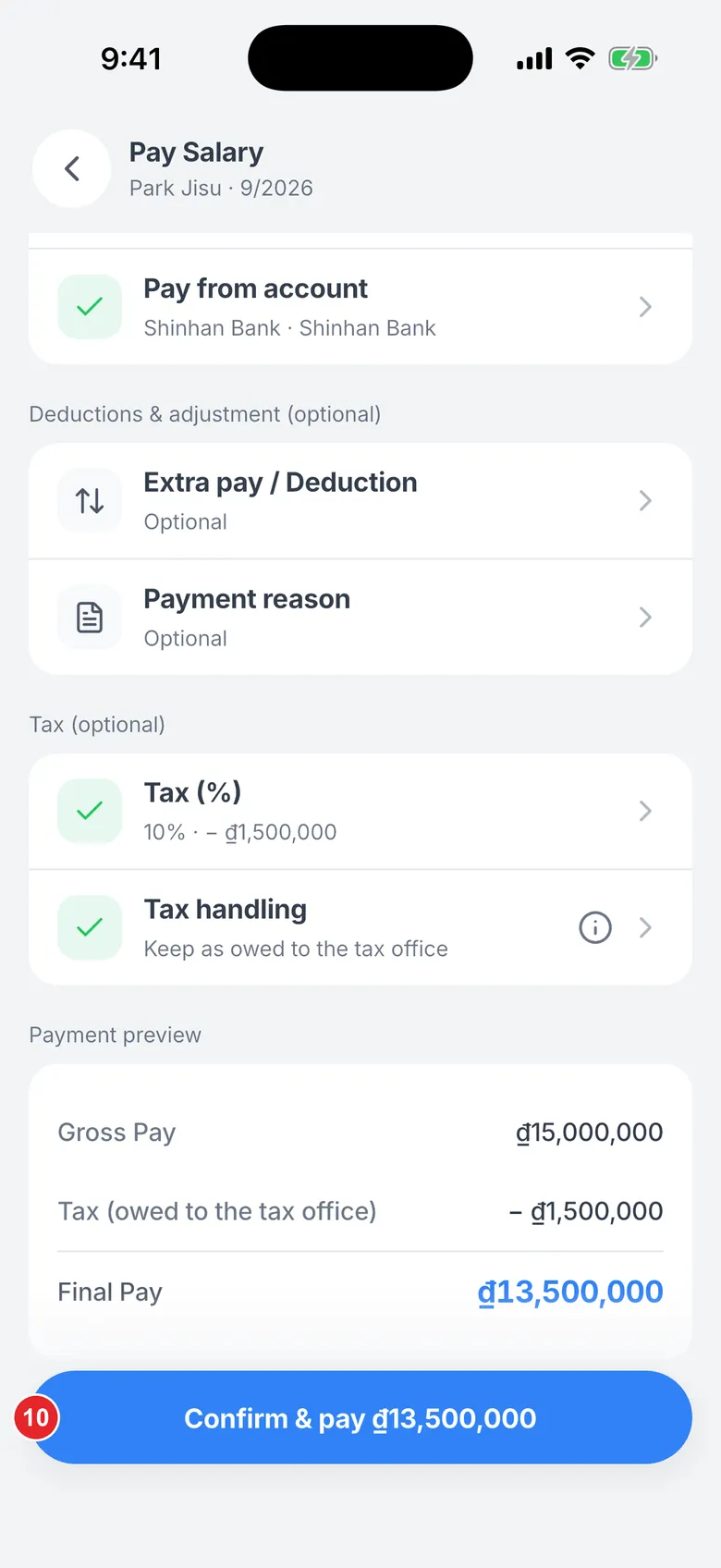
- Choose the other fields as in «Pay salaries» and tap «Confirm & pay ₫13,500,000» at the very bottom (the button shows the amount).
When paying, enter a tax rate (%), and that much is withheld as «Tax Withheld» and the rest is paid. Example: a monthly salary of ₫15,000,000 at 10% withholds ₫1,500,000 and pays ₫13,500,000.
Remember
- Decide how to record the withheld tax. If you haven't paid the tax office yet, keep it as money to pay later (app «Keep as owed to the tax office», web «Track withheld tax as payable»).
- When you actually pay the tax later, don't enter it as a new expense. The website screen also warns that otherwise the same tax will be booked twice.
- If you don't enter a tax rate, it is paid with no tax.